



The Pricing Strategy KPI Dashboard in Excel is a powerful tool designed to help businesses, pricing managers, and analysts track and analyze key performance indicators (KPIs) related to pricing strategies. This dashboard enables you to monitor pricing effectiveness, profitability, price elasticity, competitor pricing, and sales performance in real-time, helping you optimize your pricing decisions for maximum revenue and profitability.
Whether you’re managing product pricing, conducting competitive analysis, or optimizing pricing models, this Excel-based dashboard provides you with the insights needed to make data-driven pricing decisions. The Pricing Strategy KPI Dashboard in Excel is the perfect solution for businesses looking to stay competitive and optimize their pricing strategies to meet market demands and improve profitability.
Key Features of the Pricing Strategy KPI Dashboard in Excel
💰 Comprehensive Pricing Analysis
Track KPIs such as sales revenue, pricing elasticity, profit margins, and customer response to price changes. Get a complete view of your pricing strategy’s effectiveness.
⚡ Real-Time Performance Monitoring
Monitor pricing performance in real time, including sales, profitability, and competitive pricing dynamics. Make timely adjustments to pricing strategies to stay competitive and maximize revenue.
📈 Competitor Pricing & Market Trends
Analyze competitor pricing and market trends to ensure that your prices are aligned with industry standards and customer expectations. Use this data to adjust pricing strategies accordingly.
📅 Profitability & Margin Insights
Track profit margins and identify areas where pricing changes can lead to improved profitability. Analyze the relationship between product prices, sales volumes, and profit margins to make informed pricing decisions.
🖥️ Interactive & User-Friendly Interface
The Excel dashboard is easy to navigate, offering interactive charts, filters, and slicers that allow you to drill down into specific pricing data and track performance across various pricing metrics.
Why You’ll Love the Pricing Strategy KPI Dashboard in Excel

✅ Track Pricing Effectiveness
Monitor KPIs such as sales performance, revenue, and profit margins to evaluate how well your pricing strategies are performing.
✅ Optimize Pricing Decisions
Leverage insights into price elasticity and competitor pricing to make data-driven decisions about product prices and promotional strategies.
✅ Boost Profitability & Margins
Analyze the impact of pricing decisions on profitability and margins. Identify opportunities to optimize pricing for higher revenue without sacrificing sales volume.
✅ Stay Competitive
Keep track of competitor pricing, market trends, and customer preferences to ensure that your pricing strategies remain competitive and aligned with market demands.
✅ Make Data-Driven Pricing Decisions
Use real-time data and insights from the dashboard to make informed decisions that improve profitability and customer satisfaction while staying competitive.
What’s Inside the Pricing Strategy KPI Dashboard Template?
- Pricing & Profitability Tracking: Monitor the effectiveness of pricing strategies on revenue, margins, and sales performance.
- Competitor Pricing Analysis: Track competitor pricing and market trends to adjust your prices accordingly.
- Sales & Revenue Insights: Visualize the relationship between price changes, sales volumes, and revenue to understand pricing impacts.
- Price Elasticity Analysis: Measure how changes in price affect sales volumes and customer demand.
- Customizable KPIs: Adjust the dashboard to track specific pricing metrics such as promotional pricing or seasonal discounts.
- Interactive Reporting: Use dynamic charts and filters to gain deeper insights into pricing performance and trends.
How to Use the Pricing Strategy KPI Dashboard in Excel
1️⃣ Download the Template: Get instant access to your Pricing Strategy KPI Dashboard.
2️⃣ Input Pricing & Sales Data: Enter data such as pricing models, sales performance, competitor pricing, and profit margins.
3️⃣ Track & Monitor KPIs: Use the dashboard to monitor real-time pricing effectiveness, competitor pricing, and profitability.
4️⃣ Analyze & Optimize: Leverage insights from the dashboard to optimize pricing strategies and improve profitability.
Who Can Benefit from the Pricing Strategy KPI Dashboard in Excel?
🔹 Pricing Managers & Analysts
🔹 Sales Teams & Business Owners
🔹 Marketing & Revenue Optimization Teams
🔹 Business Consultants & Strategy Analysts
🔹 Product Managers & Retailers
🔹 Anyone Involved in Pricing Strategy Development & Optimization
Track, analyze, and optimize your pricing strategy with the Pricing Strategy KPI Dashboard in Excel. Monitor sales, margins, and market trends to ensure that your pricing decisions maximize profitability while staying competitive.
Click here to read the Detailed blog post
Visit our YouTube channel to learn step-by-step video tutorials
Youtube.com/@PKAnExcelExpert
Compatibility and Requirements
- Works in Microsoft Excel desktop (Excel 2016 or later, or Microsoft 365).
- Learn how slicers filter a report in Microsoft’s guide Use slicers to filter data.
Frequently Asked Questions
Which KPIs does the dashboard track?
It tracks sales revenue, price elasticity, profit margins, competitor pricing and customer response to price changes.
What data do I need to enter?
Enter your pricing models, sales performance, competitor prices and profit margins. The dashboard then shows how your pricing is performing.
Can I filter the dashboard?
Yes. It has interactive charts, filters and slicers, so you can drill down into specific pricing data.
Can I track my own pricing metrics?
Yes. The KPIs are customizable, so you can add metrics such as promotional pricing or seasonal discounts.
Related Pricing and Sales Templates
- Pricing Strategy KPI Dashboard in Google Sheets: the same topic for Google Sheets
- Pricing Strategy KPI Dashboard in Power BI: the Power BI edition
- Profitability Analysis KPI Dashboard in Excel: goes deeper on margins and profit
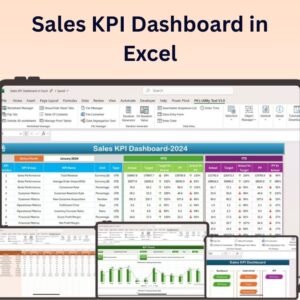
- Sales KPI Dashboard in Excel: tracks the sales side of pricing changes
- KPI Dashboard Library (Excel): 15 Excel KPI dashboards in one bundle
Browse all Excel KPI dashboards or the Excel sales and marketing templates.































Reviews
There are no reviews yet.