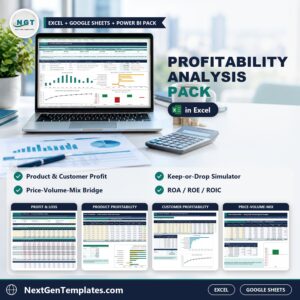
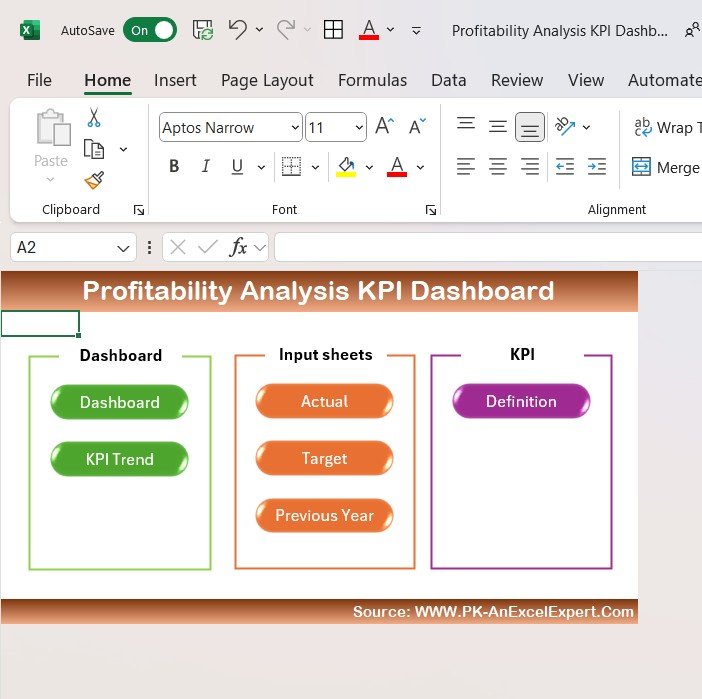

Profitability Analysis KPI Dashboard in Excel

MS Excel - instant download

Original price was: ₹1,999.00.Current price is: ₹1,299.00.
Details, requirements and demo below
Sale!

Profitability Analysis KPI Dashboard in Excel

Original price was: ₹1,999.00.Current price is: ₹1,299.00.

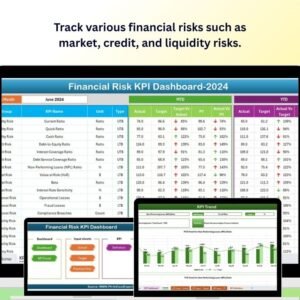
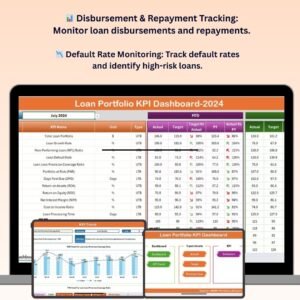
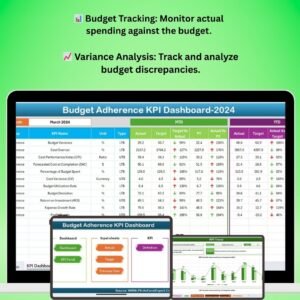
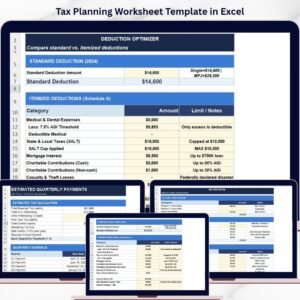
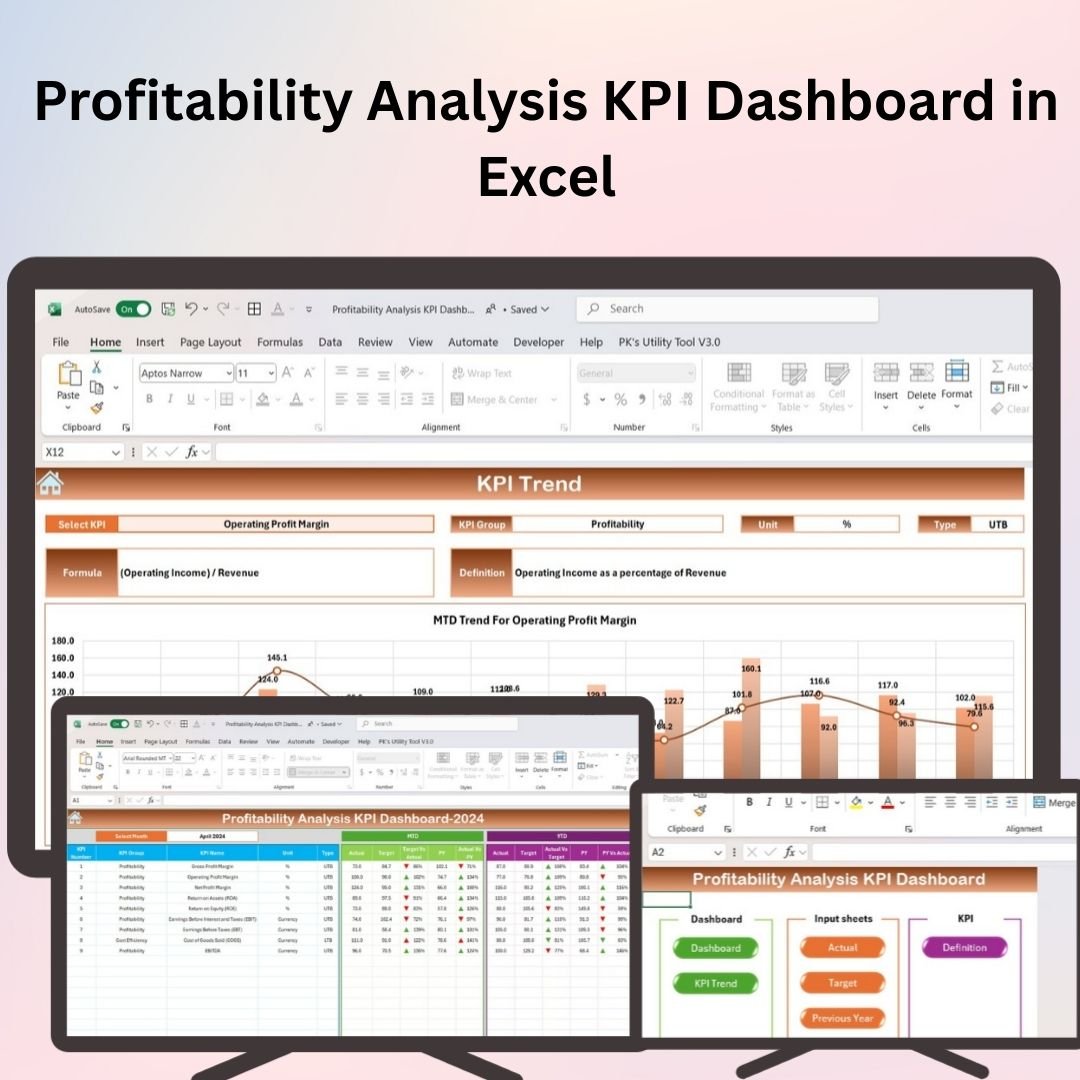
Track and analyze your business’s profitability with the Profitability Analysis KPI Dashboard in Excel. Monitor key performance indicators, track expenses, and visualize your financial health.

📊 Profitability Metrics Tracking: Monitor gross and net profit margins, ROI, and more.
⚙️ Expense Management: Track and manage operational expenses.
📈 Visual Dashboards: Visualize profitability and financial trends.
💼 Customizable KPIs: Adjust KPIs to fit your specific business goals.
🔄 Real-Time Updates: Enter data and get immediate updates on financial performance.

Stay on top of your financial health and make data-driven decisions with this Excel dashboard.

Customize this template for your business (optional)

Handled by email: we contact you within 1 business day. One revision round included. What is included

- +
Have your own data? Build a dashboard from your Excel, CSV or Google Sheets file free in Dashboard Studio →
,

💡 Buy any 2 templates and save 20% automatically at checkout.

Included in All-Access Templates. Get this plus 7,000+ templates for ₹4,999.00 a year. Compare plans →
Pricing country
Prices follow your selected country; checkout uses your billing country.
Excel Pivot Tables & Dashboards: Basic to Advanced courseLaunch offer
🎓 NEXTGENTEMPLATES ACADEMY
Like this dashboard? Learn to build your own.
Excel Pivot Tables & Dashboards: Basic to Advanced

From your first Pivot Table to the Data Model, DAX, Power Query and a one-page KPI dashboard. 11h 51m of video by PK, with practice files, quizzes and a capstone.

The Profitability Analysis KPI Dashboard in Excel is an essential tool for businesses, finance teams, and analysts looking to track and measure profitability. This powerful dashboard allows you to monitor key performance indicators (KPIs) related to revenue, expenses, and overall profitability, helping you make informed financial decisions.

With customizable fields, automatic calculations, and interactive charts, this Excel dashboard provides a clear, visual representation of your company’s financial health. Whether you’re managing a small business or a large enterprise, this tool helps you stay on top of your profitability and ensures you’re meeting your financial goals.
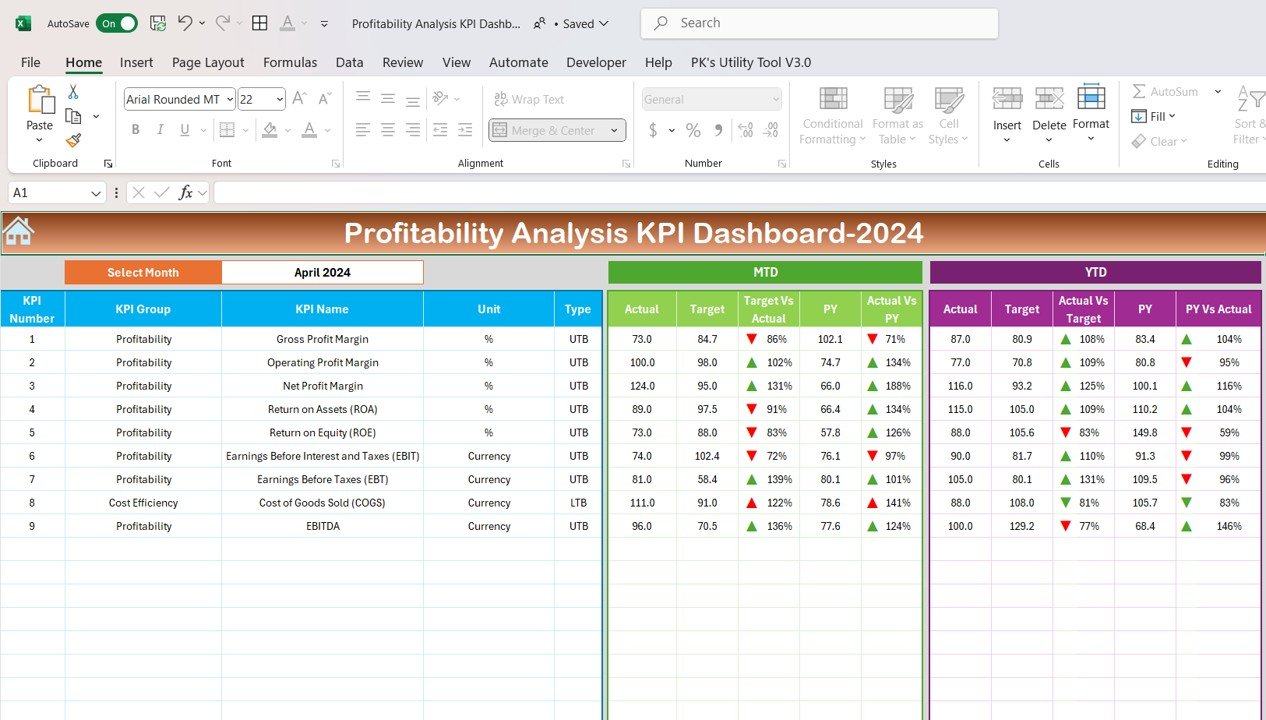
Profitability Analysis KPI Dashboard in Excel

Key Features of the Profitability Analysis KPI Dashboard in Excel

📊 Profitability Metrics Tracking: Monitor key profitability indicators such as gross profit margin, net profit margin, return on investment (ROI), and more.
⚙️ Expense Management: Track operational expenses and analyze their impact on profitability.
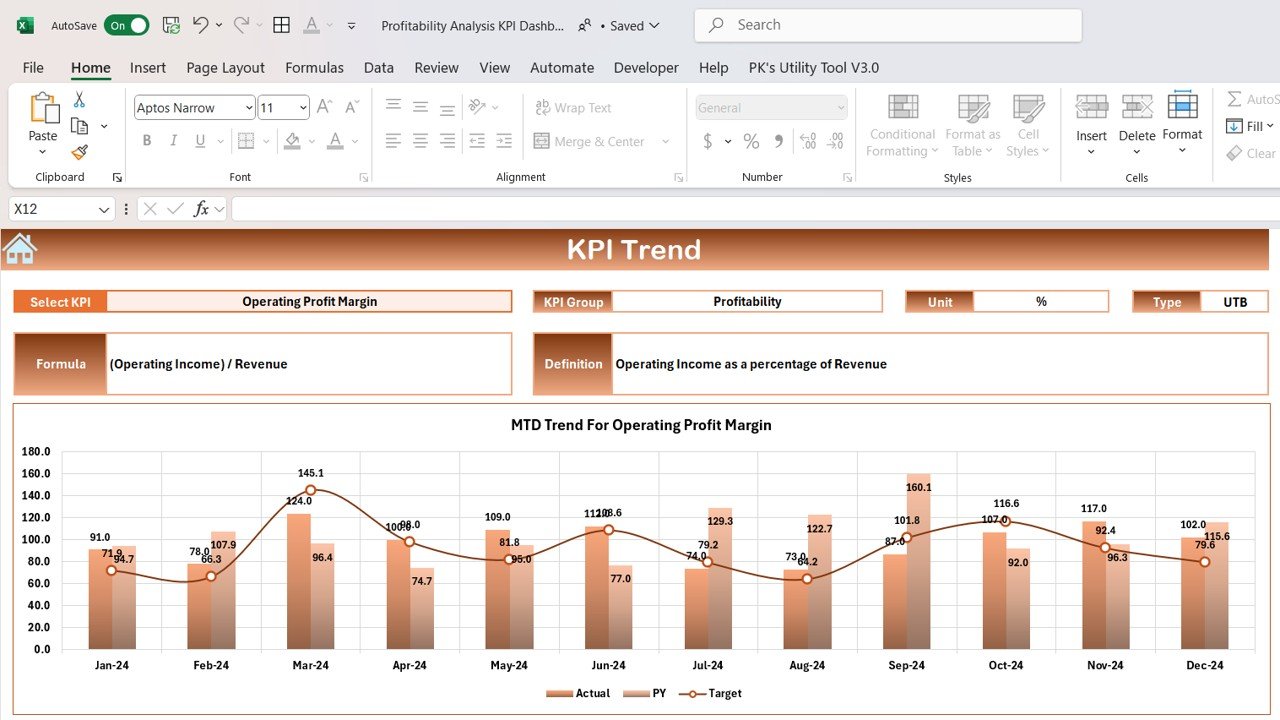
📈 Visual Dashboards: Use interactive charts and graphs to visualize financial data and trends.
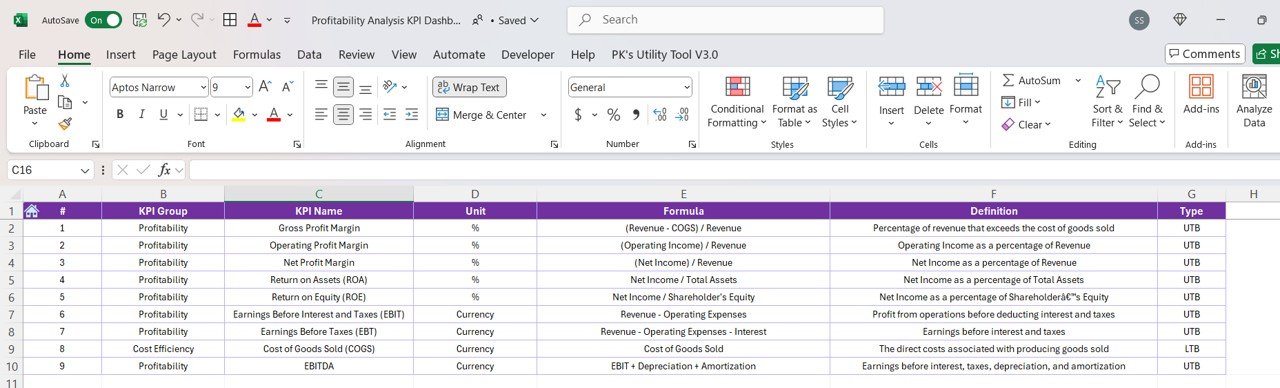
💼 Customizable KPIs: Modify the dashboard to track your specific business KPIs, such as product profitability, department performance, and revenue growth.
📅 Period Comparison: Compare profitability over different periods (monthly, quarterly, yearly) to identify trends and improve forecasting.
🔄 Real-Time Updates: Enter data and receive immediate updates in the dashboard for real-time analysis.

Why You’ll Love the Profitability Analysis KPI Dashboard in Excel

✅ Comprehensive Profitability Tracking: Monitor all critical profitability metrics in one place to ensure business success.
✅ Data-Driven Insights: Use visualized data to make informed financial decisions that improve profitability.
✅ Customizable: Tailor the dashboard to fit your specific financial analysis needs, whether for tracking revenue, expenses, or ROI.
✅ Easy-to-Use Interface: Simple navigation with clear, visual indicators to track financial performance effortlessly.
✅ Periodic Comparison: Compare profitability across different time periods for better forecasting and trend analysis.

What’s Inside the Profitability Analysis KPI Dashboard in Excel?

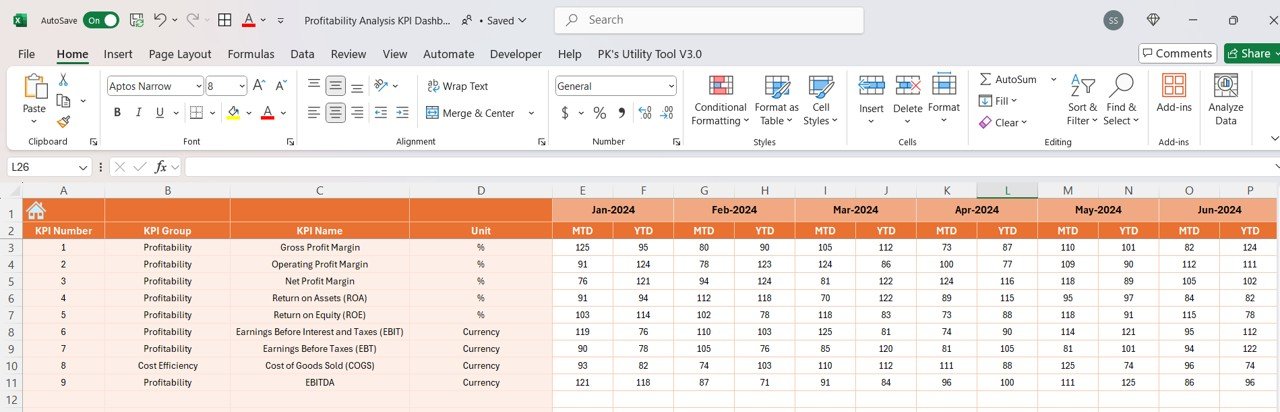
📊 Profitability Metrics Tracker: Track essential profitability KPIs, such as gross and net profit margins.
⚙️ Expense Tracker: Monitor operational expenses and assess their impact on profits.
📈 Interactive Dashboard: Visual charts and graphs that provide insights into your financial performance.
💼 Custom KPIs: Track and modify KPIs that are specific to your business goals and profitability targets.
📅 Period Comparison: View comparisons of profitability across various time periods to spot trends and improve forecasting.

How to Use the Profitability Analysis KPI Dashboard in Excel

1️⃣ Download the Template – Access the pre-configured profitability analysis KPI dashboard.
2️⃣ Input Financial Data: Enter your revenue, expense, and profitability data into the designated fields.
3️⃣ Track KPIs: Use the dashboard to track key financial performance indicators such as profit margin, ROI, and revenue growth.
4️⃣ Visualize Trends: Analyze data using built-in charts to understand profitability trends and identify opportunities for improvement.
5️⃣ Update Periodically: Keep the dashboard up to date by entering new data for real-time analysis and forecasting.

Who Can Benefit from the Profitability Analysis KPI Dashboard in Excel?

🔹 Finance Teams
🔹 Business Owners
🔹 Financial Analysts
🔹 Entrepreneurs
🔹 Project Managers
🔹 Accountants
🔹 Marketing Teams

Improve your financial tracking and decision-making with the Profitability Analysis KPI Dashboard in Excel. Monitor key profitability metrics, track expenses, and visualize trends to optimize your business’s financial health.

Click here to read the detailed blog post

Visit our YouTube channel to learn step-by-step video tutorials

Youtube.com/@PKAnExcelExpert


Compatibility and Requirements

  • Works in Microsoft Excel desktop (Excel 2016 or later, or Microsoft 365).
  • Microsoft’s guide Create a chart from start to finish explains the Excel feature this file is built on.

Frequently Asked Questions

Which profitability metrics does the dashboard track?

Gross profit margin, net profit margin, return on investment (ROI) and revenue growth, along with operational expenses and their effect on profit.

Can I compare different periods?

Yes. The period comparison view shows profitability by month, quarter or year so you can spot trends.

Can I add my own KPIs?

Yes. You can change the KPIs to track product profitability, department performance or any other measure your business uses.

How does the dashboard update?

Enter your revenue and expense data in the input fields and the charts and KPI figures update straight away.

Related Profit and Finance Templates

Browse all Excel financial tools or the Excel KPI dashboards.
Frequently asked questions

Which Excel version do I need?
Microsoft Excel 2016 or later on desktop (Microsoft 365 recommended). Many of our formula templates also open in Excel 2013 and Excel for the web - the exact requirement is listed in this product's description.
Does it work on Mac?
Yes. Formula-based Excel templates (no macros) work in Excel for Mac 2016 or later.
Does it work on mobile or Excel Online?
You can view it in the Excel mobile app and Excel for the web, but for entering data, using slicers and refreshing pivots we recommend desktop Excel.
How do I add my own data?
Replace the sample rows on the data sheet with your own (keep the column headers), then click Data > Refresh All so every chart and pivot updates.
Some sheets are protected - how do I edit them or change the logo?
A few of our trackers, data entry systems and dashboards protect sheets so formulas are not overwritten by mistake. Go to Review > Unprotect Sheet - most have no password. If Excel asks for one, message us with your order number and we will share it straight away.
How many records can it handle?
It has been tested with several thousand rows and suits normal small-business volumes. Excel itself handles over 1 million rows.
Is it a one-time payment or a subscription?
One-time payment. No subscription, no per-user fees and nothing to renew - the file is yours to keep.
How do I get the file after payment?
Instantly. The download link appears on screen after checkout, is emailed to you, and stays under My Account > Downloads on our website. If the email does not arrive within a few minutes, check your spam or promotions folder.
Is a user manual included?
Most of our newer products include a PDF user manual in the download. If yours does not have one, message us with your order number and we will send it.
Do I get free updates?
Bug fixes are always free - if something does not work as described, we fix it and send you the corrected file. New versions with new features are not included in the price, unless this product's description says otherwise.
Can you customise it for me?
Yes. Small changes to this template (your columns, categories, logo, colours, minor layout) cost the template price plus $40-80 (Rs 3,000-6,000 + GST), quoted once you send your list. A fully custom build is usually $100-200 (Rs 8,000-18,000 + GST) with two revision rounds. Email your requirements to [email protected] or message us on WhatsApp.
Can I use it for my business or my clients?
Yes, for your own personal or internal business use, for as long as you like. Reselling or redistributing the template is not allowed.
What is your refund policy?
Because these are digital downloads, they are non-refundable once delivered - except when the product does not match its description (report it within 48 hours of purchase) or there is a technical problem our team cannot fix within 72 hours. Email [email protected] with your order number.
How do I get help?
Email [email protected] (Mon-Fri, 10 AM-7 PM IST) or message us on WhatsApp +91 80770 90260 (chat only, no calls). Please include your order number.

Still have a question? Click Need help? at the bottom-left to ask our assistant, or message us on WhatsApp.

Application

MS Excel

Template Type

KPI Dashboard

Price

Paid

Business Or Department

Finance

Reviews

There are no reviews yet.

Only logged in customers who have purchased this product may leave a review.

You may also like…

Profitability Analysis KPI Dashboard in ExcelProfitability Analysis KPI Dashboard in Excel
Original price was: ₹1,999.00.Current price is: ₹1,299.00.
- +
Have your own data? Build a dashboard from your Excel, CSV or Google Sheets file free in Dashboard Studio →
Scroll to Top