



Efficient Order Fulfillment KPI Dashboard in Google Sheetsis the backbone of supply chain success. When orders are delayed, inaccurate, or partially completed, it affects customer satisfaction, increases operational costs, and impacts business growth. The Order Fulfillment KPI Dashboard in Google Sheets provides a powerful, ready-to-use performance management solution that helps businesses track order accuracy, speed, timeliness, and overall fulfillment efficiency — all in one smart dashboard. 📦📊Order Fulfillment KPI Dashboard in Google Sheets
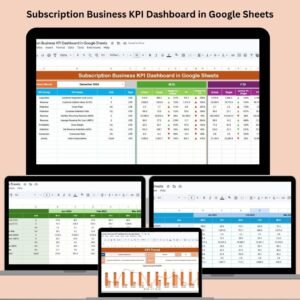
Built for supply chain teams, warehouse managers, logistics coordinators, and eCommerce operations, this dashboard visually compares Month-to-Date (MTD), Year-to-Date (YTD), Target, and Previous Year numbers. Conditional formatting icons instantly highlight KPI performance, helping teams understand what’s working and what needs urgent attention. Since everything is built in Google Sheets, the system is fully cloud-based, easy to customize, and requires no technical expertise.

Order Fulfillment KPI Dashboard in Google Sheets
✨ Key Features of Order Fulfillment KPI Dashboard in Google Sheets
This dashboard is packed with features that help teams optimize order processing and improve customer satisfaction.Order Fulfillment KPI Dashboard in Google Sheets
🔹 Interactive KPI Dashboard
The main dashboard lets you select a month (via the dropdown in cell D3) and instantly view:
MTD Actual vs Target vs Previous Year
YTD Actual vs Target vs Previous Year
KPI deviation indicators
Green ↑ or Red ↓ arrows showing positive or negative trends
KPI summary visuals
With a single click, managers get clarity on fulfillment operations.
🔹 Detailed KPI Trend Analysis
The KPI Trend Sheet gives deeper insights into any KPI using a dropdown selector (cell C3). It displays:
KPI Group
Unit of measurement
KPI Type (UTB = Upper The Better, LTB = Lower The Better)
Formula
KPI Definition
12-month trend chart
This page helps teams identify seasonality, improvement areas, and recurring patterns.
🔹 Easy-to-Update Data Structure
The dashboard includes separate sheets for:
Actual Numbers (MTD & YTD)
Target Values (MTD & YTD)
Previous Year Numbers
You can also choose the starting month of your financial year using cell E1. This makes the tool flexible and customizable for global businesses.
🔹 Comprehensive KPI Definition Table
The KPI Definition Sheet includes:
KPI Name
KPI Group
Unit
Calculation Formula
KPI Definition
Type (UTB or LTB)
This ensures consistent reporting and helps new team members understand each metric clearly.
🔹 Cloud-Based & Auto-Updating
Every time you update your input sheets, the dashboard refreshes automatically. No heavy tools. No complex software.
📦 What’s Inside the Order Fulfillment KPI Dashboard
You will receive a fully structured Google Sheets file that includes:
Dashboard Sheet (Main KPI Summary)
Track the full performance snapshot of order fulfillment.KPI Trend Sheet
Drill down into each KPI and review historical trends.Actual Number Sheet
Enter actual performance for MTD and YTD.Target Sheet
Store and compare monthly and yearly targets.Previous Year Sheet
Analyze CY vs PY performance.KPI Definition Sheet
Your complete reference guide for formulas, units, and definitions.
KPIs commonly tracked include:
✔ Order Cycle Time
✔ On-Time Delivery Rate
✔ Order Accuracy Rate
✔ Backorder Rate
✔ Perfect Order Rate
✔ Return Rate
✔ Picking Accuracy
✔ Warehouse Efficiency
You can add unlimited KPIs anytime.
🛠️ How to Use the Order Fulfillment KPI Dashboard
Using this dashboard is simple, intuitive, and fast:
🔸 Step 1: Update Data Sheets
Enter your actual, target, and previous year performance numbers.
🔸 Step 2: Select the Month
Use the Month dropdown on the Dashboard Sheet to view MTD and YTD insights.
🔸 Step 3: Review Trend Indicators
Check green and red arrows to quickly identify improvement or decline.
🔸 Step 4: Analyze Trends
Open the KPI Trend Sheet to review monthly movements and patterns.
🔸 Step 5: Align Goals
Use the KPI Definition sheet to standardize metrics and ensure team alignment.
Within minutes, your entire order fulfillment performance becomes visual, structured, and actionable. 🚀
👥 Who Can Benefit from This Dashboard?
This dashboard is ideal for:
Supply Chain Teams – Track delays, efficiency, and fulfillment accuracy.
Warehouse Managers – Improve picking accuracy and warehouse throughput.
Logistics Teams – Monitor delivery timelines and reduce operational bottlenecks.
eCommerce Businesses – Ensure fast, error-free order processing.
Operations Leaders – Align teams with targets and monitor monthly progress.
Whether you manage hundreds of orders or thousands every month, this dashboard brings clarity and control to your workflow.
Click here to read the Detailed Blog Post
Watch the step-by-step video Demo:
Visit our YouTube channel for step-by-step video tutorials — YouTube.com/@NeotechNavigators
Compatibility and Requirements
- Works in Google Sheets. You need a free Google account and a web browser.
- You pick the month and the KPI from dropdowns. Google explains dropdowns in Create an in-cell dropdown list.
Frequently Asked Questions
Which sheets are included?
Six sheets: Dashboard, KPI Trend, Actual Number, Target, Previous Year and KPI Definition.
How do I choose the month I want to see?
Use the month dropdown in cell D3 on the Dashboard sheet. It shows MTD and YTD actuals against targets and the previous year.
Can I change the start month of my financial year?
Yes. Pick the starting month in cell E1.
How do I view the trend for one KPI?
Open the KPI Trend sheet and select the KPI from the dropdown in cell C3. It shows the KPI group, unit, type (UTB or LTB), formula, definition and a 12-month trend chart.
Is there an Excel or Power BI version?
Yes. See the Order Fulfillment KPI Dashboard in Excel and the Order Fulfilment KPI Dashboard in Power BI.
Related Order and Fulfillment Templates
- Order Fulfillment KPI Dashboard in Excel: the same dashboard in Excel
- Order Fulfilment KPI Dashboard in Power BI: the Power BI edition
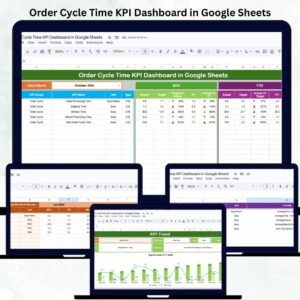
- Order Cycle Time KPI Dashboard in Google Sheets: focuses on how long orders take
- Sales Order Tracker in Google Sheets: log individual orders
- Logistics Manager Toolkit: 8 Excel templates for logistics teams in one download
Browse all Google Sheets KPI dashboards.







Reviews
There are no reviews yet.