



Mining operations involve high-risk environments, heavy machinery, and strict safety regulations. Even a small delay in identifying safety issues can lead to serious incidents, compliance failures, and operational shutdowns. However, many mining organizations still rely on manual registers, static spreadsheets, or delayed safety reports. As a result, risks stay hidden and corrective actions come too late.
That is exactly where the Mining Safety KPI Dashboard in Google Sheets becomes extremely valuable.
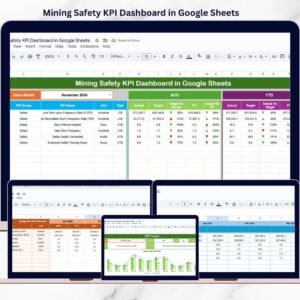
This ready-to-use, professional dashboard helps mining companies track safety performance clearly, consistently, and proactively. Instead of reviewing raw safety logs, decision-makers get instant visibility into MTD, YTD, targets, previous-year comparisons, and trends—all in one interactive Google Sheets dashboard.
Because it runs on Google Sheets, teams collaborate in real time and always work with the latest safety data.

⭐ Key Features of Mining Safety KPI Dashboard in Google Sheets
🛡️ Centralized Safety KPI Monitoring
Track all critical mining safety KPIs in one structured dashboard.
📅 Dynamic Month Selection
Select a reporting month once and the entire dashboard updates automatically.
📊 MTD & YTD Safety Performance
Monitor both short-term and long-term safety performance together.
🎯 Target vs Actual Comparison
Identify gaps between planned safety targets and actual performance instantly.
📉 Previous Year Benchmarking
Measure year-over-year safety improvement or decline clearly.
🚦 Visual Variance Indicators
Up and down arrows highlight safety risks and improvements immediately.
📘 Standardized KPI Definitions
Each KPI includes unit, formula, definition, and LTB/UTB classification.
☁️ Built in Google Sheets
Cloud-based, collaborative, and easy to maintain—no complex HSE software needed.
📦 What’s Inside the Mining Safety KPI Dashboard in Google Sheets?
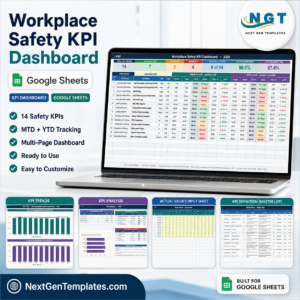
This dashboard includes six well-structured worksheets, each designed for clarity and control:
📌 Dashboard Sheet
Main safety overview showing all KPIs with MTD, YTD, target, and previous-year comparisons using visual indicators.
📌 KPI Trend Sheet
Deep KPI-level trend analysis with KPI group, unit, type (LTB/UTB), formula, and definition.
📌 Actual Number Sheet
Structured input sheet for entering MTD and YTD actual safety data.
📌 Target Sheet
KPI-wise monthly and yearly safety targets for performance benchmarking.
📌 Previous Year Number Sheet
Historical safety data to support year-over-year analysis and audits.
📌 KPI Definition Sheet
Central reference for KPI name, group, unit, formula, definition, and KPI type.
Together, these sheets form a complete mining safety performance management system.
🛠️ How to Use the Mining Safety KPI Dashboard in Google Sheets
Using this dashboard is simple and user-friendly:
1️⃣ Review or define safety KPIs in the KPI Definition Sheet
2️⃣ Enter actual safety values in the Actual Number Sheet
3️⃣ Add safety targets in the Target Sheet
4️⃣ Enter previous-year safety data
5️⃣ Select the reporting month from the dashboard
6️⃣ Review MTD, YTD, variance, and trend indicators
All calculations and visuals update automatically, allowing teams to focus on safety actions—not manual reporting.
👷 Who Can Benefit from This Mining Safety KPI Dashboard?
This dashboard is ideal for:
⛏️ Mining Safety Managers
🦺 HSE & Compliance Teams
🏗️ Operations & Site Managers
📋 Audit & Regulatory Teams
🏢 Corporate Safety Leadership
📊 Mining Consultants
Whether managing a single mine or multiple sites, this dashboard scales easily.
🚀 Why This Dashboard Is a Must-Have for Mining Safety
✔ Improves safety visibility across sites
✔ Identifies risks before incidents occur
✔ Strengthens compliance and audit readiness
✔ Supports data-driven safety decisions
✔ Saves hours of manual reporting
✔ No expensive safety software required
This dashboard turns Google Sheets into a powerful mining safety intelligence tool.
🔗 Click here to read the Detailed blog post
Watch the step-by-step video tutorial:
📺 Visit our YouTube channel to learn step-by-step video tutorials and dashboard walkthroughs.
Compatibility and Requirements
- Works in Google Sheets. You need a free Google account and a web browser.
- You pick the reporting month from a dropdown on the dashboard. Google explains dropdowns in Create an in-cell dropdown list.
Frequently Asked Questions
Which sheets are included?
Six sheets: Dashboard, KPI Trend, Actual Number, Target, Previous Year Number and KPI Definition.
How do I update the dashboard?
Enter your MTD and YTD safety figures in the Actual Number sheet and your goals in the Target sheet. Then select the reporting month on the dashboard and all figures and indicators update.
Can I compare this year with last year?
Yes. Add last year’s figures to the Previous Year Number sheet and the dashboard shows them next to your actuals and targets.
What does the KPI Trend sheet show?
It shows the trend for one KPI, along with its group, unit, type (LTB or UTB), formula and definition.
Is there an Excel version?
Yes. See the Mining Safety KPI Dashboard in Excel.
Related Safety Templates
- Mining Safety KPI Dashboard in Excel: the same mining safety KPIs in Excel
- Mining KPI Dashboard in Power BI: mining KPIs in Power BI
- Safety and Compliance Dashboard in Google Sheets: a compliance view in Google Sheets
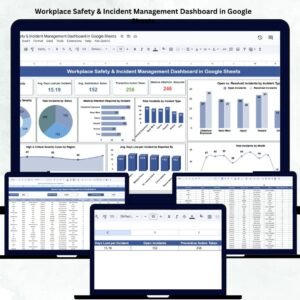
- Workplace Safety & Incident Management Dashboard in Google Sheets: incident tracking in Google Sheets
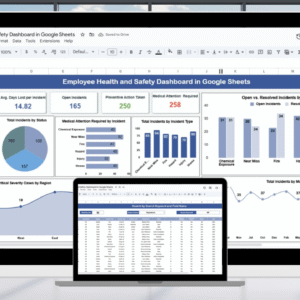
- Employee Health and Safety Dashboard in Google Sheets: health and safety figures for employees
Browse all Google Sheets KPI dashboards.





Reviews
There are no reviews yet.