

Managing membership programs without clear performance insights can quickly become overwhelming. Organizations need a structured way to track member growth, engagement, retention, and performance indicators. This is where the Membership Management KPI Scorecard in Excel becomes a powerful solution.
The Membership Management KPI Scorecard in Excel is a ready-to-use Excel template designed to help organizations monitor key membership metrics in a clear and structured way. Instead of relying on scattered spreadsheets and manual reports, this scorecard centralizes all KPI information into an organized performance tracking system.
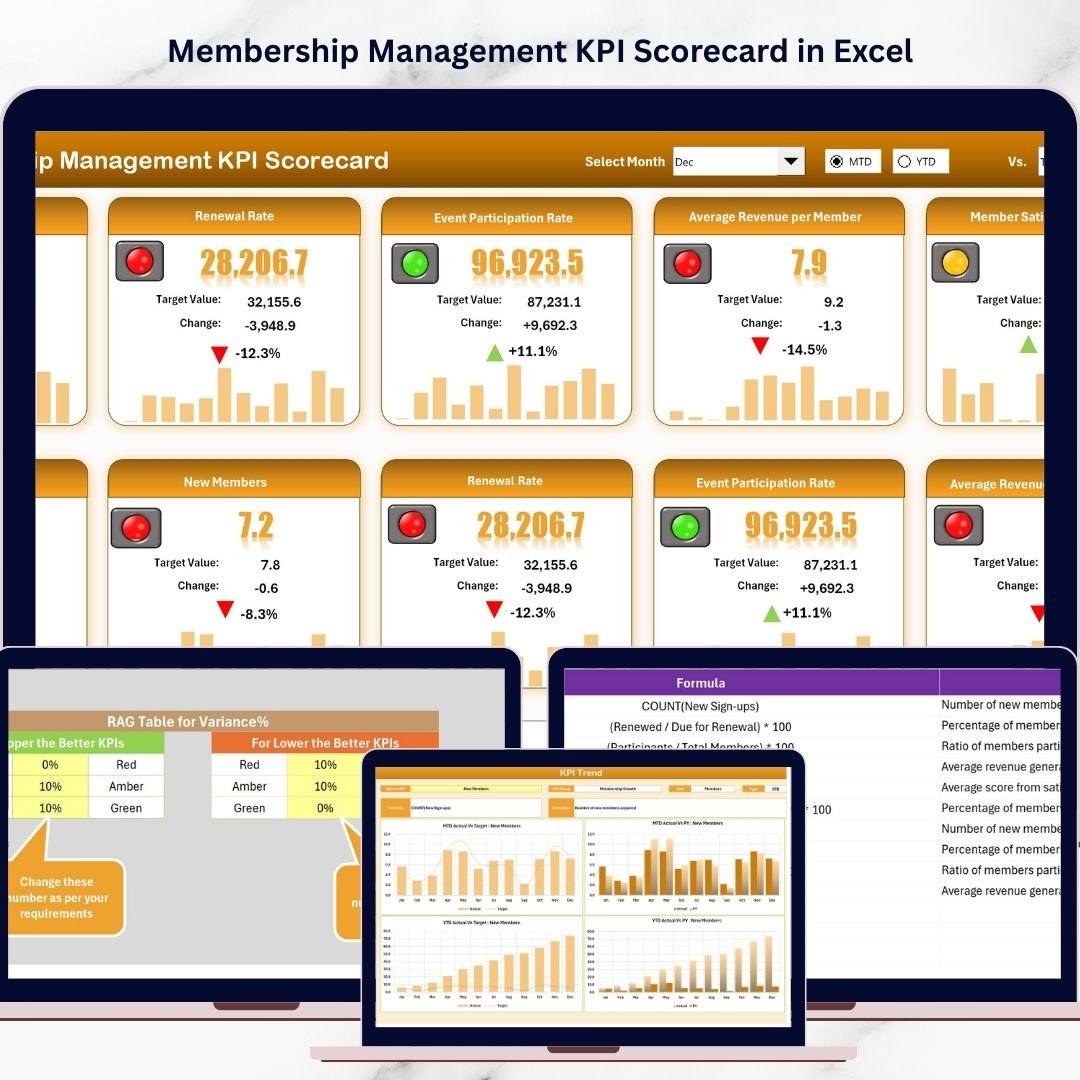
With dynamic dropdown selections, automated calculations, performance indicators, and trend analysis, the template enables managers to compare Actual vs Target performance, track Month-to-Date (MTD) and Year-to-Date (YTD) results, and analyze KPI trends over time.
Whether you manage a membership organization, association, subscription program, community platform, or nonprofit, this scorecard helps transform raw data into actionable insights so you can make smarter strategic decisions.
🚀 Key Feature of Membership Management KPI Scorecard
📊 Interactive KPI Scorecard Dashboard
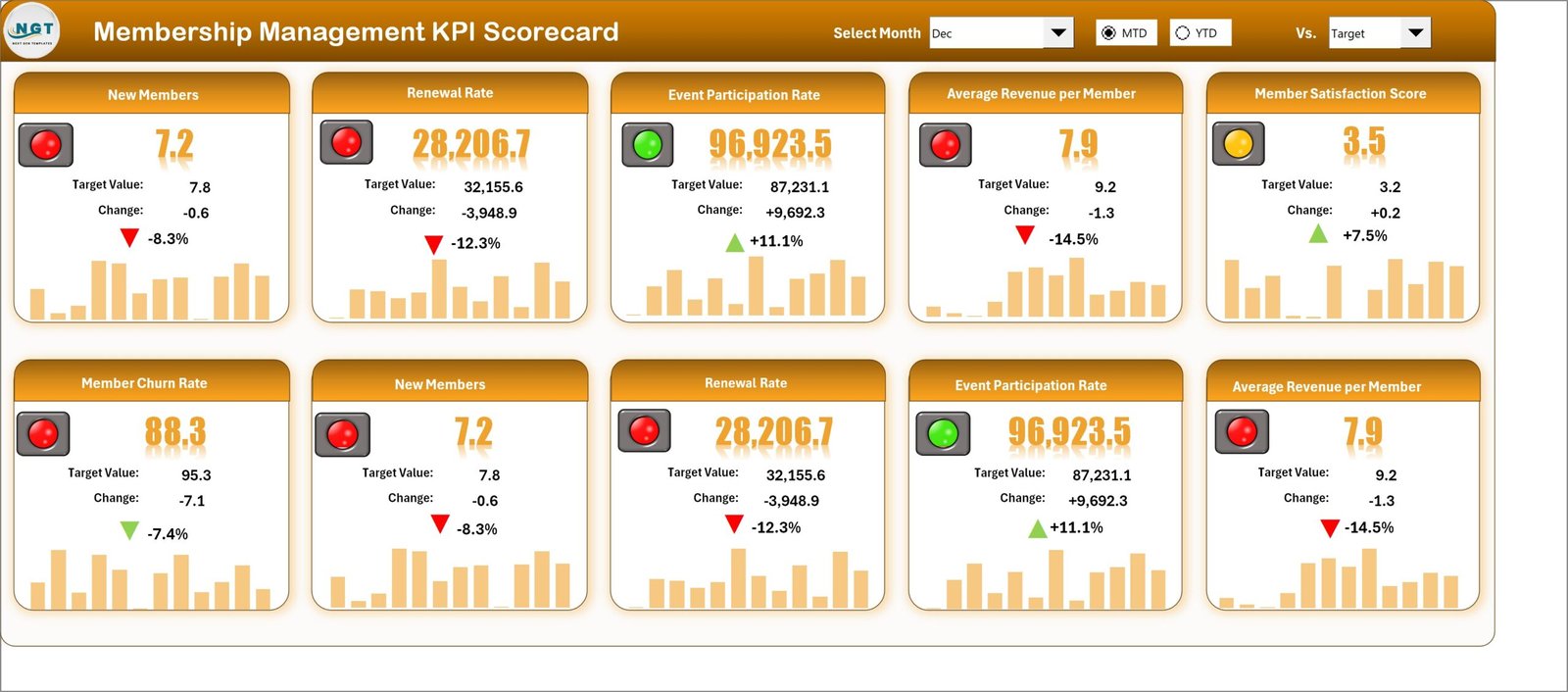
Track all membership KPIs in one structured scorecard where actual performance can be instantly compared with targets.
📅 Dynamic Period Selection
Use dropdown menus to easily analyze KPI performance for different time periods such as Monthly, MTD, and YTD.
🎯 Actual vs Target Performance Tracking
Quickly identify performance gaps by comparing actual KPI values with defined targets.
📈 Visual Performance Indicators
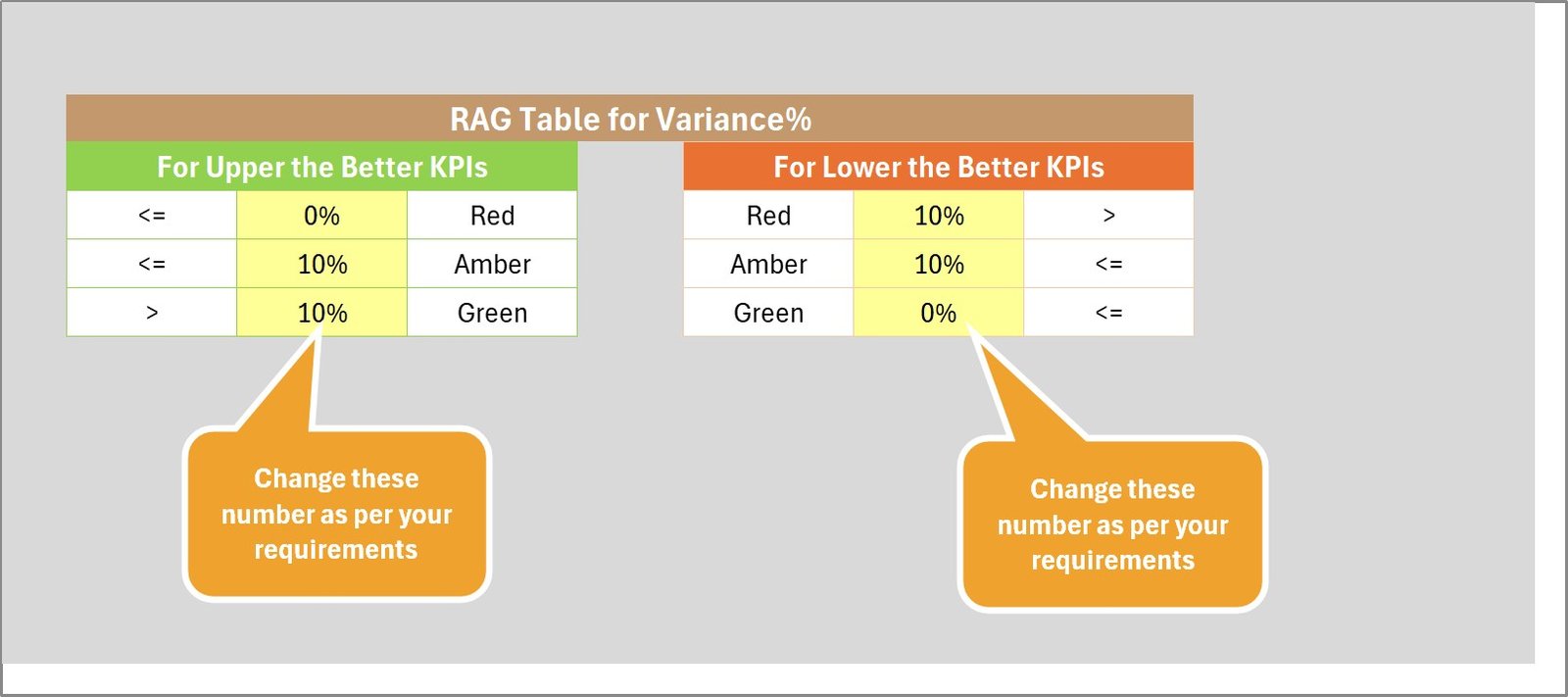
Conditional formatting and color-coded indicators make it easy to identify KPIs performing above or below expectations.
📉 KPI Trend Analysis
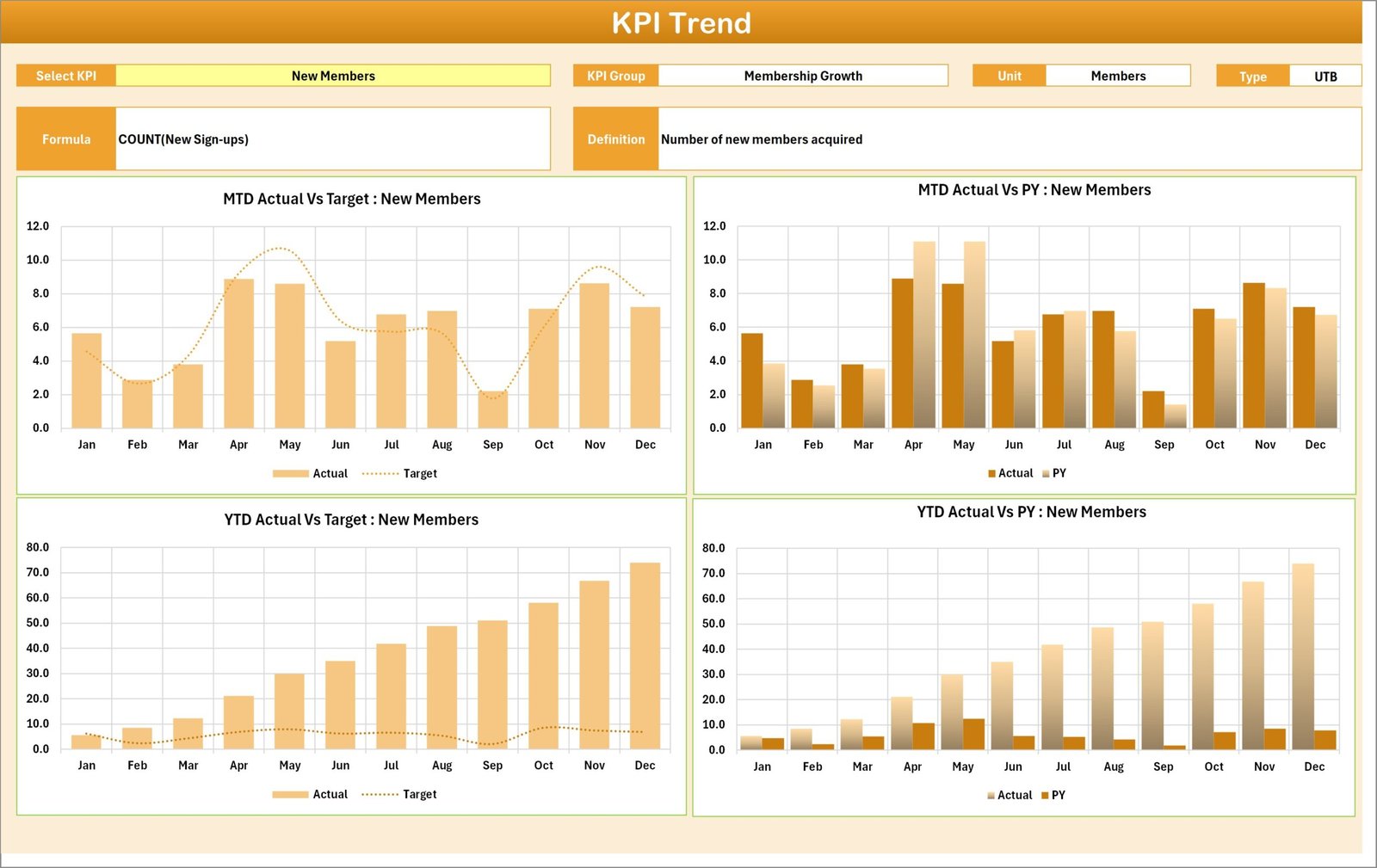
Monitor trends over time using charts that show Actual, Target, and Previous Year (PY) performance.
⚡ Centralized Data Input System
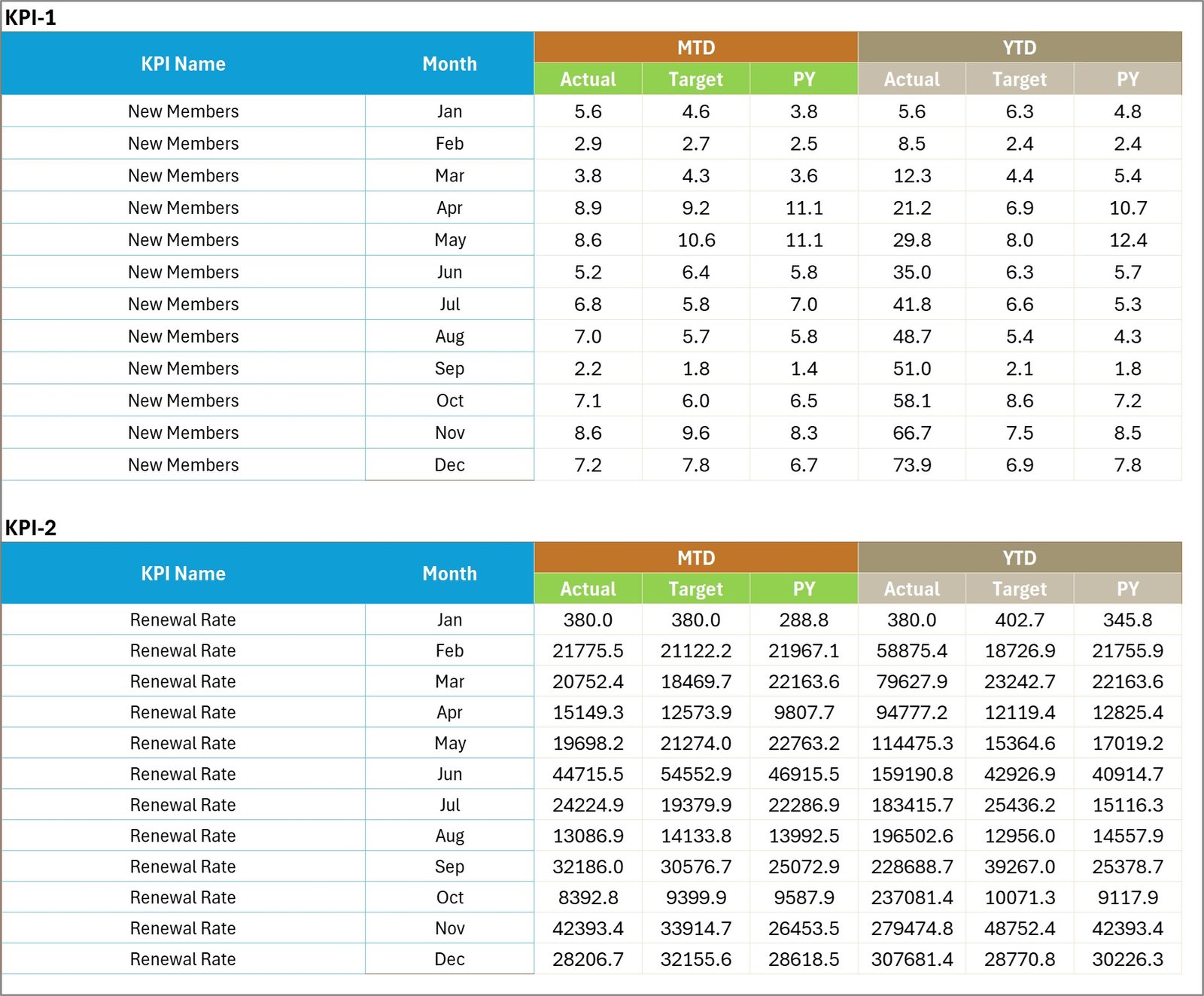
All KPI values can be entered in a single input sheet, ensuring consistent and efficient data updates.
🧠 Clear KPI Definitions and Formulas
Understand each KPI with built-in definitions, formulas, and measurement units.
📦 What’s Inside the Membership Management KPI Scorecard
This ready-to-use Excel template contains four powerful worksheets designed to streamline KPI monitoring.
📊 Scorecard Sheet
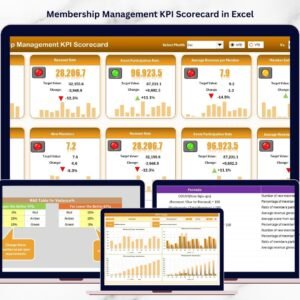
The main dashboard that displays the overall KPI performance. Users can view Actual vs Target results, performance indicators, and consolidated KPI summaries for selected time periods.
📈 KPI Trend Sheet
Analyze performance trends for individual KPIs. Select a KPI using the dropdown menu and view trend charts comparing Actual, Target, and Previous Year values.
📝 Input Data Sheet
This sheet serves as the central location for entering all KPI data including actual values, targets, and performance measurements.
📚 KPI Definition Sheet
This sheet explains every KPI including KPI name, group, formula, unit of measurement, and definition to ensure clarity and consistency.
⚙️ How to Use the Membership Management KPI Scorecard
Using this scorecard is simple and intuitive.
Step 1 – Enter KPI Data
Record all KPI metrics including actual values and targets in the Input Data sheet.
Step 2 – Select the Analysis Period
Use dropdown menus to choose the month, MTD, or YTD view for KPI analysis.
Step 3 – Review Performance in the Scorecard
The main dashboard automatically displays KPI performance using visual indicators.
Step 4 – Analyze Trends
Navigate to the KPI Trend sheet to study historical performance and compare Actual vs Target values over time.
Step 5 – Take Strategic Actions
Use insights from the scorecard to identify improvement opportunities and optimize membership strategies.
👥 Who Can Benefit from This Membership Management KPI Scorecard
This template is ideal for organizations that manage membership-based operations and need structured performance monitoring.
🏢 Membership Organizations & Associations
Track membership growth, retention, and engagement performance.
🎓 Professional Bodies & Clubs
Monitor member participation and program effectiveness.
💼 Subscription-Based Businesses
Measure performance indicators related to membership subscriptions and retention.
🏛 Nonprofit Organizations
Track membership activities, engagement levels, and strategic goals.
📊 Data Analysts & Managers
Gain clear insights into membership performance through structured KPI analysis.
Click here to read the Detailed blog post
Watch the step-by-step video tutorial:
Compatibility and Requirements
- Works in Microsoft Excel desktop (Excel 2016 or later, or Microsoft 365).
- You choose the month, MTD or YTD view from dropdown menus, and the KPI Trend sheet uses charts. Microsoft explains charts in Create a chart from start to finish.
Frequently Asked Questions
Which sheets are included?
Four sheets: Scorecard, KPI Trend, Input Data and KPI Definition.
Where do I enter my KPI numbers?
Enter all actual values and targets in the Input Data sheet. The Scorecard and KPI Trend sheets update from it.
Can I view month-to-date and year-to-date results?
Yes. Use the dropdown menus on the Scorecard to choose the month, MTD or YTD view.
How do I see the trend for one KPI?
Open the KPI Trend sheet and pick a KPI from the dropdown. The chart compares Actual, Target and Previous Year values.
Where can I find the formula for each KPI?
The KPI Definition sheet lists the KPI name, group, formula, unit of measurement and definition for every KPI.
Is there a dashboard version of this template?
Yes. See the Membership Management KPI Dashboard in Excel.
Related Membership and KPI Templates
- Membership Management KPI Dashboard in Excel: the dashboard edition for the same topic
- Membership Growth and Churn Analysis Dashboard in Google Sheets: growth and churn analysis in Google Sheets
- Non-Profit KPI Scorecard in Excel: a scorecard for nonprofit teams
- Club & Association Membership Management System Web App: a web app for managing members
- KPI Scorecard Mega Pack: 12 KPI scorecard templates in one download
Browse all Excel KPI dashboards.