



The Investment Portfolio Checklist is a must-have tool for anyone looking to stay organized and track their investments. Whether you’re a seasoned investor managing a diverse portfolio or a beginner looking to get started, this customizable Excel template helps you monitor your investments, ensure diversification, and track performance effectively.
This easy-to-use checklist allows you to categorize investments, track asset allocation, and assess portfolio performance. With real-time updates and an interactive dashboard, you can make informed investment decisions and keep your financial goals on track.
Key Features of the Investment Portfolio Checklist
📊 Comprehensive Investment Tracking
Track all types of investments in your portfolio, from stocks and bonds to real estate and mutual funds. Organize your assets by type, value, and purchase details.
⚡ Real-Time Portfolio Monitoring
Monitor the performance of your investments in real-time. The checklist allows you to log changes in value, track dividends, and stay updated on your portfolio’s overall growth.
📈 Asset Allocation & Diversification
Ensure a balanced portfolio by categorizing investments by asset class. Track your asset allocation and ensure proper diversification across different sectors and industries.
📅 Customizable for Any Investment Type
Whether you’re focused on stocks, bonds, mutual funds, or real estate, this checklist can be customized to fit your unique portfolio needs. Add or modify sections based on the types of investments you hold.
🖥️ Investment Progress Dashboard
Visualize the performance of your portfolio with an interactive dashboard that tracks asset allocation, investment returns, and the overall value of your portfolio.
Why You’ll Love the Investment Portfolio Checklist

✅ Track Investments with Ease
Keep all your investments organized and categorized in one place, ensuring you always know where your money is and how it’s performing.
✅ Monitor Portfolio Performance
Stay on top of your investment performance with real-time updates. Track the growth of your portfolio and make adjustments as needed.
✅ Ensure Proper Diversification
Ensure your portfolio is diversified across asset types and sectors to mitigate risk and improve long-term returns.
✅ Visualize Portfolio Growth
Use the dashboard to track your portfolio’s performance over time. Monitor asset allocation, returns, and other key metrics.
✅ Simplify Investment Management
With everything organized in one template, managing your investments becomes easier, helping you stay focused on your financial goals.
What’s Inside the Investment Portfolio Checklist?
- Investment Tracker: Log and track all your investments, including stocks, bonds, mutual funds, real estate, and more.
- Asset Allocation Tracker: Monitor the allocation of your investments across different asset classes to ensure proper diversification.
- Performance Dashboard: A visual dashboard to track the performance of your portfolio, asset classes, and returns over time.
- Customizable Sections: Modify the checklist to include new investment categories or tailor it to your specific financial goals.
- Real-Time Portfolio Updates: Track changes in investment value, dividends, and growth to stay up to date on your portfolio’s performance.
How to Use the Investment Portfolio Checklist
1️⃣ Download the Template: Instantly access your investment portfolio checklist.
2️⃣ Input Your Investment Data: Add your investments and their details, including purchase price, asset type, and quantity.
3️⃣ Monitor Performance: Track changes in investment value, dividends, and returns in real-time.
4️⃣ Review & Optimize Portfolio: Use the dashboard to visualize portfolio performance and ensure proper diversification.
Who Can Benefit from the Investment Portfolio Checklist?
🔹 Individual Investors Tracking Personal Investments
🔹 Financial Advisors Managing Client Portfolios
🔹 Beginner Investors Looking for Organized Tracking
🔹 Experienced Investors Wanting to Monitor Performance
🔹 Anyone Looking to Diversify and Optimize Their Investments
Stay on top of your investments and make informed decisions with this customizable, easy-to-use Investment Portfolio Checklist. Track performance, ensure diversification, and stay on course with your financial goals.
Click here to read the Detailed blog post
Visit our YouTube channel to learn step-by-step video tutorials
Youtube.com/@PKAnExcelExpert
Compatibility and Requirements
- Works in Microsoft Excel desktop (Excel 2016 or later, or Microsoft 365).
- New to Excel? Microsoft covers the basics in Excel for Windows training.
Frequently Asked Questions
Which investments can I track?
You can track stocks, bonds, mutual funds, real estate and other assets, with purchase price, asset type and quantity.
Does it show asset allocation?
Yes. The Asset Allocation Tracker groups investments by asset class so you can check diversification.
Can I record dividends and value changes?
Yes. You log changes in value and dividends, and the Performance Dashboard shows returns over time.
Is there a Google Sheets version?
Yes. The Investment Portfolio Checklist in Google Sheets works in a browser.
Related Investment and Finance Templates
- Investment Portfolio Checklist in Google Sheets: the same checklist in Google Sheets
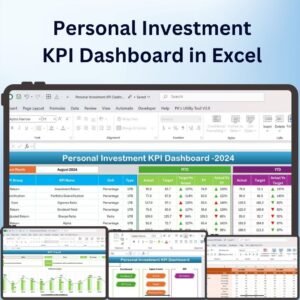
- Personal Investment KPI Dashboard in Excel: a personal investment KPI dashboard
- Investment Maturity Calendar in Excel: a calendar for investment maturity dates
- Net Worth Tracker in Excel: track your net worth
- Finance & Accounting Command Center: 8 finance and accounting templates in one download
Browse all Excel checklists or the Excel financial tools.








Reviews
There are no reviews yet.