
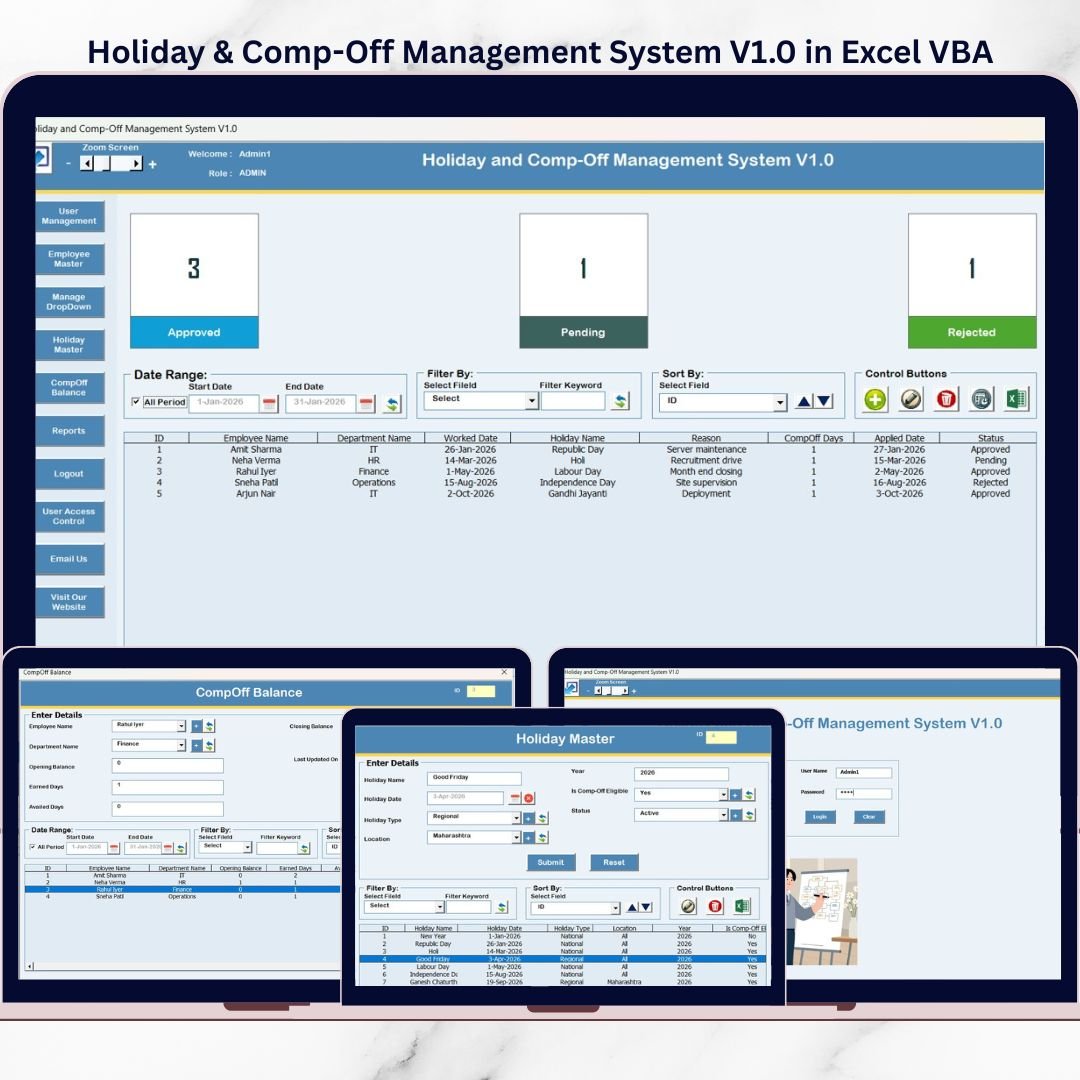
Still managing holidays and Comp-Off through emails, registers, and messy spreadsheets? That’s the fastest way to create balance mismatches, approval confusion, and payroll disputes. When HR teams spend hours searching for records and verifying approvals, productivity drops—and employee trust takes a hit.Holiday & Comp-Off Management System V1.0 in Excel VBA
The Holiday & Comp-Off Management System V1.0 in Excel VBA is a ready-to-use, desktop-based solution that gives you a software-like HR system inside Excel. It helps you manage Comp-Off requests, balances, approvals, employee masters, holiday masters, user roles, and reports—from one centralized file. No extra software. No complex setup. Just open Excel and start managing everything smartly.Holiday & Comp-Off Management System V1.0 in Excel VBA
Built with VBA forms, secure login, and structured record handling, this system is designed to reduce manual effort, prevent errors, and make HR work faster and cleaner.Holiday & Comp-Off Management System V1.0 in Excel VBA
🚀 Key Features of Holiday & Comp-Off Management System V1.0
🔐 Role-Based Secure Login – Controlled access for Admin and User roles
🧾 Centralized Comp-Off & Holiday Records – One file to manage everything
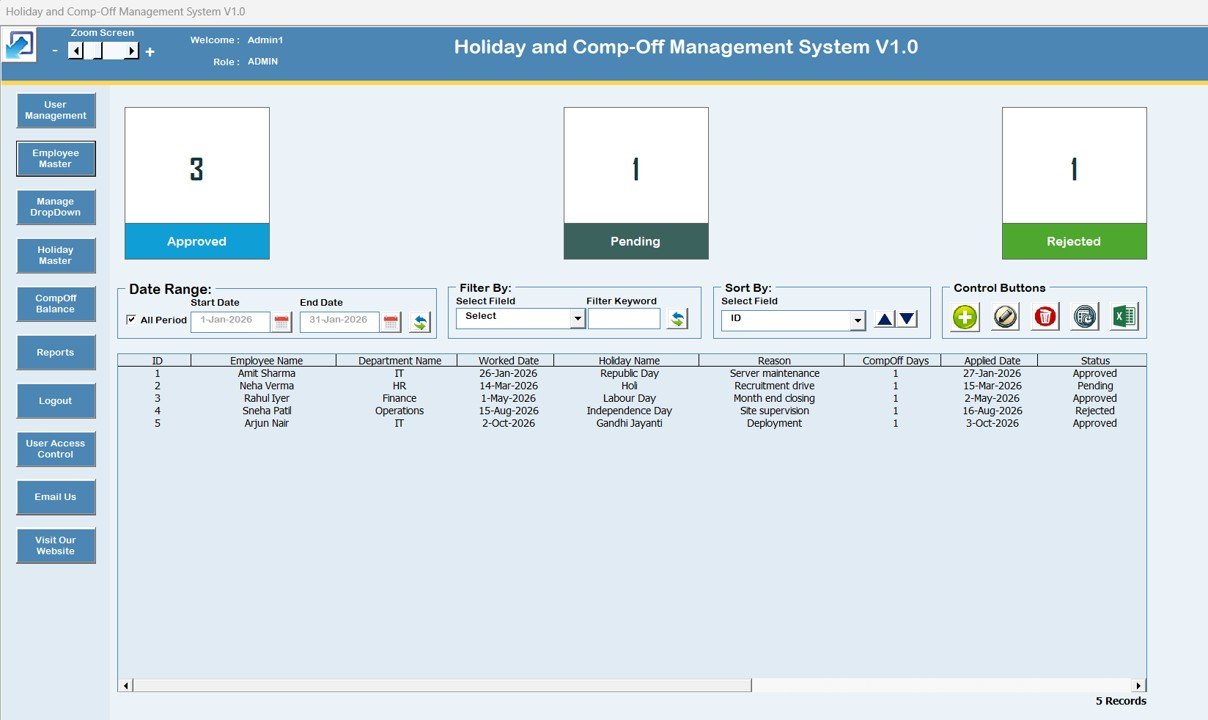
🗂️ Main Form with List Box View – Quickly browse, select, and manage large data sets
🔎 Smart Filters & Sorting – Find records instantly by date range or selected columns
➕ Add / Update / Delete Records via Forms – Clean, structured entry without messy tables
🕘 Complete Record History Tracking – View modification history anytime for full transparency
📤 One-Click Export to Excel – Export reports and list data instantly
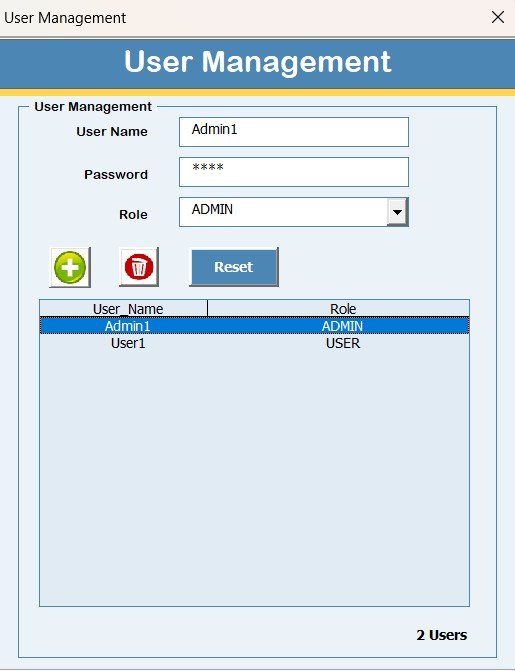
👥 User Management Module – Add users, reset passwords, change roles, and maintain access
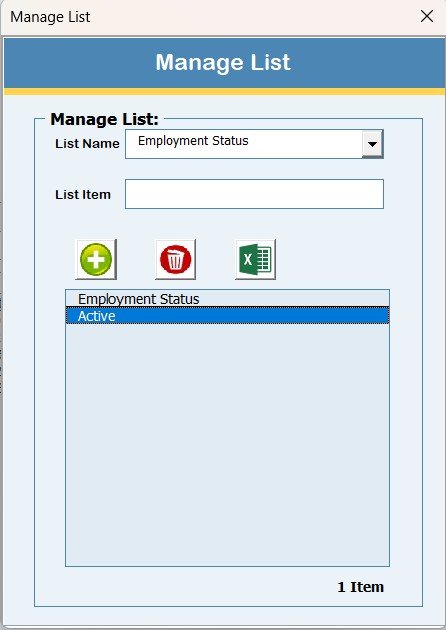
📌 Manage List Module – Maintain dropdown values for standard data entry
🏖️ Holiday Master + Employee Master – Strong foundation for accurate record mapping
📊 Reports Module – Date-range based exports for payroll, audits, and HR reviews
🚪 Safe Logout – Saves data automatically and closes the file safely
📦 What’s Inside the Holiday & Comp-Off Management System V1.0
This product includes a complete Excel VBA system with multiple built-in forms and modules:
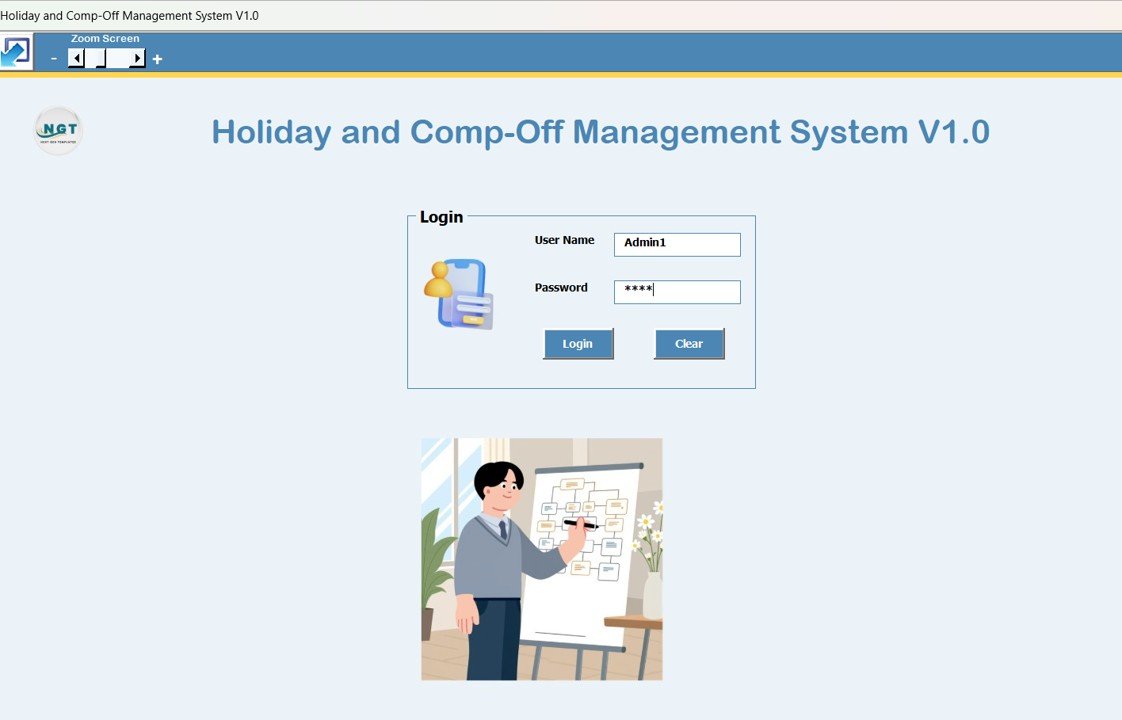
🧩 Login Form
-
Secure entry with Admin/User roles
-
Default credentials included for quick start
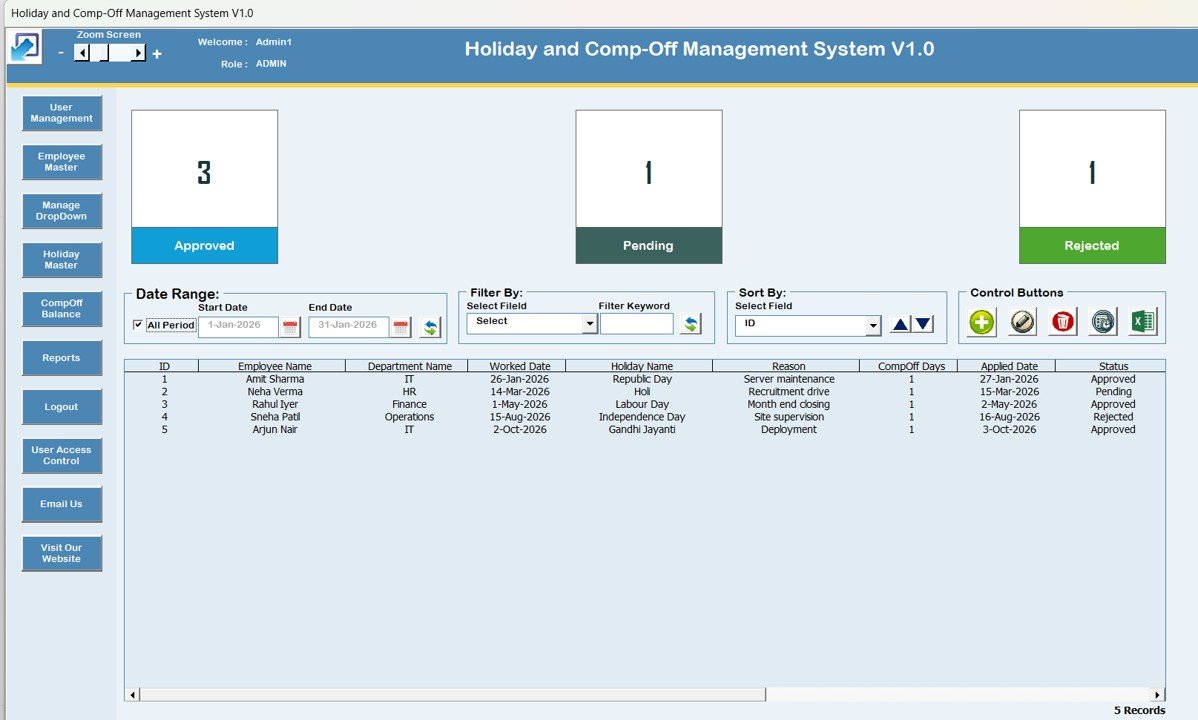
🧭 Main Form (Control Panel)
-
Large list box showing all records
-
Filter controls (date range + column filter)
-
Sort option for clean viewing
-
Buttons to:
-
Add New Record
-
Update Existing Record
-
Delete Record
-
Show Record History
-
Export to Excel
-
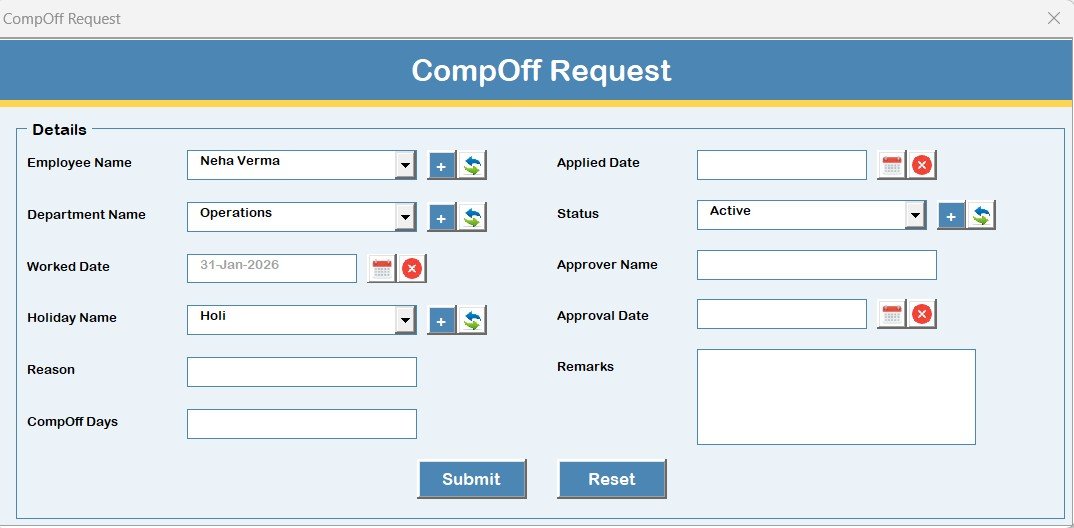
📝 Comp-Off Request Form
-
Add and update Comp-Off records with structured fields
🧑💼 User Management Form (Admin)
-
Add/update/delete users
-
Reset/change passwords
-
Maintain secure system access
🧾 Manage List Form
-
Add/delete dropdown list values to keep entries standardized
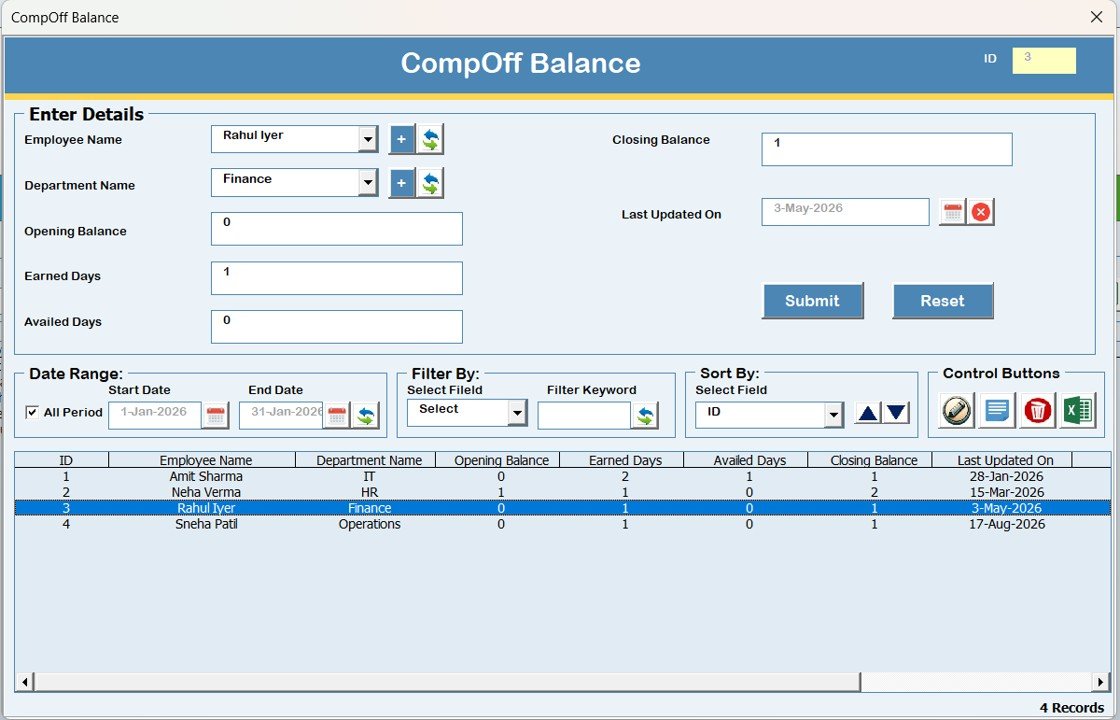
⚖️ Comp-Off Balance Form
-
Maintain and update employee Comp-Off balances accurately
👤 Employee Master Form
-
Store core employee data for consistency across records
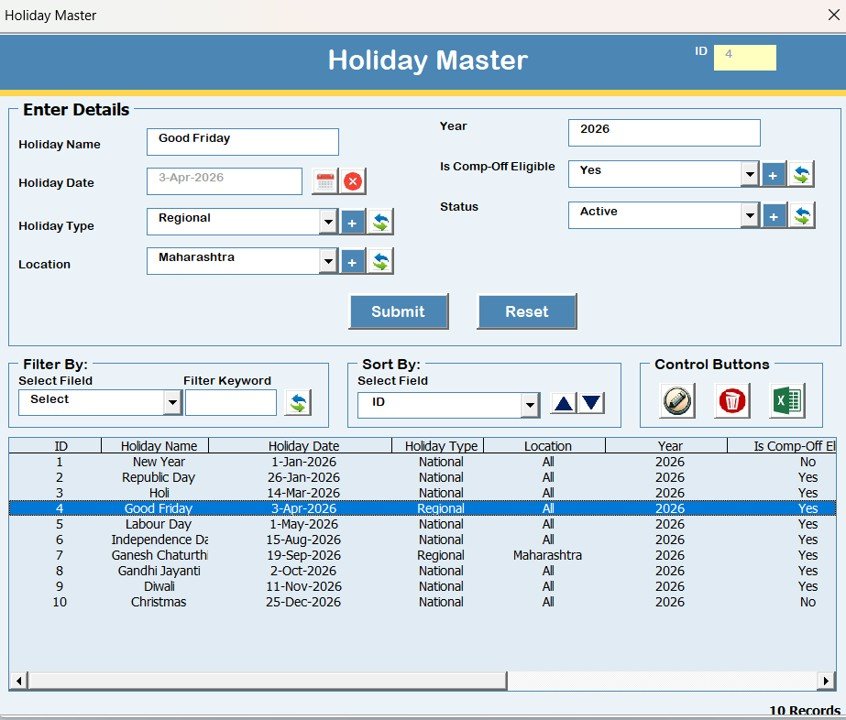
📅 Holiday Master Form
-
Maintain official holiday list to avoid mismatch and errors
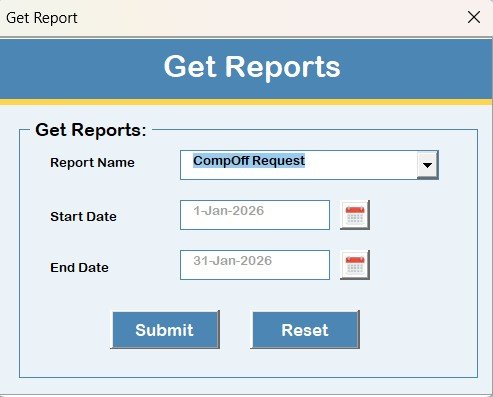
📊 Reports Module
-
Select date range and export ready-to-share reports instantly
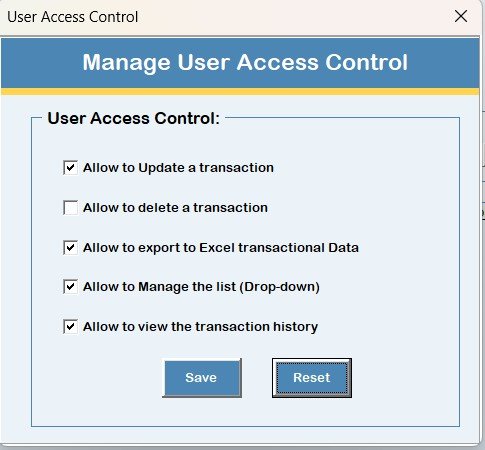
🔐 User Access Control (Admin Only)
-
Enable/disable system features by role for complete control
🧭 How to Use the Holiday & Comp-Off Management System V1.0
1️⃣ Open the Excel file in Microsoft Excel Desktop
2️⃣ Login using role-based credentials
3️⃣ Use the Main Form to view all records in the list box
4️⃣ Click Add New to raise Comp-Off/holiday entries
5️⃣ Select a record and click Update (or double-click) to edit
6️⃣ Apply filters to find records quickly
7️⃣ Export reports using the Reports Module
8️⃣ Use Logout to safely save and close the system
No technical knowledge required—your team can start using it immediately.
🎯 Who Can Benefit from This Holiday & Comp-Off Management System?
This system is perfect for:
👥 HR Teams – Manage Comp-Off records and approvals professionally
🧾 Admin & Operations Teams – Maintain structured leave and holiday data
💰 Payroll Teams – Reduce disputes by using clean export-ready reports
🏢 SMEs & Mid-Sized Companies – Get a low-cost system without expensive HR software
🧑💻 Any Business Using Excel for HR – Upgrade from manual tracking to automation
🔗 Click here to read the Detailed blog post
Watch the step-by-step video tutorial:










Reviews
There are no reviews yet.