


Managing heavy machinery without clear performance data always creates risk. Unexpected breakdowns delay projects. Maintenance costs rise suddenly. Productivity drops without warning. Therefore, organizations that rely on heavy equipment need a simple, visual, and reliable way to monitor machinery performance.
That is exactly why the Heavy Machinery Dashboard in Excel is a must-have operational tool 🚀. This ready-to-use Excel dashboard transforms raw machinery data into clear KPIs, interactive charts, and actionable insights—all inside a single Excel file. Instead of juggling multiple spreadsheets, managers see maintenance, repair, cost, and production performance at a glance.
Designed for construction, manufacturing, mining, and infrastructure operations, this dashboard helps teams reduce downtime, control maintenance costs, and improve equipment utilization with confidence.
🔑 Key Features of Heavy Machinery Dashboard in Excel
🚜 5 Dedicated Analysis Pages for complete machinery insights
📊 Interactive Pivot Charts & KPI Cards for fast understanding
🧭 Left-Side Page Navigator for smooth dashboard navigation
🎯 Dynamic Slicers to filter by plant, project, machine type, brand, or shift
💰 Maintenance & Repair Cost Tracking to control expenses
⏱️ Operating & Downtime Analysis to improve utilization
🏭 Plant & Project Comparison for performance benchmarking
🧩 100% Excel-Based Solution – no macros, no add-ins required
This dashboard delivers clarity, speed, and control to machinery-intensive operations.
📂 What’s Inside the Heavy Machinery Dashboard
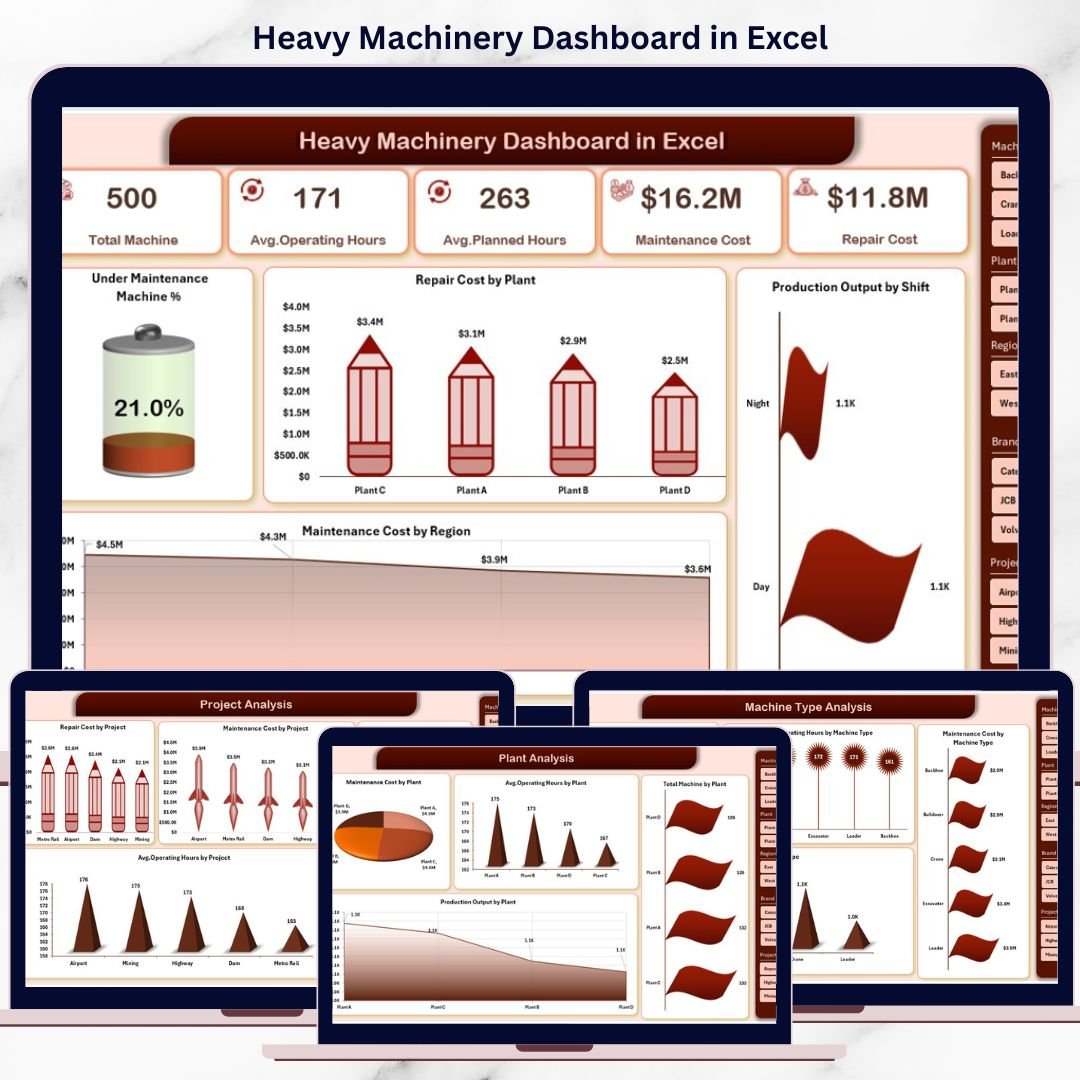
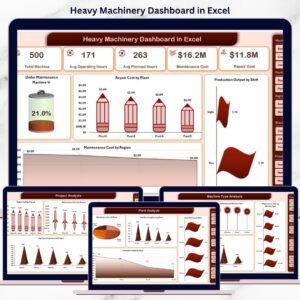
📊 Overview Page
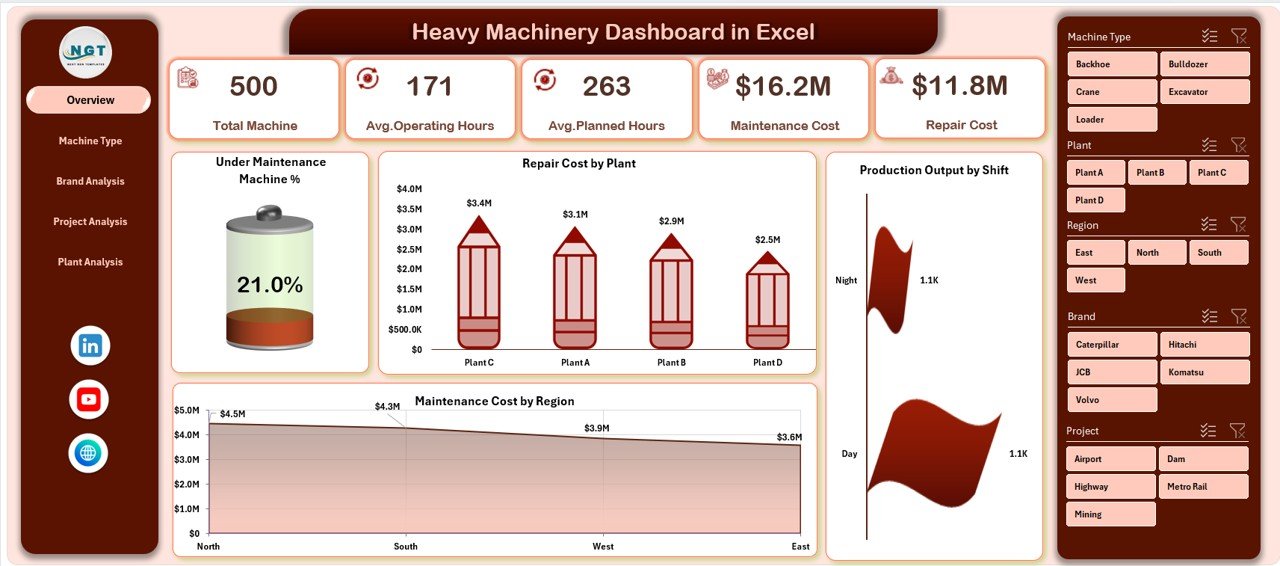
The executive summary of machinery performance, showing:
Maintenance Machine %
Repair Cost by Plant
Production Output by Shift
Maintenance Cost by Region
This page helps leaders instantly identify cost spikes and productivity issues.
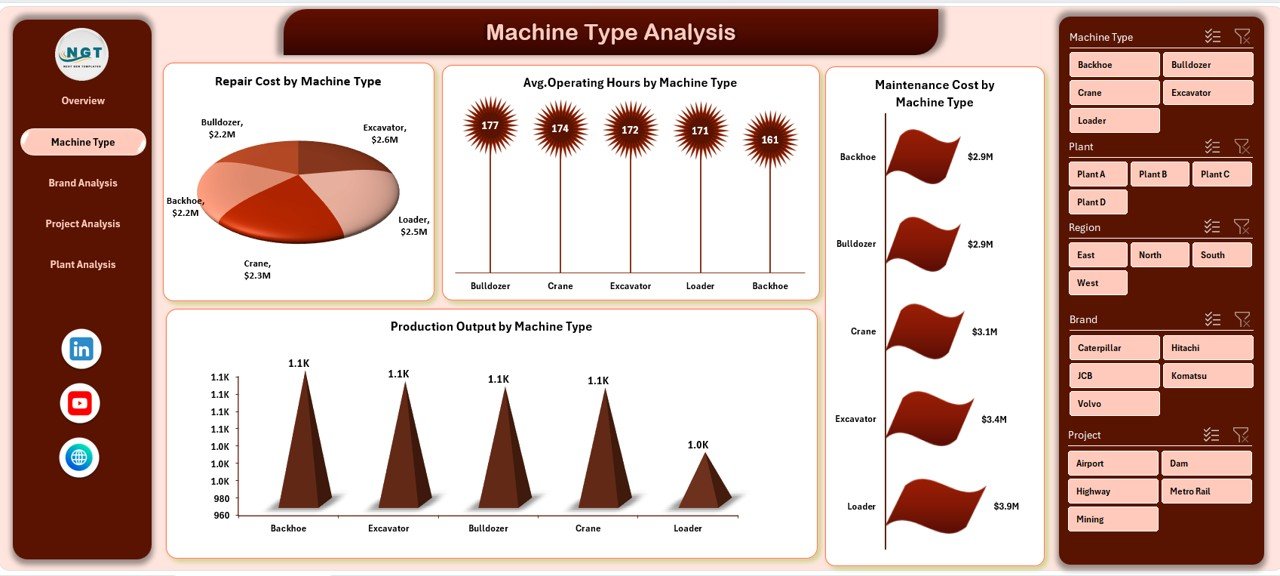
⚙️ Machine Type Analysis Page
Compares performance across different machinery types to highlight:
Repair cost differences
Operating hour variations
Maintenance cost patterns
Production output efficiency
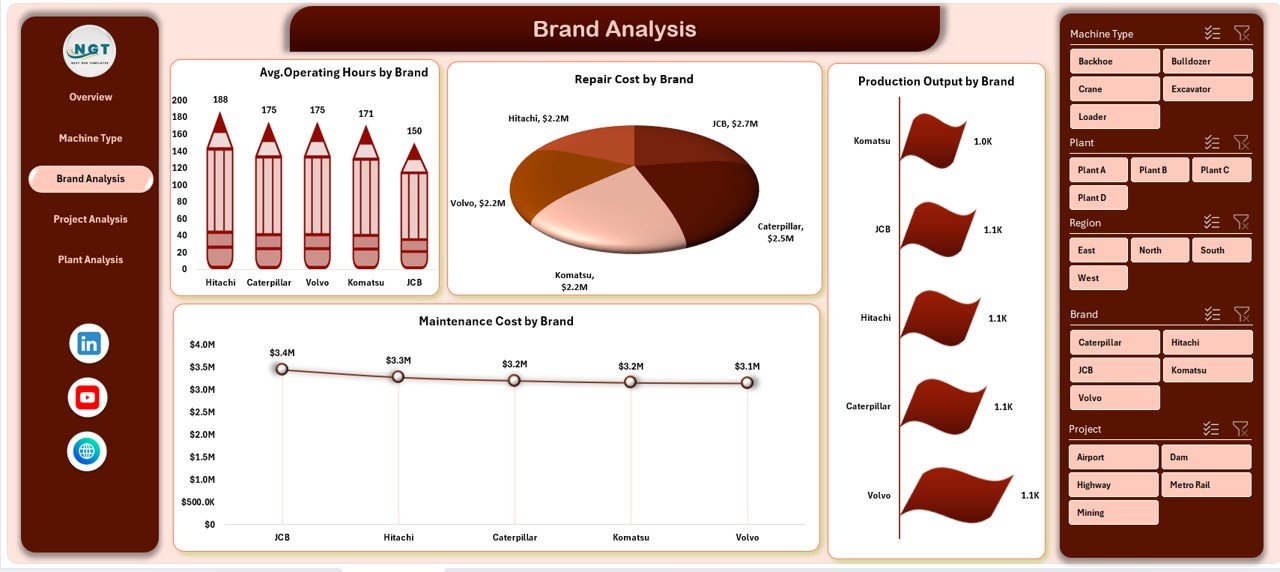
🏷️ Brand Analysis Page
Evaluates machinery performance by brand, supporting smarter procurement decisions through:
Average operating hours
Repair and maintenance costs
Production output comparisons
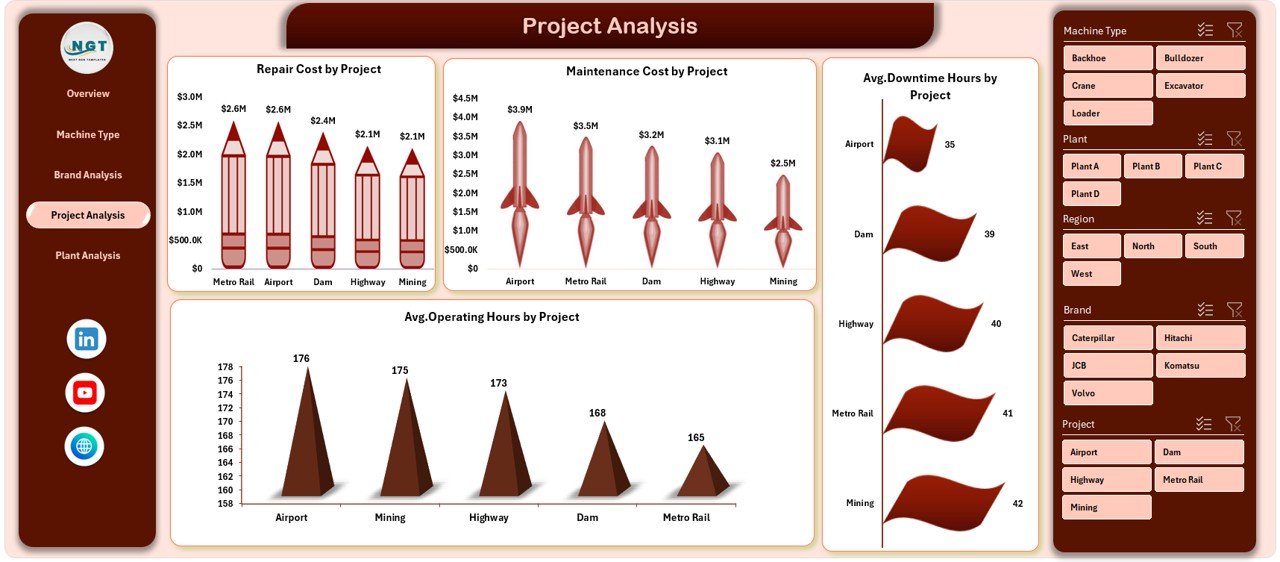
📁 Project Analysis Page
Analyzes machinery usage across projects to track:
Repair and maintenance cost by project
Downtime hours
Operating hours
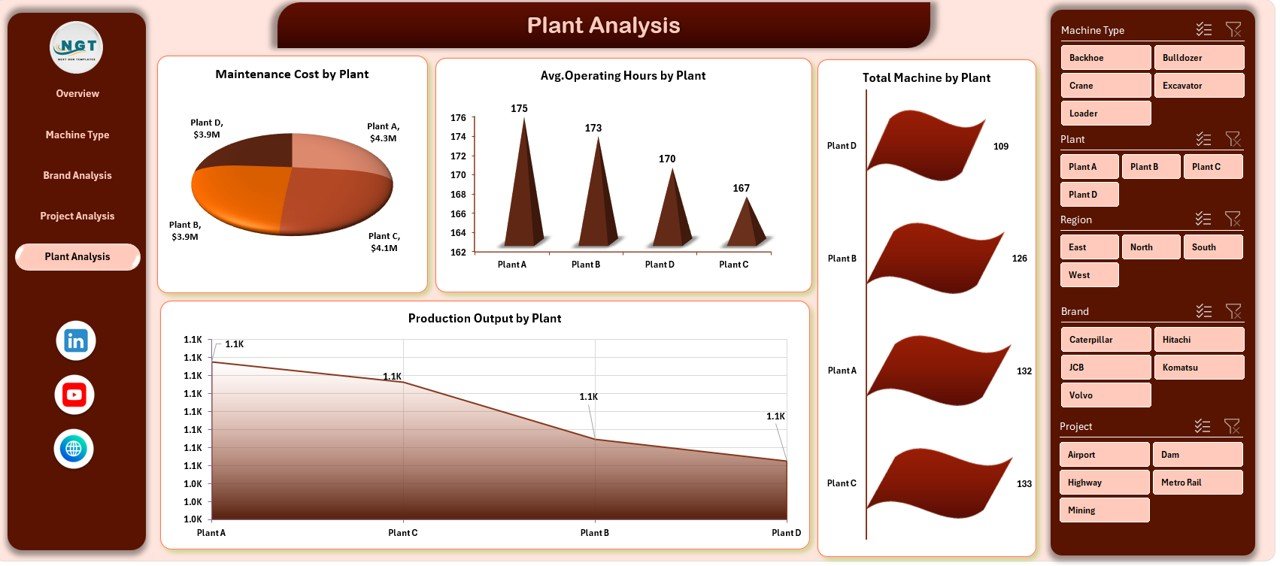
🏭 Plant Analysis Page
Compares machinery performance across plants to identify:
Maintenance cost differences
Equipment utilization levels
Production output by location
Each page includes interactive slicers for quick filtering and deeper analysis.
🛠️ How to Use the Heavy Machinery Dashboard in Excel
✅ Enter or update raw machinery data in the data sheet
✅ Refresh pivot tables with one click
✅ Use slicers to filter by plant, project, machine type, or brand
✅ Navigate between pages using the page navigator
✅ Analyze trends and take corrective action
No advanced Excel skills are required. The dashboard is easy to use, easy to update, and easy to customize.
👥 Who Can Benefit from This Heavy Machinery Dashboard?
🏗️ Construction Companies
🏭 Manufacturing Plants
⛏️ Mining Operations
🚧 Infrastructure Projects
📊 Operations & Maintenance Teams
🧑💼 Plant & Project Managers
If your business depends on heavy equipment, this dashboard becomes an essential decision-support tool.
👉 Click here to read the Detailed blog post
▶️ Visit our YouTube channel to learn step-by-step video tutorials
https://youtube.com/@PKAnExcelExpert
Watch the step-by-step video tutorial:
Compatibility and Requirements
- Works in Microsoft Excel desktop (Excel 2016 or later, or Microsoft 365).
- The pages use pivot charts and slicers to filter by plant, project, machine type and brand. Microsoft explains slicers in Use slicers to filter data.
Frequently Asked Questions
Which pages are in the dashboard?
Five pages: Overview, Machine Type Analysis, Brand Analysis, Project Analysis and Plant Analysis. A page navigator on the left side moves you between them.
What can I filter by?
Slicers let you filter by plant, project, machine type, brand or shift, depending on the page.
What costs and hours does it track?
It tracks repair cost, maintenance cost, operating hours, downtime hours and production output. You can compare them by machine type, brand, project and plant.
How do I update it with my own data?
Enter or update your machinery data in the data sheet, then refresh the pivot tables. The charts and KPI cards update from there.
Is there a Google Sheets or Power BI version?
Yes. See the Heavy Machinery Dashboard in Google Sheets and the Heavy Machinery Dashboard in Power BI.
Related Heavy Machinery Templates
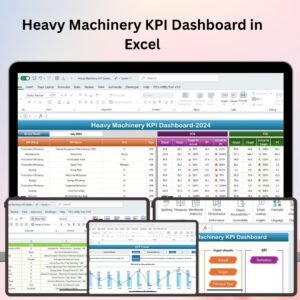
- Heavy Machinery KPI Dashboard in Excel: a KPI-focused view of machinery performance
- Heavy Machinery Dashboard in Power BI: the same dashboard in Power BI
- Heavy Machinery Dashboard in Google Sheets: the Google Sheets edition
- Agricultural Machinery Dashboard in Excel: a similar dashboard for farm equipment
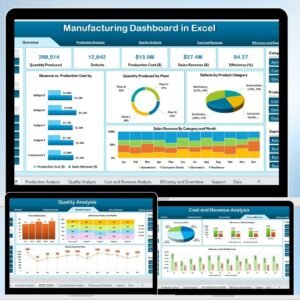
- Manufacturing Dashboard in Excel: plant-level production tracking
Browse all Excel dashboards.









Reviews
There are no reviews yet.