

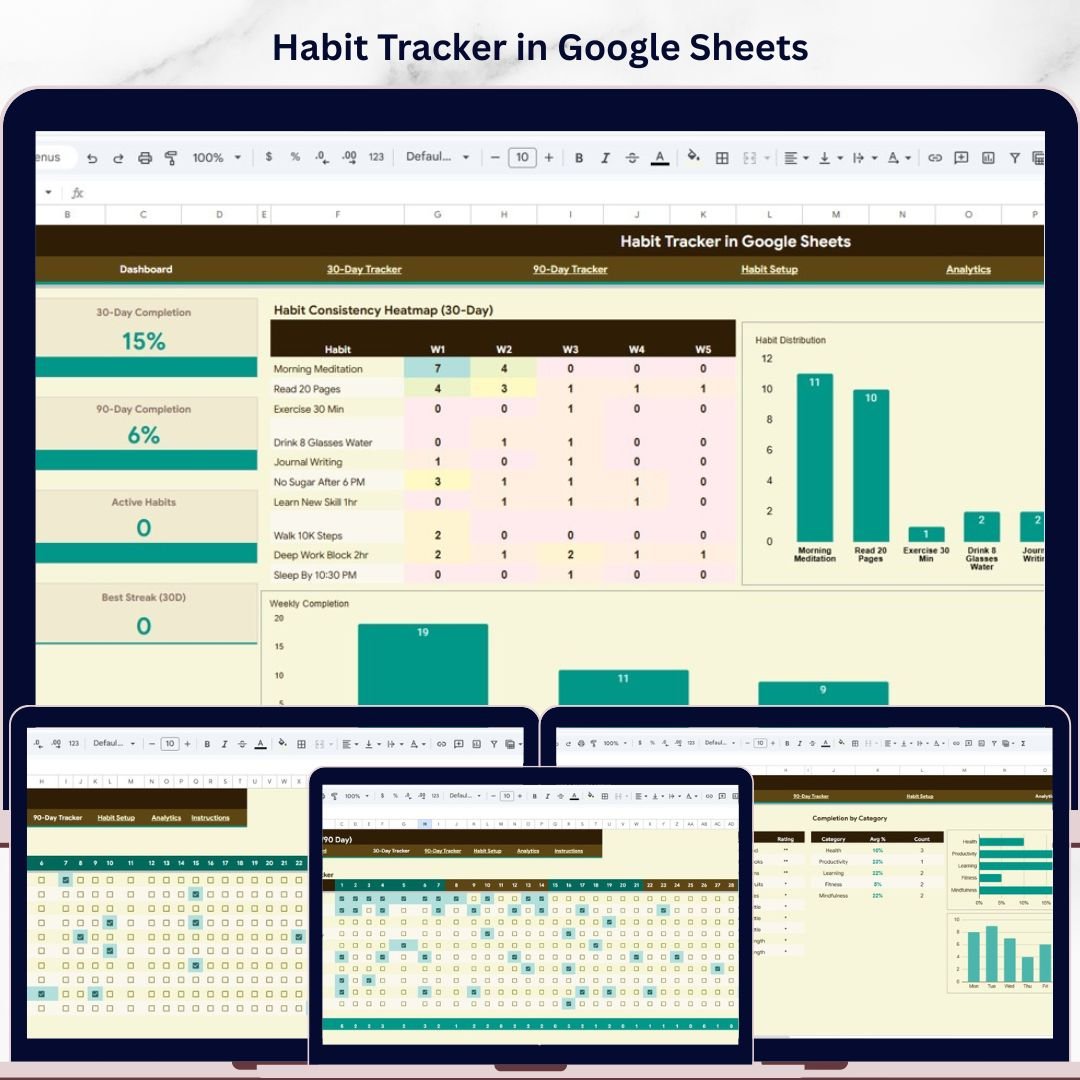
📊 Habit Tracker in Google Sheets is your ultimate personal productivity companion designed to help you build, monitor, and sustain daily habits over 30-day and 90-day cycles. Whether you are trying to exercise regularly, read daily, meditate, drink more water, or develop any positive routine — this ready-to-use Google Sheets Tracker Template gives you complete visibility into your habit consistency, streaks, and completion rates — all in one beautifully organized spreadsheet.
This template includes 5 powerful pages — an Overview Dashboard, a 30-Day Tracker, a 90-Day Tracker, a Habit Setup configuration page, and an Analytics page — designed to help you plan, track, and optimize your daily habits every single day. Simply replace the sample habits with your own, mark your daily completions, and watch the charts, KPIs, and analytics update automatically.
If you are looking for more Google Sheets Templates, explore our growing library of professional templates.
🔑 Key Features of Habit Tracker in Google Sheets
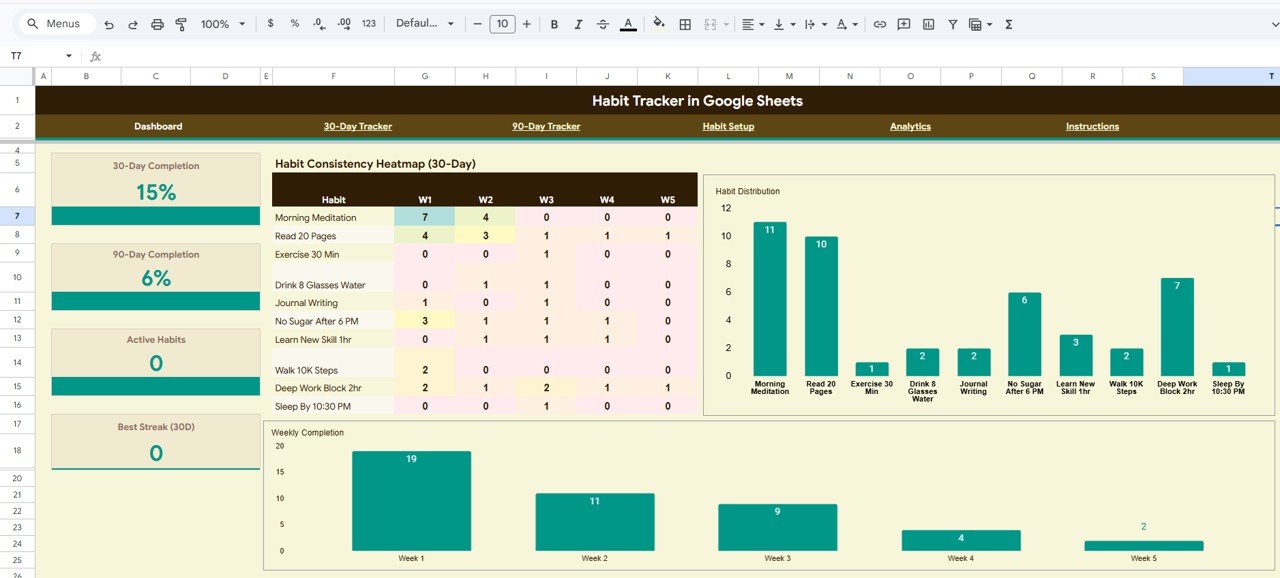
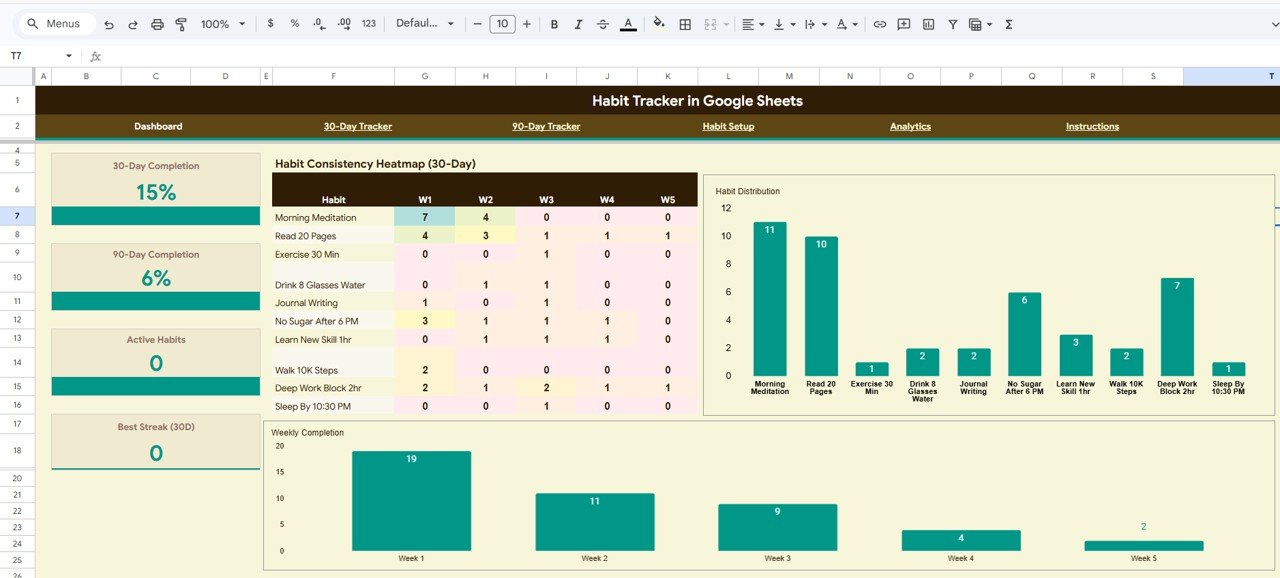
✨ Interactive Overview Dashboard with 4 KPI Cards – View 30-Day Completion, 90-Day Completion, Active Habits, and Best Streak (30D) at a glance.
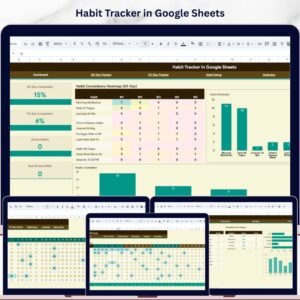
📊 3 Dynamic Dashboard Charts – Analyze habit consistency with Habit Consistency Heatmap by Week, Habit Distribution by Habit Name, and Weekly Completion by Week.
🎛️ Slicer Filters for Quick Analysis – Apply filters on the Overview dashboard to slice data by habit, category, or time period instantly.
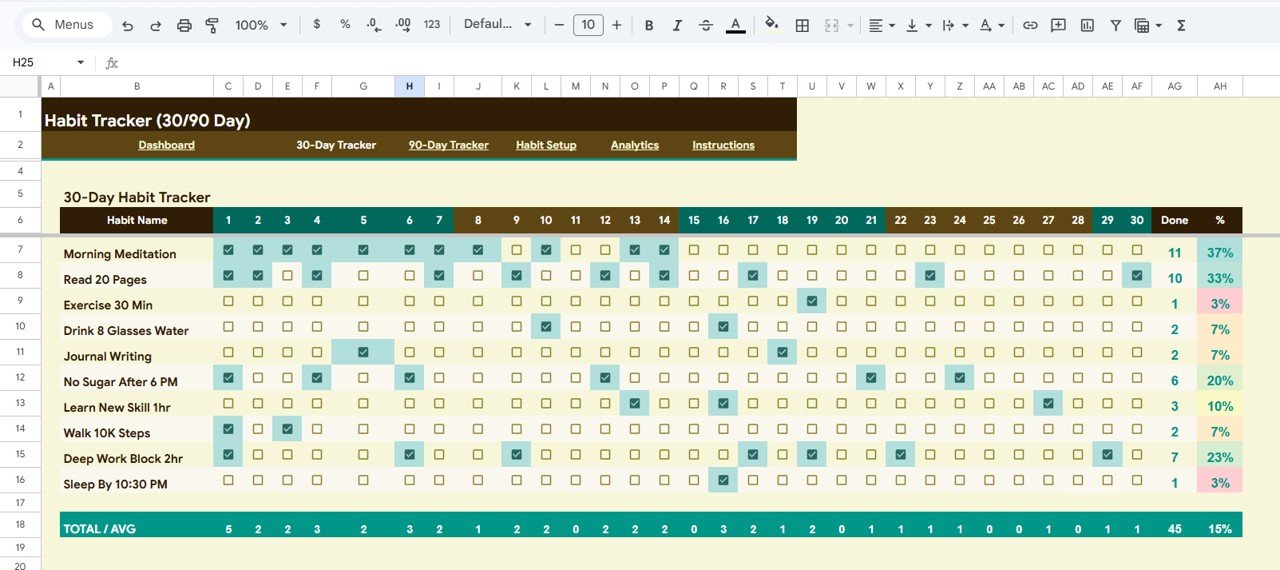
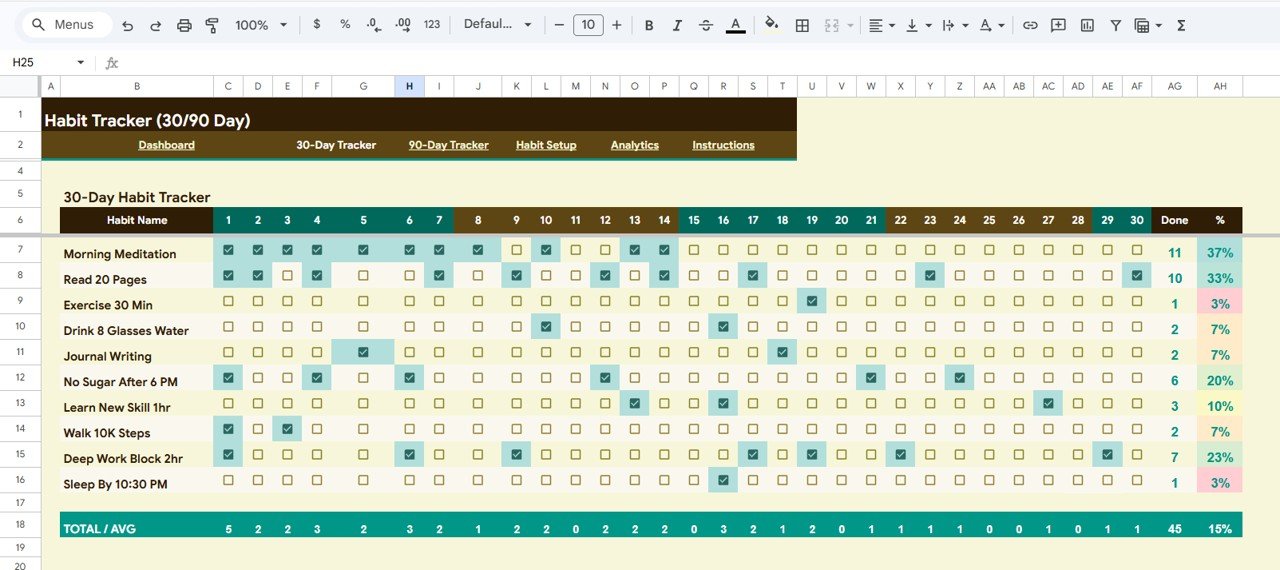
📅 30-Day Tracker Page – Track Daily Habit Completion by Day (1-30), Done Count by Habit, Completion Percentage by Habit, and Total and Average by Day.
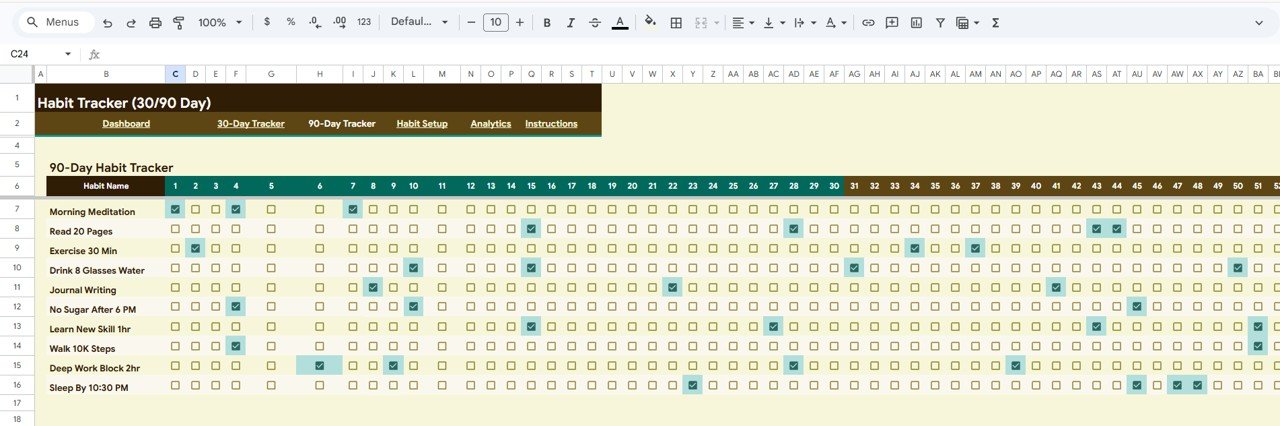
📈 90-Day Tracker Page – Extend tracking with Daily Habit Completion by Day (1-90), Done Count by Habit, and Completion Percentage by Habit for long-term habit formation.
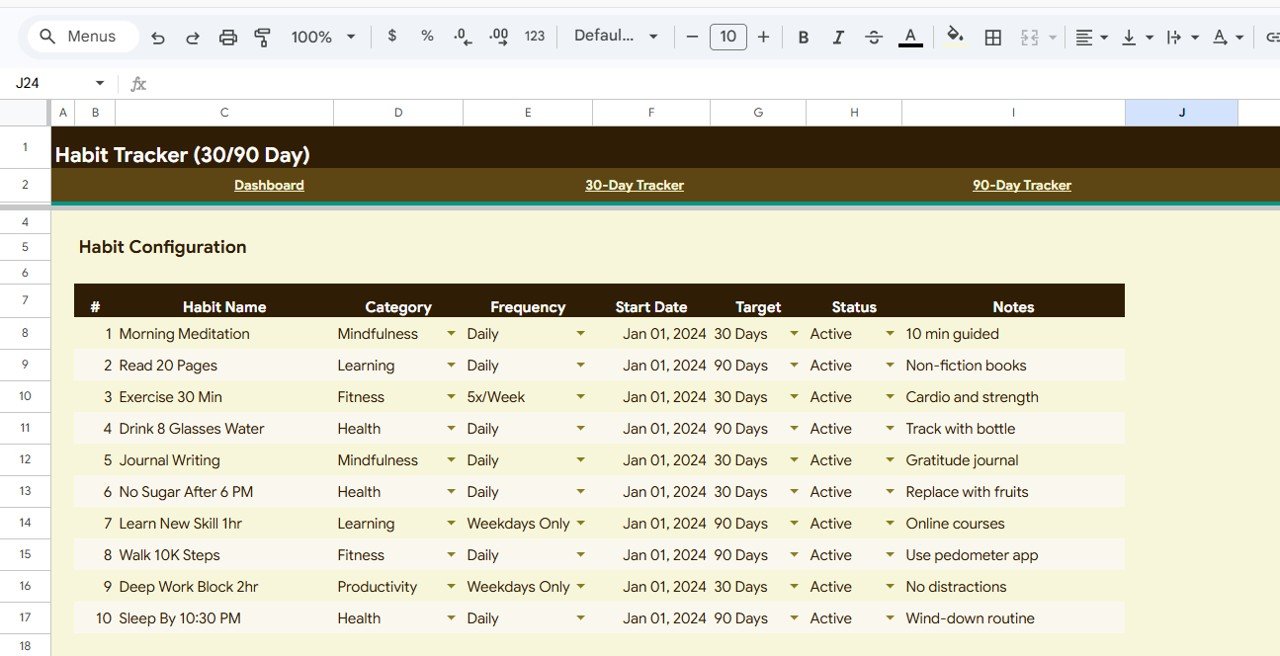
⚙️ Habit Setup Configuration – Define habits with Habit Configuration by Habit Name, Category, Frequency, Start Date, Target, Status, and Notes.
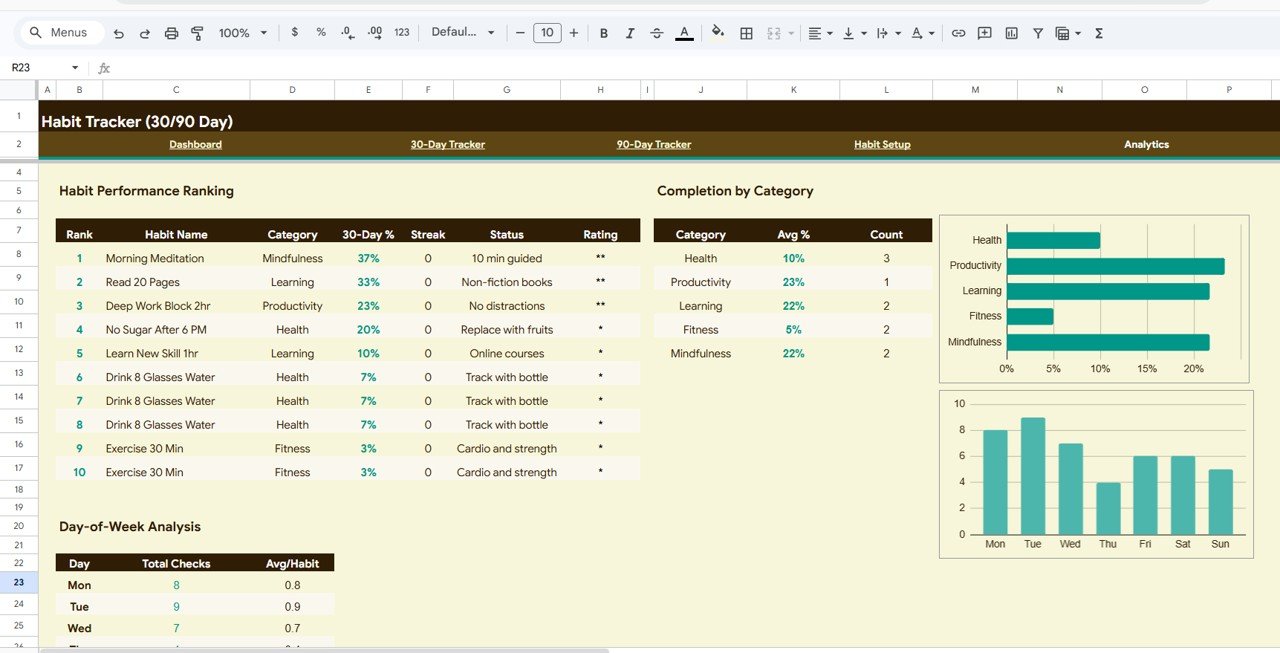
📊 Advanced Analytics Page – Dive deep with Habit Performance Ranking by Completion Rate, Completion by Category, and Day-of-Week Analysis.
🔗 Fully Automated Formulas – All calculations, KPIs, and charts update automatically — zero manual work.
🎨 Professional Clean Design – Visually appealing layout with consistent color coding across all 5 pages.
📦 What’s Inside the Habit Tracker in Google Sheets
This template contains 5 professionally designed pages that work together seamlessly:
📌 Overview Page – Your habit command center featuring 4 KPI cards (30-Day Completion, 90-Day Completion, Active Habits, Best Streak 30D) plus 3 interactive charts showing Habit Consistency Heatmap by Week, Habit Distribution by Habit Name, and Weekly Completion by Week. Multiple slicers let you filter the dashboard instantly.
 Habit Tracker in Google Sheets
📌 30-Day Tracker – Track daily habit completions across a full 30-day cycle with Daily Habit Completion by Day (1-30), Done Count by Habit, Completion Percentage by Habit, and Total and Average by Day.
 30-Day Tracker
📌 90-Day Tracker – For long-term habit building with Daily Habit Completion by Day (1-90), Done Count by Habit, and Completion Percentage by Habit. Research shows it takes about 66 days to form a lasting habit — this tracker gives you 90 days.
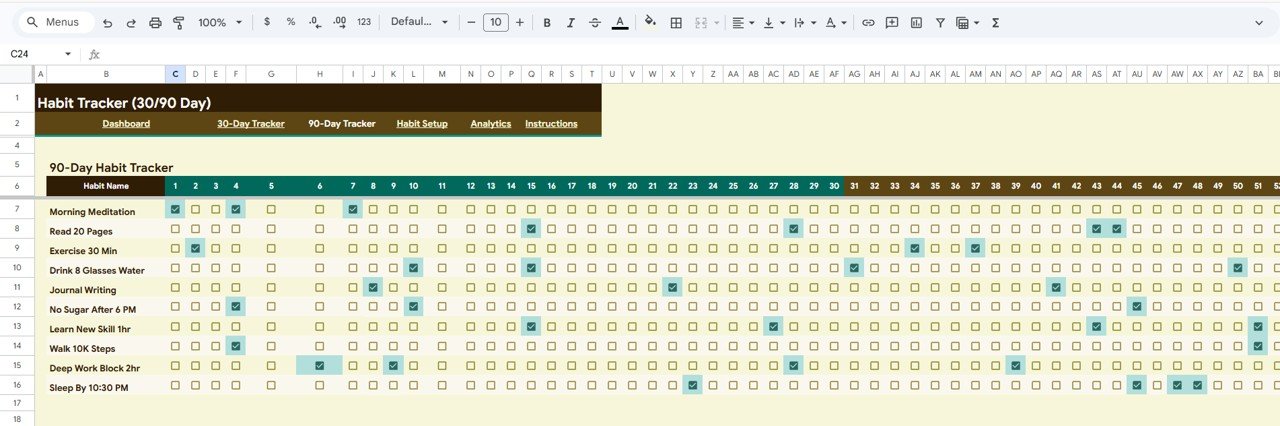 90-Day Tracker
📌 Habit Setup Page – Configure all habits in one place with Habit Configuration by Habit Name, Category, Frequency, Start Date, Target, Status, and Notes.
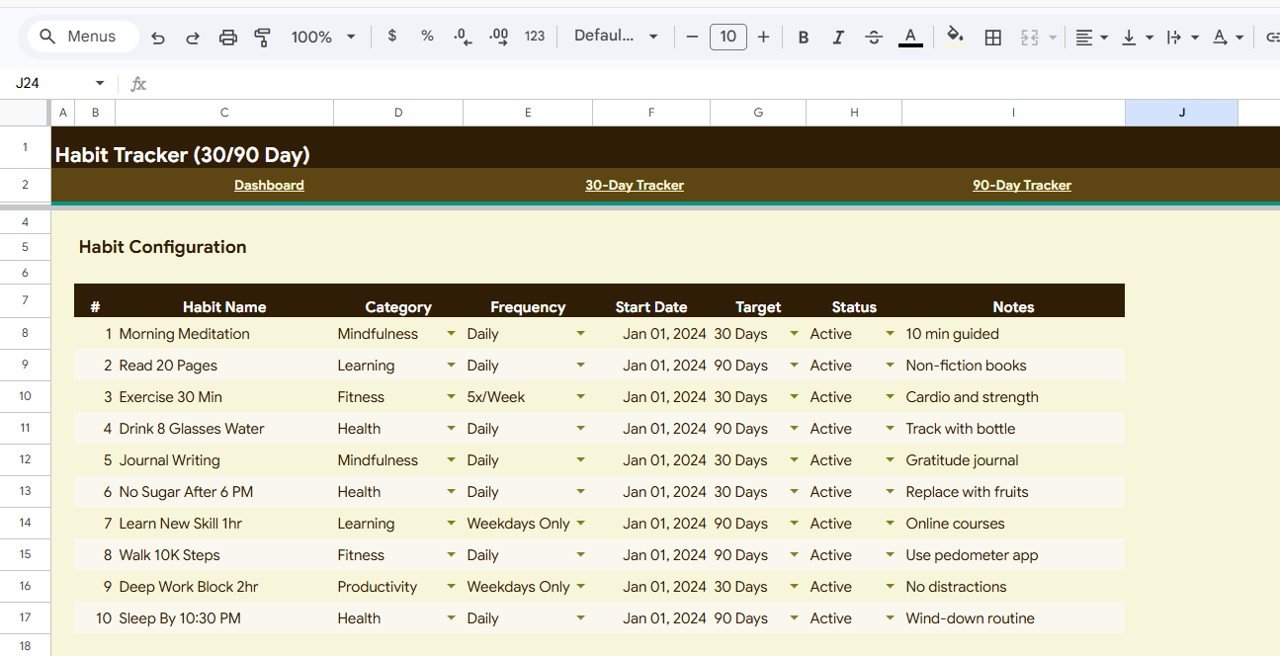 Habit Setup
📌 Analytics Page – Deep insights with Habit Performance Ranking by Completion Rate, Completion by Category, and Day-of-Week Analysis by Day.
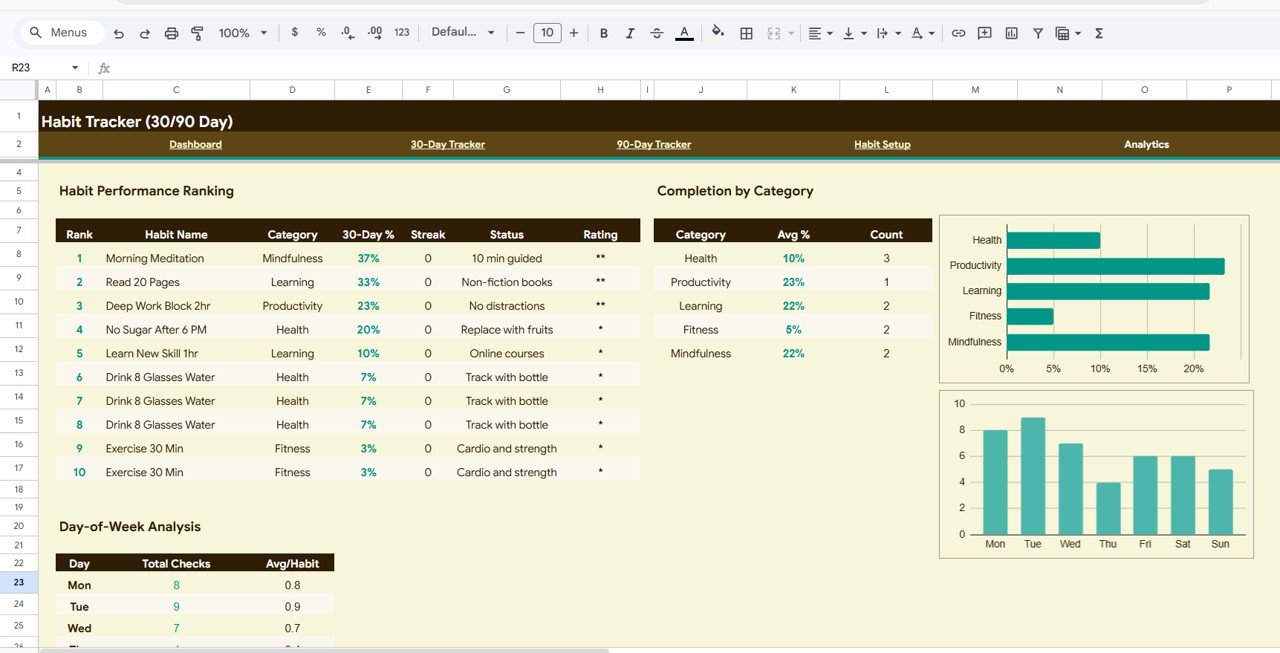 Analytics
⚙️ How to Use the Habit Tracker in Google Sheets
1️⃣ Open the PDF guide and click the Google Sheets copy link to create your own editable copy in Google Drive.
2️⃣ Go to the Habit Setup tab and define your habits, categories, frequency, and targets.
3️⃣ Each day, open the 30-Day Tracker or 90-Day Tracker and mark completed habits.
4️⃣ Switch to the Overview tab to see KPIs, charts, and heatmap update automatically.
5️⃣ Visit the Analytics tab to review completion rankings and day-of-week patterns.
👥 Who Can Benefit from This Habit Tracker
🔹 Individuals building daily routines like exercise, reading, meditation, or journaling
🔹 Students tracking study habits, revision schedules, and academic discipline
🔹 Health-conscious individuals monitoring fitness, nutrition, and wellness habits
🔹 Professionals developing productivity habits and time management skills
🔹 Anyone who wants a structured, visual way to build and maintain positive habits
Looking for more productivity tools? Check out the Personal Finance Dashboard in Google Sheets or the Savings Goal Planner in Google Sheets. Explore our full Google Sheets Tracker Templates collection.
❓ Frequently Asked Questions
What does the Habit Tracker in Google Sheets include?
The Habit Tracker in Google Sheets includes 5 pages — an Overview Dashboard with 4 KPI cards and 3 charts, a 30-Day Tracker, a 90-Day Tracker, a Habit Setup page, and an Analytics page for deep performance insights.
Do I need advanced Google Sheets skills to use this habit tracker?
No. Simply define your habits in the Habit Setup page and mark daily completions. All charts, KPIs, and analytics update automatically.
Can I customize the habit categories and frequency?
Yes. The Habit Setup page lets you define your own habit names, categories, frequency, start dates, and targets.
What is the difference between the 30-Day and 90-Day trackers?
The 30-Day Tracker is for short-term monitoring. The 90-Day Tracker helps build lasting habits — research suggests about 66 days to form a permanent habit.
Can I track multiple habits at the same time?
Yes. The template supports tracking multiple habits simultaneously with individual completion tracking across both cycles.
🔗 Explore Related Templates
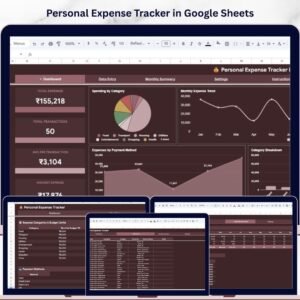
🔹 Personal Expense Tracker in Google Sheets – Track daily expenses with automated charts.
🔹 Monthly Budget Plan Template in Google Sheets – Plan and track monthly budgets.
🔹 Weekly Reflection Action Plan Checklist – Plan, track, and reflect on weekly goals.
📖 Click here to read the Detailed Blog Post
Watch the step-by-step video tutorial:














Reviews
There are no reviews yet.