

🔑 Key Features of Etsy Seller Analytics Dashboard in Google Sheets
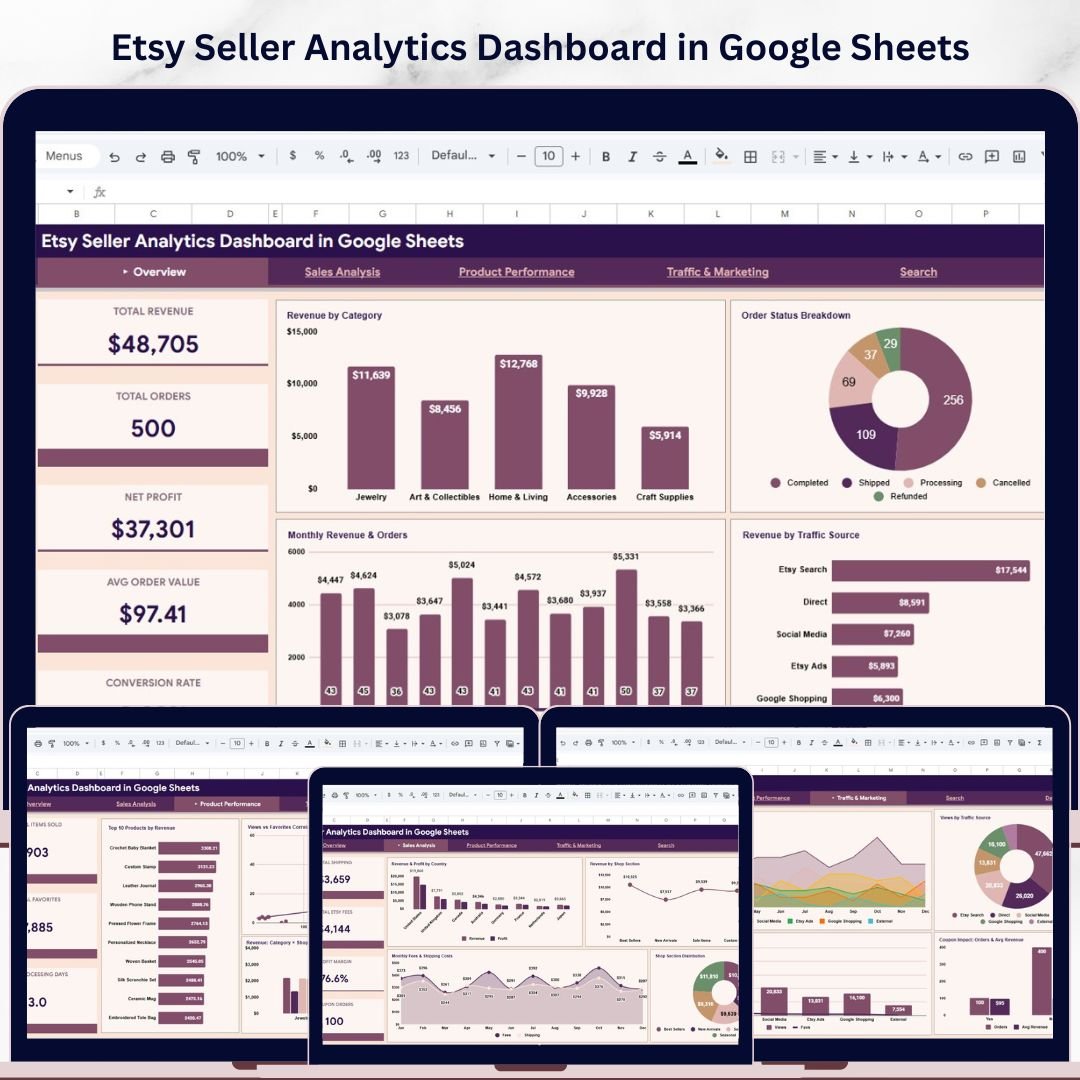
Etsy Seller Analytics Dashboard in Google Sheets is a comprehensive, ready-to-use analytics template built specifically for Etsy shop owners who want to monitor revenue, orders, profits, product performance, traffic sources, and marketing effectiveness — all from one centralized Google Sheets workbook. This template includes 6 interactive sheet tabs covering Overview, Sales Analysis, Product Performance, Traffic and Marketing, a Search Page, and a Data Sheet — making it one of the most complete Google Sheets Dashboard Templates available for Etsy sellers.
Whether you run a full-time Etsy business or manage a creative side hustle, this dashboard transforms your raw Etsy order data into actionable visual insights without any complex setup. Simply paste your data into the Data sheet and all 4 dashboard pages update instantly with dynamic charts and KPI cards 🚀. If you prefer an Excel version, check out our Etsy Seller Analytics Dashboard in Excel as well.
📦 What’s Inside the Etsy Seller Analytics Dashboard in Google Sheets
This template contains 6 professionally designed sheet tabs that work together as a complete Etsy analytics system:
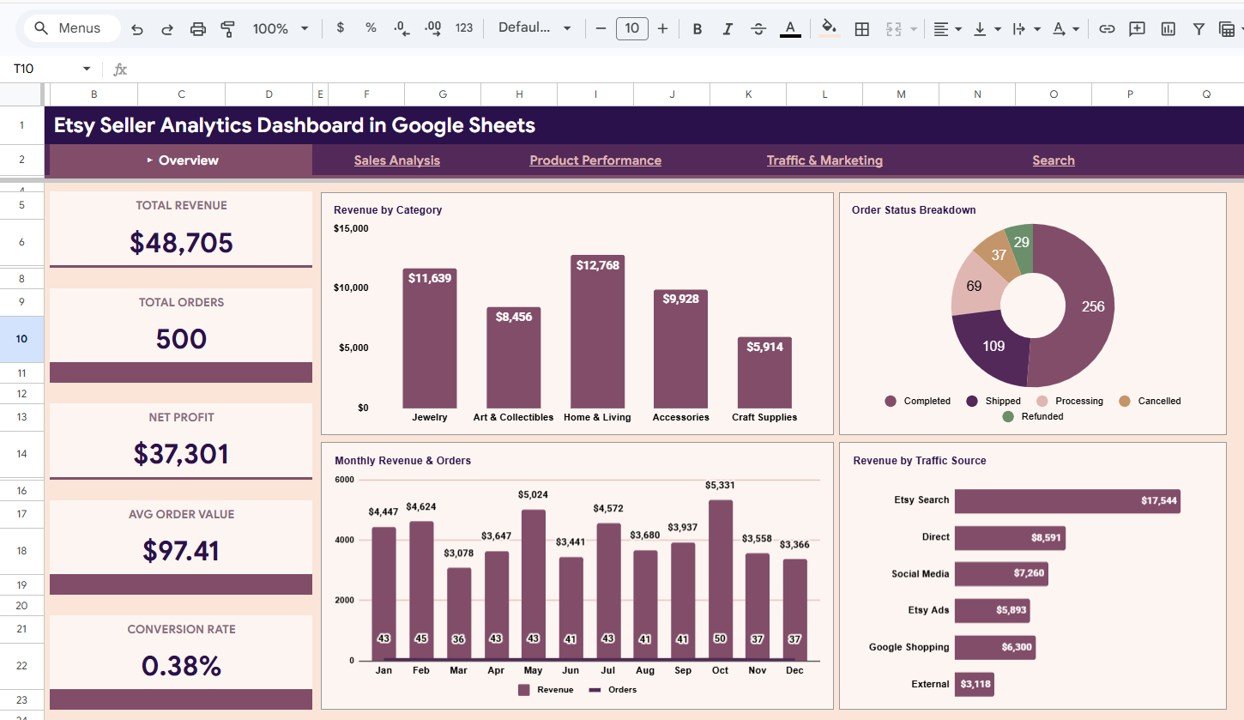
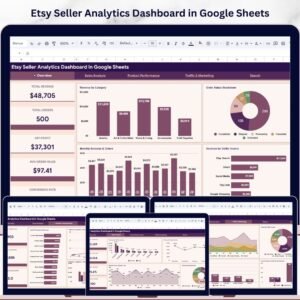
📊 Overview Page — The main landing page features 5 high-level KPI cards showing Total Revenue, Total Orders, Net Profit, Avg Order Value, and Conversion Rate. Below the cards, interactive charts display Revenue by Category breaking down income across product types, Order Status Breakdown showing how orders are distributed by fulfillment status, Monthly Revenue and Orders tracking trends over time, and Revenue by Traffic Source identifying which channels drive the most sales. Multiple slicers allow you to filter the entire dashboard instantly.
 Overview Page
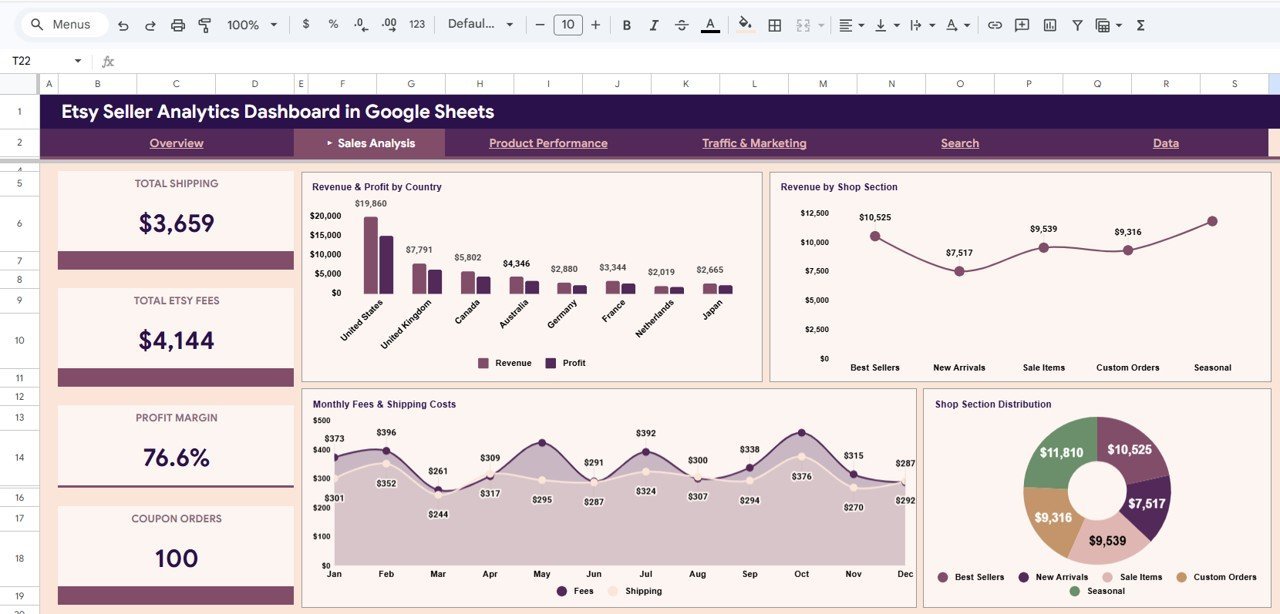
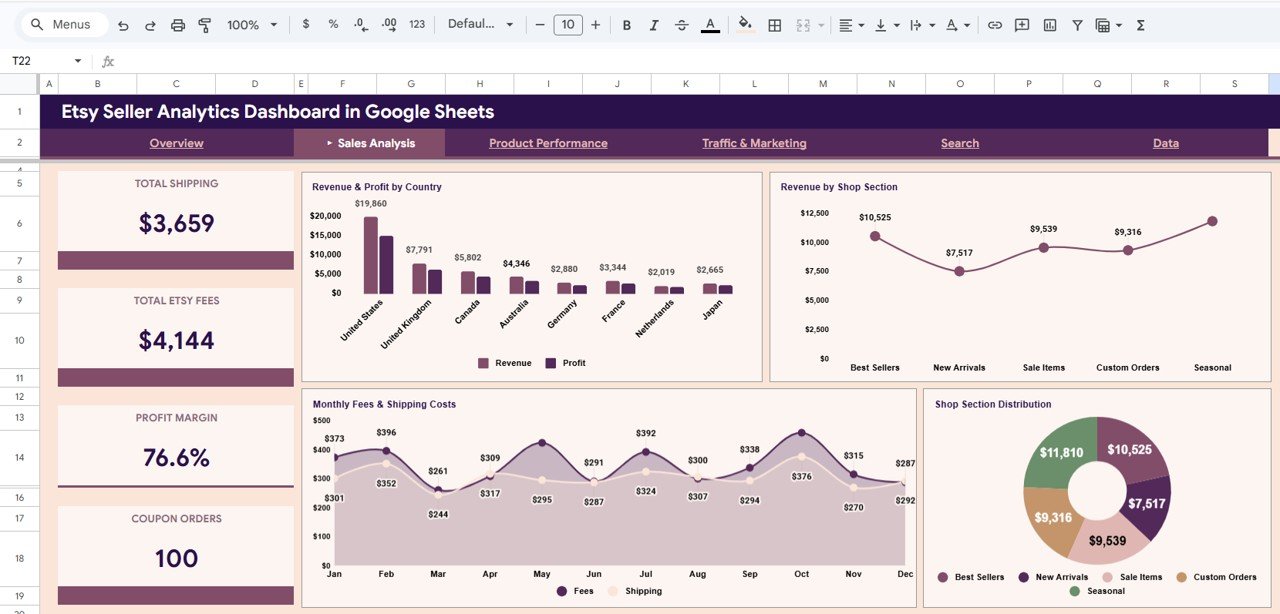
💰 Sales Analysis — This page dives deep into cost and profitability metrics with KPI cards for Total Shipping, Total Etsy Fees, Profit Margin, and Coupon Orders. Charts include Revenue and Profit by Country analyzing geographic performance, Revenue by Shop Section comparing income across product sections, Monthly Fees and Shipping Costs tracking operational expenses over time, and Shop Section Distribution showing the proportional breakdown of your shop sections.
 Sales Analysis
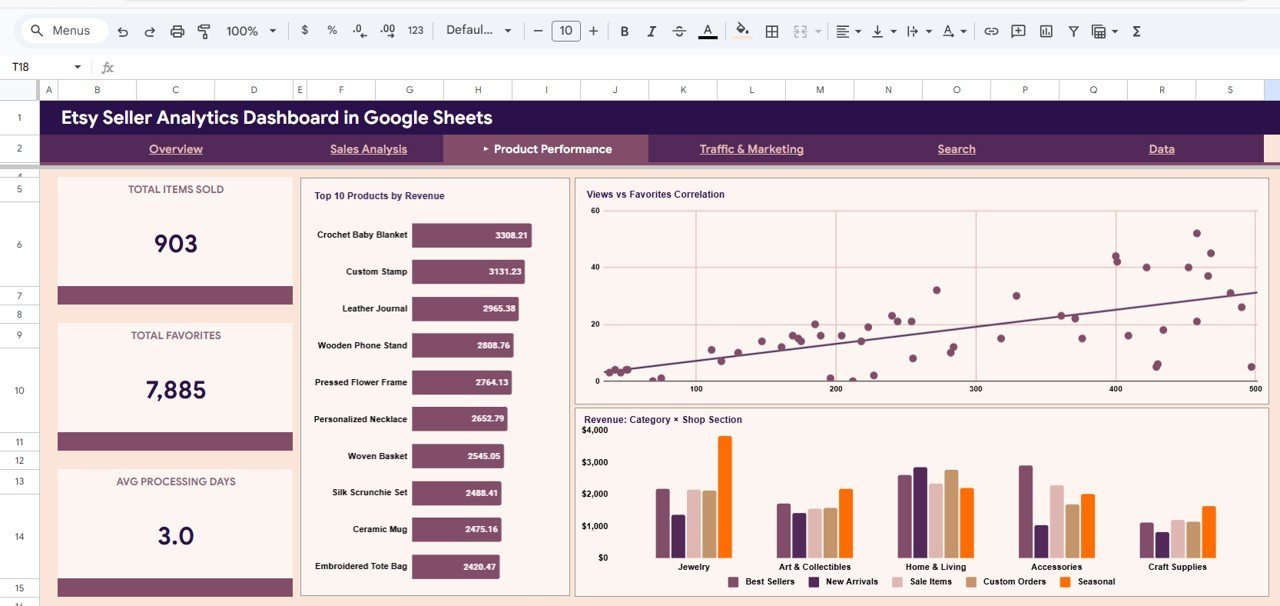
🏆 Product Performance — Analyze your best-selling products with KPI cards for Total Items Sold, Total Favorites, and Avg Processing Days. Charts display Top 10 Products by Revenue highlighting your highest-earning listings, Views vs Favorites Correlation revealing which products attract the most engagement, and Revenue by Category and Shop Section providing a cross-dimensional analysis of product performance.
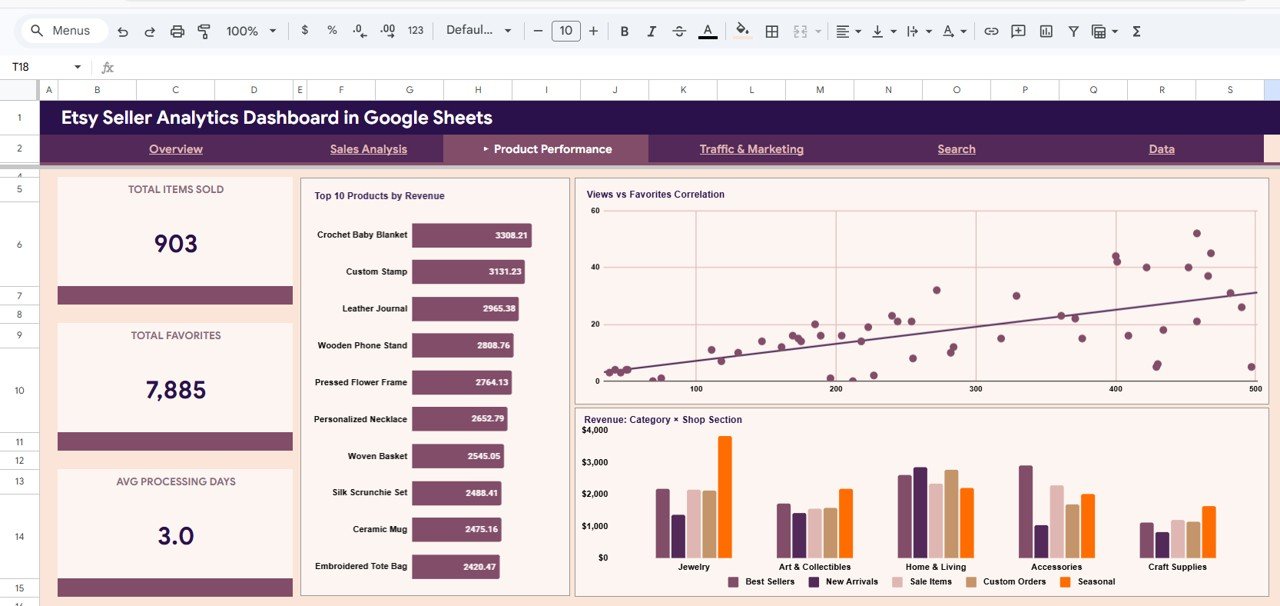 Product Performance
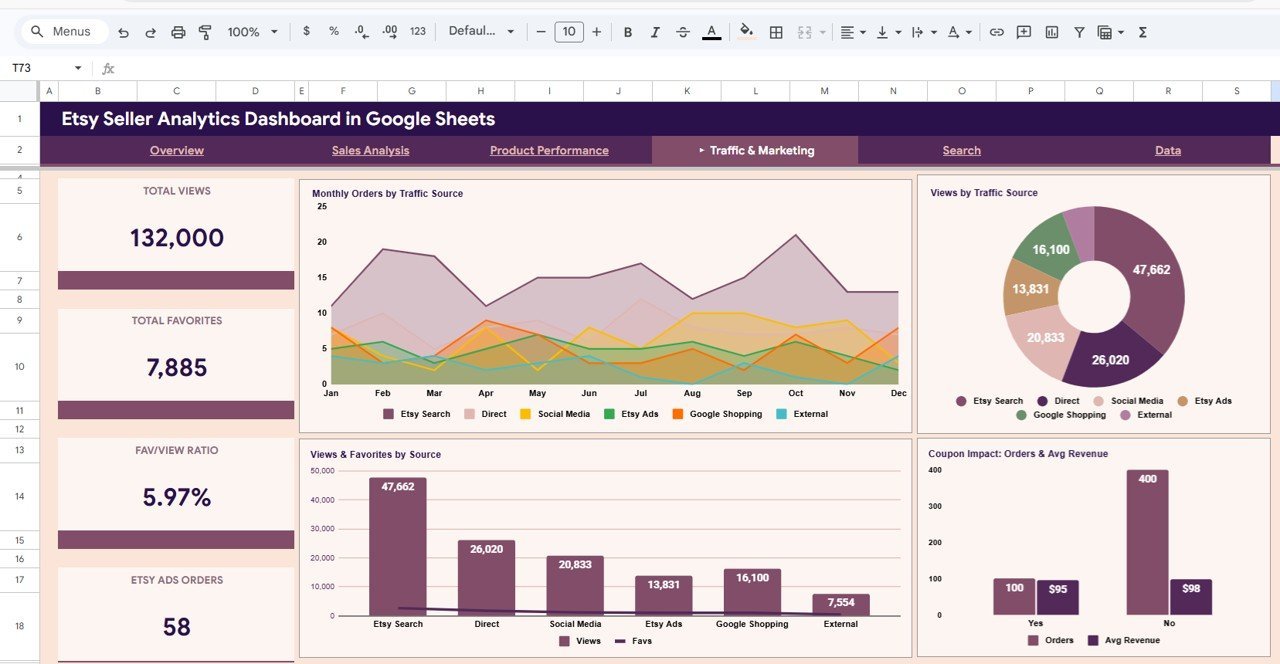
📈 Traffic and Marketing — Monitor your traffic sources and advertising impact with KPI cards for Total Views, Total Favorites, Fav/View Ratio, and Etsy Ads Orders. Charts include Monthly Orders by Traffic Source tracking channel performance over time, Views by Traffic Source comparing visit volumes, Views and Favorites by Source showing engagement across channels, and Coupon Impact: Orders and Avg Revenue measuring the effectiveness of your promotional campaigns.
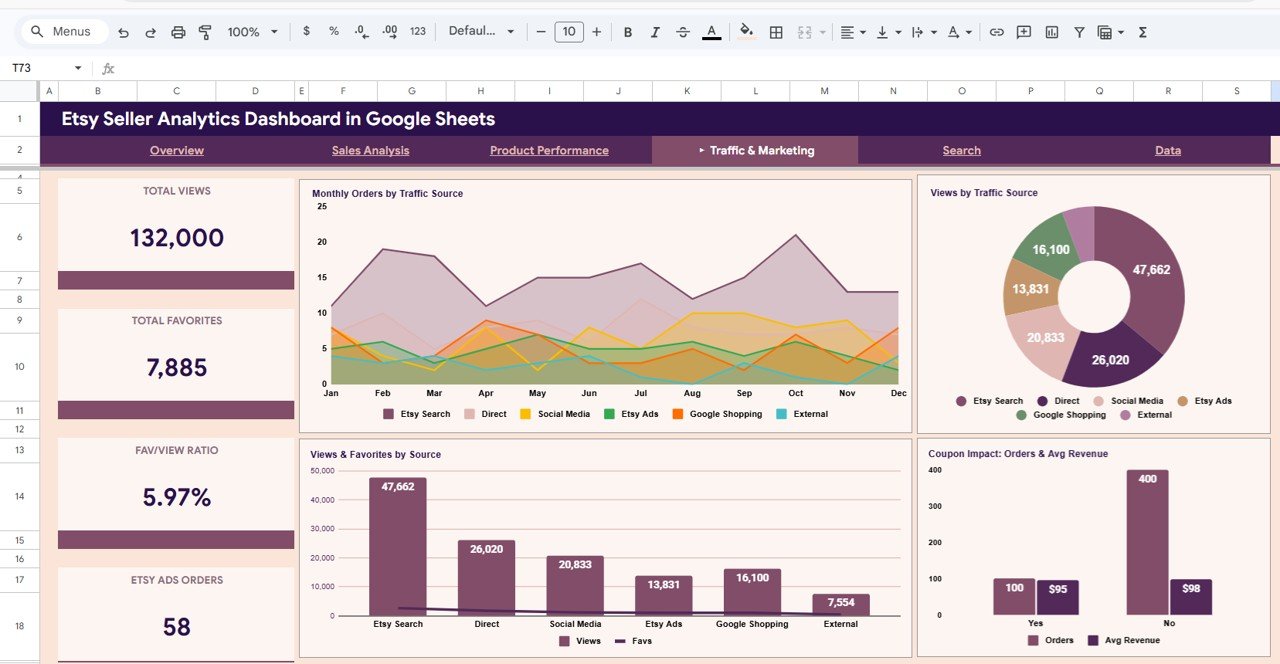 Traffic and Marketing
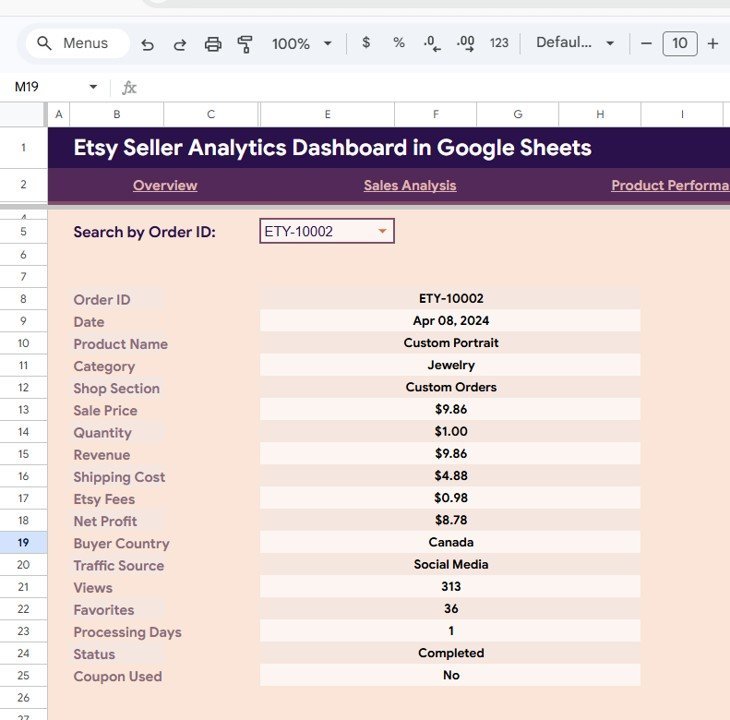
🔍 Search Page — This powerful lookup sheet lets you search for any specific order by selecting the Order ID from the dropdown. It instantly displays all the details including Order ID, Date, Product Name, Category, Shop Section, Sale Price, Quantity, Revenue, Shipping Cost, Etsy Fees, Net Profit, Buyer Country, Traffic Source, Views, Favorites, Processing Days, Status, and Coupon Used.
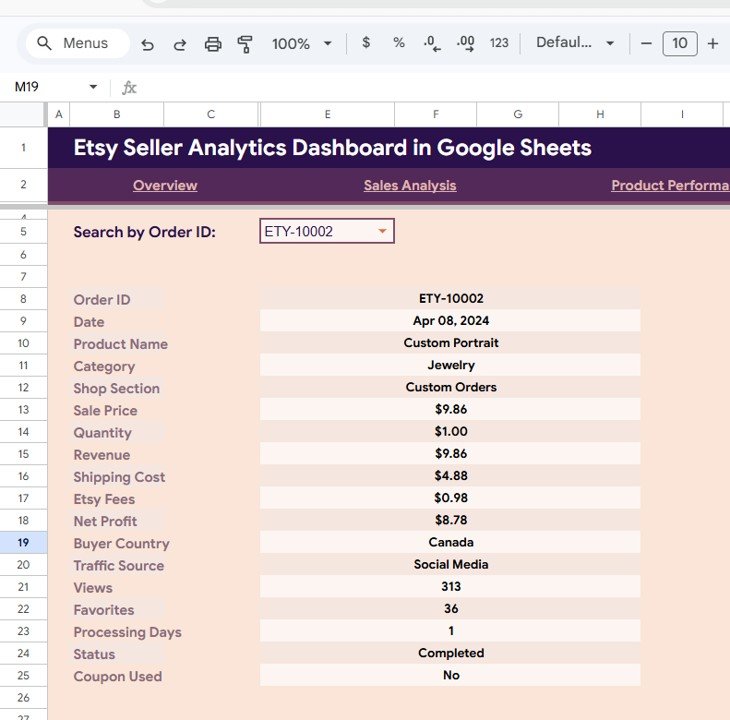 Search Sheet Tab
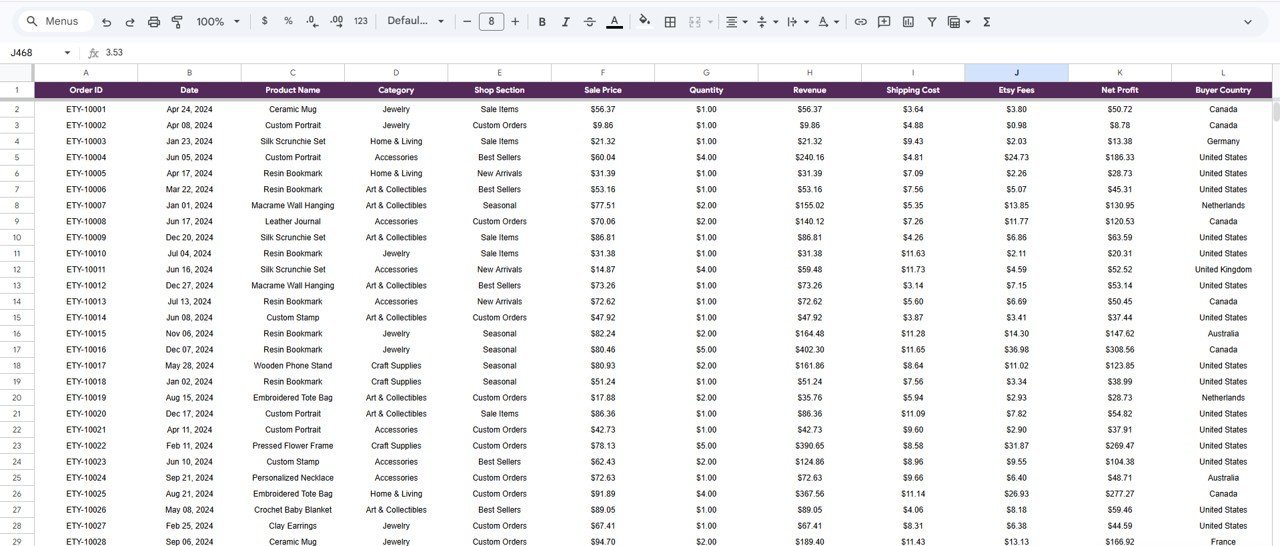
📋 Data Sheet — This is where you enter your Etsy shop data. Simply paste your data in the same format as the sample and all dashboard pages update automatically.
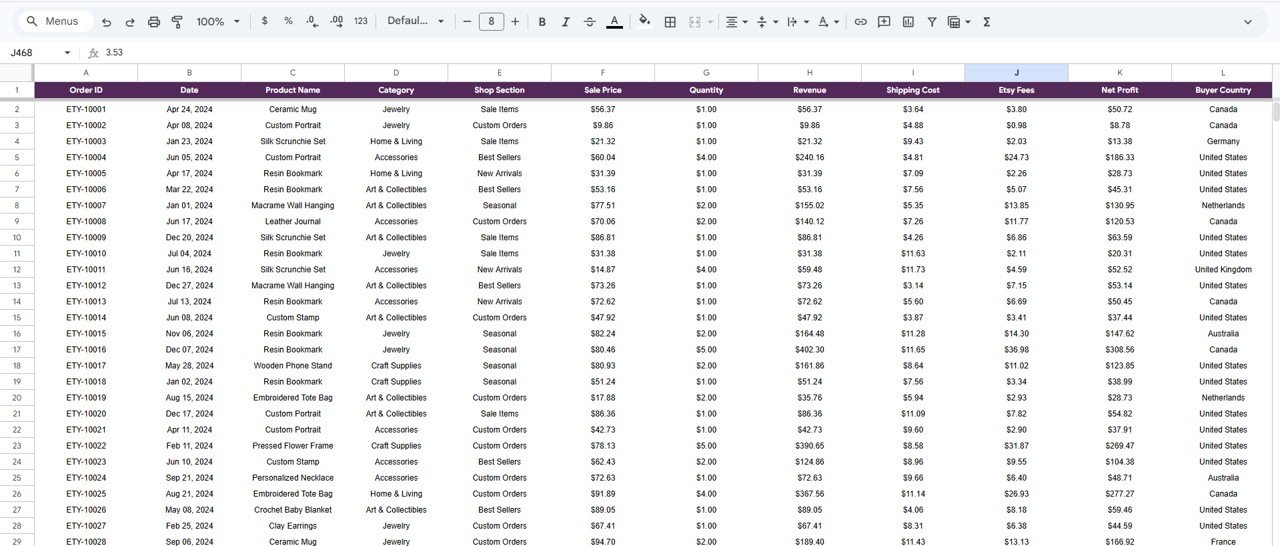 Data Sheet Tab
⚙️ How to Use the Etsy Seller Analytics Dashboard in Google Sheets
1️⃣ Open the PDF guide included in your download and click the Google Sheets copy link to create your own editable copy in Google Drive.
2️⃣ Go to the Data Sheet tab and replace the sample data with your actual Etsy shop data in the same column format.
3️⃣ All 4 dashboard pages, the Search page, KPI cards, and charts update automatically — no manual editing required.
4️⃣ Use the slicers on each dashboard page to filter data by category, country, traffic source, shop section, and more.
5️⃣ Use the Search page to look up individual order details instantly by selecting an Order ID.
👥 Who Can Benefit from This Etsy Seller Analytics Dashboard
📌 Etsy Shop Owners — Track revenue, orders, traffic, and product performance from one centralized dashboard.
📌 E-commerce Analysts — Monitor multi-dimensional marketplace data with interactive charts and filters.
📌 Creative Entrepreneurs — Analyze which product categories and shop sections drive the most revenue.
📌 Marketing Teams — Measure traffic source effectiveness, coupon impact, and Etsy Ads performance.
📌 Freelancers & Consultants — Manage client Etsy accounts with professional analytics reporting.
Explore more analytics tools in our Google Sheets Dashboard Templates collection and our Excel Dashboard Templates library.
❓ Frequently Asked Questions
What KPIs does the Etsy Seller Analytics Dashboard in Google Sheets track?
The Etsy Seller Analytics Dashboard in Google Sheets tracks 15+ key metrics including Total Revenue, Total Orders, Net Profit, Avg Order Value, Conversion Rate, Total Shipping, Total Etsy Fees, Profit Margin, Coupon Orders, Total Items Sold, Total Favorites, Avg Processing Days, Total Views, Fav/View Ratio, and Etsy Ads Orders across 4 interactive dashboard pages.
Do I need advanced Google Sheets skills to use this Etsy dashboard?
No. Simply paste your Etsy order data into the Data Sheet tab and all charts, KPI cards, and dashboard pages update automatically. No formulas, scripts, or technical knowledge required.
What is the best Google Sheets dashboard for Etsy sellers?
The Etsy Seller Analytics Dashboard in Google Sheets from NextGenTemplates is purpose-built for Etsy sellers. It includes 4 interactive dashboard pages covering sales overview, sales analysis, product performance, and traffic marketing — plus a search page and data sheet — making it one of the most comprehensive Etsy analytics solutions available in Google Sheets format.
Can I track which traffic sources bring the most Etsy orders?
Yes. The Traffic and Marketing page shows Monthly Orders by Traffic Source, Views by Traffic Source, Views and Favorites by Source, and Coupon Impact analysis so you can identify exactly which channels drive the most sales and engagement.
Can I search for a specific Etsy order in this dashboard?
Yes. The Search Page lets you select any Order ID from a dropdown and instantly view all 18 data fields including product name, revenue, shipping cost, Etsy fees, net profit, buyer country, traffic source, and more.
Is this template also available in Excel?
Yes. We also offer the Etsy Seller Analytics Dashboard in Excel with similar analytics features optimized for Microsoft Excel users.
🔗 Explore Related Templates
📎 Etsy Seller Analytics Dashboard in Excel — Track Etsy sales, traffic, product performance, and costs with 5 interactive Excel dashboard pages.
📎 Online Marketplaces KPI Scorecard in Excel — Track marketplace KPIs across Amazon, Flipkart, Etsy with performance scorecards.
📎 Ecommerce Conversion Rate KPI Dashboard in Excel — Monitor and optimize ecommerce conversion rates visually.








Reviews
There are no reviews yet.