


Environmental, Social, and Governance (ESG) compliance is no longer optional. Regulators, investors, customers, and stakeholders now expect organizations to demonstrate clear, measurable, and transparent ESG performance. ESG Compliance KPI Dashboard in Excel However, many companies still manage ESG data using scattered spreadsheets, manual reports, and disconnected documents. As a result, ESG tracking becomes reactive, inconsistent, and difficult to manage.
That is exactly where the ESG Compliance KPI Dashboard in Excel creates real value.
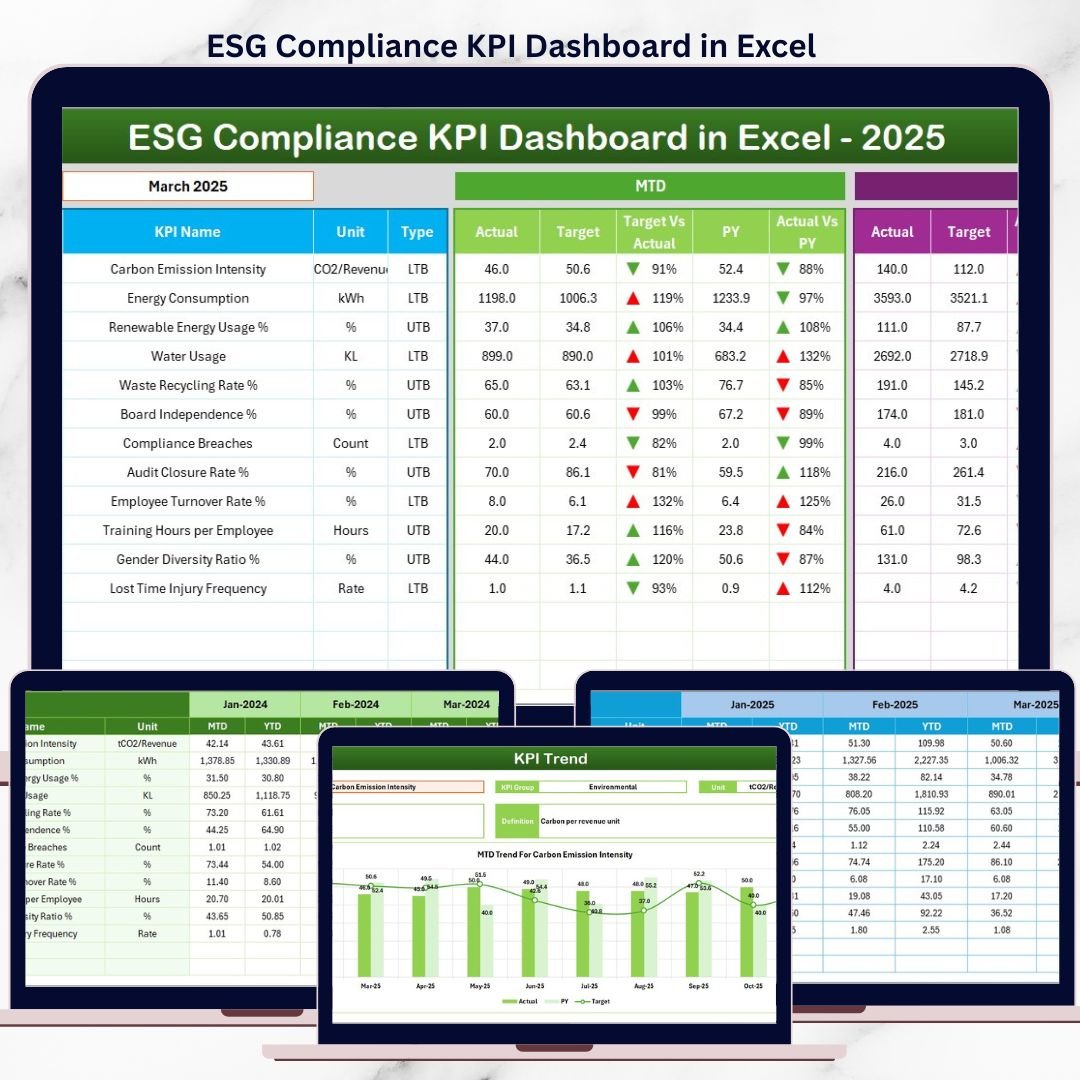
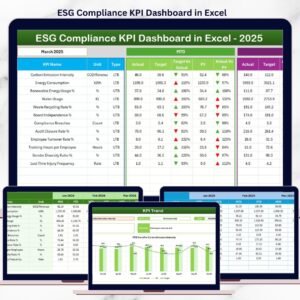
ESG Compliance KPI Dashboard in Excel This ready-to-use Excel dashboard helps organizations monitor ESG performance in a structured, visual, and consistent way. Instead of struggling with multiple files and manual calculations, teams can track environmental, social, and governance KPIs from a single centralized dashboard and make informed, data-driven decisions.
Designed for simplicity, flexibility, and compliance readiness, this dashboard transforms ESG reporting into a strategic advantage—without the cost or complexity of specialized ESG software.
✅ Key Features of ESG Compliance KPI Dashboard in Excel
🌱 Centralized ESG KPI Monitoring – Track Environmental, Social, and Governance KPIs in one Excel dashboard
📅 Dynamic Month Selection – Change the month and auto-update the entire dashboard
🎯 MTD & YTD Performance Tracking – Monitor both short-term and long-term ESG progress
🔄 Actual vs Target & PY Comparison – Identify compliance gaps and improvement areas clearly
⬆️⬇️ Visual Performance Indicators – Arrows and conditional formatting highlight ESG status instantly
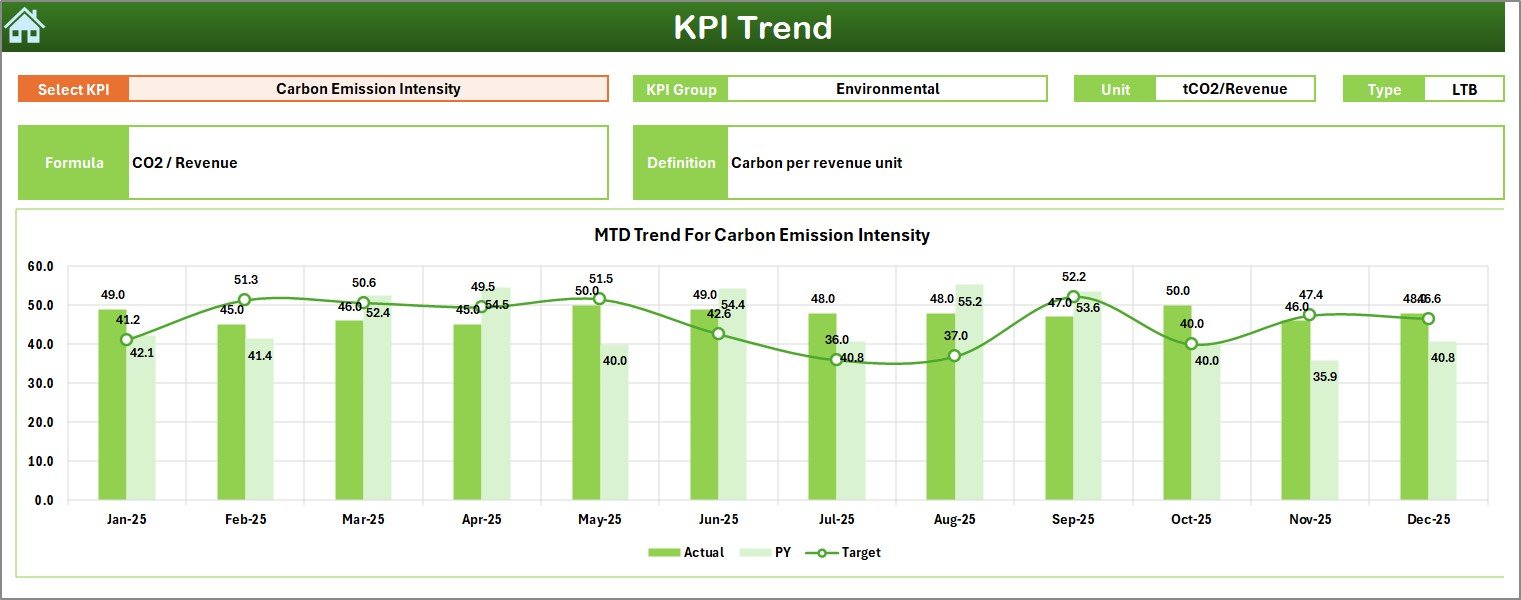
📈 Detailed KPI Trend Analysis – Analyze ESG trends using MTD and YTD charts
📘 Standardized KPI Definitions – Ensure clarity, consistency, and audit readiness
📦 What’s Inside the ESG Compliance KPI Dashboard in Excel
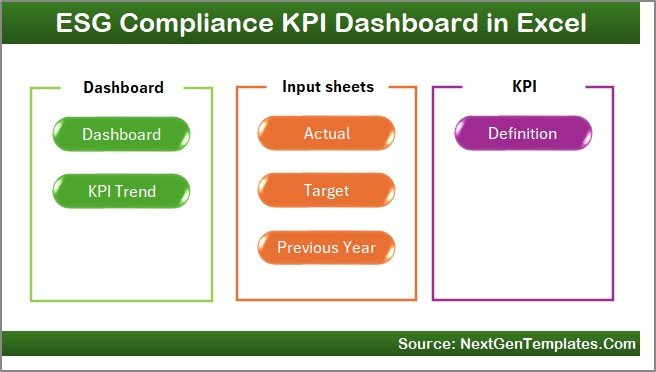
This ready-to-use dashboard includes seven structured worksheets, each designed to support ESG reporting and analysis:
🏠 Home Sheet (Index Sheet)
A clean landing page with six navigation buttons for easy movement across the dashboard.📊 Dashboard Sheet
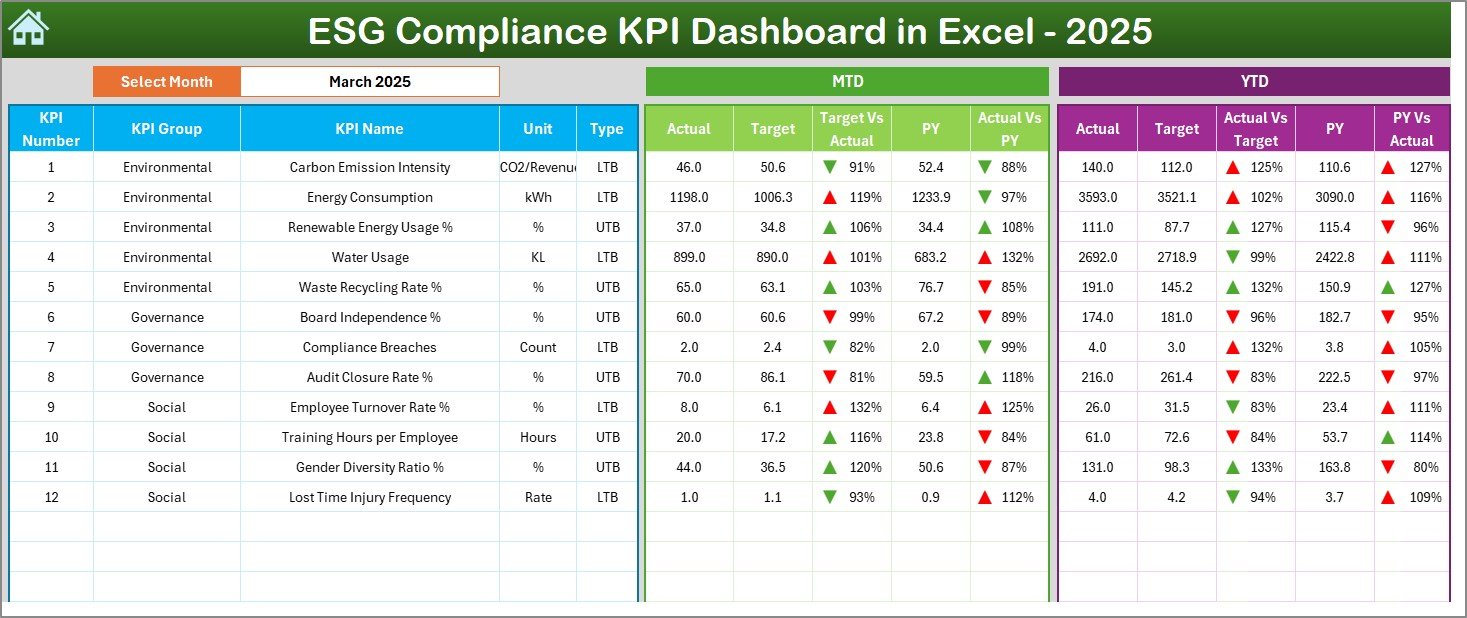
Displays MTD & YTD Actual, Target, and Previous Year values along with variance analysis and visual indicators.📈 KPI Trend Sheet
Allows users to select any ESG KPI and view MTD & YTD trend charts for Actual, Target, and PY values.✍️ Actual Numbers Input Sheet
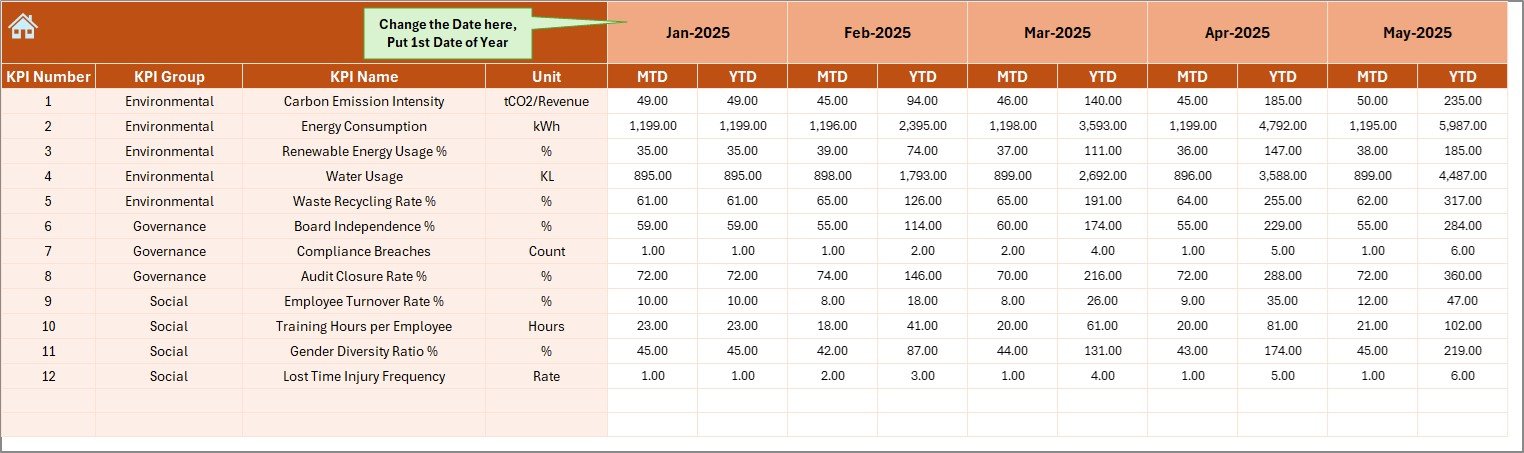
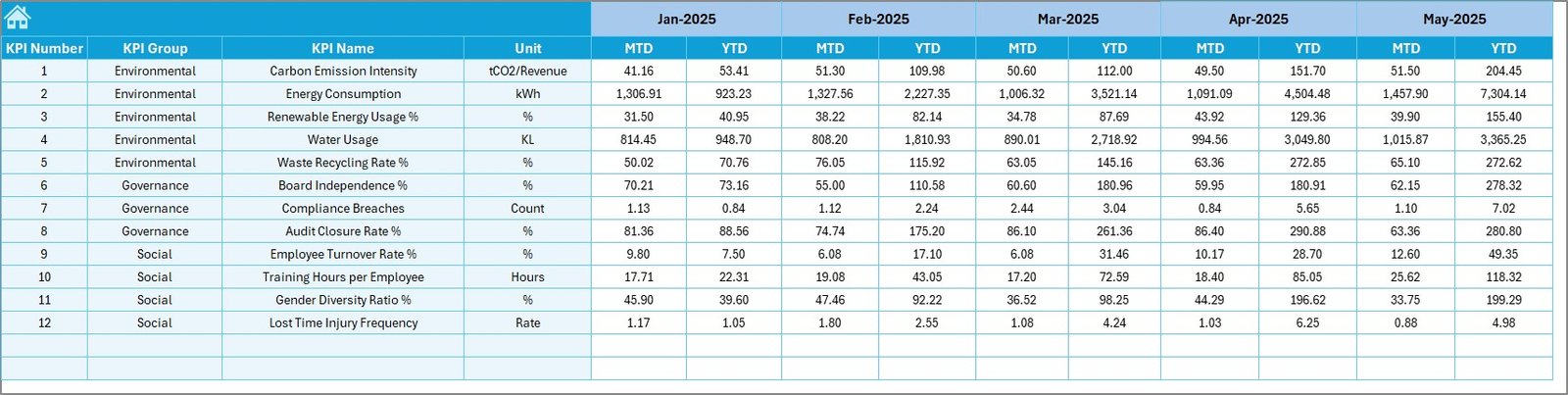
Structured sheet for entering monthly ESG actual data with controlled inputs.🎯 Target Sheet
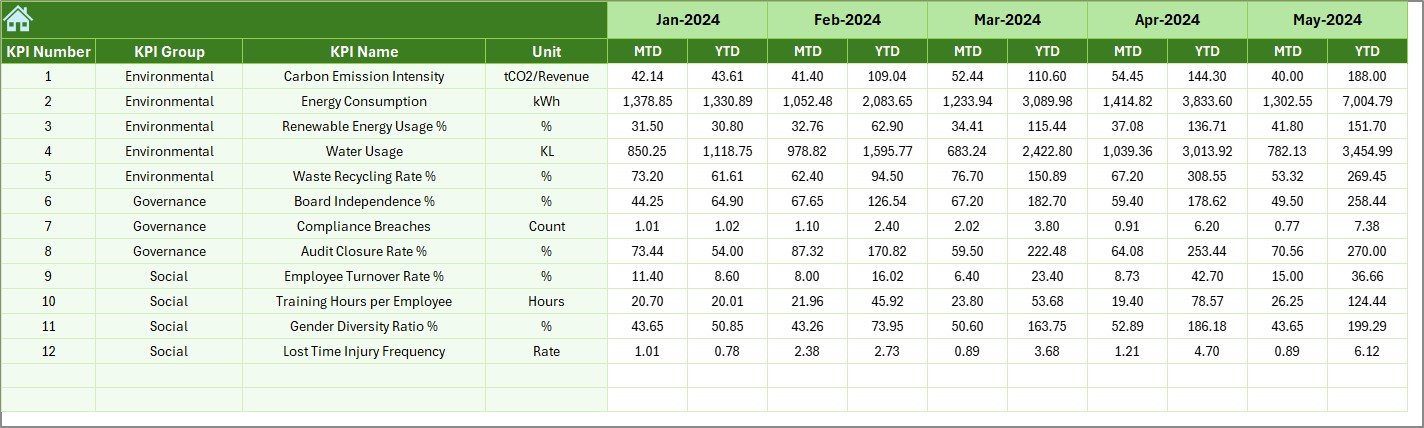
Used to define MTD and YTD ESG targets for each KPI.⏮️ Previous Year Number Sheet
Stores historical ESG data for year-over-year comparison.📘 KPI Definition Sheet
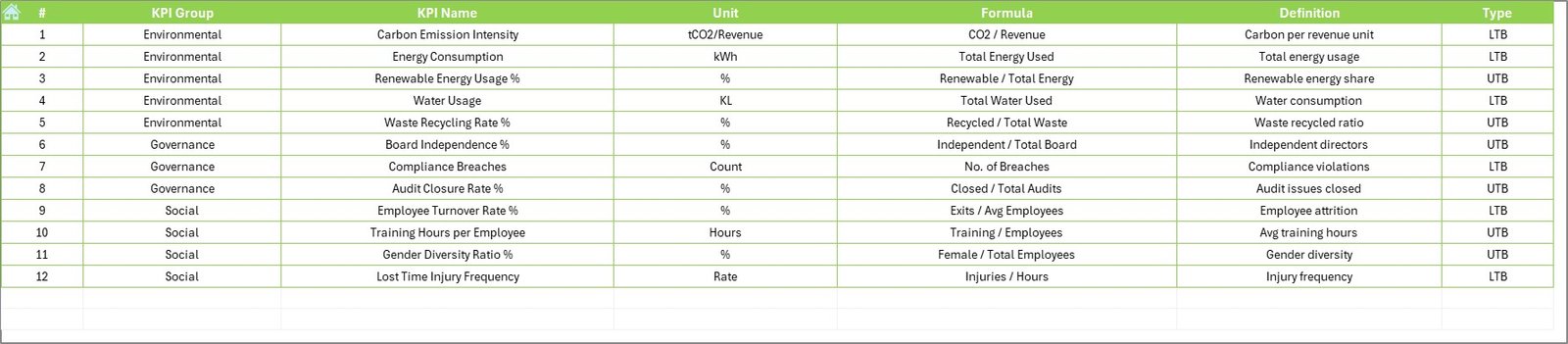
Documents KPI Group (Environmental, Social, Governance), Unit, Formula, and Definition.
Together, these sheets provide transparency, governance, and audit-ready ESG reporting.
🛠️ How to Use the ESG Compliance KPI Dashboard in Excel
Using the dashboard is simple and structured:
1️⃣ Define ESG KPIs and targets
2️⃣ Enter actual ESG data monthly
3️⃣ Select the month from the dashboard
4️⃣ Review MTD and YTD performance instantly
5️⃣ Analyze trends and compliance gaps
6️⃣ Take corrective actions based on insights
No advanced Excel skills are required—basic Excel knowledge is enough.
👥 Who Can Benefit from This ESG Compliance KPI Dashboard?
This Excel dashboard is ideal for:
🌱 ESG & Sustainability Teams
📋 Compliance & Audit Teams
🧠 Risk & Governance Teams
🏢 SMEs Starting ESG Reporting
📊 Corporate Strategy & Leadership Teams
It works equally well for small organizations and growing enterprises.
📖 Click here to read the Detailed blog post
🎥 Visit our YouTube channel to learn step-by-step video tutorials
👉 Youtube.com/@PKAnExcelExpert
Watch the step-by-step video tutorial:
Compatibility and Requirements
- Works in Microsoft Excel desktop (Excel 2016 or later, or Microsoft 365).
- The month is picked on the Dashboard sheet, and every chart updates from your input sheets.
- New to drop-down lists? Microsoft explains them in Create a drop-down list.
Frequently Asked Questions
Which sheets are included?
Seven: Home, Dashboard, KPI Trend, Actual Numbers Input, Target, Previous Year Number and KPI Definition.
Does it cover all three ESG areas?
Yes. The KPI Definition sheet groups each KPI as Environmental, Social or Governance, with its unit, formula and definition.
How do I compare against targets and last year?
Enter targets in the Target sheet and last year’s figures in the Previous Year Number sheet. The Dashboard shows MTD and YTD Actual vs Target vs PY with arrows.
Do I need ESG software?
No. It runs in Excel, and basic Excel knowledge is enough.
Related ESG Templates
- ESG Compliance KPI Dashboard in Power BI: the Power BI edition
- ESG KPI Dashboard in Excel: a general ESG KPI dashboard
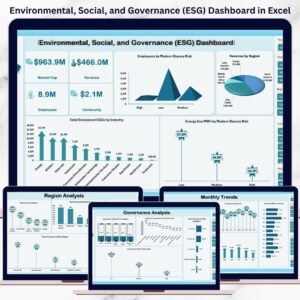
- Environmental, Social, and Governance (ESG) Dashboard in Excel: a full ESG dashboard view
- ESG KPI Dashboard in Google Sheets: ESG KPIs online
- Energy & ESG Sustainability Bundle: 8 ESG and energy templates in one bundle
Browse all Excel KPI dashboards or the Excel dashboards.





















Reviews
There are no reviews yet.