



The Emergency Fund Checklist Template in Excel is a practical and essential tool for anyone looking to build or manage an emergency fund. Whether you’re saving for unexpected expenses or planning for future financial security, this checklist helps you stay on top of your savings goals, track your progress, and ensure you’re adequately prepared for emergencies.
This easy-to-use Excel template allows you to organize your savings plan, monitor contributions, and set up realistic targets for building your emergency fund. With real-time tracking and a clear, visual progress dashboard, you’ll be able to see how close you are to reaching your financial goals.
Key Features of the Emergency Fund Checklist Template in Excel
💰 Comprehensive Emergency Fund Tracking
Track your savings contributions, progress, and goal amounts. Organize your fund into categories (e.g., savings, investments, expenses) and ensure you’re on track to build a solid emergency fund.
⚡ Real-Time Tracking & Updates
Monitor your savings progress in real-time. Log your contributions, update your fund balance, and track how close you are to meeting your emergency savings goal.
📊 Expense & Goal Categorization
Categorize your expenses and savings targets to help you better understand how much you need to save for an emergency fund. Track essential expenses and emergency preparedness costs.
📈 Emergency Fund Progress Dashboard
Visualize your savings progress with an interactive dashboard that displays contributions, savings targets, and how much you have saved compared to your goal.
🖥️ User-Friendly Interface
The intuitive, easy-to-navigate design ensures that anyone can track their savings effectively. Update your fund status, log savings, and track your progress with minimal effort.
Why You’ll Love the Emergency Fund Checklist Template

✅ Stay on Track with Your Savings Goals
Track your emergency fund progress and ensure you’re contributing consistently to reach your goal.
✅ Monitor Contributions in Real-Time
Log and monitor your savings contributions as you go. Stay updated on how much you’ve saved and how much you still need to reach your target.
✅ Categorize Savings for Better Tracking
Organize your savings by type—whether it’s emergency expenses, living costs, or healthcare—so you can better understand where you stand financially.
✅ Visualize Your Savings Progress
Use the dashboard to see how much progress you’ve made towards your goal. Visualize your fund growth to stay motivated and focused.
✅ Simplify Your Savings Process
With everything organized in one place, you can efficiently track your emergency fund, making it easy to stay committed to your savings strategy.
What’s Inside the Emergency Fund Checklist Template?
- Savings Tracker: Track all your contributions and total savings for your emergency fund.
- Goal Targeting: Set savings goals and track your progress toward meeting your target amount.
- Expense Categorization: Categorize expenses to identify how much money you need for emergency situations.
- Progress Dashboard: A visual dashboard that shows how much you’ve saved and how much you have left to reach your goal.
- Customizable Sections: Modify the checklist to fit your specific savings needs, whether you’re saving for short-term or long-term emergencies.
- Real-Time Updates: Track and update your contributions as you go to stay on top of your savings goals.
How to Use the Emergency Fund Checklist Template
1️⃣ Download the Template: Get immediate access to your emergency fund checklist.
2️⃣ Set Your Savings Goal: Define your emergency savings target amount and track your target dates.
3️⃣ Log Contributions: Record your contributions and track your progress in real-time.
4️⃣ Monitor & Adjust: Use the dashboard to review your progress and make adjustments to your savings strategy as needed.
Who Can Benefit from the Emergency Fund Checklist Template?
🔹 Individuals Looking to Build an Emergency Fund
🔹 Families Planning for Unexpected Expenses
🔹 People Working Towards Financial Security
🔹 Financial Advisors Assisting Clients with Savings Plans
🔹 Anyone Interested in Financial Planning and Budgeting
Build financial security and ensure you’re prepared for the unexpected with this easy-to-use, customizable Emergency Fund Checklist Template. Track your progress, stay motivated, and achieve your savings goals.
Click here to read the Detailed blog post
Visit our YouTube channel to learn step-by-step video tutorials
Youtube.com/@PKAnExcelExpert
Compatibility and Requirements
- Works in Microsoft Excel desktop (Excel 2016 or later, or Microsoft 365).
- New to Excel? Microsoft covers the basics in Excel for Windows training.
Frequently Asked Questions
How do I set my savings target?
Enter your emergency savings target and target dates. The checklist then tracks how close you are to the goal.
Where do I log contributions?
Record each contribution in the Savings Tracker. Your total savings update as you add them.
Can it help me decide how much to save?
Yes. You can list and categorize essential expenses to see how much money you need for emergencies.
What does the dashboard show?
The Progress Dashboard shows how much you have saved and how much is left to reach your goal.
Related Savings and Budget Templates
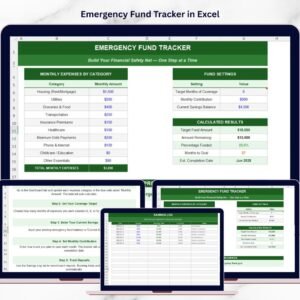
- Emergency Fund Tracker in Excel: a fuller emergency fund tracker
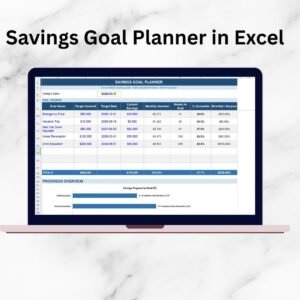
- Savings Goal Planner in Excel: plan any savings goal
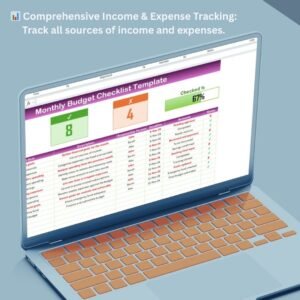
- Monthly Budget Checklist Template in Excel: manage your monthly budget
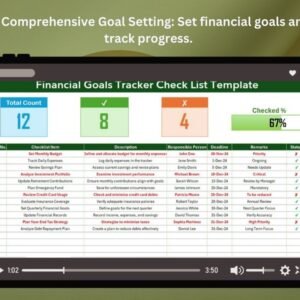
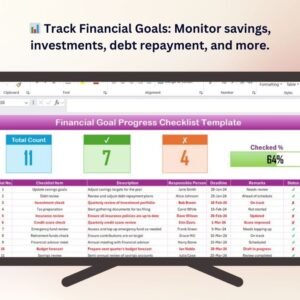
- Financial Goals Tracker Check List Template in Excel: track your financial goals
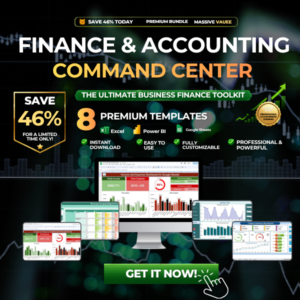
- Finance & Accounting Command Center: 8 finance and accounting templates in one download
Browse all Excel checklists or the Excel financial tools.










Reviews
There are no reviews yet.