

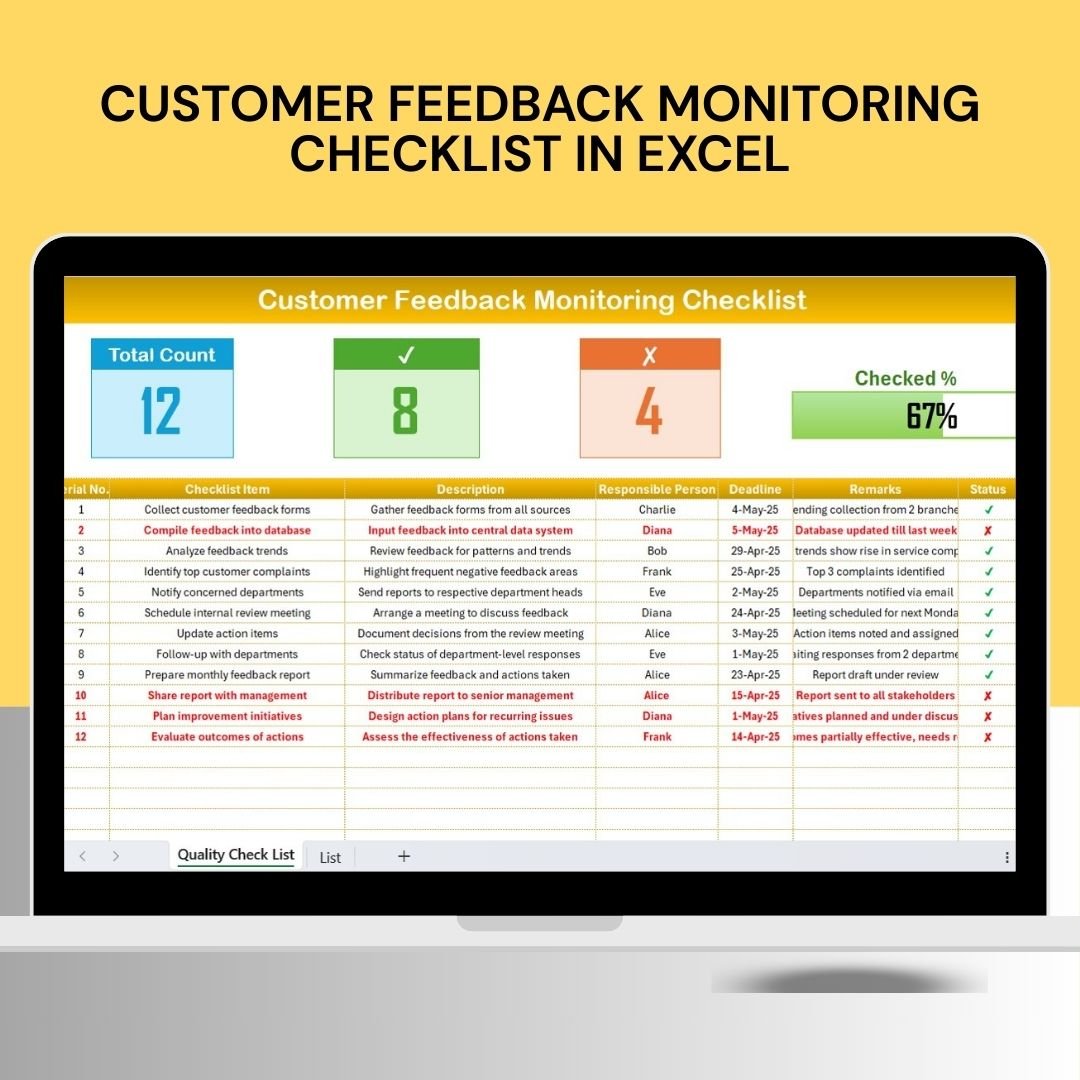

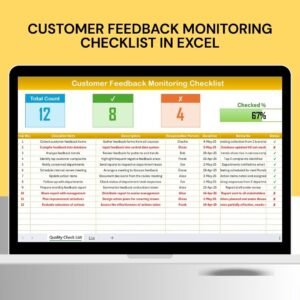
The Customer Feedback Monitoring Checklist in Excel is an essential tool designed for businesses and customer service teams to track, manage, and analyze customer feedback efficiently. This Excel-based checklist provides a structured and organized way to monitor customer responses, ensuring that all feedback—whether positive or negative—is handled properly and promptly.
With this tool, businesses can maintain a high level of customer satisfaction by addressing concerns, resolving issues, and continually improving products or services based on valuable customer insights. From collecting feedback to tracking response actions, this checklist helps you ensure that no customer comment is overlooked, leading to stronger customer relationships and business success.
Key Features of the Customer Feedback Monitoring Checklist in Excel
📋 Feedback Documentation & Tracking
Easily document and track customer feedback, including the date of feedback, the feedback source (survey, email, social media, etc.), and the customer’s comments. This ensures a comprehensive record of all received feedback.
📝 Categorization & Prioritization
Categorize feedback based on issues such as product quality, customer service, or delivery times. Prioritize feedback according to its impact on customer satisfaction or business operations, making it easier to tackle urgent issues first.
🔑 Action Plan & Follow-up Tracking
Create an action plan for responding to each piece of feedback. Assign team members, set deadlines, and monitor the status of responses to ensure that each customer’s concern is addressed in a timely manner.
📈 Trends & Insights Monitoring
Track common themes or issues across multiple feedback sources. Use the data to identify trends, areas for improvement, and opportunities for enhancing customer experience.
⚙️ Customizable Checklist
Tailor the checklist to fit your organization’s specific customer feedback collection and response needs. Customize categories, priority levels, and response actions to match your business objectives.
📅 Time-Based Feedback Analysis
Monitor feedback trends over time, tracking improvements or recurring issues. Assess how customer satisfaction evolves and make data-driven decisions to improve your processes.
Why You’ll Love the Customer Feedback Monitoring Checklist in Excel
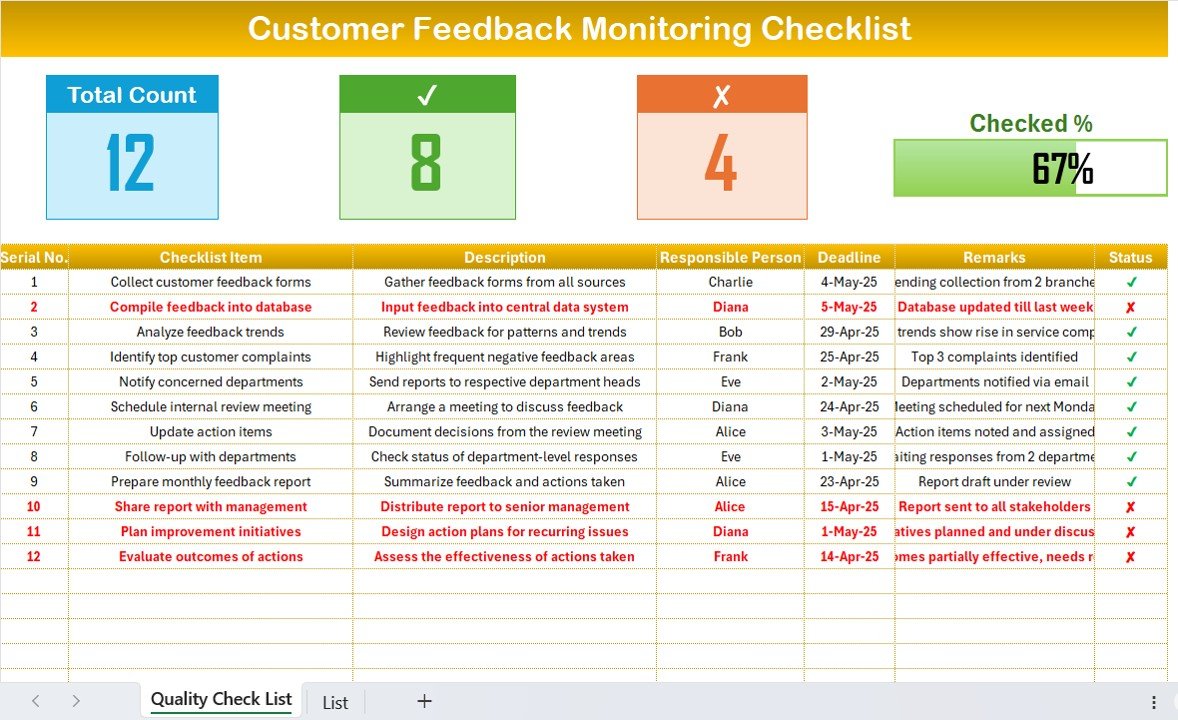
✅ Centralized Feedback Management
Track and manage all customer feedback in one place. Stay organized and ensure that no feedback is missed or ignored.
✅ Enhance Customer Satisfaction
Quickly address customer concerns and improve service by tracking feedback and acting on it. Customers appreciate when their opinions are valued and addressed.
✅ Gain Actionable Insights
Analyze feedback trends to uncover issues and opportunities for improvement in your products, services, and customer experience.
✅ Improve Responsiveness
Assign tasks and set deadlines to ensure timely responses to customer feedback. Improve overall efficiency in your customer service processes.
✅ Customizable for Your Business Needs
Tailor the checklist to track the most relevant feedback categories and metrics for your business, ensuring that you can focus on what matters most.
What’s Inside the Customer Feedback Monitoring Checklist in Excel?
Feedback Documentation & Tracking: Record customer feedback details, including source and comments.
Categorization & Prioritization: Classify feedback and prioritize based on urgency and impact.
Action Plan & Follow-up Tracking: Assign tasks and monitor the progress of feedback responses.
Trends & Insights Monitoring: Track recurring themes and feedback trends.
Customizable Checklist: Adapt the checklist to your specific feedback tracking needs.
Time-Based Feedback Analysis: Monitor feedback trends over various periods.
How to Use the Customer Feedback Monitoring Checklist in Excel
1️⃣ Download the Template: Access the Customer Feedback Monitoring Checklist in Excel instantly.
2️⃣ Document Customer Feedback: Record all customer feedback with details such as source, comments, and date.
3️⃣ Categorize & Prioritize Feedback: Sort feedback into categories like product, service, or delivery, and prioritize issues based on urgency.
4️⃣ Create an Action Plan: Assign team members to respond to feedback and set deadlines for completion.
5️⃣ Monitor Trends & Insights: Analyze feedback data over time to identify recurring issues and areas for improvement.
Who Can Benefit from the Customer Feedback Monitoring Checklist in Excel?
🔹 Customer Service Teams
🔹 Customer Support Managers
🔹 Product & Service Managers
🔹 Marketing & Sales Teams
🔹 Small & Medium Businesses (SMBs)
🔹 Large Enterprises with Customer-Facing Operations
🔹 Quality Control & Improvement Teams
Track and manage customer feedback with ease using the Customer Feedback Monitoring Checklist in Excel. Stay on top of feedback, enhance customer satisfaction, and make data-driven decisions to improve your business operations.
Click here to read the Detailed blog post
Visit our YouTube channel to learn step-by-step video tutorials
Youtube.com/@PKAnExcelExpert
Watch the step-by-step video Demo:
Compatibility and Requirements
- Works in Microsoft Excel desktop (Excel 2016 or later, or Microsoft 365).
- The checklist is a plain Excel file. Microsoft covers the basics in Excel for Windows training.
Frequently Asked Questions
What can I record for each piece of feedback?
You can record the date, the feedback source (survey, email, social media and so on) and the customer’s comments.
Can I sort feedback by topic and urgency?
Yes. You can categorize feedback by issue, such as product quality, customer service or delivery times, and prioritize it by its impact on customer satisfaction or operations.
How do I track who is handling a response?
Create an action plan for each item, assign a team member, set a deadline and update the status until the response is done.
Can I change the categories and priority levels?
Yes. You can customize categories, priority levels and response actions to match your business.
Is there a Google Sheets version?
There is a related Customer Feedback Checklist in Google Sheets. For tracking feedback in a table, see the Customer Feedback Tracker in Excel.
Related Customer Feedback Templates
- Customer Feedback Tracking Checklist in Excel: another checklist for following feedback items
- Customer Feedback Tracker in Excel: a tracker for logging and following feedback
- Customer Feedback KPI Dashboard in Excel: a dashboard view of feedback metrics
- Customer Feedback Checklist in Google Sheets: the same topic in Google Sheets
- Customer Complaint Tracker in Excel: for logging complaints separately
Browse all Excel checklists.





























Reviews
There are no reviews yet.