

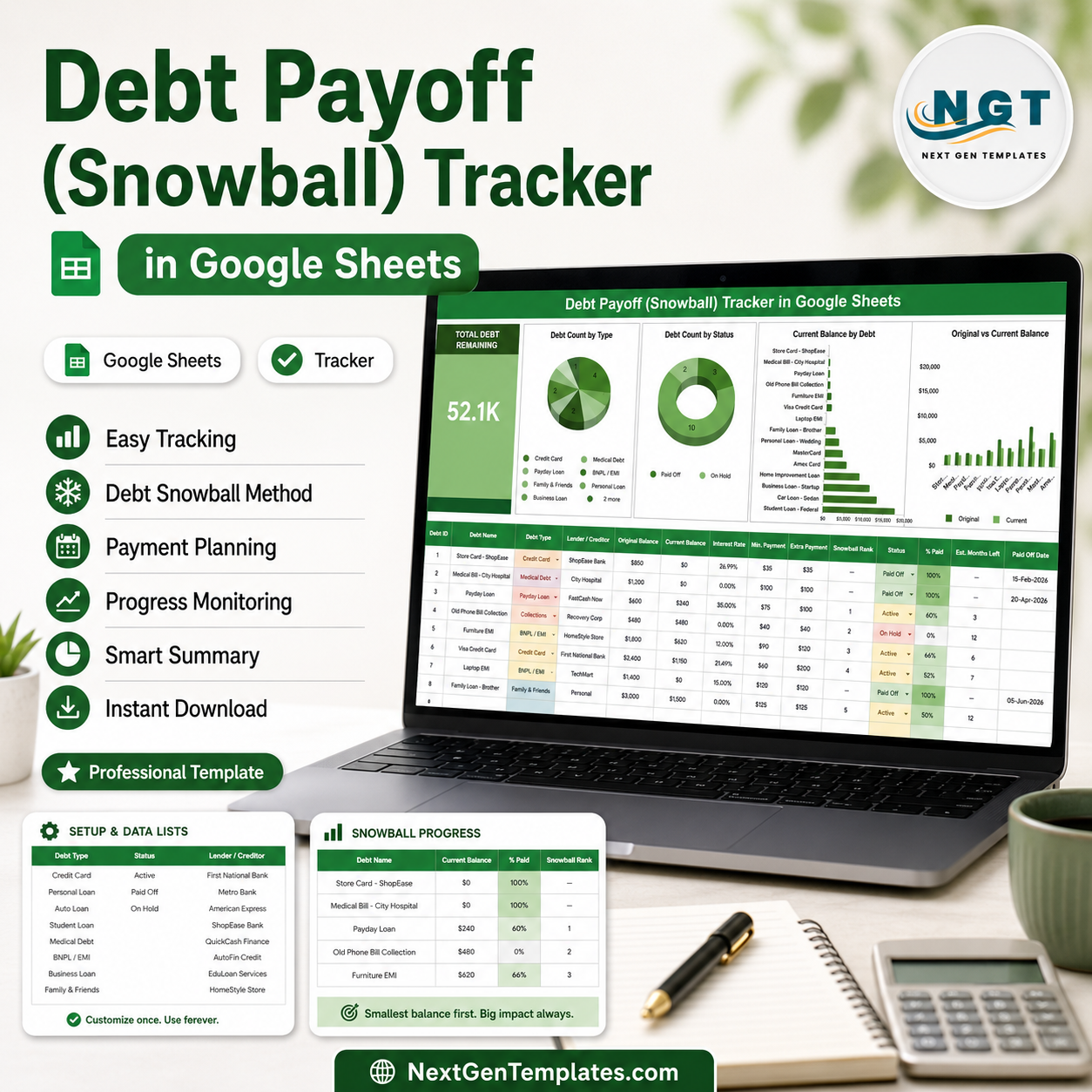
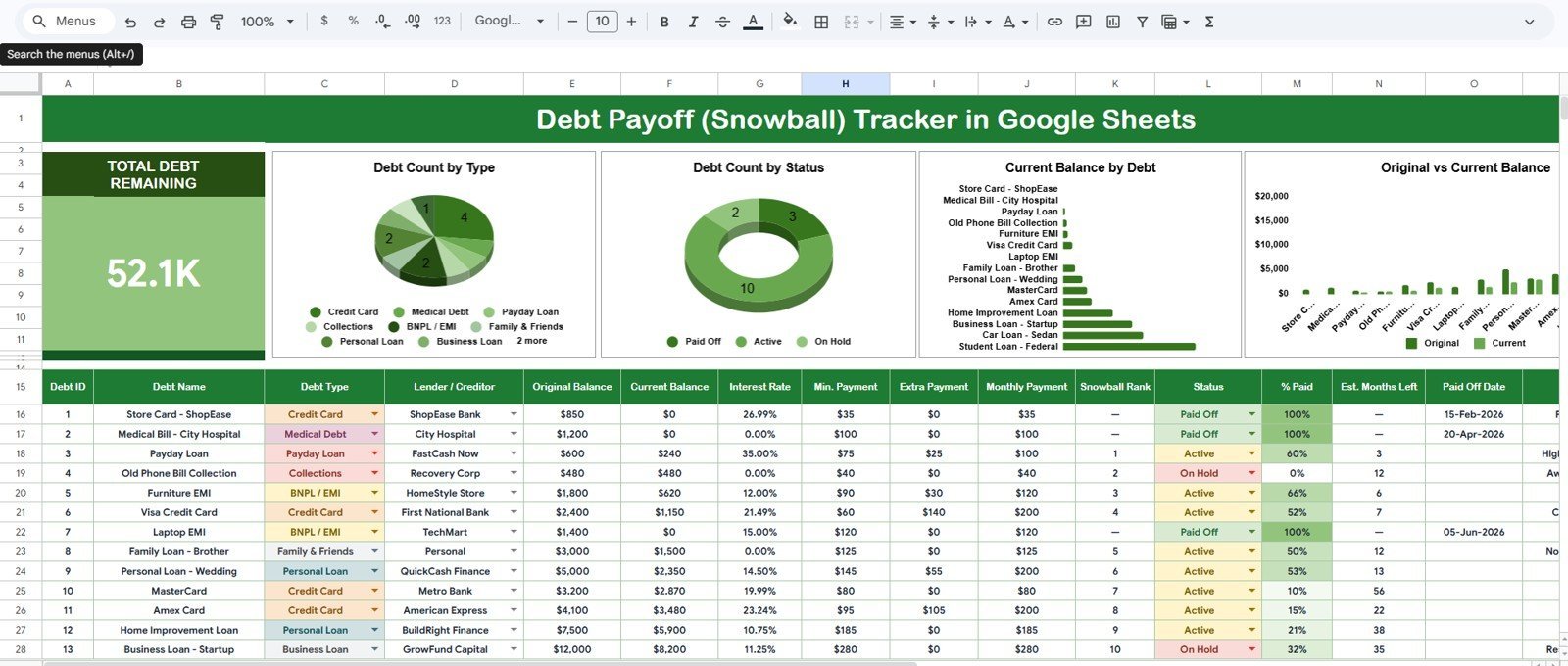
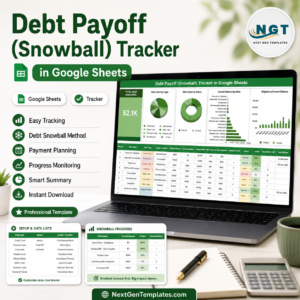
The Debt Payoff (Snowball) Tracker in Google Sheets puts your entire debt-freedom plan on one page: a live Total Debt Remaining KPI card, 4 auto-updating charts, one-click slicer filters, and a formula-rich debt table built for the snowball method. Setup takes under 10 minutes — make a copy, enter your debts, and every chart updates automatically.
🌍 Join 8,400+ teams and households in 40+ countries using NextGenTemplates to replace paid SaaS tools with one-time-purchase Excel, Google Sheets, Power BI, and HTML templates.
✅ Instant download · One-time payment · No subscription · No per-user fees · Lifetime access
🔑 Key Features of the Debt Payoff (Snowball) Tracker in Google Sheets
- 💳 Snowball-method layout — list every debt with its original balance, current balance, lender, type, and status, ordered smallest to largest so you always know which balance to attack next.
- 📊 4 auto-updating charts — the tracker plots Debt Count by Type, Debt Count by Status, Current Balance by Debt, and Original Balance by Debt directly from your data columns, with no helper tables to maintain.
- 🎯 Total Debt Remaining KPI card — one big number at the top recalculates the moment you log a payment, so every extra dollar you throw at debt is visible instantly.
- 🎛️ Slicer filters — filter the tracker by debt type, status, or lender in a single click and see a focused view without editing a single formula.
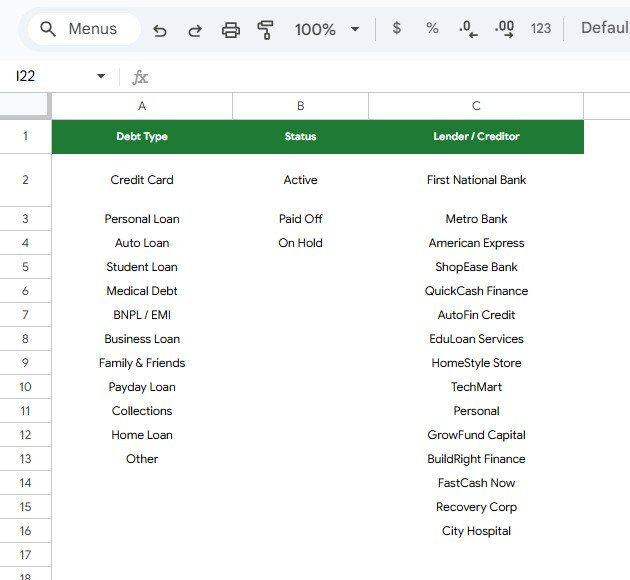
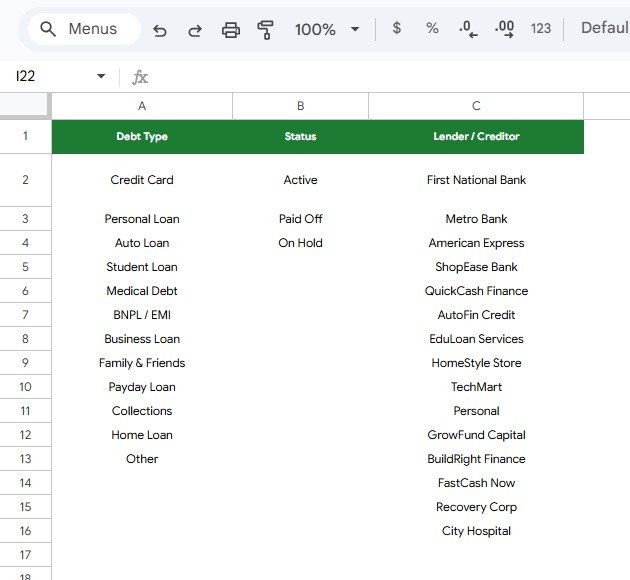
- 📋 Lookup Lists tab — Debt Type, Status, and Lender/Creditor dropdowns live on a separate sheet; add a new entry there and it flows into the tracker’s dropdowns automatically.
- 📱 Works everywhere Google Sheets works — desktop, tablet, and the Sheets mobile app, with no add-ons or paid extensions required.
📦 What’s Inside the Debt Payoff (Snowball) Tracker
Page 1: Overview Page
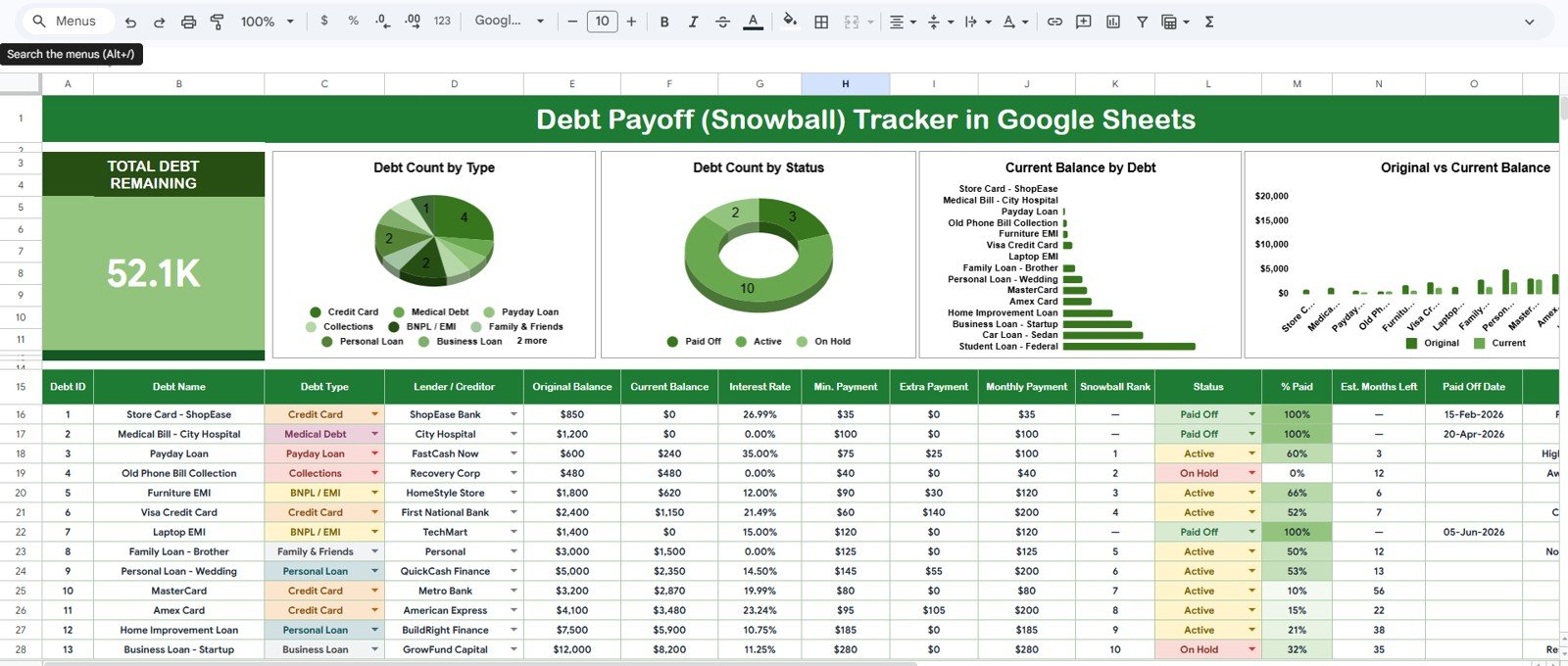
The Overview page opens with the Total Debt Remaining card, giving you a single headline figure for everything you still owe. Below it sit four charts and a set of slicers so you can filter the whole view and study your debt from every angle.
- 📊 Debt Count by Type — shows how many of your debts are credit cards, personal loans, auto loans, and so on, revealing where your obligations cluster.
- 📊 Debt Count by Status — splits debts into Active, Paid Off, and other statuses, so the growing “Paid Off” slice becomes your motivation meter.
- 📊 Current Balance by Debt — ranks every individual debt by what is left on it today, making your next snowball target obvious at a glance.
- 📊 Original Balance by Debt — plots what each debt started at, so comparing it against current balances shows exactly how far you have come.
Page 2: Lookup Lists
The Lookup Lists tab is the control panel for the tracker’s dropdowns. It holds three managed lists — Debt Type, Status, and Lender / Creditor — and any value you add here appears in the tracker’s data-entry dropdowns automatically, keeping entries consistent and your charts accurate.
📊 Debt Payoff (Snowball) Tracker vs. Excel Debt Tracker vs. YNAB / Quicken Simplifi — Where This Fits
| Feature | Debt Payoff (Snowball) Tracker | Microsoft Excel Debt Tracker | YNAB / Quicken Simplifi |
|---|---|---|---|
| Cost | $6.99 one-time ✅ | $9.99–$24.99 + Office license | $6–$15 / month, forever |
| Platform | Google Sheets (free account) ✅ | Desktop Excel | Web + mobile app |
| Setup time | Under 10 minutes ✅ | 15–30 minutes | 1–2 hours (bank linking) |
| Real-time collaboration | Yes, share with a partner ✅ | Limited (file versions) | Yes |
| Mobile access | Free Sheets app ✅ | Excel mobile (limited) | Yes |
| Customizable fields & lists | Fully editable ✅ | Fully editable | Locked to app structure |
| Snowball charts included | 4 pre-built ✅ | Build your own | Partial (debt view only) |
| Share with a link | Yes ✅ | No (file attachment) | Account invite only |
| Year-1 cost (household) | $6.99 ✅ | $9.99+ plus Office | $72–$180 |
For anyone who wants a visual snowball plan without paying a monthly budgeting-app fee, the Debt Payoff (Snowball) Tracker sits in the sweet spot.
👥 Who This Template Is For — and Who It’s Not For
✅ This template is built for:
- Individuals and couples paying off 2–15 debts (credit cards, personal loans, auto loans, medical bills) with the snowball method
- Budget-conscious households that want one shared Google Sheet instead of a subscription app
- Financial coaches and counselors who need a clean, client-facing debt tracker they can duplicate per client
- Anyone following Dave Ramsey-style debt payoff plans who wants charts, not just a list
❌ This template is NOT for:
- Users who want automatic bank syncing and transaction imports — that requires an app like YNAB or Simplifi
- Businesses managing accounts-payable or corporate debt schedules — see our Accounts Receivable KPI Dashboard in Google Sheets instead
⚙️ How to Use the Debt Payoff (Snowball) Tracker
- Purchase and download the PDF guide, then click the copy link to add the tracker to your Google Drive.
- Open the Lookup Lists tab and adjust the Debt Type, Status, and Lender/Creditor lists to match your situation.
- Enter each debt in the tracker table with its original balance, current balance, type, status, and lender.
- Update current balances after every payment — the Total Debt Remaining card and all 4 charts refresh instantly.
- Use the slicers to filter by type, status, or lender, and mark debts as Paid Off as you clear them.
💼 Real-World Use Cases
Priya is paying off three credit cards and a personal loan. She lists them smallest to largest in the Debt Payoff (Snowball) Tracker, throws every spare rupee at the smallest card, and watches Debt Count by Status shift toward Paid Off — motivation that a bank statement never gave her.
Marcus and Elena share one tracker for their household. The sheet lives in a shared Google Drive folder; both update balances after payday, and the Total Debt Remaining card keeps their $38,000 payoff goal front and center without a $99/year app subscription.
Dana is a financial coach with 12 clients. She duplicates the tracker for each client, customizes the Lender list on the Lookup Lists tab, and reviews the Current Balance by Debt chart in every monthly session to pick the next snowball target.
❓ Frequently Asked Questions
What does the Debt Payoff (Snowball) Tracker in Google Sheets track?
The Debt Payoff (Snowball) Tracker tracks every debt’s original balance, current balance, debt type, status, and lender, and summarizes it all in a Total Debt Remaining card plus 4 charts covering counts by type and status and balances by debt.
How does the snowball method work with this tracker?
You order debts from smallest to largest balance, pay minimums on everything, and put all extra money on the smallest debt. The Debt Payoff (Snowball) Tracker makes the next target obvious through the Current Balance by Debt chart and celebrates wins in the status chart.
How long does setup take?
Under 10 minutes. Make a copy from the link in your download, adjust the Lookup Lists tab, and enter your debts. The Debt Payoff (Snowball) Tracker’s charts and KPI card populate automatically — there are no scripts to authorize or add-ons to install.
How does this compare to YNAB or Quicken Simplifi?
YNAB and Simplifi cost $72–$180 per year and lock your data inside their apps. The Debt Payoff (Snowball) Tracker is a one-time $6.99 Google Sheet you fully own and can customize — the trade-off is manual balance entry instead of bank syncing.
Can I add my own debt types or lenders?
Yes. Open the Lookup Lists tab and add any Debt Type, Status, or Lender/Creditor value. The Debt Payoff (Snowball) Tracker’s dropdowns expand automatically, so new entries are available in the data table immediately.
Does it work on mobile?
Yes. Because the Debt Payoff (Snowball) Tracker is a native Google Sheet, you can update balances and view charts in the free Google Sheets app on Android and iOS, and changes sync across all your devices.
👤 About the Author
Built by PK — Microsoft Certified Professional with 15+ years of Excel, Google Sheets, and Power BI experience. Founder of NextGenTemplates, reaching 300K+ subscribers across YouTube channels (@PK-AnExcelExpert, @NextGenTemplates, @NeoTechNavigators). Every template is hand-built and tested before release.
🔗 Explore Related Templates
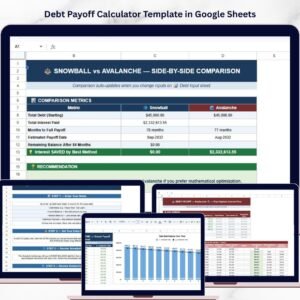
- 🧮 Debt Payoff Calculator Template in Google Sheets — model payoff dates and interest savings before you commit to a plan.
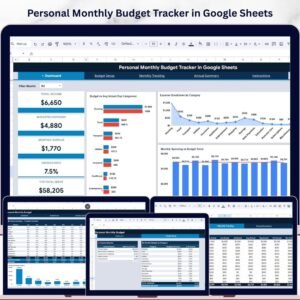
- 💰 Personal Monthly Budget Tracker in Google Sheets — find the extra money to feed your snowball each month.
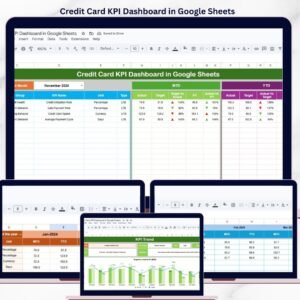
- 💳 Credit Card KPI Dashboard in Google Sheets — monitor utilization and card-level metrics alongside your payoff plan.
💎 Save more: get 12 premium templates including budgeting and finance tools in the Google Sheets Starter Pack, or browse all Google Sheets Dashboards.
📖 Click here to read the Detailed Blog Post<
Watch the step-by-step video Demo:
🎥 Visit our YouTube channel for step-by-step video tutorials
👉 YouTube.com/@NextGenTemplates










Reviews
There are no reviews yet.