

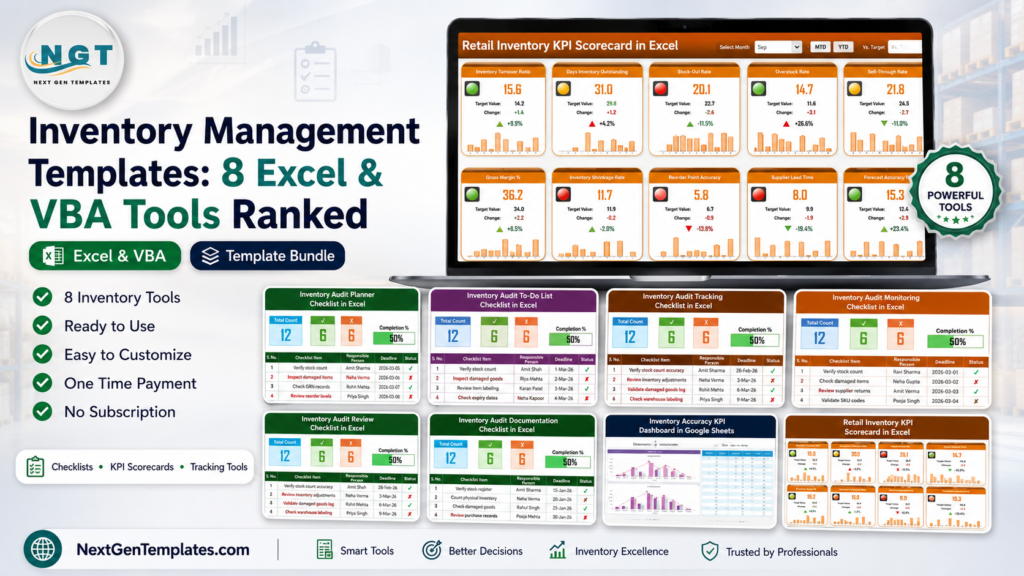
Inventory management Excel templates are still the first stock control system for many US retailers, warehouses, distributors, and small manufacturers. The pain point is familiar: stock counts live in one file, audit notes in another, reorder follow-ups in email, and management asks for a clean answer right before month-end close. When the process is this fragmented, small inventory errors turn into stockouts, overstock, missed audit tasks, and cash tied up in the wrong products.
For cost context, Sortly lists an Advanced inventory plan at $24 per month when billed annually, while the full Inventory Management System V3.0 is currently a one-time $19.99 Excel-VBA tool. The eight templates below sit between those two extremes: lightweight $1.99 audit checklists, a $9.99 Google Sheets KPI dashboard, and a $14.99 Excel scorecard for retail inventory performance. This roundup ranks 8 inventory tracker and stock management templates so sourcing, warehouse, retail, and operations teams can pick the right level of control before paying for a full SaaS platform.
Compare the 8 Inventory Management Templates
| Template | Format | Best For | Price |
|---|---|---|---|
| Inventory Audit Documentation Checklist in Excel | Excel | Audit evidence, documentation ownership, and compliance support files | $1.99 |
| Inventory Audit Review Checklist in Excel | Excel | Post-count review, exception notes, and follow-up accountability | $1.99 |
| Inventory Audit Monitoring Checklist in Excel | Excel | Manager visibility across active audit work | $1.99 |
| Inventory Audit Tracking Checklist in Excel | Excel | Tracking completed, pending, and overdue audit steps | $1.99 |
| Inventory Audit To-Do List Checklist in Excel | Excel | Daily audit task execution and team ownership | $1.99 |
| Inventory Audit Planner Checklist in Excel | Excel | Planning audit cycles before physical stock counting begins | $1.99 |
| Retail Inventory KPI Scorecard in Excel | Excel | Retail stock KPIs, MTD/YTD reporting, and executive performance review | $14.99 |
| Inventory Accuracy KPI Dashboard in Google Sheets | Google Sheets | Cloud-based inventory accuracy tracking and team KPI review | $9.99 |
Why Inventory Tracking Matters Now
US inventory is a trillion-dollar operating issue. The US Census Bureau reported March 2026 manufacturers and trade inventories at $2,709.7 billion. When inventory sits at that scale, even small tracking improvements can protect meaningful working capital for retailers, distributors, and manufacturers.
Inventory buffers are tightening. The same Census release reported a total business inventories-to-sales ratio of 1.32 at the end of March 2026, down from 1.38 in March 2025. Lower buffer means a slow reorder signal or missed stock count can create pain faster.
Retail stock visibility remains fragile. The FRED retail inventories-to-sales ratio shows why stores need a regular inventory tracker instead of waiting for quarterly reviews. Inventory performance affects shelf availability, markdowns, cash flow, and customer experience.
Out-of-stocks and overstocks carry huge cost. Blue Yonder inventory distortion research reports $1.77 trillion in projected worldwide retail inventory distortion costs, including out-of-stocks and overstocks. Smaller businesses feel the same pattern as lost sales, aged stock, and rushed replenishment.
SaaS fees add up quickly. Zoho Inventory lists its Standard plan at $29 per organization per month when billed annually. A template will not replace a full ERP, but it can solve a specific inventory management Excel workflow immediately: audit planning, stock review, documentation, or KPI tracking.
Ranked Inventory Tracker Reviews
1. Inventory Audit Planner Checklist in Excel
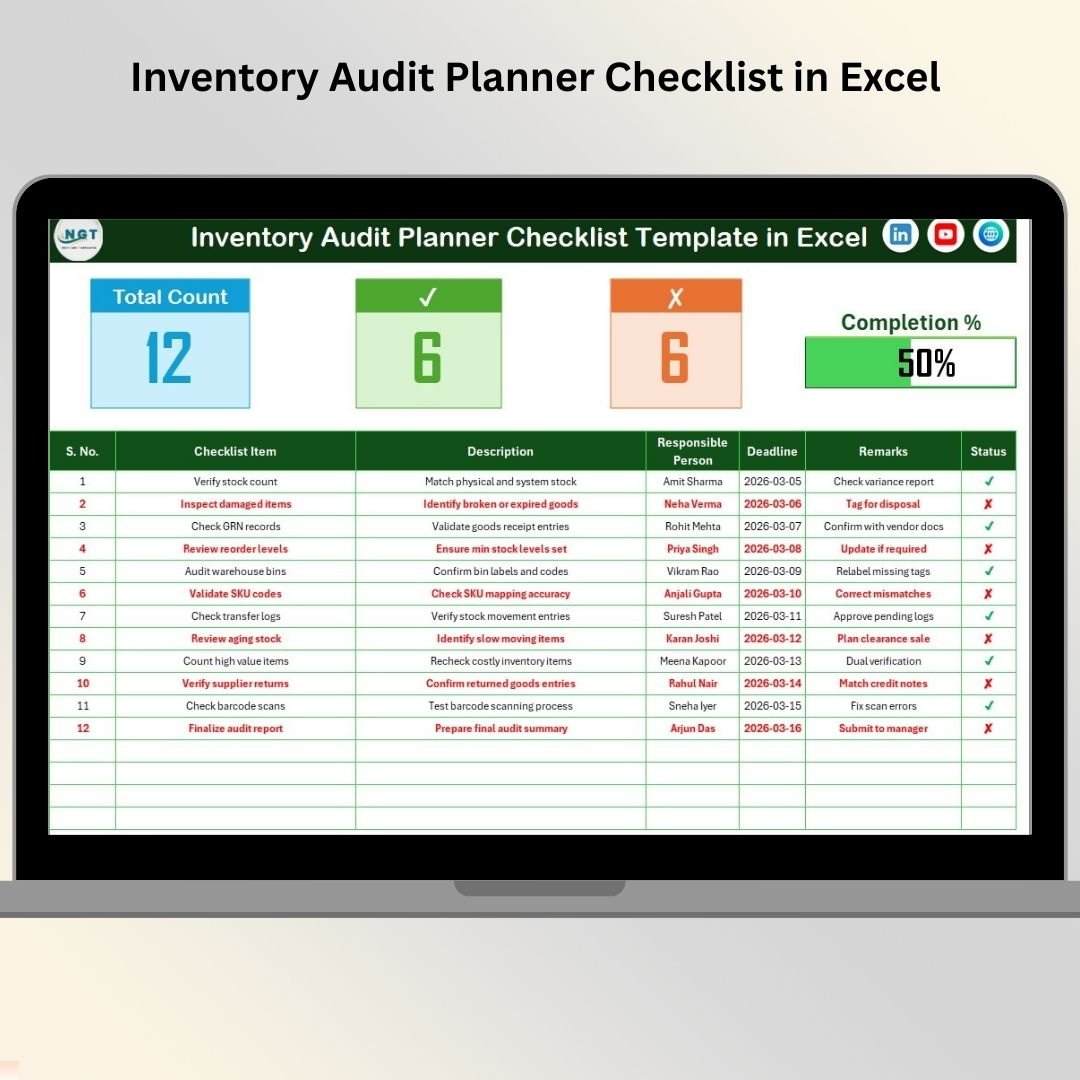
The Inventory Audit Planner Checklist in Excel is the best starting point when the problem is preparation. Before stock counters touch the first bin, the audit owner needs scope, responsibilities, due dates, remarks, and a visible completion view. This template gives that structure in a simple Excel file, making it a good fit for warehouse managers, retail owners, finance teams, and operations supervisors who need discipline before the count begins.
Screenshot section: The product screen shows a structured checklist with a top summary area, total task count, completed count, pending count, and an automatic progress bar. The table includes serial number, checklist item, description, responsible person, deadline, remarks, and status. A supporting list sheet holds responsible person names for dropdown consistency.
Specific use cases: Plan monthly cycle counts, prepare year-end physical inventory, assign audit tasks by warehouse zone, and document ownership before an internal audit. At $1.99, this is the lowest-cost way to turn a loose stock audit into a repeatable workflow.
View Inventory Audit Planner Checklist
2. Inventory Audit To-Do List Checklist in Excel
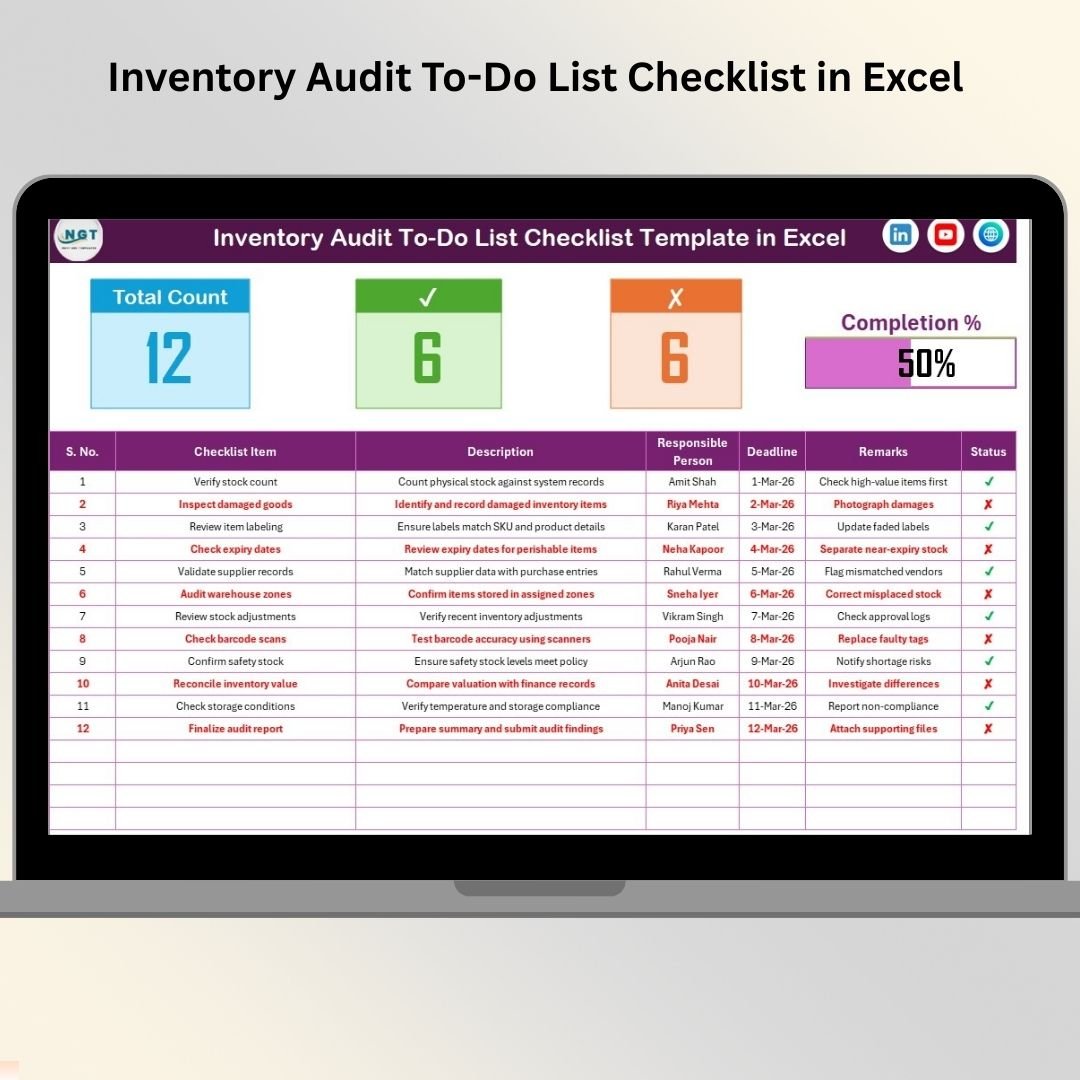
The Inventory Audit To-Do List Checklist in Excel is the execution board for teams that already know what needs to be checked but keep losing track of daily audit work. It is intentionally simple: list the activity, assign a person, set a deadline, add remarks, and update status. That makes it useful for small businesses that do not need a heavy inventory system but do need a clear inventory tracker during audit week.
Screenshot section: The screen shows a main to-do list sheet with summary metrics at the top and a task table below. The table captures checklist item, task description, responsible person, deadline, remarks, and completed or pending status. The list sheet helps standardize names so reports do not get split by inconsistent spelling.
Specific use cases: Manage daily stock count assignments, track post-audit punch-list items, coordinate store room follow-ups, and monitor open tasks across finance, warehouse, and operations. The price is $1.99, making it a practical add-on to any manual stock management process.
View Inventory Audit To-Do List
3. Inventory Audit Tracking Checklist in Excel
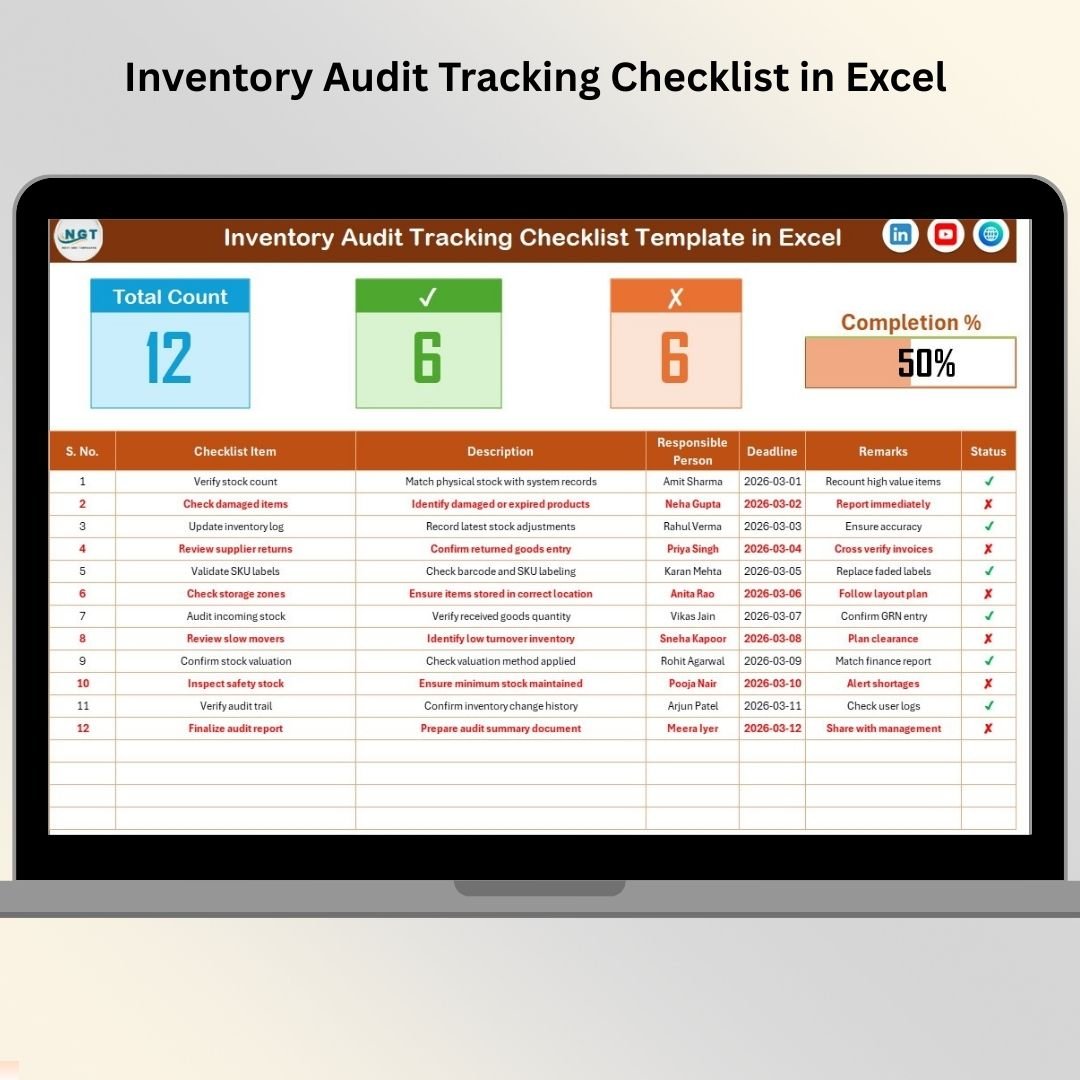
The Inventory Audit Tracking Checklist in Excel is the right choice when the audit owner needs more visibility than a basic to-do list. It helps track which checkpoints are completed, which are pending, and where follow-up is needed. If your stock management process includes multiple locations, product categories, or responsible people, a tracking checklist reduces the risk of assumed completion.
Screenshot section: The featured screen presents an operational control center with total checklist items, completed tasks, pending tasks, a progress bar, and a structured audit table. The columns support checklist item, description, responsible person, deadline, remarks, and status, while the list sheet keeps dropdown ownership clean.
Specific use cases: Track physical inventory progress, monitor audit steps by owner, follow up on unresolved discrepancies, and prepare a status update for operations leadership. At $1.99, this is a strong middle option between a lightweight task list and a full KPI dashboard.
View Inventory Audit Tracking Checklist
4. Inventory Audit Monitoring Checklist in Excel
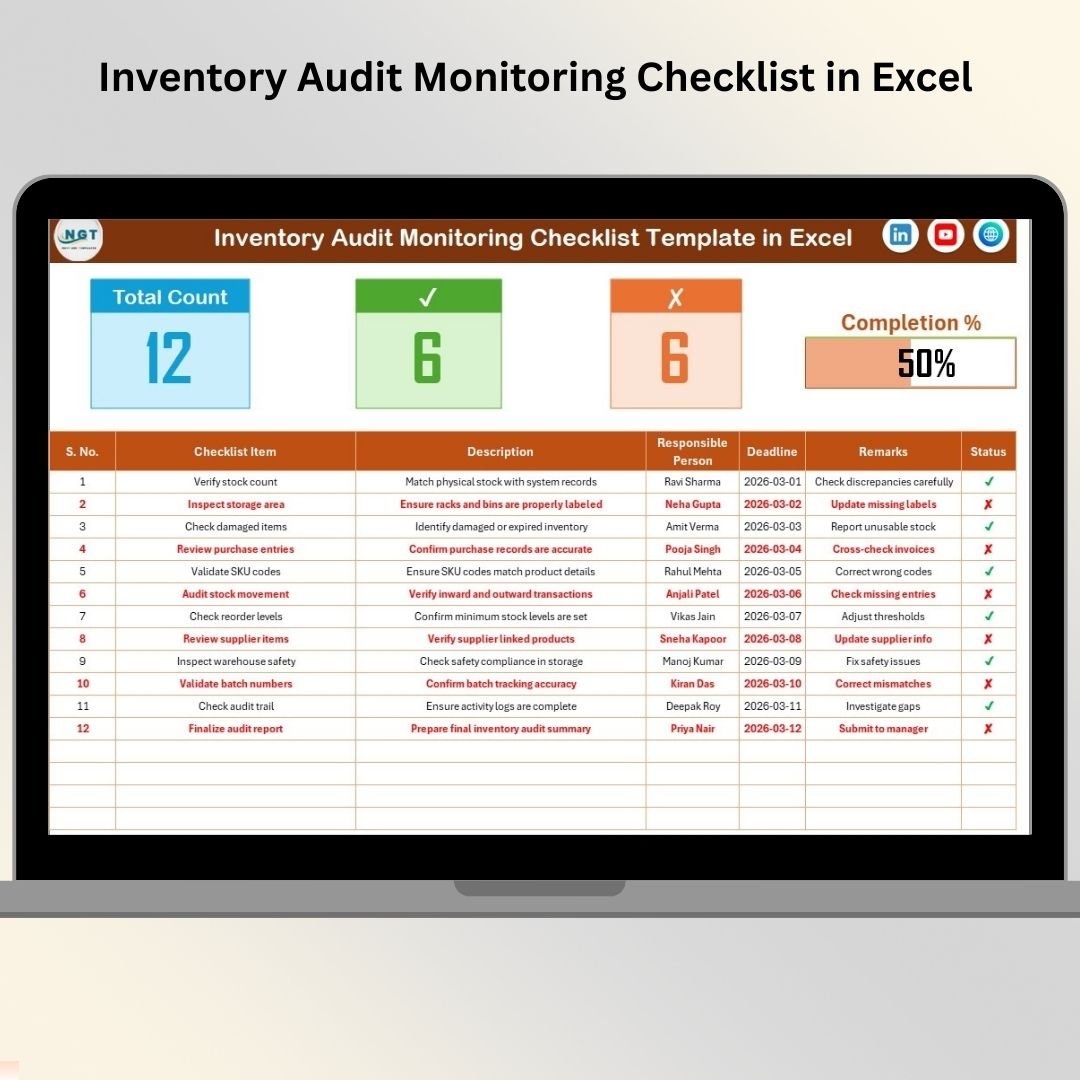
The Inventory Audit Monitoring Checklist in Excel is built for supervisors who need a real-time sense of audit health. It is less about designing the audit plan and more about monitoring progress while the work is happening. For retail backrooms, warehouses, distribution centers, and manufacturing stock rooms, that visibility can prevent late surprises when deadlines are close.
Screenshot section: The product image shows a monitoring checklist with audit summary counts, completed and pending task indicators, a visual progress bar, and the main checklist table. The workbook also includes a list sheet for dropdown management so multiple users can update owners without creating messy duplicates.
Specific use cases: Monitor weekly audit activity, supervise warehouse zone checks, review retail stock verification progress, and track compliance-related count tasks. At $1.99, it is the best option in this list for manager visibility without subscription software.
View Inventory Audit Monitoring Checklist
5. Inventory Audit Review Checklist in Excel
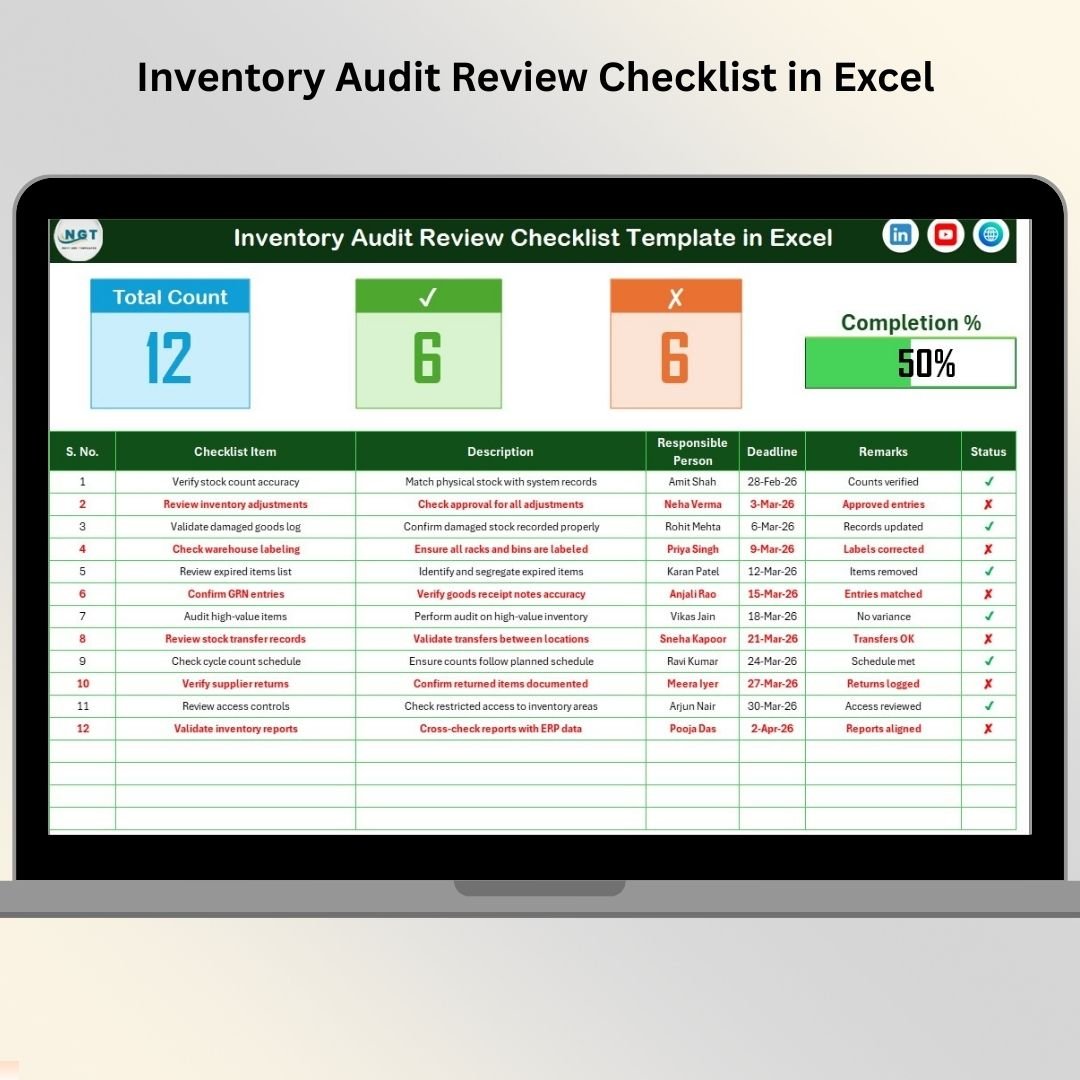
The Inventory Audit Review Checklist in Excel is designed for the stage after counting, when the work can easily lose momentum. This is where teams confirm whether tasks were completed, discrepancies were explained, remarks were documented, and follow-up owners were assigned. If your stock management process generates findings but weak follow-through, this template helps close the loop.
Screenshot section: The workbook screen shows a review checklist with a progress dashboard, task table, status indicators, responsible person fields, deadlines, and remarks. The supporting list sheet keeps names standardized, which is useful when warehouse, purchasing, finance, and operations all participate in the same review.
Specific use cases: Review cycle-count completion, document exceptions after a warehouse audit, assign follow-up to receiving or purchasing, and prepare internal audit handoff notes. At $1.99, it pairs well with the planner and tracking checklists for an end-to-end audit workflow.
View Inventory Audit Review Checklist
6. Inventory Audit Documentation Checklist in Excel
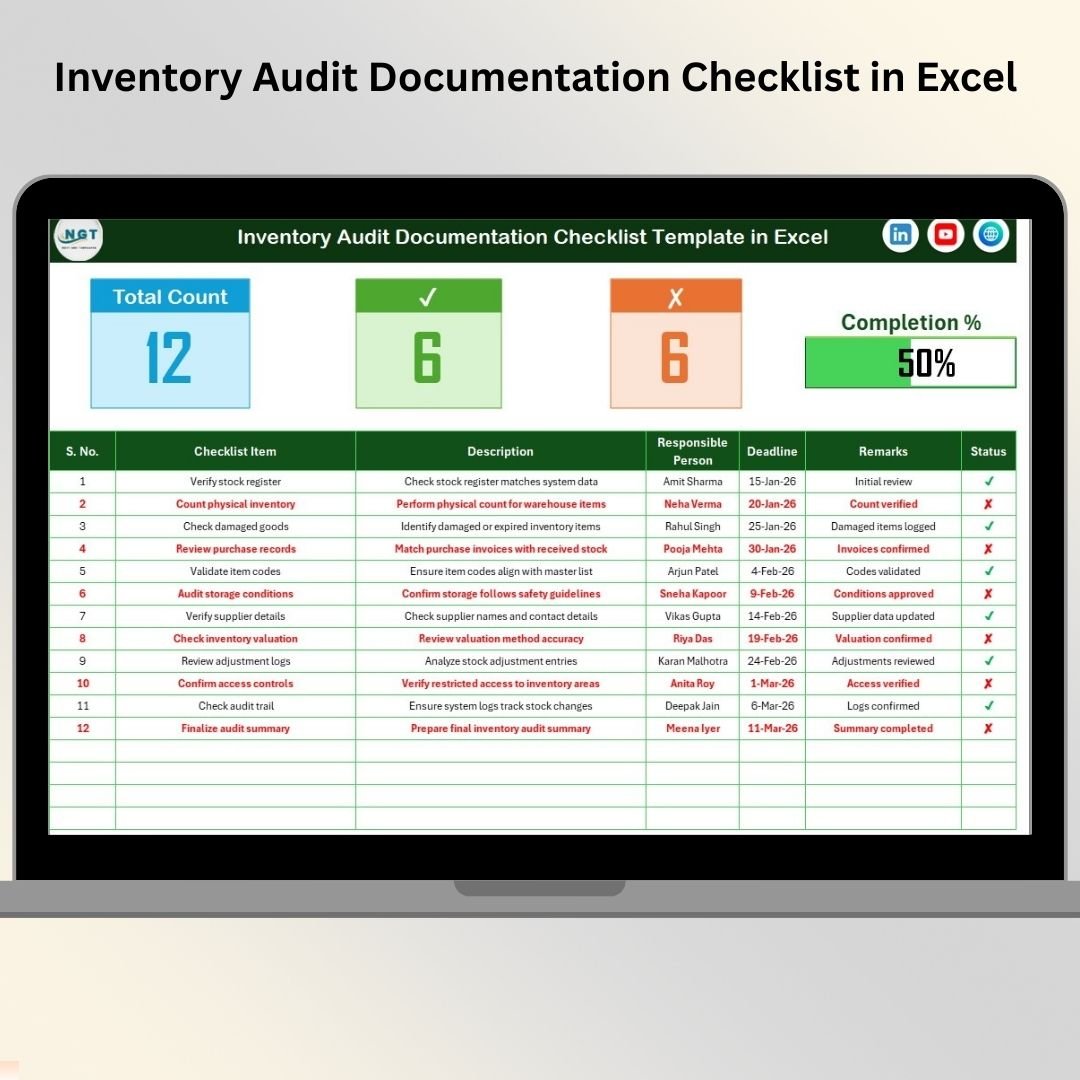
The Inventory Audit Documentation Checklist in Excel is the strongest fit when the risk is missing evidence. Inventory audits can fail not because the team skipped counting, but because supporting documents are scattered across email, folders, exported reports, and handwritten notes. This template gives you a dedicated place to track documentation requirements, responsible owners, deadlines, remarks, and completion status.
Screenshot section: The product image shows a clean documentation checklist layout with summary counts, progress monitoring, responsible person fields, deadlines, remarks, and status indicators. A separate list sheet supports dropdown ownership, which is useful when documentation touches finance, warehouse, receiving, procurement, and management.
Specific use cases: Prepare files for year-end inventory audit, track evidence for shrinkage investigations, organize documents for external accountants, and manage compliance review materials. At $1.99, this is the checklist to buy when the audit trail matters as much as the count.
7. Inventory Accuracy KPI Dashboard in Google Sheets
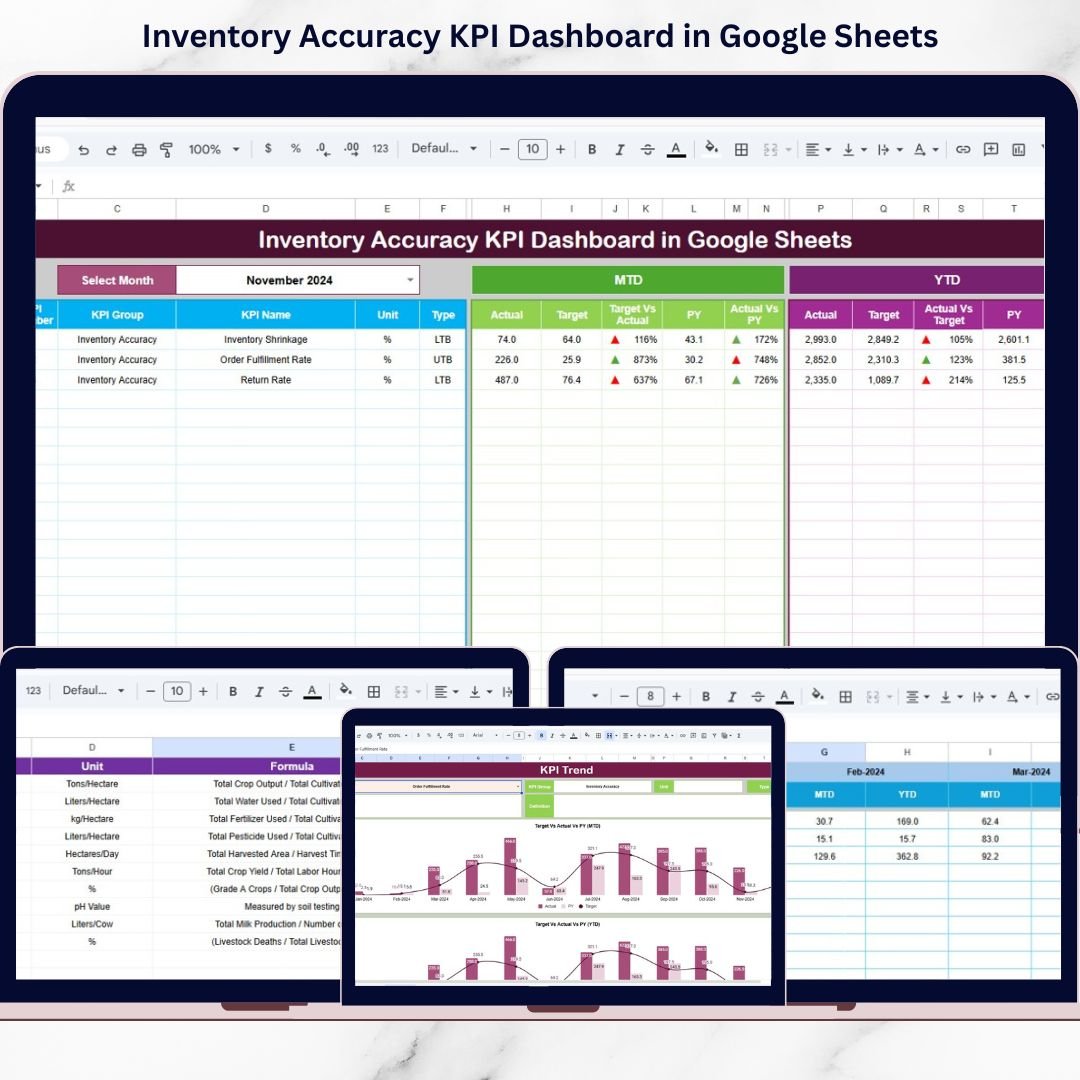
The Inventory Accuracy KPI Dashboard in Google Sheets is the best cloud-friendly option in this roundup. It moves beyond checklist control and gives teams KPI visibility for stock accuracy, variance, target performance, and trend review. Because it lives in Google Sheets, it is useful for remote managers, distributed teams, and business owners who want KPI access without passing Excel files around.
Screenshot section: The featured product screen shows a Google Sheets dashboard with KPI sections and visual indicators. The workbook includes Dashboard, KPI Trend, Actual Number, Target, Previous Year Number, and KPI Definition tabs. Separating data input from reporting helps reduce accidental formula edits and keeps review meetings focused on performance.
Specific use cases: Review monthly stock accuracy, compare warehouse performance to targets, monitor variance trends, and collaborate with managers through Google Drive sharing. At $9.99, it is the right inventory tracker when collaboration and KPI visibility matter more than VBA automation.
View Inventory Accuracy KPI Dashboard
8. Retail Inventory KPI Scorecard in Excel
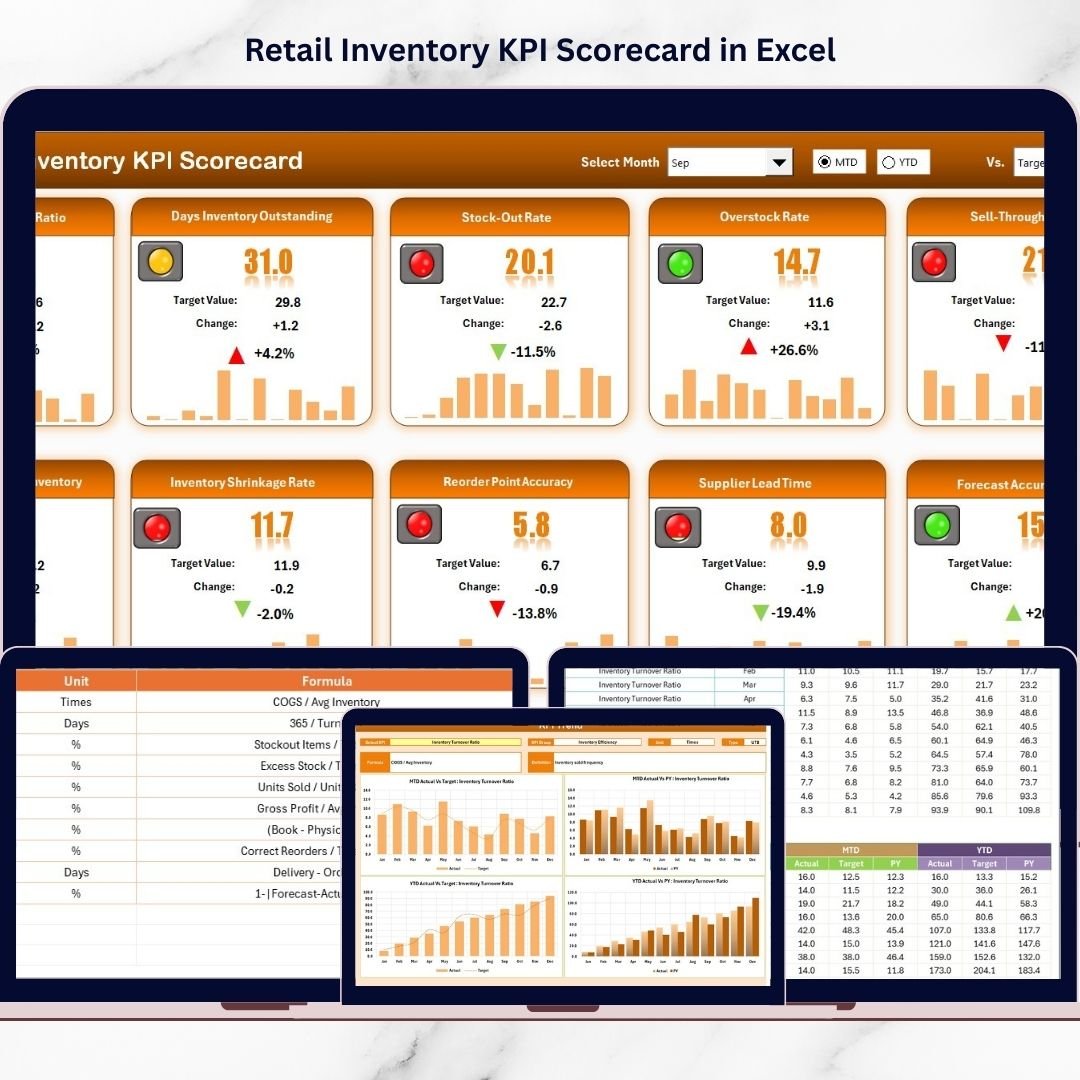
The Retail Inventory KPI Scorecard in Excel is the strongest executive reporting option here. Instead of asking only whether audit work is done, it asks whether inventory performance is healthy. Retail teams can track turnover, sell-through, aging, shrinkage, carrying cost, and profitability in a structured scorecard that compares actuals, targets, and previous-year results.
Screenshot section: The product image introduces the retail inventory scorecard. The full workbook includes Scorecard, KPI Trend, Input Data, and KPI Definition sheets. Managers can select a month, switch between MTD and YTD analysis, compare actuals to targets, review previous-year values, and use visual performance indicators to spot problem KPIs.
Specific use cases: Manage retail stock turnover, track slow-moving inventory, monitor sell-through rate, review shrinkage risk, and prepare inventory performance updates for owners or leadership. At $14.99, it is the best template when the inventory conversation needs to move from task completion to measurable business performance.
View Retail Inventory KPI Scorecard
How to Choose Between These Templates
Choose a planner checklist if you are preparing for an audit and need scope, owners, deadlines, and a repeatable task structure before the first count begins. The Inventory Audit Planner Checklist is the cleanest first step.
Choose a to-do, tracking, or monitoring checklist if the audit is already active. The to-do list is best for daily execution, the tracking checklist is better for follow-up visibility, and the monitoring checklist is best for supervisors who need a quick completion view.
Choose the review or documentation checklist when the count is finished but the audit is not. The review checklist helps close findings, while the documentation checklist helps organize supporting evidence for finance, compliance, and external review.
Choose a KPI dashboard when you need management reporting instead of task control. The Inventory Accuracy KPI Dashboard in Google Sheets is best for collaborative stock accuracy reporting, while the Retail Inventory KPI Scorecard in Excel is best for store owners and retail managers.
Choose a VBA system when your stock management workflow needs product master records, purchase and sales entries, automatic stock updates, reorder alerts, login forms, and reports. That is where the Inventory Management System V3.0 becomes the better fit. For larger operations, compare it with the Advanced Inventory Management System V1.0, Inventory Management Template for Multiple Locations, and the full Inventory Management template category.
To judge which of these tools is moving the needle, pair them with the 12 inventory KPIs to track in 2026 — each one comes with its exact formula and a realistic benchmark.
Inventory Management Excel FAQ
What is the best inventory management Excel template for beginners?
The best beginner option is the Inventory Audit Planner Checklist in Excel because it gives a simple structure for tasks, owners, deadlines, remarks, and status. It does not require VBA, formulas, or complex setup.
Which template is best for an inventory tracker?
For task-level inventory tracking, choose the Inventory Audit Tracking Checklist in Excel. For KPI-level tracking, choose the Inventory Accuracy KPI Dashboard in Google Sheets or the Retail Inventory KPI Scorecard in Excel.
Are these templates a replacement for inventory management software?
They replace specific workflows such as audit planning, checklist tracking, documentation control, and KPI reporting. If you need product master data, transaction forms, automatic stock updates, and reorder alerts, use Inventory Management System V3.0 instead.
Can I use these templates for stock management in a retail store?
Yes. Retail teams can use the checklist templates for audit control and the Retail Inventory KPI Scorecard for turnover, sell-through, stock aging, shrinkage, carrying cost, and monthly performance review.
Which template is best for warehouse audits?
The Inventory Audit Monitoring Checklist is useful for active warehouse audits, while the Inventory Audit Documentation Checklist is stronger when the warehouse needs evidence, remarks, and audit-ready support files.
Do any of these inventory templates use VBA?
The eight featured templates are lightweight Excel or Google Sheets files. For VBA forms, login, automated stock updates, reorder alerts, and report export, move to Inventory Management System V3.0.
What is the cheapest inventory audit template in this roundup?
The six audit checklist templates are each priced at $1.99, making them the lowest-cost options for teams that need audit structure without subscription software.
Which option is best for team collaboration?
The Inventory Accuracy KPI Dashboard in Google Sheets is the best collaboration choice because the workbook can be shared through Google Drive permissions and reviewed by remote team members.
Can I combine more than one inventory template?
Yes. A practical workflow is Planner Checklist for preparation, Tracking or Monitoring Checklist for execution, Documentation Checklist for evidence, and a KPI dashboard for monthly reporting.
What should I buy if my business has hundreds of SKUs?
If you only need audit control, use the checklists. If you need product records, transactions, sales and purchase logs, automatic stock updates, and low-stock alerts for hundreds of SKUs, choose Inventory Management System V3.0.
Ready to Build a Cleaner Stock Management Workflow?
Start small, then upgrade when your process is ready.
If your team is still using disconnected spreadsheets, begin with the $1.99 audit checklists. If you need KPI visibility, move to the $9.99 Google Sheets dashboard or the $14.99 Retail Inventory KPI Scorecard. If your inventory tracker now needs VBA forms, automatic stock updates, reorder alerts, and reports, step up to Inventory Management System V3.0.
Also worth reading: If stock is only one part of a wider ERP reporting gap, compare our NetSuite alternatives: 8 ERP reporting templates in Excel & Sheets — the same buy-once maths applied to financials, procurement and order fulfilment.
Built by PK – Microsoft Certified Professional with 15+ years of Excel, Google Sheets, and Power BI experience. Founder of NextGenTemplates, reaching 300K+ subscribers across YouTube channels. Every template is hand-built and tested before release.
For more dashboard and template walkthroughs, visit the NextGenTemplates YouTube channel.
Not sure whether to buy a bundle or single files? Compare the numbers in our guide to Template Bundles vs Single Templates: the real math for small teams.
Related: Tracking inventory as part of a wider operation? See our guide to 15 supply chain KPIs to track in 2026 for the formulas and benchmark ranges behind Inventory Turnover, Days Inventory Outstanding, Stockout Rate and GMROI.