

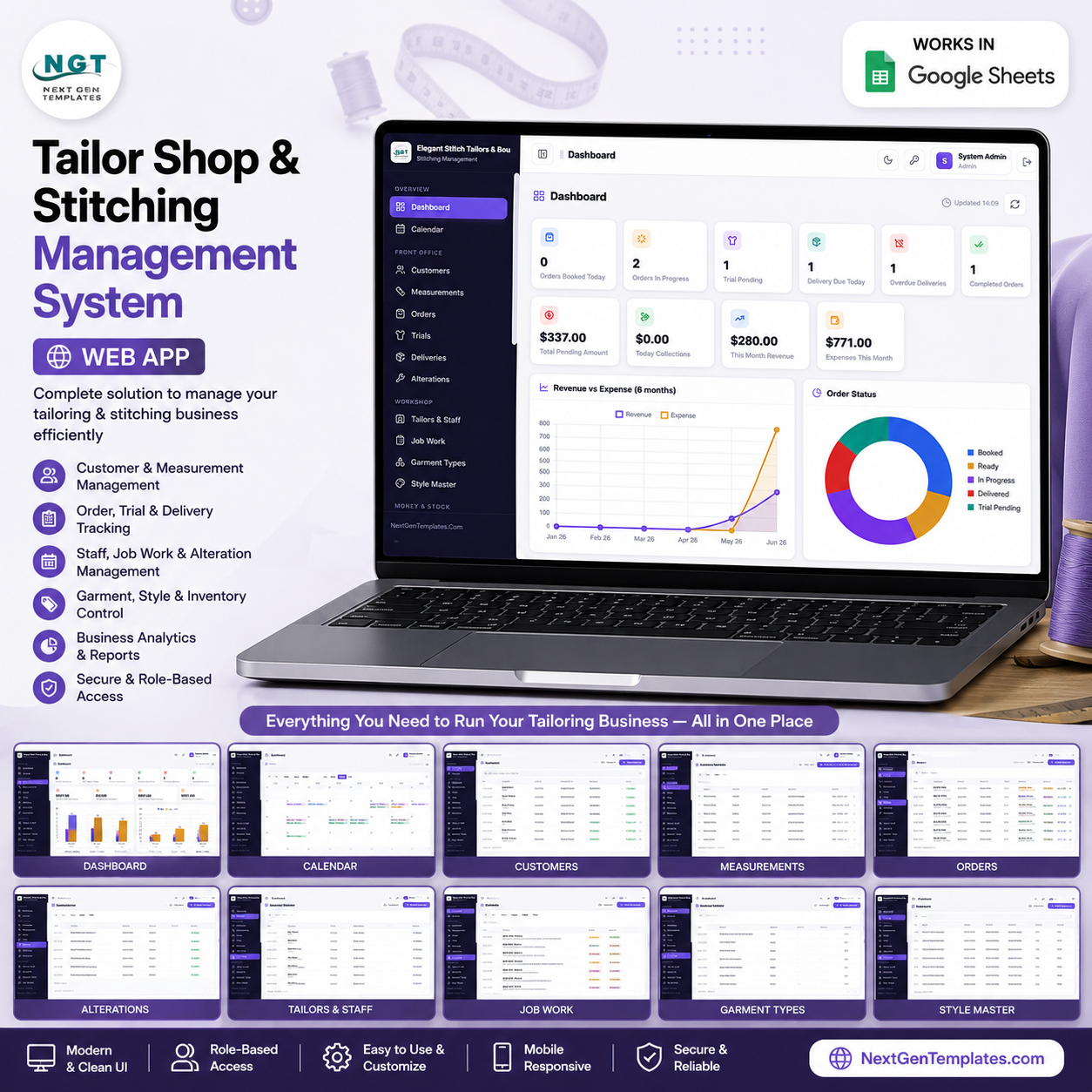
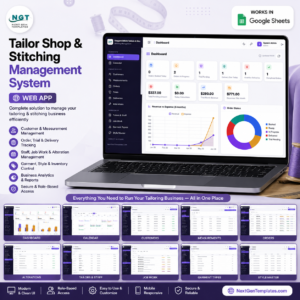
The Tailor Shop and Stitching Management System Web App connects 25 working screens — from order booking to delivery, billing and fabric inventory — inside one Google Sheets app. It supports 6 user roles (Admin, Manager, Reception, Tailor, Accounts, Viewer), tracks every order from measurement to handover, and runs entirely in your own Google account with no monthly fees.
🌍 Join 8,400+ teams in 40+ countries using NextGenTemplates to replace paid SaaS tools with one-time-purchase Excel, Google Sheets, Power BI, and HTML templates.
✅ Instant download · One-time payment · No subscription · No per-user fees · Lifetime access
🔑 Key Features of the Tailor Shop and Stitching Management System Web App
This Tailor Shop Management Software is a complete multi-user web application built on Google Sheets and Google Apps Script. Every screen is connected, so a measurement booked at reception flows straight into orders, job work, trials, delivery and billing without re-typing.
- 🔐 Secure role-based login: Each team member signs in with a username and password. Six roles — Admin, Manager, Reception, Tailor, Accounts and Viewer — control who can see and edit orders, money and settings, so every person sees only what they need.
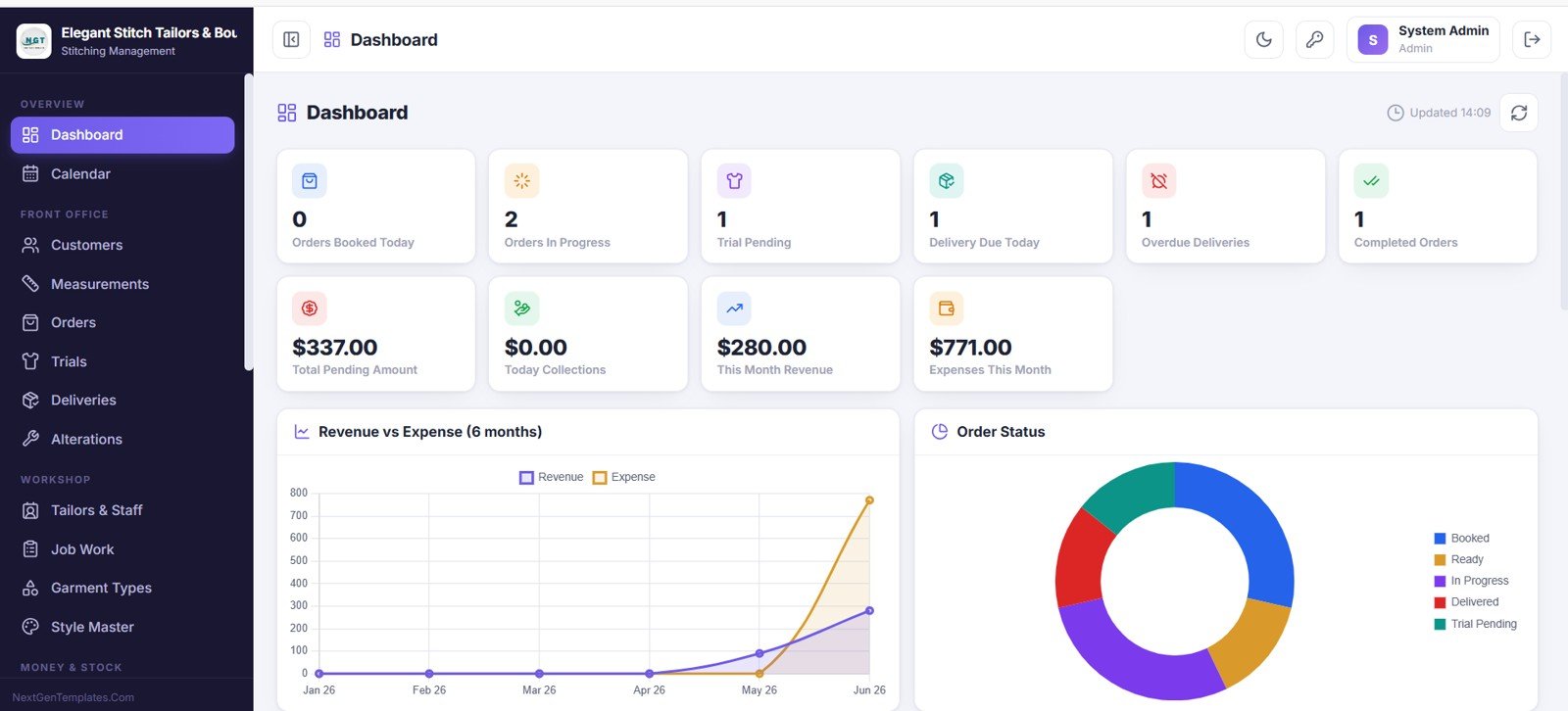
- 📊 Live owner dashboard: The dashboard tracks 10 KPI cards including Orders Booked Today, Orders In Progress, Trial Pending, Delivery Due Today, Overdue Deliveries, Total Pending Amount, Today Collections and This Month Revenue, plus charts for Revenue vs Expense and Orders by Status.
- 🧵 Full order-to-delivery flow: Book garment orders, store measurement profiles, assign job work to tailors, schedule fitting trials, log alterations, and track every delivery with balance due — all linked by order number.
- 🧾 Billing, payments and expenses: Create invoices, record receipts by payment mode, and log shop expenses, so the Accounts role always knows outstanding dues, daily collections and monthly profit.
- 🧵 Fabric and accessories inventory: Track stock with reorder levels, purchase and sale price, supplier and low-stock highlighting, plus a full stock-transaction audit trail for purchase, consumption and adjustment.
- 🗂️ 21 master and report screens: Garment Types, Style Master, Tailors and Staff, Suppliers, Reports, User Management, List Management, Audit Log and Settings give you full control and a complete activity trail.
📦 What’s Inside the Tailor Shop and Stitching Management System Web App
The app opens with a secure login and then gives you 25 connected screens. Each screen below is shown exactly as it appears in the live web app.
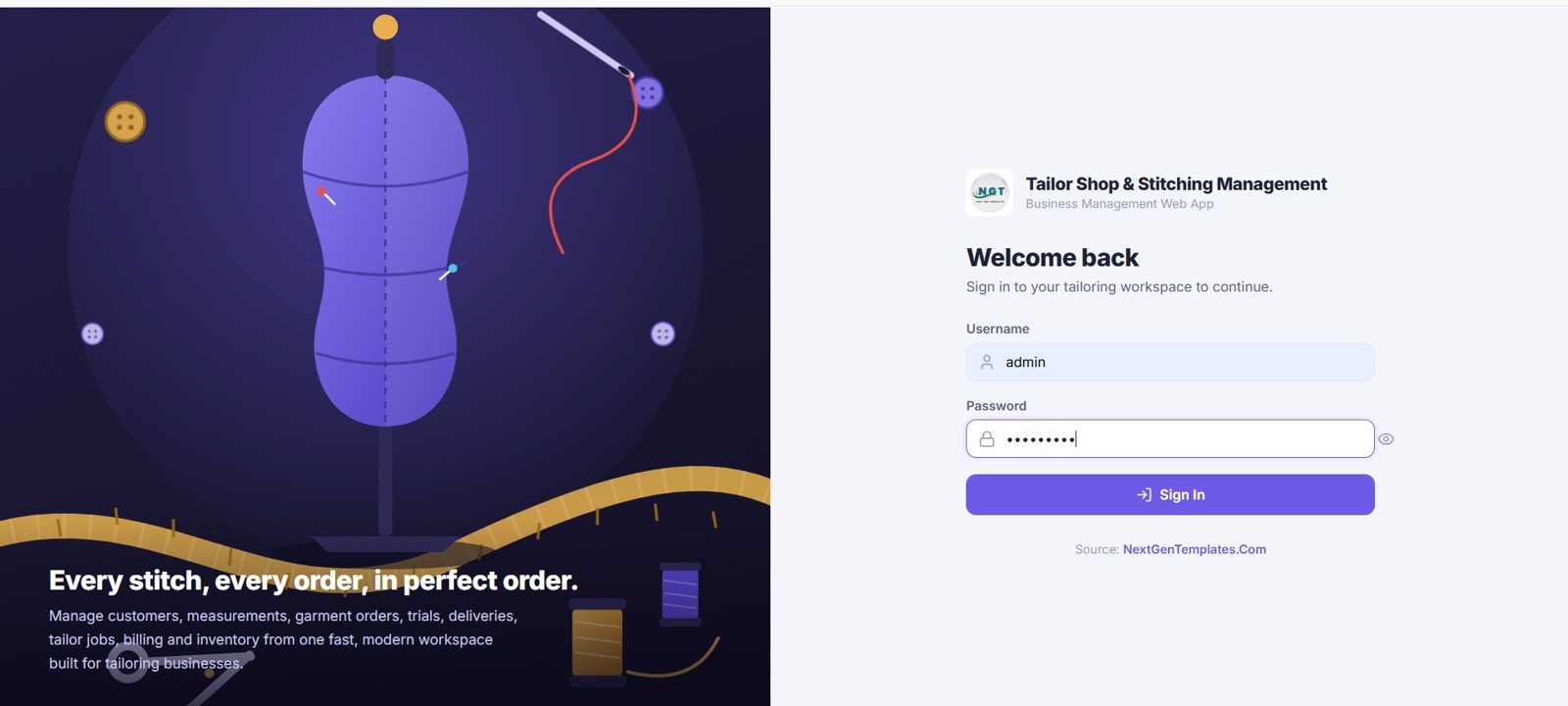
1. Login Screen
The application opens with a clean, secure login screen. Each team member signs in with a username and password, and access is controlled by roles such as Admin, Manager, Reception, Tailor, Accounts and Viewer so that every person sees only what they need.
2. Dashboard
After logging in you land on the main dashboard with KPI cards for Orders Booked Today, Orders In Progress, Trial Pending, Delivery Due Today, Overdue Deliveries, Completed Orders, Total Pending Amount, Today Collections, This Month Revenue and Expenses This Month, plus charts for Revenue vs Expense over six months and Orders by Status.
🚀 Try the Live Demo Before You Buy
We have deployed this web app in our own Google account so you can test every page, every role — with real sample data — before purchasing. No signup, no email required.
🔑 Test Login Credentials
Sign in as admin to manage every module — orders, customers, measurements, billing, staff and settings — or try any of the role-based logins below to see exactly what each team member can access. 💡 Tip: start with the Admin login for the full picture, then switch roles to see the restricted views.
💡 What you get after purchase: The full source code (Code.gs + Index.html) plus a step-by-step deployment guide so you can deploy your own private instance in your own Google account in under 15 minutes.
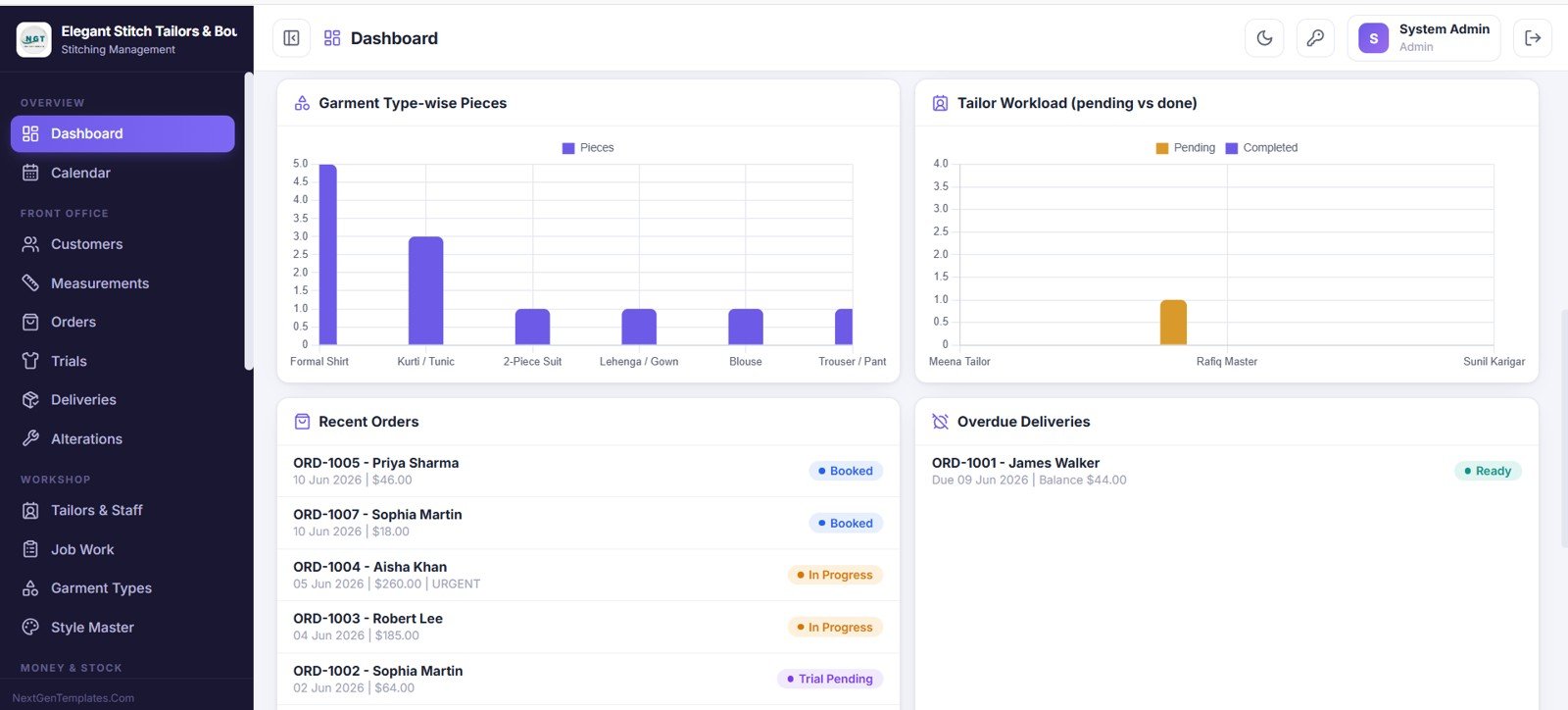
3. Dashboard Analytics
This part of the dashboard adds deeper analysis with Pieces by Garment Type and Tailor Workload (pending vs completed), plus quick panels for Recent Orders and Overdue Deliveries.
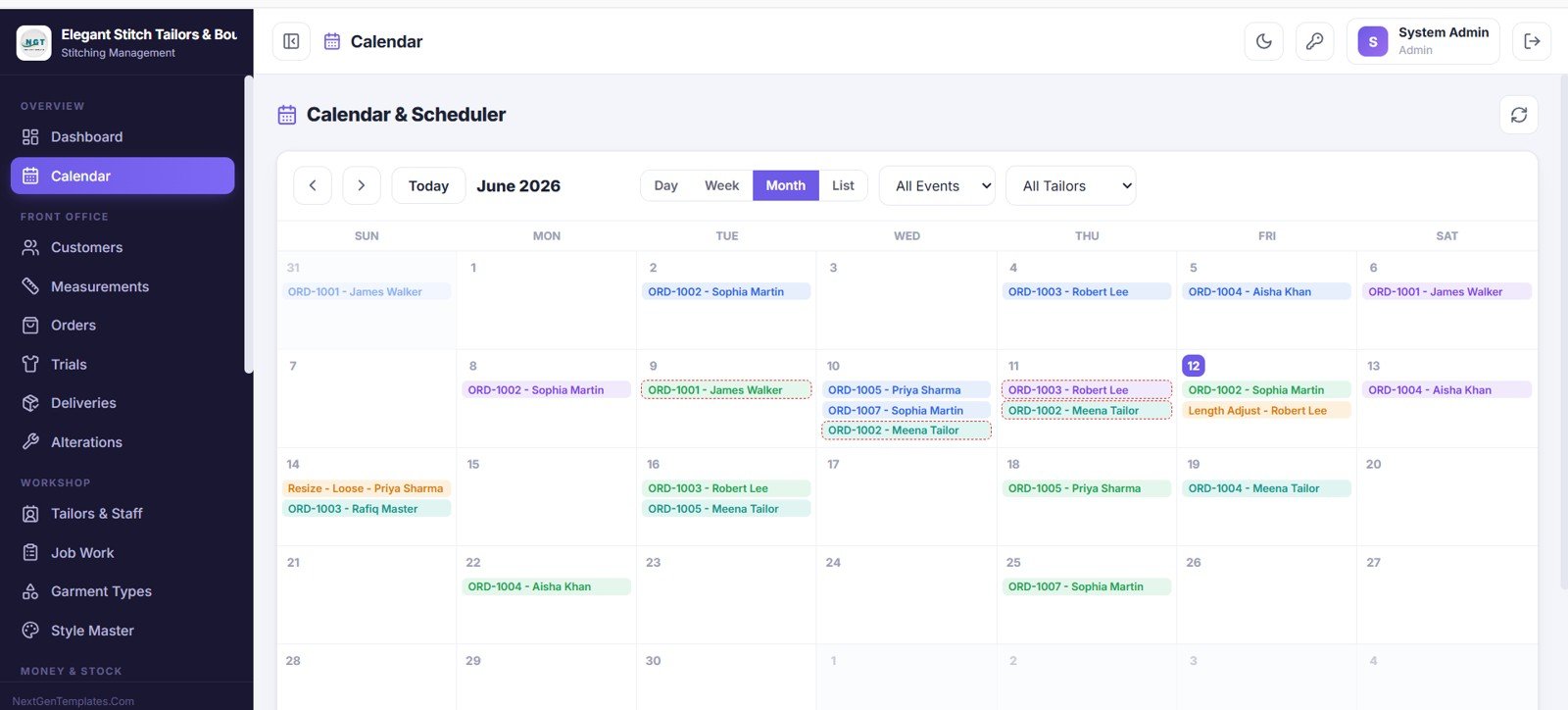
4. Calendar and Scheduler
This screen gives you a calendar and scheduler view of the whole shop. You can switch between month, week, day and list views, filter by event type or tailor, and click any date to see the orders, trials and deliveries planned for that day.
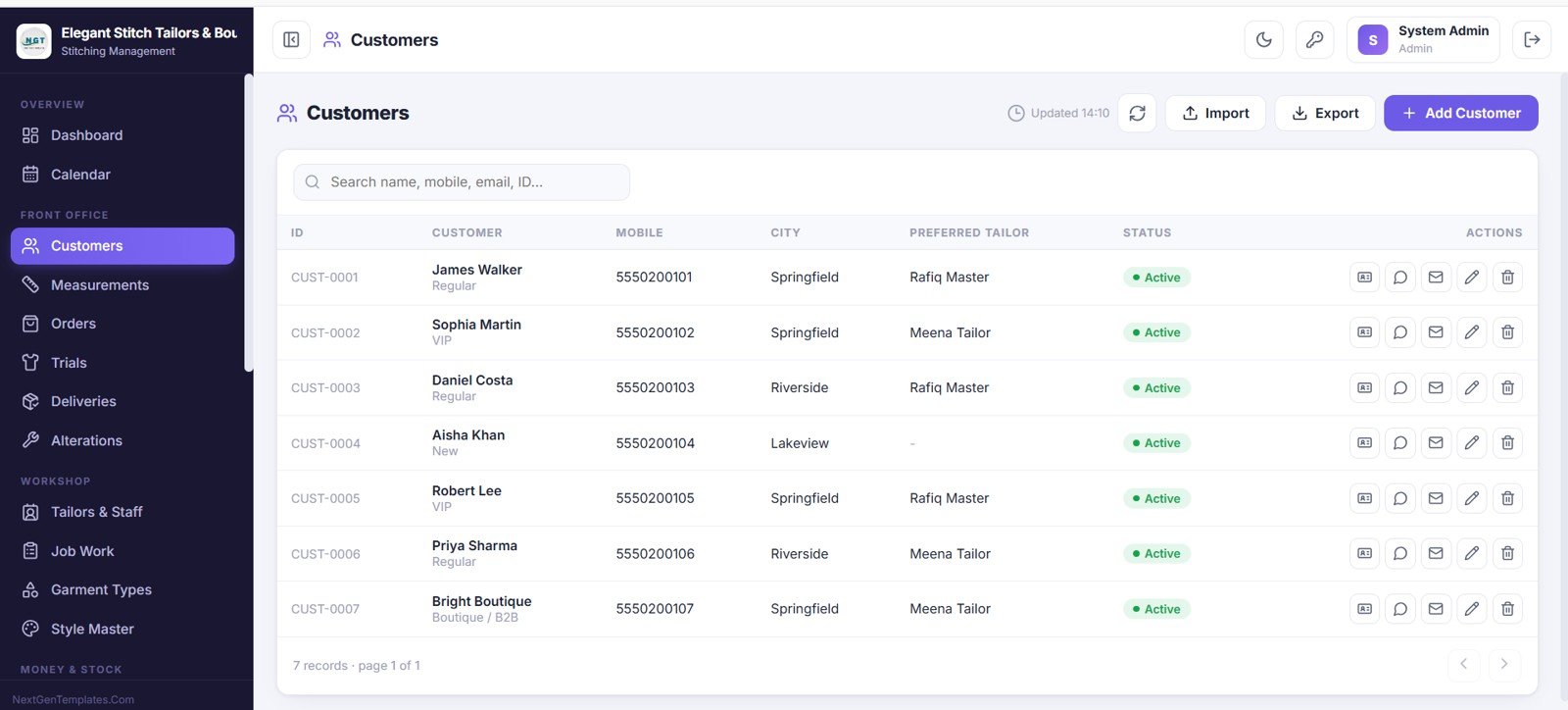
5. Customers
This screen holds every customer profile in one place. For each customer you can see the ID, name and type, mobile, city, preferred tailor and status, and you can search, add, import, export and contact customers directly.
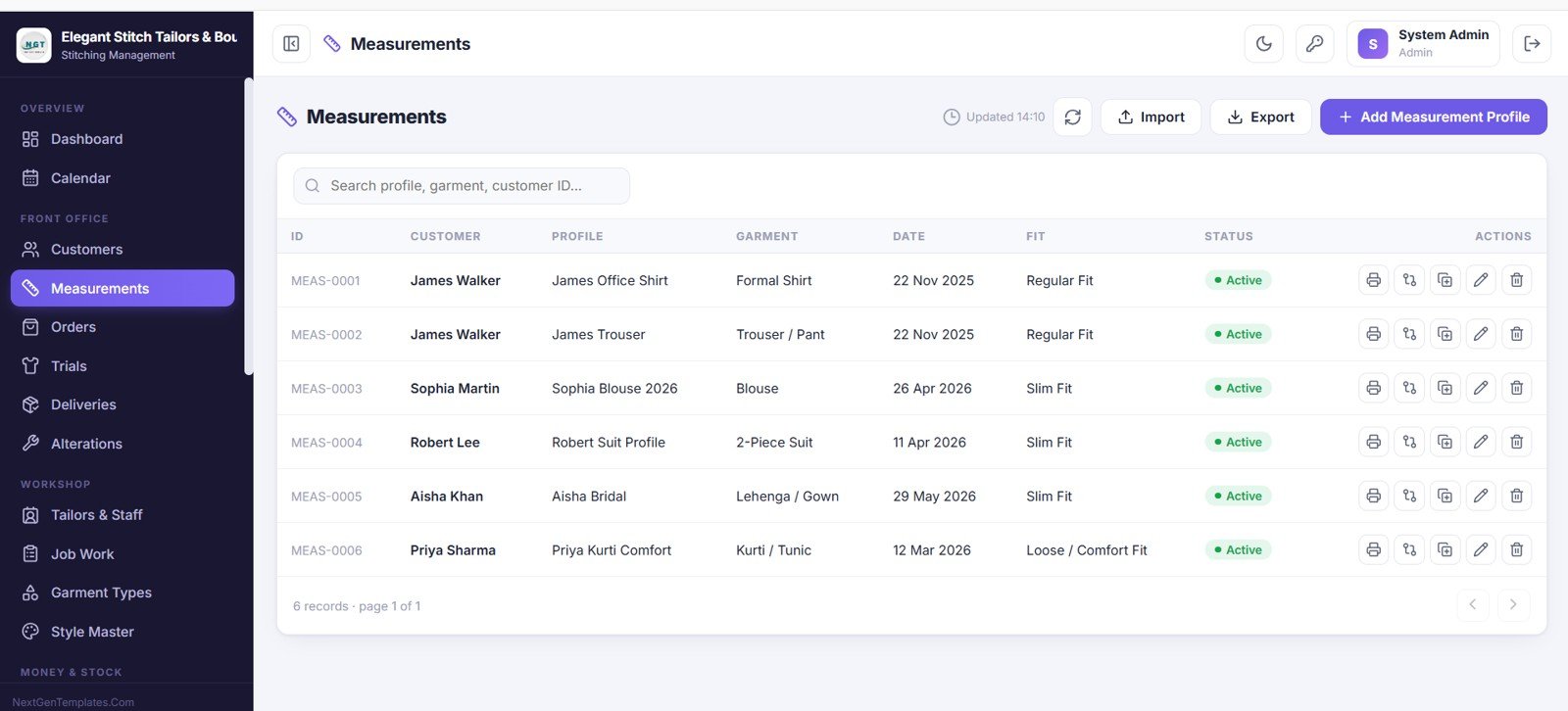
6. Measurements
This screen stores all measurement profiles for your customers. Each profile shows the customer, profile name, garment, date and fit, and you can print, duplicate, edit and add new measurement profiles any time.
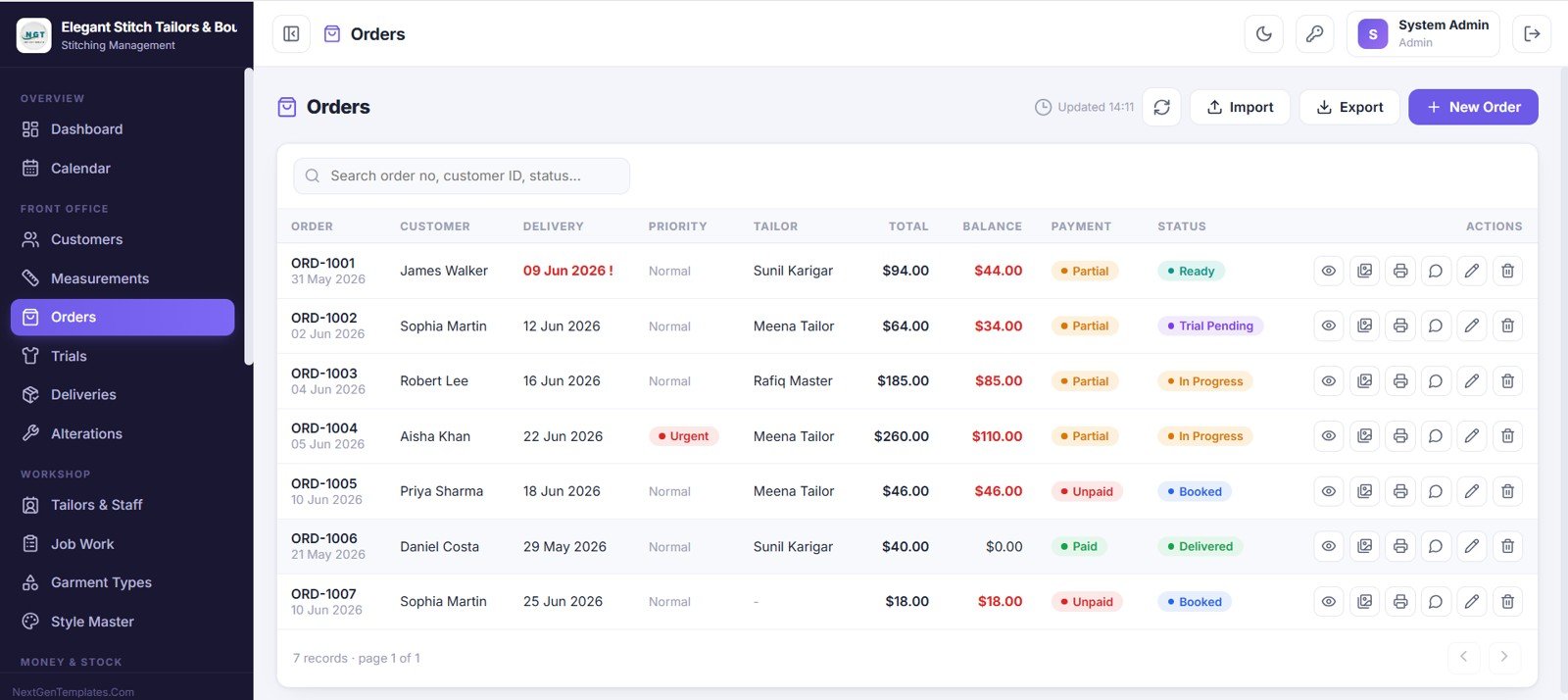
7. Orders
This is where you book and manage every garment order. Each order shows the order number, customer, delivery date, priority, tailor, total, balance, payment status and order status, and you can add, view, duplicate, print and edit orders easily.
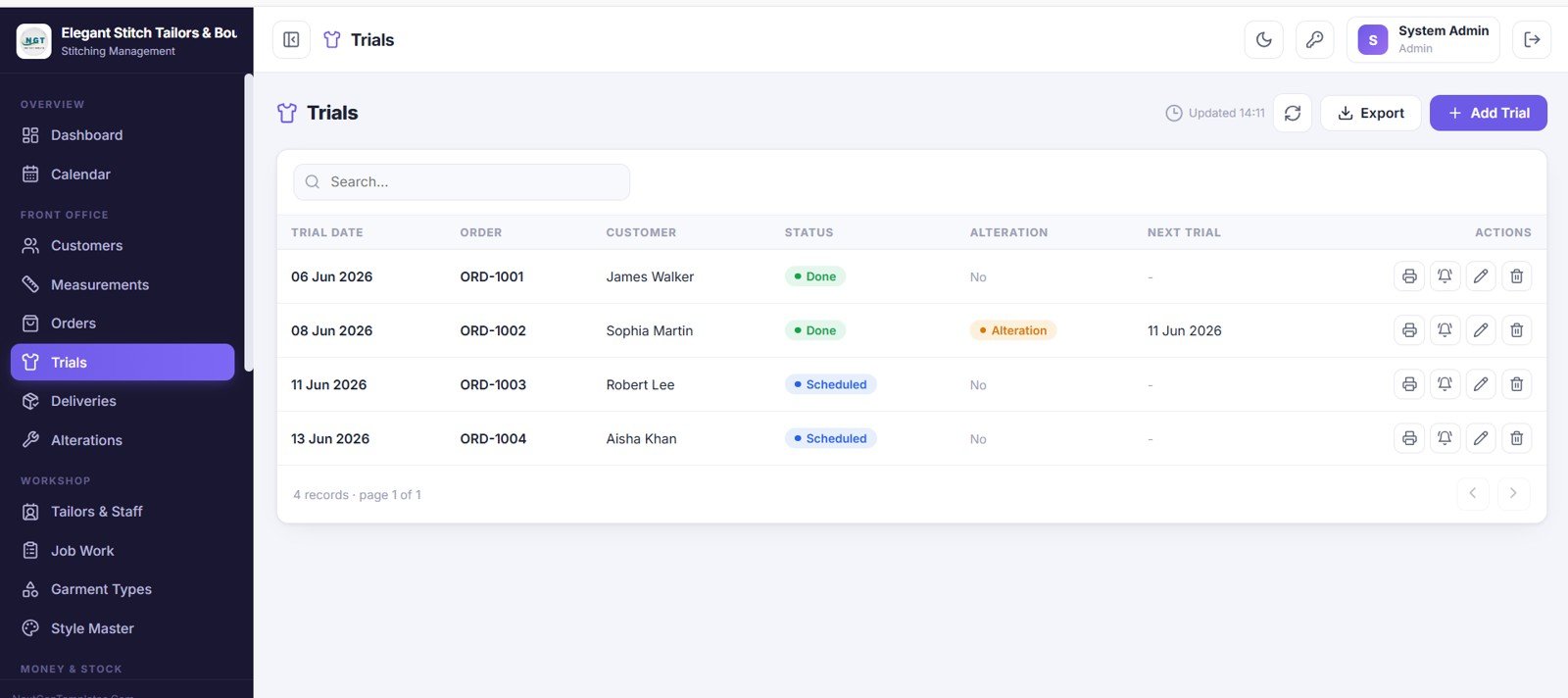
8. Trials
This screen manages all fitting trials. Each trial shows the trial date, order, customer, status, whether an alteration is needed and the next trial date, and you can print a trial slip, set a reminder and add new trials.
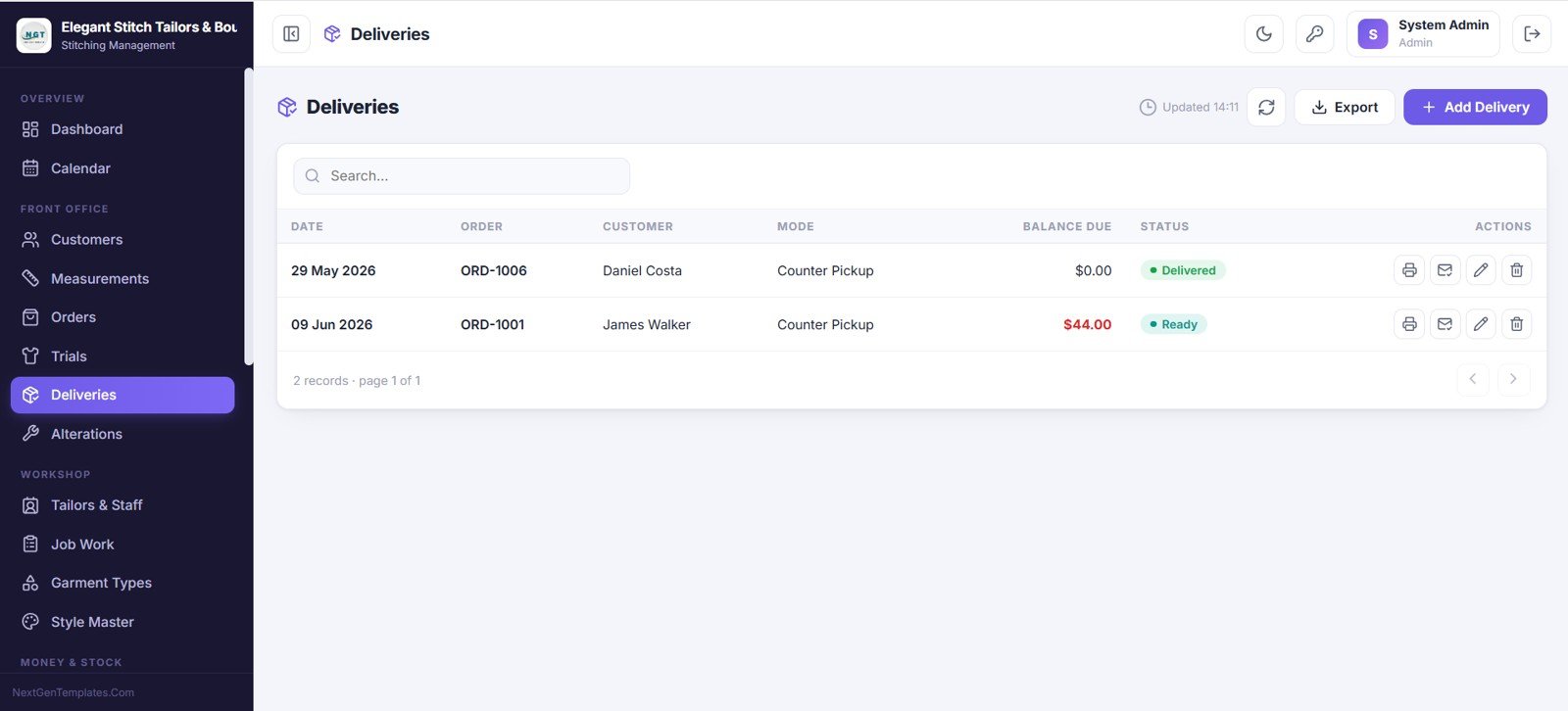
9. Deliveries
This screen tracks every garment delivery. For each delivery you can see the date, order, customer, delivery mode, balance due and status, and you can print a delivery slip, email the customer and add new deliveries.
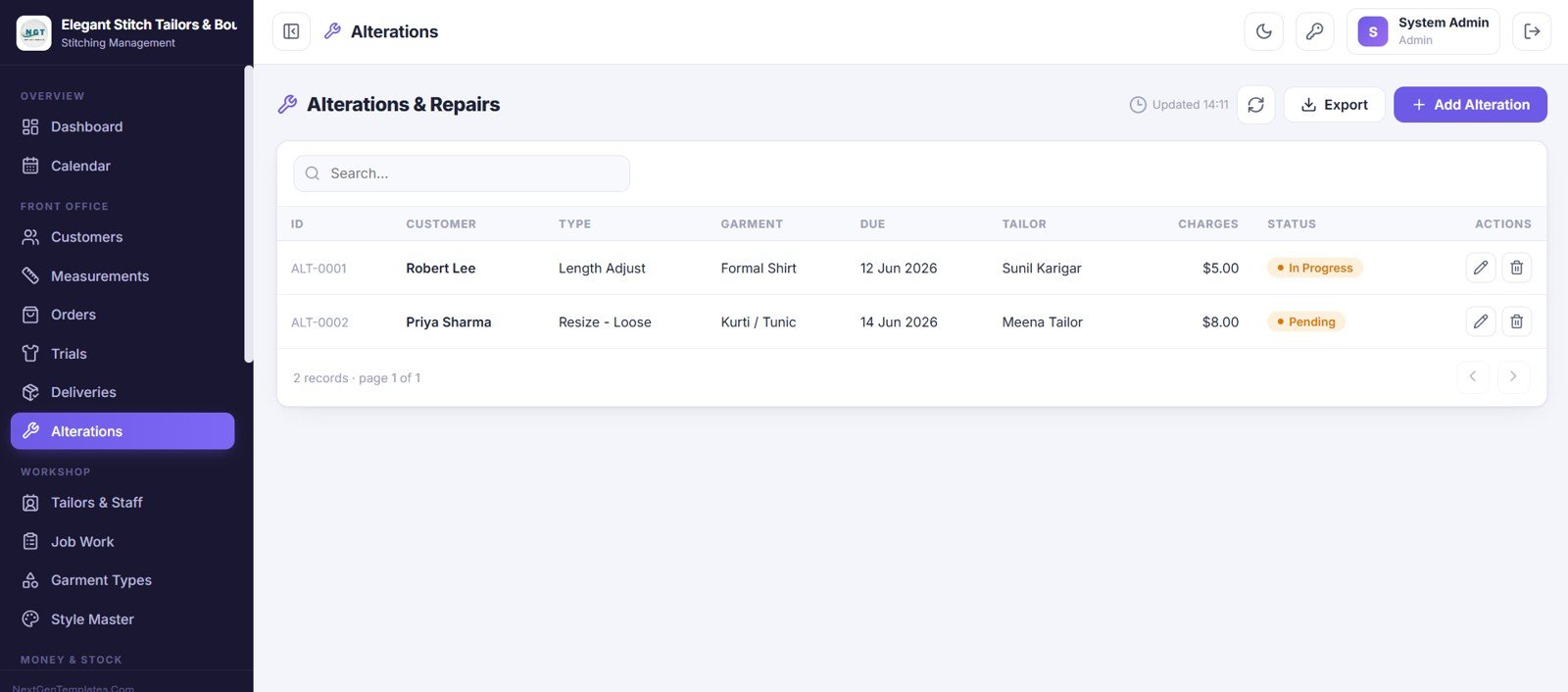
10. Alterations and Repairs
This screen keeps all alterations and repairs in one place. Each record shows the ID, customer, alteration type, garment, due date, tailor, charges and status, so every piece of rework is tracked from start to finish.
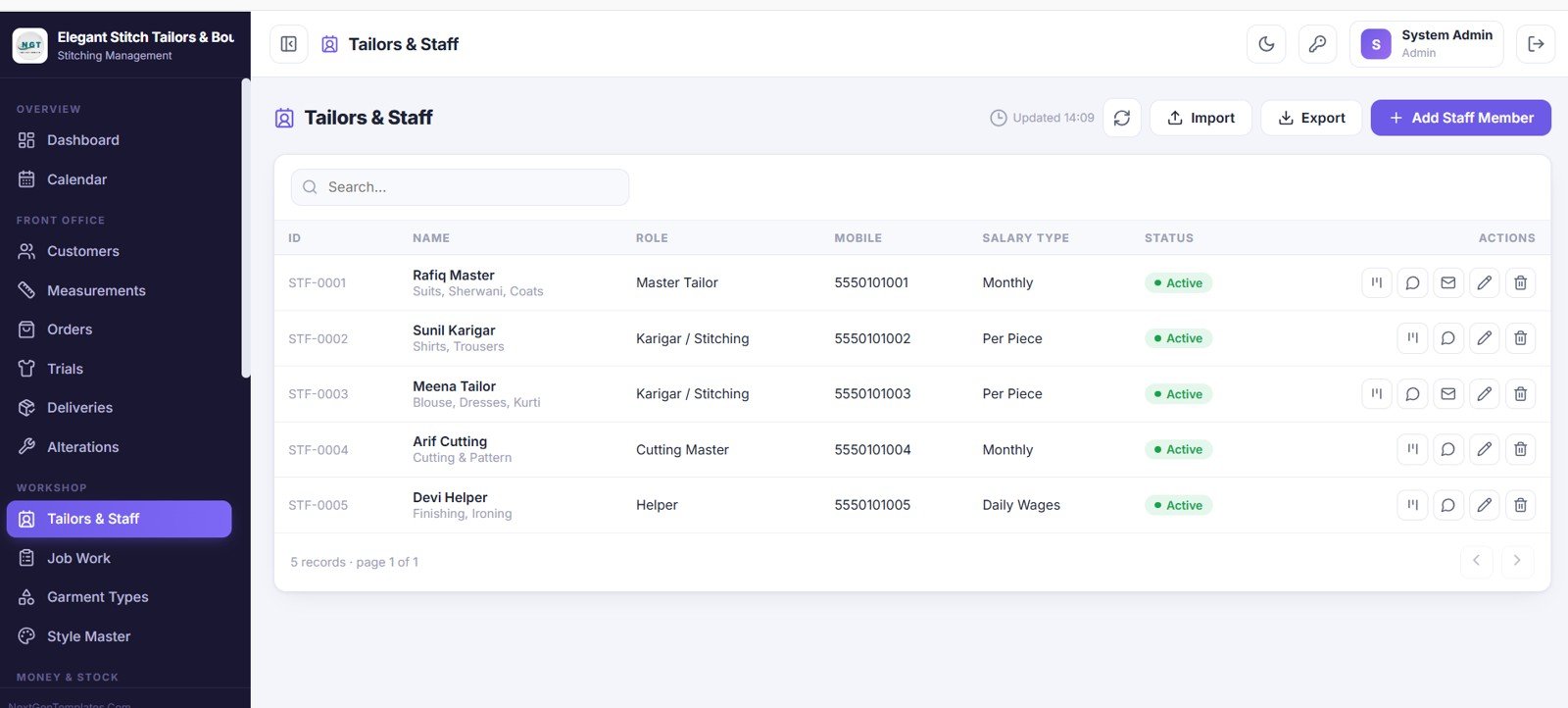
11. Tailors and Staff
This screen holds every team member profile. You can see each person’s ID, name and speciality, role, mobile, salary type and status, check their workload, and add or update staff easily.
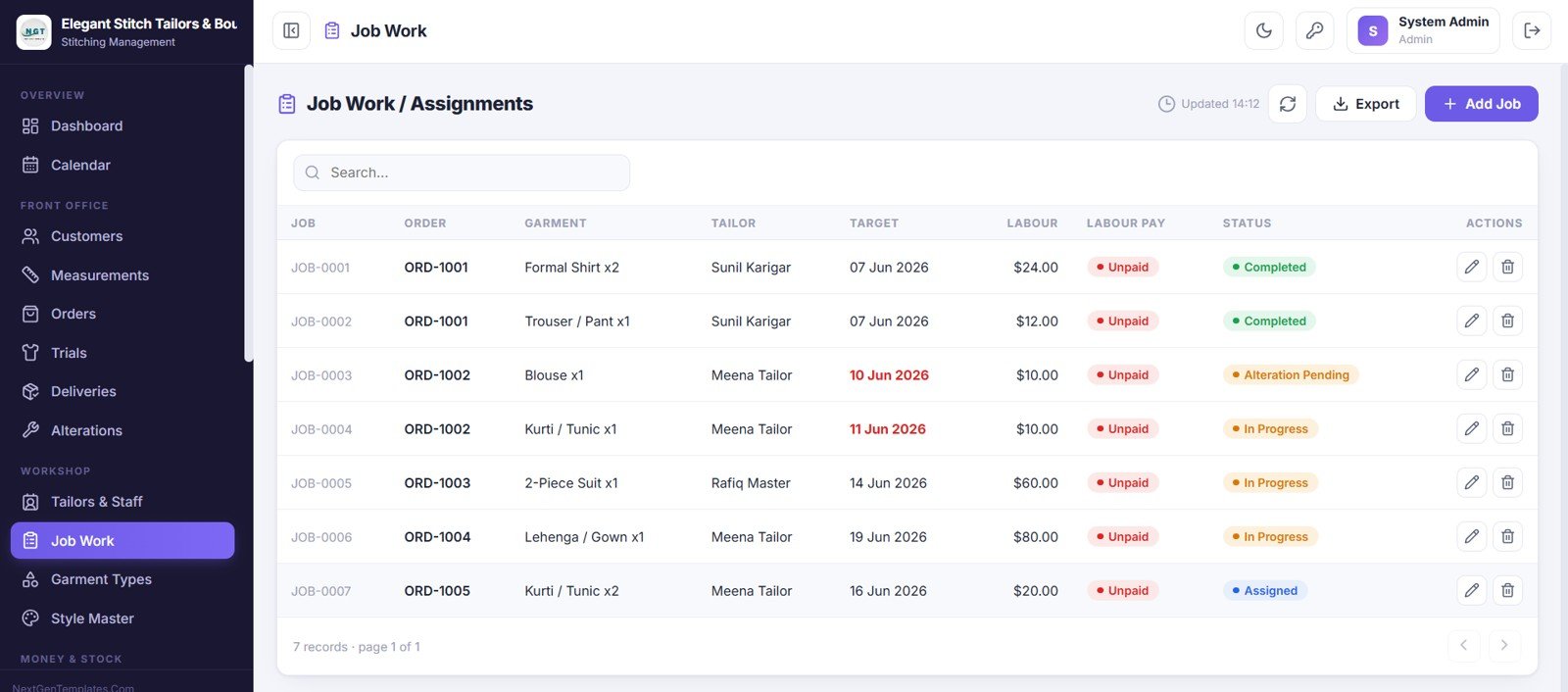
12. Job Work and Assignments
This screen is where stitching jobs are assigned to tailors. Each job shows the job number, order, garment and quantity, tailor, target date, labour charge, labour pay status and the job status, giving full control over the workshop.
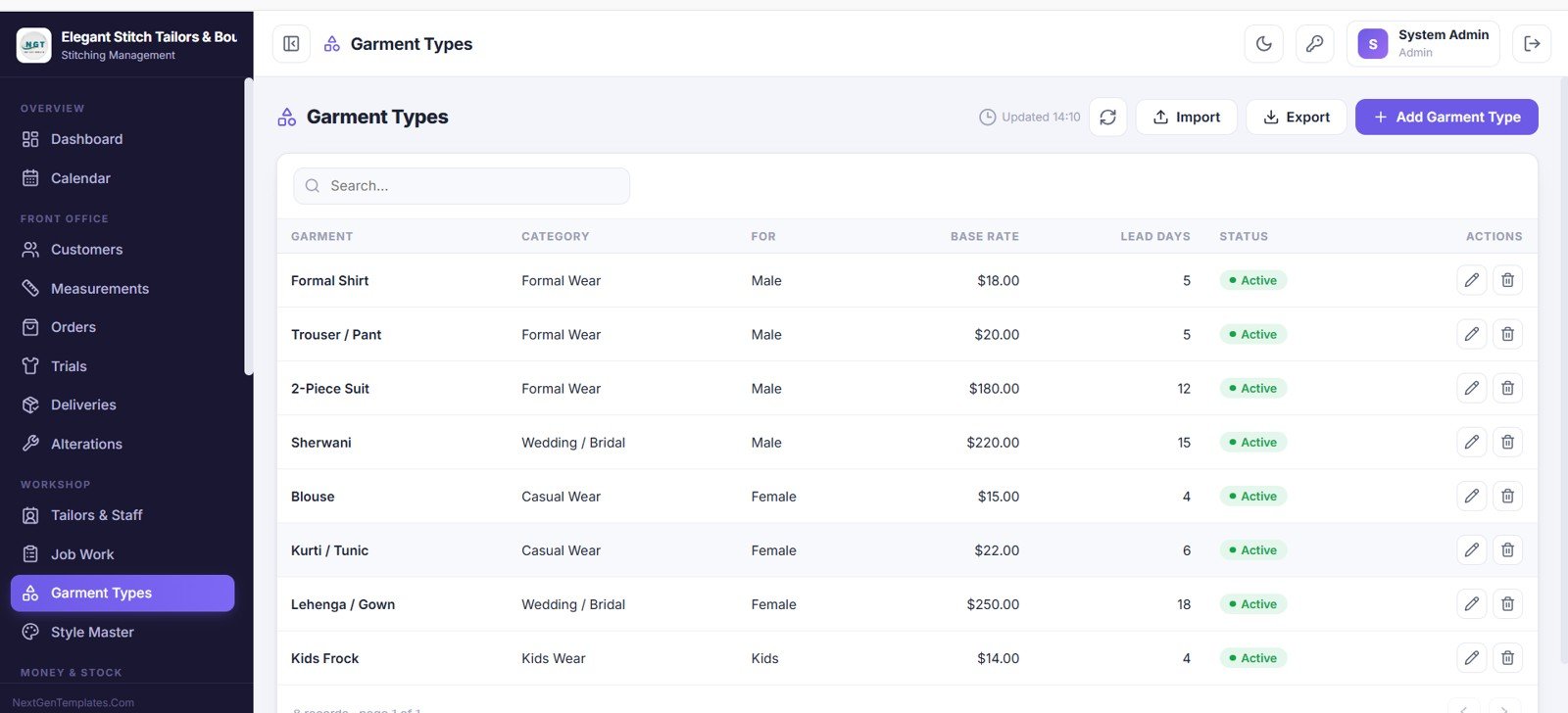
13. Garment Types
This is your garment master and price list. Each garment shows the category, who it is for, the base rate and the lead days, and these values flow into your orders automatically.
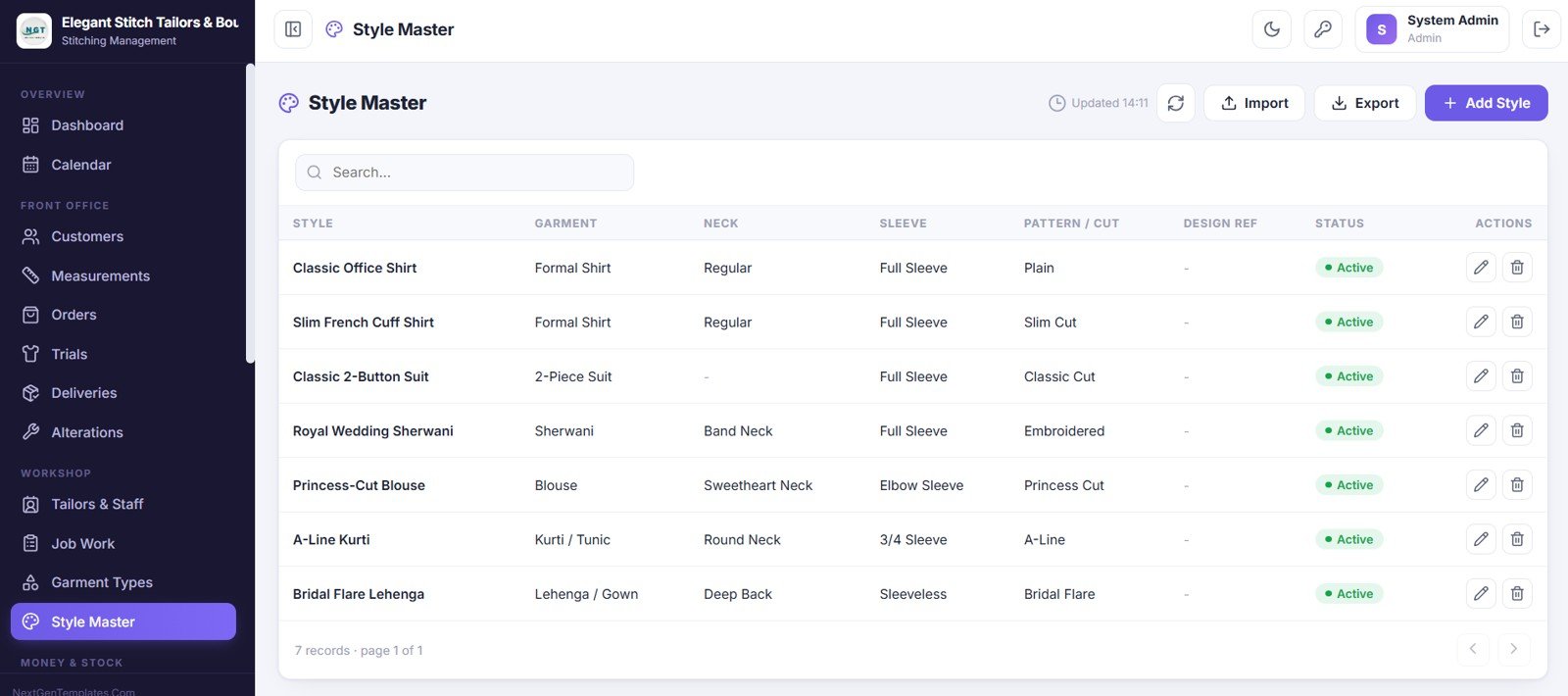
14. Style Master
This screen stores all your design styles. Each style is linked to a garment and records the neck, sleeve, pattern or cut and a design reference, making it easy to repeat popular styles.
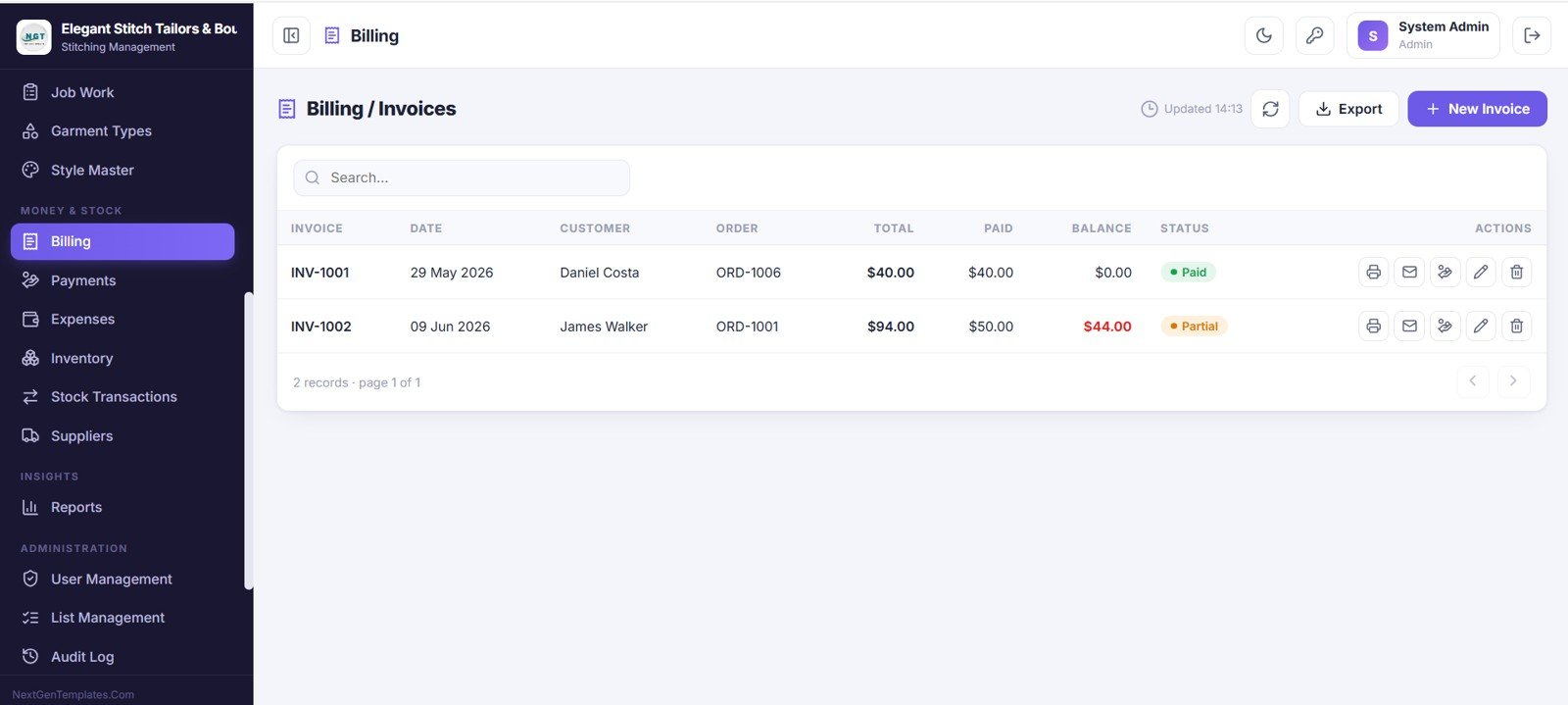
15. Billing and Invoices
Here you create and manage invoices. Each invoice shows the invoice number, date, customer, order, total, paid amount, balance and status, and you can print, email, record a payment and create new invoices.
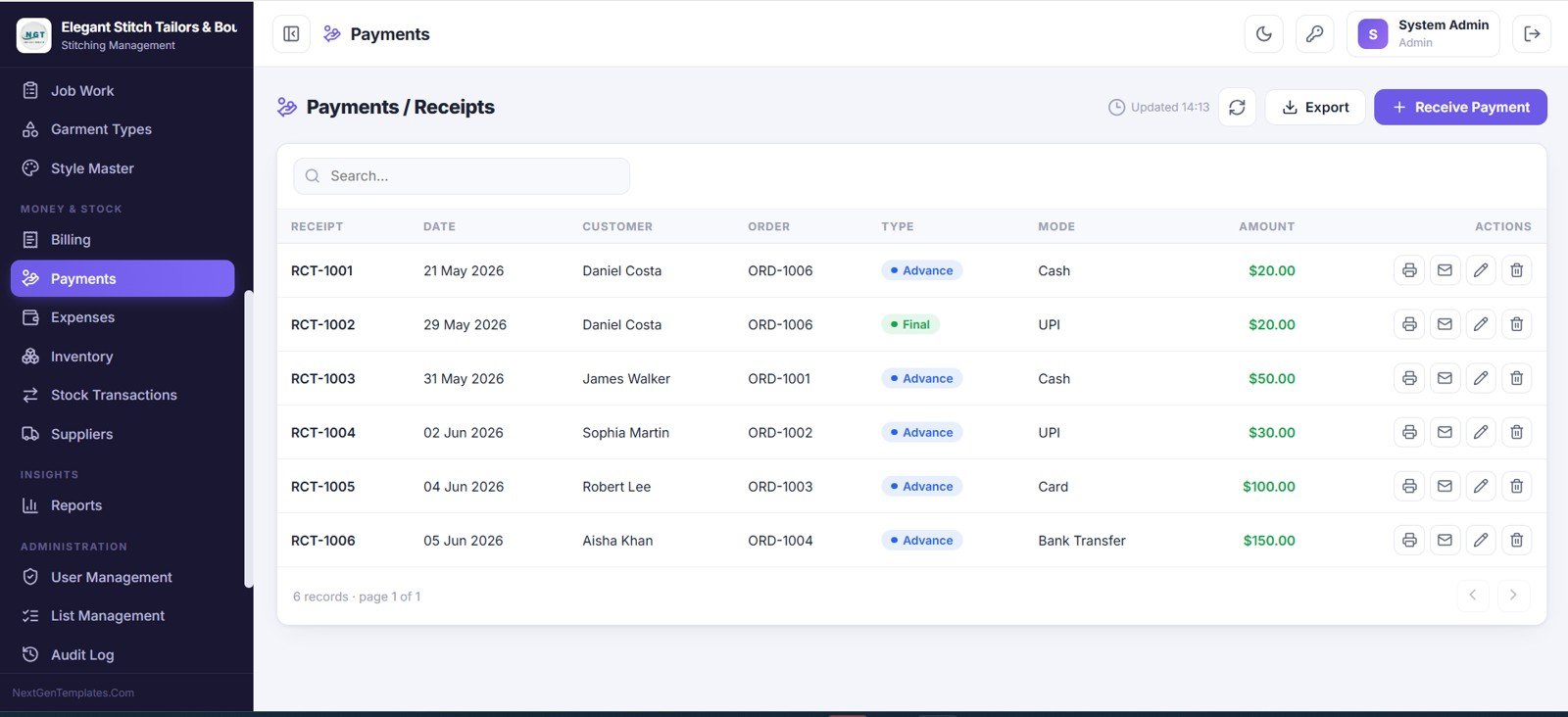
16. Payments and Receipts
This screen records every payment you collect. Each receipt shows the receipt number, date, customer, order, payment type, payment mode and amount, and you can print or email a receipt and receive new payments.
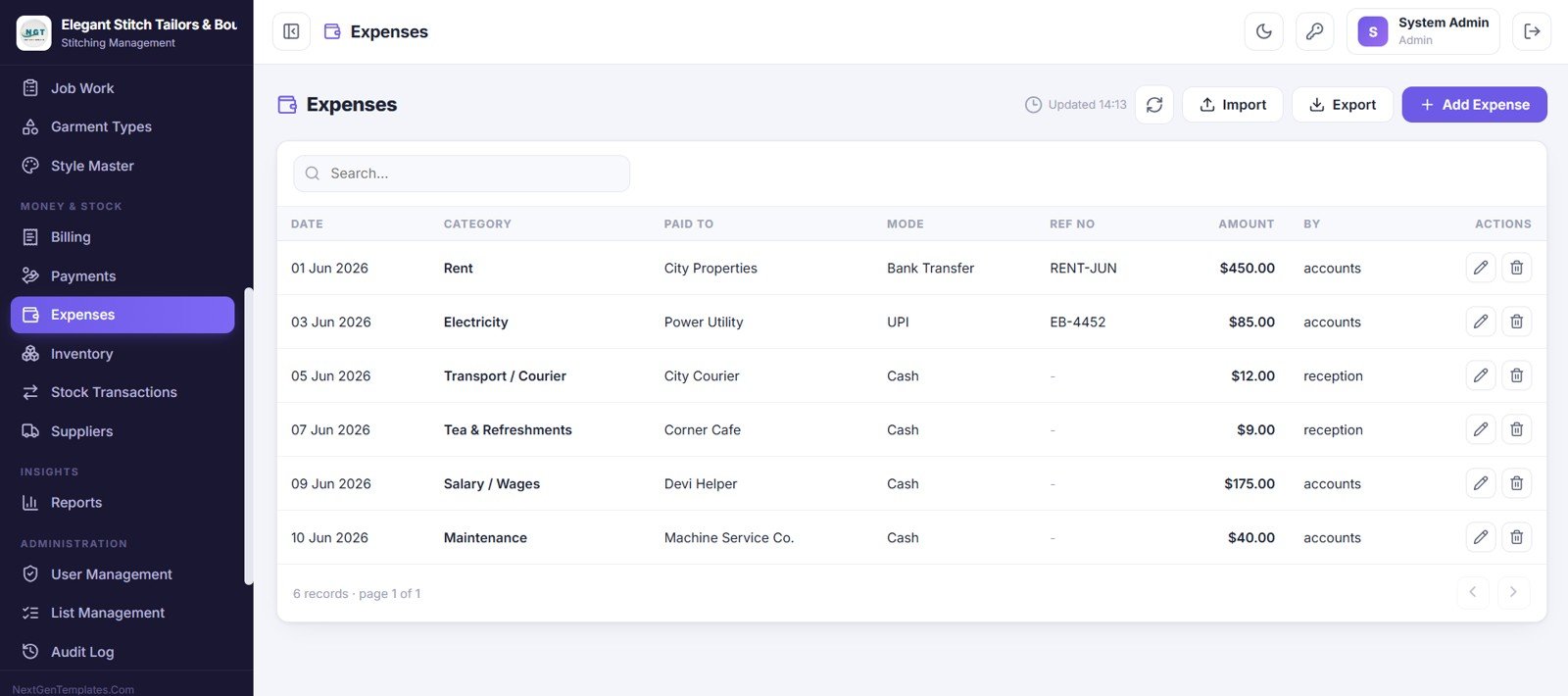
17. Expenses
This screen keeps track of all shop expenses. Each expense shows the date, category, who it was paid to, the payment mode, a reference number, the amount and who recorded it, giving a clear view of your spending.
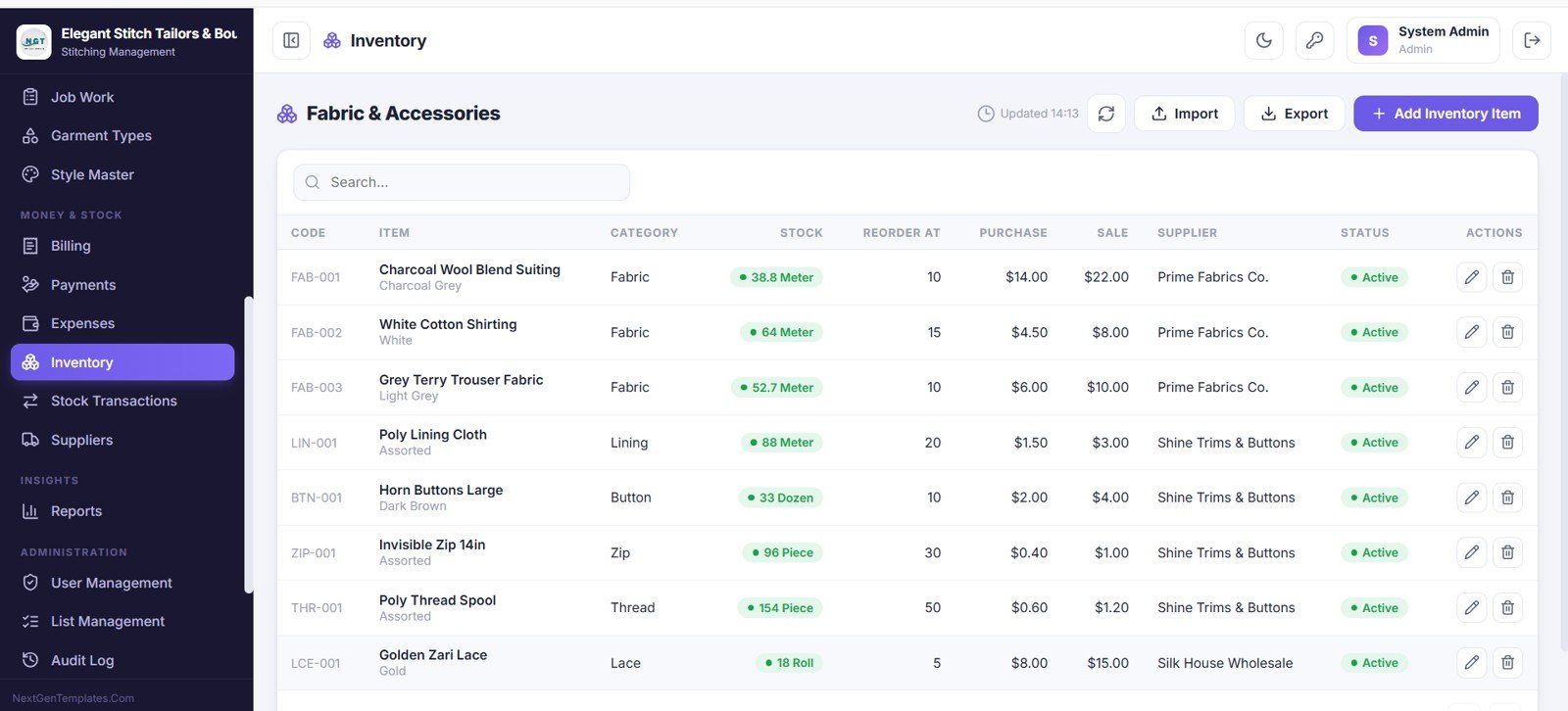
18. Inventory — Fabric and Accessories
This screen tracks all fabric and accessories. Each item shows a code, name, category, current stock, reorder level, purchase and sale price, supplier and status, with low stock highlighted so you know when to reorder.
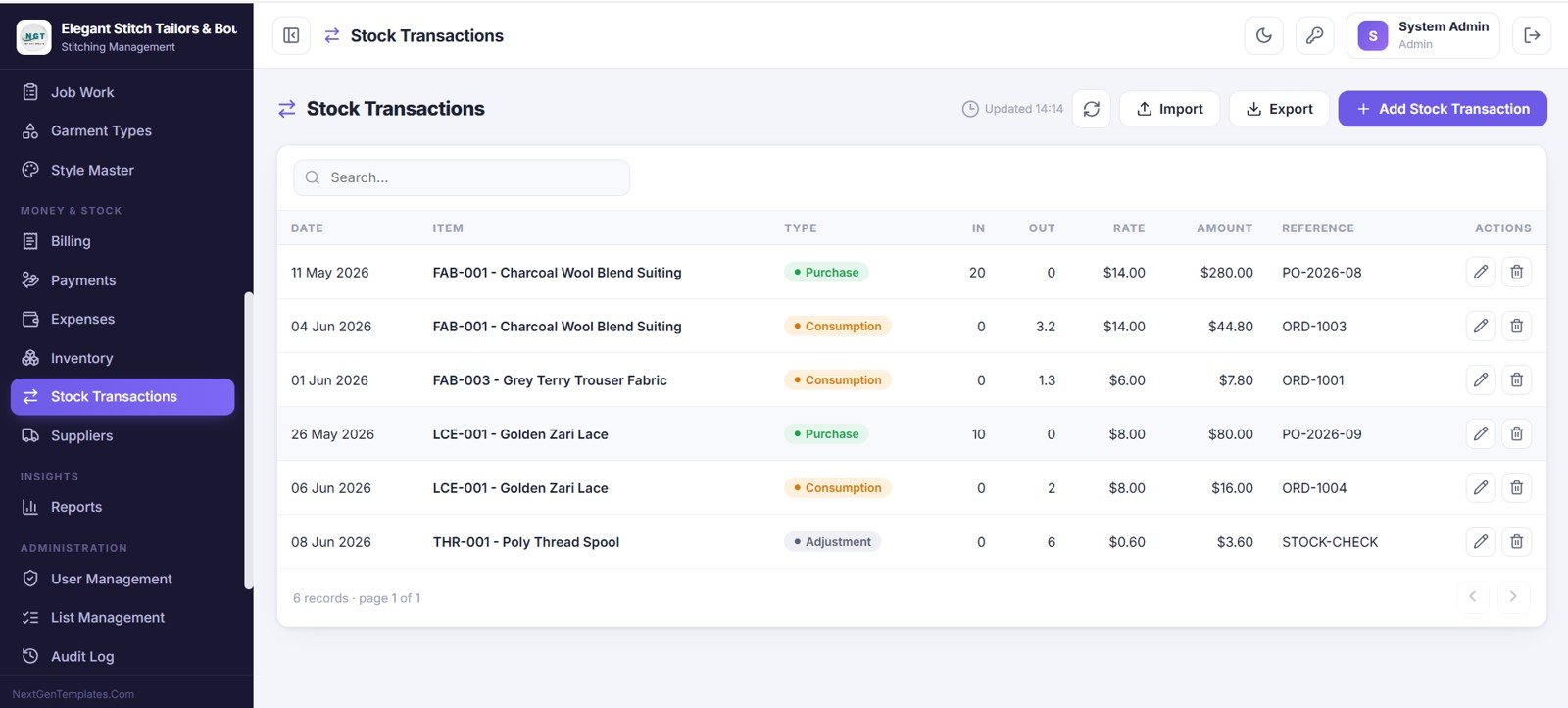
19. Stock Transactions
This screen records every stock movement. You can see the date, item, type such as purchase, consumption or adjustment, the quantity in and out, the rate, the amount and a reference, giving a full inventory audit trail.
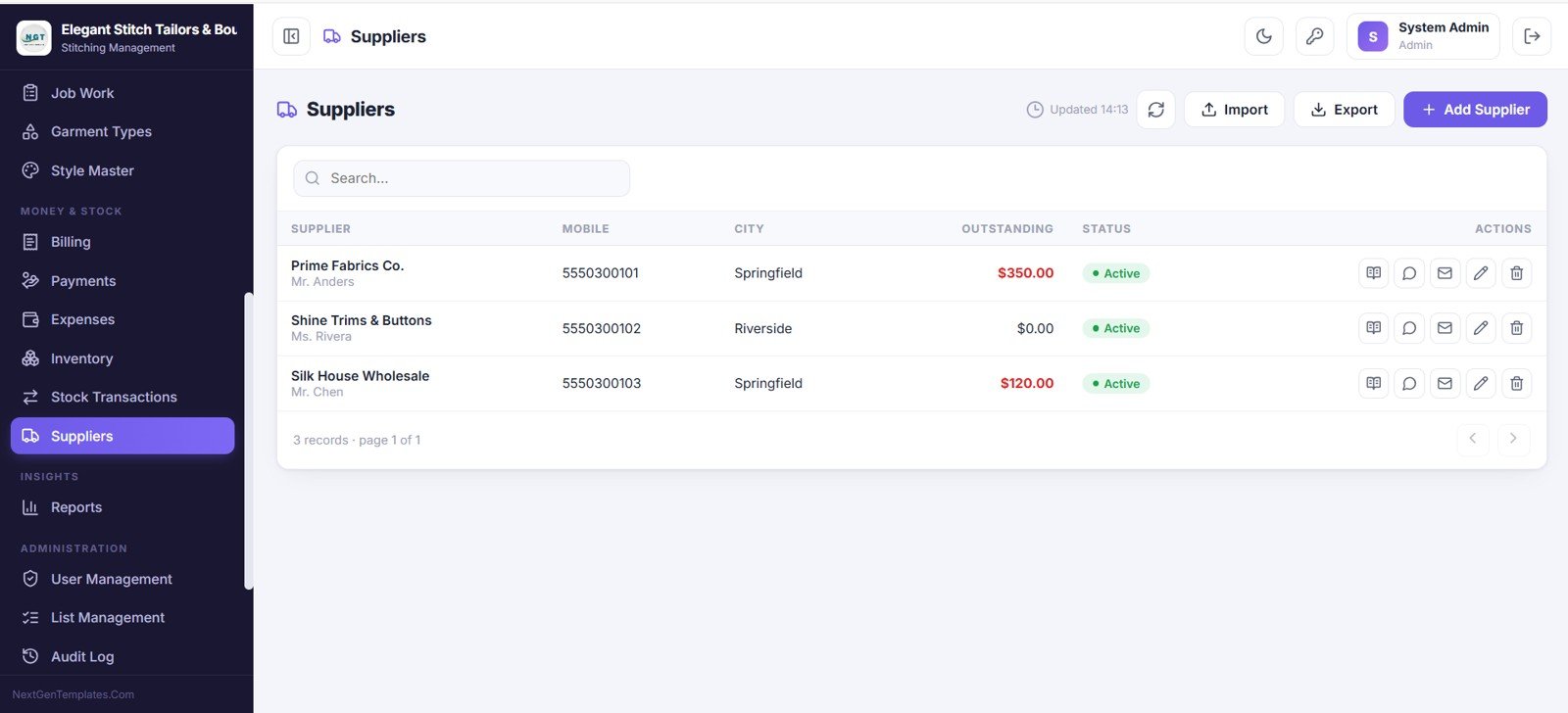
20. Suppliers
This is your supplier directory. For each supplier you can see the contact person, mobile, city, outstanding balance and status, so reordering fabric and trims is always easy.
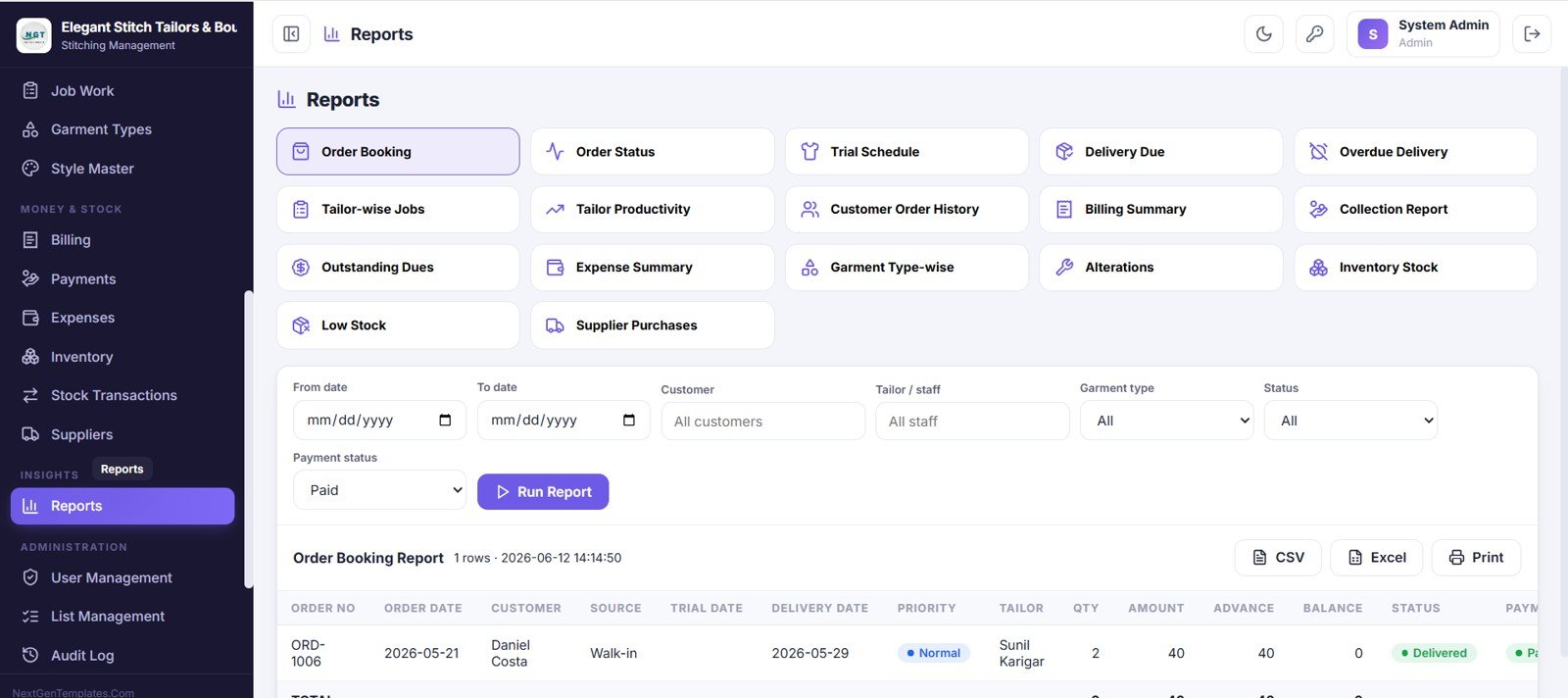
21. Reports
This screen turns your data into ready-made reports such as order booking, order status, tailor productivity, billing, collection, outstanding dues, expense and inventory reports. Pick a report, set the date range and filters, run it, and export to CSV or Excel or print.
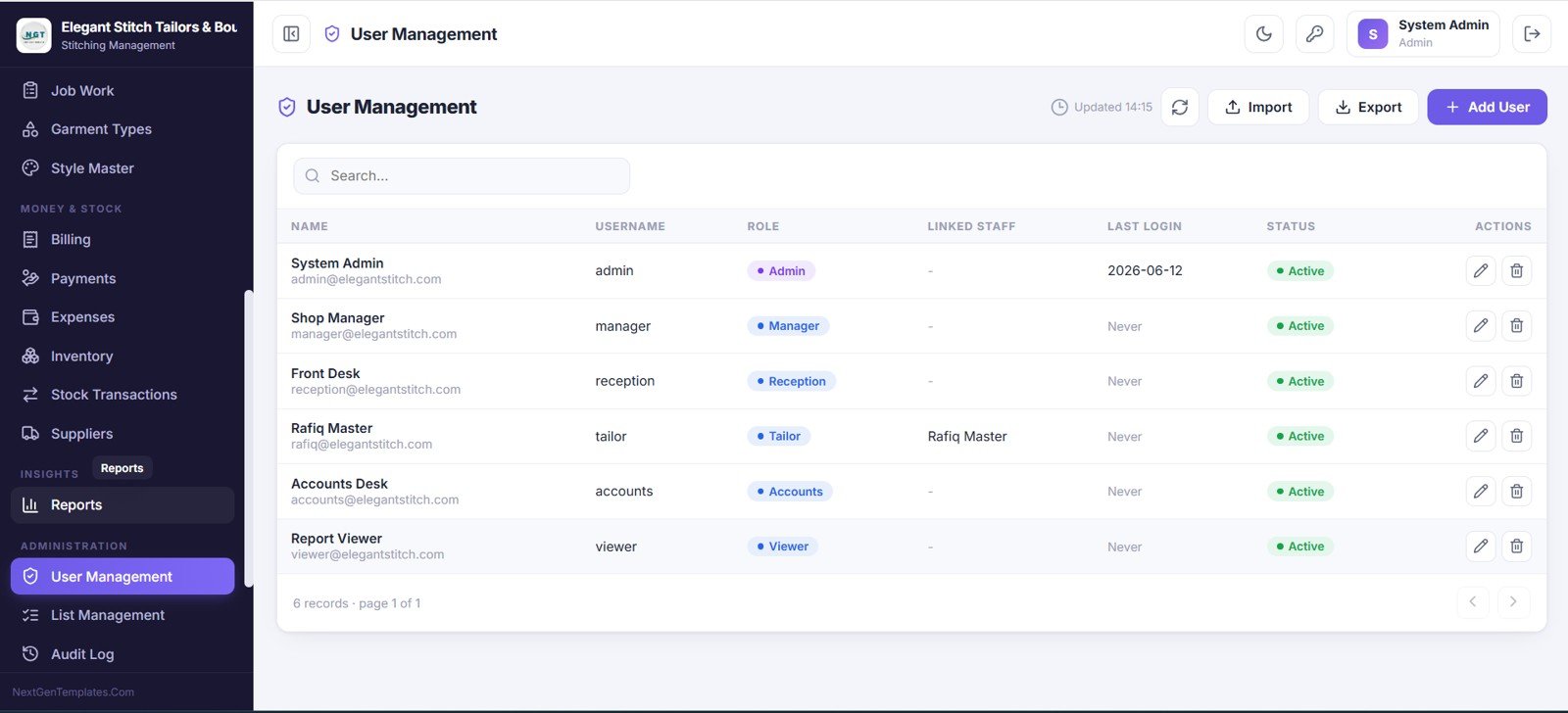
22. User Management
In this screen the admin controls every account, role and access level. You can see each user’s name, username, role, linked staff, last login and status, and add users or reset access as needed.
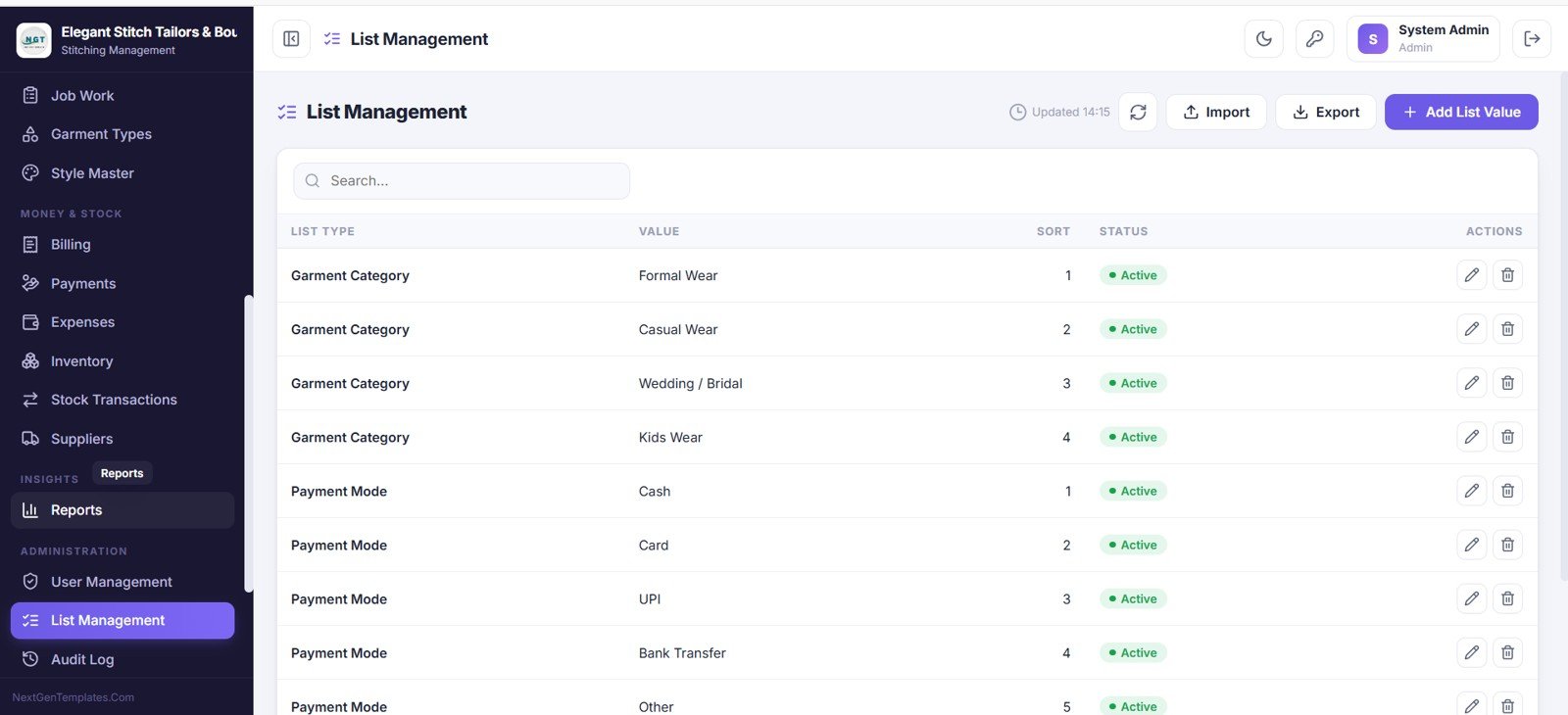
23. List Management
This screen lets you edit the dropdown values used across the app, such as garment categories and payment modes. You can add, edit and reorder values, keeping the whole system flexible and tailored to your business.
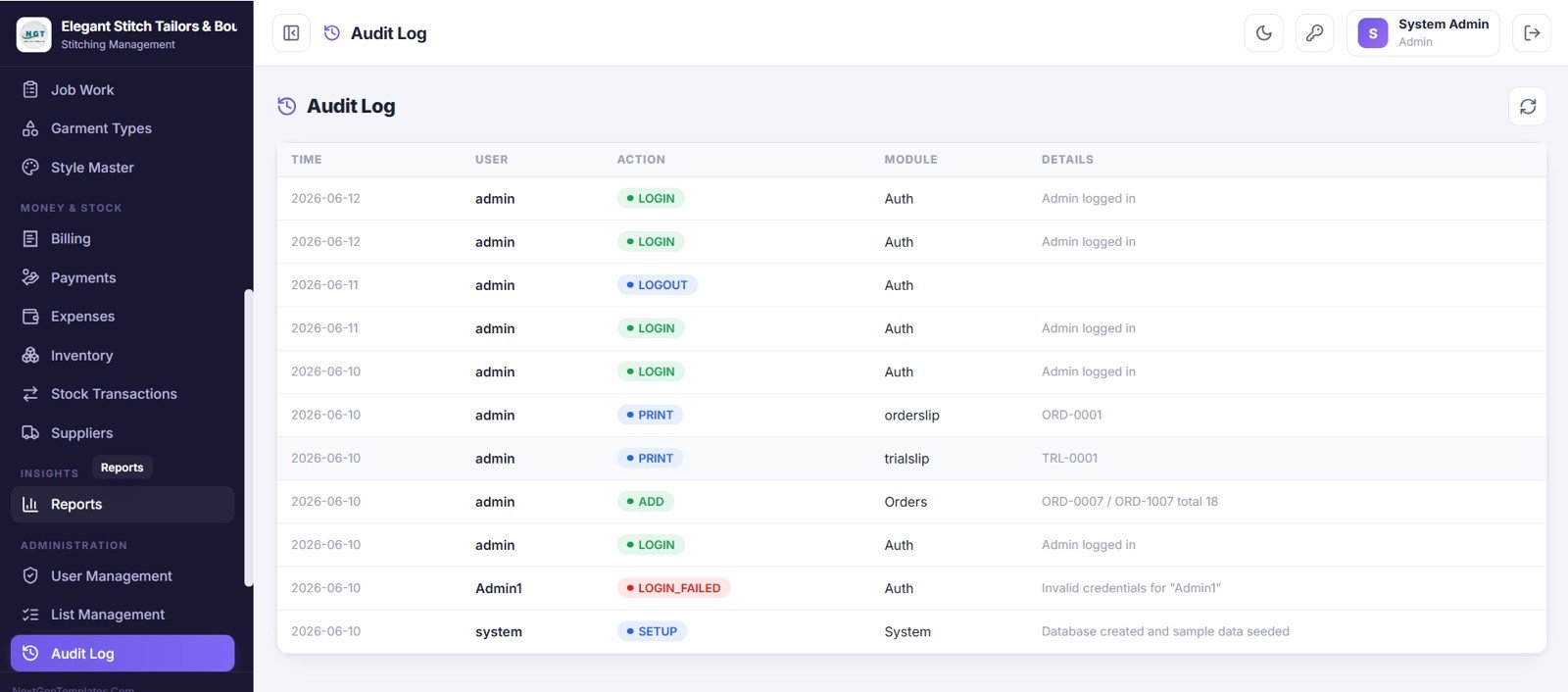
24. Audit Log
The audit log gives a complete activity trail. It records who did what and when across logins, prints, updates and status changes, giving full transparency over the system.
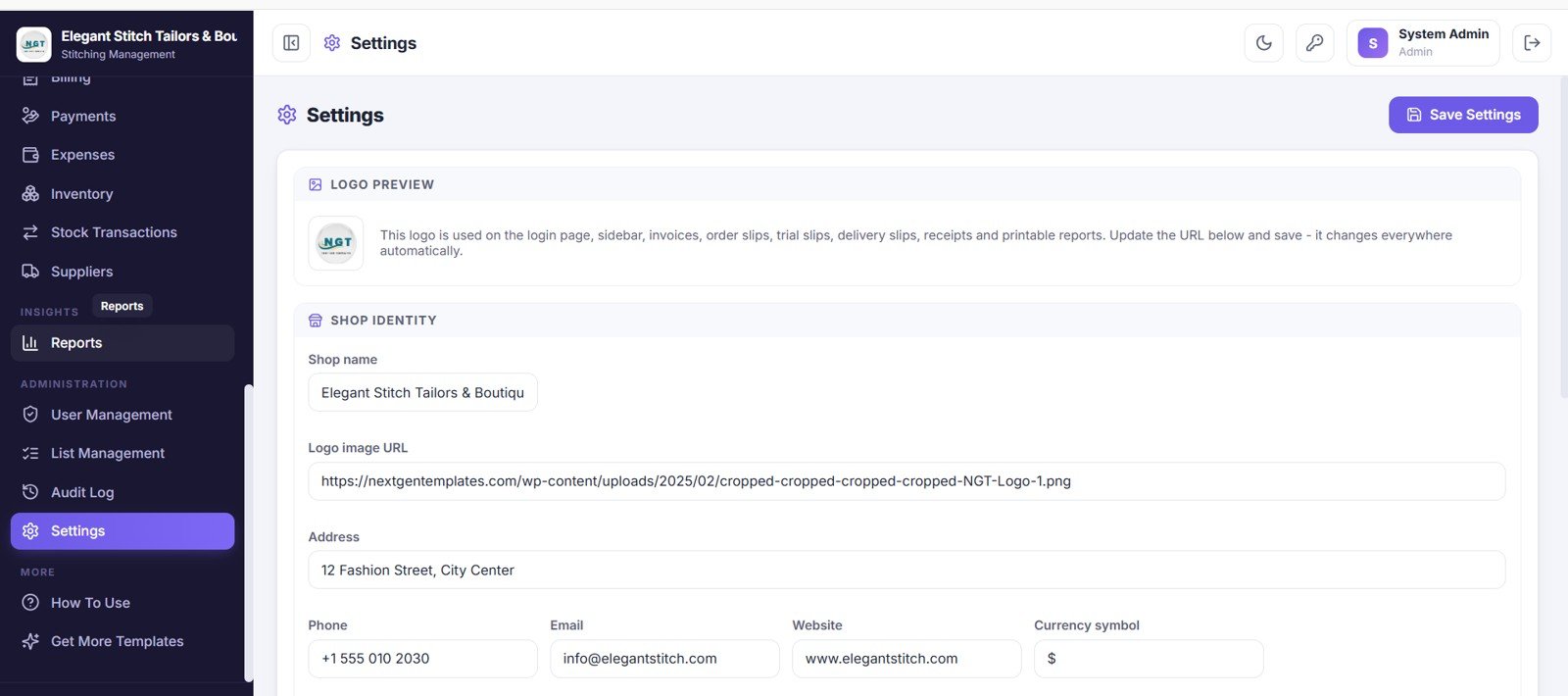
25. Settings
This screen is where you configure the shop profile and billing details. You can set the shop name, logo, address, contact details and currency so every invoice, order slip and receipt matches your brand.
📊 Tailor Shop Web App vs. Excel/Desktop Tool vs. Paid Tailoring SaaS — Where This Fits
| Feature | Tailor Shop Web App | Excel / Desktop Tool | Paid Tailoring / POS SaaS |
|---|---|---|---|
| Cost | $39.99 one-time | $0–$120 one-time | $30–$90 / user / month |
| Platform | Google Sheets (web, any device) | Windows desktop only | Vendor cloud |
| Setup time | Under 15 minutes (Make a Copy) | Manual file sharing | Onboarding + training |
| Real-time team access | ✅ Yes — 6 roles | ❌ One file at a time | ✅ Yes |
| Measurements + orders linked | ✅ Built in | ❌ Separate sheets | ✅ Yes |
| Fabric inventory + suppliers | ✅ Built in | ⚠️ Limited | Add-on / higher tier |
| Owns the data | ✅ Your Google account | ✅ Your PC | ❌ Vendor servers |
| Year-1 cost at 5 users | $39.99 total | Varies | $1,800–$5,400 |
For tailoring shops and boutiques that want order, measurement, billing and inventory control without paying $30–$90 per user every month, the Tailor Shop and Stitching Management System Web App sits in the sweet spot.
👥 Who This Template Is For — and Who It’s Not For
✅ This template is built for:
- Tailoring shops, boutiques and stitching units with 1–20 staff who want orders, trials and deliveries in one place
- Shop owners who want measurement profiles, billing and fabric inventory linked to each order
- Teams that need role-based access so reception, tailors and accounts each see only their work
- Owners who prefer a one-time Google Sheets app over monthly tailoring software
❌ This template is NOT for:
- Large garment factories needing barcode scanning, production-line MRP and ERP integration
- Businesses that require offline desktop software with no Google account
- Teams needing SOC 2, SSO and enterprise audit certification out of the box
⚙️ How to Use the Tailor Shop and Stitching Management System Web App
- Open the PDF guide in your download and click the Google Sheets copy link to make your own editable copy.
- Open Settings and set your shop name, logo, address, contact details and currency.
- Add your team in User Management and assign roles — Admin, Manager, Reception, Tailor, Accounts or Viewer.
- Fill the Garment Types, Style Master and Suppliers masters so orders and inventory auto-fill.
- Add customers, capture measurements, then book orders, assign job work, schedule trials and record deliveries and payments.
💼 Real-World Use Cases
Rakesh runs a 4-tailor boutique in Jaipur. He uses the Tailor Shop and Stitching Management System Web App to book orders at reception, store each customer’s measurements, assign job work to the right tailor, and see Delivery Due Today on the dashboard — without paying a monthly tailoring software fee.
Priya manages a ladies’ boutique with walk-in and bulk orders. She tracks fabric and accessories inventory, reorders from suppliers before stock runs low, and prints branded invoices and receipts so her Accounts role always knows outstanding dues and monthly revenue.
Imran owns two stitching outlets. He gives each outlet’s staff a Viewer or Reception login, reviews tailor productivity and collection reports from the Reports screen, and exports them to Excel for his accountant every month.
❓ Frequently Asked Questions
What does the Tailor Shop and Stitching Management System Web App include?
The Tailor Shop and Stitching Management System Web App includes 25 connected screens — login, dashboard, calendar, customers, measurements, orders, trials, deliveries, alterations, staff, job work, billing, payments, expenses, inventory, suppliers, reports, user management and settings — all running in Google Sheets.
How many user roles does it support?
It supports six roles: Admin, Manager, Reception, Tailor, Accounts and Viewer. Role-based access means each person only sees the screens and data relevant to their job, while the Admin controls every account from User Management.
Do I need coding or a server to run it?
No. The Tailor Shop and Stitching Management System Web App runs on Google Sheets and Google Apps Script. You make a copy, deploy it as a web app from your own Google account, and start using it — no server, hosting or coding required.
How does this compare to paid tailoring SaaS?
Paid tailoring or POS SaaS typically costs $30–$90 per user each month. This web app is a one-time $39.99 purchase with no per-user fees, and your data stays in your own Google account instead of a vendor’s servers.
How long does setup take?
Most shops are running in under 15 minutes. You copy the file, set your shop profile in Settings, add your staff and roles, fill the garment and supplier masters, and begin booking orders the same day.
Can I track fabric inventory and suppliers?
Yes. The Inventory screen tracks fabric and accessories with reorder levels and low-stock highlighting, Stock Transactions logs every purchase, consumption and adjustment, and the Suppliers directory tracks outstanding balances for easy reordering.
👤 About the Author
Built by PK — Microsoft Certified Professional with 15+ years of Excel, Google Sheets, and Power BI experience. Founder of NextGenTemplates, reaching 300K+ subscribers across YouTube channels (@PK-AnExcelExpert, @NextGenTemplates, @NeoTechNavigators). Every template is hand-built and tested before release.
🔗 Explore Related Templates
Looking for more Google Sheets web apps? Explore these complementary Web App templates:
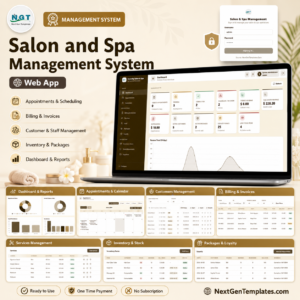
- Salon and Spa Management System Web App — appointment-based service shop management.
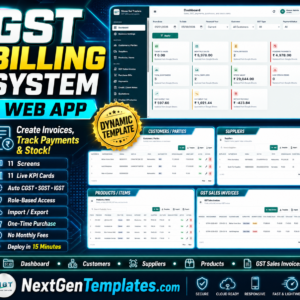
- GST Billing System Web App — GST-ready invoicing and billing.
- Web-based Advanced Inventory Management System — deeper fabric and stock control.
- CRM and Sales Pipeline Management System Web App — follow up leads and repeat customers.
- Employee Attendance Payroll Management System — manage tailor attendance and pay.
💎 Need more than one tool? Browse our full range of Google Sheets dashboards and apps.
📖 Click here to read the Detailed Blog Post<
Watch the step-by-step video Demo:
🎥 Visit our YouTube channel for step-by-step video tutorials
👉 YouTube.com/@NextGenTemplates
📅 Last updated: June 2026



Reviews
There are no reviews yet.