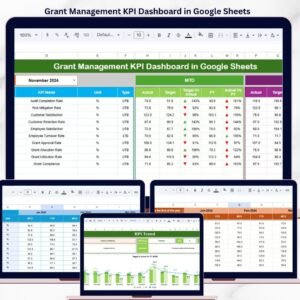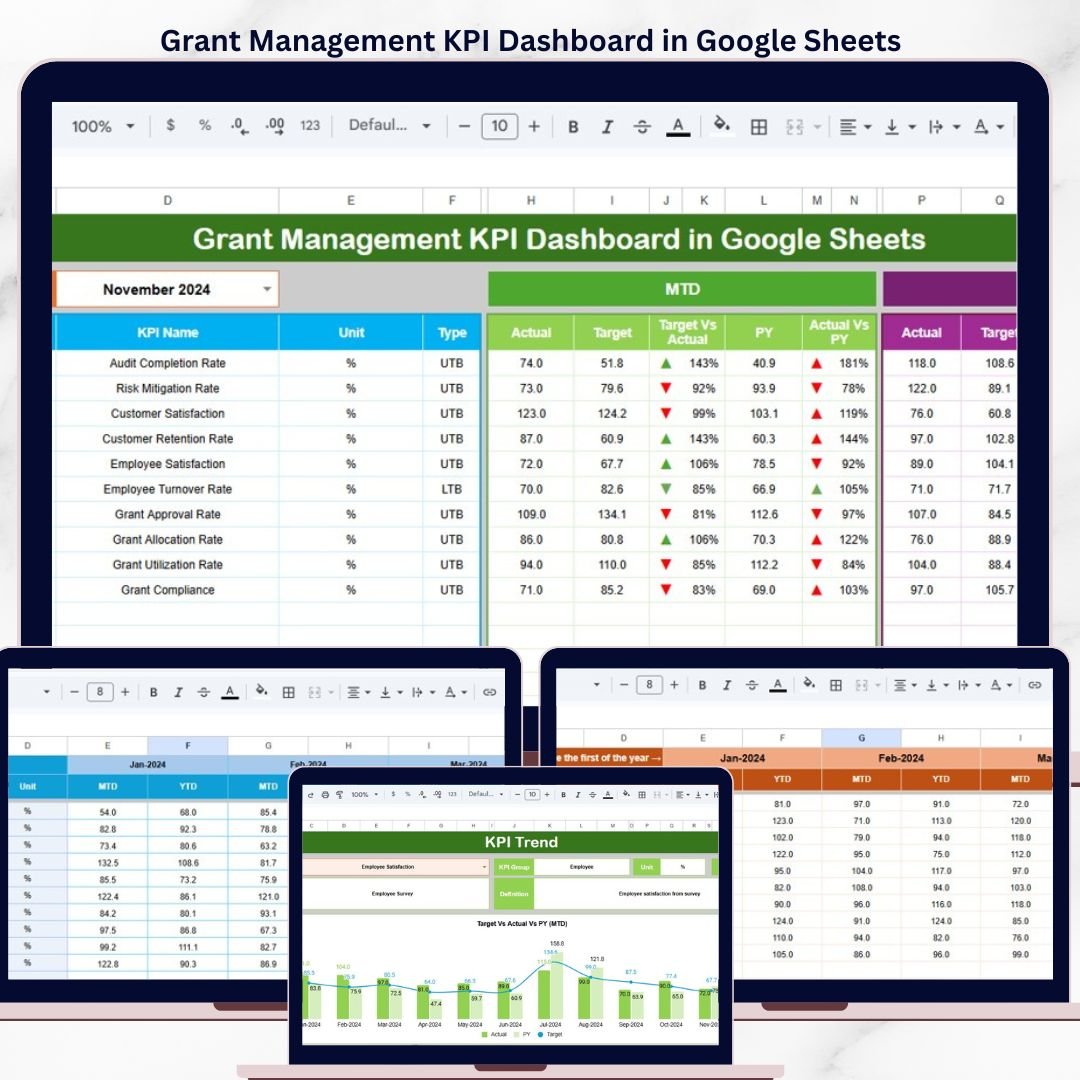
The Grant Management KPI Dashboard in Google Sheets tracks grant performance KPIs across 6 interactive worksheets, with MTD and YTD comparisons against targets and prior-year benchmarks. Month-level filtering updates every metric instantly — setup takes under 10 minutes. Just replace the sample data with your own numbers and the entire dashboard recalculates automatically.
🌍 Join 8,400+ teams in 40+ countries using NextGenTemplates to replace paid SaaS tools with one-time-purchase Excel, Google Sheets, Power BI, and HTML templates.
✅ Instant download · One-time payment · No subscription · No per-user fees · Lifetime access
🔑 Key Features of the Grant Management KPI Dashboard in Google Sheets
📊 Month-Level Dashboard with Target and Prior Year Comparison — The main Dashboard sheet lets you pick any month from a dropdown on cell D3. All KPI figures update to show MTD Actual, Target, and Previous Year data side-by-side, with conditional formatting arrows indicating performance direction against targets and prior year.
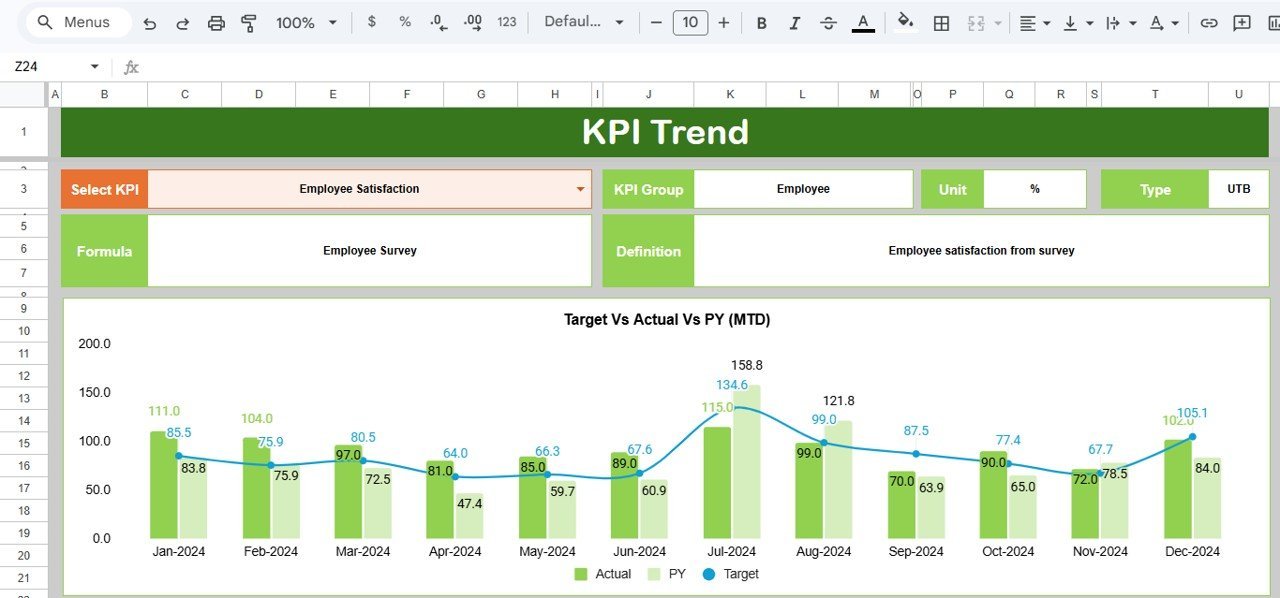
📈 Individual KPI Trend Analysis — The KPI Trend sheet displays the KPI Group, Unit, Type (Lower the Better or Upper the Better), Formula, and Definition for any selected KPI. MTD and YTD trend charts compare Actual vs. Target vs. Previous Year across all 12 months.
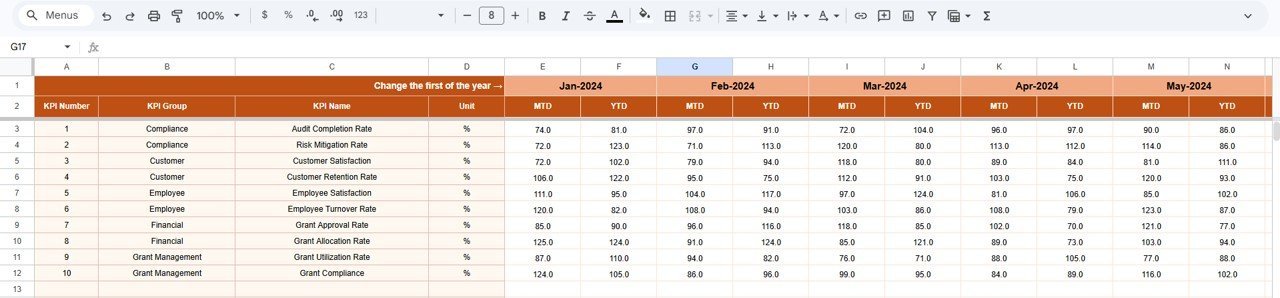
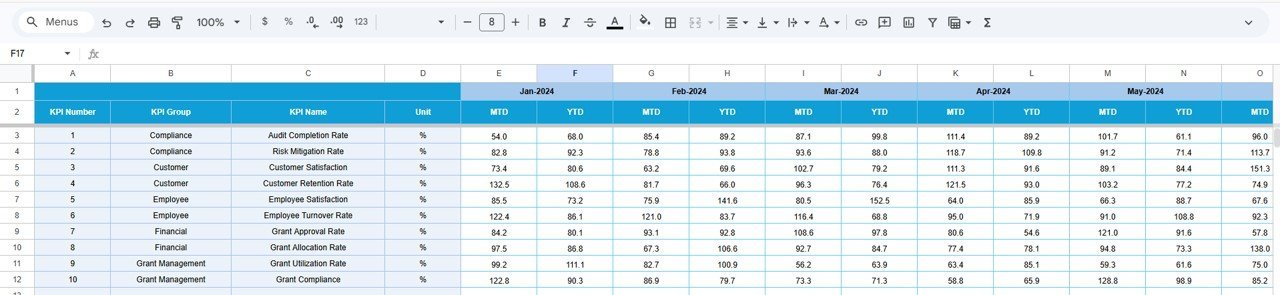
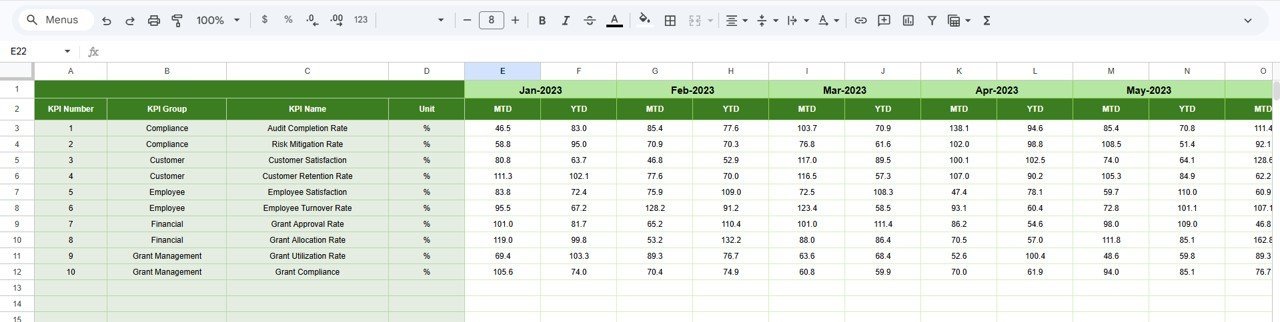
📝 Structured Data Input Sheets — Three dedicated input sheets (Actual Numbers, Target Numbers, Previous Year Numbers) keep your data entry organized. Each sheet supports month-by-month MTD and YTD input for every KPI, starting from a configurable first month of the year.
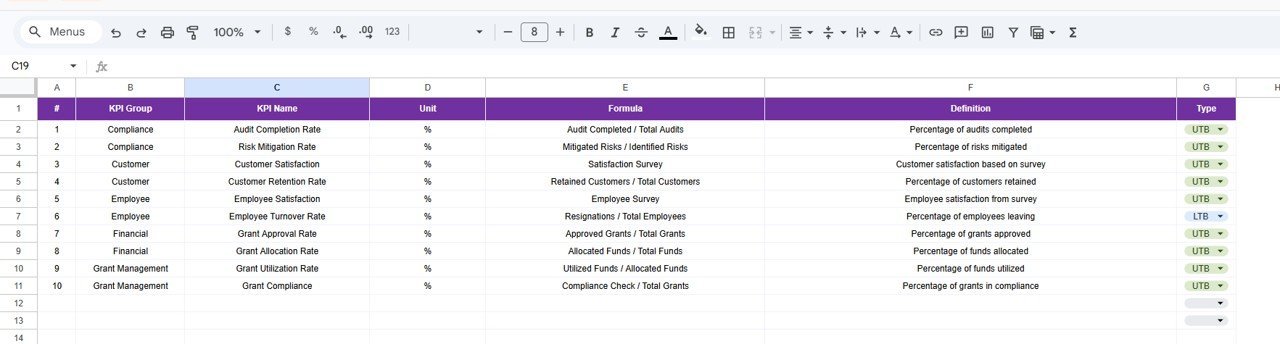
📋 KPI Definition Registry — The KPI Definition sheet serves as a central reference for all tracked metrics. Enter each KPI’s Name, Group, Unit, Formula, Definition, and Type (LTB or UTB) in one place. This drives the KPI Trend sheet’s descriptive fields automatically.
🔄 Automatic Conditional Formatting — Up/down arrows with color coding appear next to every MTD and YTD comparison, making it easy to spot which KPIs are ahead of target and which need attention.
This Grant Management KPI Dashboard tracks all critical grant performance indicators — from grant utilization rate and compliance scores to disbursement timelines and fund allocation efficiency — in a single Google Sheets file with zero formulas to build yourself. Explore more Google Sheets KPI Dashboards in our catalog.
📦 What’s Inside the Grant Management KPI Dashboard
📄 6 Worksheets — Dashboard, KPI Trend, Actual Numbers Input, Target Number Input, Previous Year Number, and KPI Definition
📊 MTD + YTD Dual Tracking — Every KPI shows both Month-to-Date and Year-to-Date performance against targets and prior year
📉 Trend Charts — 12-month trend lines for Actual, Target, and Previous Year on every KPI
🎯 Conditional Formatting Arrows — Instant visual indicators for Target vs. Actual and PY vs. Actual comparisons
🔽 Month Selector Dropdown — One click on cell D3 switches the entire dashboard to any month of the year
📝 KPI Registry — Central definition sheet with Group, Unit, Formula, Type (LTB/UTB), and Description for every metric
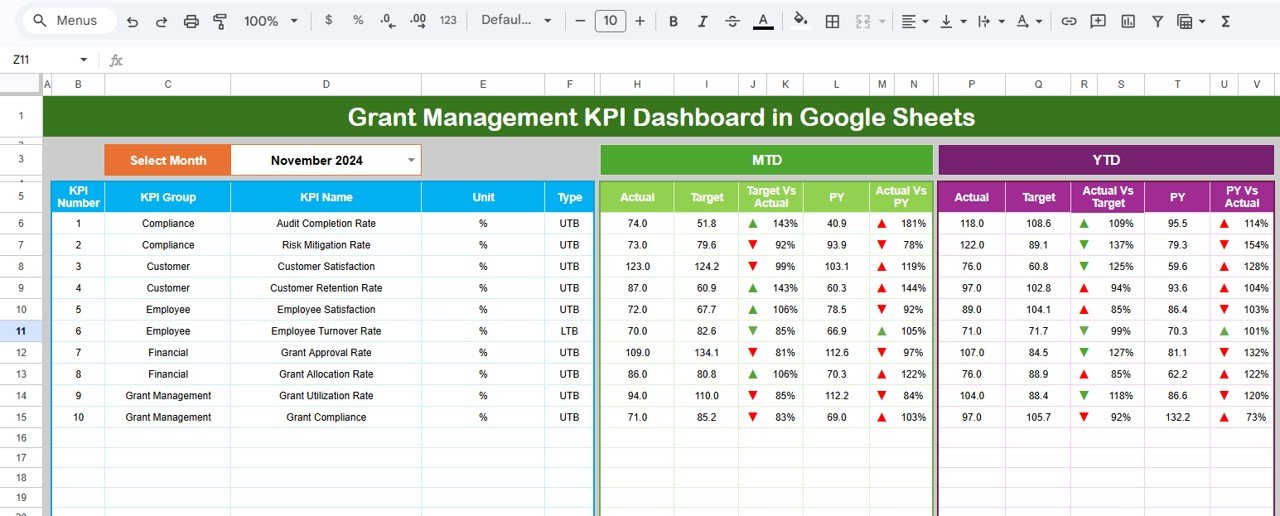
Grant Management KPI Dashboard in Google Sheets
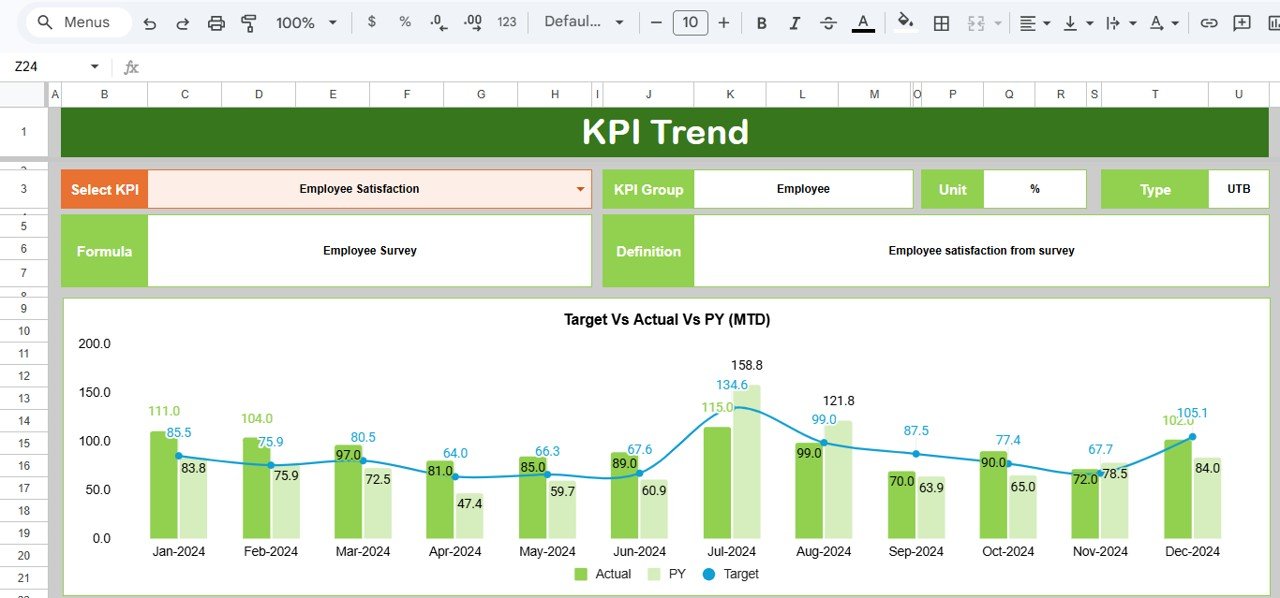
KPI Trend Sheet
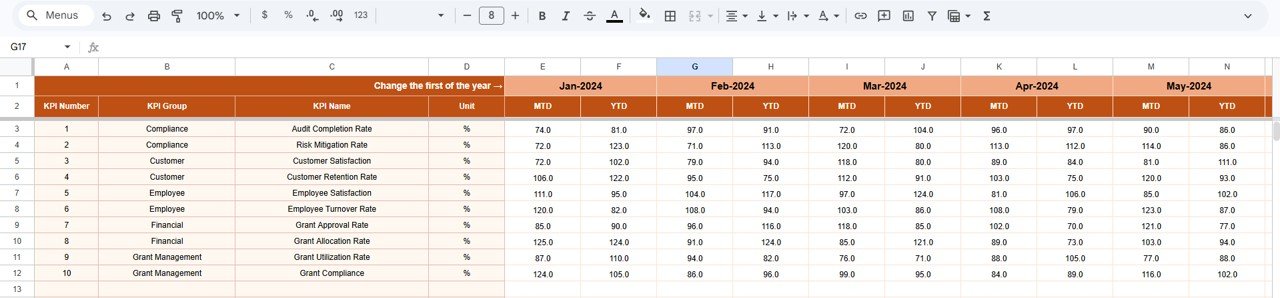
Actual Numbers Input sheet
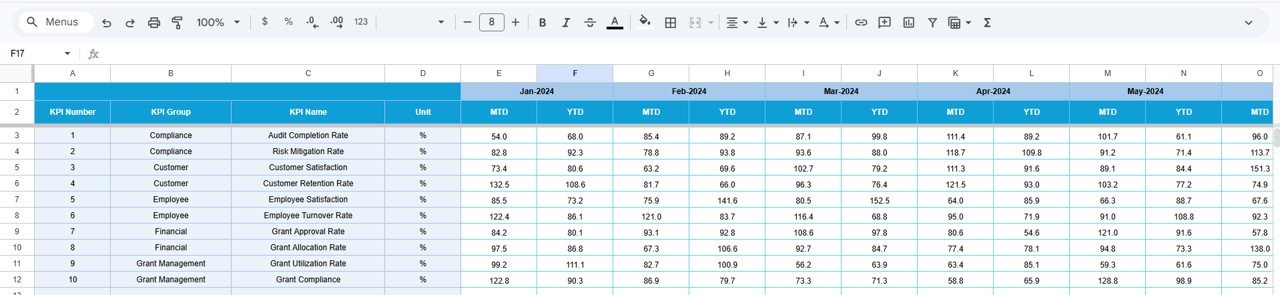
Target Number Input sheet
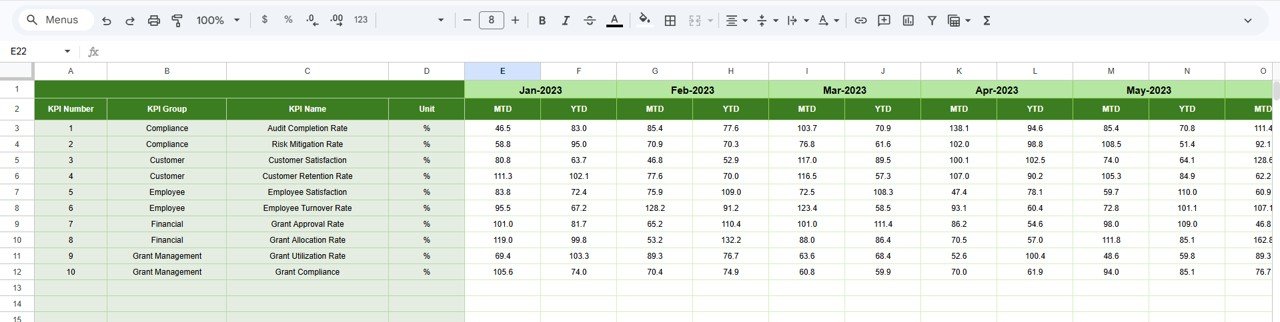
Previous Year Number Input sheet
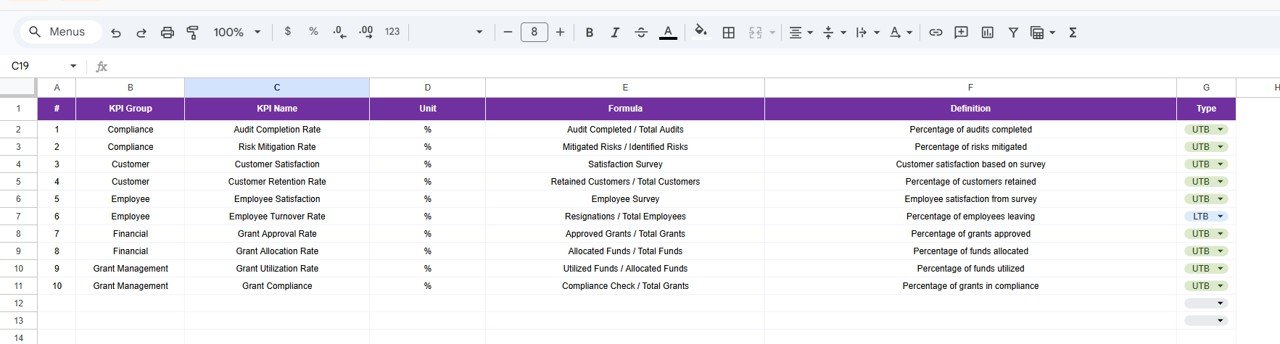
KPI Definition sheet
📊 Grant Management KPI Dashboard vs. Microsoft Excel Dashboard vs. Fluxx / Submittable — Where This Fits
| Feature | Grant Management KPI Dashboard (Google Sheets) | Microsoft Excel Grant Dashboard | Fluxx / Submittable / SmartSimple |
|---|---|---|---|
| Cost | $8.99 one-time | $14.99–$17.99 one-time | $5,000–$50,000+/year |
| Platform | Google Sheets (free) | Microsoft Excel (license needed) | Cloud SaaS |
| Setup Time | Under 10 minutes | 10–15 minutes | 4–12 weeks onboarding |
| Real-Time Team Collaboration | ✅ Built-in (Google Sheets) | ❌ File sharing only | ✅ Yes |
| Mobile Access | ✅ Google Sheets app | Limited | ✅ Yes |
| Customizable KPIs | ✅ Add/modify any KPI | ✅ Modify formulas | Limited to built-in reports |
| Share with Link | ✅ One click | ❌ Email attachment | ✅ Dashboard sharing |
| Year-1 Cost (5 users) | $8.99 total | $14.99–$17.99 total | $5,000–$50,000+ |
| Prior Year Comparison | ✅ Built-in PY tracking | ✅ Manual setup | ✅ Automated |
For grant-funded teams that want KPI tracking without paying $5,000+/year for grant management SaaS, the Grant Management KPI Dashboard sits in the sweet spot.
👥 Who This Template Is For — and Who It’s Not For
✅ This template is built for:
- Grant managers at nonprofits and NGOs (5–200 staff) tracking fund utilization, compliance, and disbursement KPIs
- Program officers reporting grant performance to funders, boards, and government agencies quarterly
- Foundation staff monitoring grantee outcomes and comparing actual vs. targeted milestones
- Freelance grant consultants delivering monthly performance scorecards to multiple nonprofit clients
❌ This template is NOT for:
- Large foundations needing integrated applicant portals with automated grant lifecycle management (consider Fluxx or SmartSimple)
- Organizations requiring SOC 2 compliance and audit-trail logs on grant data entry
- Teams that need automated payment disbursement workflows tied to milestone approvals
⚙️ How to Use the Grant Management KPI Dashboard
Step 1: Open the Google Sheets link from the PDF guide to create your own editable copy in Google Drive.
Step 2: Go to the KPI Definition sheet and enter your grant management KPIs — Name, Group, Unit, Formula, Definition, and Type (LTB or UTB).
Step 3: Enter your target numbers for each KPI on the Target Number Input sheet for every month (MTD and YTD).
Step 4: Enter your previous year numbers on the Previous Year Number sheet in the same format.
Step 5: Input your actual performance data on the Actual Numbers Input sheet each month.
Step 6: Go to the Dashboard sheet, select a month from the dropdown at D3, and review all KPIs with automatic Target vs. Actual and PY vs. Actual comparisons.
Step 7: Use the KPI Trend sheet to drill into individual KPI performance with 12-month trend charts.Grant Management KPI Dashboard in Google Sheets
💼 Real-World Use Cases
Anika manages grants at a 40-person education nonprofit in Nairobi. She uses the Grant Management KPI Dashboard to track 12 grant KPIs including fund utilization rate, compliance score, beneficiary reach, and disbursement timing across 6 active grants. The MTD vs Target comparison lets her flag underperforming programs in weekly staff meetings — without paying $8,000/year for Fluxx analytics.Grant Management KPI Dashboard in Google Sheets
Carlos is a program officer at a community foundation in Denver. He tracks grant outcomes for 15 grantees using the KPI Trend sheet. The 12-month trend charts help him identify which organizations consistently meet milestones and which need capacity-building support — visual proof his board needs before approving renewals.
Priya consults for three small nonprofits as a freelance grant strategist in Mumbai. She duplicates the dashboard for each client, entering their specific KPIs and targets. The Previous Year comparison lets her show clients exactly where their grant performance has improved — without building custom reports from scratch each quarter.
❓ Frequently Asked Questions
What KPIs does the Grant Management KPI Dashboard track?
The Grant Management KPI Dashboard tracks any grant metric you define — fund utilization rate, compliance scores, disbursement timelines, beneficiary outcomes, grant success rate, and more. You add your own KPIs in the KPI Definition sheet with full descriptions and formulas.
How long does setup take for this grant dashboard?
Setup takes under 10 minutes. Copy the Google Sheets file to your Drive, enter your KPI definitions, add target and actual numbers, and the Dashboard sheet displays all comparisons automatically with conditional formatting arrows.
Can I track both MTD and YTD grant performance?
Yes. Every KPI in the Grant Management KPI Dashboard shows both Month-to-Date and Year-to-Date numbers for Actual, Target, and Previous Year — with automatic variance calculations and directional arrows.Grant Management KPI Dashboard in Google Sheets
How does this compare to Fluxx or Submittable?
The Grant Management KPI Dashboard costs $8.99 one-time versus $5,000–$50,000+/year for Fluxx or Submittable. It covers KPI tracking and reporting but does not include applicant portals, automated workflows, or payment processing that enterprise grant platforms provide.Grant Management KPI Dashboard in Google Sheets
Can multiple team members edit this dashboard at the same time?
Yes. Google Sheets supports real-time collaboration — your entire grants team can view and edit the dashboard simultaneously from any device with a browser or the Google Sheets mobile app.Grant Management KPI Dashboard in Google Sheets
Does this template work on Mac and mobile devices?
Yes. The Grant Management KPI Dashboard runs entirely in Google Sheets, which works on Windows, Mac, Chromebook, iOS, and Android. No desktop software installation needed.
Can I customize the KPIs in this dashboard?
The KPI Definition sheet lets you add, remove, or modify any KPI. Enter the name, group, unit of measurement, formula, description, and whether the KPI is Lower the Better (LTB) or Upper the Better (UTB).
👤 About the Author
Built by PK — Microsoft Certified Professional with 15+ years of Excel, Google Sheets, and Power BI experience. Founder of NextGenTemplates, reaching 300K+ subscribers across YouTube channels (@PK-AnExcelExpert, @NextGenTemplates, @NeoTechNavigators). Every template is hand-built and tested before release.
🔗 Explore Related Templates
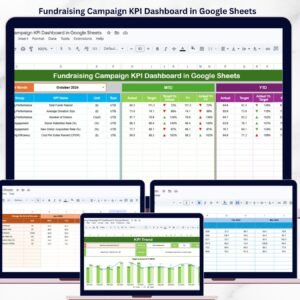
📊 Fundraising Campaign KPI Dashboard in Google Sheets — Tracks fundraising KPIs with the same MTD/YTD structure and conditional formatting.Grant Management KPI Dashboard in Google Sheets
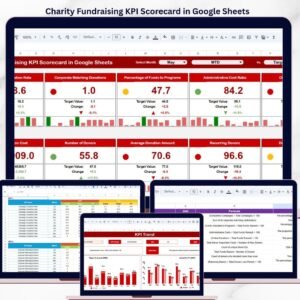
📊 Charity Fundraising KPI Scorecard in Google Sheets — A traffic-light scorecard format for quick fundraising performance reviews.
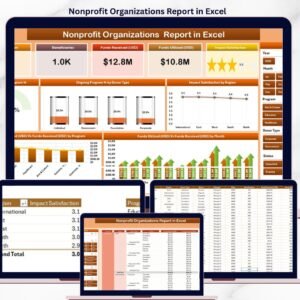
📊 Nonprofit Organizations Report in Excel — Track 5 KPIs across donors, programs, and impact in Excel format.
🔗 Browse all Google Sheets KPI Dashboard TemplatesGrant Management KPI Dashboard in Google Sheets
📖 Click here to read the Detailed Blog Post
🎥 Visit our YouTube channel for step-by-step video tutorials
👉 YouTube.com/@NextGenTemplates