

Managing performance in space exploration is not simple. Missions involve complex engineering, massive investments, strict timelines, and high-risk scientific objectives. Whether tracking satellite launches, research milestones, or operational efficiency, organizations must monitor performance accurately to ensure mission success.
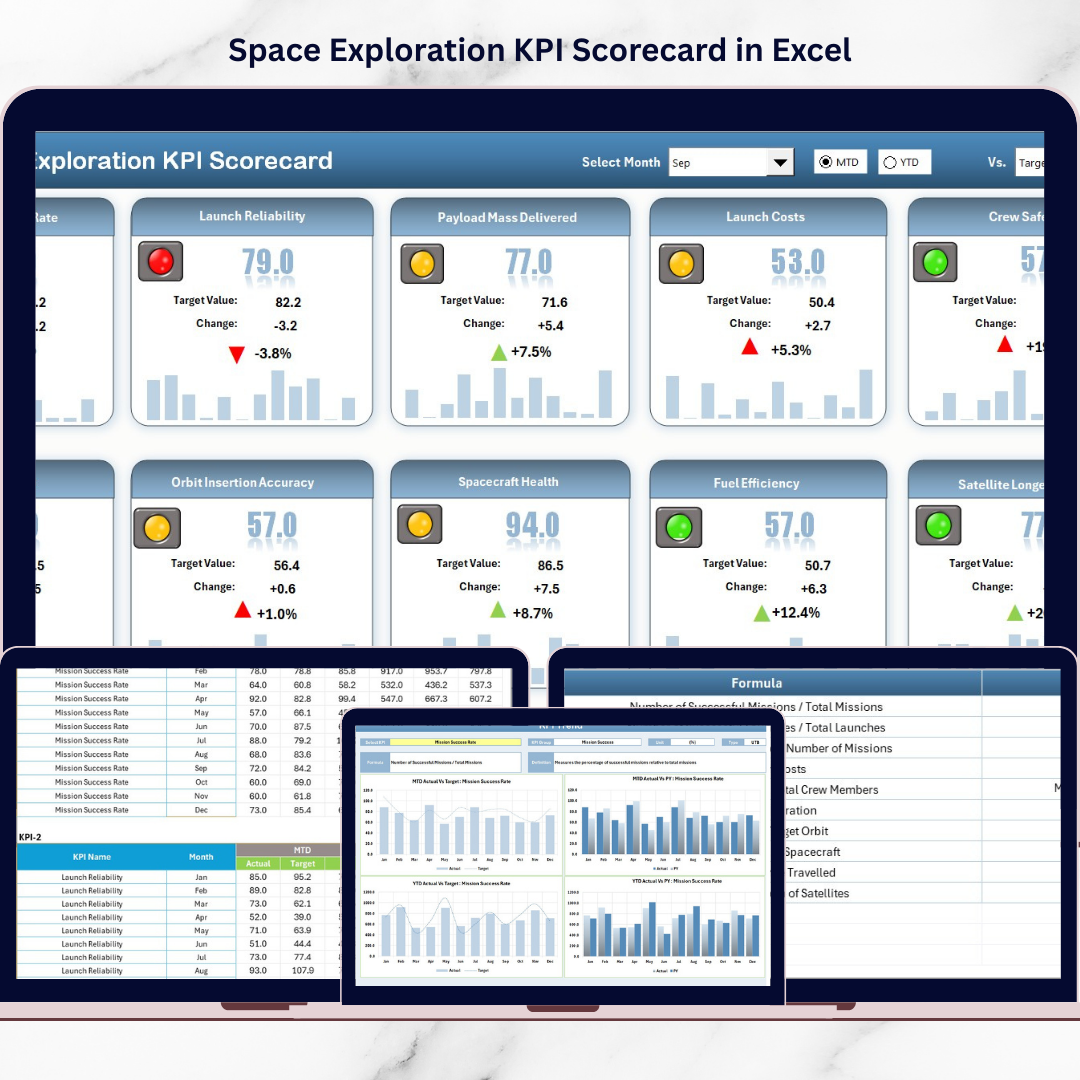
The Space Exploration KPI Scorecard in Excel is a powerful and structured performance tracking solution designed to help space agencies, aerospace companies, and research organizations monitor mission KPIs efficiently — without investing in complex software systems.
Instead of reviewing fragmented reports and manual spreadsheets, this ready-to-use Excel scorecard centralizes all performance metrics into one interactive dashboard. With automated comparisons, trend analysis, and visual performance indicators, decision-makers gain instant clarity on mission progress and operational performance.
Built using a familiar Excel environment, the scorecard allows teams to implement advanced performance monitoring quickly while maintaining flexibility and customization.
Whether you manage spacecraft development, scientific research programs, or operational missions, this KPI scorecard helps transform raw data into meaningful insights.
🚀 Key Features of Space Exploration KPI Scorecard in Excel
✅ Centralized KPI monitoring dashboard
📅 Month selection with automatic updates
📊 MTD & YTD performance tracking
🎯 Actual vs Target comparison indicators
🟢 Visual color-coded performance status
📈 Dynamic KPI trend analysis charts
📘 KPI definition and formula documentation
⚡ Automated calculations to reduce manual effort
🔧 Flexible KPI customization for different missions
These features enable teams to quickly identify performance gaps and take corrective action before risks escalate.
📦 What’s Inside the Space Exploration KPI Scorecard in Excel
This professionally designed template includes four structured worksheets:
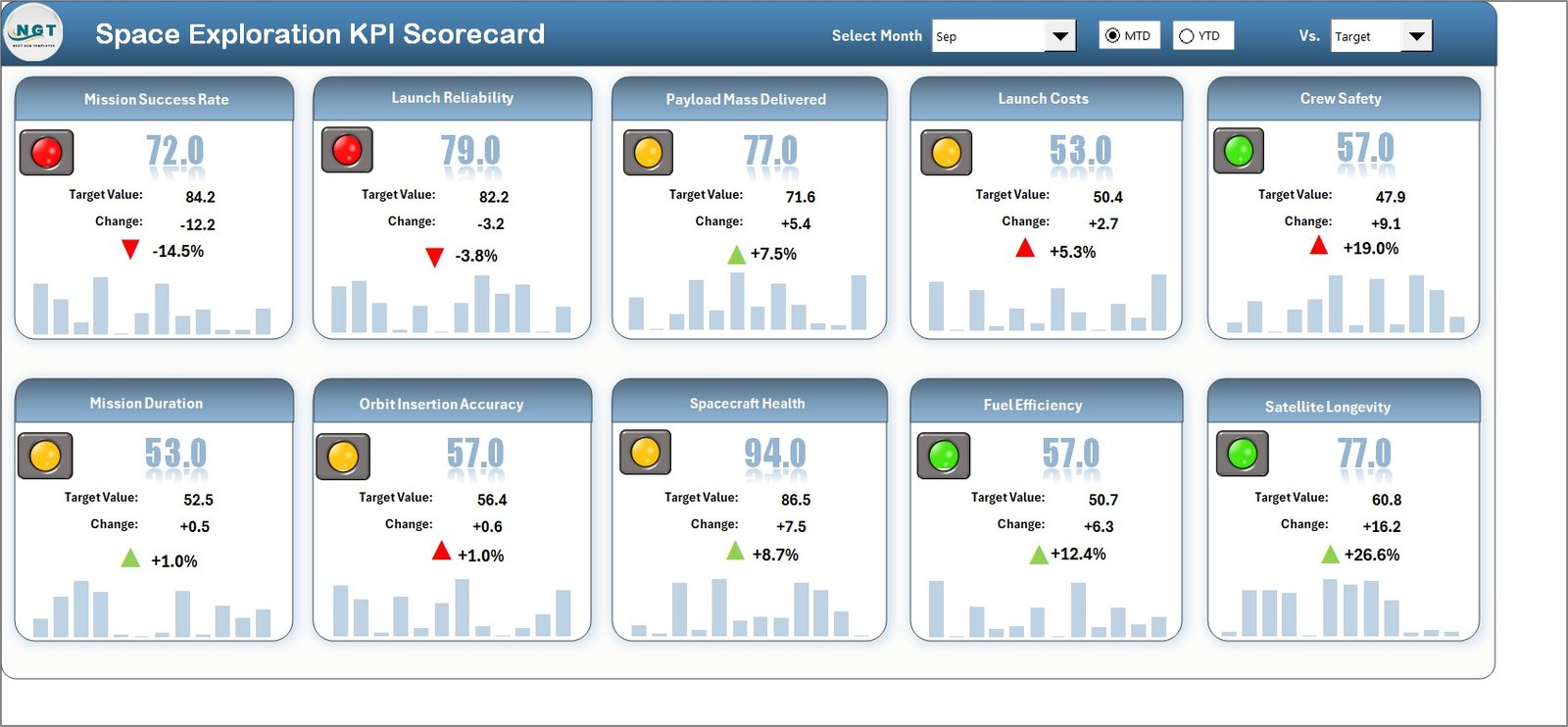
📊 Scorecard Sheet — Main dashboard displaying KPI summaries, MTD/YTD performance, and visual indicators showing target achievement status.
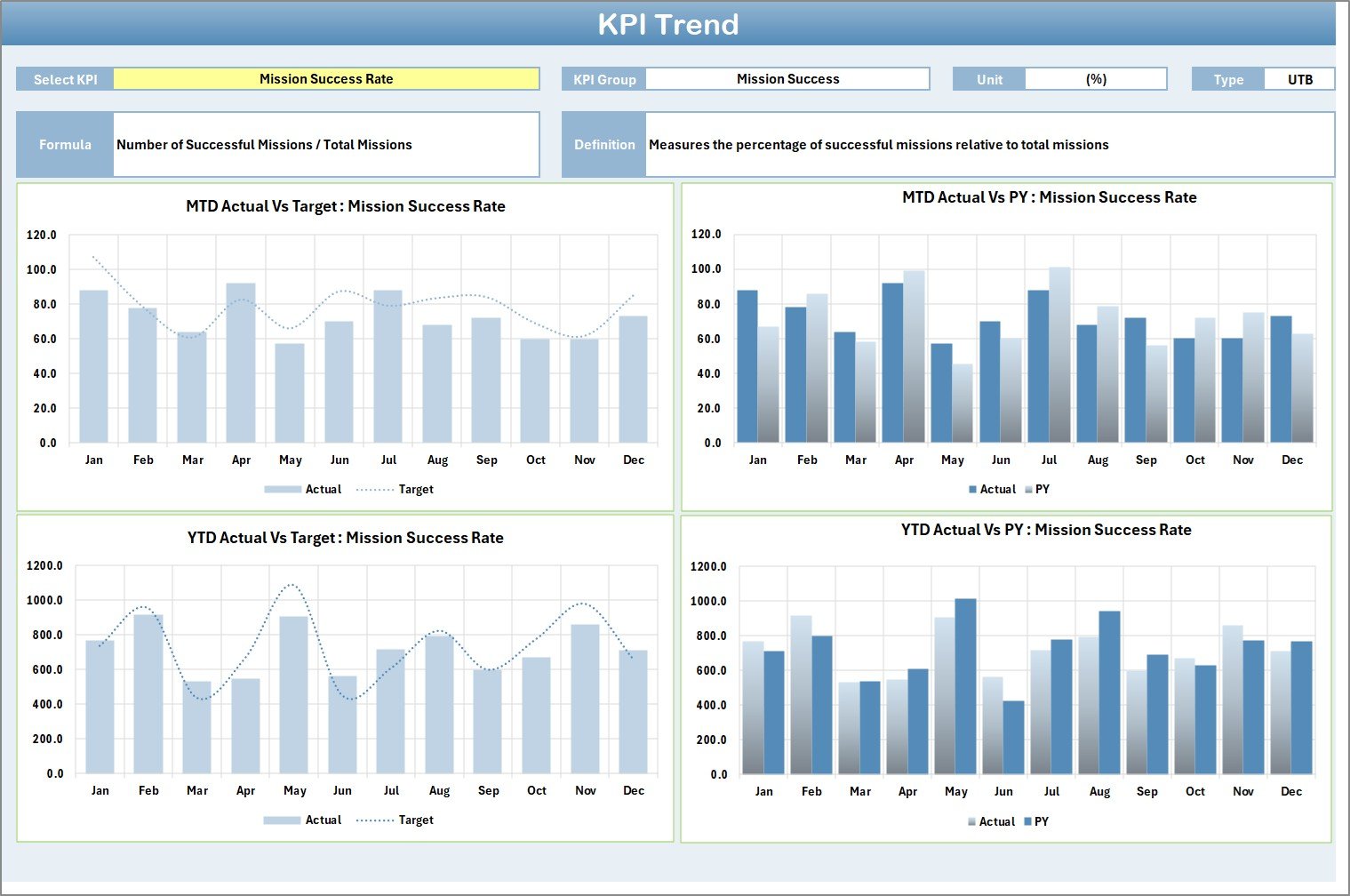
📈 KPI Trend Sheet — Select any KPI using a dropdown and instantly analyze performance trends with MTD and YTD charts comparing Actual, Target, and Previous Year results.
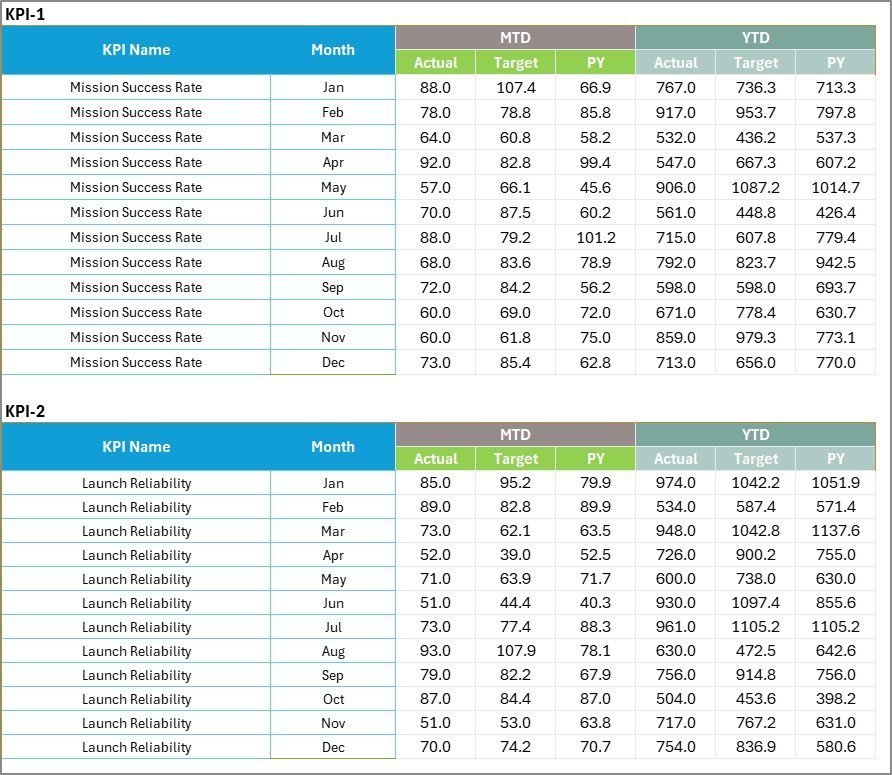
🧾 Input Data Sheet — Central data entry hub where users record actual performance and target values to keep reporting updated.
📘 KPI Definition Sheet — Documentation center containing KPI names, groups, formulas, units, and definitions to ensure reporting consistency.
Together, these sheets create a complete performance monitoring ecosystem.
🛠️ How to Use the Space Exploration KPI Scorecard in Excel
The scorecard is designed for simplicity and quick adoption:
1️⃣ Define mission KPIs in the KPI Definition sheet
2️⃣ Enter performance targets for each KPI
3️⃣ Update actual results regularly
4️⃣ Select reporting month from dropdown menus
5️⃣ Review MTD and YTD comparisons automatically
6️⃣ Analyze trends using KPI Trend charts
The dashboard updates automatically, eliminating time-consuming manual calculations.
👥 Who Can Benefit from This Space Exploration KPI Scorecard in Excel
This solution supports multiple roles across aerospace and research environments:
🛰️ Space Agencies monitoring mission outcomes
🚀 Aerospace Companies managing engineering performance
🔬 Research Institutions tracking scientific progress
👨💻 Engineering Teams measuring system reliability
📊 Mission Managers evaluating operational efficiency
📈 Executives making strategic investment decisions
Because the system is easy to use, both technical specialists and leadership teams benefit equally.
By converting complex mission data into structured performance insights, organizations improve transparency, accountability, and strategic planning. Instead of reacting to problems late, teams can proactively monitor progress and optimize mission execution.
The Space Exploration KPI Scorecard in Excel empowers organizations to enhance operational efficiency, minimize risks, and achieve ambitious space exploration goals using data-driven performance management.
### Click here to read the Detailed blog post
Visit our YouTube channel to learn step-by-step video tutorials
👉 https://youtube.com/@PKAnExcelExpert