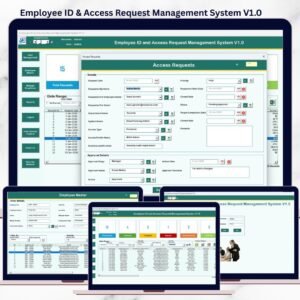
Managing employee leave applications manually can quickly become complicated. Paper forms, emails, and scattered spreadsheets often lead to approval delays, missing records, and inaccurate leave balances.
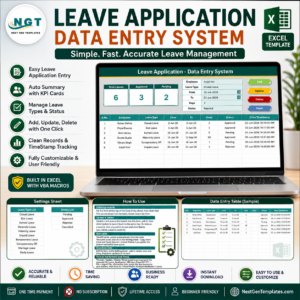
That’s why we created the Leave Application Management System V1.0 — a powerful, ready-to-use Excel VBA automation tool that transforms how organizations manage employee leave.
Instead of investing in costly HR software, you can now manage your entire leave process professionally using Microsoft Excel.
🚀 What Is Leave Application Management System V1.0?
The Leave Application Management System V1.0 is an automated HR management solution built using Microsoft Excel and VBA technology.
It provides a centralized platform where organizations can:
Manage leave applications efficiently
Maintain employee records
Control user access securely
Track leave balances automatically
Generate reports instantly
Because the system runs inside Excel, implementation is immediate — no installation, subscription, or technical setup required.
🔐 Secure Login & Role-Based Access
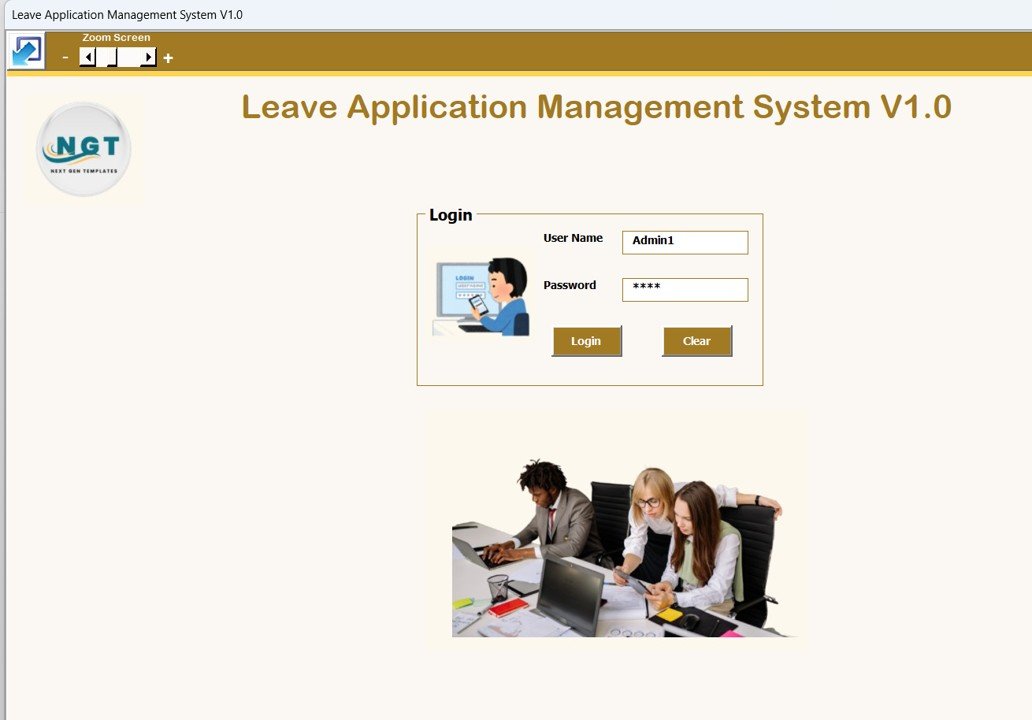
The system starts with a secure login form that ensures only authorized users can access data.
Default Credentials
Admin Role
Username: Admin1
Password: abcd
User Role
Username: User1
Password: abcd
Admins can manage permissions and restrict access based on user roles, improving data security and accountability.
🧾 Central Leave Application Dashboard
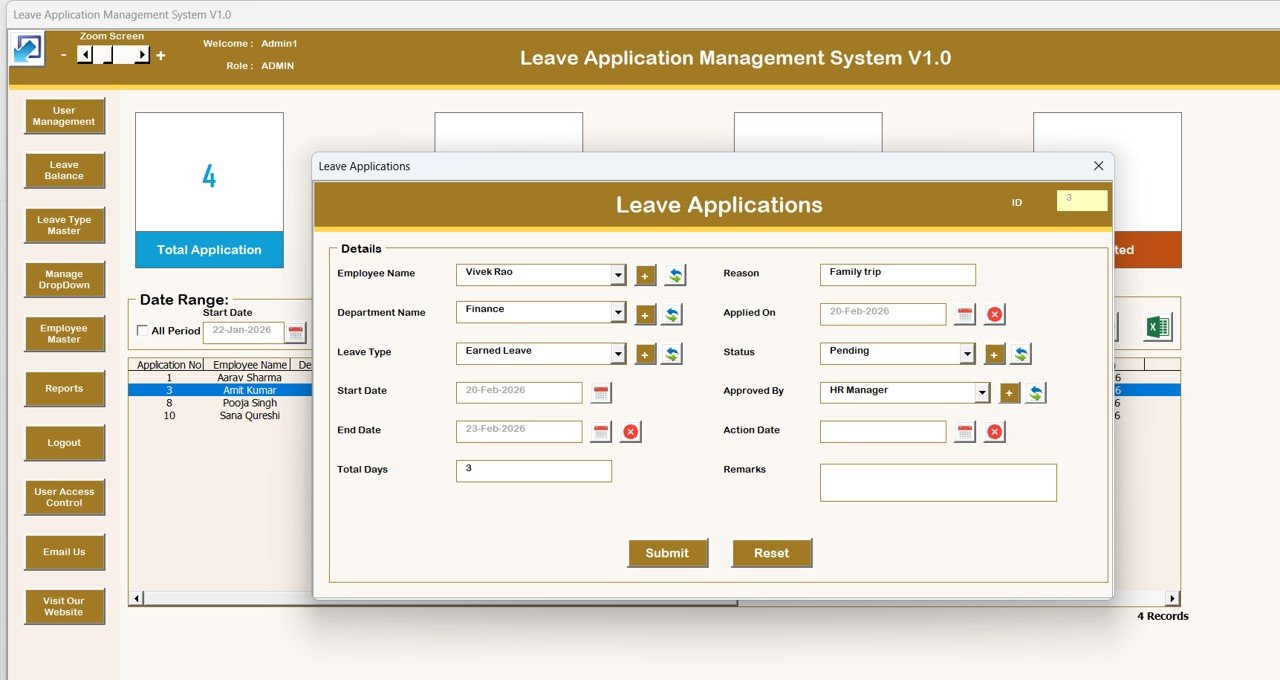
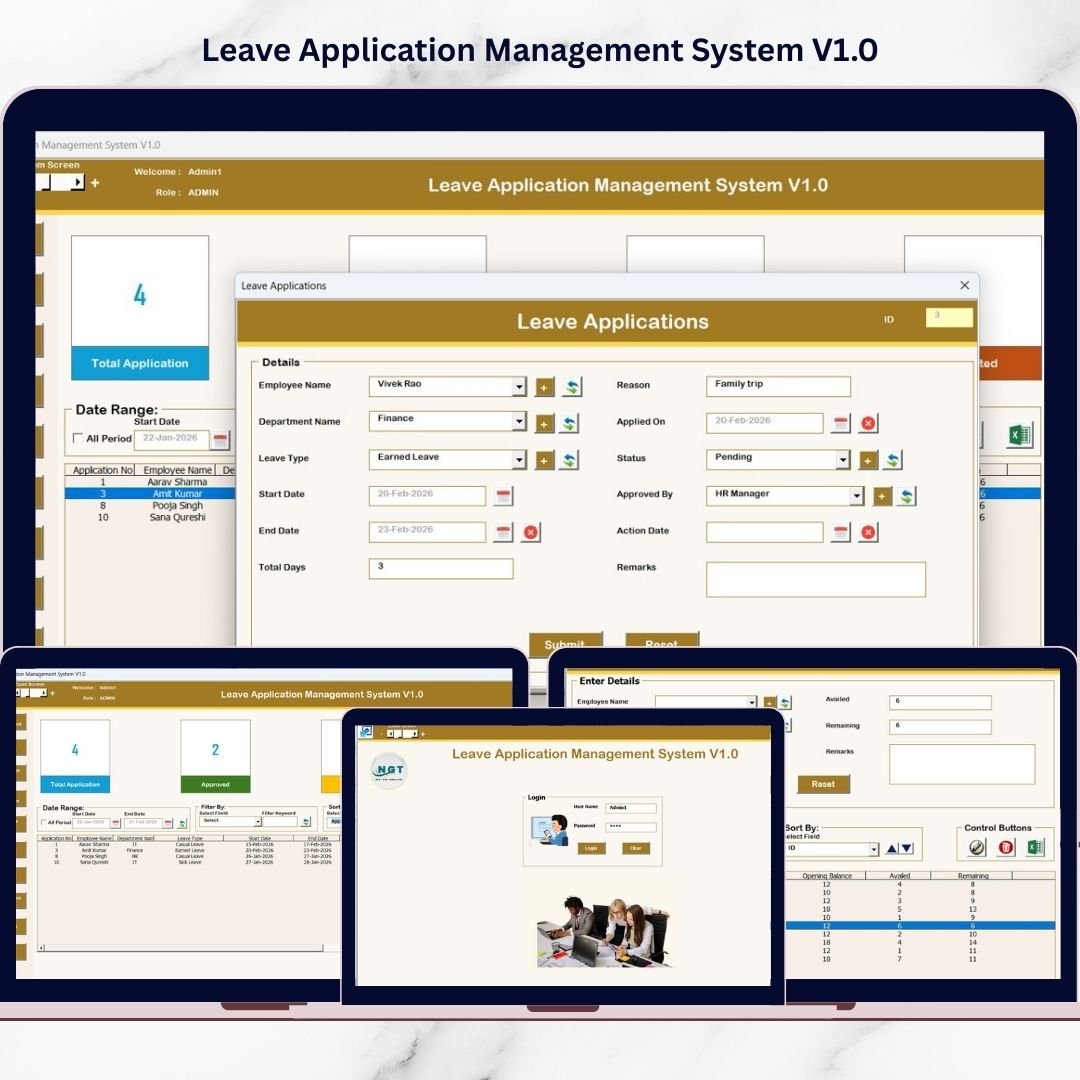
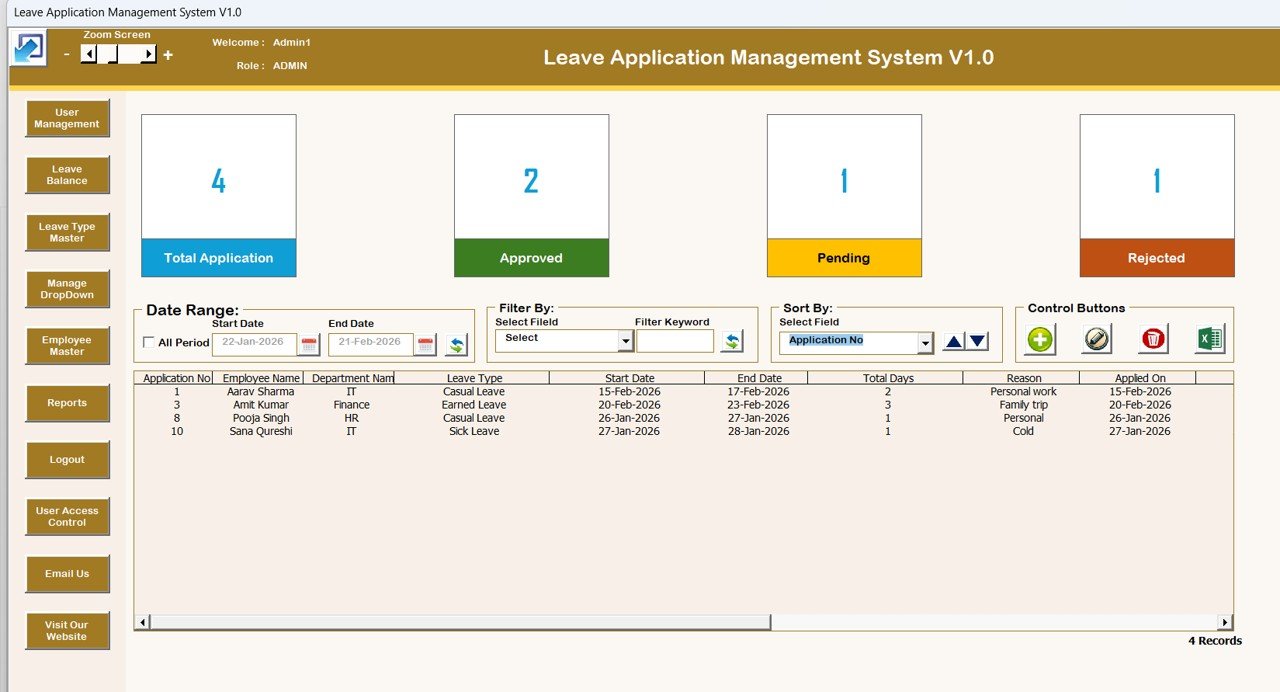
The Main Form acts as the command center for managing all leave activities.
Key Functionalities
✔ Dynamic List Box displaying all leave records
✔ Advanced filtering by date or column
✔ Sorting options for better data organization
✔ Quick navigation across modules
This centralized interface allows HR teams to manage operations efficiently without switching files.
⚙️ Powerful Automation Controls
➕ Add New Record
Create leave applications quickly through an automated form.
✏️ Update Existing Records
Modify records easily using double-click or update button functionality.
🗑 Delete Records
Safely remove unwanted entries.
📤 Export to Excel
Generate shareable Excel reports instantly.
🧭 Advanced Management Modules
The left-side navigation panel provides complete system control:
✅ Firm Information
Maintain company details.
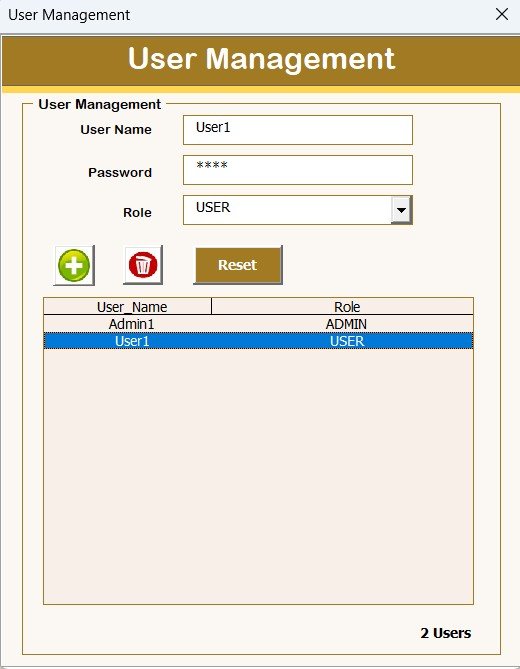
✅ User Management
Add or delete users
Reset passwords
Update credentials
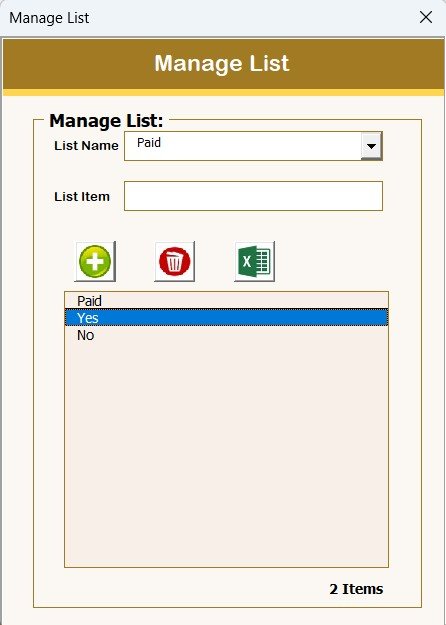
✅ Manage List
Control dropdown lists dynamically.
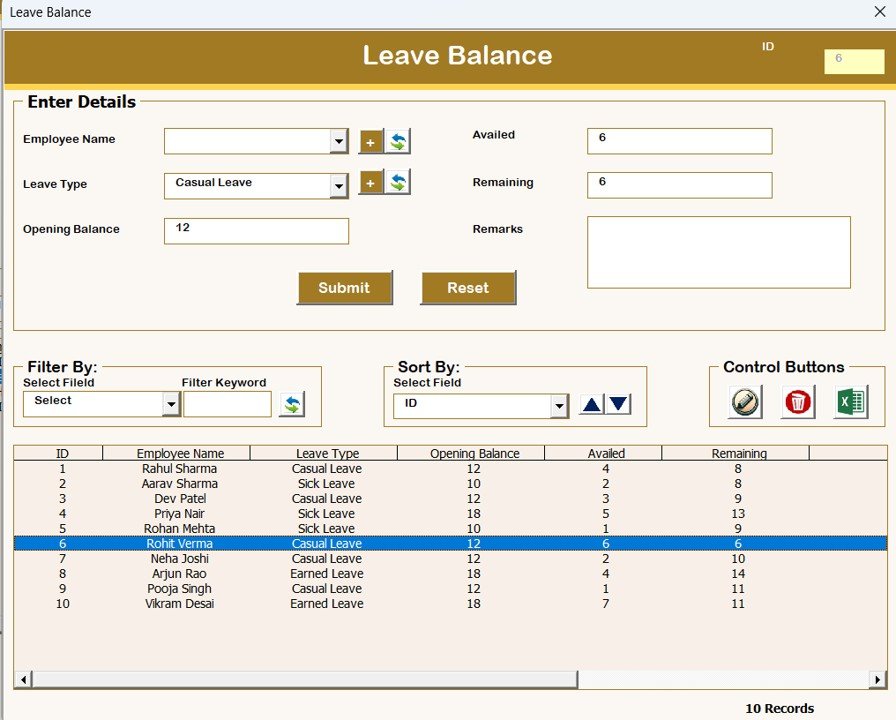
✅ Leave Balance
Track employee leave availability automatically.
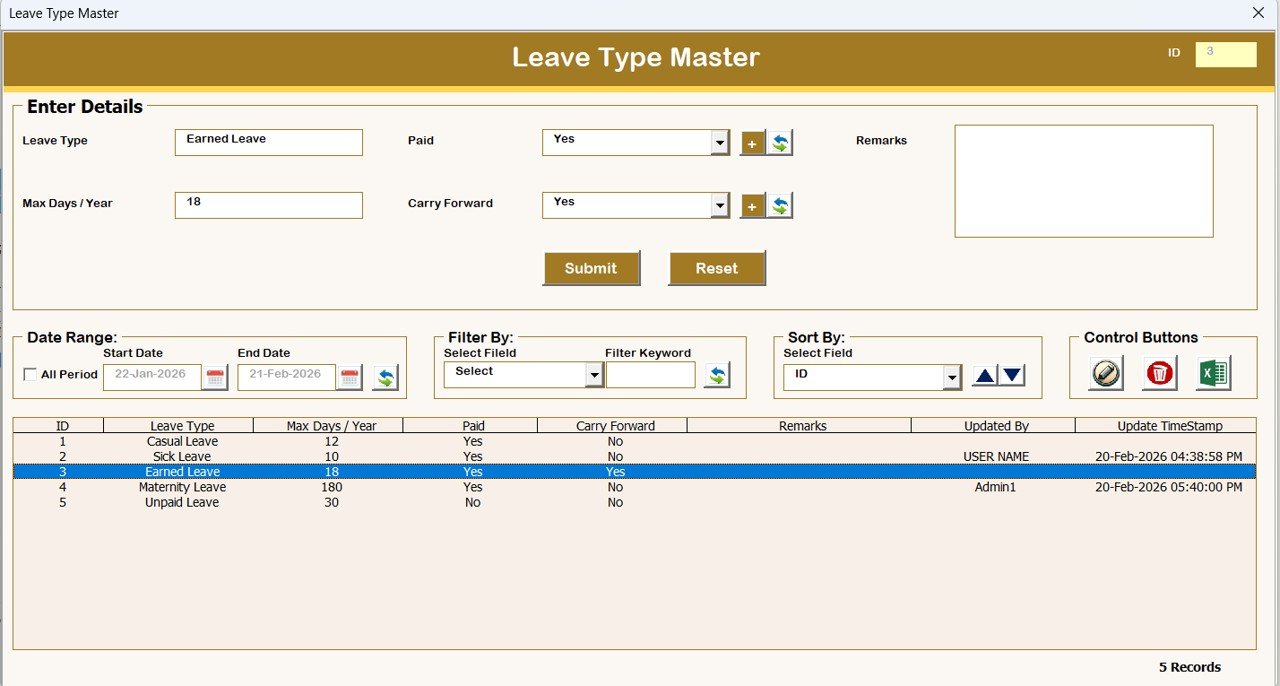
✅ Leave Type Master
Define leave categories such as:
Casual Leave
Sick Leave
Annual Leave
Paid Leave
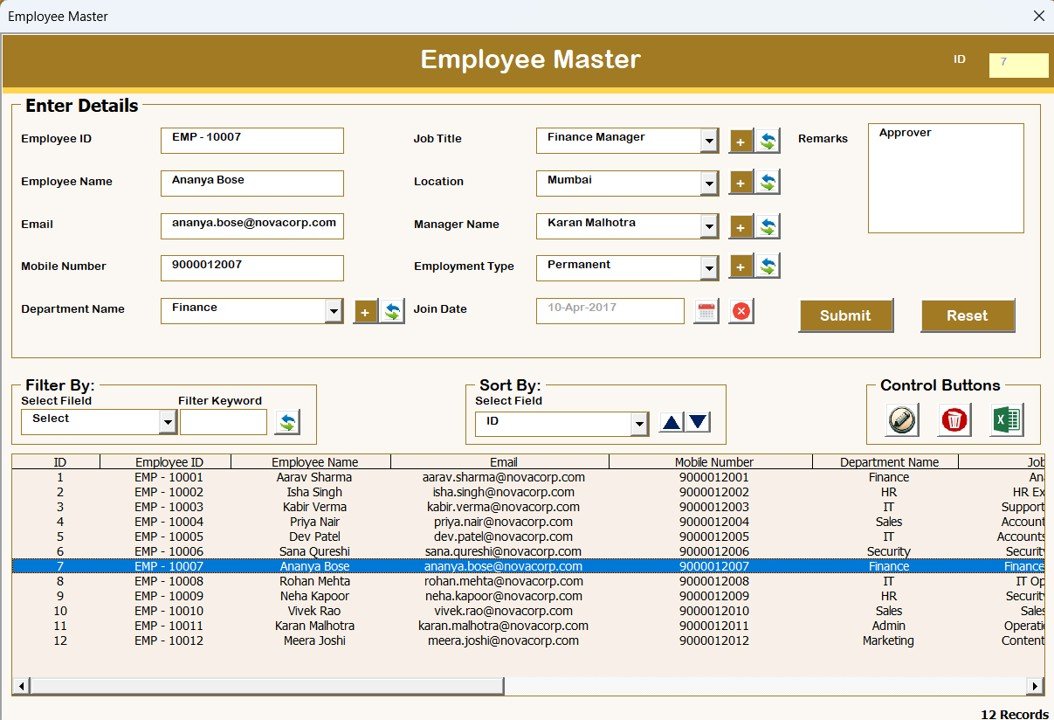
✅ Employee Master
Centralized employee database management.
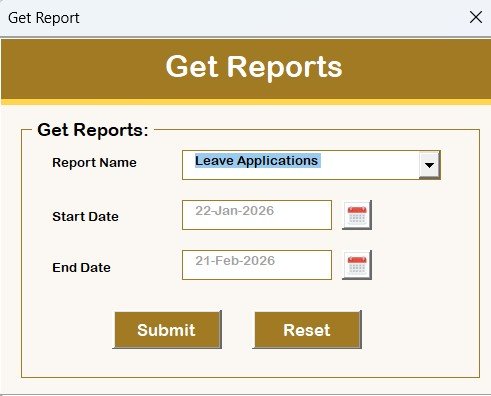
✅ Reports
Export reports based on selected date ranges.
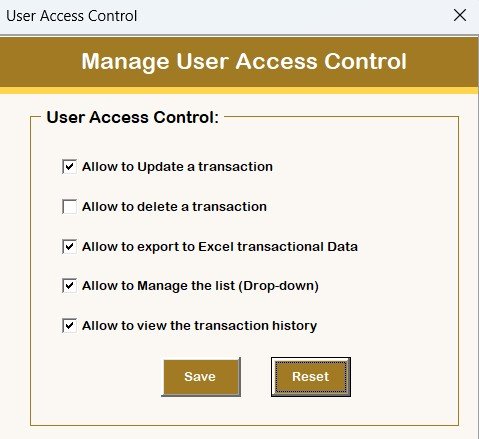
✅ User Access Control
Admin-only feature to assign permissions and manage accessibility.
📊 Key Benefits of This System
✔ Eliminates manual leave tracking
✔ Improves HR efficiency
✔ Centralizes employee data
✔ Reduces approval delays
✔ Enhances reporting accuracy
✔ Provides secure user access
✔ Works inside familiar Excel environment
💼 Who Should Use This Tool?
This system is perfect for:
Small & Medium Businesses (SMEs)
HR Departments
Corporate Offices
Educational Institutions
Clinics & Healthcare Organizations
Service Companies
Startups and Growing Teams
📈 How This Tool Improves Productivity
By automating leave management, organizations can:
Reduce administrative workload
Improve transparency
Maintain accurate records
Generate instant reports
Enhance employee satisfaction
Managers gain better control while HR teams save valuable time.
🖥 System Compatibility (Important)
Please review before purchase:
✅ Windows 10 or above supported
✅ Microsoft Excel 2010 or above required
✅ Works only on Excel Desktop Application
❌ Not supported on Mobile or Tablet
❌ Not compatible with Mac OS
❓ Frequently Asked Questions
Is this cloud software?
No. It runs locally inside Microsoft Excel using VBA automation.
Do I need technical knowledge?
No. The system is fully ready-to-use.
Can I export reports?
Yes, reports can be exported instantly in Excel format.
Can multiple users access the system?
Yes, through role-based login and access control.
🎯 Why Choose This Leave Management System?
Unlike complex HR software, this solution offers:
One-time purchase
No subscription fees
Easy implementation
Professional automation
Excel-based familiarity
It is the ideal balance between simplicity and powerful HR automation.
📥 What You Will Receive (Digital Download)
Fully Automated Excel VBA File
Ready-to-Use Leave Management System
Built-in Forms & Reports
User Access Control Features
Instant Download After Purchase
▶️ Learn How It Works
Visit our YouTube Channel for step-by-step tutorials:
Youtube.com/@PKAnExcelExpert
✅ Start Managing Employee Leave Professionally Today
Upgrade from manual tracking to an automated system and experience faster approvals, better organization, and improved HR efficiency.
Download the Leave Application Management System V1.0 now and simplify your leave management process instantly.
🔗 Click here to read the Detailed blog post
Visit our YouTube channel to learn step-by-step video tutorials