
In today’s asset-driven organizations, maintenance teams must balance equipment reliability with strict cost control. However, many companies still manage maintenance using scattered spreadsheets and manual logs. As a result, managers often struggle to track overdue tasks, technician productivity, and maintenance expenses in one centralized view.
That is exactly why the Maintenance Performance Dashboard in Google Sheets is a must-have solution for modern operations.
This powerful, ready-to-use dashboard gives maintenance managers, plant heads, and operations teams real-time visibility into maintenance activities. Instead of reacting to unexpected breakdowns, your team can proactively monitor performance, control costs, and improve equipment uptime — all within a dynamic Google Sheets environment.
Built for clarity and speed, this dashboard converts raw maintenance data into meaningful, decision-ready insights within minutes.
🚀 Key Feature of Maintenance Performance Dashboard in Google Sheets
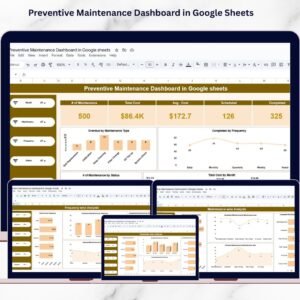
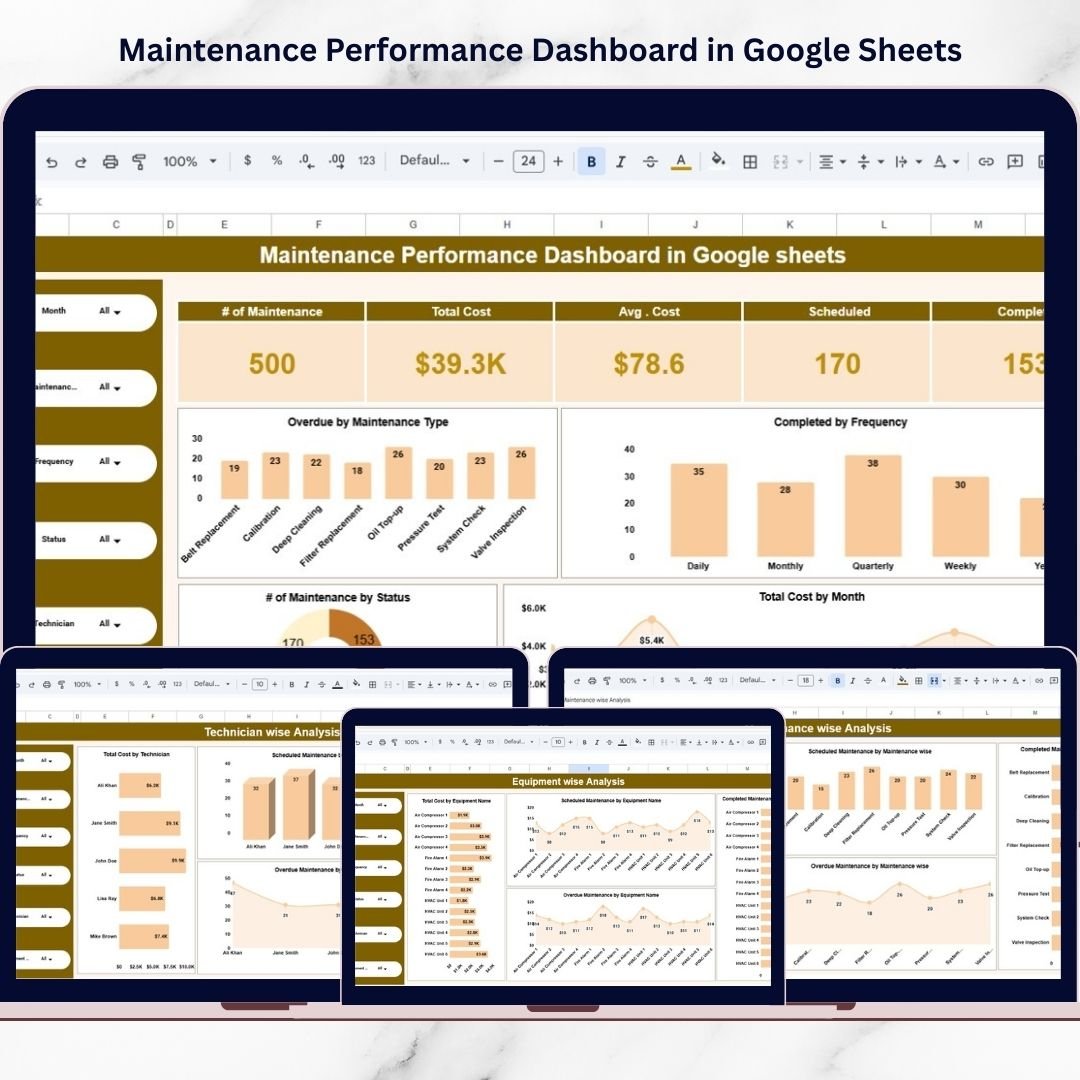
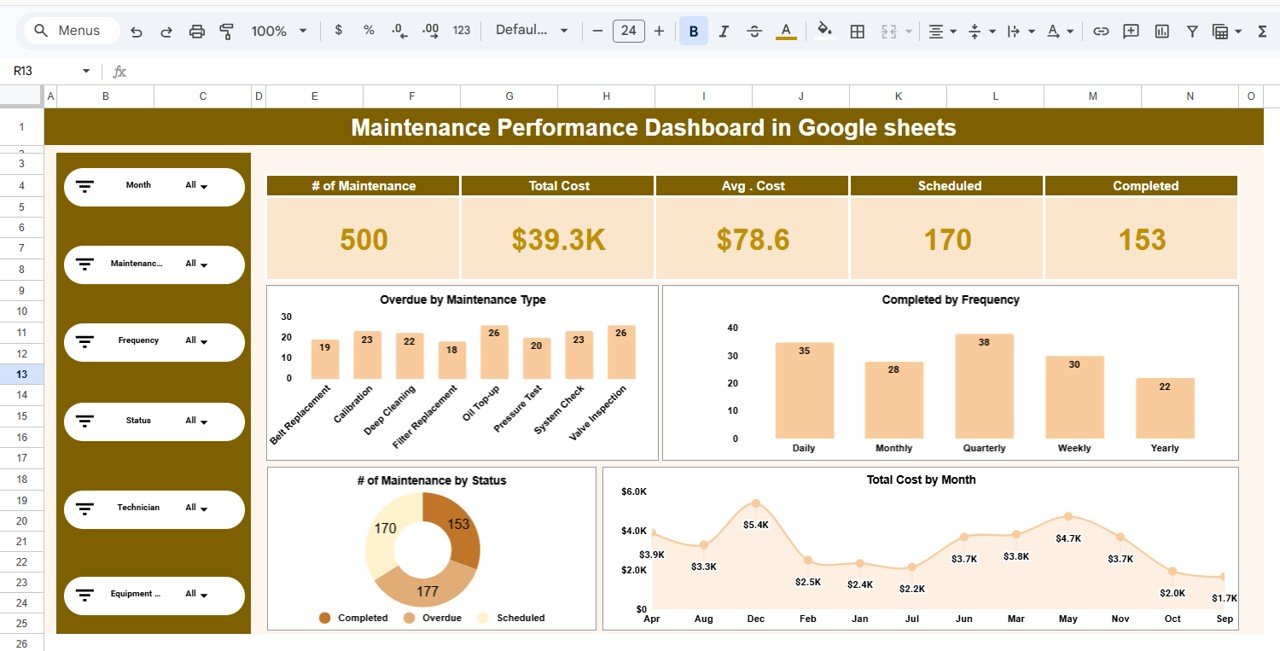
✅ Interactive Filter Panel – Instantly slice data by Month, Maintenance Type, Frequency, Status, Technician, and Equipment.
✅ Executive KPI Cards – Get a quick snapshot of total maintenance, cost, average cost, scheduled, and completed work.
✅ Overdue Task Monitoring – Identify backlog and prevent costly equipment failures.
✅ Multi-Dimensional Analysis – Explore maintenance performance from multiple operational angles.
✅ Technician Productivity Tracking – Monitor workload and efficiency across your team.
✅ Equipment Reliability Insights – Detect high-maintenance assets quickly.
✅ Google Sheets Collaboration Ready – Share and update maintenance data in real time.
Because of these features, maintenance teams gain full operational control without complex CMMS tools.
📦 What’s Inside the Maintenance Performance Dashboard in Google Sheets
This professionally designed solution includes multiple analytical pages that work together seamlessly.
1️⃣ Maintenance Overview – Executive Snapshot
The main dashboard provides a high-level view of maintenance health, including:
Overdue by maintenance type
Completed by frequency
Maintenance status distribution
Monthly cost trends
Executive KPI cards
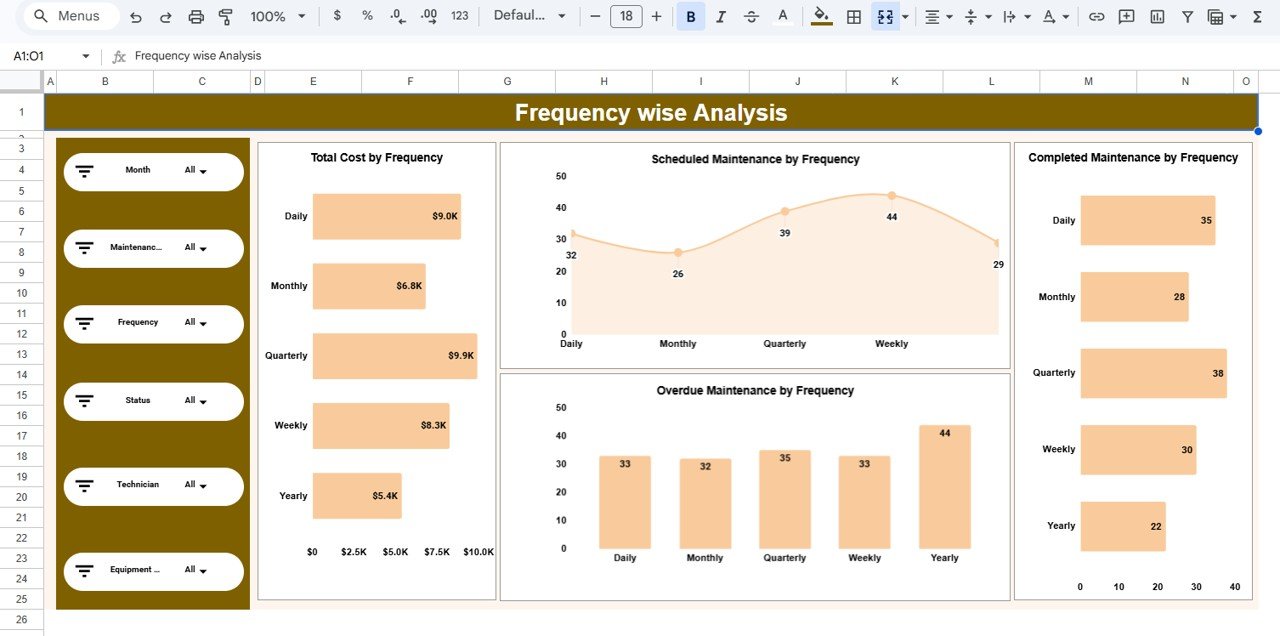
2️⃣ Frequency-wise Analysis – Preventive Insights
Evaluate maintenance patterns based on frequency:
Total cost by frequency
Scheduled maintenance by frequency
Overdue maintenance by frequency
Completed maintenance by frequency
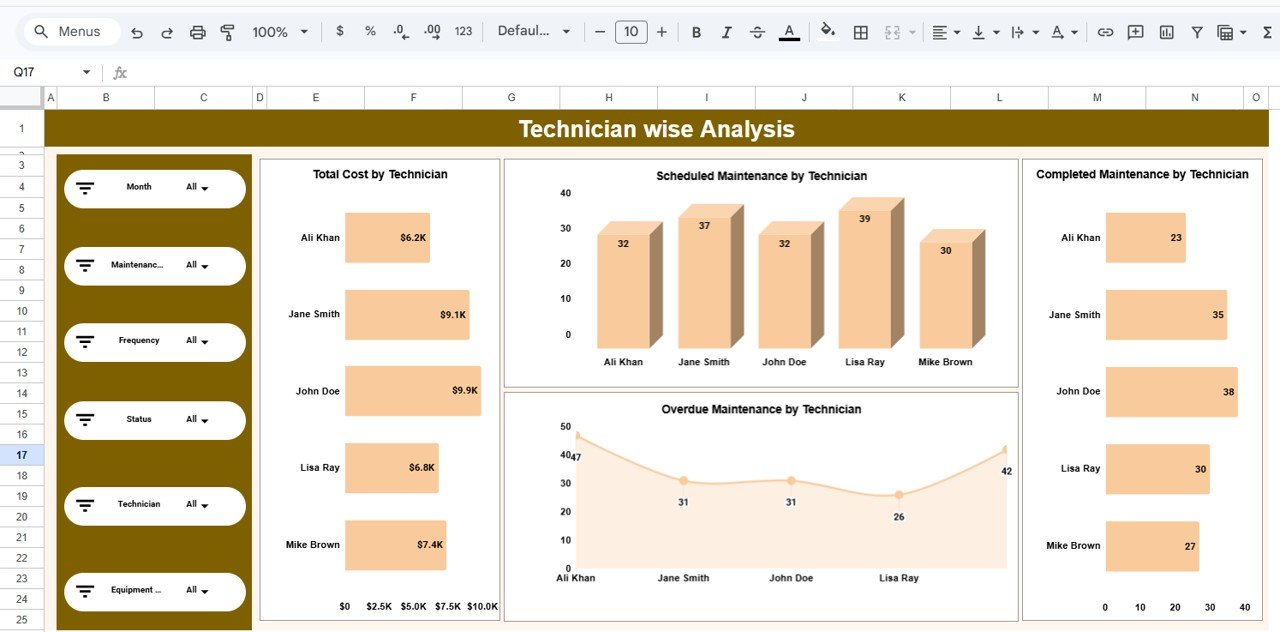
3️⃣ Technician-wise Analysis – Workforce Performance
Monitor technician productivity and workload using:
Total cost by technician
Scheduled maintenance by technician
Overdue tasks by technician
Completed work by technician
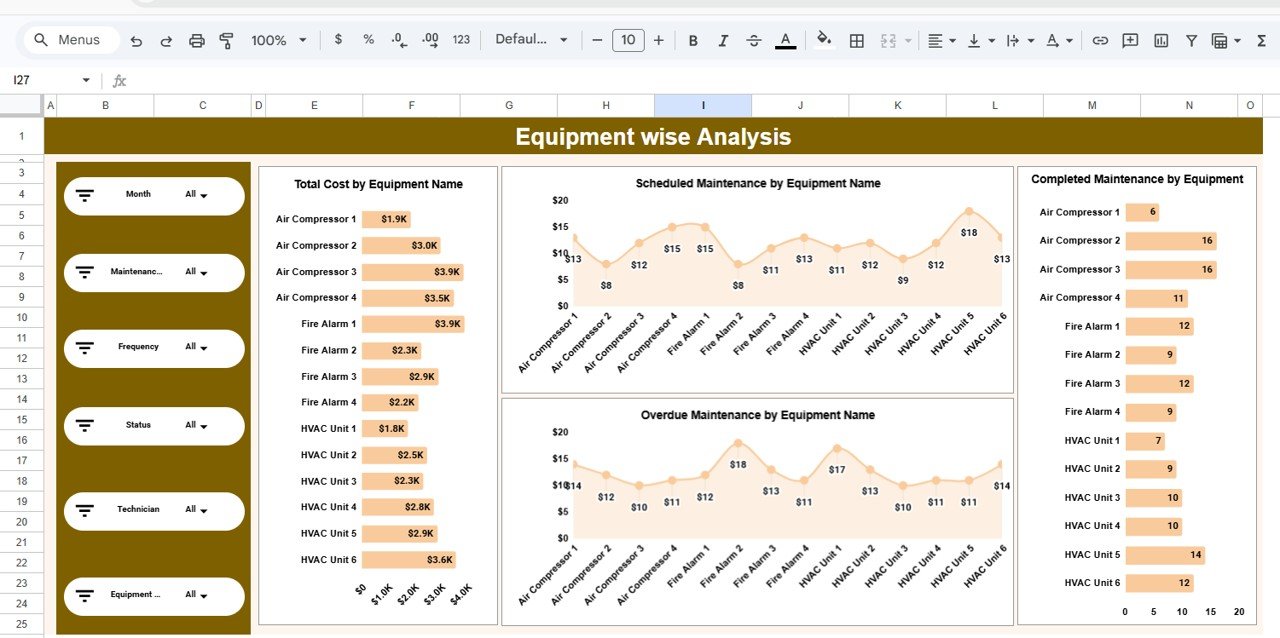
4️⃣ Equipment-wise Analysis – Asset Intelligence
Identify high-risk and high-cost assets with:
Total cost by equipment
Scheduled maintenance by equipment
Overdue maintenance by equipment
Completed maintenance by equipment
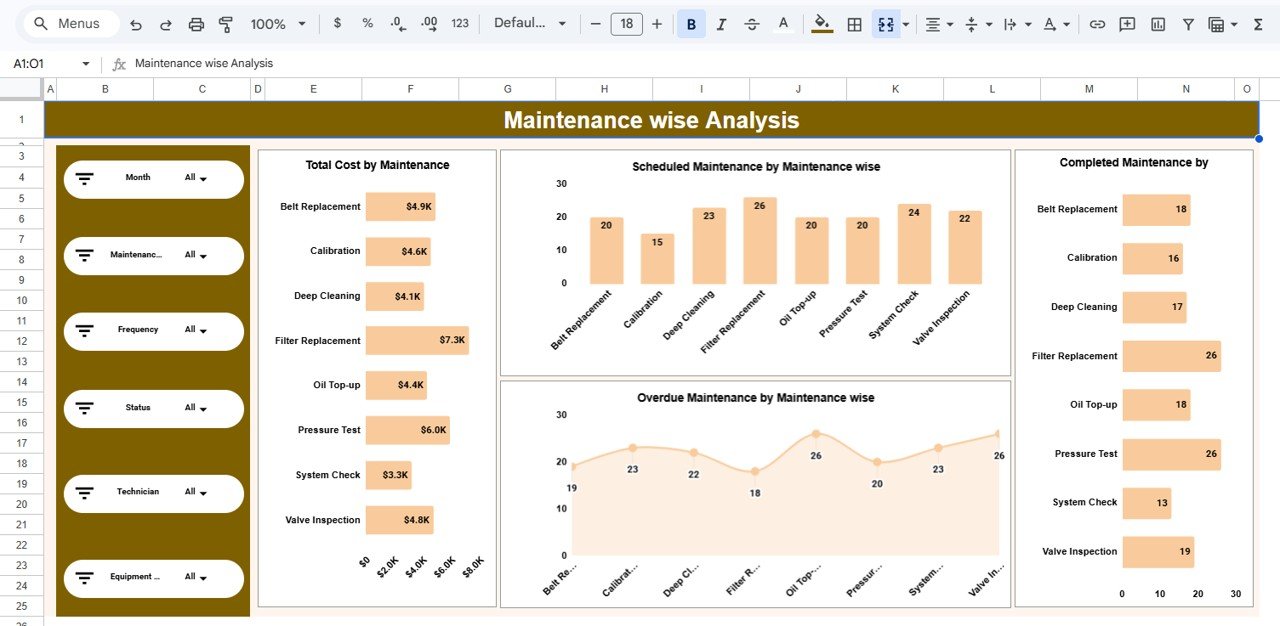
5️⃣ Maintenance-wise Analysis – Activity Breakdown
Understand performance by maintenance type through:
Cost by maintenance type
Scheduled distribution
Overdue trends
Completion comparison
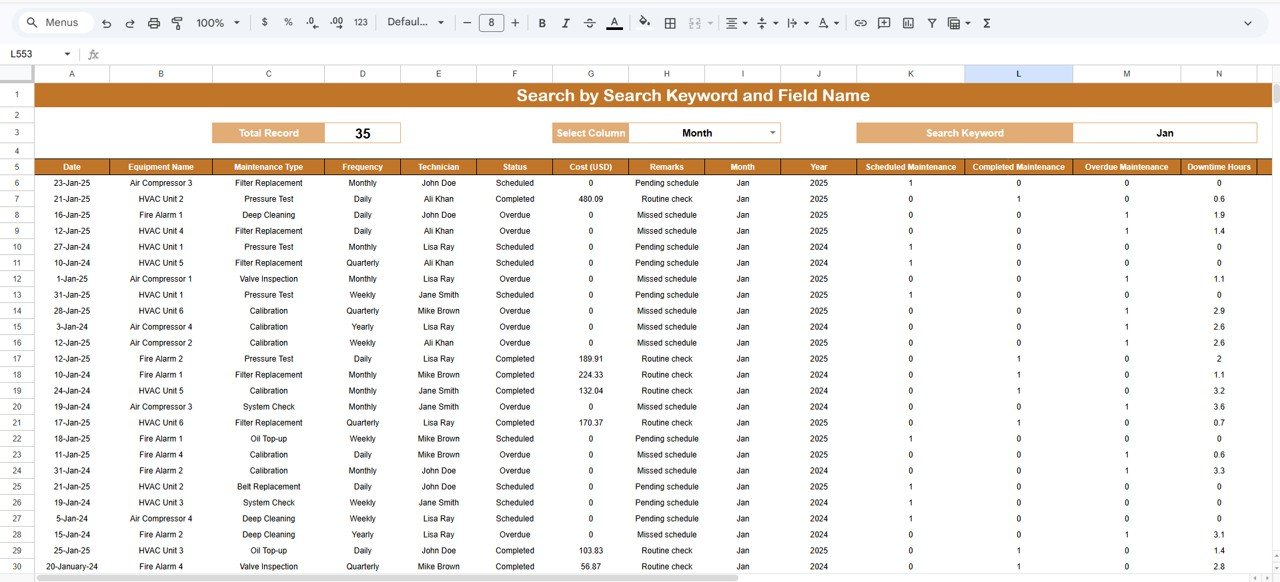
6️⃣ Search Panel – Advanced Record Lookup
Quickly investigate maintenance records using:
Total record counter
Column selector
Keyword search
Dynamic filtered table
Together, these pages create a complete maintenance intelligence system.
⚙️ How to Use the Maintenance Performance Dashboard in Google Sheets
Getting started is quick and simple:
Open the Google Sheets template
Update your maintenance data table
Use slicers to filter key dimensions
Review KPI cards for instant health check
Explore analysis pages for deeper insights
Monitor overdue maintenance regularly
Use the Search panel for quick audits
Within minutes, your maintenance data becomes powerful operational intelligence.
👥 Who Can Benefit from This Maintenance Performance Dashboard in Google Sheets
This dashboard is ideal for organizations focused on equipment reliability and cost control.
Perfect for:
🏭 Plant Managers
🔧 Maintenance Managers
⚙️ Operations Teams
🧠 Reliability Engineers
📊 Asset Managers
💼 Facility Managers
🏢 Manufacturing Companies
Because it runs in Google Sheets, teams can collaborate easily from anywhere.
By implementing the Maintenance Performance Dashboard in Google Sheets, your organization gains:
Centralized maintenance visibility
Faster operational decisions
Better cost control
Reduced equipment downtime
Improved preventive maintenance planning
Real-time performance insights
In today’s competitive environment, reactive maintenance is expensive and risky. You need proactive, data-driven maintenance management.
This dashboard delivers exactly that.
🔗 Click here to read the Detailed blog post
Watch the step-by-step video tutorial:
▶️ Visit our YouTube channel to learn step-by-step video tutorials
👉 YouTube.com/@PKAnExcelExpert
Compatibility and Requirements
- Works in Google Sheets. You need a free Google account and a web browser.
- You filter the dashboard with slicers. Google explains charts in Add and edit a chart or graph.
Frequently Asked Questions
What does the Maintenance Overview page show?
It shows overdue tasks by maintenance type, completed work by frequency, the status distribution, monthly cost trends and KPI cards for total maintenance, cost, average cost, scheduled and completed work.
Can I see maintenance by technician or equipment?
Yes. The Technician-wise and Equipment-wise pages show total cost, scheduled, overdue and completed maintenance for each technician and each piece of equipment.
Which filters does the dashboard have?
You can filter by Month, Maintenance Type, Frequency, Status, Technician and Equipment.
How do I look up a single maintenance record?
Open the Search panel, choose a column, type a keyword and the table filters to the matching records. A counter shows the total number of records.
Is there an Excel version?
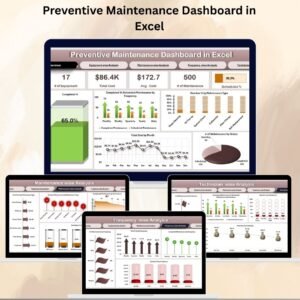
There is a related Preventive Maintenance Dashboard in Excel.
Related Maintenance Templates
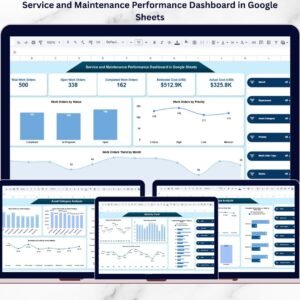
- Service and Maintenance Performance Dashboard in Google Sheets: another maintenance performance view in Google Sheets
- Equipment Maintenance Log Tracker in Google Sheets: a log to record the maintenance work itself
- Maintenance Schedule Calendar in Google Sheets: a calendar to plan upcoming tasks
- Preventive Maintenance Dashboard in Excel: the Excel option for preventive maintenance
- Equipment Maintenance Management System Web App: a web app for managing equipment maintenance
Browse all Google Sheets dashboards.