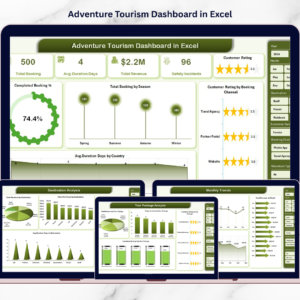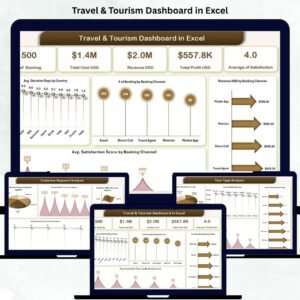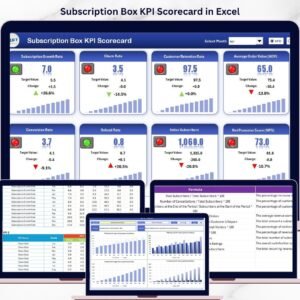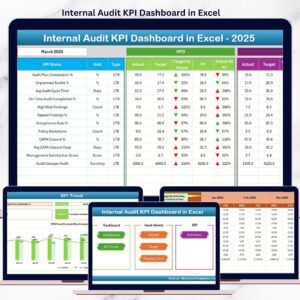

Adventure tourism is booming worldwide 🌍. Travelers now seek thrilling experiences like trekking, rafting, scuba diving, desert safaris, ziplining, and mountain biking. Adventure Tourism KPI Dashboard in Excel However, running an adventure tourism business requires more than just organizing tours. Operators must track bookings, revenue, safety metrics, equipment usage, staff performance, and customer satisfaction consistently.
Unfortunately, many adventure tour operators still depend on scattered Excel files and manual tracking. As a result, they miss revenue trends, overlook safety risks, and struggle to identify performance gaps.
Adventure Tourism KPI Dashboard in Excel That is exactly where the Adventure Tourism KPI Dashboard in Excel becomes a game-changing solution.
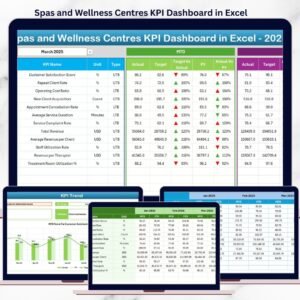
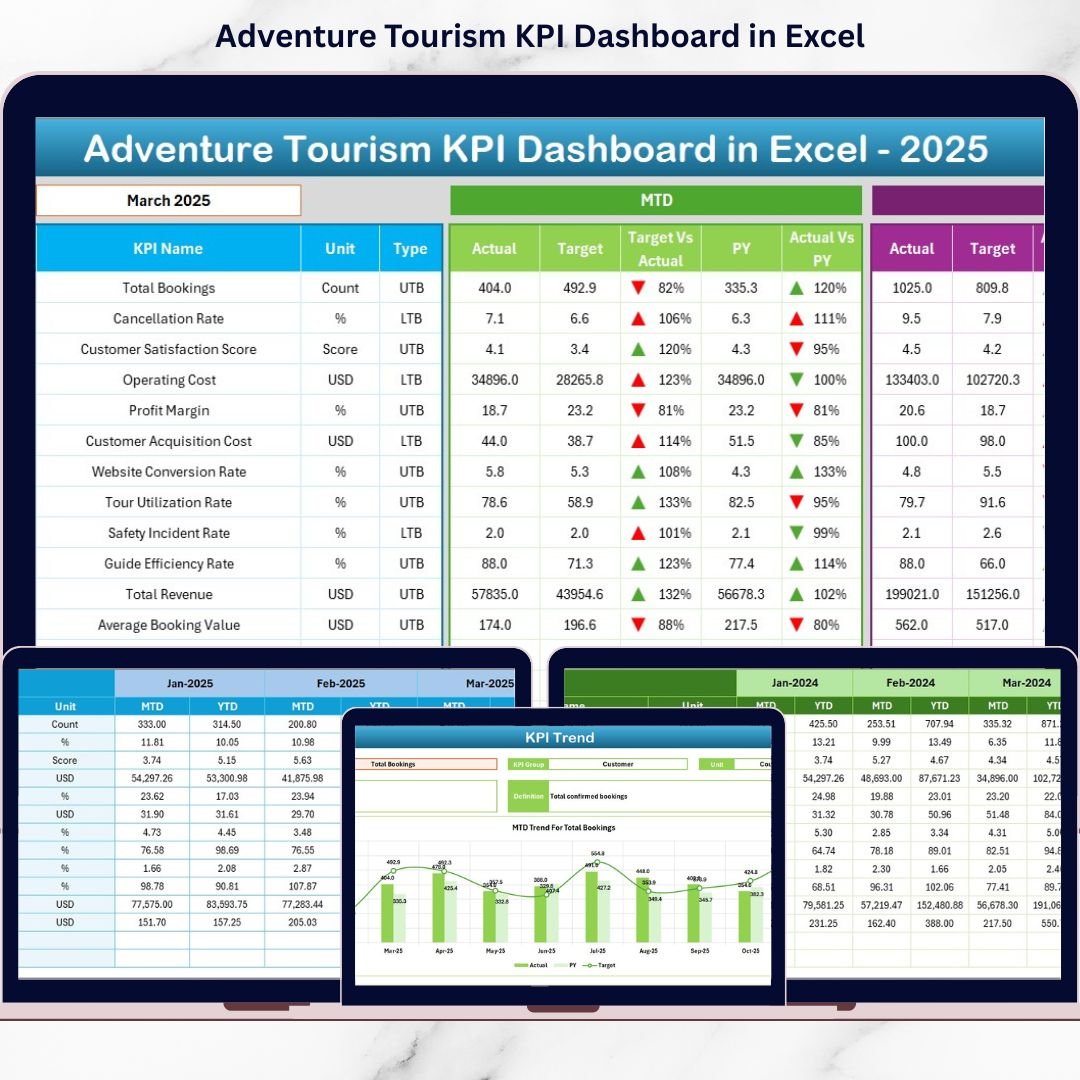
The Adventure Tourism KPI Dashboard in Excel is a ready-to-use, structured performance monitoring system designed specifically for adventure travel businesses. It enables managers to track Month-to-Date (MTD) and Year-to-Date (YTD) performance, compare Target vs Actual, and analyze Previous Year trends — all in one centralized dashboard 📊.
Because it is built entirely in Excel using drop-down menus, conditional formatting, and automated calculations, the dashboard updates instantly when you select a month. As a result, decision-makers gain immediate visibility into business performance.
✅ Key Feature of Adventure Tourism KPI Dashboard in Excel
This dashboard provides powerful performance visibility using structured worksheets and dynamic analysis tools.
🚀 Dynamic Month Selection – Select any month from the drop-down (Cell D3) and the entire dashboard updates automatically.
📊 MTD & YTD Analysis – Track short-term and long-term performance side by side.
🎯 Target vs Actual Comparison – Instantly identify performance gaps.
📈 Previous Year Comparison – Monitor year-over-year growth.
🔺🔻 Conditional Formatting Arrows – Quickly spot improvement or decline.
📉 KPI Trend Analysis – Analyze performance patterns over time.
📘 Structured KPI Definitions – Maintain clarity and consistency across teams.
Because everything connects dynamically, managers save time and focus on insights rather than manual reporting.
📦 What’s Inside the Adventure Tourism KPI Dashboard in Excel
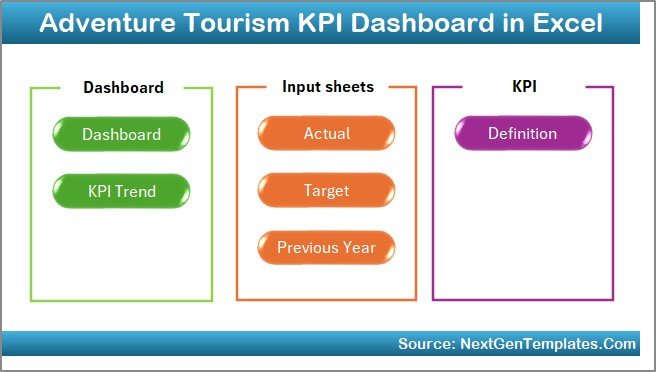
This ready-to-use template includes 7 structured worksheets; each designed for specific functionality:
🏠 1️⃣ Home Sheet – Navigation Center
6 quick navigation buttons
Clean index layout
Easy sheet switching
This improves usability, even for non-technical users.
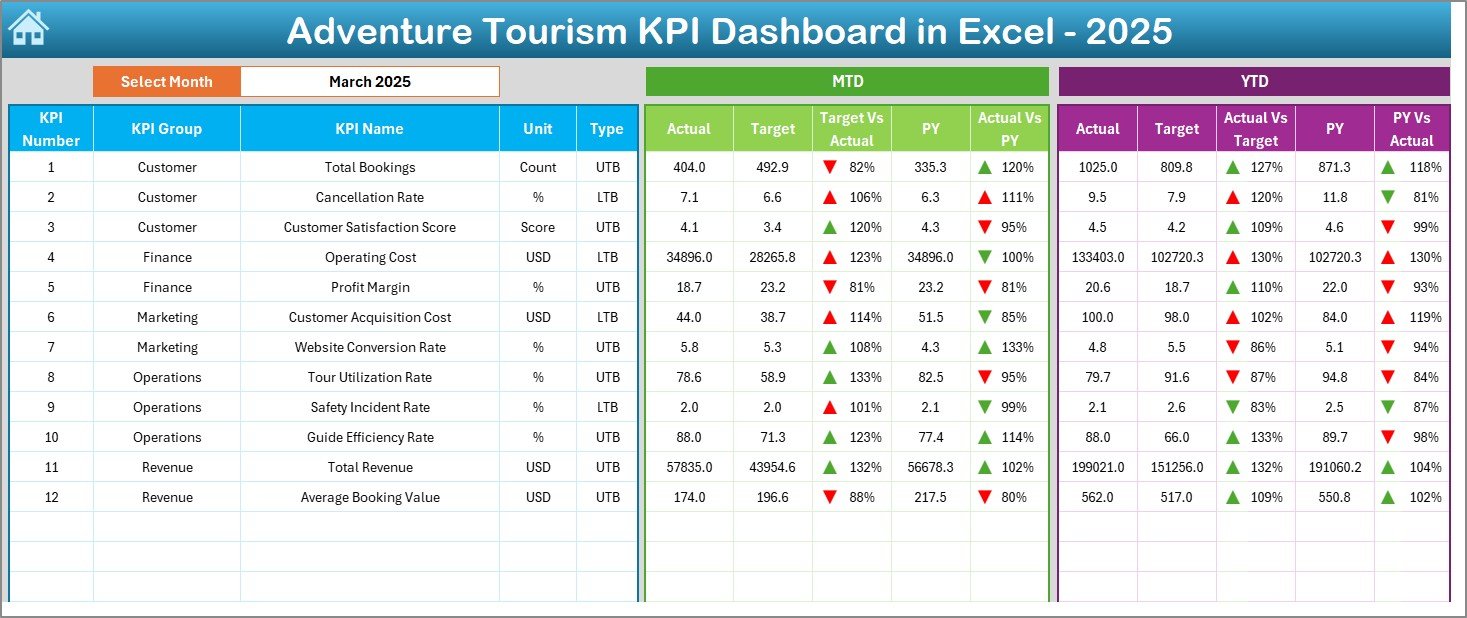
📊 2️⃣ Dashboard Sheet – Main Performance Overview
This sheet displays:
MTD Section
MTD Actual
MTD Target
Previous Year MTD
Target vs Actual variance
PY vs Actual variance
YTD Section
YTD Actual
YTD Target
YTD Previous Year
Up and down arrows highlight growth or decline instantly.
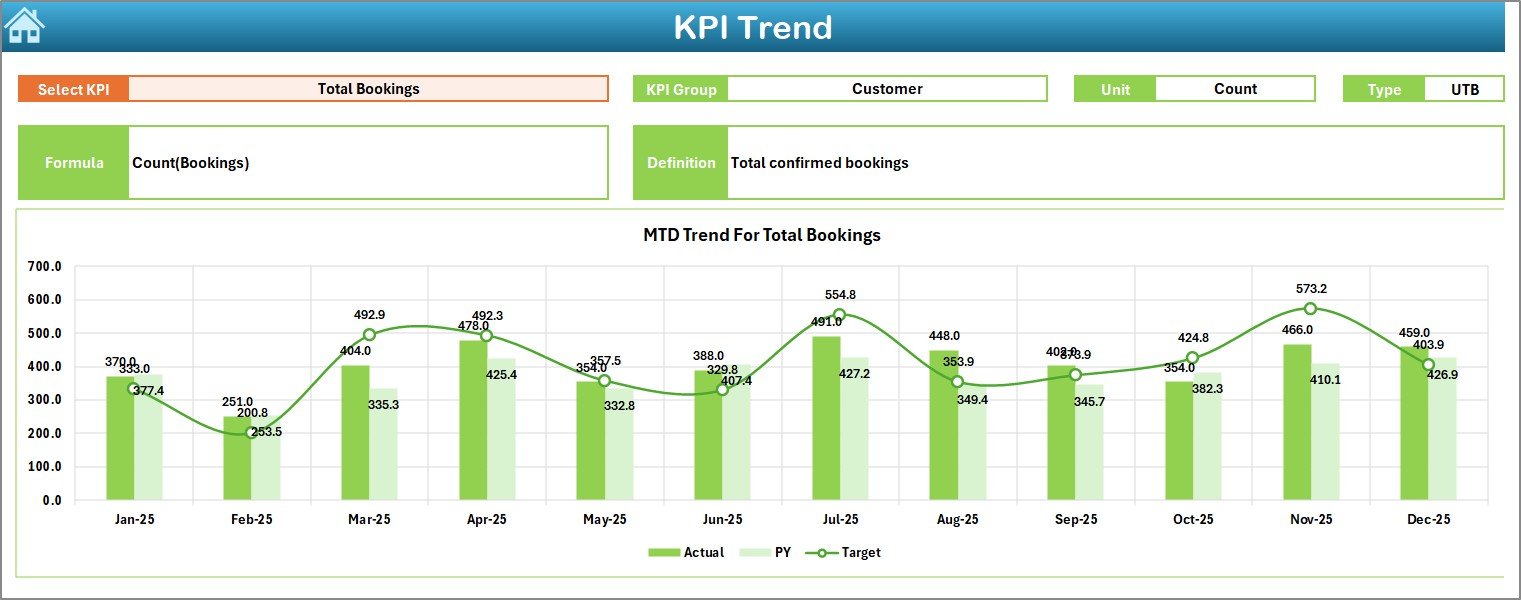
📈 3️⃣ KPI Trend Sheet – Detailed KPI Analysis
KPI selection dropdown (Cell C3)
Displays KPI Group, Unit, Type (LTB/UTB)
Shows KPI Formula & Definition
MTD Trend Chart
YTD Trend Chart
This sheet helps managers study trends rather than single-month data.
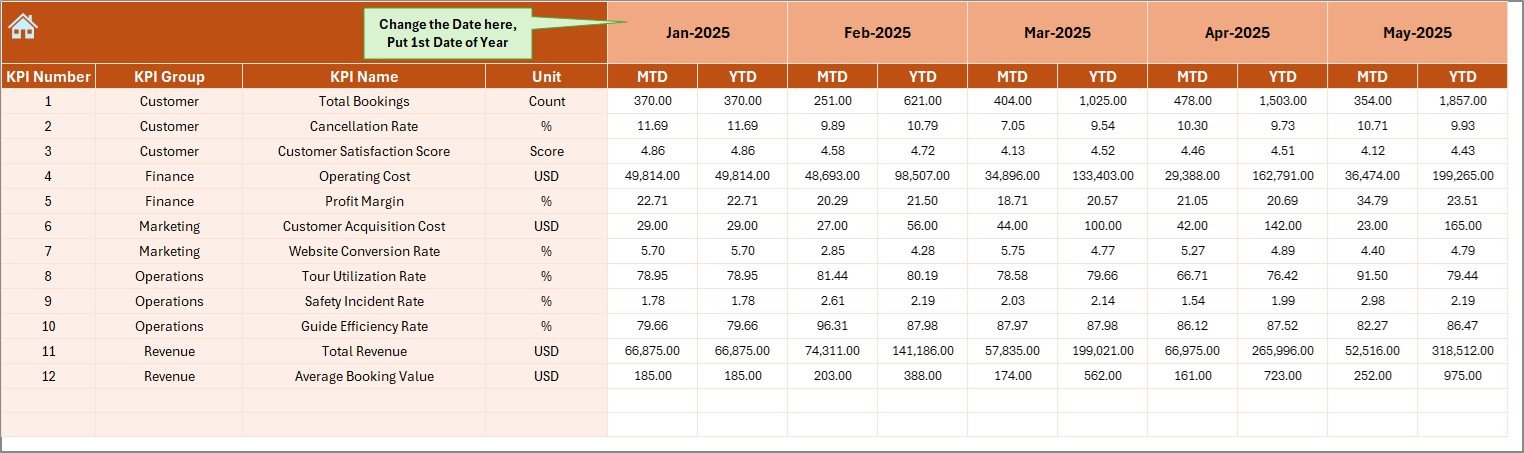
🧾 4️⃣ Actual Numbers Input Sheet
Enter first month of the year (Cell E1)
Input MTD & YTD actual values
Centralized data entry
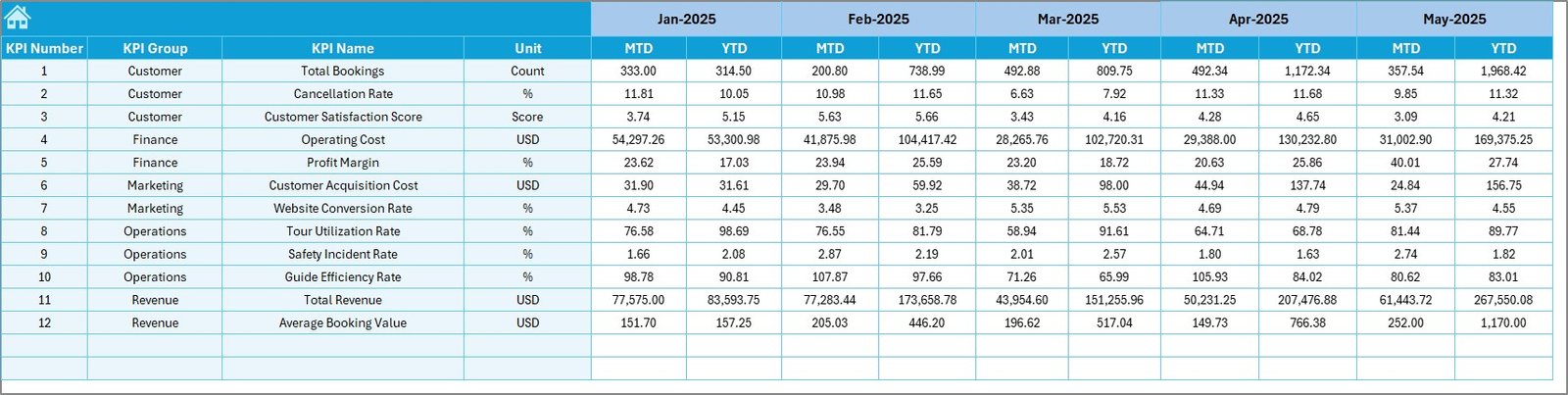
🎯 5️⃣ Target Sheet
Enter monthly MTD targets
Enter YTD targets
Drive variance calculations automatically
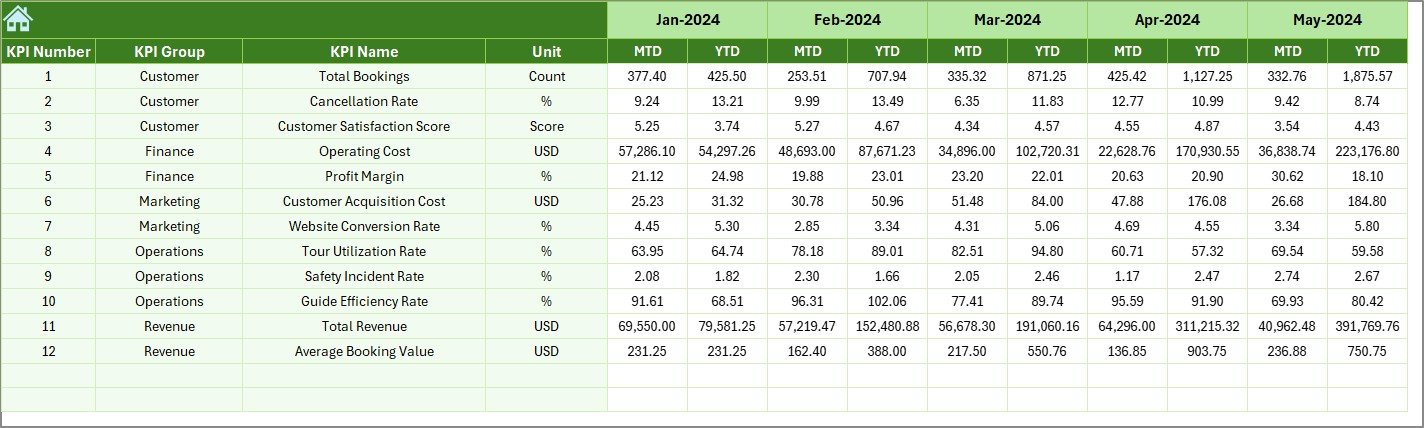
📅 6️⃣ Previous Year Numbers Sheet
Store last year’s data
Enable year-over-year analysis
Identify seasonal trends
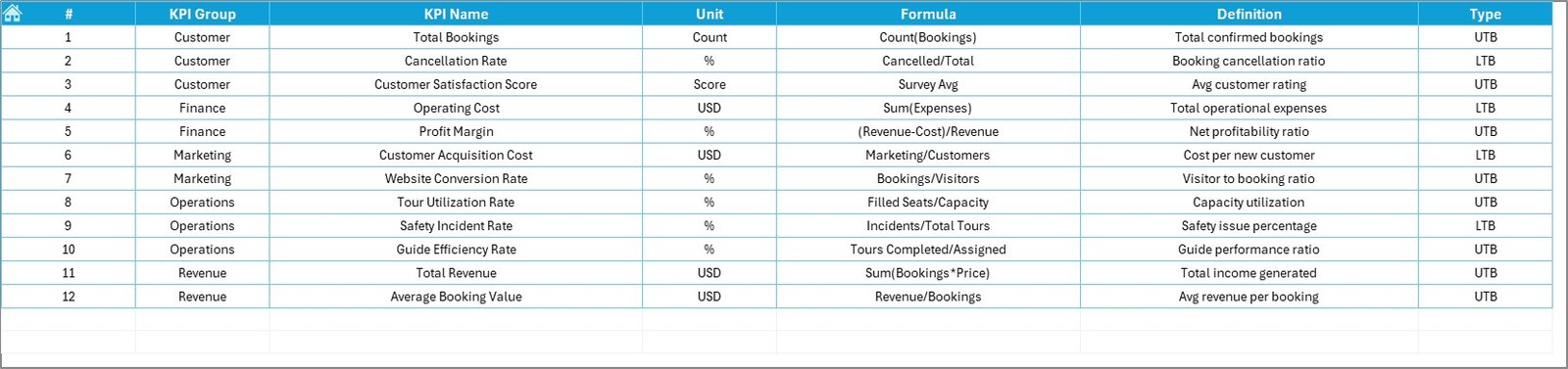
📘 7️⃣ KPI Definition Sheet
KPI Name
KPI Group
Unit
Formula
Definition
Ensures everyone understands each KPI clearly.
🛠️ How to Use the Adventure Tourism KPI Dashboard in Excel
Using the dashboard is simple:
Define KPIs in the KPI Definition Sheet.
Enter previous year data.
Set monthly targets.
Input MTD & YTD actual numbers.
Select the month in the Dashboard sheet.
Review performance indicators and trends.
Because calculations update automatically, the dashboard delivers real-time insights without manual effort.
👥 Who Can Benefit from This Adventure Tourism KPI Dashboard
This dashboard is ideal for:
🏕️ Adventure Tour Operators
🧗 Activity Managers
🧑💼 Operations Managers
💰 Finance Teams
🛟 Safety Compliance Officers
📊 Business Analysts
It suits both small adventure startups and large tour operators.
🔗 Click here to read the Detailed blog post
🎥 Visit our YouTube channel to learn step-by-step video tutorials
👉 https://www.youtube.com/@PKAnExcelExpert
Watch the step-by-step video tutorial:
Compatibility and Requirements
- Works in Microsoft Excel desktop (Excel 2016 or later, or Microsoft 365).
- Up and down arrows use conditional formatting. Microsoft explains it in Use conditional formatting to highlight information.
Frequently Asked Questions
How many worksheets does it have?
Seven: Home, Dashboard, KPI Trend, Actual Numbers Input, Target, Previous Year Numbers and KPI Definition.
How do I change the month shown?
Select the month from the dropdown in cell D3 of the Dashboard sheet. The whole dashboard updates.
Does it compare against targets and last year?
Yes. It shows MTD and YTD actuals against targets and previous year values, with up and down arrows.
Can my year start in any month?
Yes. Enter the first month of the year in cell E1 of the Actual Numbers Input sheet.
Is there a Power BI version?
Yes. The Adventure Tourism KPI Dashboard in Power BI covers the same KPIs.
Related Adventure and Travel Templates
- Adventure Tourism KPI Dashboard in Power BI: the same KPIs in Power BI
- Adventure Tourism Dashboard in Excel: a full adventure tourism dashboard
- Travel & Tourism KPI Dashboard in Excel: wider travel and tourism KPIs
- Outdoor Adventure Parks Dashboard in Excel: reporting for adventure parks
- KPI Dashboard Library (Excel): 15 Excel KPI dashboards in one download
Browse all Excel KPI dashboards or the template bundles.