



The Credit Card Payment Checklist Template in Excel is an essential tool for managing your credit card payments and avoiding late fees or interest charges. Whether you have one credit card or multiple, this customizable checklist helps you track payment due dates, balances, minimum payments, and more.
This easy-to-use Excel template allows you to organize all your credit card payments, ensuring you stay on top of your payment schedule and financial obligations. With real-time updates and a visual progress dashboard, you’ll be able to keep your finances in check and avoid financial stress.
Key Features of the Credit Card Payment Checklist Template in Excel
💳 Comprehensive Credit Card Tracking
Track all your credit cards in one place, including outstanding balances, interest rates, payment due dates, and minimum payment amounts. Stay on top of your credit card obligations to avoid penalties.
⚡ Real-Time Payment Monitoring
Monitor your payments in real-time. Track when each payment is made, check off completed payments, and keep an eye on your balances as you work toward paying off your credit cards.
📊 Debt Categorization & Organization
Categorize your credit card debts by card type, interest rate, or due dates to better prioritize payments. This helps you focus on high-interest cards or cards with the earliest due dates.
📈 Payment Status Dashboard
Visualize your payment progress with a dynamic dashboard that provides an overview of all credit card payments, balances, and upcoming due dates. Track your payments and avoid overdue balances.
🖥️ User-Friendly Interface
With a simple, intuitive design, this checklist ensures that even individuals with minimal technical knowledge can easily navigate, update, and monitor their credit card payments.
Why You’ll Love the Credit Card Payment Checklist

✅ Stay Organized with Your Credit Card Payments
Track all your credit cards, due dates, and payment amounts in one place, ensuring that you never miss a payment and avoid late fees.
✅ Monitor Your Payments in Real-Time
Log your payments as you make them and track how much you’ve paid, how much is left, and when the next payment is due.
✅ Prioritize High-Interest Payments
Categorize your credit card debts by interest rate or due date, allowing you to focus on paying down the most expensive debt first.
✅ Visualize Your Payment Progress
Use the dashboard to track your credit card payment status and see how much progress you’ve made in reducing your credit card debt.
✅ Simplify Credit Card Management
With everything organized in one place, managing multiple credit card payments becomes easier and more efficient.
What’s Inside the Credit Card Payment Checklist Template?
- Credit Card Tracking: Track each credit card’s outstanding balance, due date, interest rate, and minimum payment.
- Payment Status: Log payments and track their status, ensuring you stay on top of payment deadlines.
- Debt Categorization: Organize credit card debts by type or due date to prioritize payments effectively.
- Payment Dashboard: A visual dashboard that summarizes all credit card payments, balances, and due dates.
- Real-Time Updates: Track payments as they happen and stay up-to-date with your credit card balances.
How to Use the Credit Card Payment Checklist
1️⃣ Download the Template: Instantly access your credit card payment checklist.
2️⃣ Input Credit Card Details: Add your credit card information, including balances, due dates, and minimum payment amounts.
3️⃣ Track Payments: Log each payment as you make it and monitor the status of your payments.
4️⃣ Review Your Progress: Use the dashboard to visualize your credit card payment progress and ensure timely payments.
Who Can Benefit from the Credit Card Payment Checklist?
🔹 Individuals with Multiple Credit Cards
🔹 Small Business Owners Using Credit Cards for Expenses
🔹 Financial Planners and Advisors Helping Clients with Debt Management
🔹 Anyone Looking to Stay on Top of Credit Card Payments and Avoid Fees
🔹 People Trying to Pay Off Credit Card Debt and Improve Their Credit Score
Stay organized and in control of your credit card payments with this customizable, easy-to-use Credit Card Payment Checklist. Track your payments, avoid late fees, and reduce your debt effectively.
Click here to read the Detailed blog post
Visit our YouTube channel to learn step-by-step video tutorials
Youtube.com/@PKAnExcelExpert
Compatibility and Requirements
- Works in Microsoft Excel desktop (Excel 2016 or later, or Microsoft 365).
- New to Excel? Microsoft covers the basics in Excel for Windows training.
Frequently Asked Questions
What does it track for each card?
It tracks the outstanding balance, due date, interest rate and minimum payment for every credit card.
Can I track more than one card?
Yes. You can list all your cards in one place and sort them by type, interest rate or due date.
How do I record a payment?
Log each payment and its status. The Payment Dashboard sums up payments, balances and due dates.
Is there a Google Sheets version?
Yes. The Credit Card Payment Checklist in Google Sheets works in a browser.
Related Credit Card and Debt Templates
- Credit Card Payment Checklist in Google Sheets: the same checklist in Google Sheets
- Debt Repayment Checklist in Excel: track all your debts
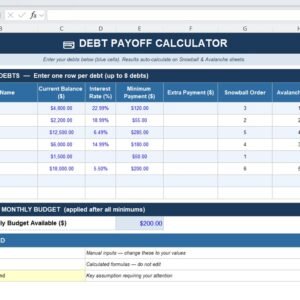
- Debt Payoff Calculator Template in Excel: work out a debt payoff plan
- Personal Finance Tracker in Excel: track income and spending
- Finance & Accounting Command Center: 8 finance and accounting templates in one download
Browse all Excel checklists or the Excel financial tools.














Reviews
There are no reviews yet.