



Running a non-profit organization is about creating meaningful impact—but impact must be measured, tracked, and communicated clearly. Many non-profits struggle because performance data lives in scattered spreadsheets, reports, and emails. As a result, leadership teams spend more time compiling reports than analyzing results, and donors lack clear visibility into outcomes.
That is exactly why the Non-Profit KPI Scorecard in Google Sheets becomes a powerful and practical performance management solution.
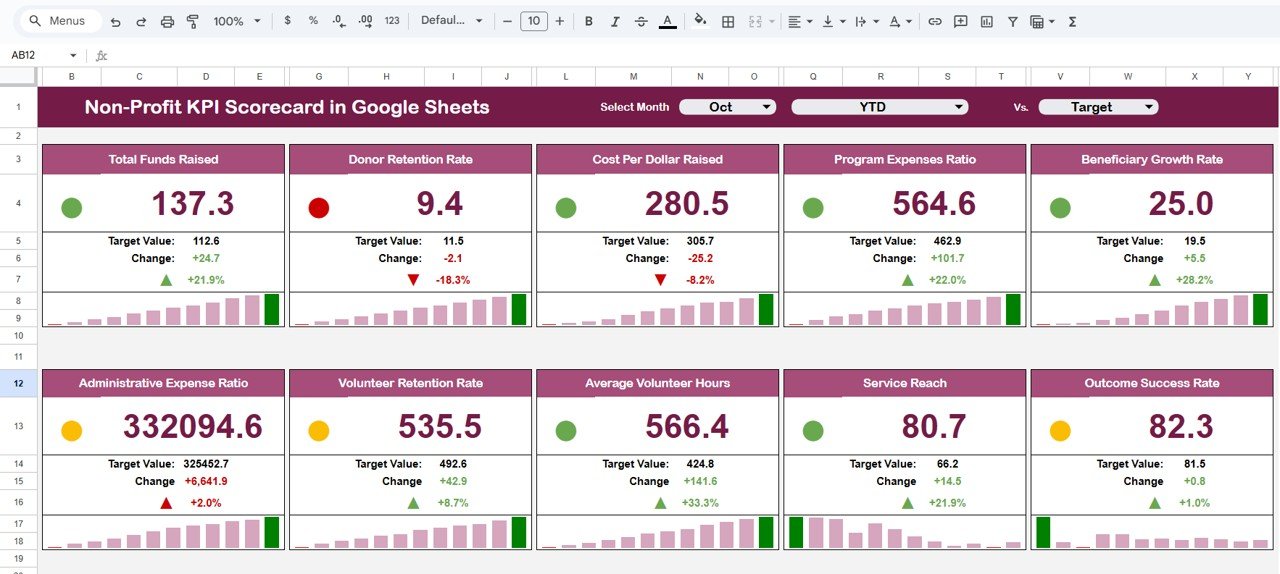
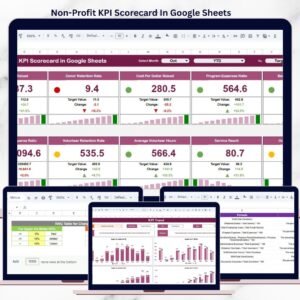
This ready-to-use KPI scorecard helps non-profit organizations monitor impact, efficiency, and sustainability using clearly defined KPIs, visual indicators, and automated calculations—all inside Google Sheets. Instead of complex BI tools or manual reporting, you get a clean, structured scorecard that updates automatically and supports confident, data-driven decisions.
Because the scorecard is built entirely in Google Sheets, it is cloud-based, collaborative, easy to customize, and cost-effective—perfect for non-profits of any size.
✨ Key Features of the Non-Profit KPI Scorecard in Google Sheets
🎯 1. Track 10 Predefined Non-Profit KPIs
The scorecard tracks 10 essential KPIs covering impact, operational efficiency, and organizational sustainability.
🚦 2. Traffic-Light Performance Indicators
Instantly understand performance using Green / Amber / Red indicators that show whether KPIs are on track or need attention.
📊 3. MTD & YTD Performance Views
Toggle between Month-to-Date (MTD) and Year-to-Date (YTD) views to track short-term progress and long-term trends.
📈 4. Automated Variance & Trend Signals
Up/down arrows and percentage changes highlight performance improvement or decline automatically.
🤝 5. Google Sheets-Based & Shareable
Easily share read-only or editable access with leadership, donors, and board members.
📦 What’s Inside the Non-Profit KPI Scorecard in Google Sheets
🖥️ Dashboard Sheet Tab – Performance Overview
This is the main scorecard view used for reviews and presentations.
📌 Key Highlights
Month selection dropdown at the top
Selecting a month instantly updates:
KPI values
Traffic-light indicators
Percentage change arrows
📌 KPI Insights Shown
MTD Actual vs Target
YTD Actual vs Target
Clear visual signals showing which KPIs are On Track, At Risk, or Critical
This sheet is ideal for board meetings, donor updates, and leadership reviews.
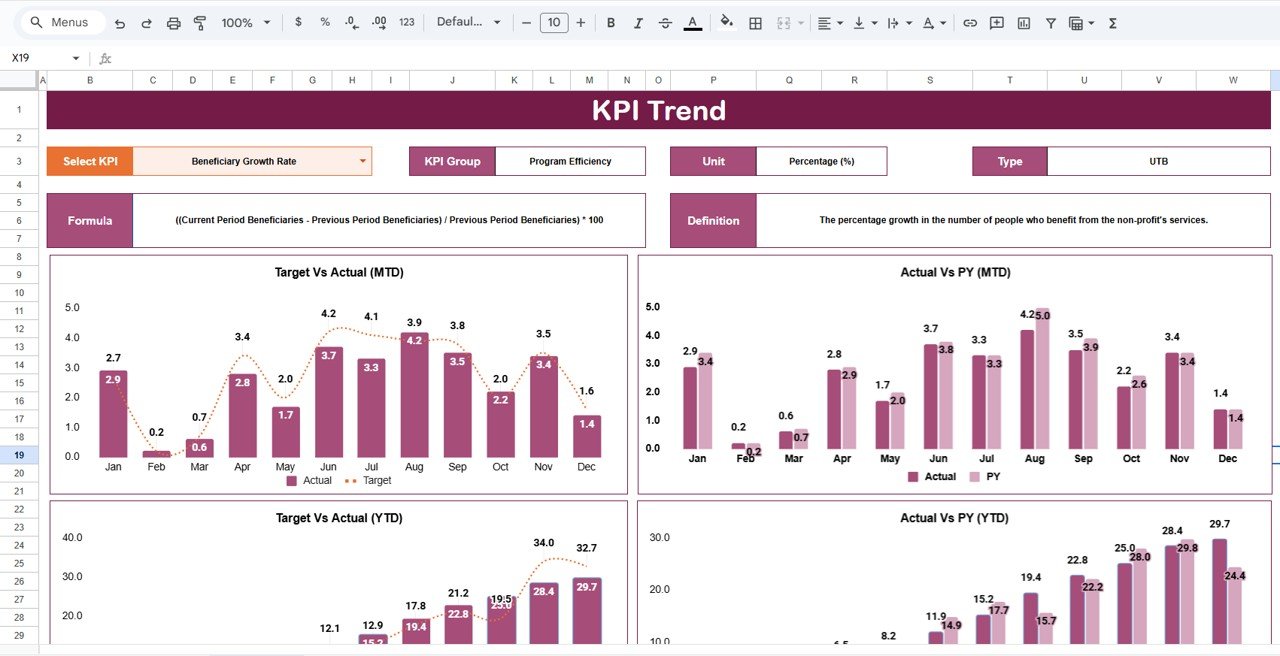
📊 KPI Trend Sheet Tab – Detailed KPI Analysis
This sheet allows deeper analysis of individual KPIs.
🔍 How It Works
Select a KPI from the dropdown in Cell C3
The sheet displays:
KPI Group
KPI Unit
KPI Type (Upper the Better / Lower the Better)
KPI Definition
This ensures complete clarity on what each KPI measures and why it matters.
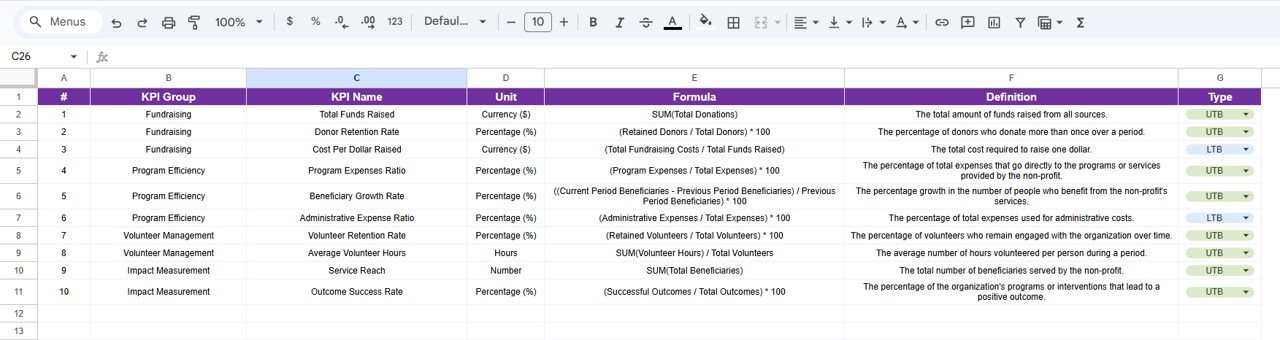
📘 KPI Definition Sheet Tab – KPI Master Data
This sheet acts as the single source of truth for KPI logic.
📌 Information Captured
KPI Name
KPI Group
Unit
Formula
KPI Definition
KPI Type (UTB / LTB)
Maintaining KPI logic in one place improves transparency, consistency, and governance.
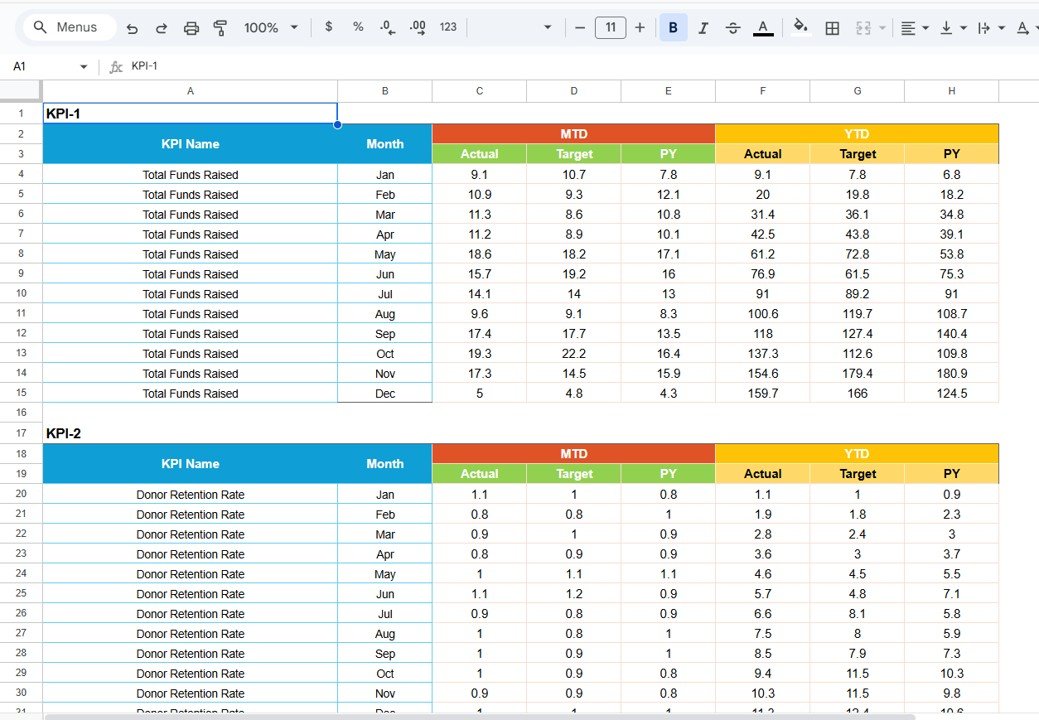
📋 Data Input Sheet Tab – Performance Data Entry
This sheet is used to enter actual KPI values.
🔹 Key Benefits
Enter KPI data once
Automatically feeds:
Dashboard scorecard
MTD & YTD calculations
Trend analysis
This reduces manual effort and reporting errors significantly.
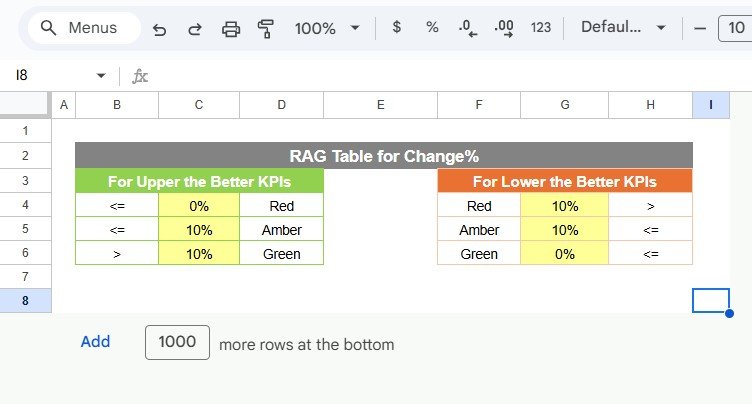
🎨 Colour Settings Sheet – Visual Control
This optional sheet allows you to control scorecard colors.
🔹 What You Can Do
Customize traffic-light thresholds
Adjust colors for:
Good performance
Warning levels
Critical issues
This helps align the scorecard with your organization’s branding and reporting standards.
🎯 Who Can Benefit from This Non-Profit KPI Scorecard
🌱 Non-Profit Organizations & NGOs
Track impact and accountability with clarity.
📊 Program & Impact Managers
Monitor performance across initiatives.
💝 Donor Reporting Teams
Provide transparent, data-backed updates.
👔 Leadership & Board Members
Review organizational health at a glance.
🚀 Growing Foundations
Standardize performance reporting year after year.
### Click here to read the Detailed blog post
Watch the step-by-step video tutorial:
Visit our YouTube channel to learn step-by-step video tutorials — Youtube.com/@NeotechNavigators
Compatibility and Requirements
- Works in Google Sheets. You need a free Google account and a web browser.
- You pick the month from a dropdown on the Dashboard sheet and the KPI from a dropdown on the KPI Trend sheet. Google explains dropdowns in Create an in-cell dropdown list.
Frequently Asked Questions
How many KPIs does the scorecard track?
It tracks 10 predefined non-profit KPIs covering impact, operational efficiency and organizational sustainability.
How do I update the scorecard each month?
Enter your actual KPI values in the Data Input sheet. Then select a month on the Dashboard sheet and the KPI values, traffic-light indicators and percentage change arrows update.
What do the Green, Amber and Red indicators mean?
They show whether a KPI is On Track, At Risk or Critical against its target, for both MTD and YTD. You can change the thresholds and colors in the Colour Settings sheet.
Where can I see what each KPI means?
Open the KPI Definition sheet for the KPI name, group, unit, formula, definition and type (Upper the Better or Lower the Better). The KPI Trend sheet shows the same details for the KPI you select in cell C3.
Is there an Excel or Power BI version?
There is an Excel version: Non-Profit KPI Scorecard in Excel. For Power BI, see the Non-Profit KPI Dashboard in Power BI.
Related Non-Profit Templates
- Non-Profit KPI Scorecard in Excel: the same scorecard for Excel
- Non-Profit KPI Dashboard in Google Sheets: a dashboard view of non-profit KPIs
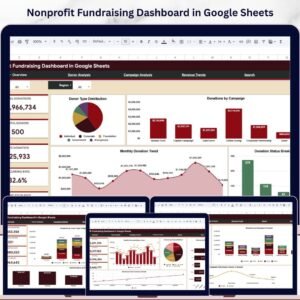
- Nonprofit Fundraising Dashboard in Google Sheets: track fundraising results
- Nonprofit Grant Dashboard in Google Sheets: follow grants in one place
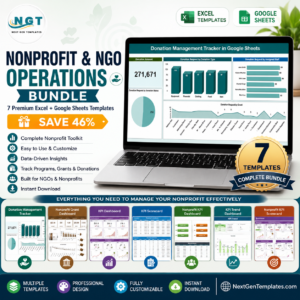
- Nonprofit & NGO Operations Bundle: 7 Excel and Google Sheets templates in one download
Browse all Google Sheets KPI dashboards.

























Reviews
There are no reviews yet.