

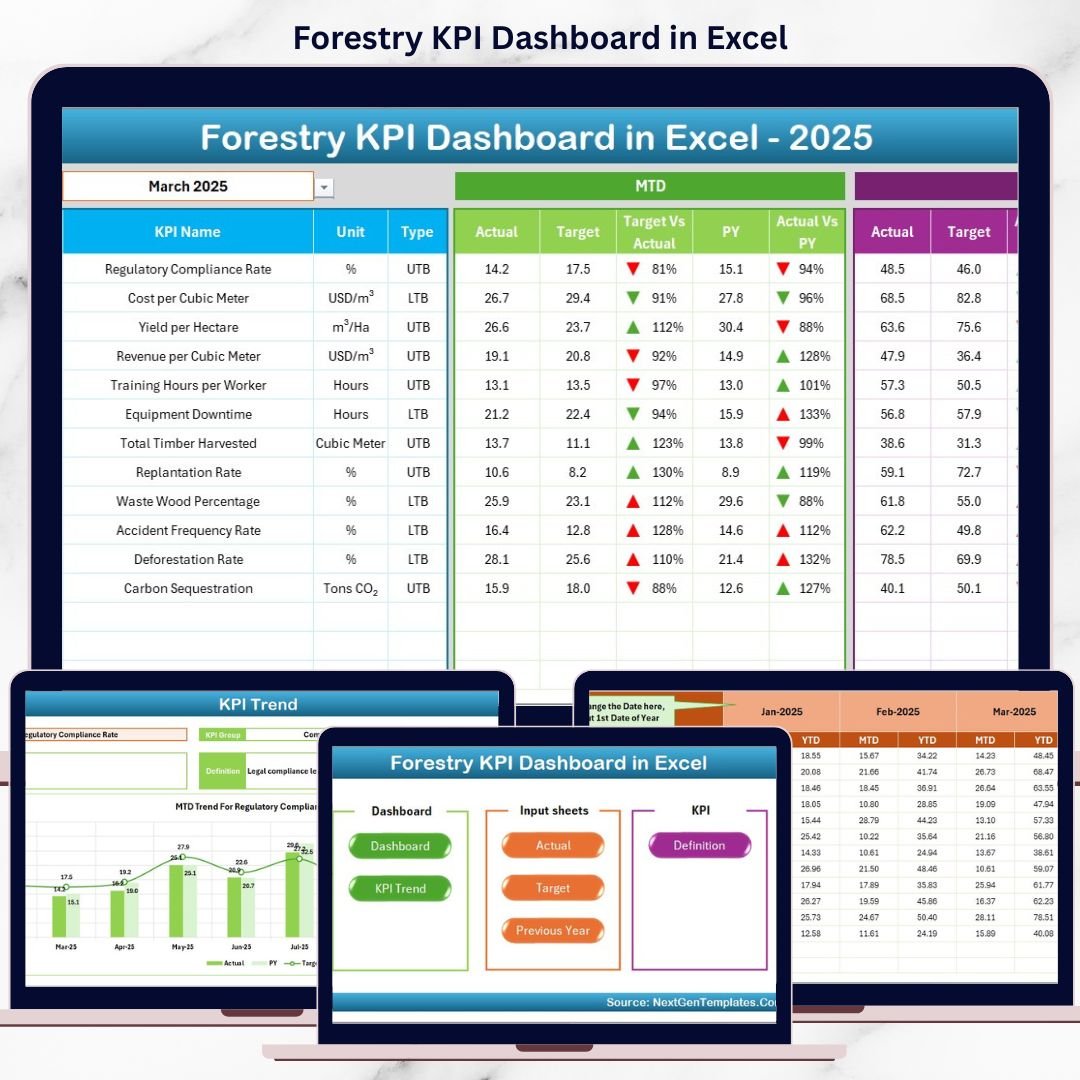

Forestry KPI Dashboard today requires accurate tracking, transparent reporting, and sustainable decision-making. Forest departments, plantation owners, NGOs, and sustainability teams must continuously monitor planting activities, harvesting efficiency, conservation performance, and compliance KPIs. However, when forestry data is spread across multiple Excel files, performance tracking becomes slow, confusing, and unreliable.
That is exactly where the Forestry KPI Dashboard in Excel becomes a powerful and practical solution 🚀. This ready-to-use Excel dashboard converts raw forestry data into clear KPIs, automated calculations, visual trends, and performance indicators. Instead of manually compiling reports every month, users instantly understand MTD, YTD, target, and previous-year performance from one structured workbook.
Designed specifically for forestry operations and sustainability reporting, this dashboard helps organizations save time, improve accuracy, and support responsible forest management.
🔑 Key Features of Forestry KPI Dashboard in Excel
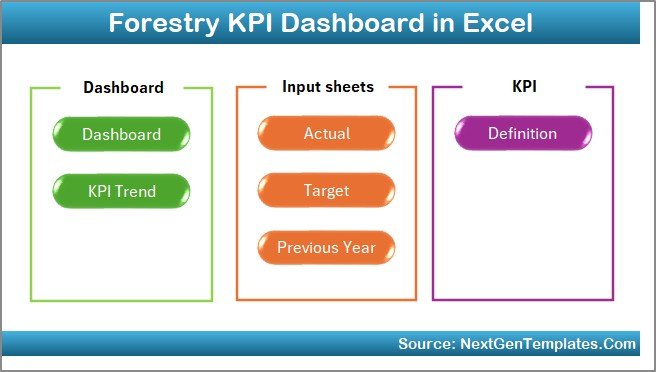
🌲 7 Structured Worksheets for complete KPI management
📊 Automated MTD & YTD Calculations with zero manual effort
📅 Dynamic Month Selection to analyze any reporting period
🎯 Target vs Actual & PY vs Actual Analysis with arrows
📈 KPI Trend Analysis for deeper performance understanding
🧭 Easy Navigation Buttons for smooth user experience
🧩 100% Excel-Based Solution – no macros, no add-ins required
This dashboard provides clarity, consistency, and control for forestry performance monitoring.
📂 What’s Inside the Forestry KPI Dashboard
🏠 Home Sheet
A clean landing page with navigation buttons that allow one-click access to all major dashboard sheets.
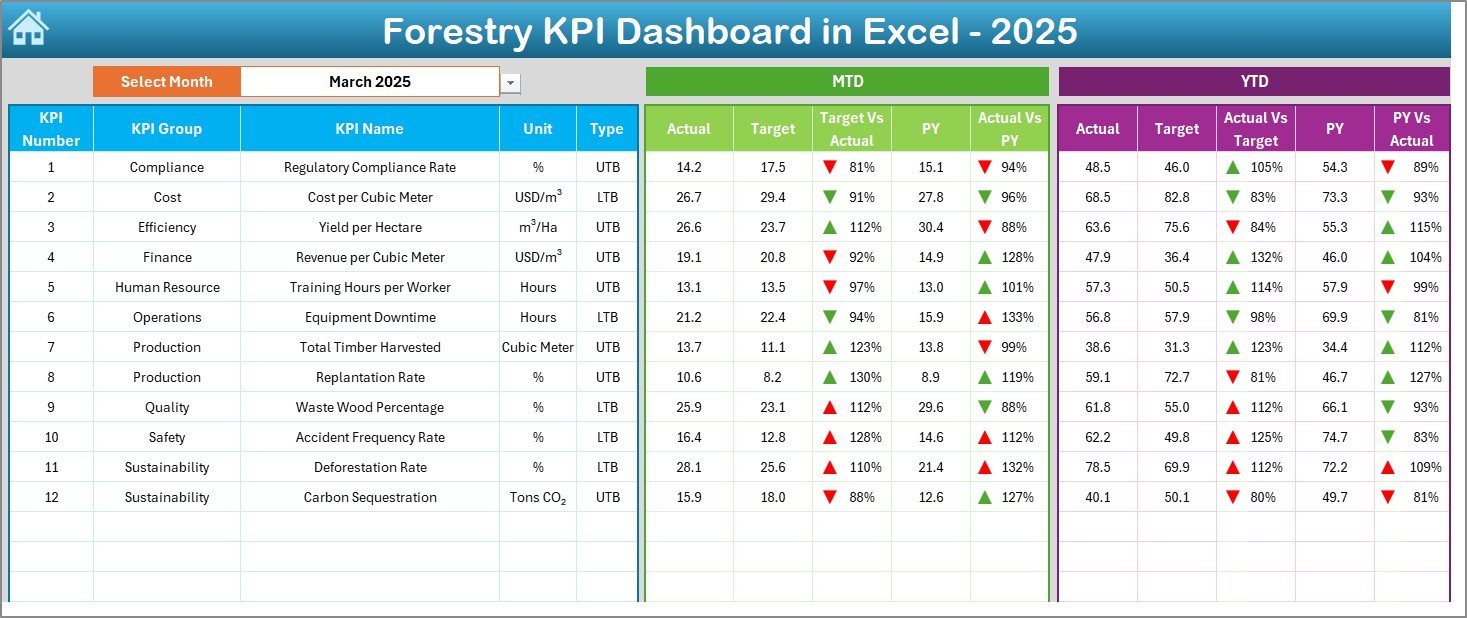
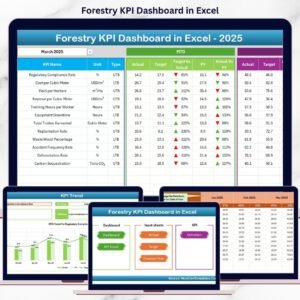
📊 Dashboard Sheet
The main performance view showing:
MTD Actual, Target, and Previous Year
YTD Actual, Target, and Previous Year
Target vs Actual arrows
Previous Year vs Actual arrows
Green and red indicators instantly highlight performance gaps.
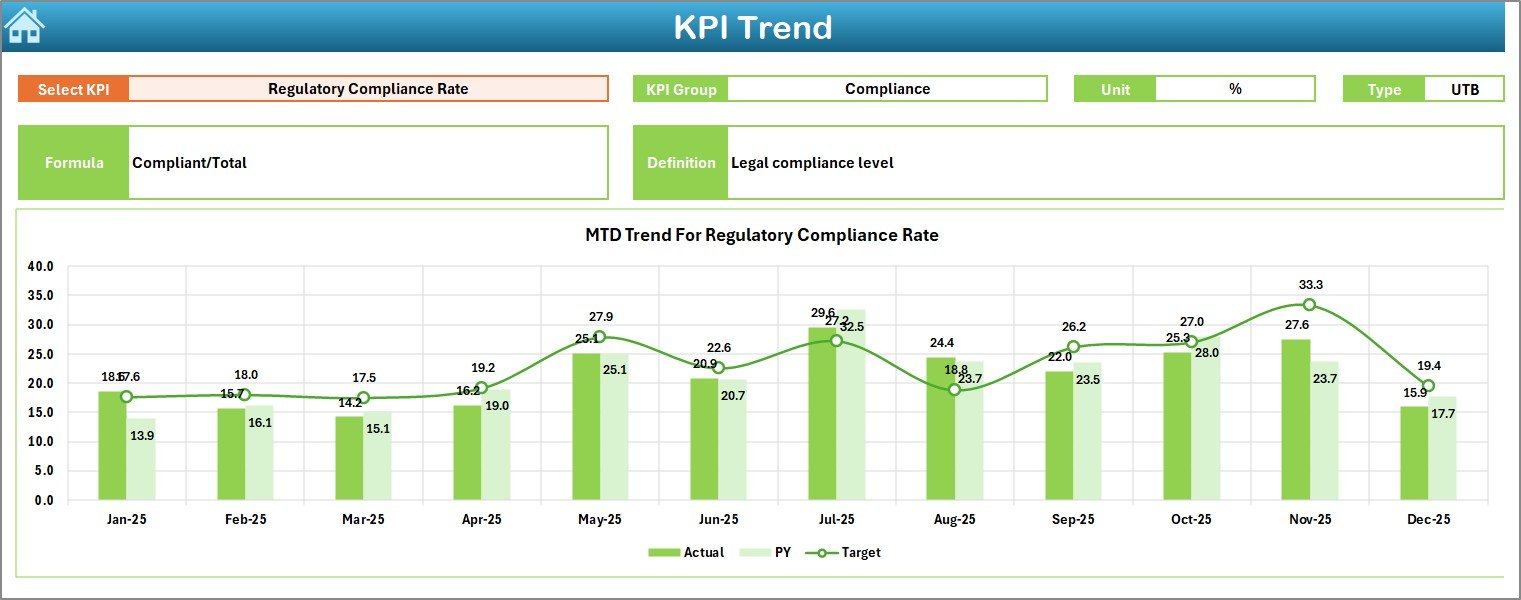
📈 KPI Trend Sheet
Allows deep analysis of one KPI at a time with:
KPI group, unit, type (LTB/UTB)
KPI formula and definition
MTD and YTD trend charts
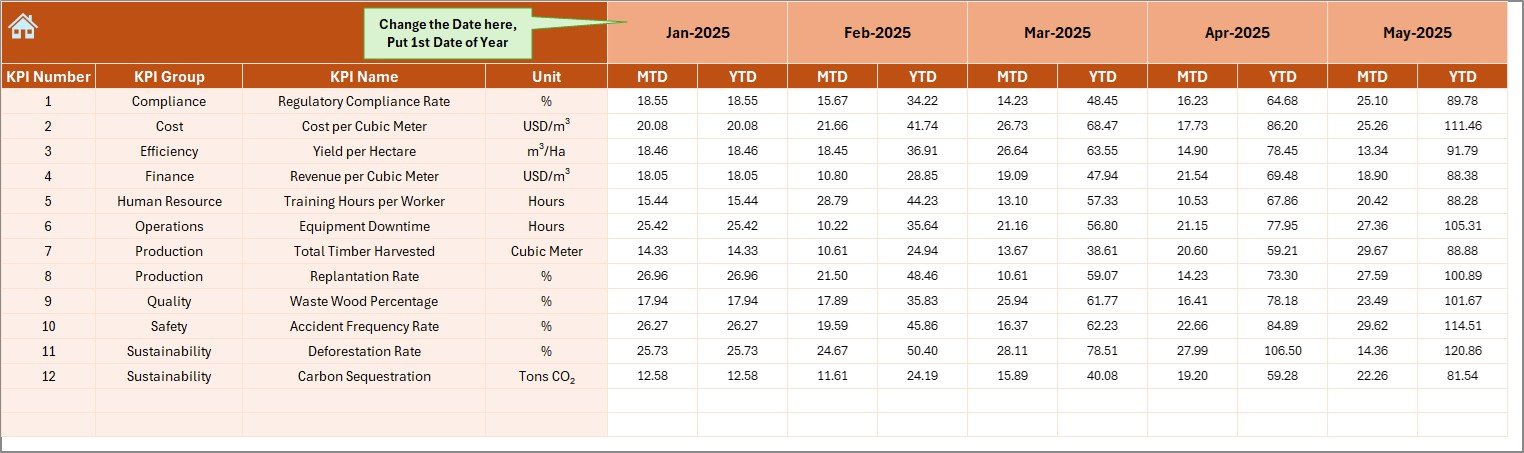
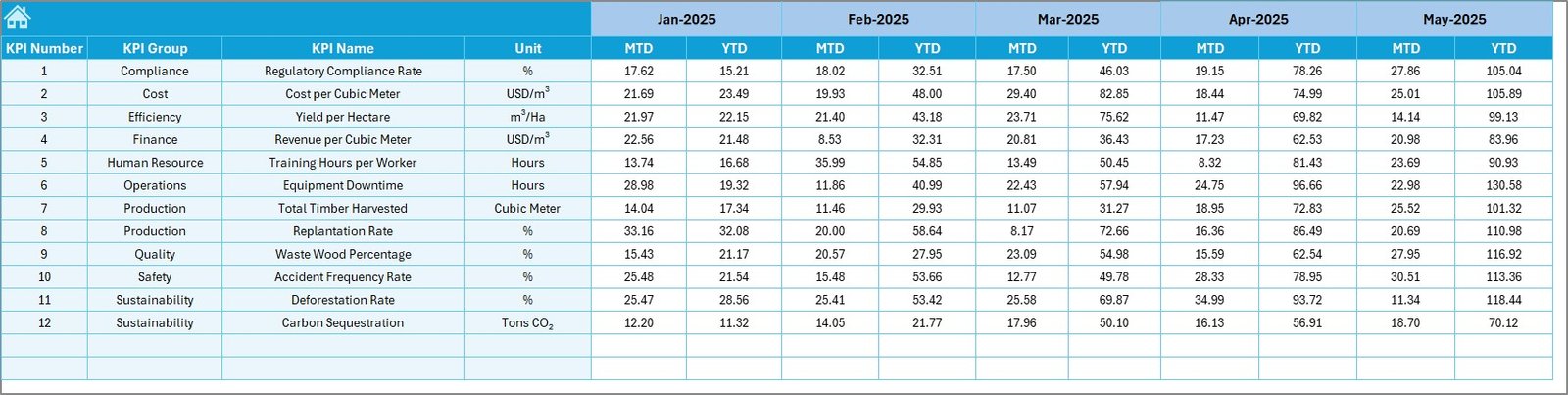
📝 Actual Numbers Input Sheet
A structured input area to enter monthly forestry performance data without breaking formulas.
🎯 Target Sheet
Stores planned MTD and YTD targets for each KPI to support goal tracking.
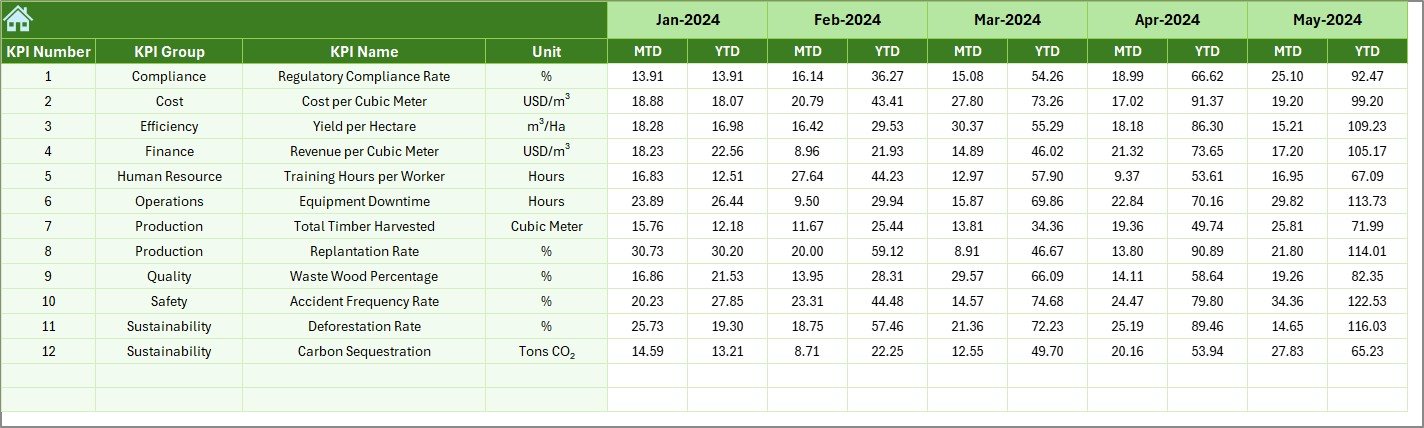
📅 Previous Year Number Sheet
Captures last year’s data for year-over-year comparison and trend evaluation.
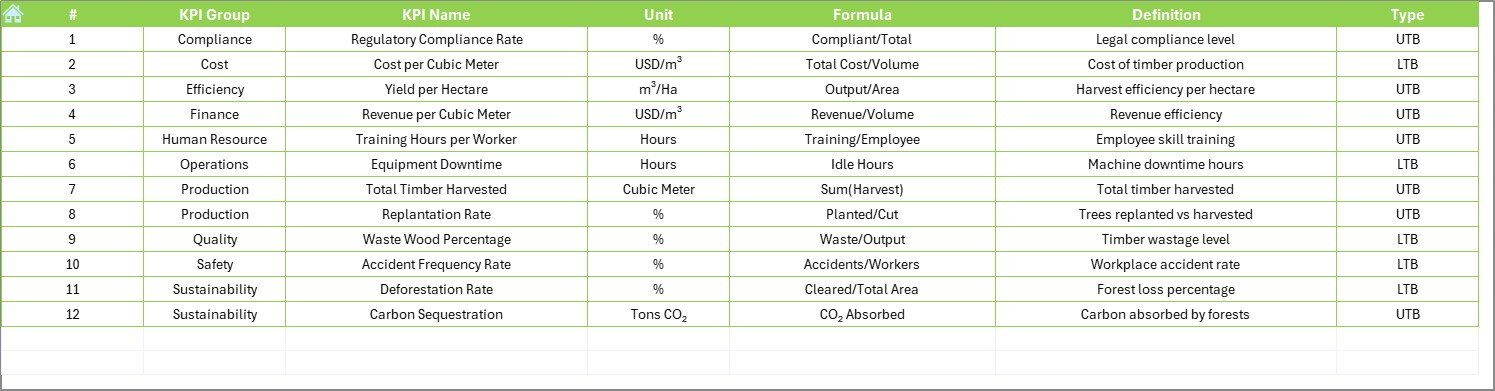
📘 KPI Definition Sheet
Documents KPI names, groups, units, formulas, and definitions to ensure consistency across teams.
🛠️ How to Use the Forestry KPI Dashboard
✅ Enter actual forestry data monthly
✅ Update target and previous-year values
✅ Select the reporting month from the dropdown
✅ Review MTD and YTD performance instantly
✅ Analyze trends and take corrective action
No advanced Excel knowledge is required. The dashboard is simple, intuitive, and business-ready.
👥 Who Can Benefit from This Forestry KPI Dashboard?
🌲 Forest Departments
🌱 Plantation & Estate Managers
🌍 Environmental & Sustainability NGOs
📊 CSR & ESG Teams
🏛️ Government & Regulatory Agencies
Whether you manage small plantations or large forest programs, this dashboard adapts to your needs.
👉 Click here to read the Detailed blog post
▶️ Visit our YouTube channel to learn step-by-step video tutorials
https://youtube.com/@PKAnExcelExpert
Watch the step-by-step video tutorial:
Compatibility and Requirements
- Works in Microsoft Excel desktop (Excel 2016 or later, or Microsoft 365).
- The dashboard has trend charts and arrow indicators. Microsoft explains how charts work in Create a chart from start to finish.
Frequently Asked Questions
Which sheets are included?
Seven sheets: Home, Dashboard, KPI Trend, Actual Numbers Input, Target, Previous Year Number and KPI Definition.
How do I update the dashboard each month?
Enter your actual forestry data in the Actual Numbers Input sheet, update the Target and Previous Year Number sheets, then select the reporting month from the dropdown. The Dashboard sheet shows MTD and YTD results for that month.
Can I compare results with targets and with last year?
Yes. The Dashboard sheet shows MTD and YTD actuals next to targets and previous-year numbers, with Target vs Actual and Previous Year vs Actual arrows. Green and red indicators mark the gaps.
How do I see the trend for one KPI?
Open the KPI Trend sheet and pick a KPI. It shows the KPI group, unit, type (LTB or UTB), formula and definition, plus MTD and YTD trend charts.
Is there a Power BI version?
Yes. See the Forestry KPI Dashboard in Power BI.
Related Templates
- Forestry KPI Dashboard in Power BI: the same topic in Power BI
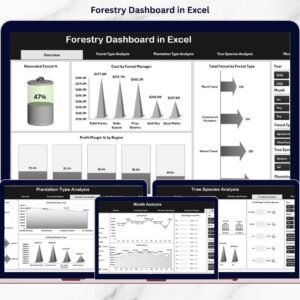
- Forestry Dashboard in Excel: another forestry dashboard in Excel
- Forestry Dashboard in Power BI: a forestry dashboard in Power BI
- ESG KPI Dashboard in Excel: sustainability and ESG indicators in Excel
- KPI Dashboard Library (Excel): 15 KPI dashboard templates in one download
Browse all Excel KPI dashboards.































Reviews
There are no reviews yet.