

Marketing teams juggle countless requests every day—brochures, presentations, social media creatives, banners, videos, and more. When these requests arrive through emails, chats, or unstructured files, confusion grows fast. Deadlines slip. Priorities clash. Accountability fades.
That is exactly where the Marketing Collateral Request Tracker in Excel becomes a game-changing productivity tool.
This ready-to-use Excel and VBA-based solution helps you capture, manage, track, and analyze all marketing collateral requests from one centralized system. Instead of chasing emails and follow-ups, your team gains clarity, structure, and complete control over every request—from submission to completion.
Designed for real-world marketing workflows, this tracker combines secure login, smart data entry forms, interactive dashboards, and user management into a single, powerful Excel file. As a result, marketing teams spend less time coordinating and more time creating impact.
🔑 Key Features of Marketing Collateral Request Tracker in Excel
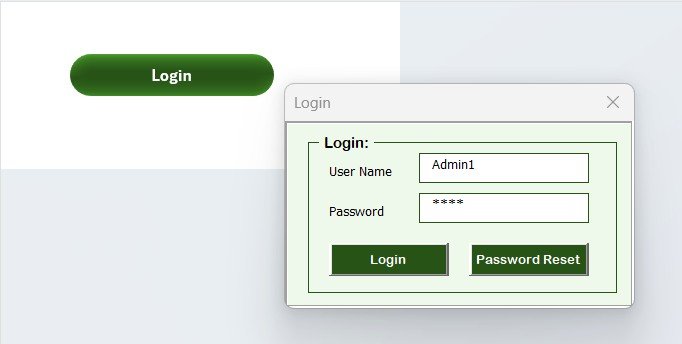
🚀 Secure Login System
Control access with a built-in login form, ensuring only authorized users can view or modify data.
📝 Structured Request Entry
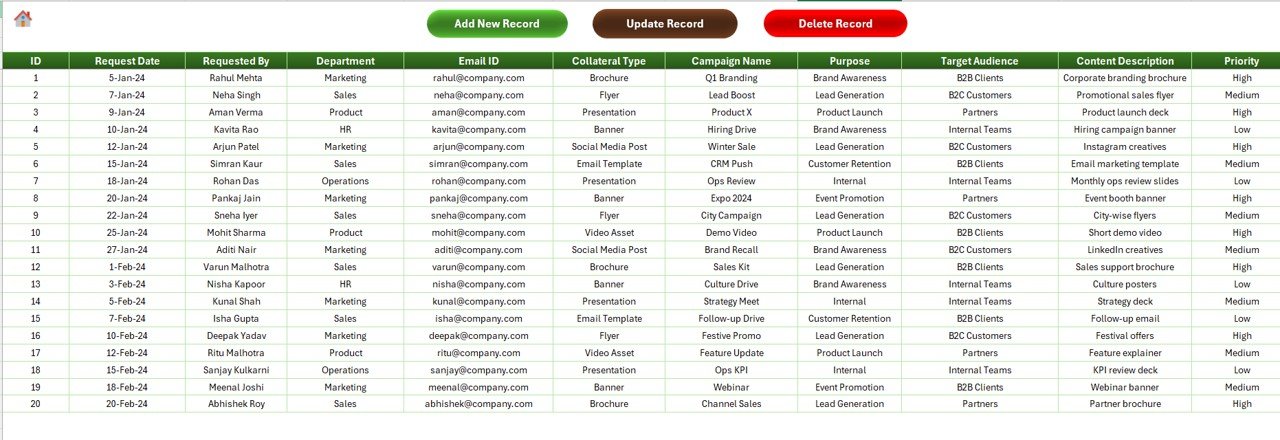
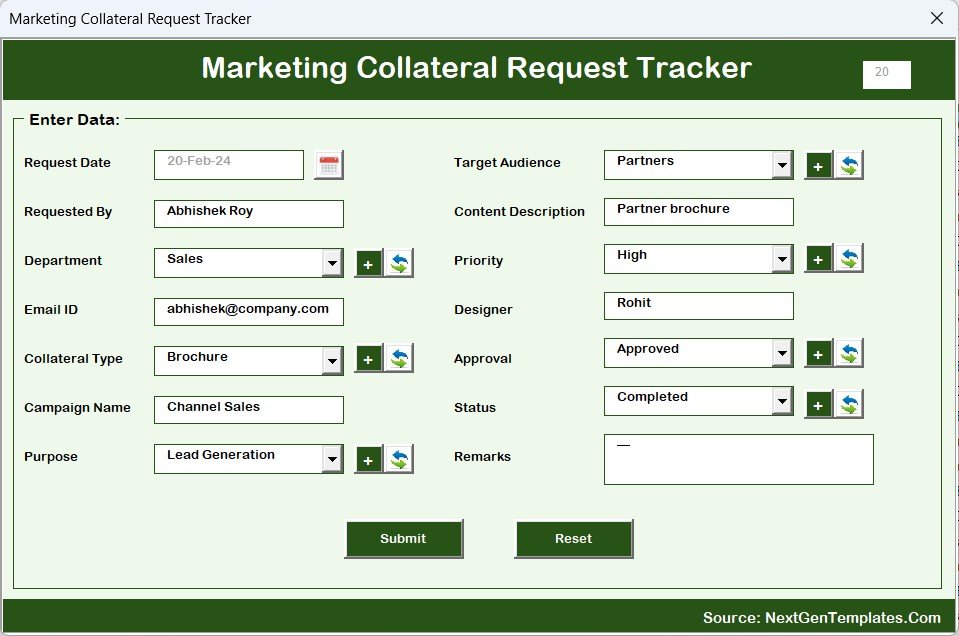
Capture every request with clear fields such as priority, department, target audience, purpose, and collateral type.
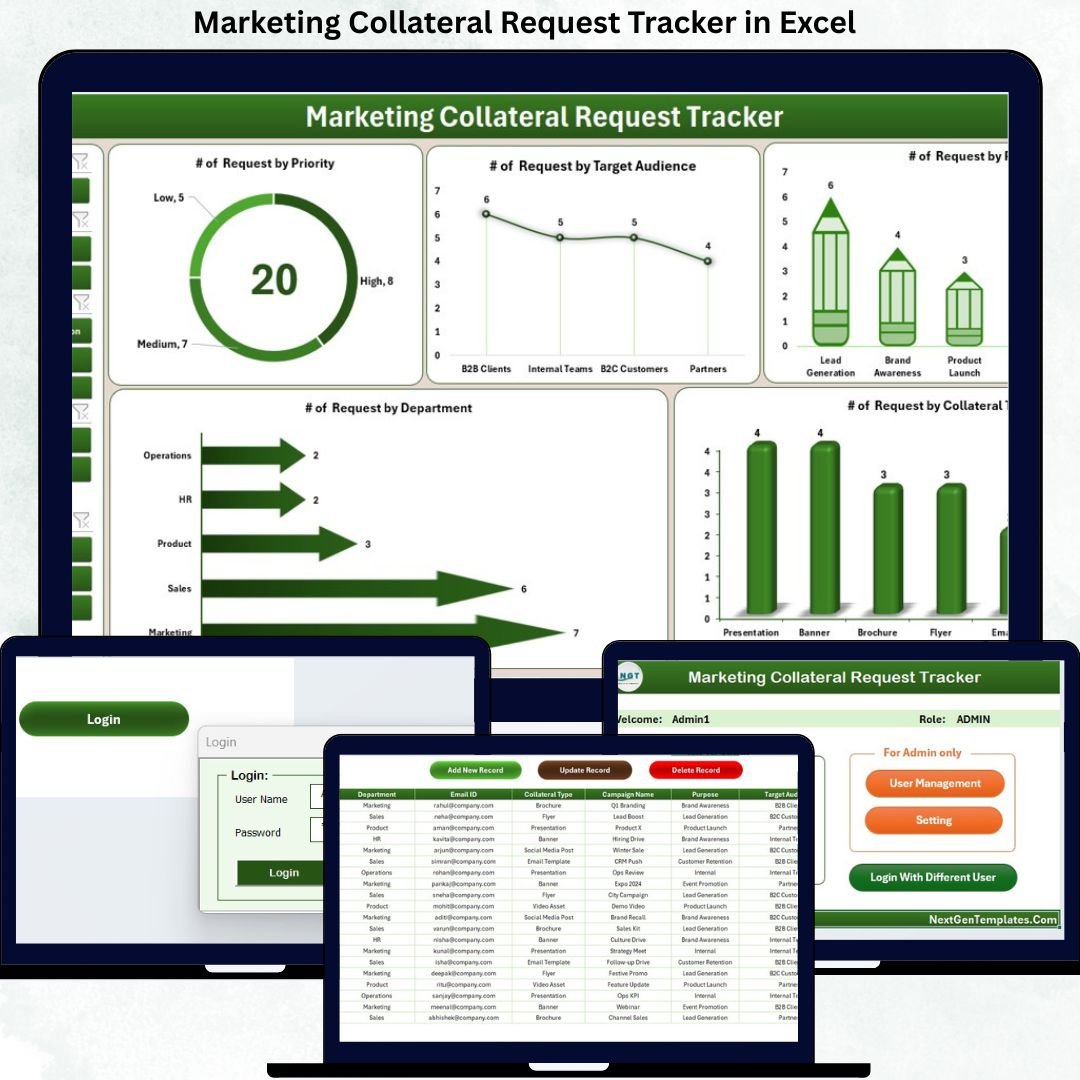
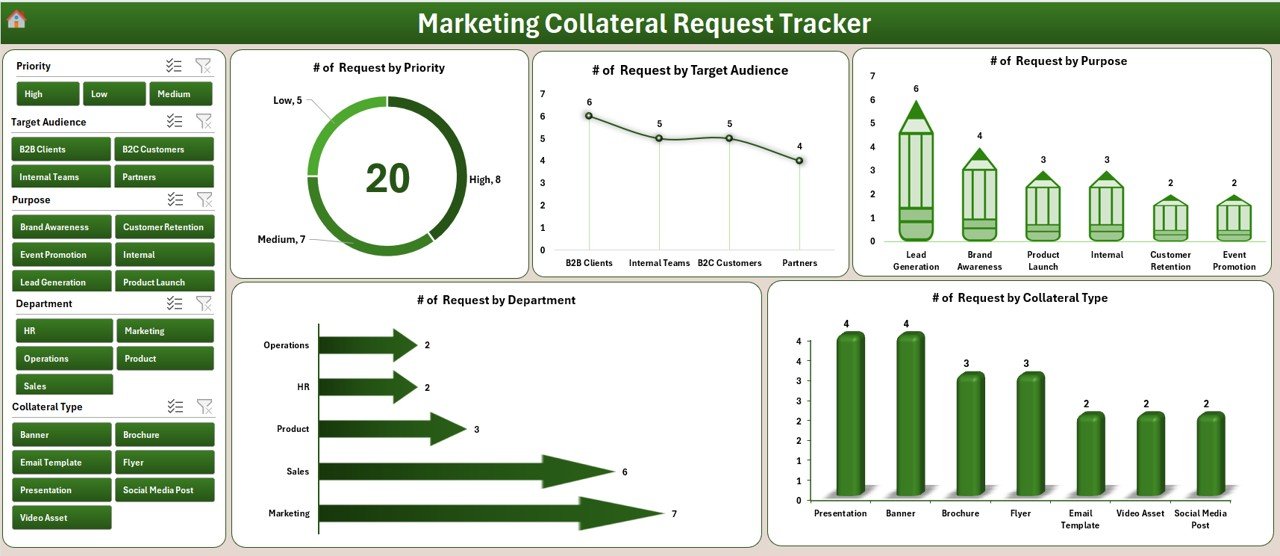
📊 Interactive Dashboard
Analyze request volume using dynamic slicers and visual charts for instant decision-making.
🔄 Real-Time Updates
Every add, update, or delete action refreshes dashboards automatically—no manual reporting needed.
👥 User Management Control
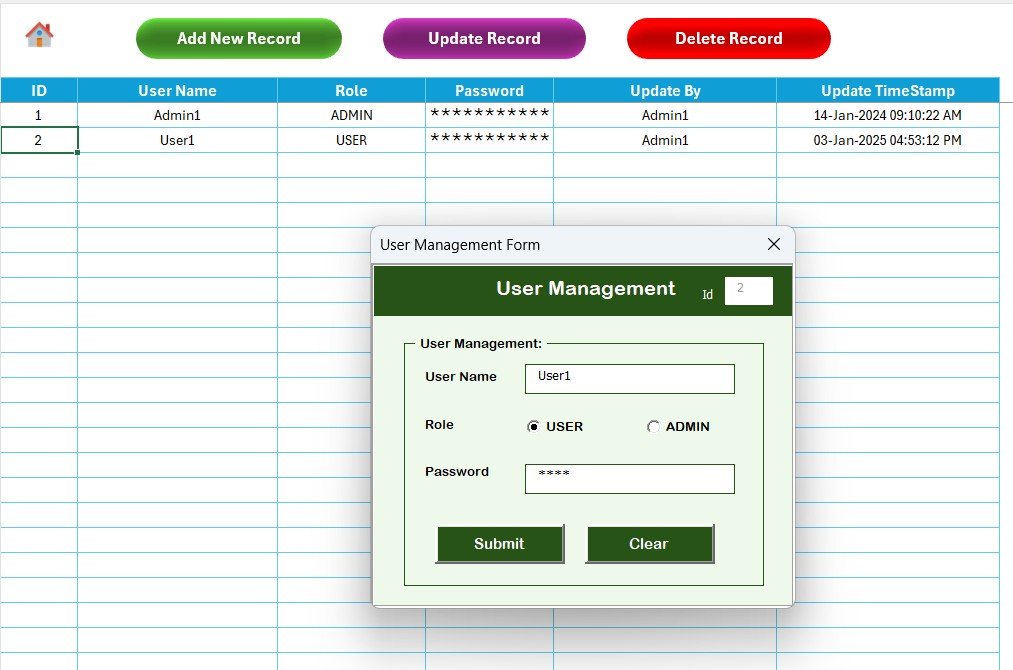
Add, update, delete users, and manage passwords for secure multi-user access.
⚙️ Fully Customizable Lists
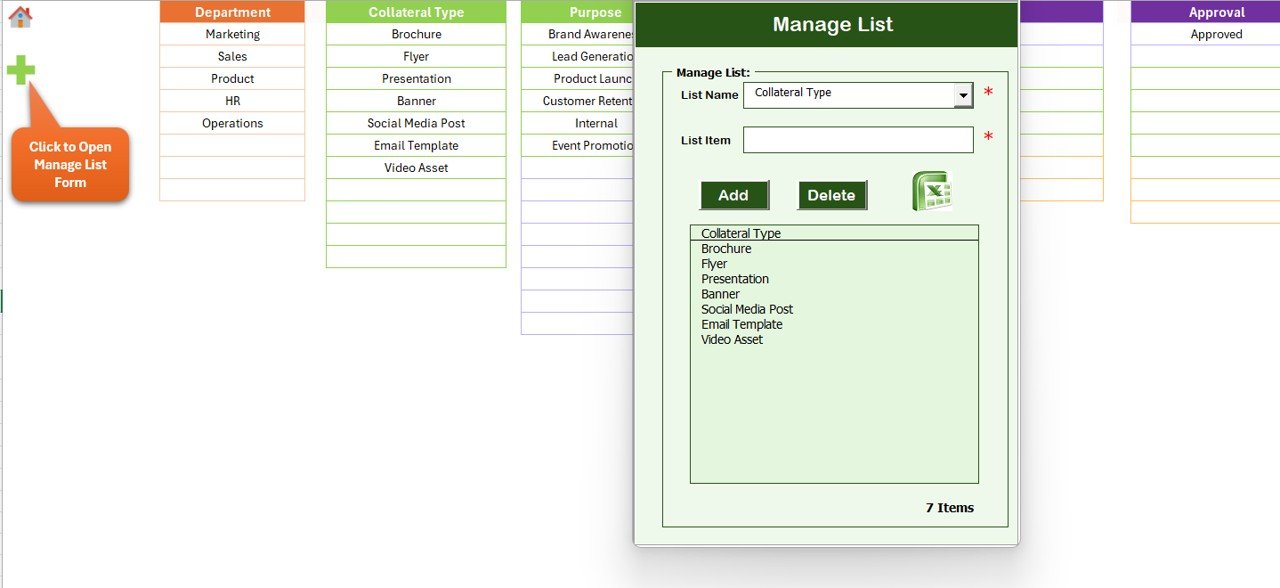
Modify priorities, departments, purposes, and collateral types without touching VBA code.
💰 Zero Subscription Cost
Built entirely in Excel and VBA—no additional software or recurring fees required.
📂 What’s Inside the Marketing Collateral Request Tracker in Excel
📁 Login Form – Secure user authentication before accessing the system
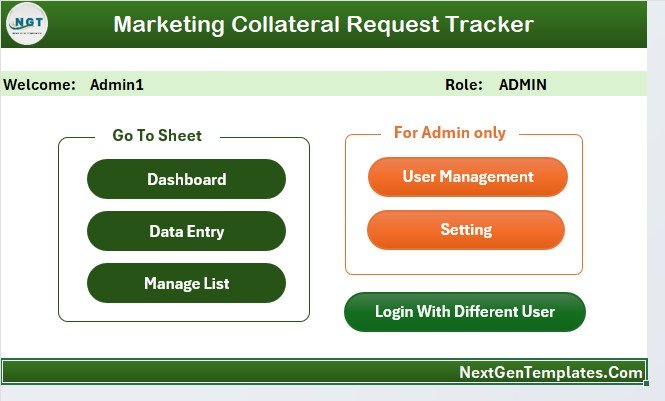
📁 Main Control Form – Central navigation hub for managing the entire tracker
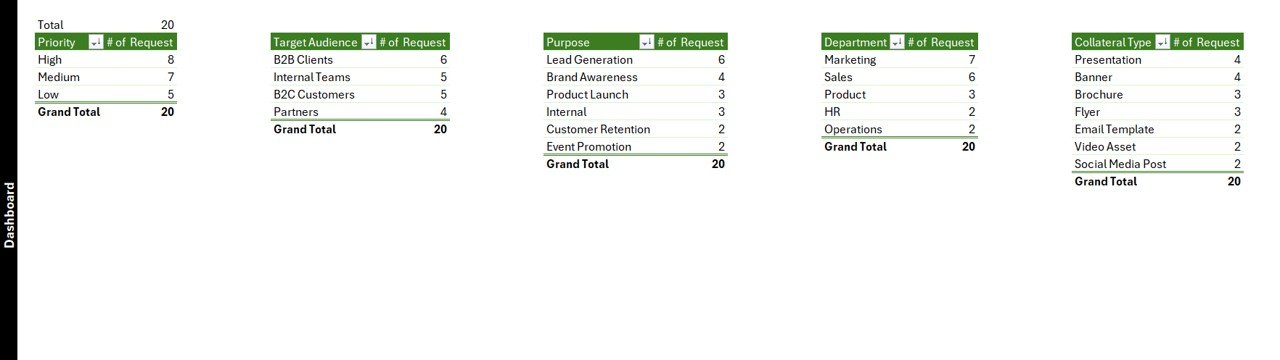
📁 Dashboard Sheet – Visual insights with 5 slicers and 5 analytical charts
📁 Data Entry Sheet – Add, update, and delete requests using intuitive buttons
📁 Manage List Sheet – Control dropdown values for flexible customization
📁 Support Sheet – Backend pivot tables powering dashboard visuals
📁 User Management Module – Role-based access and credential control
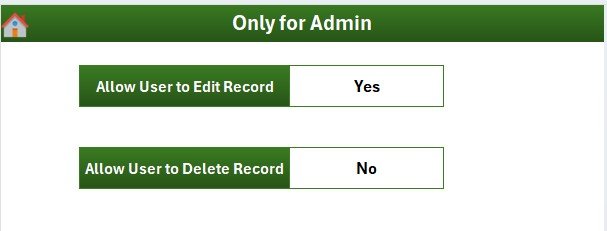
📁 Settings Sheet – Configure system-level options for your organization
Each component works together to deliver a smooth, reliable, and scalable request management system.
🛠️ How to Use the Marketing Collateral Request Tracker in Excel
1️⃣ Open the Excel file and log in using authorized credentials
2️⃣ Access the Main Form to navigate between dashboards and data entry
3️⃣ Add new marketing requests using structured forms
4️⃣ Update or delete requests as work progresses
5️⃣ Analyze workload, priorities, and trends through interactive dashboards
6️⃣ Manage users and lists as your team grows
No advanced Excel knowledge required. The tool is designed for both technical and non-technical users.
👥 Who Can Benefit from This Marketing Collateral Request Tracker in Excel
🎯 Corporate marketing teams
🎯 Digital marketing agencies
🎯 Branding and creative teams
🎯 Product marketing departments
🎯 Internal communications teams
🎯 Startups, SMEs, and large enterprises
If your team handles frequent creative or marketing requests, this tracker will immediately improve visibility, speed, and accountability.
📘 Click here to read the Detailed blog post
🎥 Visit our YouTube channel to learn step-by-step video tutorials
👉 YouTube Channel










Reviews
There are no reviews yet.