


Managing healthcare purchasing is complex, time-sensitive, and cost-critical. Hospitals and healthcare organizations handle thousands of purchase transactions every month — from medicines and medical equipment to consumables and services. Without a proper tracking system, this often leads to overspending, inefficiencies, and poor vendor control.
That’s exactly why the Health Purchasing KPI Dashboard in Excel is a powerful solution.
This professionally designed Excel dashboard helps healthcare teams monitor purchasing performance, control costs, analyze trends, and make informed decisions — all from one centralized and easy-to-use dashboard.
Whether you manage procurement, finance, or hospital operations, this dashboard gives you complete visibility into purchasing performance with zero complexity.
🔹 Key Features of Health Purchasing KPI Dashboard
📊 Centralized KPI Monitoring
Track all purchasing KPIs in one interactive Excel dashboard without switching between multiple files.
📅 Dynamic Month Selection
Change the reporting month instantly using a dropdown and view updated results automatically.
📈 MTD & YTD Performance Tracking
Monitor Monthly and Year-to-Date performance for better financial control.
🎯 Target vs Actual Comparison
Identify gaps and performance deviations using visual indicators.
📉 Previous Year Comparison
Analyze growth trends and year-over-year performance easily.
🚦 Conditional Formatting Indicators
Upward and downward arrows instantly highlight performance direction.
📊 Trend Analysis Dashboard
Visual charts help track performance movement and identify patterns.
⚙️ Fully Customizable in Excel
Modify KPIs, targets, and formulas as per your organization’s needs.
📂 What’s Inside the Health Purchasing KPI Dashboard
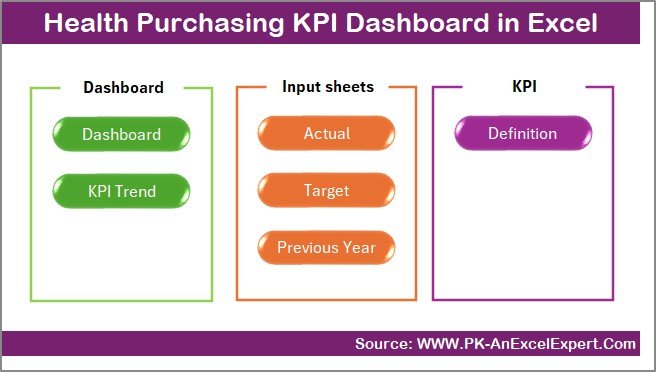
This dashboard contains 7 structured and professionally designed worksheets, each serving a specific purpose:
✅ Summary Page
Acts as the navigation hub with clickable buttons for quick access to all sections.
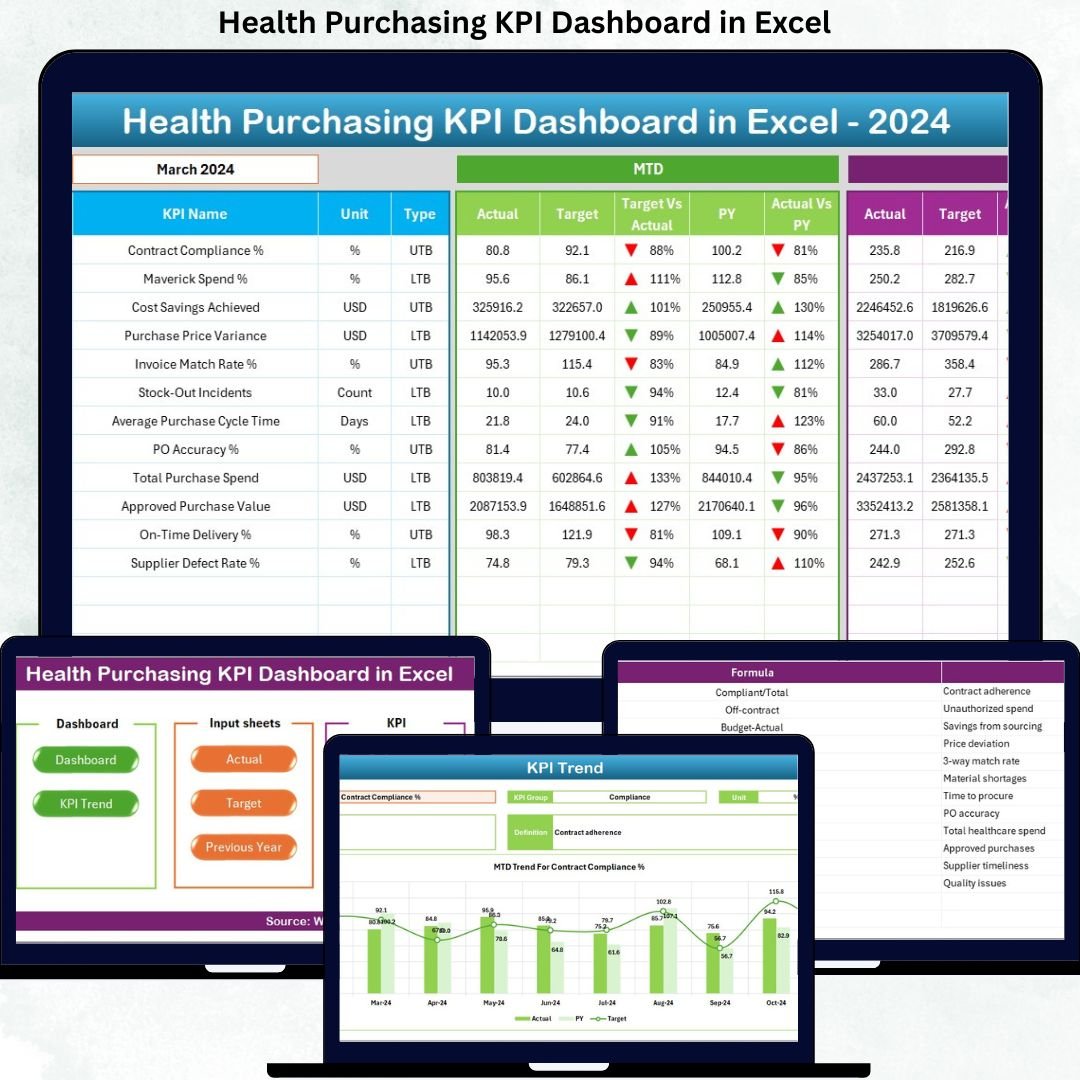
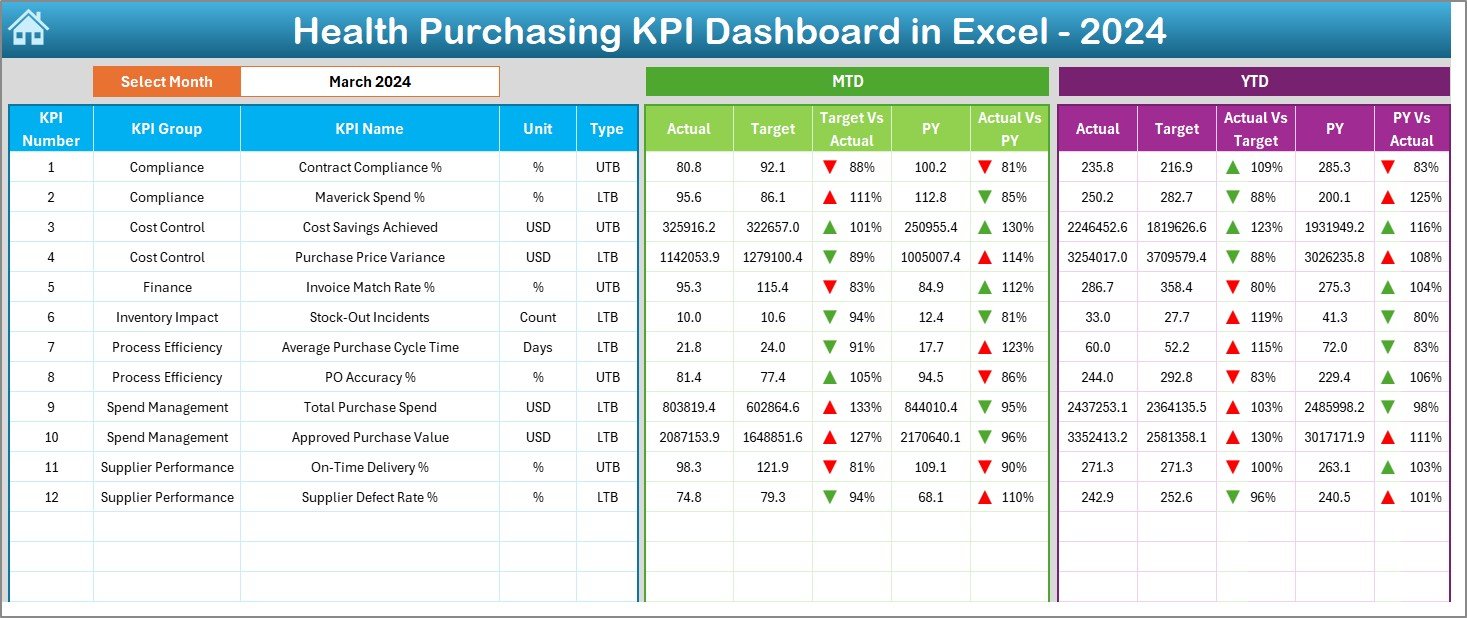
✅ Dashboard Sheet
Displays all KPIs with:
MTD Actual, Target & Previous Year
YTD Actual, Target & Previous Year
Target vs Actual comparison
Conditional formatting indicators
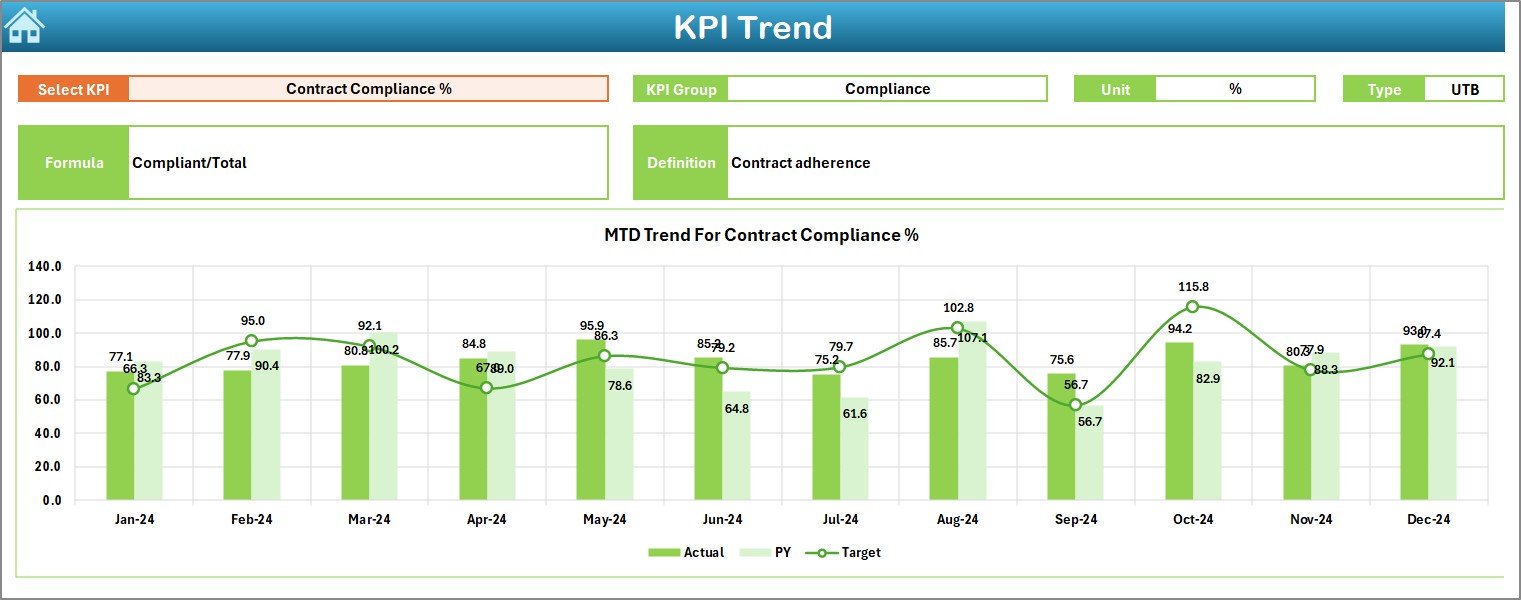
✅ Trend Sheet
Shows KPI trends with:
KPI name, unit, type
Monthly & YTD trends
Visual performance analysis
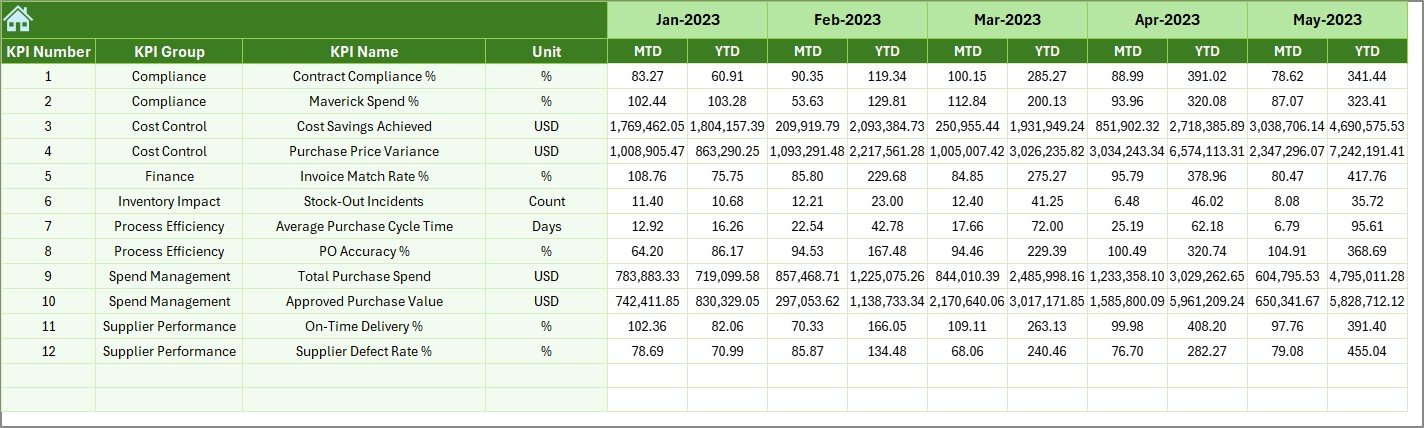
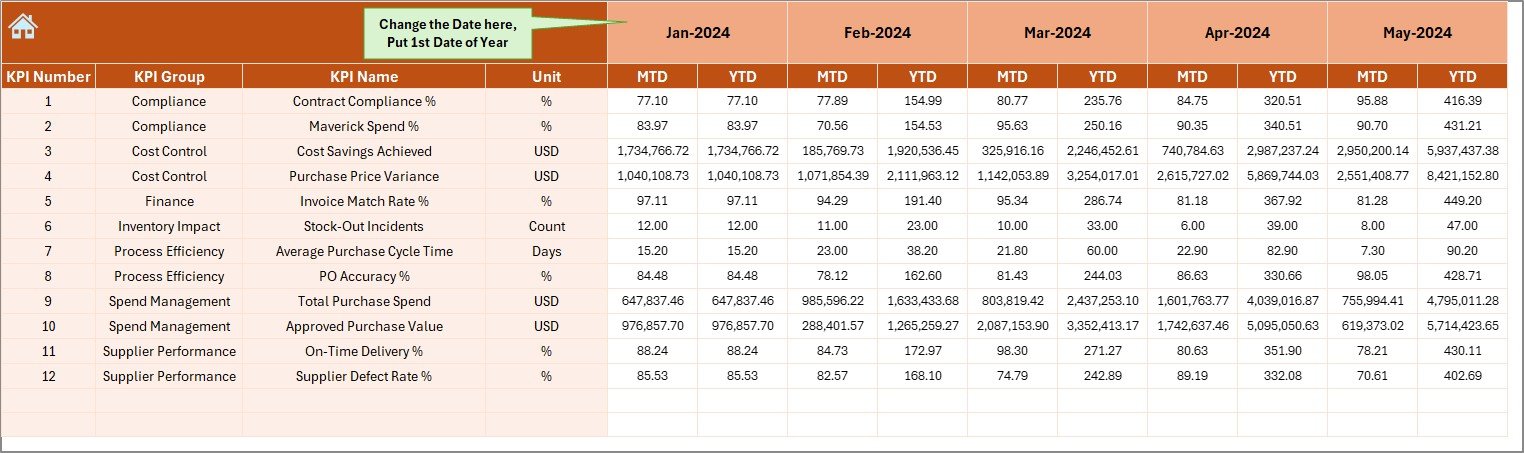
✅ Actual Data Sheet
Enter monthly purchasing data in a structured format.
✅ Target Sheet
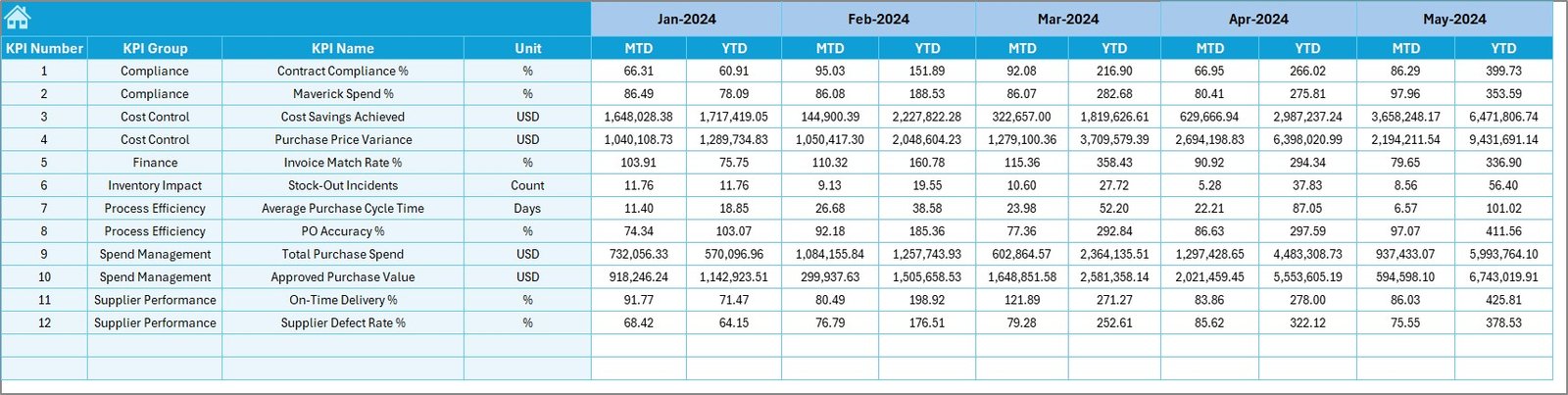
Define KPI targets for performance benchmarking.
✅ Previous Year Data Sheet
Compare historical performance for better decision-making.
✅ KPI Definition Sheet
Includes KPI name, formula, unit, and definition for clarity and consistency.
⚙️ How to Use the Health Purchasing KPI Dashboard
1️⃣ Enter actual purchasing data monthly
2️⃣ Add target values in the target sheet
3️⃣ Select the month from the dropdown
4️⃣ View updated KPIs automatically
5️⃣ Analyze trends and performance gaps
6️⃣ Make data-driven procurement decisions
No technical skills required — everything works inside Excel.
👥 Who Can Benefit from This Dashboard
🏥 Hospital Procurement Teams
📊 Healthcare Finance Departments
📦 Supply Chain Managers
🧾 Purchasing Officers
🏢 Hospital Administrators
📋 Audit & Compliance Teams
📈 Healthcare Consultants
This dashboard is ideal for any healthcare organization looking to improve purchasing transparency and control costs.
⭐ Why Choose This Dashboard
✔ Saves time with automated reporting
✔ Improves purchasing efficiency
✔ Enhances decision-making
✔ Reduces manual work
✔ Improves cost control
✔ Easy to customize
✔ No BI tools required
✔ Works in Microsoft Excel
Click here to read the detailed blog post
Watch the step-by-step video tutorial:































Reviews
There are no reviews yet.