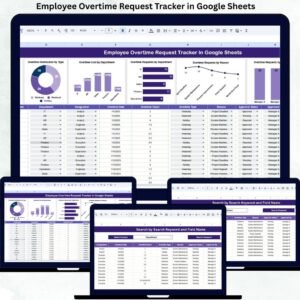
Overtime management plays a critical role in workforce planning, cost control, and employee satisfaction. When overtime requests are handled through emails, chats, or unstructured spreadsheets, organizations quickly lose visibility. Approvals get delayed, costs rise unexpectedly, and payroll errors become common. Over time, this leads to compliance risks and unhappy employees.
That is exactly why the Employee Overtime Request Tracker in Google Sheets becomes an essential workforce management tool.
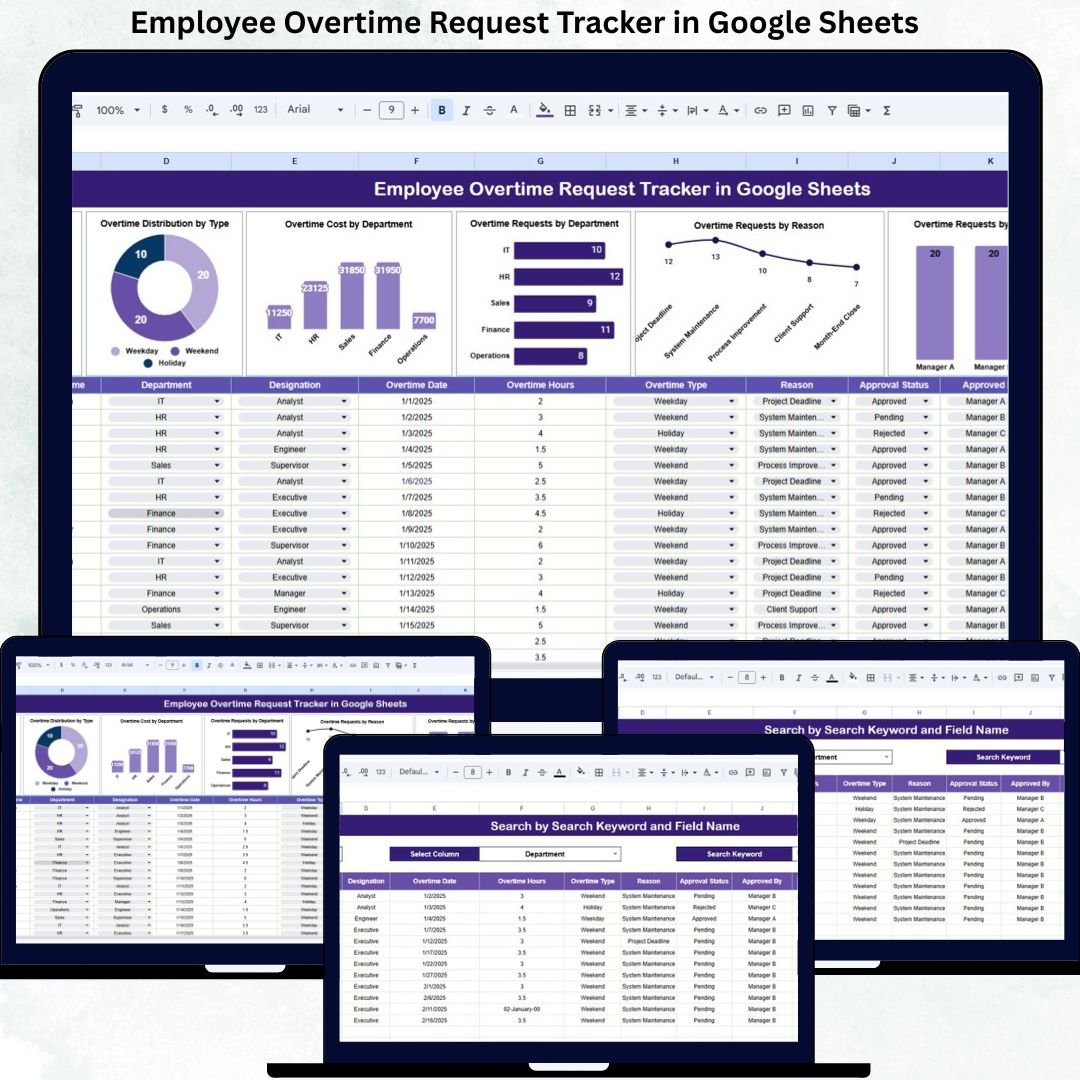
This ready-to-use tracker helps HR teams, payroll teams, and managers record, approve, monitor, and analyze overtime requests in one centralized system. Instead of juggling multiple files, you get a single Google Sheets tracker with structured data entry, automatic summaries, interactive charts, and a powerful search feature. The result is faster approvals, accurate payroll data, and better control over overtime costs.
Because it runs inside Google Sheets, the tracker updates in real time, supports collaboration, and requires no additional software or technical setup.
✨ Key Features of the Employee Overtime Request Tracker in Google Sheets
📋 1. Centralized Overtime Request Management
All employee overtime requests are stored in one structured tracker. HR and managers no longer depend on emails or manual follow-ups.
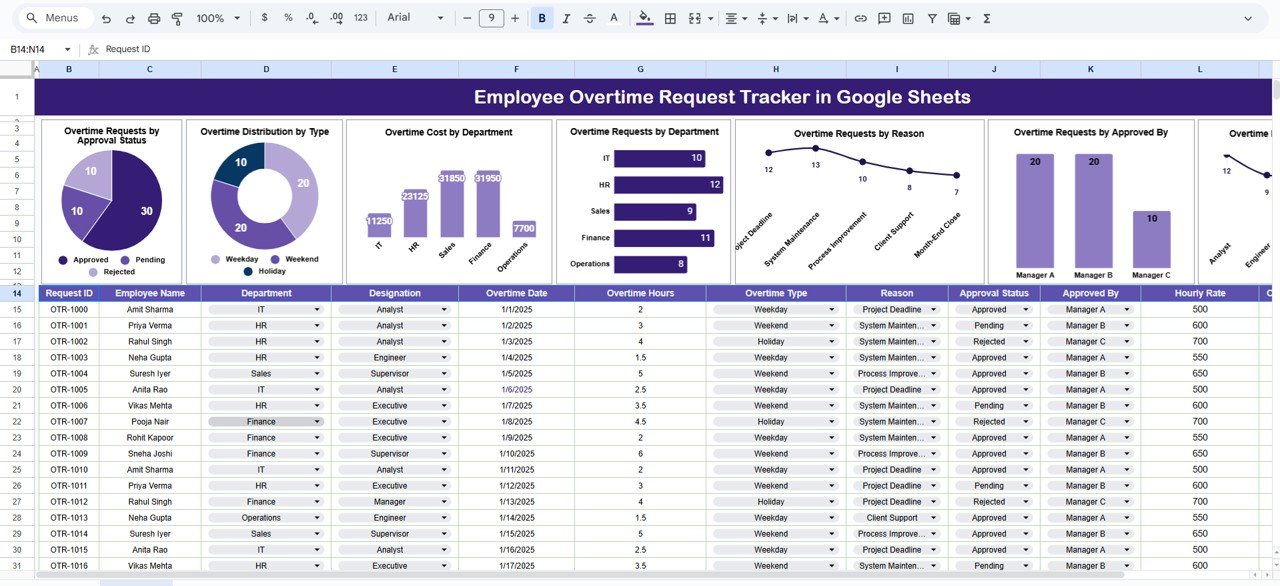
📊 2. Interactive Charts for Quick Insights
Built-in charts visualize overtime patterns, approval status, cost distribution, and workload trends.
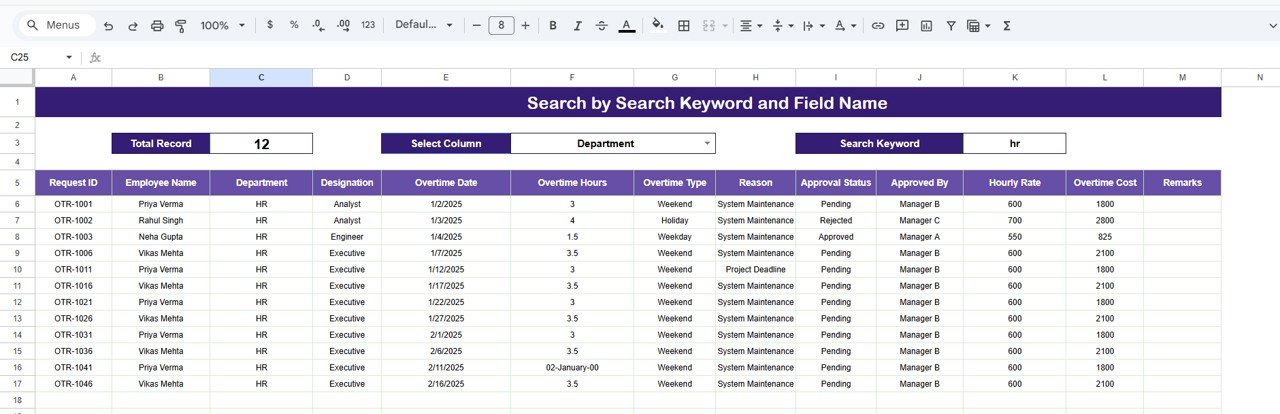
🔍 3. Smart Search Functionality
Find any overtime request instantly by keyword and field name—ideal for audits, payroll checks, and employee queries.
🤝 4. Real-Time Collaboration
Multiple users can update and review requests simultaneously without version conflicts.
💰 5. Better Overtime Cost Control
Department-wise and designation-wise cost visibility helps reduce unnecessary overtime spending.
📦 What’s Inside the Employee Overtime Request Tracker in Google Sheets
🗂️ Tracker Sheet Tab (Core Data Sheet)
This is the foundation of the entire tracker. It captures all overtime request details in a clean and organized structure, including:
Employee Name & ID
Department & Designation
Overtime Type (Weekday, Weekend, Holiday, Emergency)
Overtime Hours & Cost
Reason for Overtime
Approval Status (Pending, Approved, Rejected)
Approved By
Request Date & Remarks
Whenever data is entered or updated, the dashboard and charts refresh automatically.
📈 Charts Included in the Tracker
📌 Overtime Requests by Approval Status
Quickly see how many requests are pending, approved, or rejected—helping HR clear backlogs faster.
📌 Overtime Distribution by Type
Understand when overtime occurs most—weekday, weekend, holiday, or emergency.
📌 Overtime Cost by Department
Identify departments driving higher overtime costs and take corrective action.
📌 Overtime Requests by Department
Spot workload imbalances and staffing challenges across teams.
📌 Overtime Requests by Reason
Analyze why overtime happens—project deadlines, peak workload, system downtime, or staff shortages.
📌 Overtime Requests by Approved By
Improve transparency by tracking approval workload across managers.
📌 Overtime Requests by Designation
Understand which roles are most impacted by overtime and plan workforce adjustments.
🛠️ How to Use the Employee Overtime Request Tracker in Google Sheets
1️⃣ Record Overtime Requests
Enter employee overtime details as requests are raised.
2️⃣ Update Approval Status
Mark requests as Pending, Approved, or Rejected to maintain transparency.
3️⃣ Review Charts Regularly
Monitor cost trends, department workload, and approval delays.
4️⃣ Use the Search Feature
Instantly locate records by employee name, department, status, or reason.
5️⃣ Support Payroll & Compliance
Use accurate overtime data to simplify payroll processing and audits.
🎯 Who Can Benefit from This Employee Overtime Request Tracker
👥 HR Teams
Manage overtime approvals, policy compliance, and reporting effortlessly.
💼 Payroll Teams
Ensure accurate overtime calculations and faster payroll closure.
🏢 Department Managers
Track team workload and justify overtime needs clearly.
📊 Operations & Admin Teams
Control costs and identify staffing gaps early.
🚀 Growing Organizations
Bring structure and transparency to workforce overtime management.
### Click here to read the Detailed blog post
Watch the step-by-step video tutorial: