

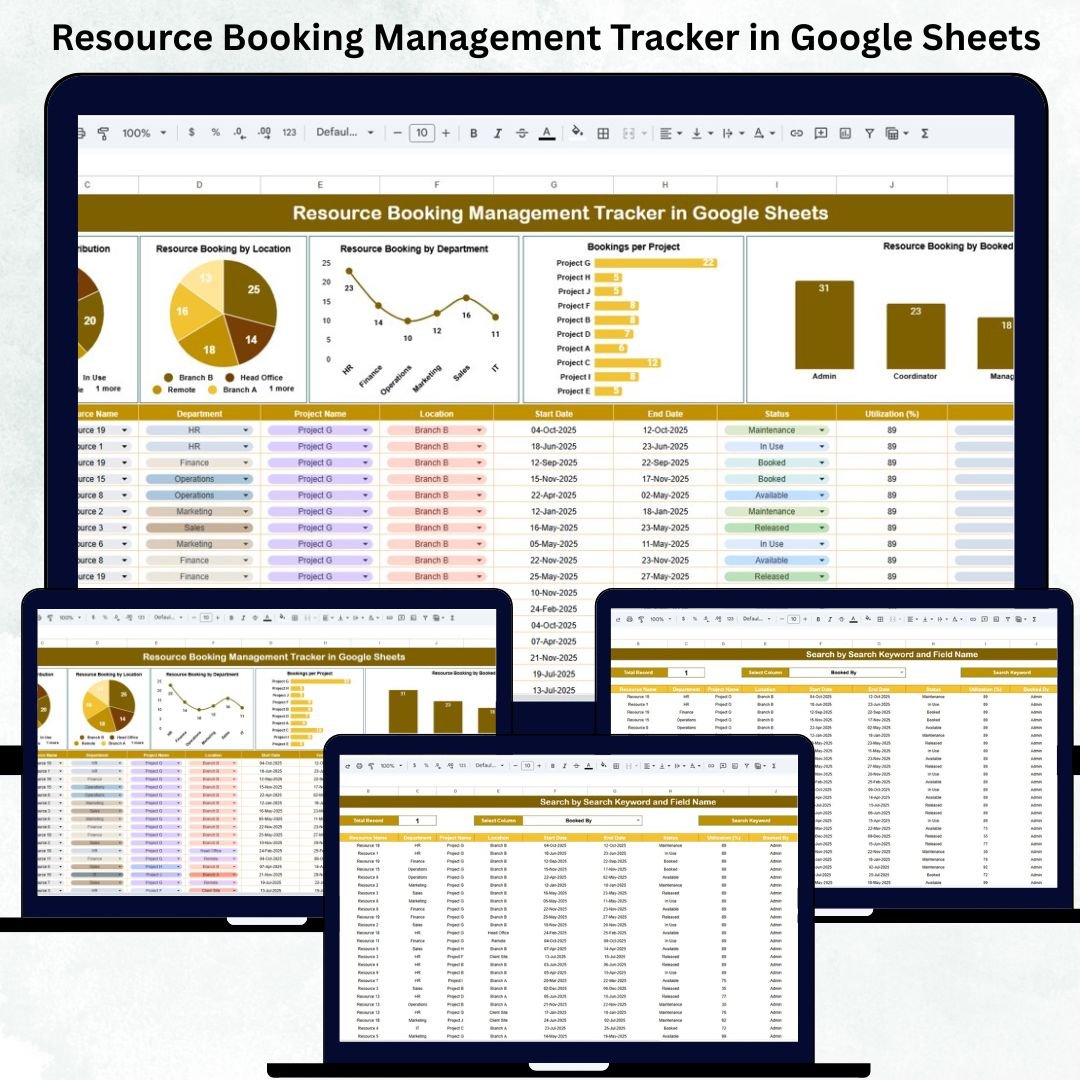
Every organization depends on shared resources—meeting rooms, project equipment, tools, vehicles, workstations, and even team members. But without a structured system, double-bookings, miscommunication, and resource clashes become common problems. The Resource Booking Management Tracker in Google Sheets solves this issue by giving teams a clean, cloud-based, and highly efficient way to manage all bookings in one place.Resource Booking Management Tracker in Google Sheets
This ready-to-use Google Sheets tool allows you to record who booked which resource, for what purpose, for which department, and for which project—along with the date, time, and booking status. Because everything is stored online, teams can collaborate in real time without worrying about outdated versions or missing information. Whether you manage a corporate office, shared workspace, IT assets, or field resources, this tracker brings full visibility and eliminates confusion instantly.Resource Booking Management Tracker in Google Sheets
✨ Key Features of the Resource Booking Management Tracker in Google Sheets
📘 Tracker Sheet – Your Complete Booking Database
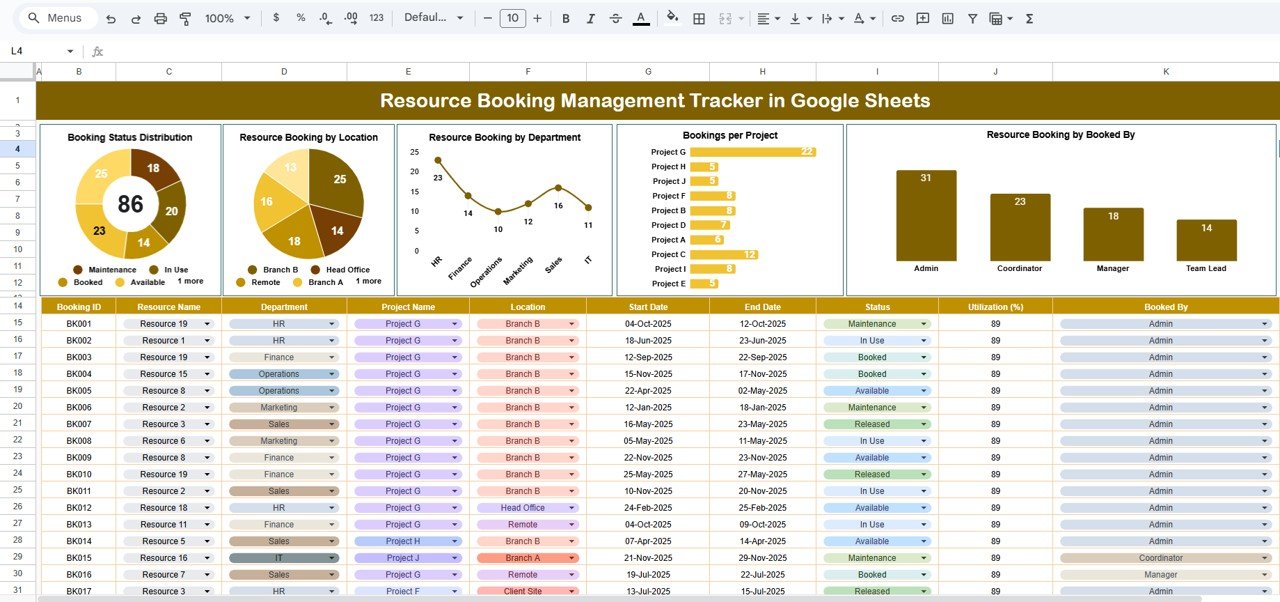
The Tracker Sheet is the heart of the system. It captures all booking details in a structured and organized format. Employees can log resource names, booking dates, departments, project names, booking status, and locations. As soon as data is entered, all visuals and charts update automatically—no manual formulas needed.
📈 Smart Dashboard Visuals
The tracker includes several built-in charts that help you analyze usage trends, avoid shortages, and optimize allocation:
-
📊 Booking Status Distribution – Shows how many bookings are Booked, Completed, Cancelled, or Pending.
-
📍 Resource Booking by Location – Identify which office, floor, or storage area has the highest booking activity.
-
🏢 Booking by Department – HR, IT, Finance, Operations, Marketing, Admin—see which teams use the most resources.
-
📁 Bookings Per Project – Understand which projects consume the most resources and plan capacity better.
-
👤 Resource Booking by User – Track which team members make the most booking requests.
These charts give managers deep insights into usage patterns, helping them plan ahead and prevent resource shortages.
📦 What’s Inside the Resource Booking Management Tracker in Google Sheets
⭐ Tracker Sheet
This is the primary database for all bookings. It includes fields such as:
-
Resource Name
-
Booked By
-
Department
-
Location
-
Project
-
Booking Date
-
Time
-
Status (Booked, Completed, Cancelled, Pending)
All dashboard visuals refresh instantly as soon as the data changes.
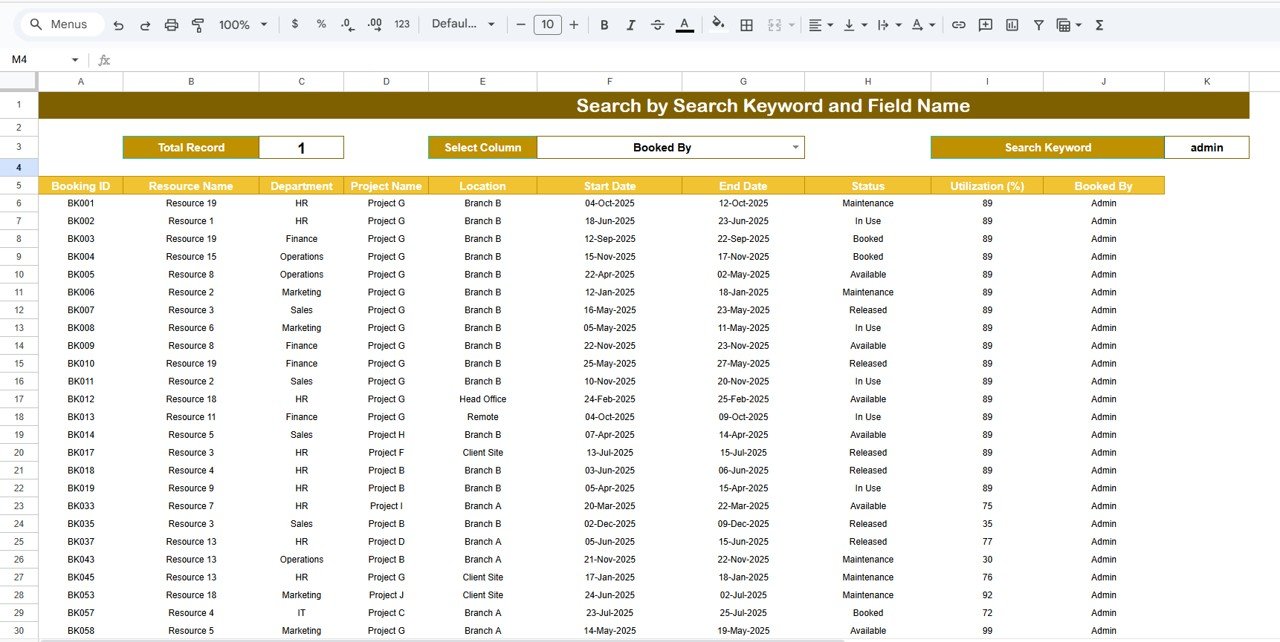
⭐ Search Sheet – Smart Lookup Tool
The Search Sheet lets you find any booking instantly using two inputs:
-
Search Keyword
-
Field Name
You can search by:
-
Resource Name
-
Department
-
Booked By
-
Project
-
Location
-
Booking Status
This feature is extremely useful during meetings, audits, or quick reviews where HR, Admin, or Managers need instant answers.
🛠️ How to Use the Resource Booking Management Tracker in Google Sheets
1️⃣ Enter Booking Details
Fill in resource name, date, department, project, and status. The tracker is simple and beginner-friendly.
2️⃣ Review Dashboard Insights
Use the built-in charts to monitor booking activity across locations, departments, users, and projects.
3️⃣ Search Instantly with the Search Sheet
Find records without scrolling or filtering. Just type a keyword and the tracker displays matching results.
4️⃣ Customize Based on Your Needs
You can add fields like:
-
Equipment ID
-
Booking cost
-
Priority level
-
Usage duration
-
Block reason
The tracker is fully editable and flexible.
5️⃣ Collaborate in Real Time
Multiple employees can book resources simultaneously—Google Sheets ensures everyone sees the latest version at all times.
👥 Who Can Benefit from This Resource Booking Tracker
🏢 Office Teams
Manage meeting rooms, workstations, event spaces, and shared office tools.
🛠️ Operations & Facilities Teams
Track tools, storage items, equipment, and workshop resources.
📊 Project Managers
Align resource allocation with project timelines, avoiding conflicts.
💻 IT Departments
Monitor booking patterns of laptops, monitors, IT accessories, and lab equipment.
🚗 Fleet & Field Teams
Track vehicle scheduling, driver allocation, and field visits efficiently.
The Resource Booking Management Tracker in Google Sheets is more than a basic spreadsheet—it is a powerful booking ecosystem that brings structure, clarity, and accountability to your resource allocation process. With automatic charts, smart searching, cloud-based access, and real-time collaboration, it gives organizations a complete solution to avoid booking conflicts and manage resources with confidence.
Whether you run an office, a project team, a workshop, or a multi-location organization, this tracker helps you maintain transparency, reduce conflicts, and improve planning instantly.
Click Here to Read the Detailed Blog Post
Watch the step-by-step video Demo:












Reviews
There are no reviews yet.