



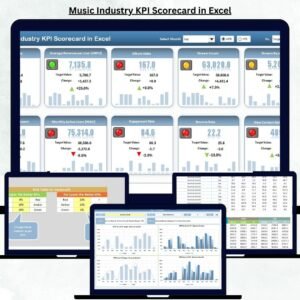
In today’s competitive music industry, success depends on more than just talent — it’s about tracking numbers that drive growth, audience engagement, and profitability. The Music Industry KPI Scorecard in Excel is your all-in-one analytical powerhouse designed to help artists, labels, and managers monitor every key performance metric — from streaming revenue to concert attendance — all in one dynamic Excel dashboard.
Whether you’re a record label executive, music producer, or independent artist, this ready-to-use template helps you measure your creative and financial performance with accuracy, simplicity, and style. No coding or complex setup — just open, input, and visualize your data like a pro.
🎼 Key Features of Music Industry KPI Scorecard in Excel
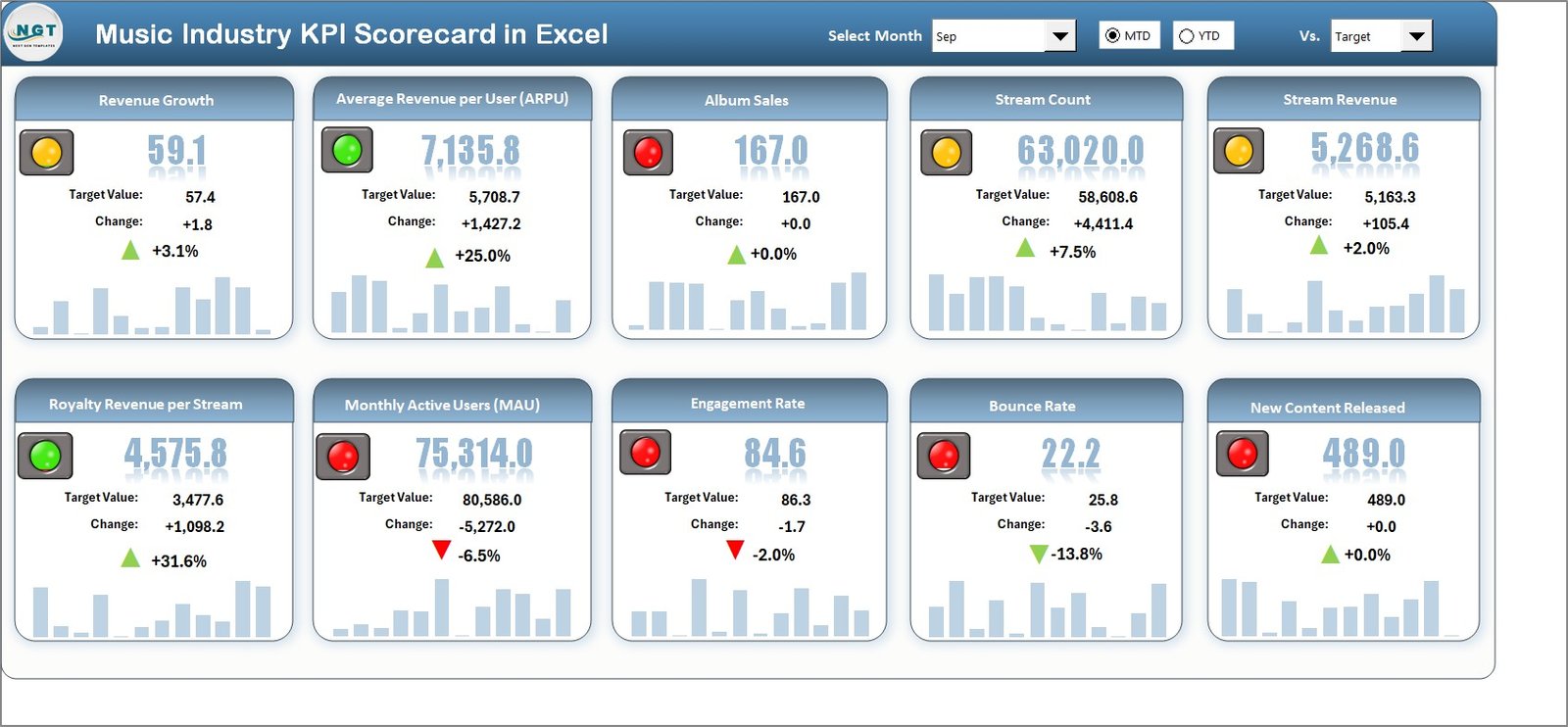
✨ All-in-One Dashboard – Instantly view 10 major KPIs with interactive cards and charts.
📊 MTD & YTD Comparison – Analyze Month-to-Date and Year-to-Date performance at a glance.
🎯 Actual vs Target Tracking – Measure results against your goals with smart conditional formatting.
📈 Dynamic Charts – Monitor performance trends for each KPI and identify growth areas.
🧭 Easy Navigation – Jump between sheets using clear buttons and dropdowns.
⚙️ Automated Data Refresh – Update once, and all dashboards refresh automatically.
💡 No Coding Required – 100% Excel-based; easy for anyone to use.
🎨 Professional Design – Visually appealing and presentation-ready layout.
📂 What’s Inside the Music Industry KPI Scorecard
This Excel template comes with four fully functional sheets, each with a specific purpose:
1️⃣ Scorecard Sheet: Your main performance dashboard that showcases MTD/YTD comparisons, KPI cards, and color-coded performance indicators.
2️⃣ KPI Trend Sheet: Allows you to pick any KPI (like Album Sales or Streaming Revenue) and view its performance over time with interactive charts.
3️⃣ Input Data Sheet: A structured area where you enter all your monthly actual and target data. All dashboards update automatically from here.
4️⃣ KPI Definition Sheet: Acts as your business dictionary — defines each KPI, its formula, and purpose for total clarity across teams.
Each sheet is interlinked, giving you real-time insights and helping you make data-driven decisions instantly.
🎹 How to Use the Music Industry KPI Scorecard in Excel
🎵 Step 1: Download and open the Excel file.
📅 Step 2: Enter actual and target values in the Input Data sheet.
📊 Step 3: Switch between MTD and YTD in the Scorecard sheet to compare performance.
📈 Step 4: Explore KPI trends in the Trend sheet to analyze progress over time.
🧮 Step 5: Review KPI formulas and definitions for better understanding.
📤 Step 6: Update data monthly or quarterly to maintain accuracy.
📢 Step 7: Share the file with your management or team for quick collaboration.
With these simple steps, even non-technical users can create powerful business insights in minutes.
👥 Who Can Benefit from This Music Industry KPI Scorecard
🎤 Independent Artists: Track revenue, fan engagement, and performance growth.
🏢 Record Labels: Manage multiple artists or albums with centralized metrics.
🎶 Music Producers: Monitor streaming trends, licensing deals, and production efficiency.
📺 Marketing Teams: Analyze campaign ROI and audience reach.
💰 Finance Managers: Assess profitability and cost efficiency of projects.
🎟️ Event Managers: Track ticket sales, attendance rates, and event ROI.
🌎 Distributors: Evaluate streaming platform performance by region.
📻 Radio Networks: Measure listener engagement and ad performance.
This scorecard fits every corner of the music ecosystem — from the recording studio to the boardroom.
Click here to read the Detailed Blog Post
Watch the step-by-step video tutorial:
Visit our YouTube channel to learn step-by-step video tutorials
👉 YouTube.com/@PKAnExcelExpert
Compatibility and Requirements
- Works in Microsoft Excel desktop (Excel 2016 or later, or Microsoft 365).
- Scorecard and trend charts update from the Input Data sheet. Microsoft explains how charts work in Create a chart from start to finish.
Frequently Asked Questions
Which sheets are included?
Four sheets: Scorecard, KPI Trend, Input Data and KPI Definition.
How many KPIs does the scorecard show?
The Scorecard sheet shows 10 KPIs as cards and charts, with Month-to-Date and Year-to-Date comparisons.
Where do I enter my numbers?
Enter your monthly actual and target values in the Input Data sheet. The Scorecard and KPI Trend sheets refresh from there.
Do I need macros or coding?
No coding is needed. Open the file, enter your data and the dashboards update.
Is there a Google Sheets version?
Yes. See the Music Industry KPI Scorecard in Google Sheets.
Related Music Industry Templates
- Music Industry KPI Dashboard in Excel: a dashboard view of music KPIs in Excel
- Music Industry KPI Scorecard in Google Sheets: the same scorecard in Google Sheets
- Music Industry KPI Dashboard in Google Sheets: the dashboard edition for Google Sheets
- Music Industry KPI Dashboard in Power BI: the Power BI edition
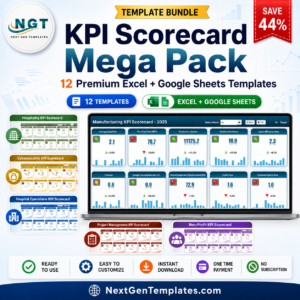
- KPI Scorecard Mega Pack: 12 KPI scorecard templates in one download
Browse all Excel KPI dashboards.

















Reviews
There are no reviews yet.