

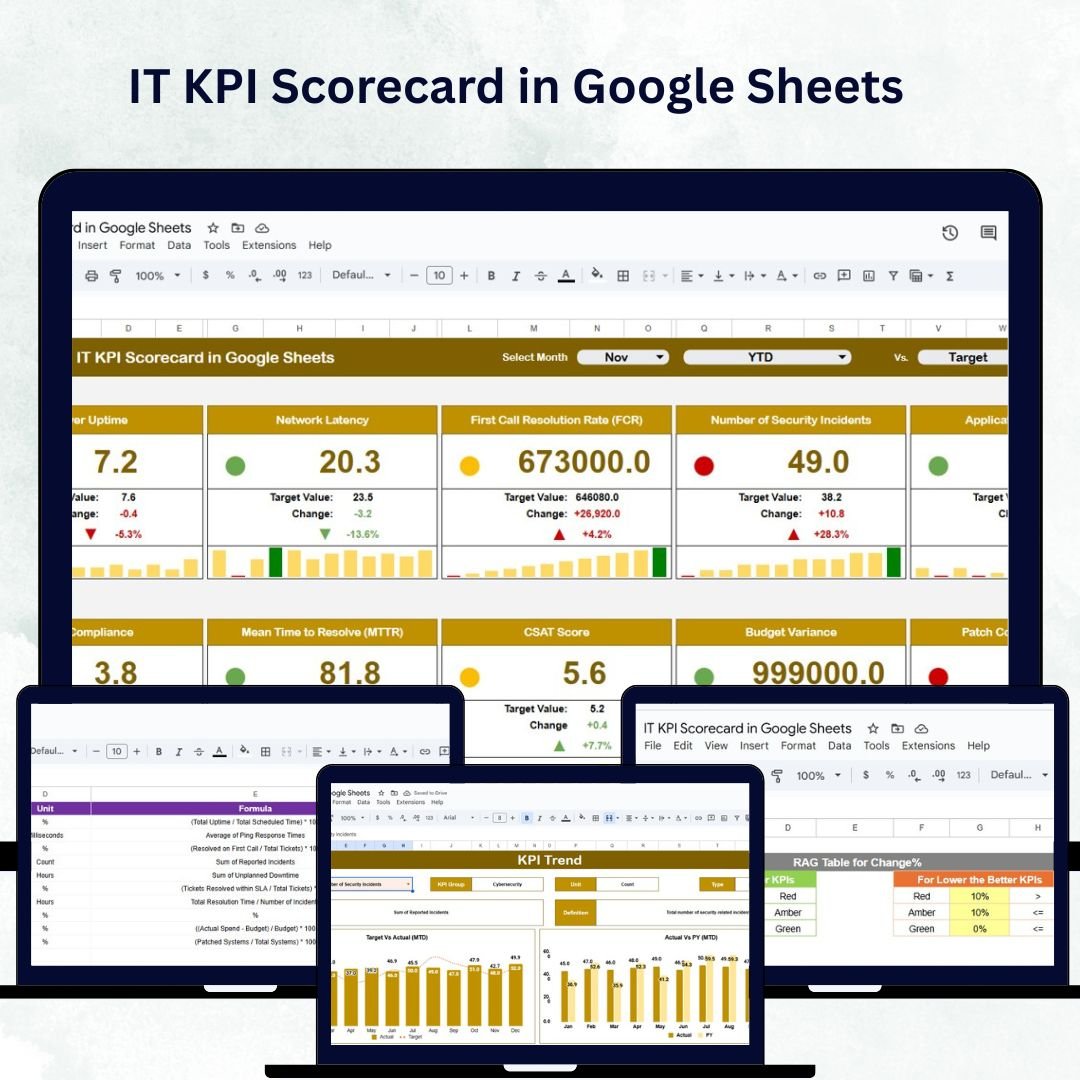

In today’s data-driven business world, IT departments are the backbone of efficiency, innovation, and security. However, tracking IT performance manually can be time-consuming and error-prone. The IT KPI Scorecard in Google Sheets is a ready-to-use, data-driven dashboard that empowers IT managers and business leaders to monitor performance metrics, analyze trends, and make informed decisions — all within one collaborative Google Sheets file. ⚙️📈
Designed for clarity, automation, and visual impact, this scorecard consolidates your IT performance data into color-coded dashboards, trend charts, and interactive views — helping you ensure that your IT strategy aligns perfectly with business goals.
🔑 Key Features of the IT KPI Scorecard in Google Sheets
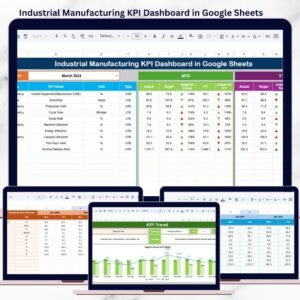
📋 Scorecard Sheet Tab
The central hub of your IT performance tracking system.
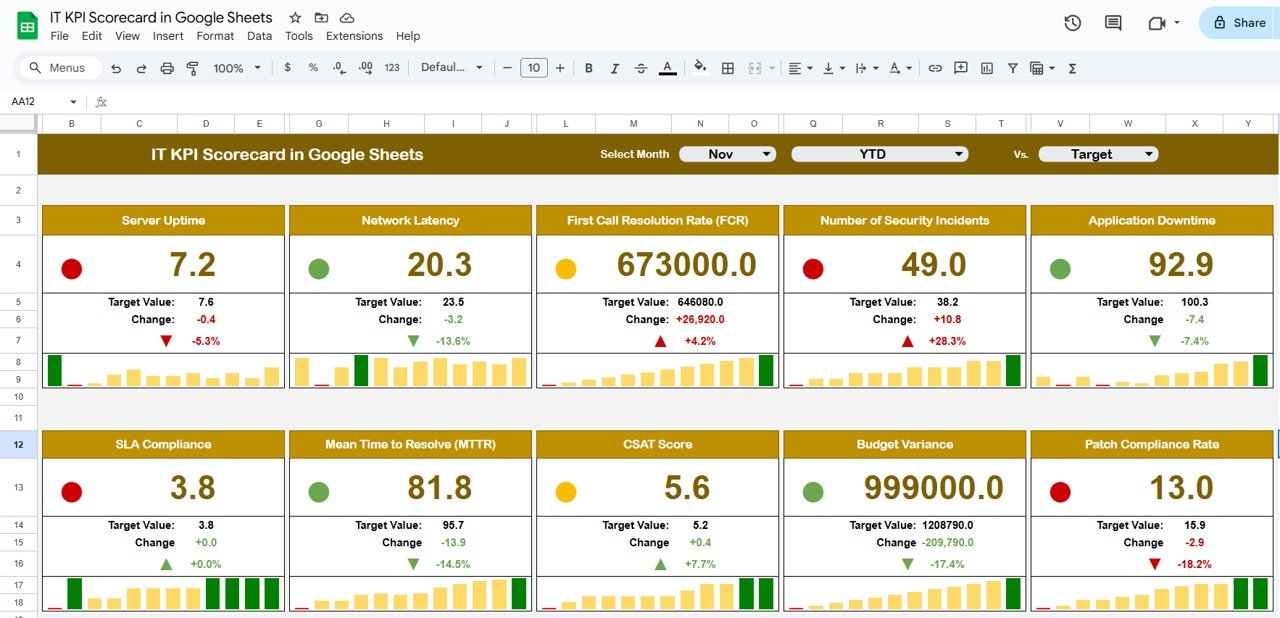
Month Dropdown (Cell D3): Select a month and see the entire dashboard update automatically.
Dynamic Indicators: Red, Yellow, and Green lights provide instant performance insights.
MTD vs YTD Toggle: Switch between Month-to-Date (MTD) and Year-to-Date (YTD) performance in one click.
Actual vs Target vs Previous Year: Quickly identify deviations and achievements.
Visual Performance Arrows: Green ▲ for improvement, Red ▼ for decline.
This interactive view allows IT teams to monitor performance at a glance — boosting awareness and accountability.
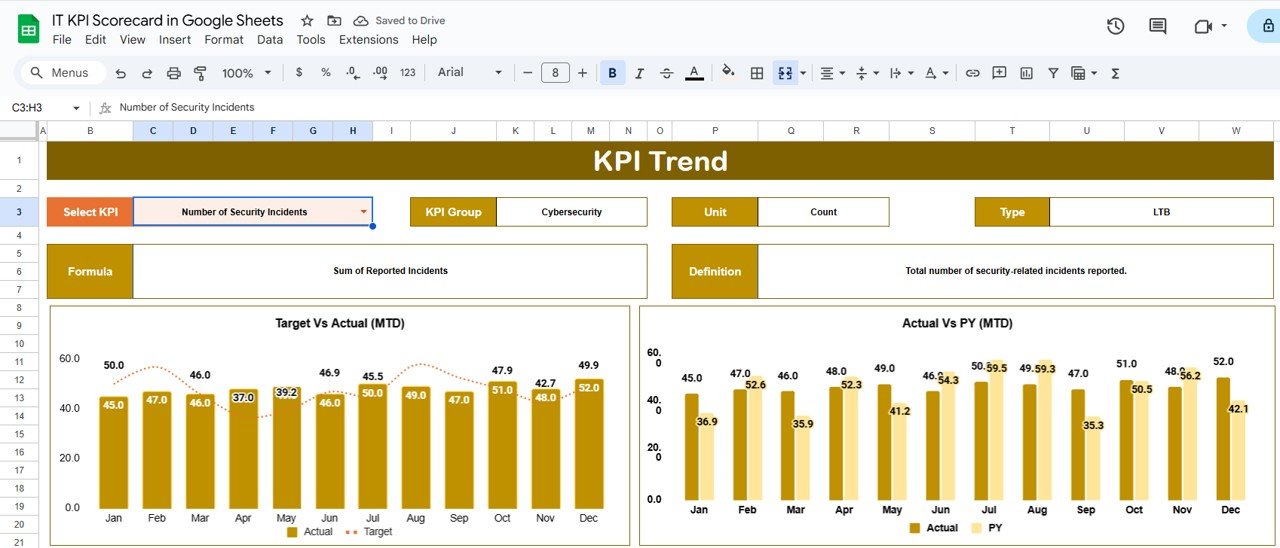
📈 KPI Trend Sheet Tab
Dive deeper into your KPI performance trends.
Choose a KPI from the dropdown (Cell C3).
View the KPI Group, Unit, Formula, and Type (UTB/LTB).
Analyze historical data and visual trend lines for both MTD and YTD.
Detect recurring issues or consistent improvements with precision.
Ideal for long-term IT performance reviews and root-cause analysis.
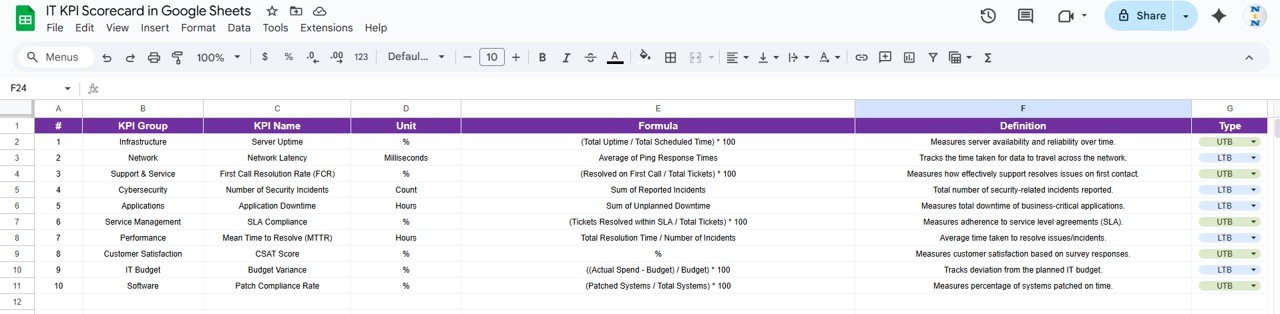
📖 KPI Definition Sheet Tab
Ensure every team member interprets metrics consistently.
Clearly defines each KPI — including Name, Group, Unit, Formula, and Definition.
Identifies whether the KPI is Upper the Better (UTB) or Lower the Better (LTB).
Promotes alignment across teams and simplifies stakeholder reporting.
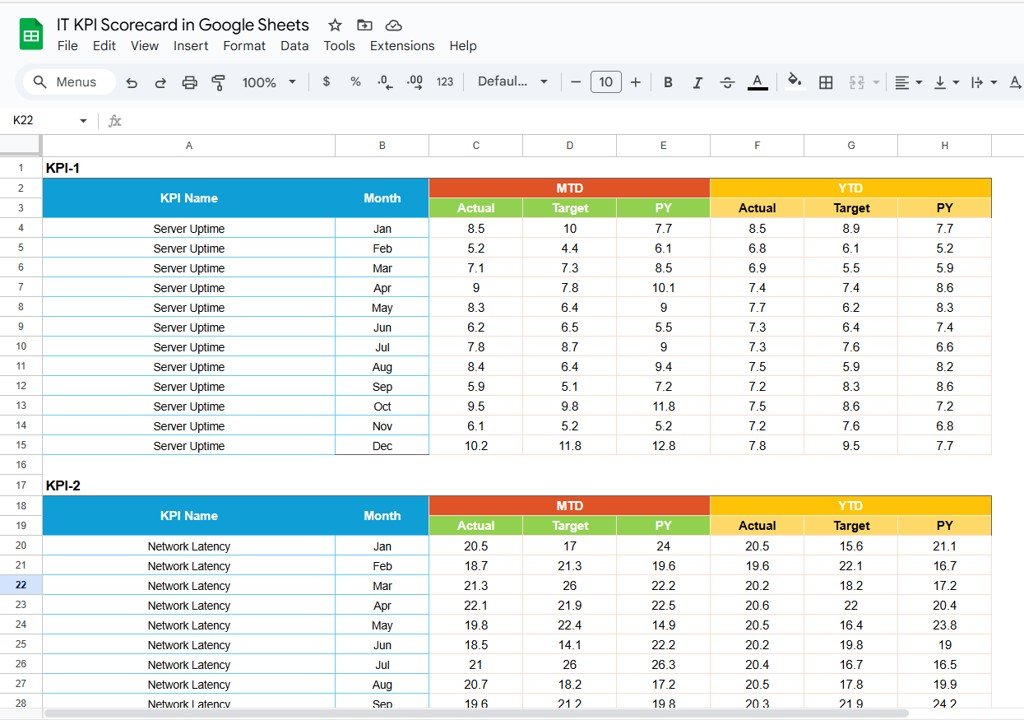
🧾 Data Input Sheet Tab
Where the performance data lives.
Record monthly Actual, Target, and Previous Year values for each KPI.
Data automatically flows into charts and dashboards.
Maintains consistency and eliminates manual calculation errors.
🎨 Color Settings Sheet Tab
Fully customizable visual settings.
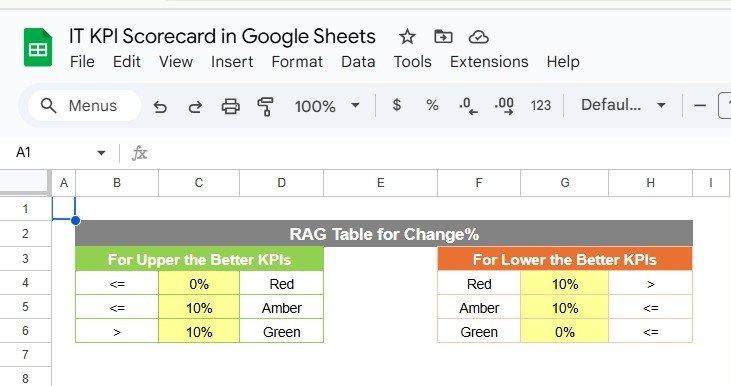
Adjust thresholds for Red (Below Target), Yellow (Near Target), and Green (Above Target).
Modify arrow icons and background colors to suit your visual preference.
Keep your scorecard clean, branded, and easy to interpret.
📦 What’s Inside the IT KPI Scorecard Package?
✅ Scorecard Dashboard Sheet – Real-time visual overview of IT performance
✅ KPI Trend Sheet – In-depth analysis of KPI trends and variances
✅ KPI Definition Sheet – Transparent KPI structure for clarity and consistency
✅ Data Input Sheet – Centralized data entry and management
✅ Color Settings Sheet – Customizable appearance for professional reporting
✅ Sample Data Included – Preloaded example to demonstrate dashboard functionality
Everything is automated, intuitive, and ready to go — just plug in your IT metrics and start analyzing instantly. 🚀
👨💻 Who Can Benefit from This Scorecard?
💼 IT Managers & CIOs – Track performance, uptime, and system health.
⚙️ Network & Infrastructure Teams – Monitor incident resolution and response times.
📊 Project Management Offices (PMOs) – Analyze IT performance across projects.
🧠 Data Analysts & Consultants – Visualize performance trends across multiple KPIs.
🏢 Corporate Leaders – Get a clear snapshot of IT’s contribution to organizational success.
Perfect for both small IT teams and enterprise-level organizations managing multiple departments or service categories.
🧪 How to Use the IT KPI Scorecard in Google Sheets
Input Data: Add actual, target, and previous year numbers in the Data Input sheet.
Select Month: Use the dropdown in the Scorecard sheet to choose a reporting month.
Review Performance: Instantly view MTD/YTD comparisons and color-coded KPIs.
Analyze Trends: Use the KPI Trend sheet to examine progress over time.
Customize Settings: Adjust visuals and thresholds in the Color Settings tab.
Within minutes, your data transforms into a clear, professional, and interactive scorecard.
🌟 Why Choose This Scorecard?
Centralized view of IT metrics and performance
Real-time updates with built-in automation
Color-coded visuals for instant clarity
Flexible design for any IT department
Supports both MTD and YTD performance tracking
Fully collaborative through Google Sheets
No complex formulas or coding required
The IT KPI Scorecard in Google Sheets helps your IT department stay proactive, transparent, and aligned with organizational goals — all while saving hours of manual reporting. 🖥️📊
🔗 Click here to read the Detailed blog post
Watch the step-by-step video Demo:
🔗 Visit our YouTube channel to learn step-by-step video tutorials
Compatibility and Requirements
- Works in Google Sheets. You need a free Google account and a web browser.
- You pick the month from a dropdown on the Scorecard sheet. Google explains dropdowns in Create an in-cell dropdown list.
Frequently Asked Questions
Which sheets are included?
Five sheets: Scorecard, KPI Trend, KPI Definition, Data Input and Color Settings. Sample data is preloaded so you can see how the scorecard works.
How do I update the scorecard?
Enter the monthly Actual, Target and Previous Year values for each KPI in the Data Input sheet. Then choose a month in cell D3 of the Scorecard sheet and the whole view updates.
Can I switch between month-to-date and year-to-date?
Yes. The Scorecard sheet has an MTD vs YTD toggle, so you can compare Actual, Target and Previous Year figures for either period.
Can I change the red, yellow and green thresholds?
Yes. In the Color Settings sheet you can adjust the thresholds for Below Target, Near Target and Above Target, plus the arrow icons and background colors.
Is there an Excel version?
Yes. The Cybersecurity KPI Scorecard in Excel is a close match for IT teams that work in Excel. For another Google Sheets scorecard, see the HR KPI Scorecard in Google Sheets.
Related KPI Scorecard Templates
- Cybersecurity KPI Scorecard in Excel: security metrics for IT teams that use Excel
- HR KPI Scorecard in Google Sheets: the same scorecard layout for HR metrics
- Manufacturing KPI Scorecard In Google Sheets: a Google Sheets scorecard for production KPIs
- Project Management KPI Scorecard in Excel: project performance metrics in Excel
- IT and Cybersecurity Operations Bundle: 8 templates for IT operations in one download
Browse all Google Sheets KPI dashboards.



























Reviews
There are no reviews yet.