

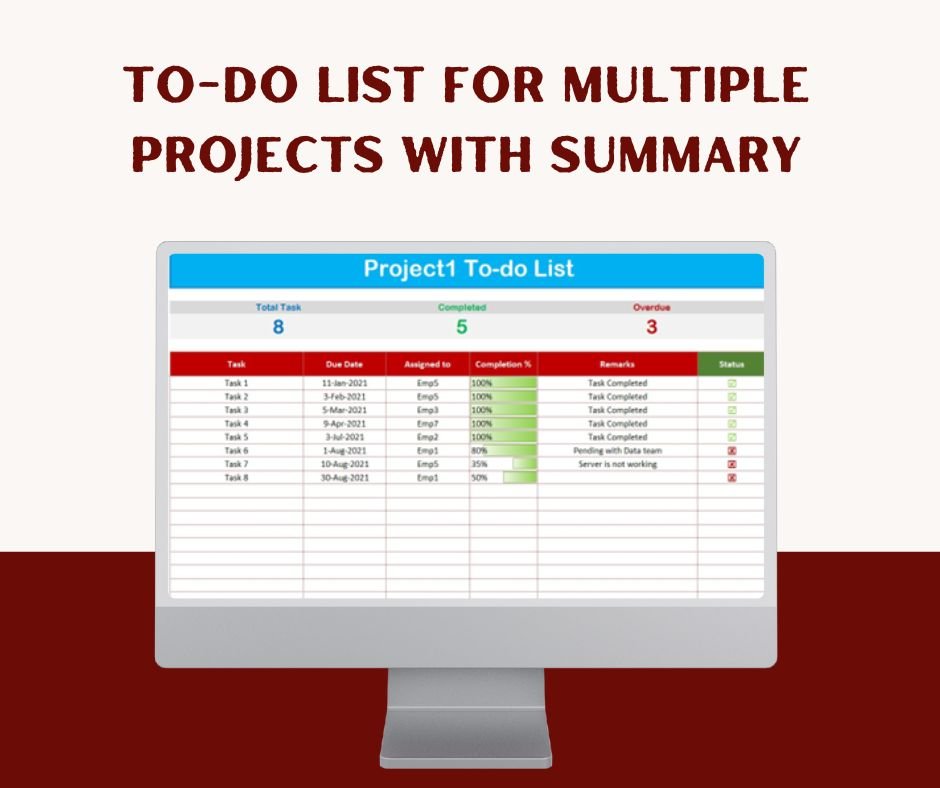

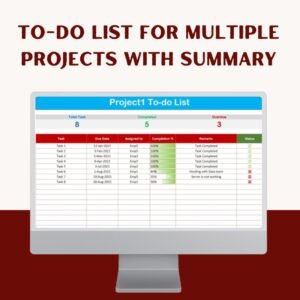
The To-do List for Multiple Projects with Summary is a ready-made Excel template for managing several projects and their tasks in one workbook. It is built for project managers, teams, freelancers and students who need to assign tasks, follow progress and meet due dates. A summary dashboard gives you a high-level view of every project, and a detailed task sheet covers each one.
This Excel-based multiple project tracker handles team assignments, project deliverables and due dates. Automated progress tracking, real-time status indicators and easy-to-use dropdowns keep everyone up to date and organized.
Key Features of the To-do List for Multiple Projects with Summary
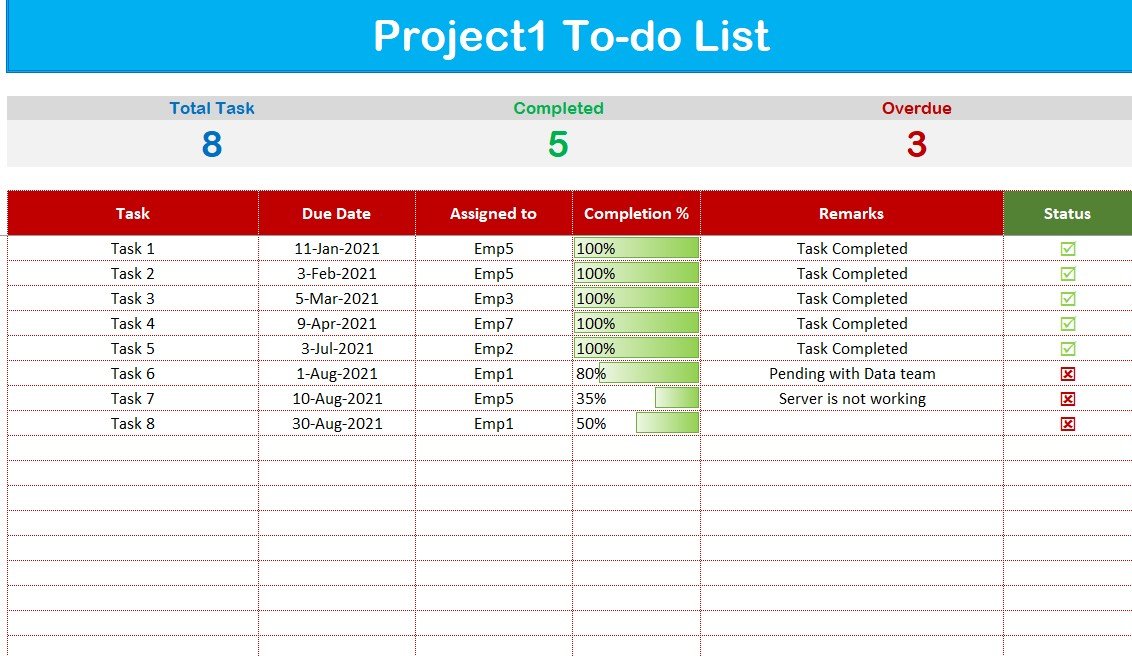
Comprehensive Project Worksheet
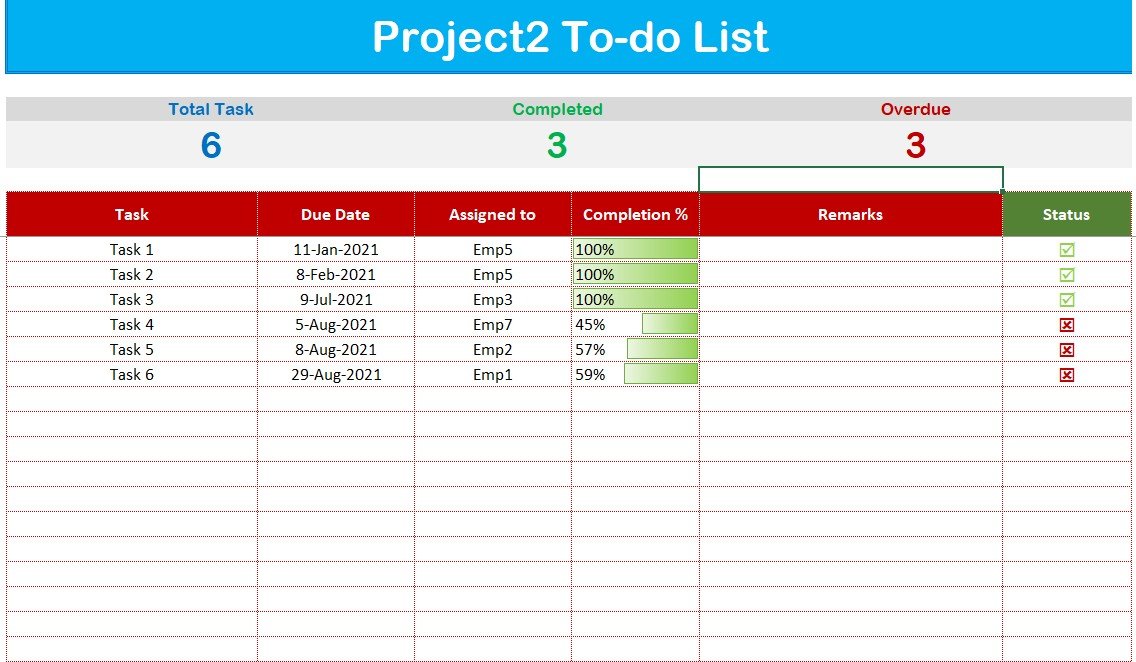
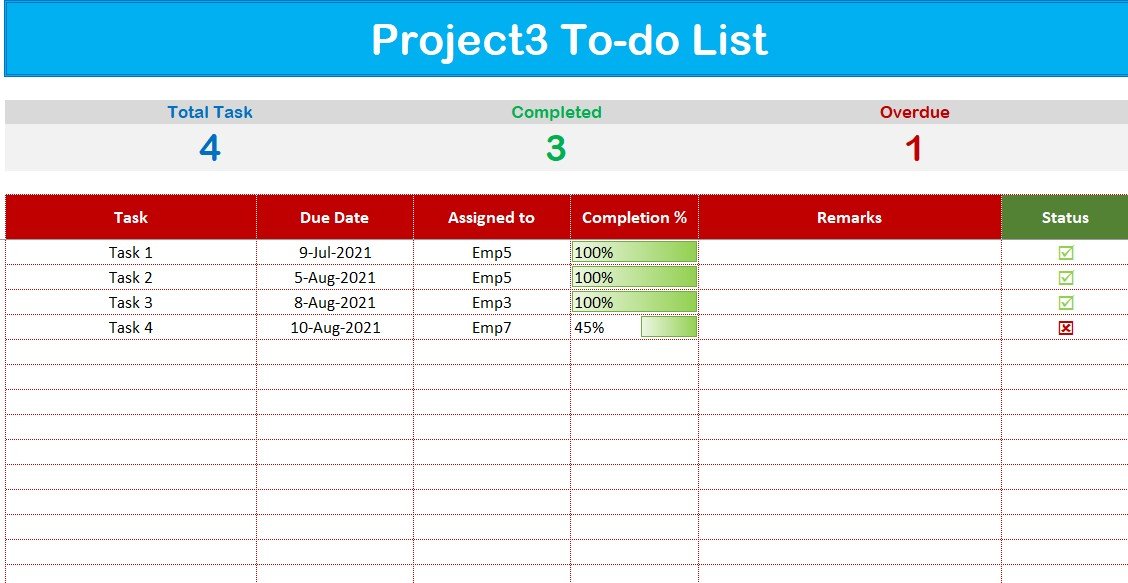
- Each project has its own dedicated task list showing:
- Task name
- Due date
- Assigned team member
- Completion percentage
- Remarks and status indicators
- The clear layout makes it easy to track many tasks within each project.
Dynamic Summary Sheet
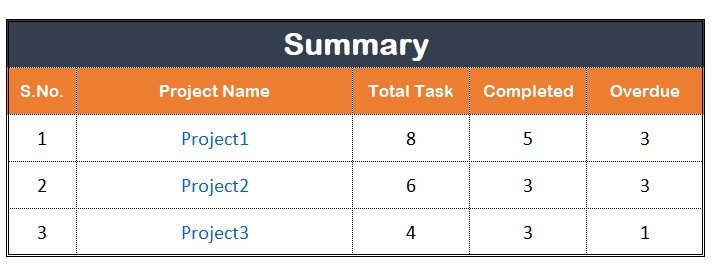
- See a bird’s-eye view of all your projects in one place.
- Key performance indicators for each project:
- Total tasks
- Completed tasks
- Overdue tasks
- Clickable links take you straight to each project sheet.
Automated Dropdowns for Easy Task Assignment
- Assign tasks to team members using pre-filled dropdown lists.
- Dropdowns speed up data entry, prevent assignment errors and improve accountability.
Visual Progress Indicators
- Green bars show completed tasks.
- Red markers flag overdue tasks.
- You can check task completion at a glance and manage deadlines more easily.
Overdue Task Alerts
- The summary sheet highlights overdue tasks so your team knows which unfinished work comes first.
- Early warnings help you limit delays and keep projects on schedule.
Fully Customizable
- Change project names, team members and due dates to suit your work.
- Add unlimited projects and tasks without restrictions.
What’s Inside the Template
| Sheet | What it does |
|---|---|
| Summary Sheet | Shows total, completed and overdue tasks for all projects, with clickable links to each project sheet. |
| Project Worksheets | Give each project a task list with task name, due date, assigned team member, completion percentage, remarks and status indicators. |
| Dropdown Lists | Hold pre-filled team member names for fast, error-free task assignment. |
Why Use This Excel To-Do List for Multiple Projects?
- It saves time and effort by keeping all project tracking in one workbook.
- It reduces manual errors and improves productivity.
- It improves accountability by keeping everyone on the same page.
- It supports real-time tracking of progress and pending tasks.
A single-list Excel to-do list can get messy once you have several projects. This project management template gives each project its own structured sheet and rolls everything up into a summary. It works as a practical task tracker for anyone handling several workstreams at once.
Who It’s For
- Project managers tracking multiple assignments and team workloads.
- Teams managing shared deadlines and responsibilities.
- Freelancers handling client projects with different deliverables.
- Students tracking academic tasks and coursework.
How to Use It
- Open the template in Microsoft Excel.
- Enter your project names and team members in the dropdown lists.
- Add tasks to each project worksheet with a task name, due date, assigned team member and completion percentage.
- Update completion percentages and remarks as work moves forward.
- Check the summary sheet for total, completed and overdue tasks across all projects.
- Use the clickable links to jump from the summary to any project sheet.
Click here to read the detailed blog post To-do list for multiple Projects with Summary
Watch the step-by-step video tutorial: To-do list for multiple Projects with Summary
Frequently Asked Questions
What is the To-do List for Multiple Projects with Summary?
It is an Excel template for managing tasks across several projects. Each project has its own task sheet, and a dynamic summary sheet shows total, completed and overdue tasks for every project.
How many projects and tasks can I add?
The template is fully customizable, and you can add unlimited projects and tasks without restrictions.
How does it show overdue tasks?
The summary sheet highlights overdue tasks, and red markers flag them visually. Green bars show completed tasks, so you can see progress at a glance.
Can I assign tasks to my team members?
Yes. Pre-filled dropdown lists let you assign each task to a team member, which makes data entry quick and keeps assignments error-free. You can also change the team member names.
Who is this multiple project tracker best suited for?
It suits project managers, teams, freelancers handling several clients, and students tracking coursework.
Is there a tutorial to help me get started?
Yes. A detailed blog post and a step-by-step video tutorial are linked above on this page.
Also check our Inventory Management Form in Excel
Last updated: October 2026
Compatibility and Requirements
- Works in Microsoft Excel desktop (Excel 2016 or later, or Microsoft 365).
- Team member names come from dropdown lists. Microsoft explains dropdowns in Create a drop-down list.
Related Project and Task Templates
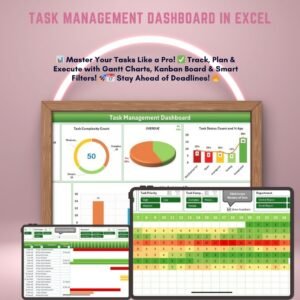
- Task Management Dashboard in Excel: Gantt, Kanban and heatmap views for tasks
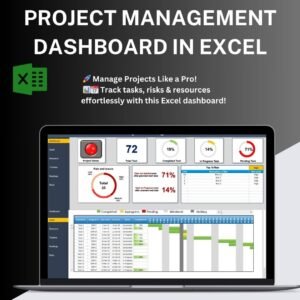
- Project Management Dashboard in Excel: workload and risk views for projects
- Task Management Tracker in Google Sheets: a task tracker for Google Sheets
- Project Management To-Do List in Excel: a single-project to-do list
- Project Management Pro Bundle: 9 project templates in one download
Browse all Excel project management templates or the Excel trackers.

















Reviews
There are no reviews yet.