

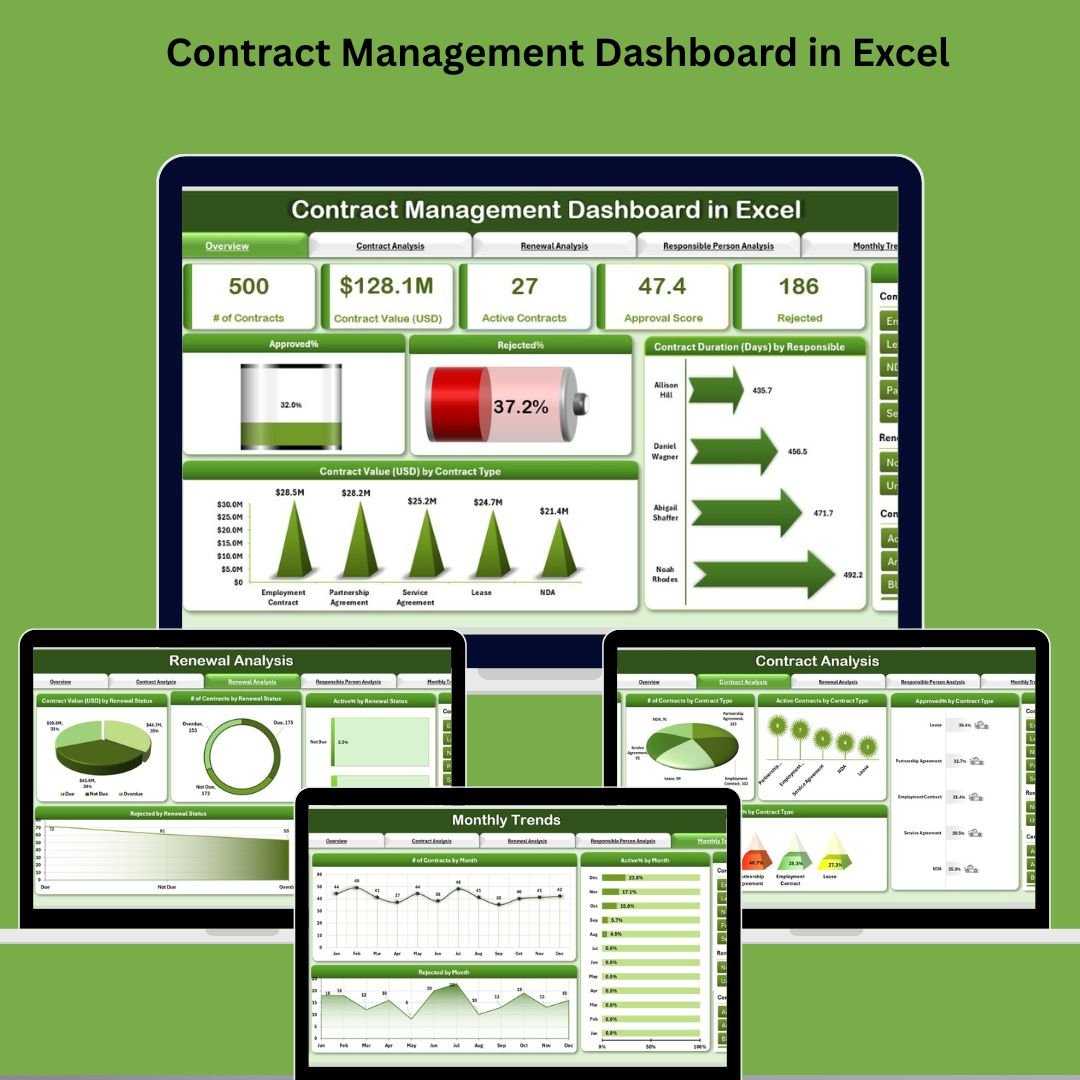

Managing contracts is no longer a back-office task—it’s a mission-critical function. From legal compliance and vendor obligations to renewal cycles and approval tracking, there’s a lot riding on your ability to manage contracts efficiently.
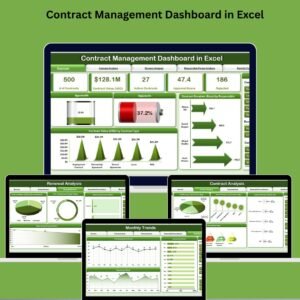
💼 Introducing the Contract Management Dashboard in Excel – a powerful, ready-to-use Excel-based tool designed to simplify the entire contract lifecycle. With visual dashboards, filterable views, and data-driven insights, this template gives procurement teams, legal departments, and managers a complete command center for contract management—without needing expensive tools or complex systems.
✅ Key Features of Contract Management Dashboard in Excel
🧭 Page Navigator for Smooth Navigation
Located on the left side, the built-in Page Navigator allows you to switch between key analytical views in a click—making this dashboard truly user-friendly.
📊 Overview Page – One-Glance Insights
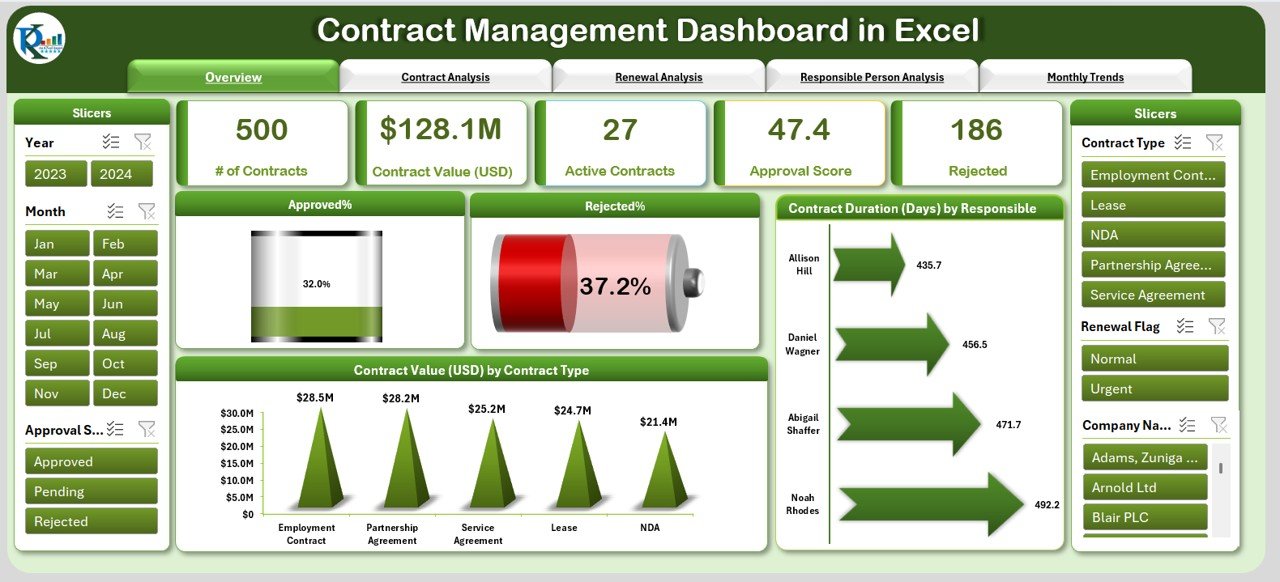
Get a complete snapshot of your contract operations with:
🟢 Approved %
🔴 Rejected %
📆 Contract Duration (Days) by Responsible
💰 Contract Value (USD) by Contract Type
The page includes 4 insightful charts and interactive slicers, helping you spot trends, risks, and status instantly.
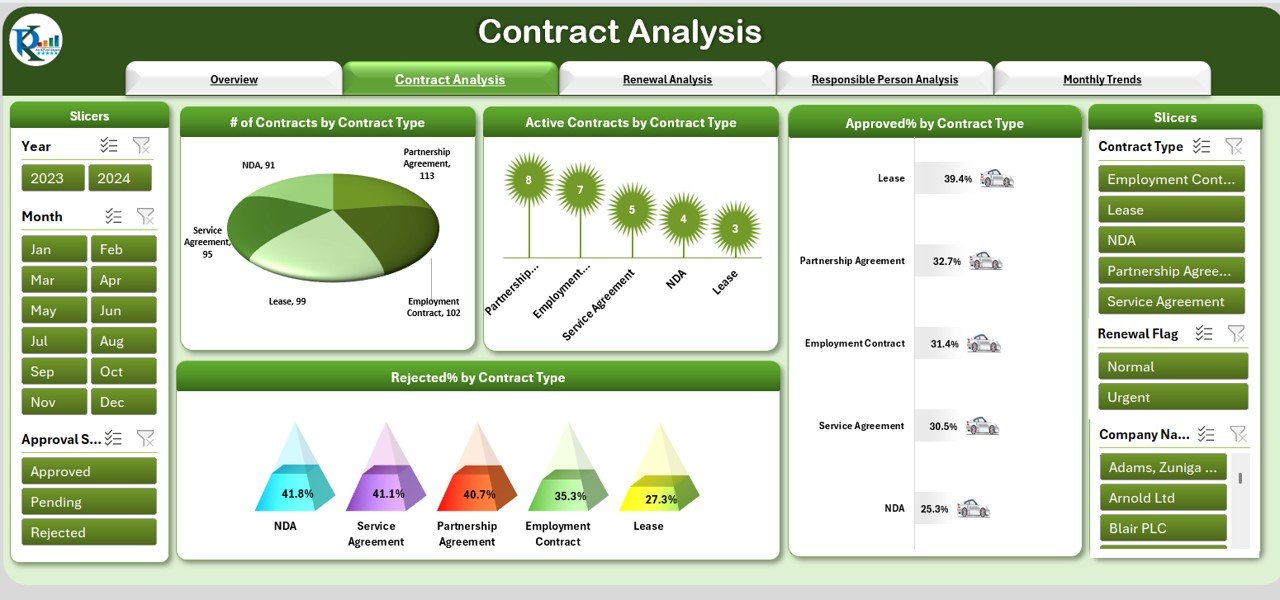
📄 Contract Analysis Page
Dive deeper into contract types with visuals for:
🔢 Number of Contracts by Type
📌 Active Contracts by Type
✅ Approved % by Type
❌ Rejected % by Type
Perfect for comparing performance across contract categories.
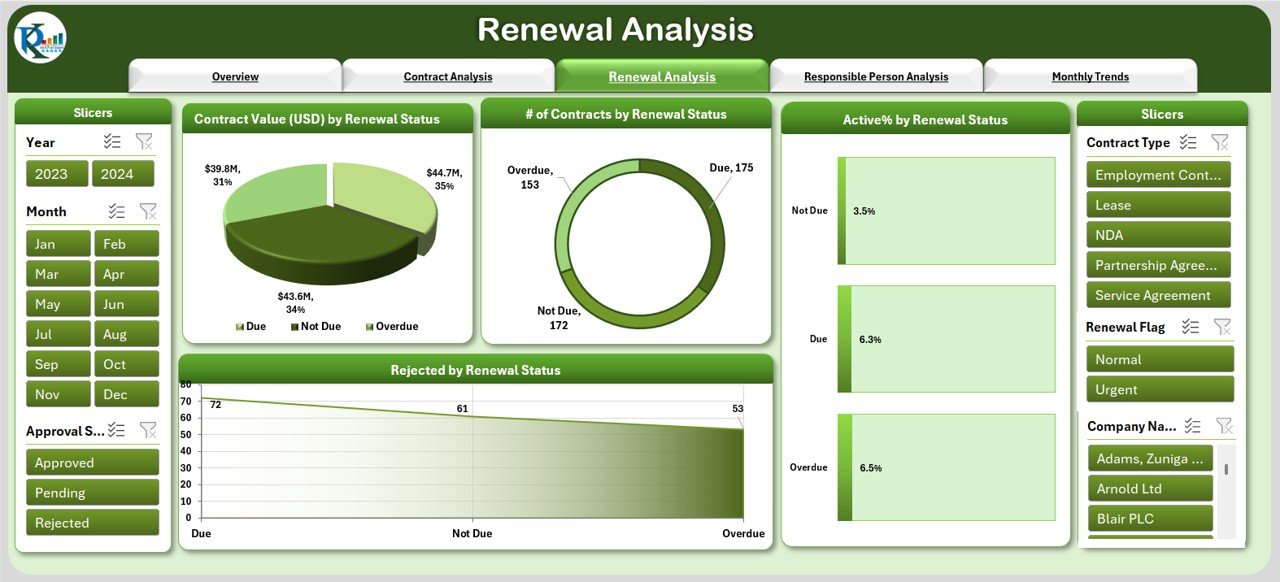
🔁 Renewal Analysis Page
Never miss a renewal deadline again! Visualize:
💰 Contract Value by Renewal Status
🔁 Contracts by Renewal Category (Active, Rejected)
🧾 Stay on top of upcoming expirations
This page keeps you proactive, not reactive.
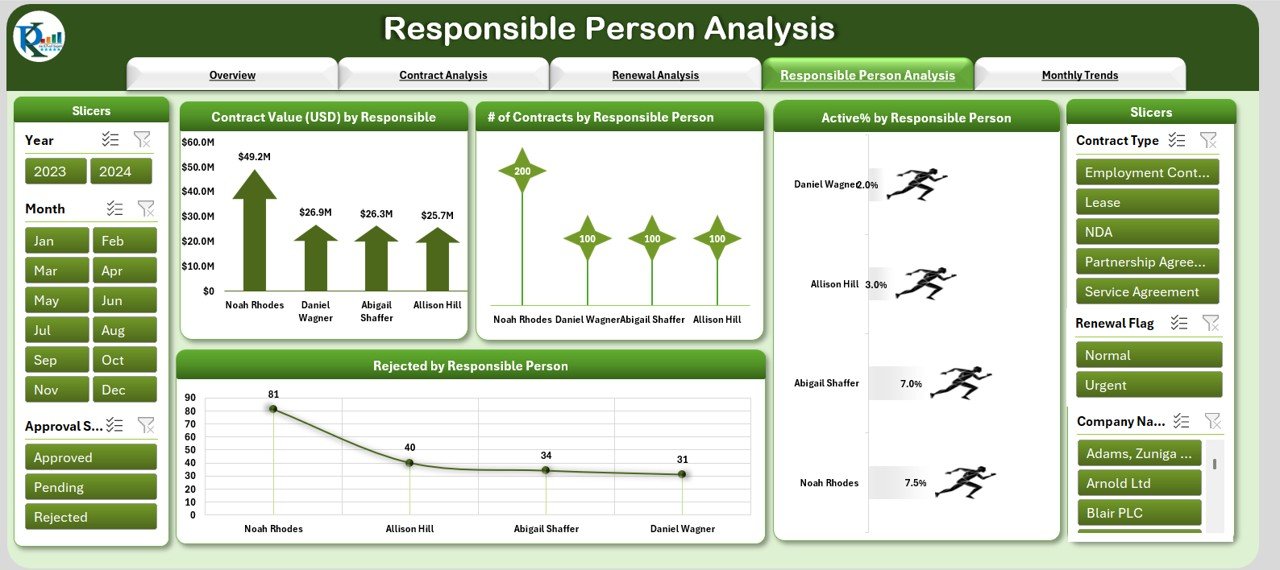
🧑💼 Responsible Person Analysis Page
Track accountability with charts showing:
🧍 Contract Value by Responsible Person
📄 Contracts Count by Manager
✅ Active and ❌ Rejected Contracts by Person
Quickly assess workload distribution and team efficiency.
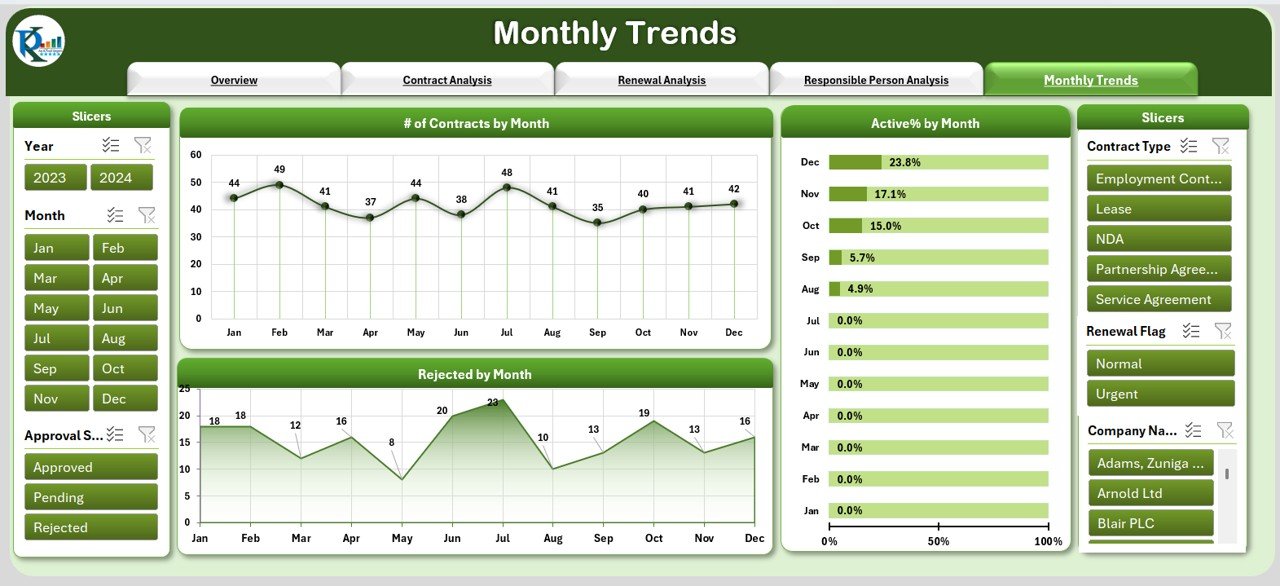
📈 Monthly Trends Page
Understand time-based patterns with:
📅 Contracts by Month
📉 Active % Trends
❌ Rejected Contracts Over Time
This insight helps with planning and forecasting future workloads.
📂 Data Sheet & Support Sheet
Data Sheet – Enter contract details like type, value, dates, renewal status, and more.
Support Sheet – Maintain dropdowns for consistency across contract types, departments, and personnel.
No coding required—just update your data and watch your dashboard come to life!
📦 What’s Inside the Contract Management Dashboard?
✅ 6 Dashboard Pages:
Overview
Contract Analysis
Renewal Analysis
Responsible Person View
Monthly Trends
Data & Support Sheets
🔄 Fully interactive with filters, pivot charts, and visuals. Designed for Excel 2016 or later.
🛠️ How to Use the Contract Management Dashboard
📥 Download the Template
🧾 Input Your Contract Data into the Data Sheet
🧭 Navigate through the analytical pages using slicers
📊 Review KPIs & Trends across types, persons, and time
💡 Take Action – Identify risks, delays, and renewal opportunities
🔄 Update Regularly – Weekly or monthly data refresh keeps insights current
No learning curve. No macros. Just Excel magic.
👥 Who Can Benefit from This Dashboard?
🏛️ Legal & Compliance Teams
🛒 Procurement Managers
📈 Business Analysts
💼 Operations Teams
🧑💻 Admin & Contract Officers
🏢 SMEs and Enterprises
If you’re managing vendor/client/internal contracts—this is your go-to tool.
📚 Click here to read the Detailed blog post
📺 Visit our YouTube channel to learn step-by-step video tutorials

























Reviews
There are no reviews yet.