


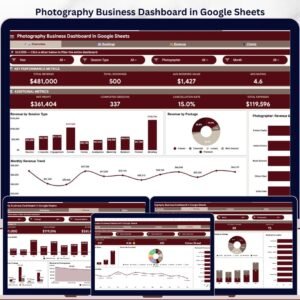
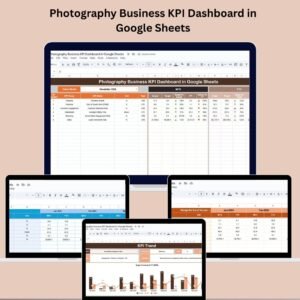
Running a successful photography business today takes more than just talent behind the lens—you need data clarity, performance visibility, and strategic insights to stay competitive. That’s exactly where our Photography Business KPI Dashboard in Google Sheets shines.Photography Business KPI Dashboard in Google Sheets
This ready-to-use, smartly structured spreadsheet dashboard empowers photographers—whether freelancers, studios, or agencies—to track business-critical KPIs such as bookings, revenue, marketing performance, client satisfaction, and more 📊📷.
📖 What Is the Photography Business KPI Dashboard?
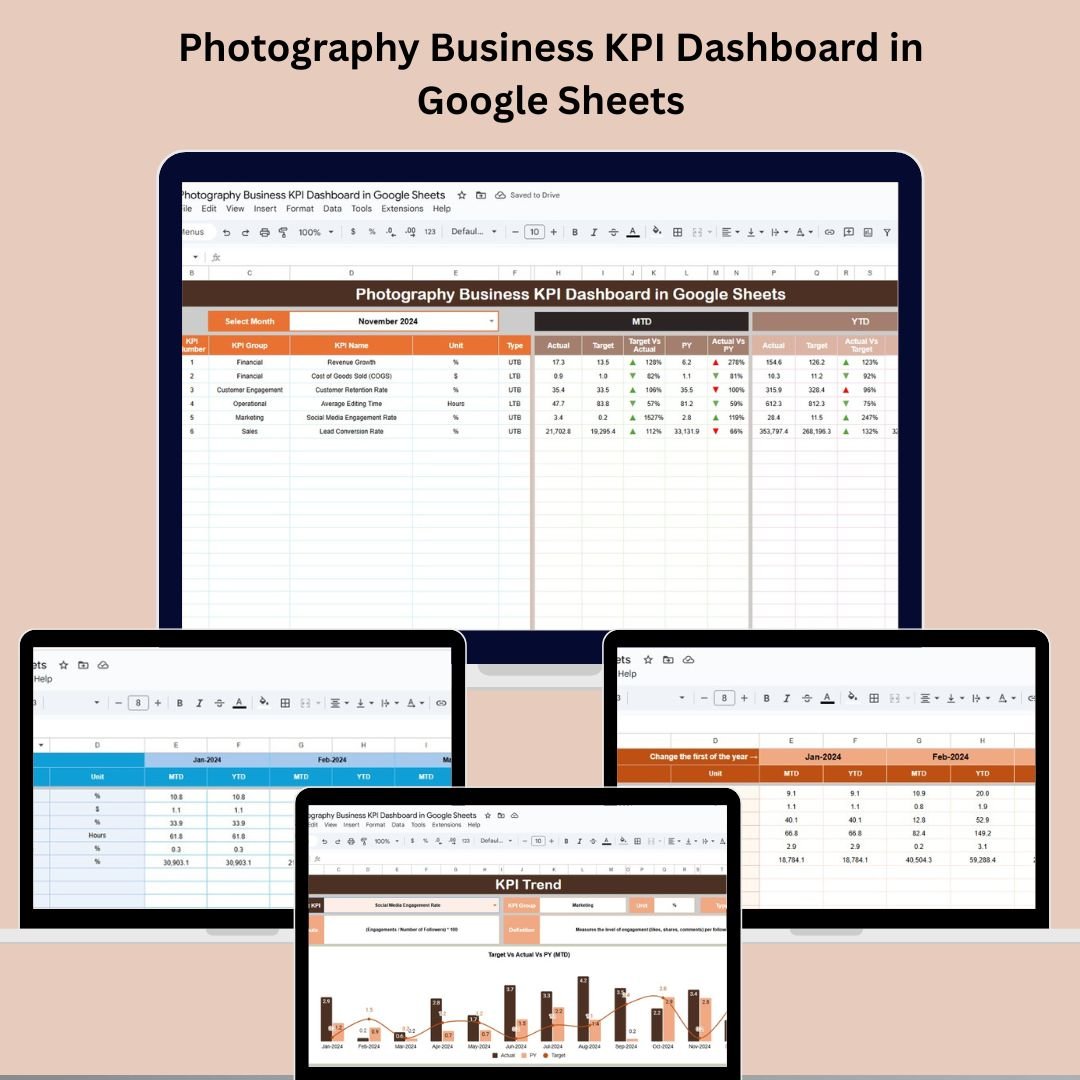
The Photography Business KPI Dashboard is a Google Sheets-based tracking system that allows you to input, visualize, and monitor your monthly and yearly business performance. It includes 6 interconnected worksheet tabs that collectively offer:
✅ Visual Trends
✅ Month-to-date (MTD) and Year-to-date (YTD) Comparisons
✅ KPI Direction Indicators (↑↓)
✅ Automatic Target Comparison
✅ Historical Year Analysis
No coding or paid software required—just open, input, and analyze your progress in real-time.
📊 What’s Inside the Dashboard?
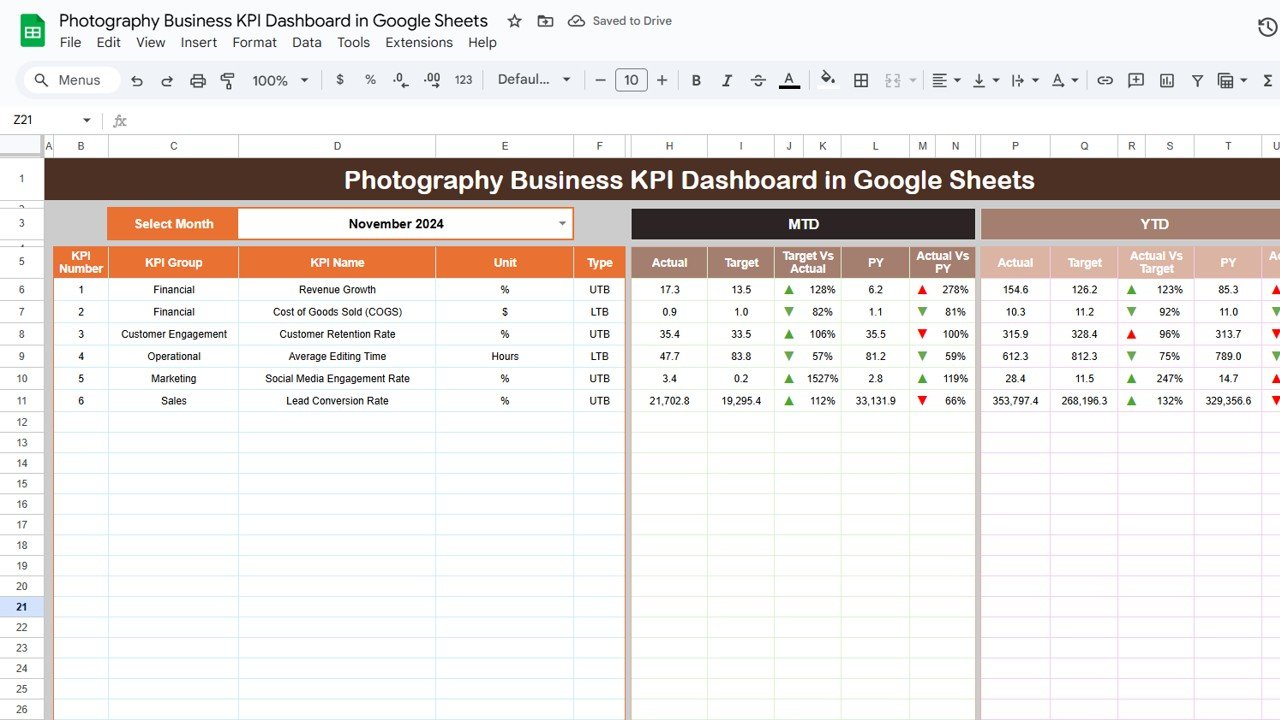
1️⃣ Dashboard Sheet Tab
🔄 Dynamic month selector
✅ MTD & YTD Actual vs Target vs Previous Year
📈 Up/Down Arrows (green/red) to show trends
🎯 Instant performance summary
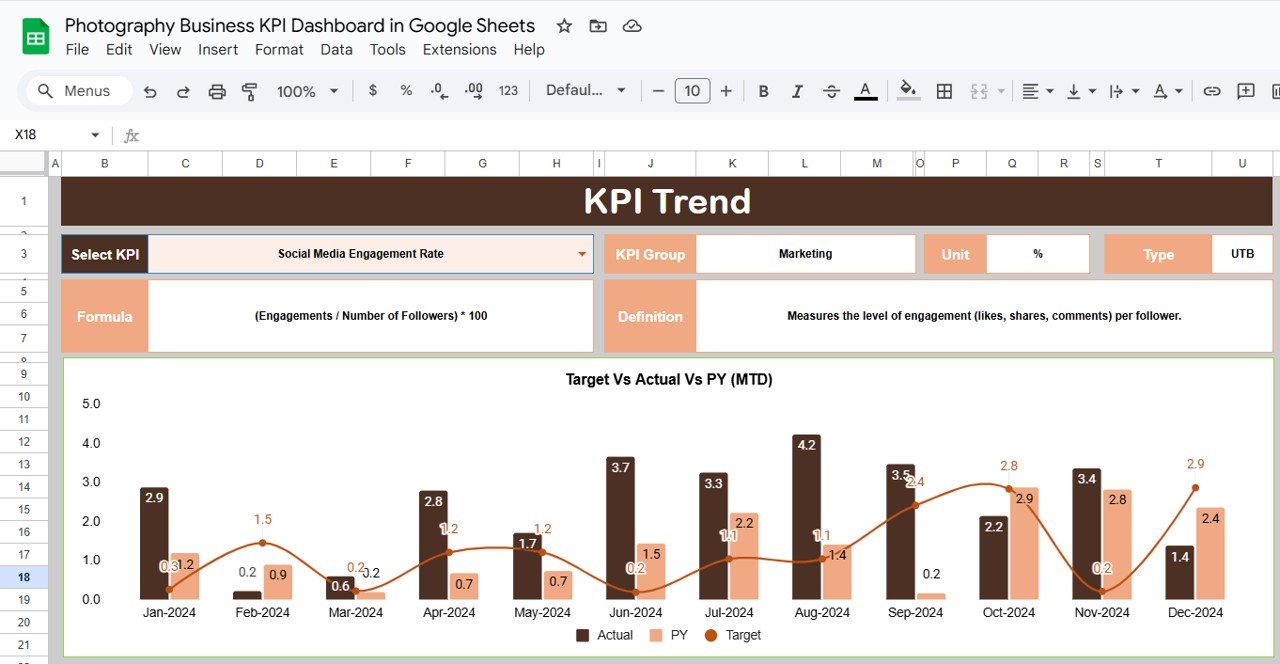
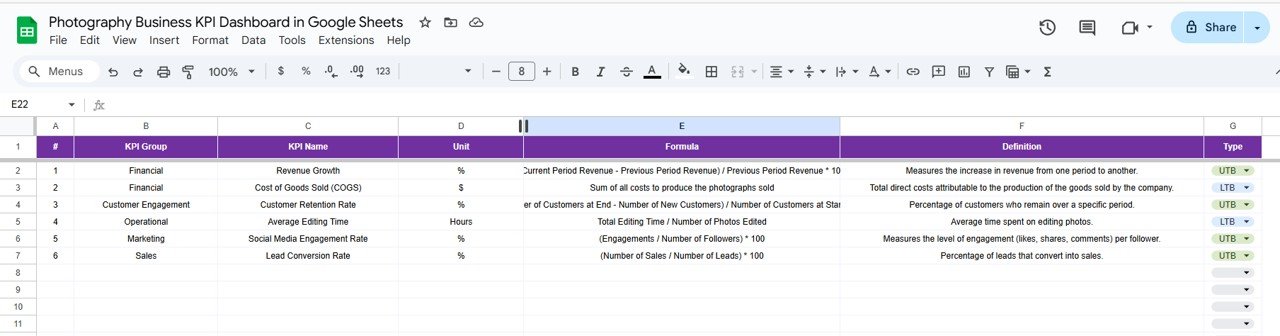
2️⃣ KPI Trend Sheet Tab
📌 Choose KPI from dropdown
📁 Includes KPI Group, Unit, Type (LTB/UTB)
🔍 Short definition and tracking formula
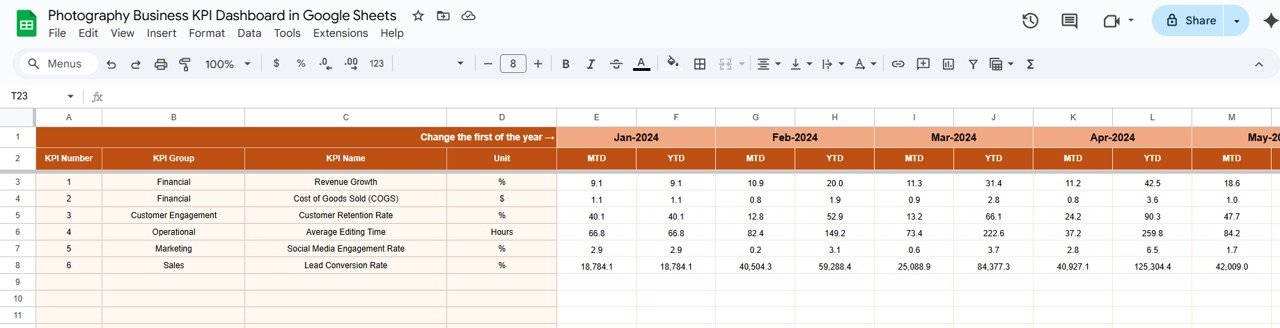
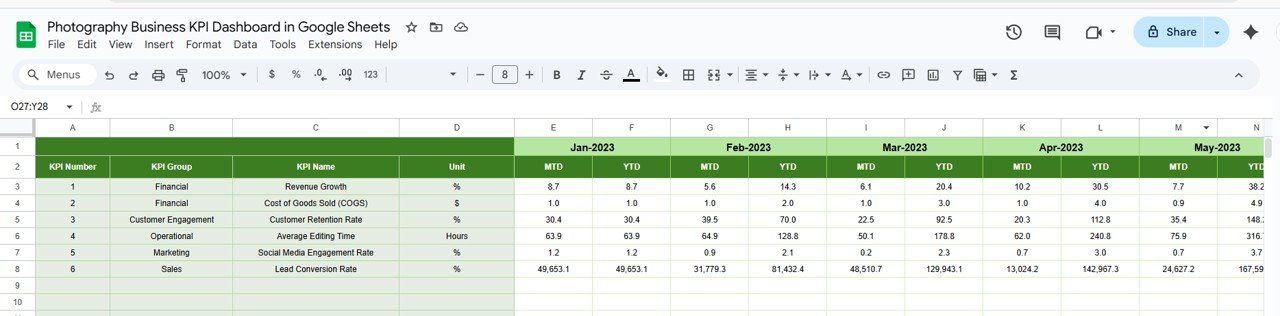
3️⃣ Actual Number Sheet Tab
✍️ Manually enter MTD & YTD Actuals
🗓️ Set the first month of your year
🧮 Automatically maps month-wise values
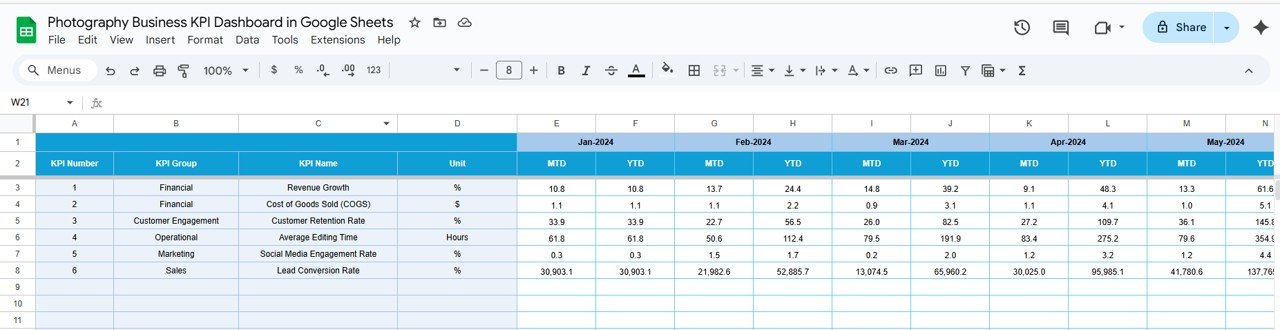
4️⃣ Target Sheet Tab
🎯 Enter targets for each KPI
🚦 Essential for progress measurement
5️⃣ Previous Year Sheet Tab
📆 Maintain last year’s data for comparison
🔁 Strategic year-over-year analysis
6️⃣ KPI Definition Sheet Tab
📝 Add/edit KPIs, definitions, units, and types
📘 Reference for all KPI logic and measurement
📌 Why Photographers Need This Dashboard
📷 Tracking your success should be as precise as your camera lens! This dashboard helps you:
Eliminate guesswork in business planning
Evaluate your pricing, booking rates, and marketing ROI
Align goals with actual results
Plan your next shoot with confidence, not assumptions
Identify what’s working—and what needs fixing
💡 Advantages of This Google Sheets Dashboard
✅ No Software Fees – 100% Google Sheets-based
✅ Dynamic Controls – Select KPI, month, or data source
✅ Visual Reporting – Instantly see trends, strengths, and drops
✅ Year-over-Year Insights – Always know if you’re progressing
✅ Flexible & Scalable – Add your own KPIs and targets easily
✅ Real-Time Feedback – See performance immediately upon data entry
✅ Beginner Friendly – Built for photographers, not analysts
✅ Mobile Accessible – Update on the go with Google Sheets app
🚀 Best Practices for Maximum Impact
🗓️ Update actuals monthly (or weekly)
📊 Review KPI trends before planning campaigns
🎯 Set realistic, achievable goals based on history
👨👩👧👦 Train your team if collaborating
💾 Backup your file regularly
📂 Duplicate the file each fiscal year
🛠️ Customize & Expand
🔗 Integrate with Google Forms or CRM for auto-updates
🧾 Add client satisfaction scores
💰 Add profit, expense, or ROI metrics
📷 Track most popular photography styles or services
🔮 Build forecast charts with historical data
🎯 Who Is This Dashboard For?
Freelance photographers 📷
Wedding, portrait, or event studios 💍
Photography agencies and creative firms 🏢
Photojournalists or commercial photographers 📰
Visual content creators with a data-driven mindset 🔍
Click here read detailed blog post
Watch the step-by-step video Demo:
🎬 Learn to Use It
👉 YouTube.com/@NeotechNavigators
Compatibility and Requirements
- Works in Google Sheets. You need a free Google account and a web browser.
- You pick the month and the KPI from dropdowns on the Dashboard and KPI Trend sheets. Google explains dropdowns in Create an in-cell dropdown list.
Frequently Asked Questions
Which sheets are included?
Six sheets: Dashboard, KPI Trend, Actual Number, Target, Previous Year and KPI Definition.
How do I update the dashboard?
Enter your MTD and YTD actuals in the Actual Number sheet and your goals in the Target sheet. Then choose a month on the Dashboard sheet and the figures update, with green and red arrows showing the direction of each KPI.
Can I compare this year with last year?
Yes. Keep last year’s figures in the Previous Year sheet and the Dashboard shows them next to your actuals and targets.
Can I add my own KPIs?
Yes. Add or edit KPIs, definitions, units and types in the KPI Definition sheet.
Is there an Excel or Power BI version?
Yes. See the Photography Business KPI Dashboard in Excel and the Photography Business KPI Dashboard in Power BI.
Related Photography Templates
- Photography Business KPI Dashboard in Excel: the same KPIs in Excel
- Photography Business KPI Dashboard in Power BI: the Power BI edition
- Photography Business Dashboard in Google Sheets: another Google Sheets dashboard for photography businesses
- Photography Business KPI Scorecard in Excel: a scorecard view of your metrics
- Google Sheets Business Pack (Pro): 14 business templates in one download
Browse all Google Sheets KPI dashboards.


Reviews
There are no reviews yet.