



Managing shift schedules can be tricky — especially when employees need to change their working hours. That’s why we’ve created a professional and easy-to-use Shift Change Request Form Template, available in MS Word and Google Docs. 📋⏰
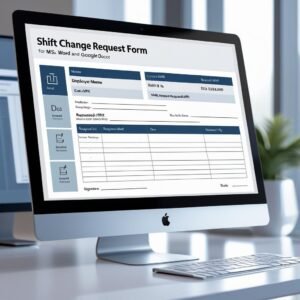
This editable form allows employees to formally request a change in their current shift schedule, whether temporary or permanent. It includes all the necessary fields to capture shift details, reasons for the request, and supervisor/HR approval — making your HR process seamless, transparent, and documented. 💼✅
Whether you’re running a 24/7 operation or managing rotating shifts, this template will help you streamline shift adjustments and avoid scheduling confusion.
🛠️ Key Features of Shift Change Request Form Template
🧑💼 Employee Information Section
Captures all the basics: employee name, ID, department, and job title — critical for identifying the requestor in your system.
🔄 Shift Change Details Section
Clearly document the current shift, requested shift, effective date, and indicate whether the change is temporary or permanent.
📝 Reason for Shift Change Field
Provides space for employees to explain their request, improving communication and transparency.
🗣️ Supervisor Comments Section
Allows managers to give context, express support or concern, and provide scheduling insight for decision-making.
✅ Approval Signatures Block
Includes signature lines for the employee, supervisor, and HR — confirming review, consent, and compliance with scheduling policies.
🧾 Fully Editable Format
Available in MS Word and Google Docs — add your logo, update shift options, and modify sections as needed.
📦 What’s Inside the Shift Change Request Form Template
When you download this product, you’ll receive:
✅ 1 MS Word file (.docx)
✅ 1 Google Docs version (editable via link)
✅ Form sections for employee info, shift details, reason, and comments
✅ Duration options (temporary or permanent)
✅ Approval fields with signature lines
Use this form in printed or digital formats, integrate it into your onboarding kits, or attach to internal scheduling workflows. 📂📥
📝 How to Use the Shift Change Request Form Template
Download the template in your preferred format (MS Word or Google Docs)
Add your company branding – logo, name, contact info
Employee fills out current and requested shift details, reason, and duration
Supervisor reviews and adds comments regarding schedule feasibility
Obtain signatures from the employee, supervisor, and HR
File and update schedules accordingly in your HR system
It’s simple, fast, and ensures that all shift changes are officially recorded and approved. 📅✅
👥 Who Can Benefit from This Shift Change Request Form Template
🧑💼 HR Professionals – Standardize and track all shift change requests
🏭 Manufacturing & Warehousing – Manage rotating and 24/7 shift operations
🏥 Healthcare Providers – Nurses, doctors, and admin staff schedule management
🧰 Retail & Hospitality – Maintain proper coverage during business hours
🏫 Educational Institutions & Nonprofits – Support staff with flexible scheduling
No matter your industry, this form gives employees a proper channel to request shift changes while helping management plan efficiently. 🧠📊
Don’t leave shift changes to informal chats or sticky notes. The Shift Change Request Form Template keeps your operations running smoothly and professionally — with documented approvals and clear communication. ⏱️🗂️
Compatibility and Requirements
- Opens in Microsoft Word (.docx) or Google Docs. The Google Docs version needs a free Google account.
- You can print the form or fill it in on screen. Google explains how Docs handles Word files in Work with Office files.
Frequently Asked Questions
What sections does the shift change form include?
It has employee information, shift change details, a reason field, supervisor comments and approval signature lines.
Can the form record a temporary change?
Yes. The shift details section lets the employee mark the change as temporary or permanent and add the effective date.
Which file formats are included?
You get one MS Word file (.docx) and one Google Docs version you open through a link.
Can I add my company logo?
Yes. Both versions are fully editable, so you can add your logo, change shift options and edit sections.
Is this form free?
Yes. The Shift Change Request Form Template is a free download.
Related Shift and HR Templates
- Employee Shift Change Request Tracker in Excel: logs every shift change request in Excel once the form is approved
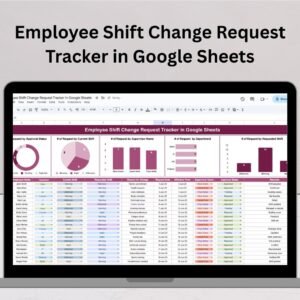
- Employee Shift Change Request Tracker in Google Sheets: the same shift change log in Google Sheets
- Employee Shift Schedule in Google Sheets: plans weekly shifts for your team in Google Sheets
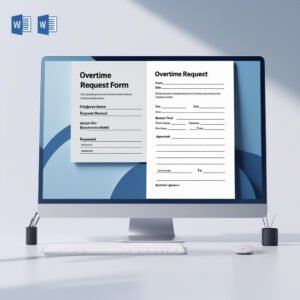
- Overtime Request Form Template in MS Word and Google Docs: a matching form for overtime requests
- Leave Application Form Template in MS Word and Google Docs: a matching form for leave requests
Browse all Word and Google Docs form templates or the Excel HR and payroll templates.













Reviews
There are no reviews yet.