

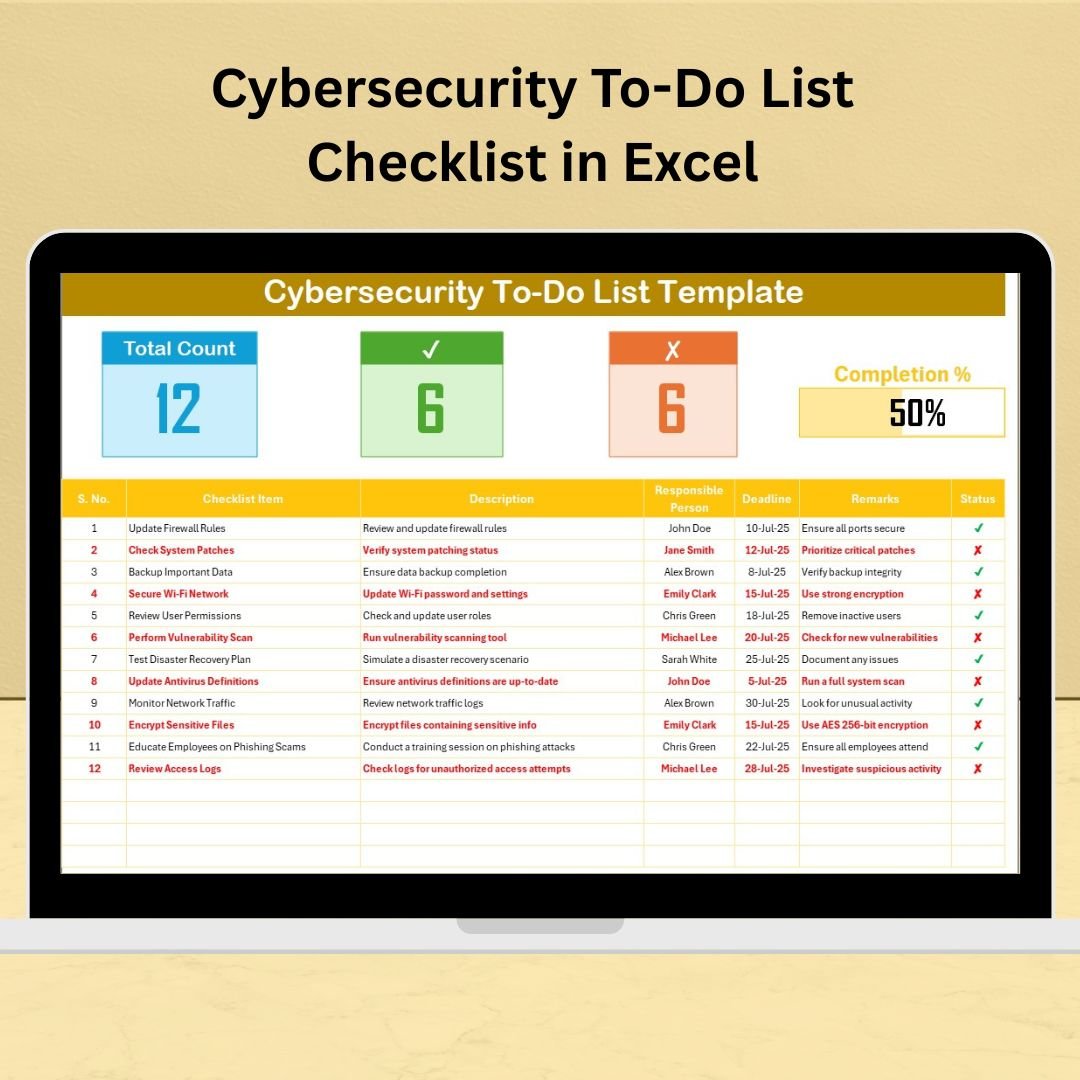

In a world where cyber threats are constantly evolving, staying proactive is no longer optional—it’s essential. The Cybersecurity To-Do List Checklist in Excel is your all-in-one, ready-to-use solution to organize, assign, and track crucial cybersecurity tasks effortlessly.
Whether you’re an IT professional, compliance officer, or a business owner aiming to protect digital assets, this tool helps ensure no security task slips through the cracks. With smart progress tracking, structured accountability, and complete customization options, this checklist turns chaotic security workflows into streamlined operations.
✨ Key Features of Cybersecurity To-Do List Checklist in Excel
📋 Cybersecurity Checklist Sheet – Your Command Center
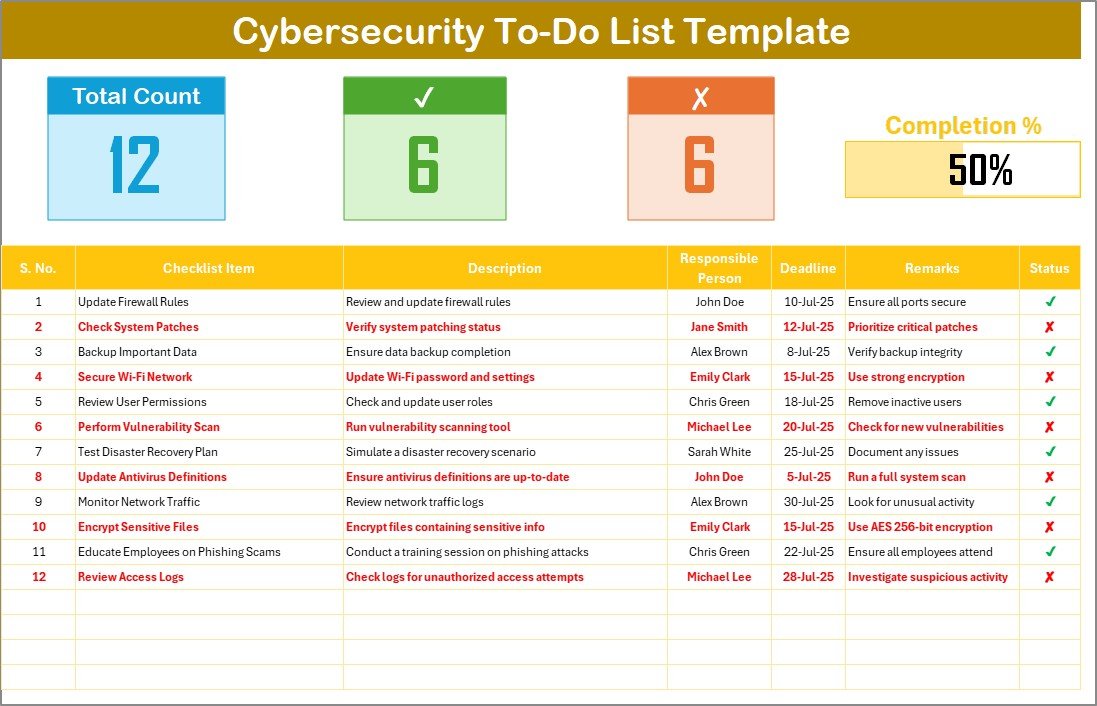
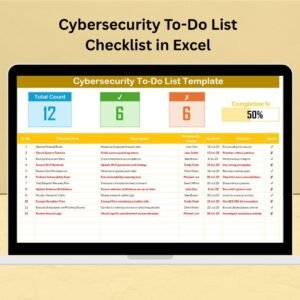
Manage all cybersecurity tasks in one organized view:
📌 Total Count – Total number of tasks
✅ Checked Count – Number of completed items
❌ Crossed Count – Irrelevant/cancelled tasks
📊 Progress Bar – Visual indicator of overall completion
Checklist Columns Include:
Serial No.
Checklist Item
Description
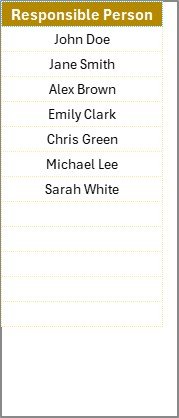
Responsible Person (with dropdown)
Deadline
Remarks
Status (✔ or ✘)
This sheet brings clarity and structure to your cybersecurity operations.
📂 List Sheet – Maintain Team Consistency
Avoid typos and ensure consistent responsibility tracking:
🧍♂️ Input names of team members or departments
🔽 Used as a dropdown in the checklist sheet
🎯 Promotes standardized task assignment and accountability
📂 What’s Inside the Template?
Your download includes:
Cybersecurity To-Do List Checklist Sheet – Main checklist with tracking features
List Sheet – Dropdown management for assigning responsibilities
Both sheets are fully editable, linked for seamless operation, and easy to use—even for Excel beginners.
🛠️ How to Use the Cybersecurity Checklist
🔧 Open the checklist and review sample cybersecurity tasks
✍️ Add or edit tasks to suit your organization’s needs
👤 Assign Responsible Persons using the dropdown menu
📅 Set realistic deadlines
✔️ Update task status to reflect progress
📊 Watch the progress bar and counters update automatically
🔄 Regularly revisit and update the checklist as tasks evolve
👥 Who Can Benefit from This Checklist?
🔐 IT Security Teams – Manage vulnerability scans, audits, patching
🏢 SMBs & Enterprises – Strengthen security workflows
🧑💼 Compliance Officers – Ensure documentation and task accountability
💼 Project Managers – Track security tasks across departments
🧠 Consultants & Auditors – Offer structured reports to clients
🛡️ Educational Institutions – Secure student and faculty data
Whether you’re managing 10 tasks or 100, this checklist scales to your needs.
🔗 Click here to read the Detailed blog post
📺 Visit our YouTube channel to learn step-by-step video tutorials
Watch the step-by-step video tutorial:
Compatibility and Requirements
- Works in Microsoft Excel desktop (Excel 2016 or later, or Microsoft 365).
- New to Excel? Start with Microsoft’s Excel for Windows training.
Frequently Asked Questions
Which sheets are included?
Two: the Cybersecurity To-Do List Checklist sheet and a List sheet for the responsible person dropdown.
What columns does the checklist have?
Serial number, checklist item, description, responsible person, deadline, remarks and status.
How is progress shown?
Counters show the total, checked and crossed items, and a progress bar shows overall completion.
Can I add my own tasks?
Yes. Both sheets are fully editable, so you can add or change tasks and team names.
Related Cybersecurity Templates
- Cybersecurity Checklist in Excel: another security checklist
- Cybersecurity Review Checklist in Excel: for periodic security reviews
- Cybersecurity KPI Dashboard in Excel: track security KPIs
- Cybersecurity Incident KPI Dashboard in Excel: incident metrics
- IT and Cybersecurity Operations Bundle: eight IT templates in one download
Browse all Excel checklists or the Excel IT templates.
























Reviews
There are no reviews yet.