



Stay compliant, organized, and ahead of audits with the Education and Learning Regulatory Adherence KPI Dashboard in Excel — a smart, interactive, and easy-to-use template built to help educational institutions track and manage their compliance obligations effortlessly.
Whether you’re running a university, school, training center, or certification body, this dashboard gives you everything you need to ensure regulations are followed, deadlines are met, and reports are accurate — all without needing costly software or IT support.
⚙️ Key Features of the Dashboard
🏠 Home Sheet

Navigate seamlessly with one-click buttons that take you to each section. Spend less time scrolling and more time analyzing.
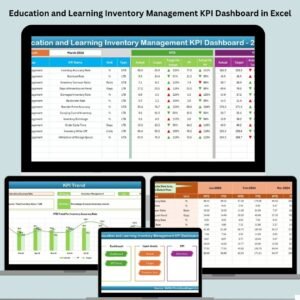
📊 Dashboard Sheet
See it all in one place:
MTD (Month-to-Date) & YTD (Year-to-Date) for Actual, Target, and Previous Year
⚠️ Conditional formatting with arrows showing if KPIs are trending up 📈 or down 📉
Instantly track compliance rates and action gaps
📈 KPI Trend Sheet
Dropdown lets you select any KPI
View Actual, Target, and Previous Year trends
Displays formula, definition, unit, and KPI type (UTB/LTB) for full transparency
✍️ Actual Numbers Input Sheet
Input your MTD and YTD data
Dynamic monthly headers update based on fiscal year start
🎯 Target Sheet
Define your monthly and YTD targets
Separate layout ensures no mix-up with actuals
🕰 Previous Year Sheet
Record last year’s values for trend comparisons
📘 KPI Definition Sheet
Manage all KPIs, including Group, Unit, Formula, and Description
Acts as the data source for your dropdowns and charts
📦 What’s Inside the Dashboard
✔ 7 Interactive Excel Sheets
✔ Built-in Navigation Buttons
✔ Conditional Formatting Arrows
✔ Dynamic KPI Dropdowns
✔ Auto-Updating Charts
✔ Input Templates for Actuals, Targets, and Previous Year
✔ KPI Metadata Management Section
✔ Easy-to-Customize Structure for Adding New KPIs
🧠 How to Use the Dashboard
1️⃣ Start with the KPI Definition Sheet — Add your compliance KPIs with formulas and descriptions.
2️⃣ Set Your Goals — Enter monthly targets on the Target Sheet.
3️⃣ Log Your Data — Input MTD and YTD actuals on the Actual Numbers Sheet.
4️⃣ Add Previous Year Metrics — Fill out the Previous Year Sheet for benchmark comparisons.
5️⃣ Analyze Instantly — Use the Dashboard and Trend Sheets to see where you stand.
6️⃣ Navigate with Ease — Use the Home Sheet buttons to switch between sections.
🎯 Who Can Benefit from This Dashboard?
👩🏫 School Administrators – Monitor curriculum updates, audit scores, and training completion
📚 Education Compliance Officers – Track adherence to education standards and deadlines
🏢 University Departments – Segment KPIs by faculty or campus
🧑💼 Training & Certification Centers – Prove compliance to stakeholders and accreditors
🧑💻 Data Analysts – Pull insights for strategic decisions
This template is perfect for institutions that want to move away from scattered files and manual reporting. It saves time, ensures transparency, and promotes a culture of accountability.
🔗 Click here to read the Detailed blog post
🎥 Visit our YouTube channel to learn step-by-step video tutorials
Watch the step-by-step video tutorial:
Compatibility and Requirements
- Works in Microsoft Excel desktop (Excel 2016 or later, or Microsoft 365).
- You pick the KPI on the KPI Trend sheet from a dropdown. Microsoft explains how in Create a drop-down list.
Frequently Asked Questions
Which sheets are included?
Seven sheets: Home, Dashboard, KPI Trend, Actual Numbers Input, Target, Previous Year and KPI Definition.
How do I update the dashboard?
Enter your MTD and YTD figures on the Actual Numbers Input sheet and your goals on the Target sheet. The Dashboard sheet then shows Actual, Target and Previous Year side by side.
Can I compare this year with last year?
Yes. Record last year’s values on the Previous Year sheet. The Dashboard and the KPI Trend sheet show them next to your actuals and targets.
Can I add my own KPIs?
Yes. Add each KPI on the KPI Definition sheet with its group, unit, formula and description. That sheet is the source for the dropdowns and charts.
Is there a version for other education topics?
Yes. For example, the Education and Learning Quality Assurance KPI Dashboard in Excel and the Education and Learning Risk Management KPI Dashboard in Excel.
Related Education Templates
- Education and Learning Quality Assurance KPI Dashboard in Excel: quality KPIs for the same sector
- Education and Learning Risk Management KPI Dashboard in Excel: track risks alongside compliance
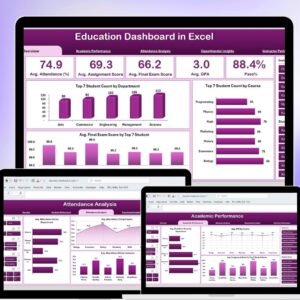
- Education Dashboard in Excel: a wider view of school or college results
- Regulatory Reporting Checklist in Excel: a checklist for reporting tasks
- Education Dashboard in Google Sheets: the education dashboard in Google Sheets
Browse all Education templates in Excel and KPI dashboards in Excel.









Reviews
There are no reviews yet.