

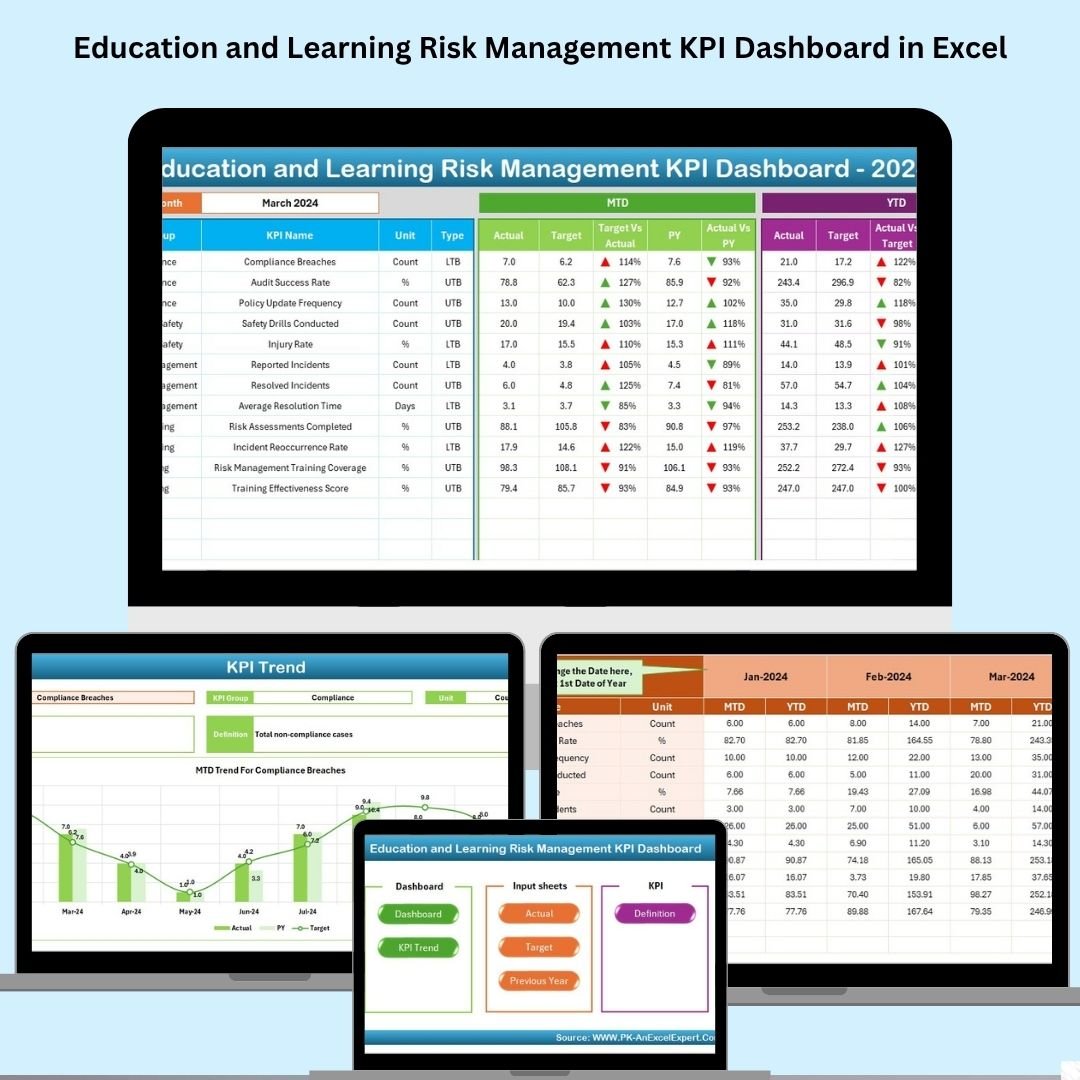

In a constantly evolving educational environment, managing risk is no longer optional—it’s essential. The Education and Learning Risk Management KPI Dashboard in Excel is a ready-to-use, interactive Excel tool built to help educational institutions track, analyze, and act on key risks across operations, academics, and compliance.
From student dropout rates to training effectiveness and faculty turnover, this dashboard equips decision-makers with the insights they need—all in one centralized location. With built-in formulas, dropdown filters, and visual trend lines, it transforms raw data into clear, actionable insights—no advanced Excel skills required.
📌 Key Features
🏠 1. Home Sheet
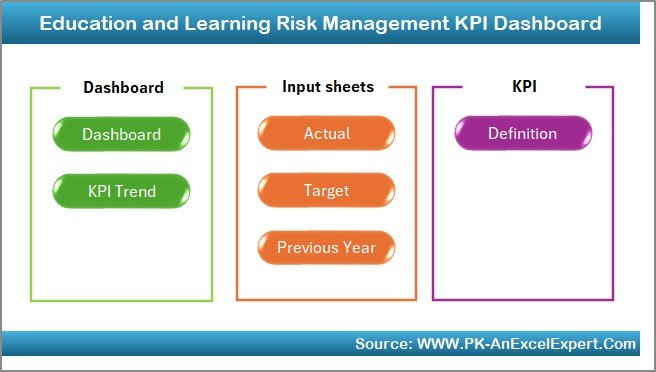
Quick navigation panel with 6 clickable buttons to access each section of the dashboard—no scrolling or searching needed.
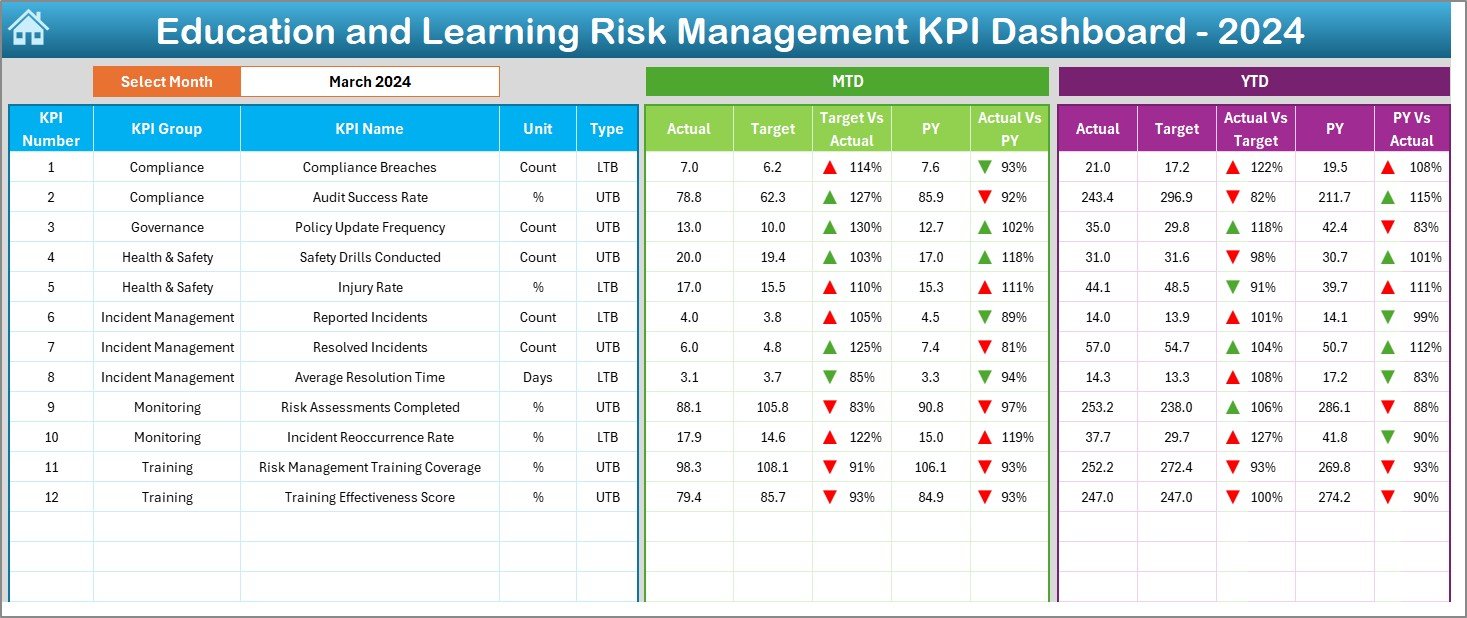
📊 2. Dashboard Sheet
Your real-time visual command center. Just select a month to view:
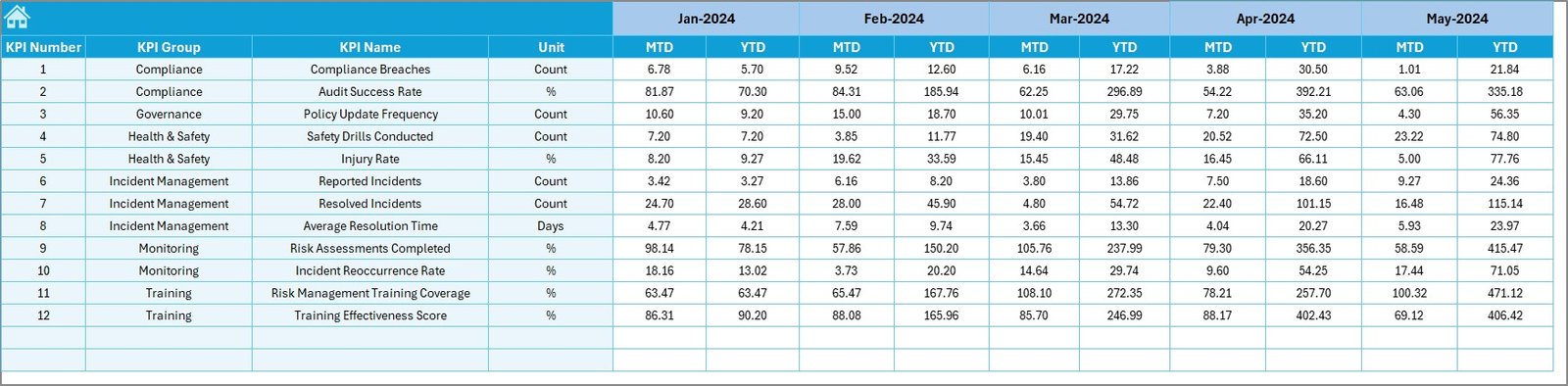
MTD and YTD performance (Actual, Target, Previous Year)
Conditional arrows for fast trend detection
KPI values auto-refresh based on the selected month
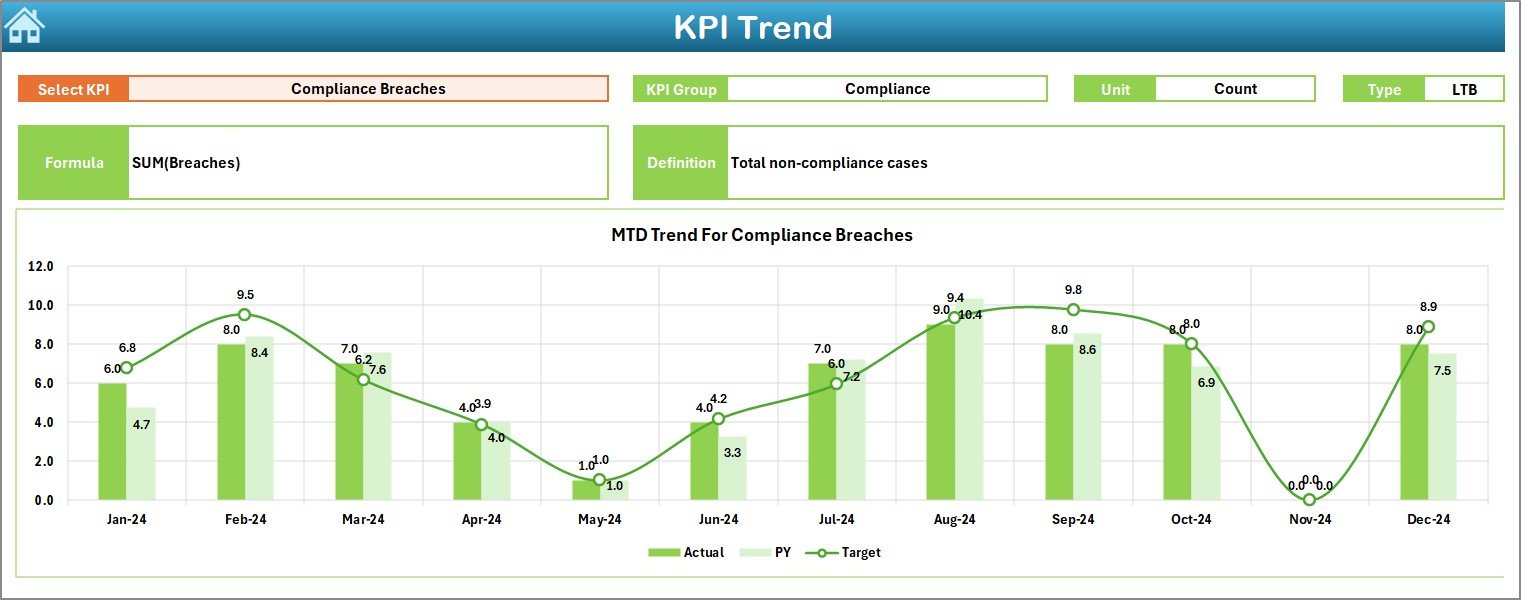
📈 3. KPI Trend Sheet
Analyze individual KPIs in depth using:
KPI Group, Unit, and Type (LTB/UTB)
Line charts for MTD and YTD comparisons
Auto-generated definitions and formulas
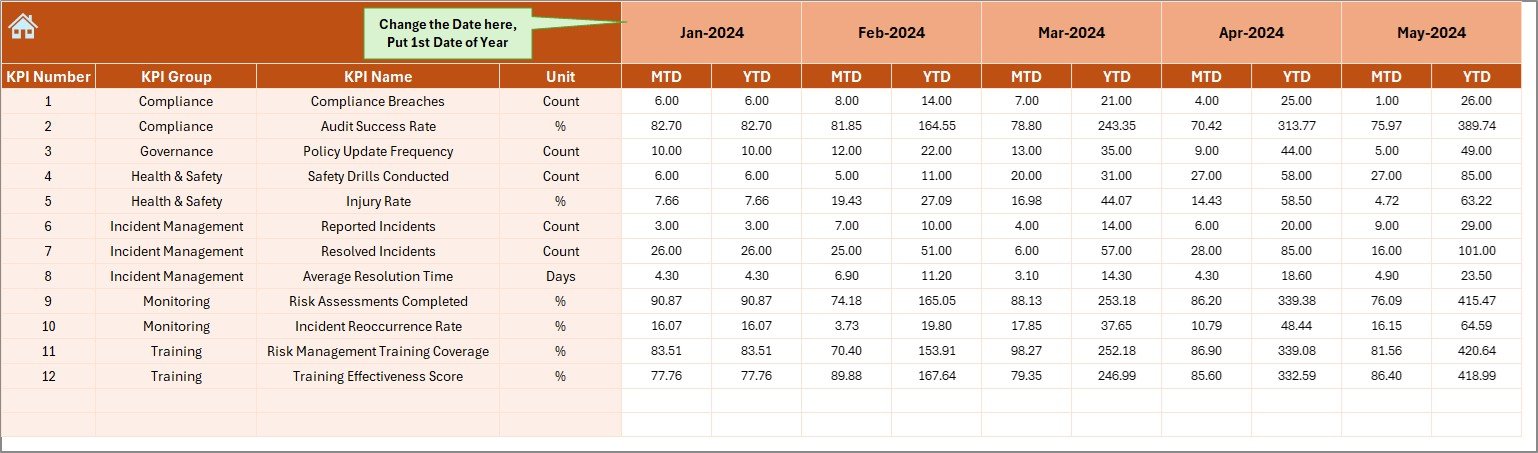
🧾 4. Actual Numbers Input
Enter real performance data for each KPI. Set your reporting year once and fill in MTD/YTD values month-by-month.
🎯 5. Target Sheet
Set monthly targets for each KPI to benchmark against actuals.
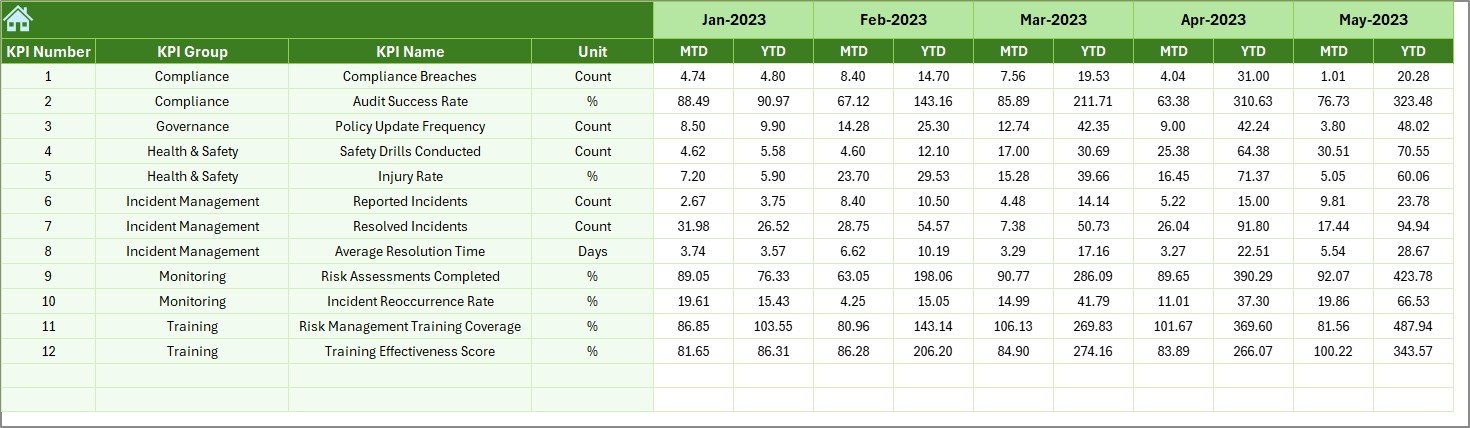
🕰 6. Previous Year Sheet
Input historical data for accurate year-over-year comparison.
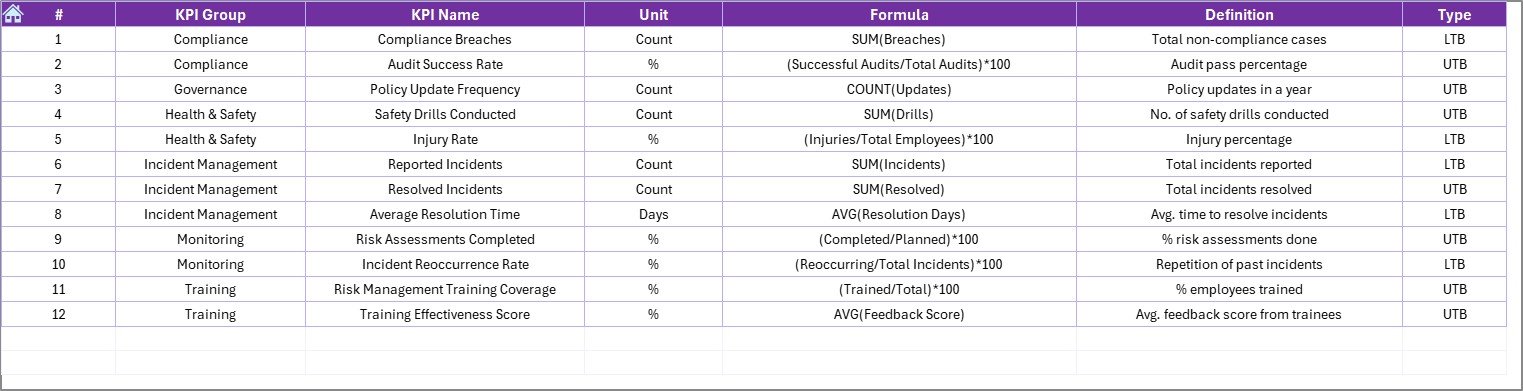
📘 7. KPI Definition Sheet
A centralized dictionary of all KPIs with group, formula, unit, and definition fields for clarity and consistency.
🌟 Advantages
✅ Risk-Focused KPI Tracking – Identify operational, academic, and compliance risks in real time
✅ No Coding Required – Uses simple Excel formulas, charts, and dropdowns
✅ Monthly and YTD Monitoring – Get full visibility into short- and long-term performance
✅ Customizable & Scalable – Add or modify KPIs, units, and targets as per your institution’s needs
✅ Visual Trend Analysis – Arrows, conditional formatting, and charts simplify data interpretation
👩🏫 Ideal For:
School Administrators
University Deans
Training & Learning Managers
Education Risk & Compliance Officers
Academic Data Analysts
✅ Best Practices for Use
🔍 Define KPIs Clearly – Use the definition sheet to ensure stakeholder understanding
📅 Update Monthly – Keep data consistent for reliable trend analysis
🧹 Maintain Clean Data – Use correct formats and avoid missing entries
🎯 Align KPIs to Goals – Focus on indicators that reflect institutional success
✂️ Keep It Focused – Track only the 10–15 most impactful KPIs to avoid dashboard clutter
📊 Sample KPIs You Can Track
📉 Student Dropout Rate (LTB)
🎓 Course Completion Rate (UTB)
🧠 Training Effectiveness Score (UTB)
💸 Financial Aid Error Rate (LTB)
🔐 Data Security Incidents (LTB)
👩🏫 Faculty Turnover Rate (LTB)
🗣 Student Satisfaction Index (UTB)
📅 Curriculum Review Timeliness (UTB)
📂 What’s Included?
Fully functional Excel Dashboard File (.xlsx)
7 Structured Sheets: Home, Dashboard, Trend, Actual, Target, PY, KPI Definition
Built-in formulas, dropdowns, and visuals
Auto-updating performance charts
Detailed user-friendly layout
💡 How to Get Started
Open the file—no installation required
Define KPIs in the KPI Definition tab
Enter monthly Targets and Previous Year data
Input Actuals as each month progresses
Select a month in the Dashboard tab to view reports
🙋 Frequently Asked Questions (FAQs)
Q1: Who should use this KPI dashboard?
School admins, training managers, and compliance teams in the education sector.
Q2: Does it require advanced Excel skills?
No. It’s designed for ease of use with basic formulas and dropdowns.
Q3: Can I modify KPIs or add new ones?
Yes. The dashboard is fully customizable.
Q4: How frequently should I update it?
Monthly, for the best real-time performance tracking.
Q5: Does it support multiple campuses?
Yes. You can add columns or filters for campus-level data.
Q6: Can I share this file with others?
Absolutely. Share via email, shared drive, or cloud storage.
🎥 Need a walkthrough?
Visit: youtube.com/@PKAnExcelExpert
Watch the step-by-step video tutorial:
Compatibility and Requirements
- Works in Microsoft Excel desktop (Excel 2016 or later, or Microsoft 365). The file is an .xlsx workbook.
- You pick the reporting month from a dropdown on the Dashboard sheet. Microsoft explains dropdowns in Create a drop-down list.
Related Education and Learning Templates
- Education and Learning Regulatory Adherence KPI Dashboard in Excel: tracks compliance KPIs next to your risk KPIs
- Education and Learning Quality Assurance KPI Dashboard in Excel: quality KPIs for the same institution
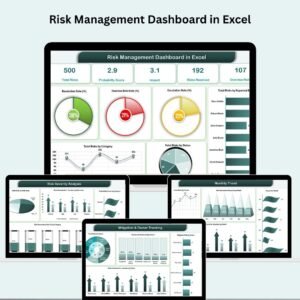
- Risk Management Dashboard in Excel: a general risk dashboard for any organization
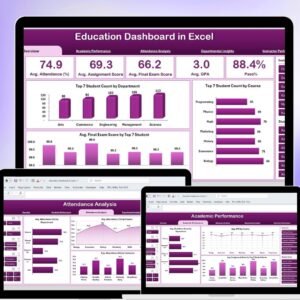
- Education Dashboard in Excel: a wider view of school performance
- Education & School Management Bundle: 8 Excel and Google Sheets templates for schools in one download
Browse all Excel KPI dashboards or Excel education templates.

















Reviews
There are no reviews yet.