

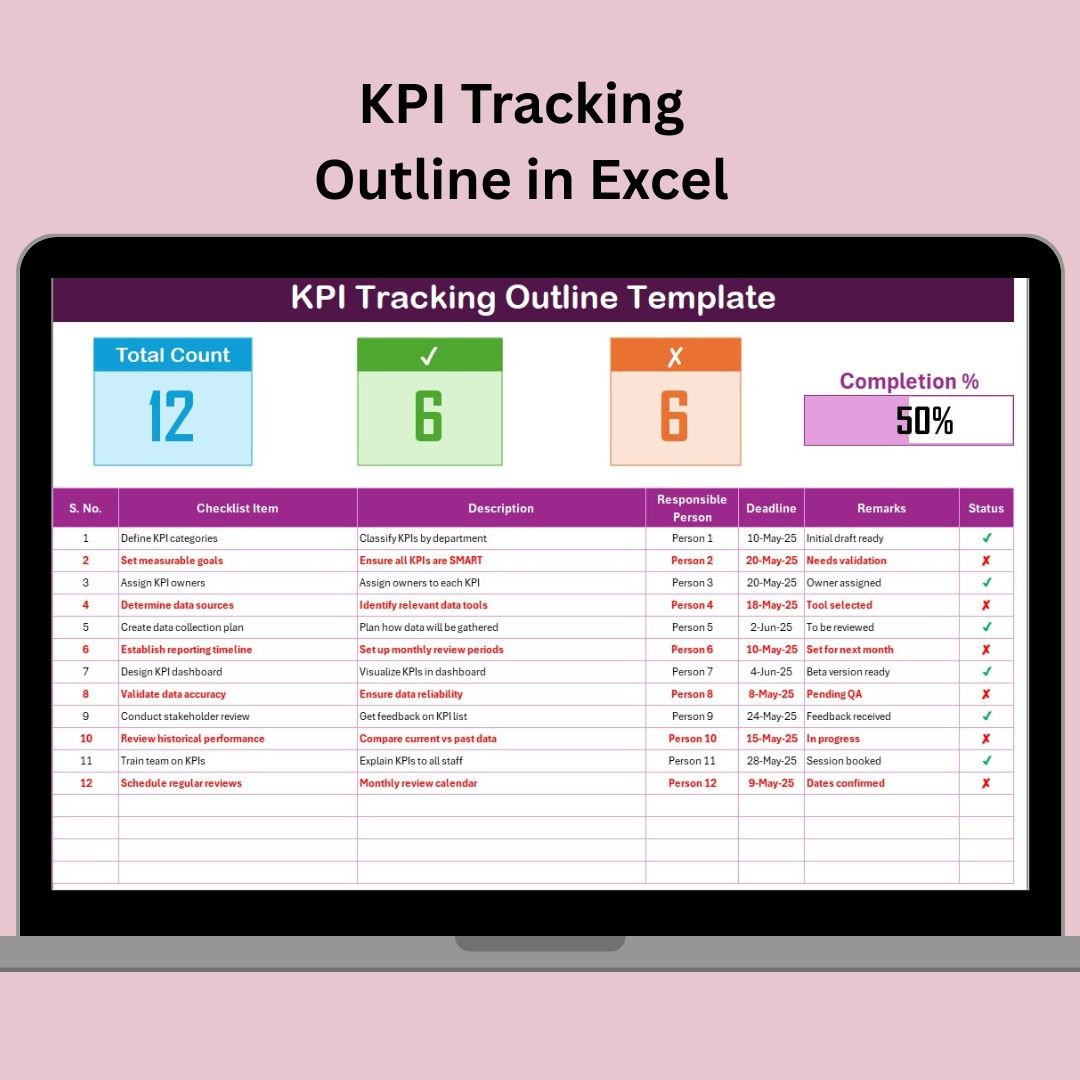

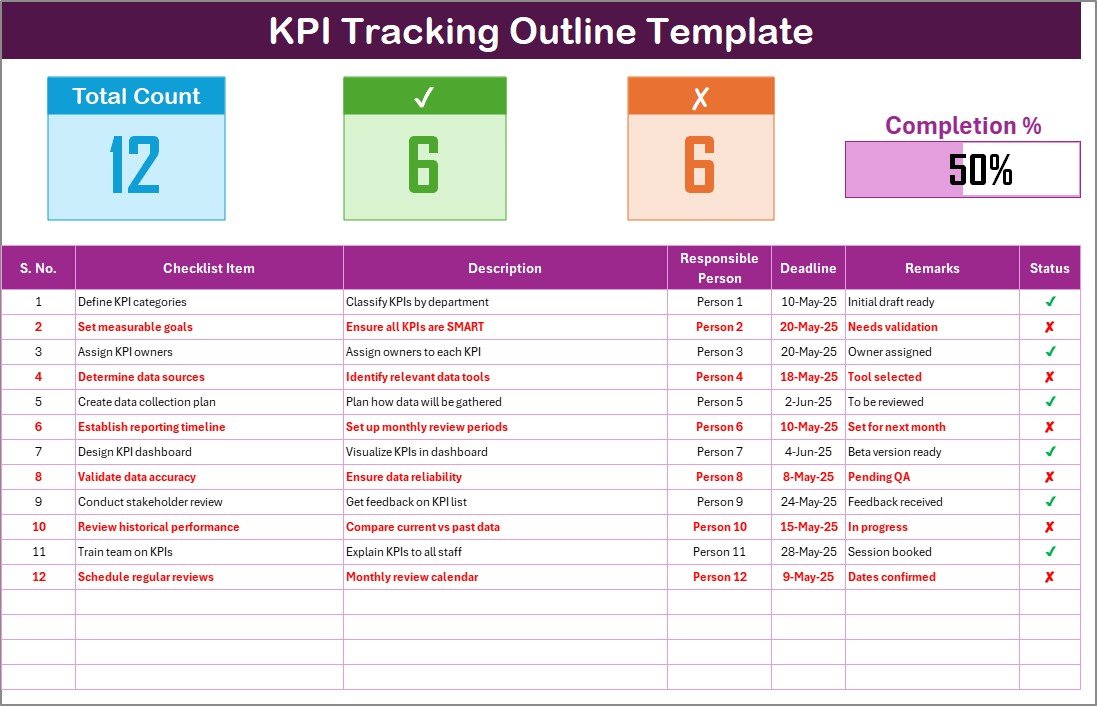
The KPI Tracking Outline in Excel is a powerful and easy-to-use tool designed to help businesses, managers, and teams efficiently track key performance indicators (KPIs). This Excel-based template is ideal for monitoring business performance, setting goals, and aligning organizational objectives with measurable outcomes.
Whether you’re tracking sales, operational efficiency, marketing performance, or employee productivity, this KPI Tracking Outline ensures that you can easily monitor progress toward your goals. The template allows you to define, track, and evaluate the success of each KPI with clarity and precision, making it an essential tool for any organization striving for continuous improvement.
Key Features of the KPI Tracking Outline in Excel
📊 Comprehensive KPI Tracking
Track a wide range of KPIs, including financial, operational, and marketing metrics. The tracker is designed to provide an overview of all your key metrics in one place, ensuring that you never lose sight of what’s important.
📝 Goal Setting & Target Monitoring
Set specific goals for each KPI and track progress toward achieving them. The template makes it easy to monitor whether targets are being met and where adjustments may be necessary.
📈 Performance Evaluation
Evaluate performance over different time periods (daily, weekly, monthly). Use time-based tracking to assess trends and identify areas where performance may need to improve.
📅 Customizable & Flexible
Customize the template to track the KPIs most relevant to your business or project. Add or modify columns, set different target ranges, and track multiple KPIs simultaneously.
⚙️ Automated Data Updates
Input real-time data, and the tracker will automatically update progress, allowing you to make quick adjustments and decisions based on current performance levels.
📉 Data Visualization & Reporting
Generate charts and graphs to visualize KPI progress and trends. This makes it easier to communicate performance to stakeholders and team members, ensuring everyone is on the same page.
Why You’ll Love the KPI Tracking Outline in Excel
✅ Track & Monitor Multiple KPIs
Easily track all your key performance indicators in one place. Whether you’re focusing on sales, customer satisfaction, or operational efficiency, the tracker covers it all.
✅ Set and Achieve Your Goals
Set clear and measurable goals for each KPI and track progress toward achieving them. Keep your team motivated and aligned with the business objectives.
✅ Improve Decision Making with Real-Time Data
Access up-to-date performance data and make informed decisions quickly. Identify trends and adjust strategies in real-time to stay on track with your goals.
✅ Customizable & Scalable
The template is fully customizable, so you can tailor it to your specific needs. Whether you’re a small startup or a large enterprise, this tool is scalable to fit your organization’s requirements.
✅ User-Friendly Interface
With its simple and intuitive layout, this Excel template is easy to use. You don’t need advanced Excel skills to manage your KPIs effectively.
What’s Inside the KPI Tracking Outline in Excel?
Comprehensive KPI List: Track multiple KPIs across different business functions.
Goal Setting & Progress Monitoring: Set goals for each KPI and track progress toward meeting them.
Time-Based Evaluation: Monitor performance over specific time periods and identify trends.
Customizable Template: Adjust the template to track the KPIs that matter most to your business.
Real-Time Data Updates: Automatically update performance as you input new data.
Data Visualization & Reporting: Create charts and graphs to visualize performance data.
How to Use the KPI Tracking Outline in Excel
1️⃣ Download the Template: Instantly access the KPI Tracking Outline in Excel.
2️⃣ Input Your KPIs: Enter your key performance indicators and define your targets.
3️⃣ Track Progress: Monitor progress toward achieving your goals and adjust as needed.
4️⃣ Analyze & Evaluate: Use time-based tracking to assess performance trends and identify opportunities for improvement.
5️⃣ Generate Reports & Visuals: Use data visualizations to report on KPI progress to stakeholders.
Who Can Benefit from the KPI Tracking Outline in Excel?
🔹 Business Owners & Managers
🔹 Sales & Marketing Teams
🔹 Project Managers
🔹 Operational Teams & Managers
🔹 Data Analysts
🔹 HR & Employee Productivity Managers
🔹 Small & Medium Enterprises (SMBs)
🔹 Large Corporations
Optimize your business performance and ensure goal achievement with the KPI Tracking Outline in Excel. Track your KPIs, set measurable goals, and analyze progress in real time to drive success.
Click here to read the Detailed blog post
Visit our YouTube channel to learn step-by-step video tutorials
Youtube.com/@PKAnExcelExpert































Reviews
There are no reviews yet.