



The Supply Chain Evaluation in Excel is a powerful and comprehensive tool designed to help businesses evaluate and monitor the effectiveness of their supply chain processes. This Excel-based tool allows businesses to track key performance indicators (KPIs), assess supply chain risks, and evaluate supplier performance, enabling data-driven decisions that optimize efficiency and reduce costs.
By using this evaluation tool, businesses can identify bottlenecks, improve supplier relationships, and enhance their overall supply chain performance. With a user-friendly interface, this tool is ideal for supply chain managers, procurement teams, and business owners who want to optimize their supply chain processes and enhance operational performance.
Key Features of the Supply Chain Evaluation in Excel
📊 Supplier Performance Tracking
Evaluate and monitor the performance of your suppliers. Track key metrics such as delivery time, quality of goods, and cost to assess supplier reliability and identify areas for improvement.
📉 Risk Assessment & Mitigation
Evaluate potential risks in your supply chain, including delays, quality issues, and supply shortages. Use this tool to assess risks and implement mitigation strategies to maintain a stable supply chain.
📈 Supply Chain Efficiency Metrics
Track critical supply chain efficiency metrics such as order fulfillment time, inventory turnover rate, and stockout frequency. Use these insights to optimize inventory management and order fulfillment processes.
⚙️ Cost Analysis
Monitor supply chain costs including procurement, transportation, and warehousing. Track costs to identify opportunities for cost savings and make data-driven decisions to improve profitability.
📅 Time-Based Performance Monitoring
Assess supply chain performance over different time periods—daily, weekly, monthly, or quarterly. This time-based analysis helps to track trends, identify seasonal variations, and adjust strategies accordingly.
📝 Customizable Reporting
Generate customized reports based on your selected metrics and KPIs. This allows you to create specific reports tailored to your business needs, helping you monitor the performance and progress of your supply chain activities.
Why You’ll Love the Supply Chain Evaluation in Excel

✅ Track Supplier Performance
Monitor and evaluate the performance of suppliers based on key metrics such as delivery times, quality, and reliability. Use this data to enhance supplier relationships and streamline procurement.
✅ Reduce Supply Chain Risks
Identify potential risks in your supply chain and implement strategies to mitigate those risks. With better risk management, you can ensure a stable and reliable supply chain.
✅ Improve Operational Efficiency
Track supply chain efficiency metrics and identify inefficiencies in inventory management, order fulfillment, and logistics. Optimize processes and reduce waste to improve profitability.
✅ Cost Optimization
Track supply chain costs and identify areas where you can reduce expenses. Implement cost-saving measures to improve your bottom line while maintaining product quality and service.
✅ Scalable & Customizable
The tool is fully customizable to meet your business’s specific supply chain needs. Scale it for small businesses or large enterprises with complex supply chain networks.
What’s Inside the Supply Chain Evaluation in Excel?
Supplier Performance Tracking: Evaluate supplier delivery times, quality, and costs.
Risk Assessment & Mitigation: Track risks and implement mitigation strategies.
Efficiency Metrics: Monitor key efficiency metrics like inventory turnover and stockouts.
Cost Analysis: Track supply chain costs such as procurement and transportation.
Time-Based Performance Monitoring: Monitor supply chain performance over time.
Customizable Reporting: Generate tailored reports to meet your business needs.
How to Use the Supply Chain Evaluation in Excel
1️⃣ Download the Template: Access the Supply Chain Evaluation in Excel instantly.
2️⃣ Set Up Metrics & KPIs: Input your key performance indicators and supply chain data.
3️⃣ Monitor Supplier Performance: Track and evaluate supplier performance regularly.
4️⃣ Analyze Risk & Efficiency: Use the tool to identify risks and optimize processes for efficiency.
5️⃣ Generate Custom Reports: Create tailored reports based on your selected metrics and KPIs.
Who Can Benefit from the Supply Chain Evaluation in Excel?
🔹 Supply Chain Managers & Analysts
🔹 Procurement & Purchasing Teams
🔹 Business Owners & Operations Managers
🔹 Logistics & Distribution Teams
🔹 E-commerce Platforms & Retailers
🔹 Small & Medium Enterprises (SMBs)
🔹 Large Enterprises with Complex Supply Chains
Improve your supply chain management process with the Supply Chain Evaluation in Excel. Track supplier performance, manage risks, optimize efficiency, and reduce costs for a smoother, more effective supply chain.
Click here to read the Detailed blog post
Visit our YouTube channel to learn step-by-step video tutorials
Youtube.com/@PKAnExcelExpert
Watch the step-by-step video Demo:
Compatibility and Requirements
- Works in Microsoft Excel desktop (Excel 2016 or later, or Microsoft 365).
- Excel’s own guide to Excel for Windows training covers the basics if you want to adapt the template.
Frequently Asked Questions
What does the Supply Chain Evaluation track?
It tracks supplier performance (delivery time, quality and cost), supply chain risks, efficiency metrics such as order fulfillment time, inventory turnover rate and stockout frequency, and supply chain costs including procurement, transportation and warehousing.
Can I see performance over different time periods?
Yes. You can review supply chain performance daily, weekly, monthly or quarterly to spot trends and seasonal changes.
Can I create reports for specific metrics?
Yes. You choose the metrics and KPIs you want, and the template generates a report based on that selection.
Is it suitable for both small and large businesses?
Yes. The template is customizable, so you can use it for a small business or for an enterprise with a complex supply chain network.
Is there a dashboard version?
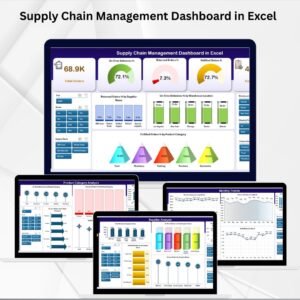
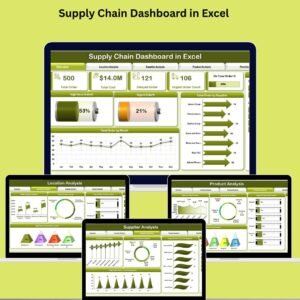
Yes. See the Supply Chain Management Dashboard in Excel and the Supply Chain Dashboard in Power BI.
Related Supply Chain Templates
- Supply Chain Management Dashboard in Excel: a dashboard view of supply chain data
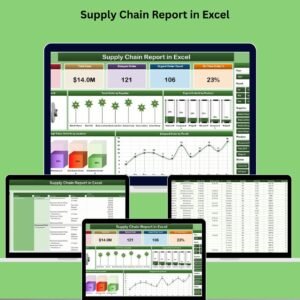
- Supply Chain Report in Excel: a report format for supply chain results
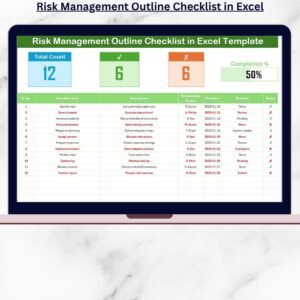
- Supply Chain Review Checklist in Excel: a checklist for regular reviews
- Supply Chain Dashboard in Power BI: the same topic in Power BI
- Logistics Manager Toolkit: 8 Excel templates for logistics teams in one download
Browse all Excel checklists.
































Reviews
There are no reviews yet.