

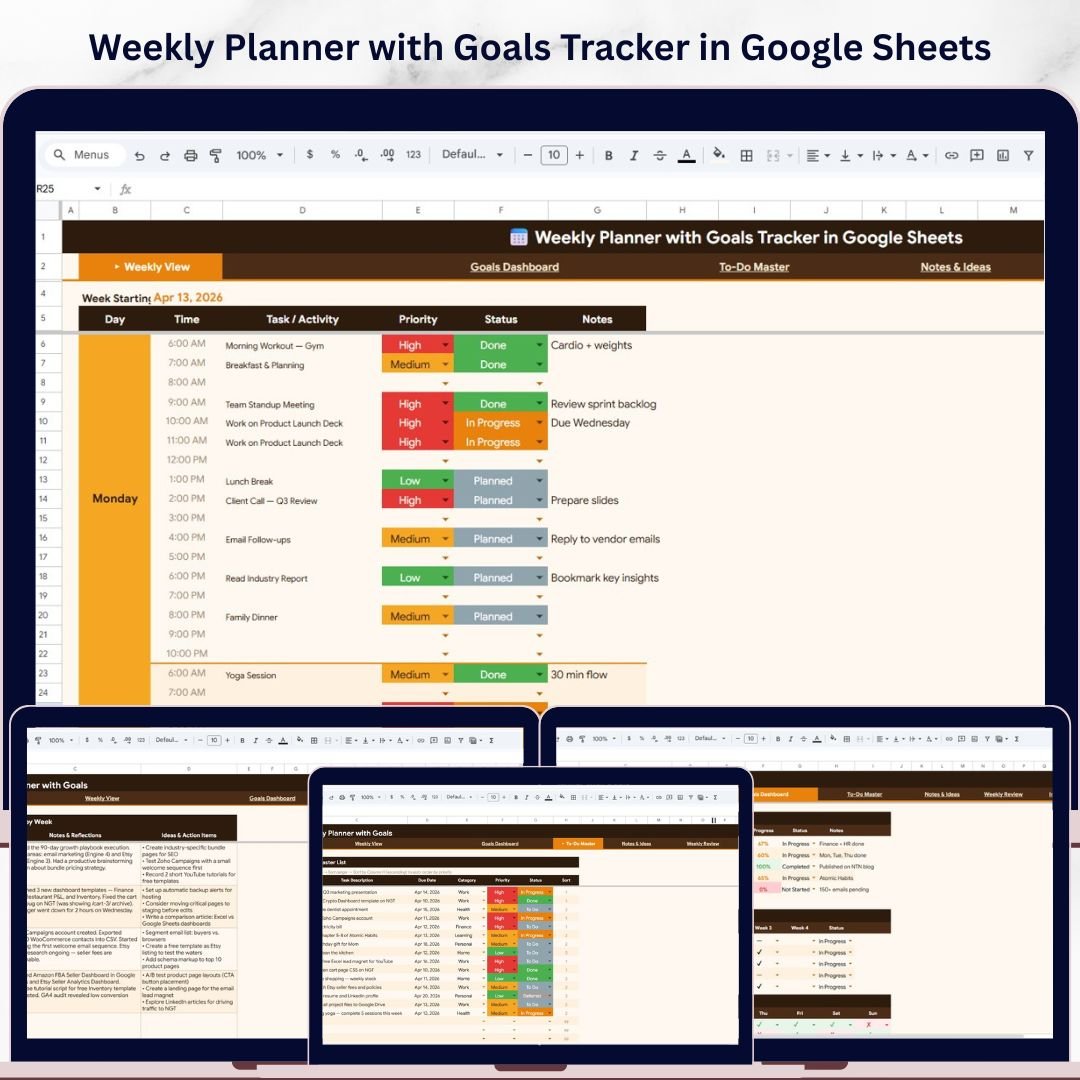
📊 Weekly Planner with Goals Tracker in Google Sheets is a comprehensive personal productivity template designed to help you plan your entire week, set and track weekly goals, manage to-do tasks, capture ideas, and reflect on your progress — all from one beautifully organized Google Sheets file. Whether you are a busy professional, a student, a freelancer, or anyone who wants to stay organized and productive, this Google Sheets Tracker Template gives you complete control over your weekly planning and goal achievement.Weekly Planner with Goals Tracker in Google Sheets
This template includes 5 powerful pages — a Weekly View Page, a Goals Dashboard, a To-Do Master, a Notes & Ideas page, and a Weekly Review page — designed to help you plan, execute, track, and review every aspect of your week. Simply replace the sample data with your own tasks and goals, and watch the charts, progress bars, and analytics update automatically. Explore more Google Sheets Templates in our growing collection.Weekly Planner with Goals Tracker in Google Sheets
🔑 Key Features of Weekly Planner with Goals Tracker in Google Sheets
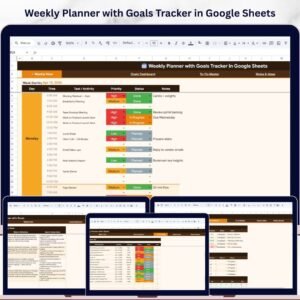
✨ Interactive Weekly View Dashboard with 6 Data Fields – Plan every day with Day, Time, Task/Activity, Priority, Status, and Notes fields for complete weekly scheduling.Weekly Planner with Goals Tracker in Google Sheets
📊 4 Dynamic Weekly View Charts – Analyze your week with Task Activities by Day of the Week, Tasks by Priority Level, Tasks by Status, and Weekly Schedule by Time Slot.
🎯 Goals Dashboard with Progress Tracking – Track Weekly Goals with Target, Current, Progress, and Status columns, plus Weekly Completion Rate, Monthly Goals Overview by Week, and Daily Habit Tracker by Day of the Week.
📝 To-Do Master with Auto-Sort – Manage tasks with Task Description by Due Date, Tasks by Category, Tasks by Priority Level, Tasks by Status, and an intelligent Auto-Sort by Priority feature.Weekly Planner with Goals Tracker in Google Sheets
💡 Notes & Ideas Page – Capture Notes & Reflections by Week and Ideas & Action Items by Week in one organized space.
🔄 Weekly Review Page – Reflect on What Went Well, What to Improve, Key Wins, and Next Week Focus to build continuous improvement into your routine.
📈 Fully Automated Charts & Analytics – All visualizations update automatically when you enter your data — no formulas to configure.
This template includes 5 interactive pages with automated charts and analytics. It tracks weekly tasks, goals, habits, to-do items, notes, and weekly reflections — giving you a complete personal productivity system in Google Sheets.
📦 What’s Inside the Weekly Planner with Goals Tracker
📅 Weekly View Page – Your central weekly planning hub. View and manage all tasks organized by Day, Time, Task/Activity, Priority, Status, and Notes. Includes 4 charts: Task Activities by Day of the Week shows how tasks distribute across the week, Tasks by Priority Level helps you balance urgency, Tasks by Status tracks completion progress, and Weekly Schedule by Time Slot visualizes your time allocation.
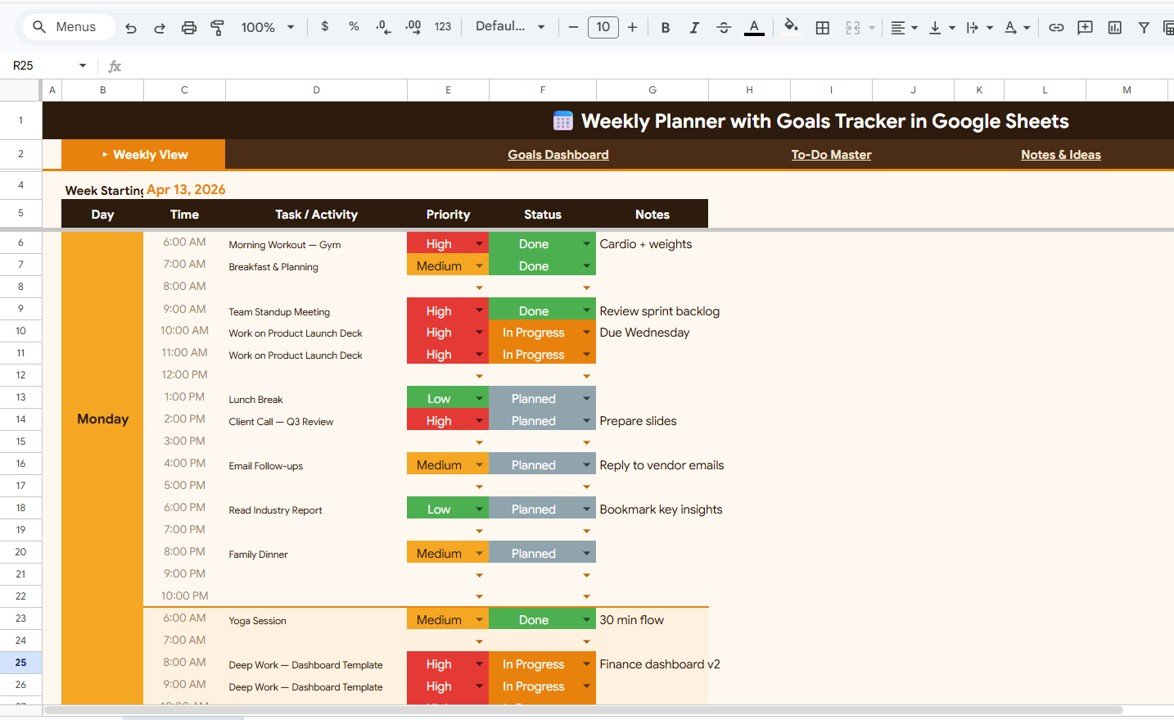
Weekly View Page
🎯 Goals Dashboard – Set and monitor weekly goals with Target, Current, Progress, and Status tracking. View Weekly Completion Rate at a glance, track Monthly Goals Overview by Week for long-term patterns, and use the Daily Habit Tracker by Day of the Week to build consistency.
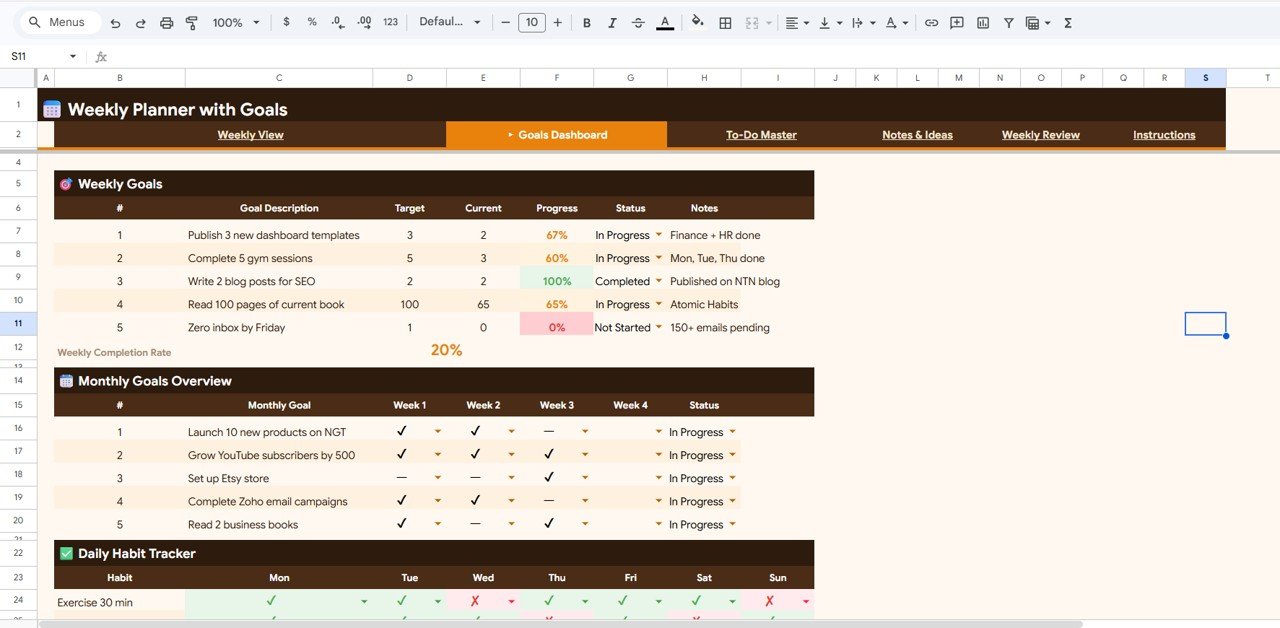
Goals Dashboard
📝 To-Do Master – A dedicated task management page with Task Description by Due Date, Tasks by Category, Tasks by Priority Level, Tasks by Status, and an Auto-Sort by Priority feature that keeps your most important tasks at the top automatically.
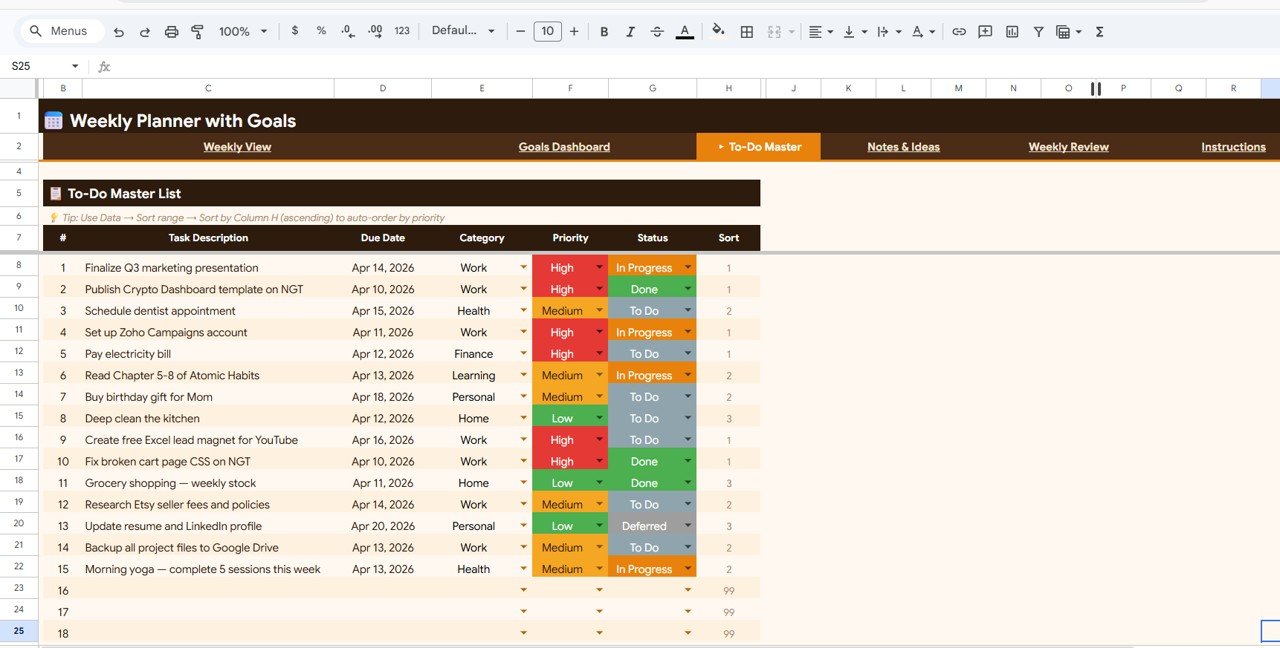
To-Do Master
💡 Notes & Ideas – Capture your weekly thoughts with Notes & Reflections by Week and Ideas & Action Items by Week — never lose a creative idea or important reflection again.
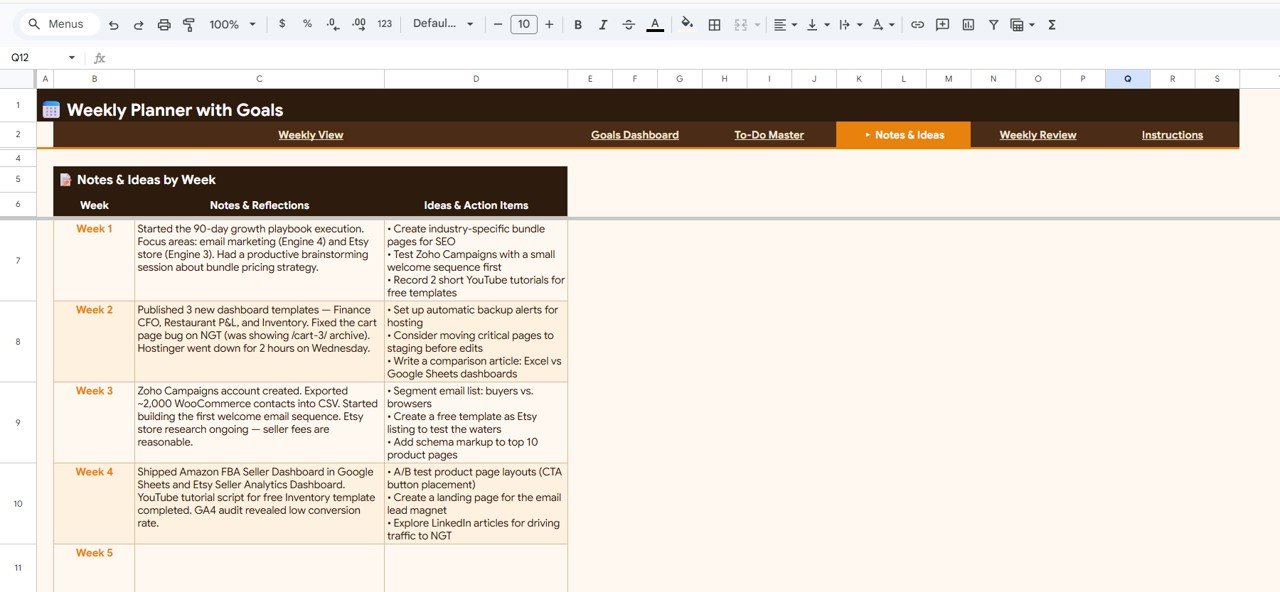
Notes & Ideas
🔄 Weekly Review – End each week with a structured review: What Went Well by Week, What to Improve by Week, Key Wins by Week, and Next Week Focus by Week — building a powerful habit of continuous self-improvement.
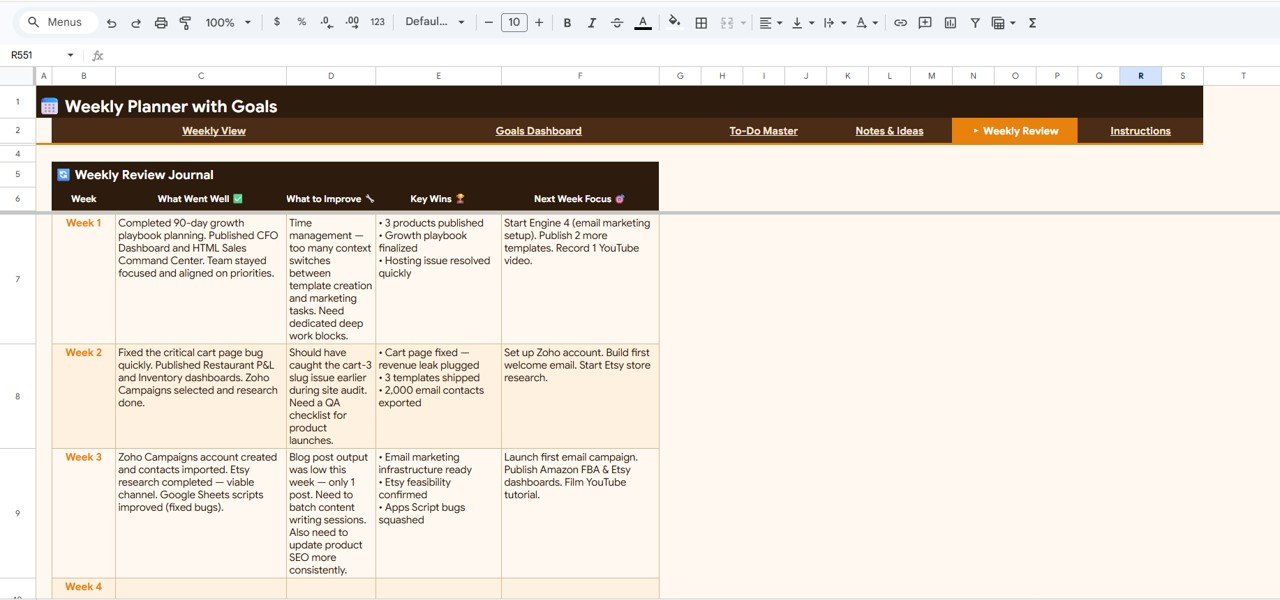
Weekly Review
⚙️ How to Use the Weekly Planner with Goals Tracker
1️⃣ Open the PDF guide included in your download and click the Google Sheets copy link to create your own editable version in Google Drive.
2️⃣ Go to the Weekly View Page and start entering your tasks for each day — fill in the Day, Time, Task/Activity, Priority, Status, and Notes columns.
3️⃣ Switch to the Goals Dashboard to set your weekly goals with targets and track progress as you update your current values.
4️⃣ Use the To-Do Master to list all your tasks — they auto-sort by priority so you always know what to tackle first.
5️⃣ Capture ideas and reflections in the Notes & Ideas page throughout the week.
6️⃣ Complete your Weekly Review at the end of each week to identify wins, improvements, and focus areas for next week.
👥 Who Can Benefit from This Template
🔹 Busy Professionals – Plan meetings, tasks, and priorities for every workday.
🔹 Students – Organize study schedules, assignment deadlines, and weekly academic goals.
🔹 Freelancers & Entrepreneurs – Track client tasks, personal goals, and business milestones weekly.
🔹 Anyone Building Better Habits – Use the Goals Dashboard and habit tracker to build consistency.
🔹 Team Leads & Managers – Plan weekly deliverables and review team progress systematically.
❓ Frequently Asked Questions
What is the Weekly Planner with Goals Tracker in Google Sheets?
The Weekly Planner with Goals Tracker in Google Sheets is a ready-to-use productivity template that includes 5 pages — Weekly View, Goals Dashboard, To-Do Master, Notes & Ideas, and Weekly Review — to help you plan tasks, set goals, track habits, and reflect on your weekly progress.
Do I need advanced Google Sheets skills to use this template?
No. Simply make a copy to your Google Drive, replace the sample data with your own tasks and goals, and all charts and analytics update automatically. No formulas or technical setup required.
Can I customize the weekly planner to fit my schedule?
Yes. You can modify task categories, priority levels, goal targets, and all data fields to match your personal or professional workflow.
How does the Auto-Sort by Priority feature work in the To-Do Master?
The To-Do Master page automatically sorts your tasks by priority level so that high-priority items always appear at the top, ensuring you focus on what matters most.
What is the best Google Sheets template for weekly planning and goal tracking?
The Weekly Planner with Goals Tracker in Google Sheets is one of the best options — it combines weekly scheduling, goal tracking, habit monitoring, to-do management, and weekly reviews in a single template with automated charts and analytics.
🔗 Explore Related Templates
📊 Habit Tracker in Google Sheets – Build and monitor daily habits with 30-day and 90-day tracking cycles.
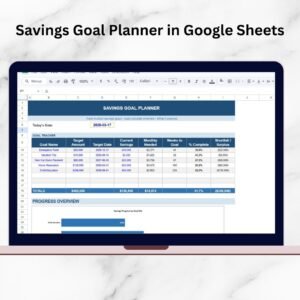
💰 Savings Goal Planner in Google Sheets – Set savings targets and track your progress toward financial goals.
📋 Personal Monthly Budget Tracker in Google Sheets – Track income, expenses, and budget categories month by month.
📖 Click here to read the Detailed Blog Post
Watch the step-by-step video tutorial:















Reviews
There are no reviews yet.