



Virtual events have become a core channel for marketing, training, lead generation, and community engagement. However, running webinars, virtual conferences, and online workshops without measuring performance leads to unclear outcomes and missed improvement opportunities.
That is exactly where the Virtual Events KPI Scorecard in Excel becomes an essential performance management tool.
This ready-to-use Excel scorecard helps event teams track key virtual event KPIs, compare Actual vs Target, analyze MTD and YTD performance, and monitor trends over time. Instead of relying on scattered reports from multiple platforms, teams get a single, structured, and visual performance view—directly inside Excel.
Simple, flexible, and powerful, this scorecard transforms virtual event data into actionable insights.
⭐ Key Features of Virtual Events KPI Scorecard in Excel
📊 Centralized KPI Performance Tracking for virtual events
🎯 Actual vs Target Comparison for clear performance gaps
📅 MTD & YTD Performance Analysis
📈 KPI Trend Analysis with charts
🎛️ Interactive Dropdown Filters (Month / MTD / YTD)
🟢🔴 Visual Performance Indicators using conditional formatting
📋 KPI Definition & Governance Sheet
⚙️ 100% Excel-Based & Fully Customizable
📦 What’s Included in the Virtual Events KPI Scorecard in Excel
This ready-to-use template includes 4 structured Excel worksheets; each designed for a specific role in performance tracking.
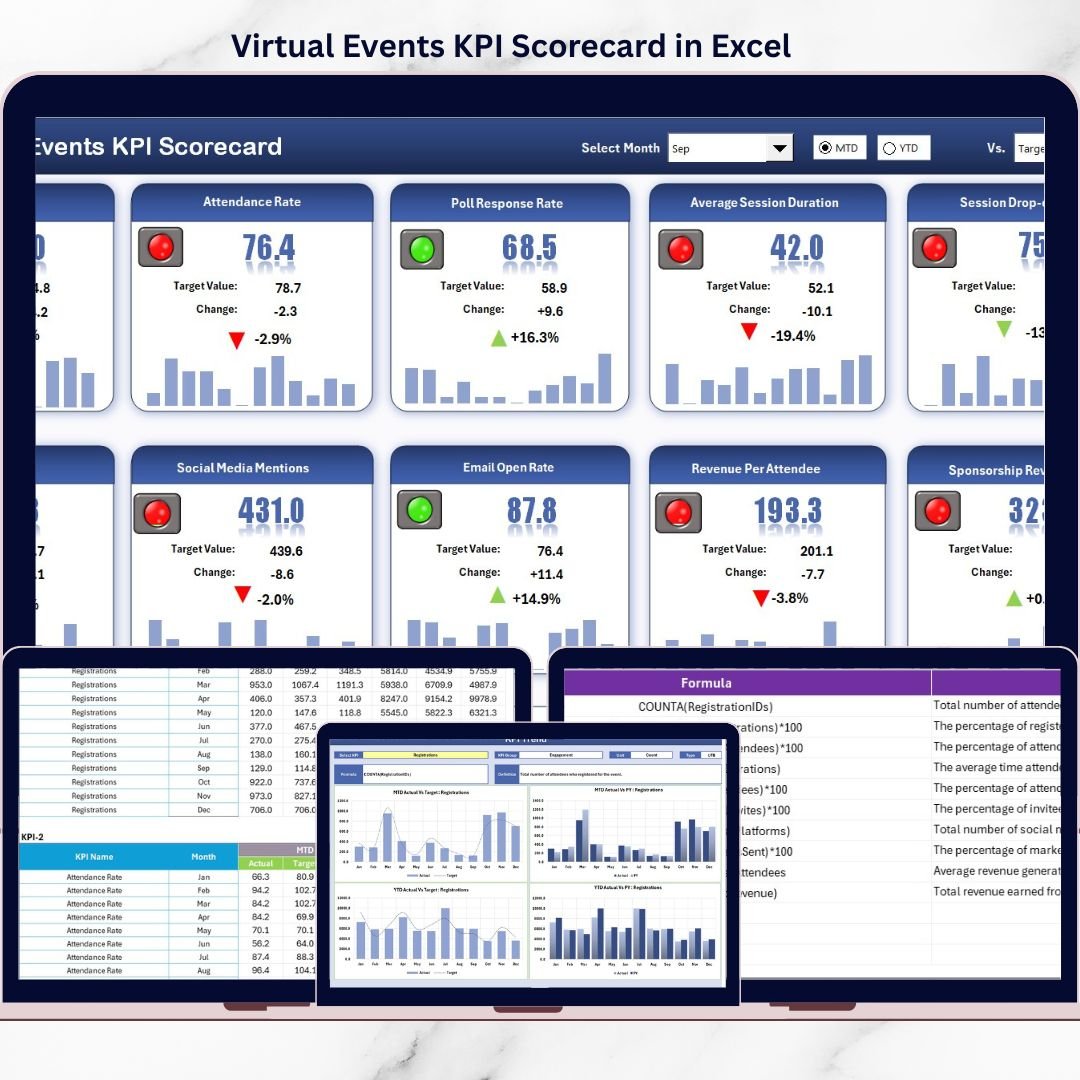
📄 1. Scorecard Sheet – Main Performance Dashboard
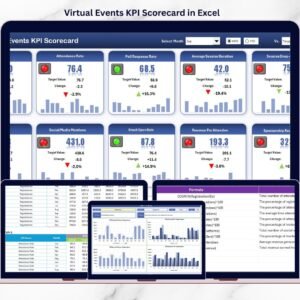
Virtual Events KPI Scorecard in Excel
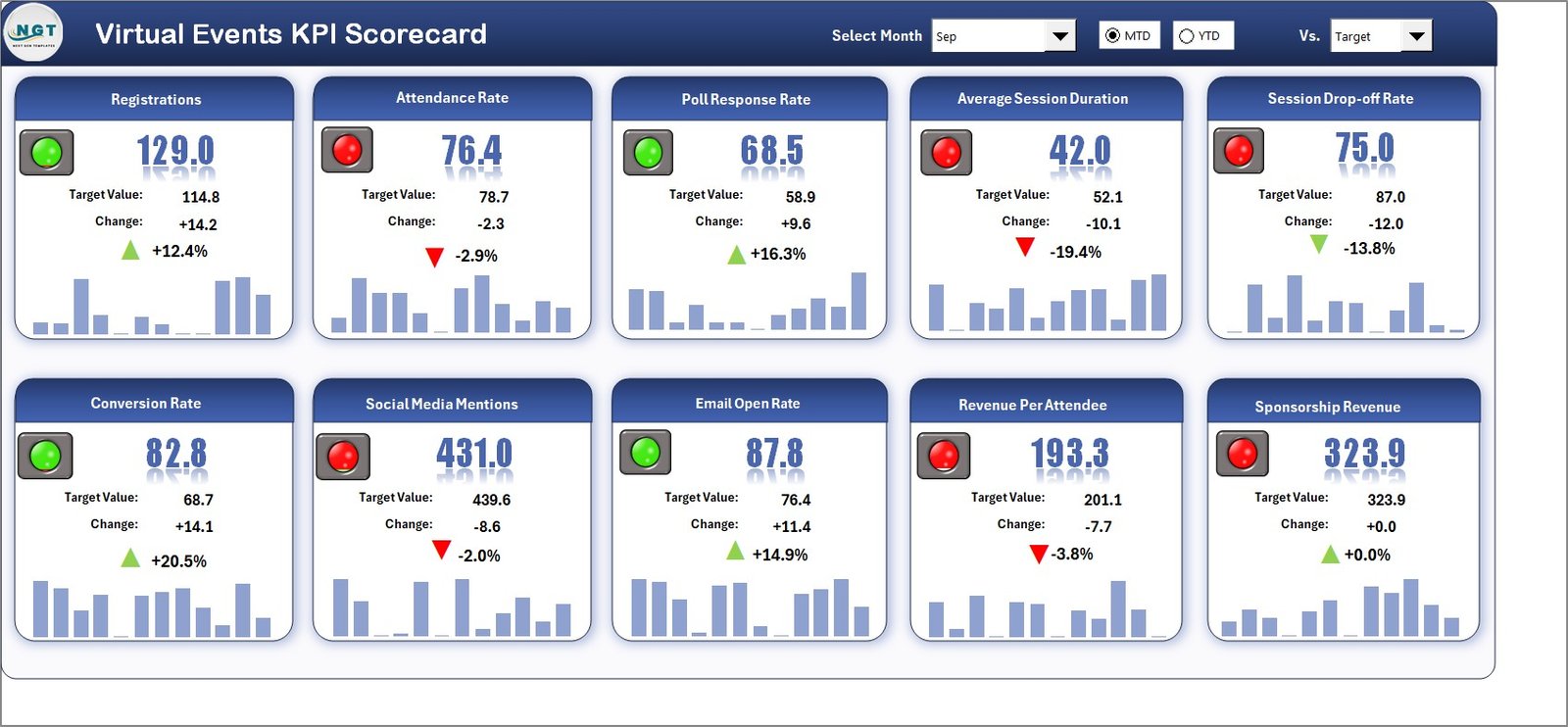
This is the primary dashboard where all KPIs are displayed in a clean and structured format.
🔹 Interactive Dropdowns
Select Month
Switch between MTD and YTD views
All KPI values update automatically based on selection.
🔹 Actual vs Target Comparison
Each KPI clearly shows:
Actual Value
Target Value
This instantly highlights performance gaps.
🔹 Visual Performance Indicators
Color-coded KPI status
Clear identification of underperforming KPIs
🔹 Comprehensive KPI View
KPI Name
KPI Group
Unit
MTD Actual & Target
YTD Actual & Target
Decision-makers can assess virtual event performance within seconds.
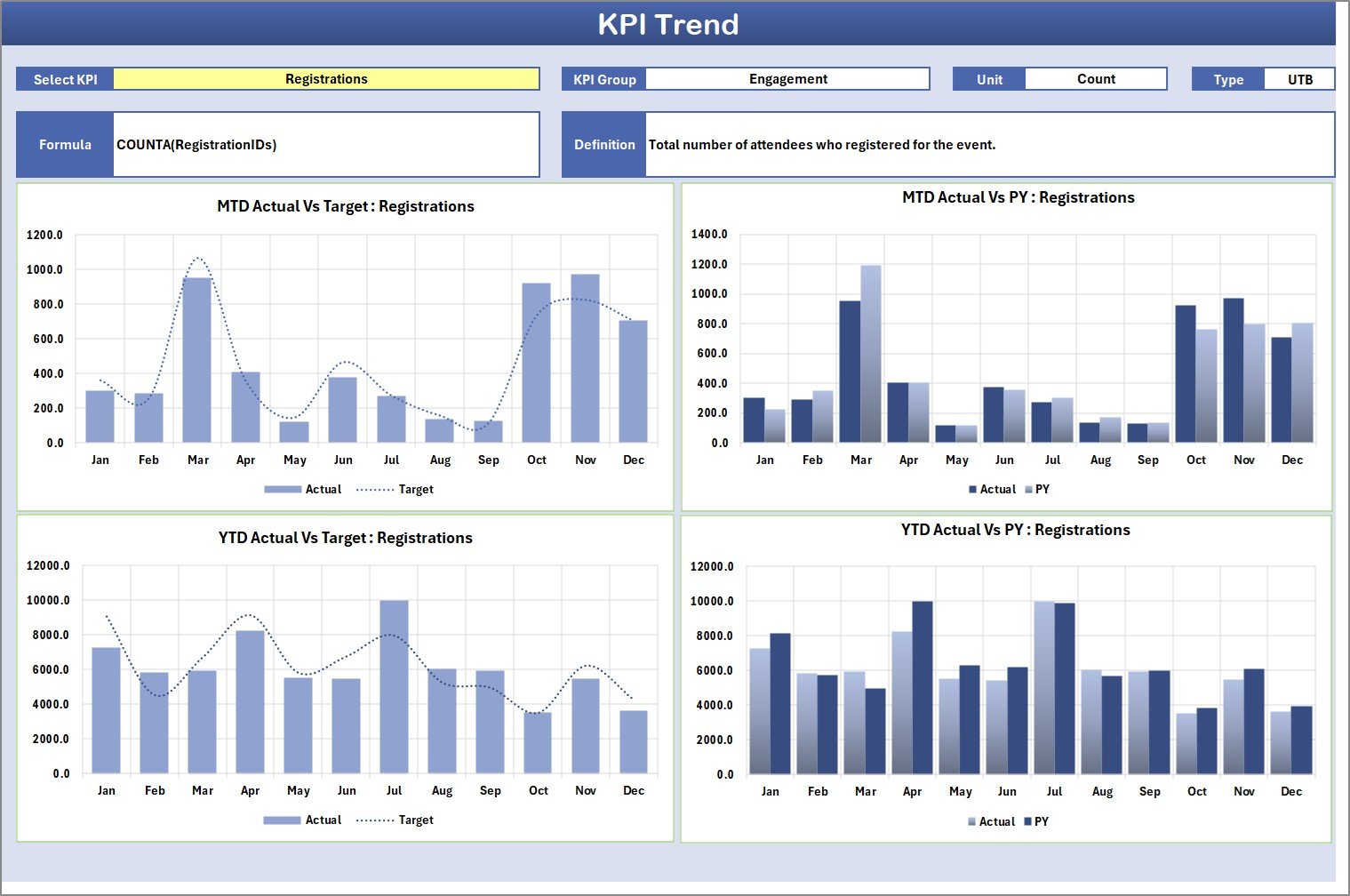
📄 2. KPI Trend Sheet – Performance Trend Analysis
The KPI Trend Sheet focuses on deep-dive analysis of individual KPIs.
🔹 KPI Selection Dropdown
Select KPI from dropdown (cell C3)
🔹 KPI Details Display
KPI Group
KPI Unit
KPI Type (LTB / UTB)
KPI Formula
KPI Definition
🔹 Trend Charts
MTD Trend (Actual vs Target vs Previous Year)
YTD Trend (Actual vs Target vs Previous Year)
This helps teams identify performance patterns, improvements, and declines.
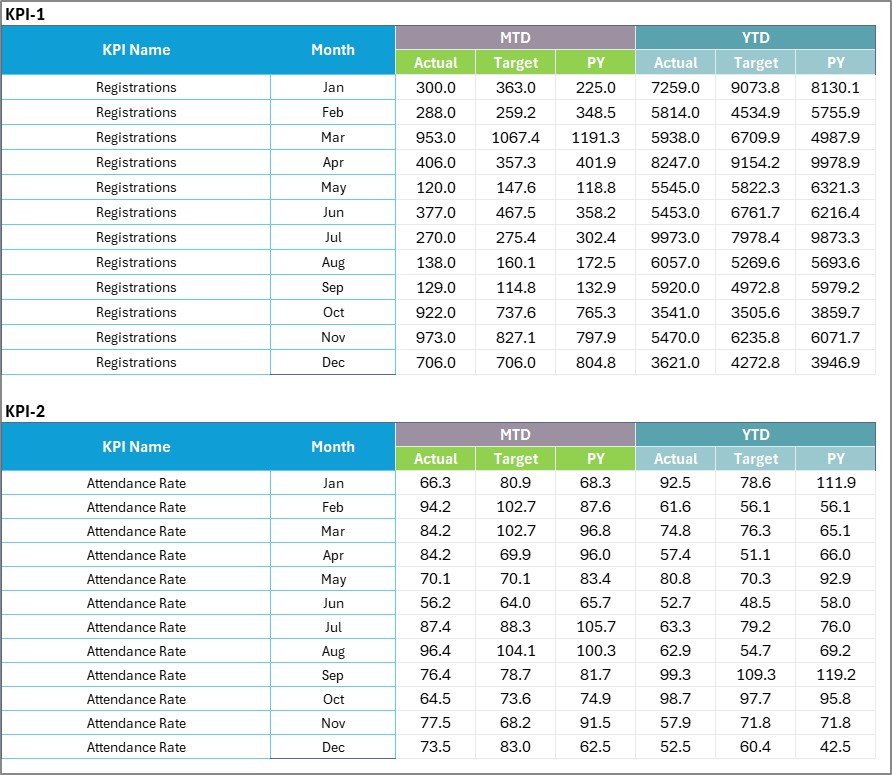
📄 3. Input Data Sheet – KPI Data Entry Area
This sheet acts as the data foundation of the scorecard.
You can enter:
Actual KPI values
Target KPI values
Month-wise data
Once data is updated, all dashboards and charts refresh automatically, ensuring real-time insights.
📄 4. KPI Definition Sheet – KPI Governance Layer
This sheet ensures clarity, consistency, and standardization.
It captures:
KPI Name
KPI Group
Unit
Formula
KPI Definition
This prevents confusion and ensures everyone interprets KPIs the same way.
🚀 How This Scorecard Improves Virtual Event Performance
✔ Aligns teams with measurable event goals
✔ Highlights underperforming KPIs early
✔ Supports data-driven decisions
✔ Improves engagement, conversion, and ROI
✔ Enables continuous improvement
Instead of guesswork, teams manage events with clear performance visibility.
👥 Who Should Use Virtual Events KPI Scorecard in Excel?
This scorecard is ideal for:
🎯 Marketing Teams
🎥 Event Managers
🎓 Training & L&D Teams
💻 Webinar Hosts
🌍 Community Managers
🚀 Product Marketing Teams
🏢 Small Businesses & Enterprises
If you run virtual events, this scorecard fits perfectly.
📊 Example KPIs You Can Track
Event Registrations
Attendance Rate
Engagement Rate
Drop-off Rate
Average Watch Time
Feedback / Satisfaction Score
Conversion Rate
Cost per Attendee
Repeat Attendee Rate
All KPIs are fully customizable.
📖 Click here to read the Detailed blog post
🎥 Visit our YouTube channel for step-by-step tutorials
👉 https://youtube.com/@PKAnExcelExpert
Watch the step-by-step video tutorial:
Compatibility and Requirements
- Works in Microsoft Excel desktop (Excel 2016 or later, or Microsoft 365).
- You pick the month and the MTD or YTD view from dropdowns on the Scorecard sheet, and choose a KPI from a dropdown on the KPI Trend sheet. Microsoft explains dropdowns in Create a drop-down list.
Frequently Asked Questions
Which sheets are included?
Four sheets: Scorecard, KPI Trend, Input Data and KPI Definition.
How do I update the scorecard?
Enter your actual and target values by month on the Input Data sheet. The Scorecard and the charts on the KPI Trend sheet update from that data.
Can I switch between MTD and YTD?
Yes. Use the dropdowns on the Scorecard sheet to select the month and to switch between the MTD and YTD views.
How do I see the trend for one KPI?
Open the KPI Trend sheet and select the KPI in cell C3. It shows the KPI group, unit, type (LTB or UTB), formula and definition, plus MTD and YTD trend charts for Actual, Target and Previous Year.
Is there a dashboard version of this template?
Yes. See the Virtual Events KPI Dashboard in Excel, the Virtual Events KPI Dashboard in Power BI and the Virtual Events KPI Dashboard in Google Sheets.
Related Event KPI Templates
- Virtual Events KPI Dashboard in Excel: a dashboard view of the same event topic
- Virtual Events KPI Dashboard in Power BI: the Power BI edition
- Virtual Events KPI Dashboard in Google Sheets: the Google Sheets edition
- Event Management KPI Scorecard in Excel: a scorecard for in-person event teams
- Event Planning KPI Scorecard in Excel: a scorecard for event planning metrics
Browse all Excel KPI dashboards.



Reviews
There are no reviews yet.