

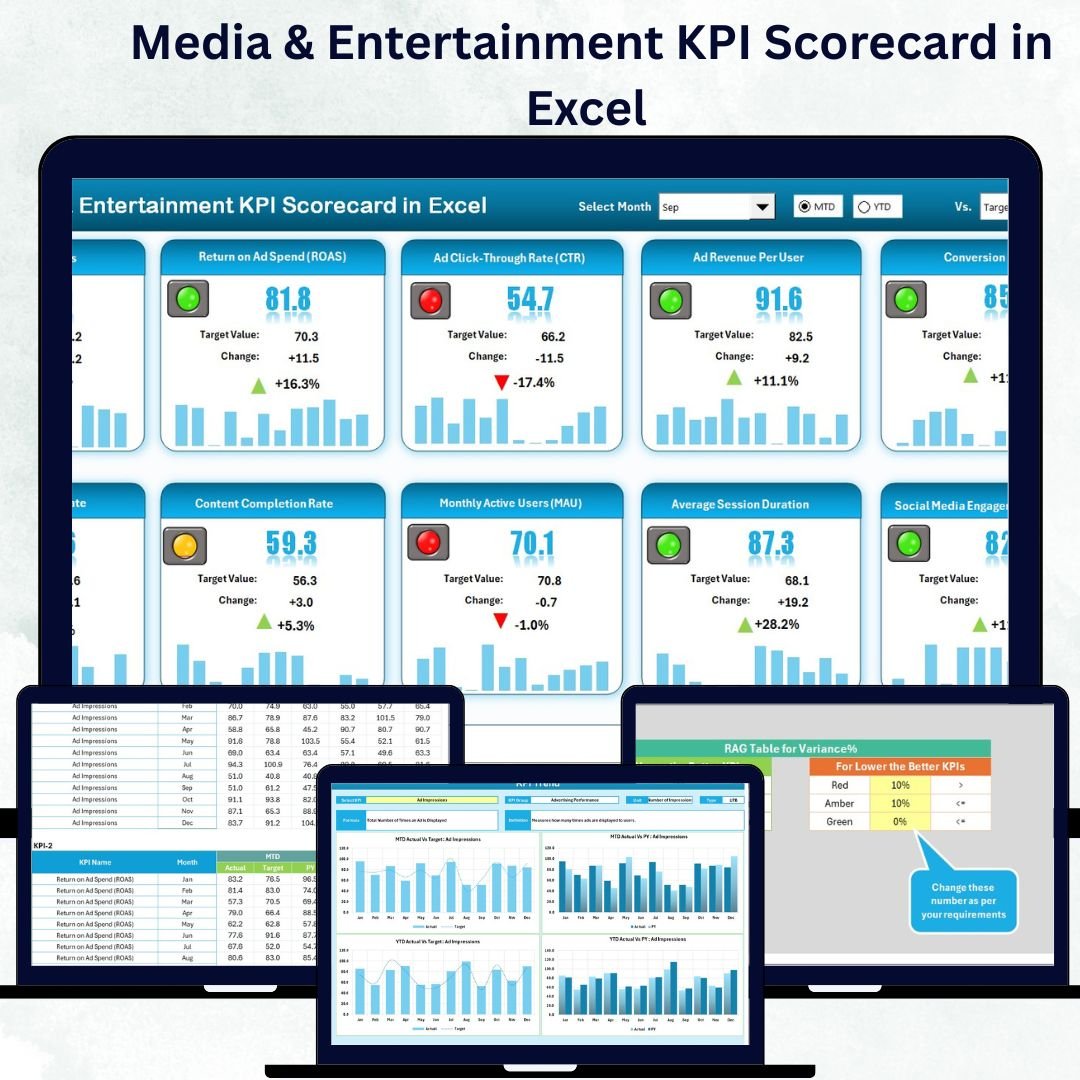


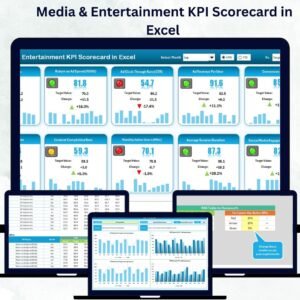
In the fast-paced world of media and entertainment, every decision counts — and every number tells a story. The Media & Entertainment KPI Scorecard in Excel is your ultimate tool to measure, monitor, and master performance metrics across departments. Whether you run a production house, manage a digital agency, or operate a streaming platform, this Excel-based scorecard helps you turn raw data into clear insights that drive smarter business outcomes.
With this ready-to-use template, you can visualize progress, compare targets, and identify trends — all in one interactive and customizable Excel workbook.Media & Entertainment KPI Scorecard in Excel
✨ Key Features of Media & Entertainment KPI Scorecard in Excel
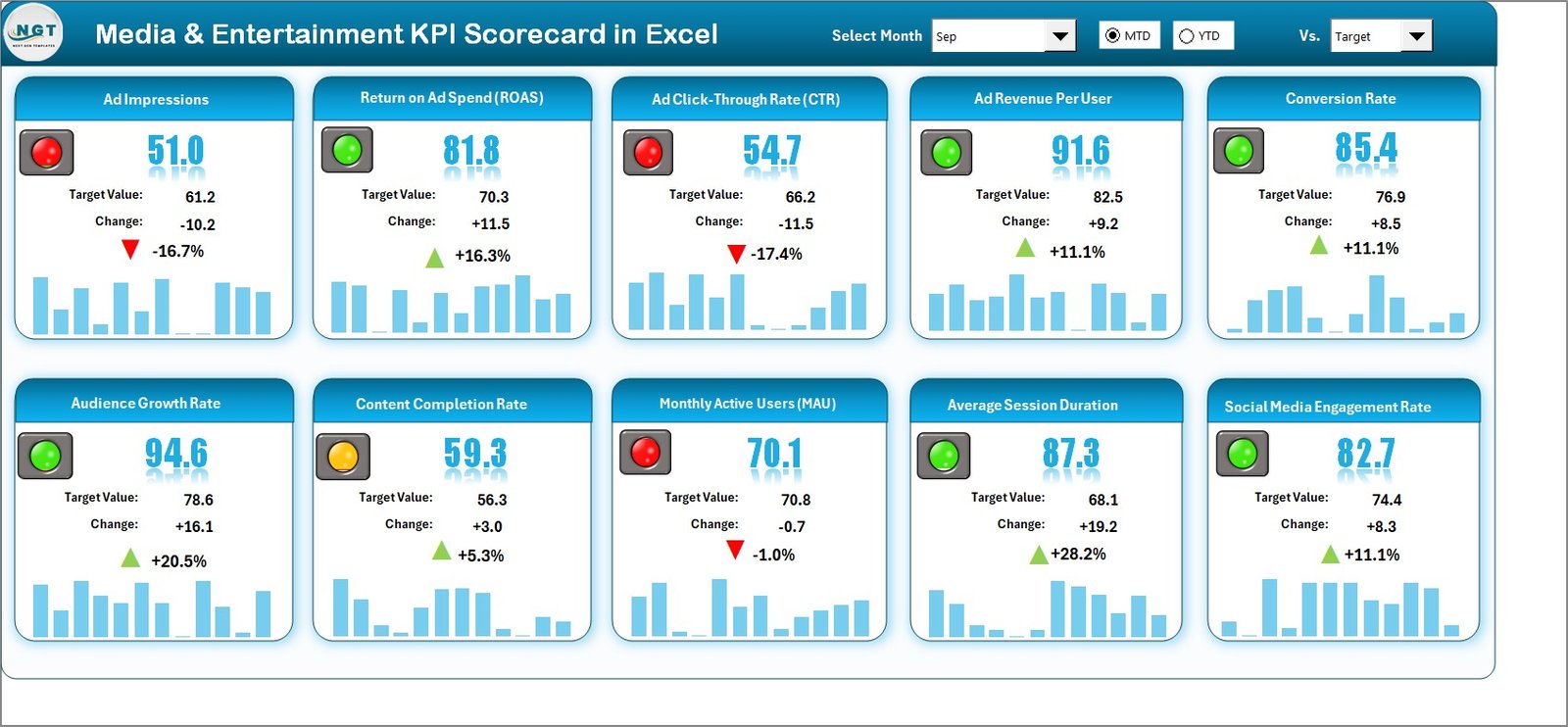
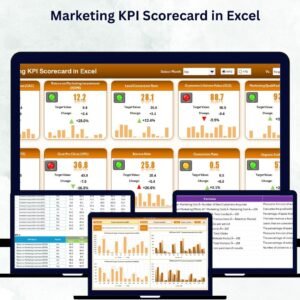
⭐ Interactive Dashboard – Quickly switch between months using dropdowns and view MTD (Month-to-Date) or YTD (Year-to-Date) results at a glance.
📊 Actual vs Target Comparison – Evaluate whether your KPIs are on track with instant color-coded feedback.
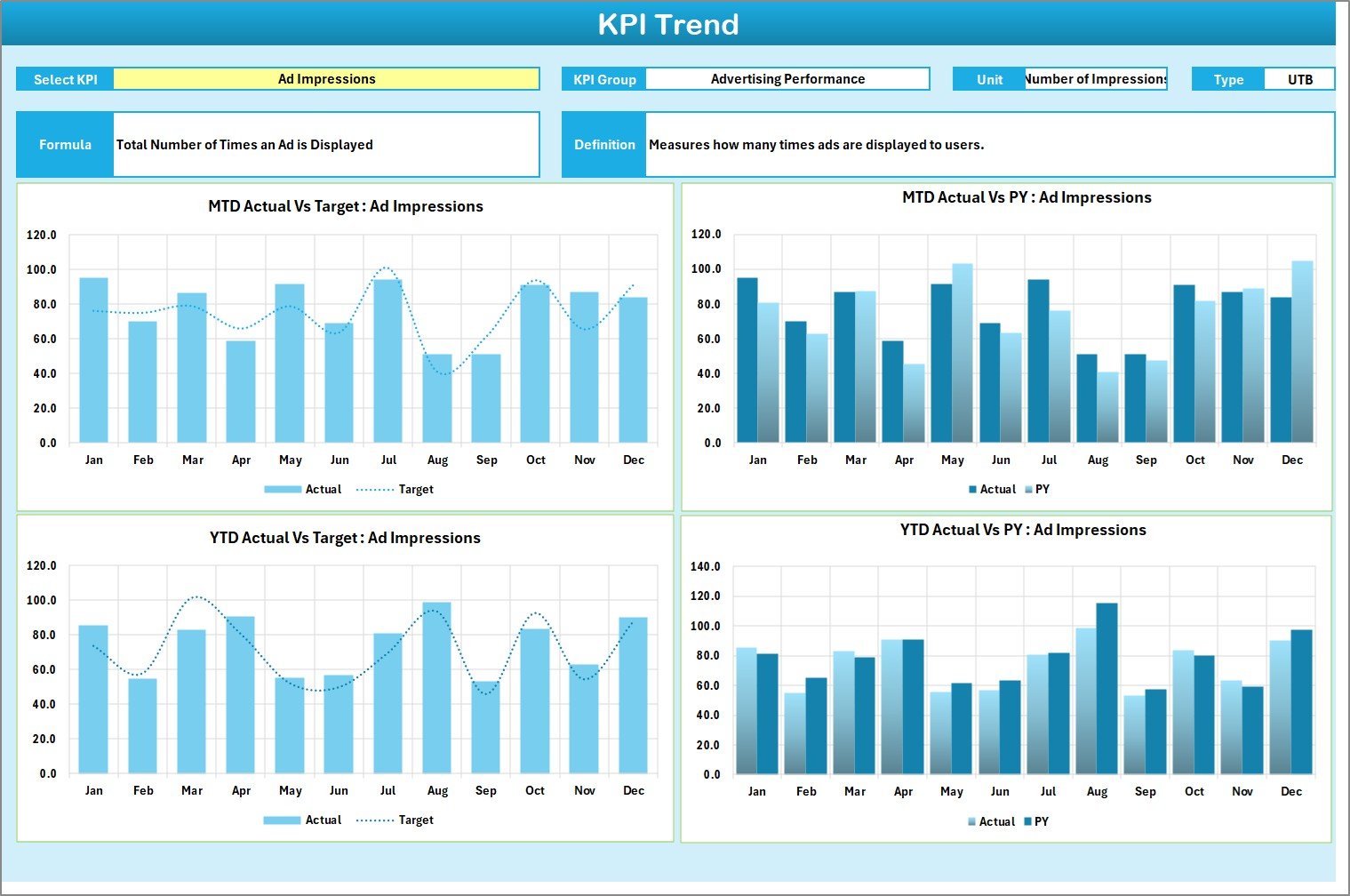
🎯 Dynamic KPI Trend View – Analyze performance over time with line charts showing Actual, Target, and Previous Year trends.
📁 Comprehensive Structure – Includes dedicated sheets for Scorecard, KPI Trend, Input Data, and KPI Definitions.
⚙️ Automatic Calculations – Enter your data once, and all visuals update automatically.
🧩 Customizable Design – Modify KPIs, units, and formulas to fit your organization’s unique needs.
📈 Real-Time Insights – Instantly identify strengths, weaknesses, and improvement areas.
💡 User-Friendly Interface – No coding or advanced Excel skills needed — simple dropdowns and visuals make analysis effortless.
📂 What’s Inside the Media & Entertainment KPI Scorecard in Excel
This template comes with four powerful worksheets designed for seamless performance tracking:
1️⃣ Scorecard Sheet – The heart of the dashboard where you’ll find KPI cards, MTD/YTD comparisons, and instant visual indicators.
2️⃣ KPI Trend Sheet – Deep-dive into individual KPIs with dynamic charts and auto-displayed metrics like group, formula, and type (UTB or LTB).Media & Entertainment KPI Scorecard in Excel
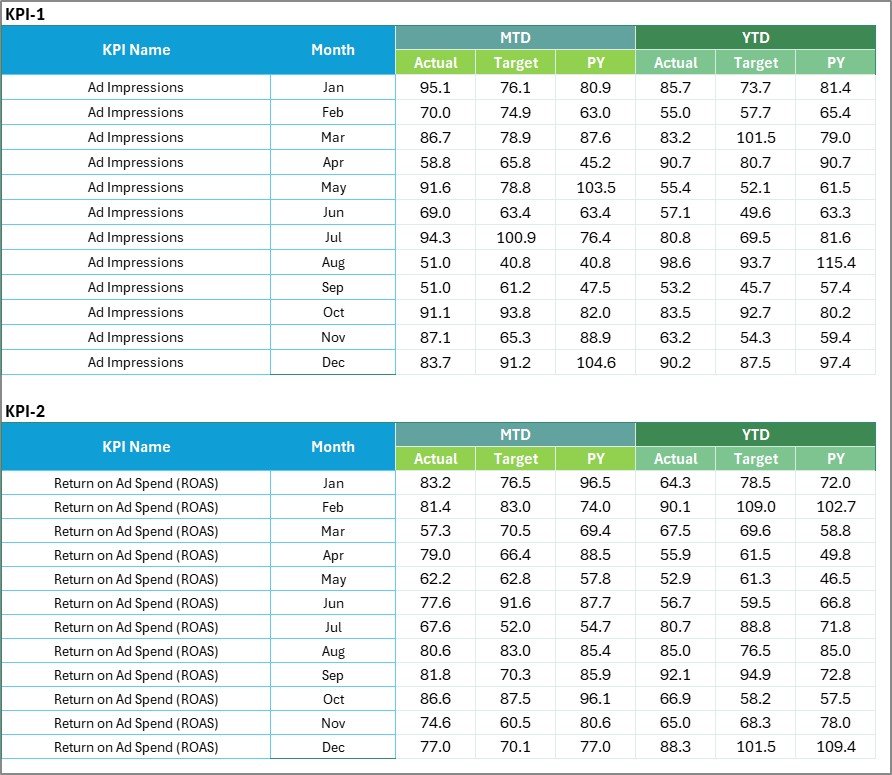
3️⃣ Input Data Sheet – Enter or update your actual, target, and previous year data. All calculations refresh automatically.
4️⃣ KPI Definition Sheet – Define each KPI’s name, formula, unit, and department category for clarity and consistency.
Each sheet connects seamlessly, creating a full-fledged analytics system within Excel.
🧭 How to Use the Media & Entertainment KPI Scorecard in Excel
1️⃣ Enter Your Data: Add your actual, target, and previous year numbers in the Input Data Sheet.
2️⃣ Review the Dashboard: Head to the Scorecard Sheet to view color-coded results and performance summaries.
3️⃣ Analyze Trends: Use the KPI Trend Sheet to study month-wise fluctuations and long-term performance.
4️⃣ Customize KPIs: Add, rename, or update KPIs in the Definition Sheet anytime.
5️⃣ Take Action: Use insights to adjust budgets, campaigns, or creative strategies.
Within minutes, you’ll have a real-time snapshot of your business performance — all without complex tools or coding.
👥 Who Can Benefit from This Media & Entertainment KPI Scorecard
🎬 Film & Production Houses – Track production costs, completion timelines, and revenue goals.
📺 Streaming Platforms – Measure viewer engagement, retention, and ad performance.
📣 Digital Media Agencies – Monitor campaign ROI, social engagement, and brand visibility.
📰 Publishers & Broadcasters – Analyze content performance and audience growth.
🎧 Music Labels & Studios – Compare artist performance and revenue metrics.
💼 Corporate Executives – Get department-level insights to align creative and financial goals.
No matter your business size — from freelancers to large networks — this scorecard adapts to your workflow and helps you make data-backed decisions.
✅ Why You’ll Love This Template
✔ Saves Time: Skip the manual setup — it’s plug-and-play ready.
✔ Boosts Clarity: All KPIs in one view with instant updates.
✔ Improves Decisions: Color-coded results and trend charts make analysis faster.
✔ Affordable Power: Get BI-level analytics at Excel’s simplicity.
Click here to read the Detailed Blog Post
Watch the step-by-step video tutorial:
Visit our YouTube channel to learn step-by-step video tutorials
Compatibility and Requirements
- Works in Microsoft Excel desktop (Excel 2016 or later, or Microsoft 365).
- You pick the month from a dropdown on the Scorecard sheet. Microsoft explains dropdowns in Create a drop-down list.
Frequently Asked Questions
Which sheets are included?
Four sheets: Scorecard, KPI Trend, Input Data and KPI Definition.
How do I update the scorecard?
Enter your actual, target and previous year numbers in the Input Data sheet. Then choose a month on the Scorecard sheet and the results update.
Can I see MTD and YTD results?
Yes. The Scorecard sheet shows Month-to-Date and Year-to-Date results with Actual vs Target comparison and color-coded feedback.
Can I change the KPIs?
Yes. You can add, rename or update KPIs, units and formulas in the KPI Definition sheet to fit your business.
Is there a Google Sheets or Power BI version?
There is a Media & Entertainment KPI Scorecard in Google Sheets. For a dashboard layout, see the Media & Entertainment KPI Dashboard in Power BI.
Related Media Templates
- Media & Entertainment KPI Scorecard in Google Sheets: the same scorecard for Google Sheets
- Media & Entertainment KPI Dashboard in Excel: a dashboard view of media KPIs
- Media & Entertainment KPI Dashboard in Power BI: the Power BI edition
- Mass Media KPI Scorecard in Excel: a scorecard for mass media teams
- KPI Dashboard Library (Excel): 15 KPI templates in one download
Browse all Excel KPI dashboards.









Reviews
There are no reviews yet.