
Training plays a critical role in building a skilled, confident, and high-performing workforce. Organizations invest significant budgets in employee development programs, technical training, leadership initiatives, and compliance learning. However, without a structured system, training costs often go out of control, overspending remains unnoticed, and program performance becomes difficult to measure. The Training Budget & Performance Control Dashboard in Google Sheets solves these challenges by giving organizations complete visibility and control over training investments.
This ready-to-use dashboard centralizes all training data into a single, visual, and interactive system. HR teams, L&D professionals, finance teams, and leadership can track training volume, budget allocation, budget utilization, overspending, duration trends, and performance across departments, programs, and trainers—all from one Google Sheets file. Since everything updates automatically, teams spend less time creating reports and more time making informed decisions.
Whether you manage a small learning budget or enterprise-wide training programs, this dashboard helps you control costs, improve accountability, and maximize training ROI.
✨ Key Features of the Training Budget & Performance Control Dashboard in Google Sheets
📊 Centralized Training Budget Control
Track allocated budgets, utilized budgets, variance, and overspending across all departments in real time.
💰 Overspending & Variance Monitoring
Instantly identify departments, programs, or trainers causing budget overruns before costs escalate.
📈 Multi-Dimensional Performance Analysis
Analyze training performance by department, program, trainer, category, and status.
⏱ Training Duration Insights
Monitor average training duration to understand cost drivers and optimize delivery timelines.
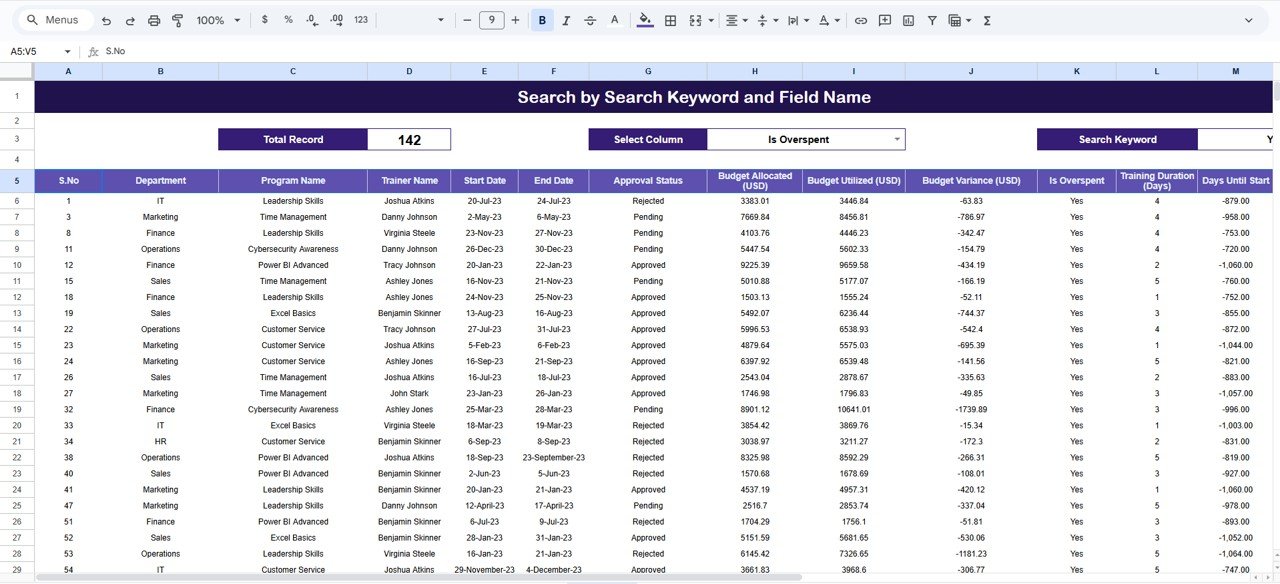
🔍 Smart Search Functionality
Find any training record instantly using keyword-based search and field selection.
🤝 Real-Time Collaboration
Multiple users can update and review data simultaneously in Google Sheets.
📦 What’s Inside the Training Budget & Performance Control Dashboard
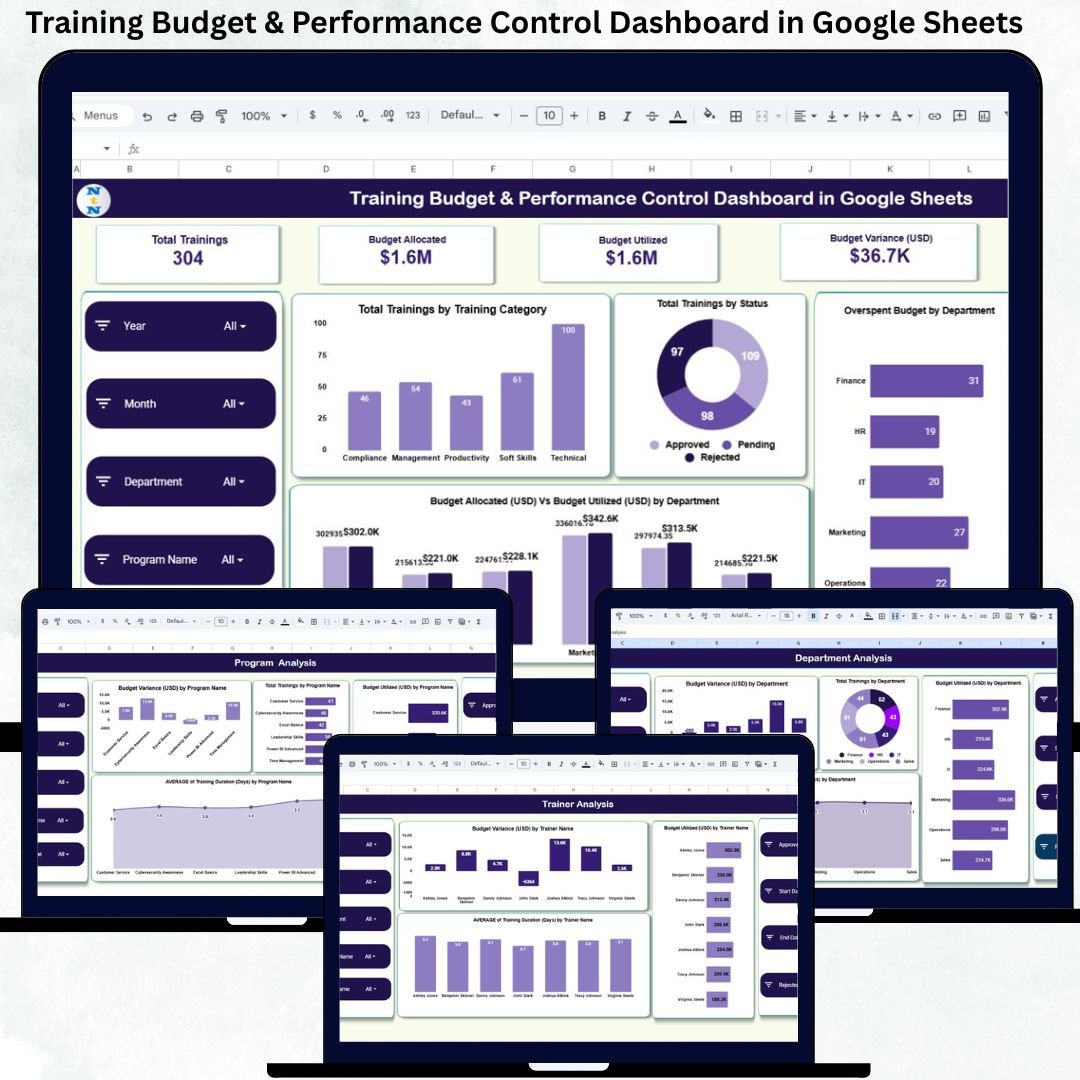
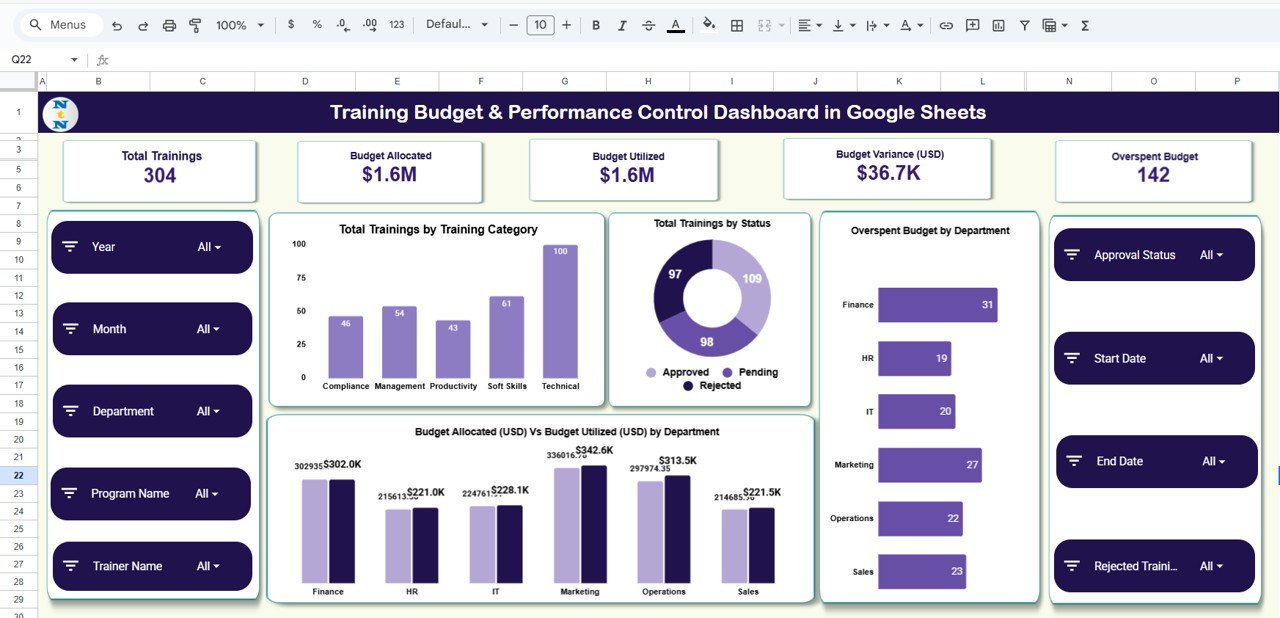
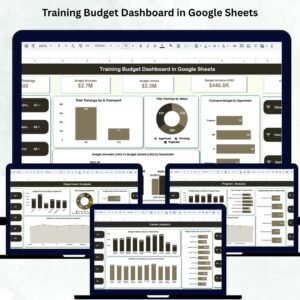
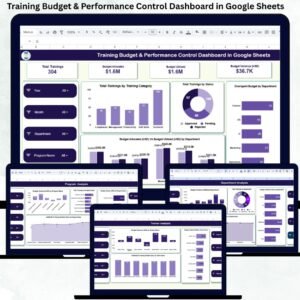
🖥 Overview Sheet – Executive Training Summary
This is the main control panel that provides leadership with a quick snapshot of training performance.
KPI Cards Included:
-
Total Trainings – Number of trainings conducted
-
Budget Allocated – Approved training budget
-
Budget Utilized – Actual training spend
-
Budget Variance (USD) – Difference between planned and actual spend
-
Overspent Budget – Amount spent beyond allocation
Overview Charts:
-
Overspent Budget by Department
-
Total Trainings by Status (Planned, Completed, Ongoing, Cancelled)
-
Total Trainings by Training Category
-
Budget Allocated vs Budget Utilized by Department
These visuals highlight cost risks, execution efficiency, and training distribution instantly.
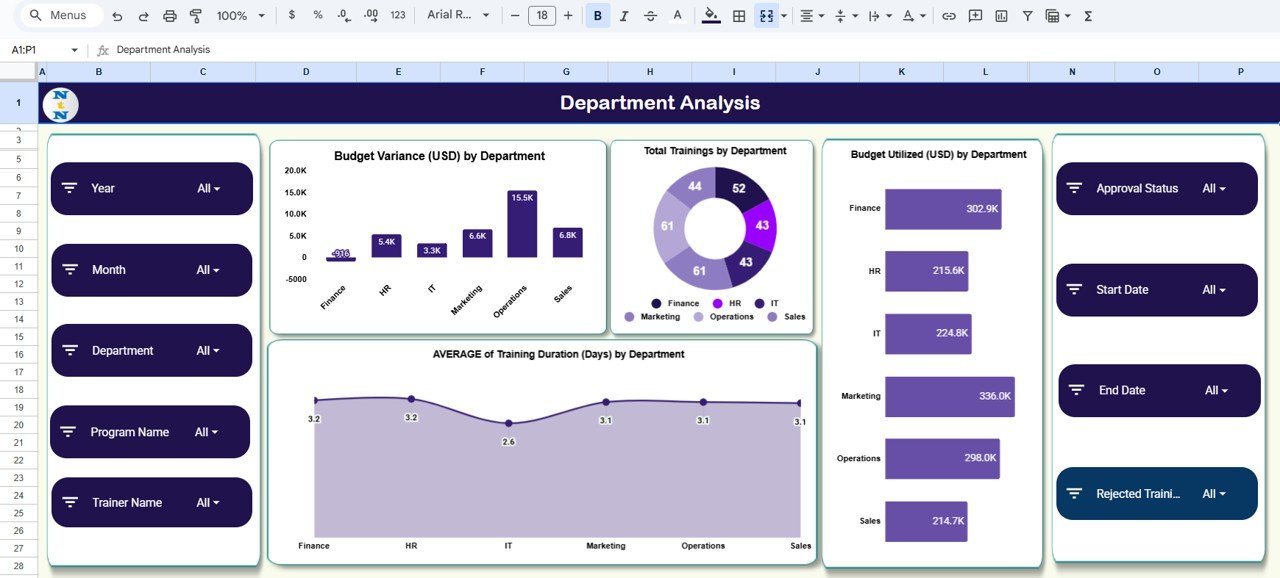
🏢 Department Analysis – Department-Wise Training Insights
This sheet focuses on how each department performs in terms of budget, volume, and duration.
Charts Included:
-
Budget Variance (USD) by Department
-
Total Trainings by Department
-
Budget Utilized (USD) by Department
-
Average Training Duration (Days) by Department
This analysis helps leaders optimize department-level training strategies and spending.
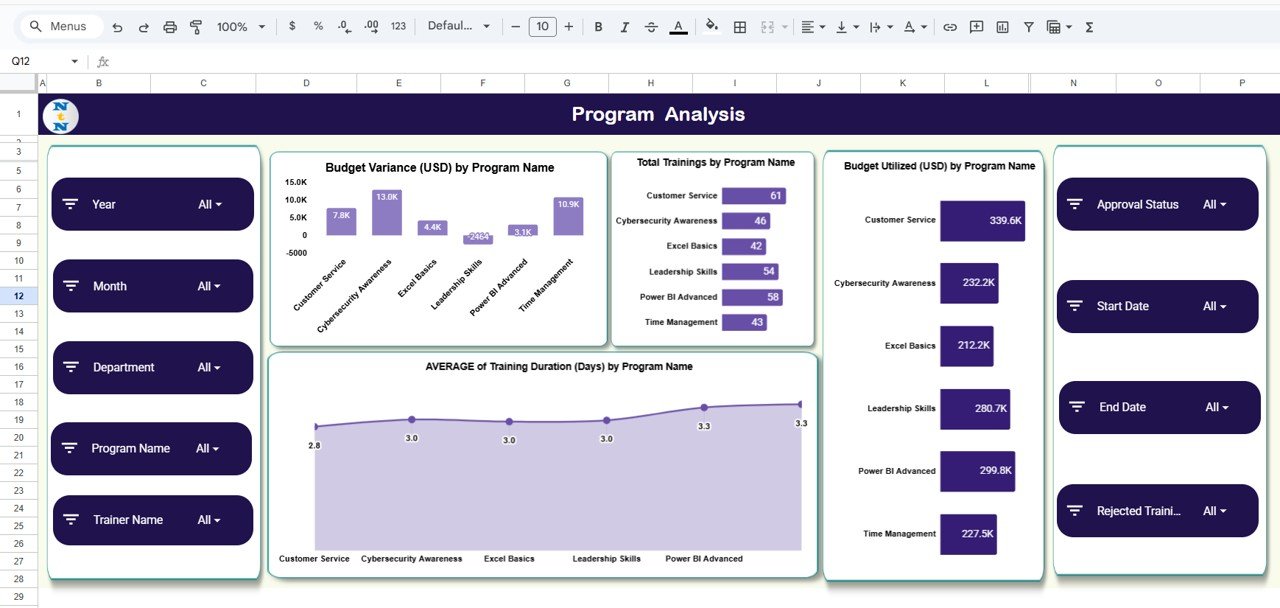
📘 Program Analysis – Program-Level Performance Control
The Program Analysis sheet dives into individual training programs.
Key Charts:
-
Budget Variance (USD) by Program Name
-
Total Trainings by Program Name
-
Budget Utilized (USD) by Program Name
-
Average Training Duration (Days) by Program Name
These insights help identify high-cost or low-impact programs and support better program planning.
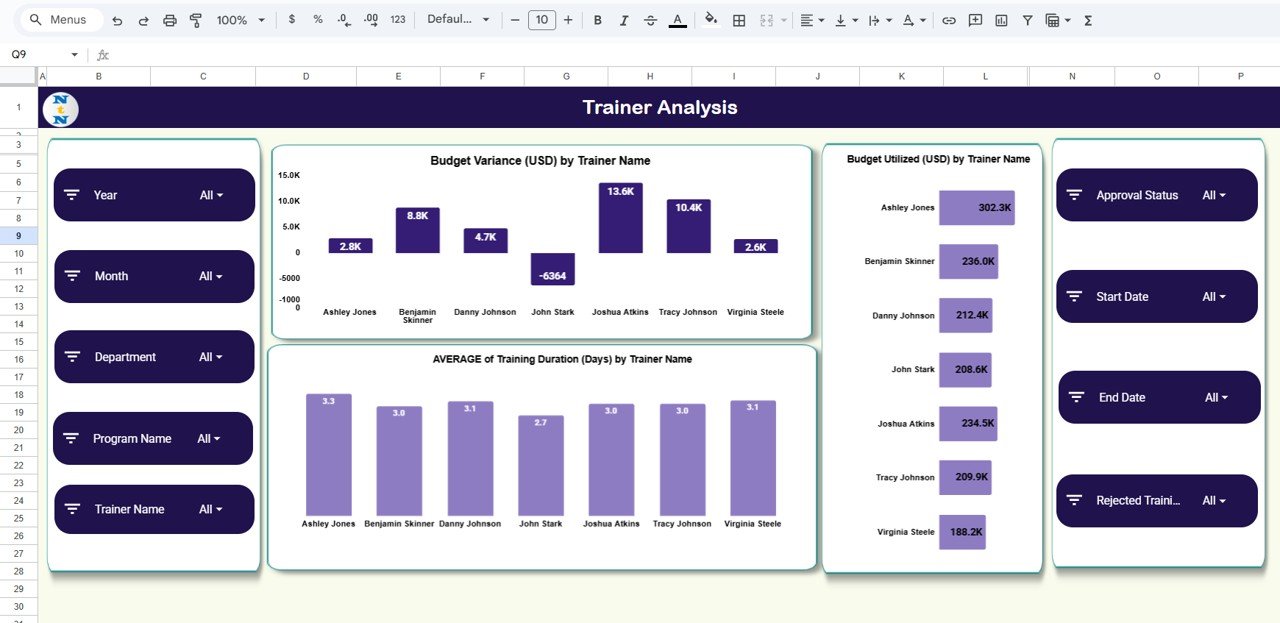
🎓 Trainer Analysis – Trainer Cost & Efficiency Tracking
This section evaluates trainer performance and cost impact.
Trainer Analysis Charts:
-
Budget Variance (USD) by Trainer Name
-
Budget Utilized (USD) by Trainer Name
-
Average Training Duration (Days) by Trainer Name
It helps HR teams select efficient trainers and negotiate better contracts.
🔍 Search Functionality – Find Any Training Instantly
The built-in Search Panel allows users to:
-
Enter a Search Keyword
-
Select a Field Name (Department, Program, Trainer, Category, Status, etc.)
Matching records appear instantly—ideal for audits, reviews, and quick analysis.
🛠 How to Use the Training Budget & Performance Control Dashboard
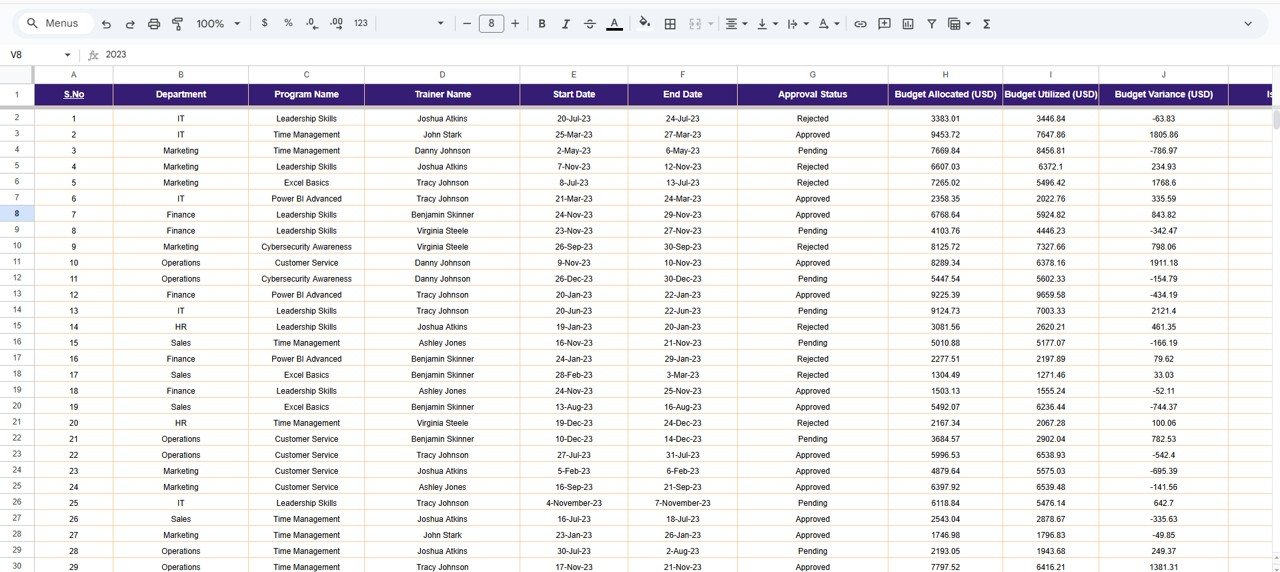
1️⃣ Enter training records in the structured data sheet
2️⃣ Update budget and status regularly
3️⃣ Review overspending and variance monthly
4️⃣ Analyze department and program trends quarterly
5️⃣ Use search before management reviews
🎯 Who Can Benefit from This Dashboard
-
👥 HR & L&D Teams
-
💼 Finance Teams
-
🏢 Department Heads
-
🎯 Training Managers
-
🚀 Senior Leadership
### Click here to read the Detailed blog post
Watch the step-by-step video tutorial:























Reviews
There are no reviews yet.