


Running a subscription box business means juggling dozens of moving parts — from subscriber acquisition and churn to fulfillment, revenue tracking, and customer satisfaction. 📦 Without the right system, it’s easy to miss critical trends that can affect growth and profitability.
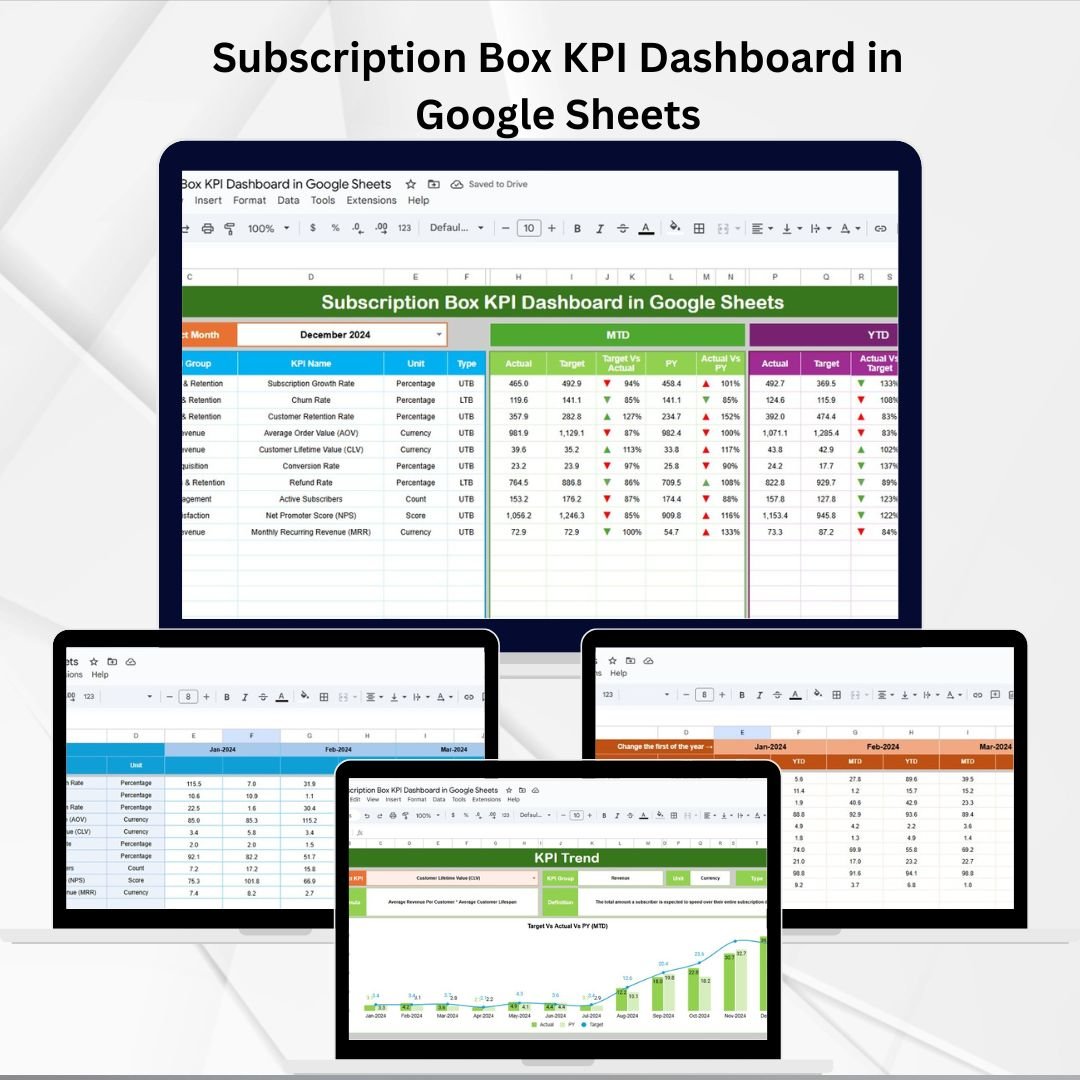
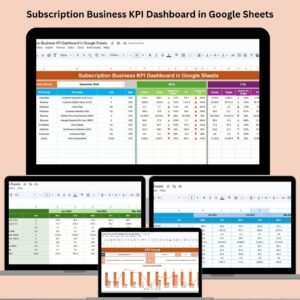
The Subscription Box KPI Dashboard in Google Sheets is a ready-to-use, interactive, and cloud-based tool designed to bring all your performance metrics into one place. With real-time updates, MTD/YTD comparisons, and historical insights, this dashboard helps subscription managers, e-commerce teams, and analysts make smarter, data-driven decisions.
🔑 Key Features of Subscription Box KPI Dashboard in Google Sheets
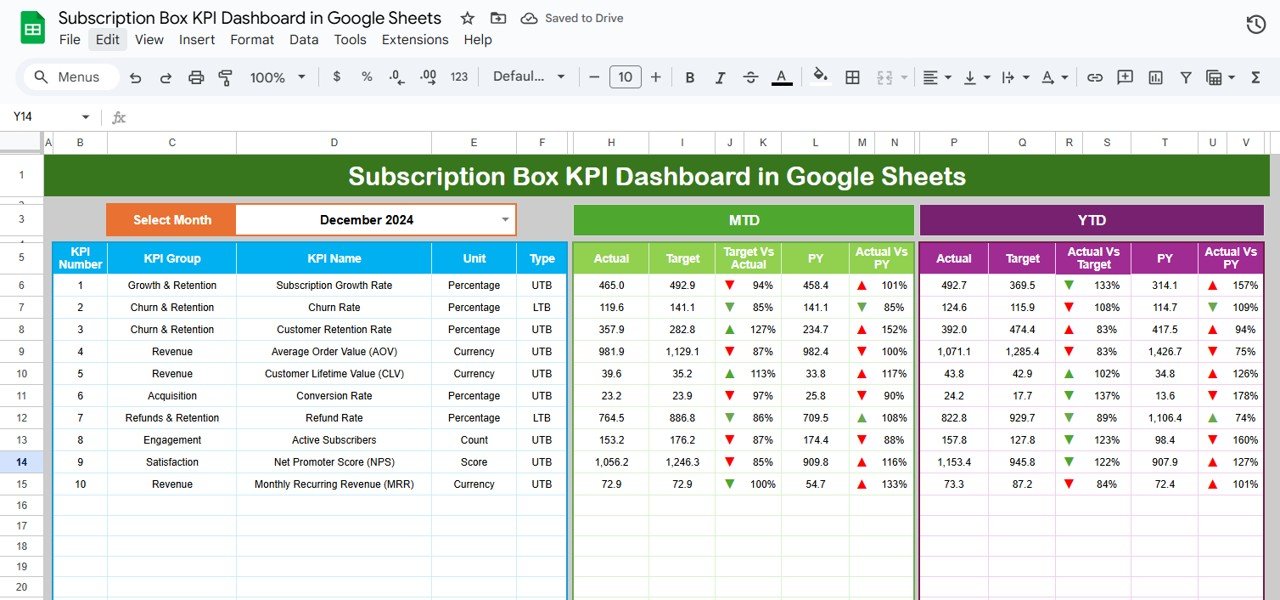
📊 Dashboard Tab (Performance Snapshot)
Select the month (D3) to auto-update KPIs.
MTD (Month-to-Date): Actual vs Target vs Previous Year with conditional formatting (up/down arrows).
YTD (Year-to-Date): Cumulative metrics with the same comparisons.
Provides instant visibility into business health.
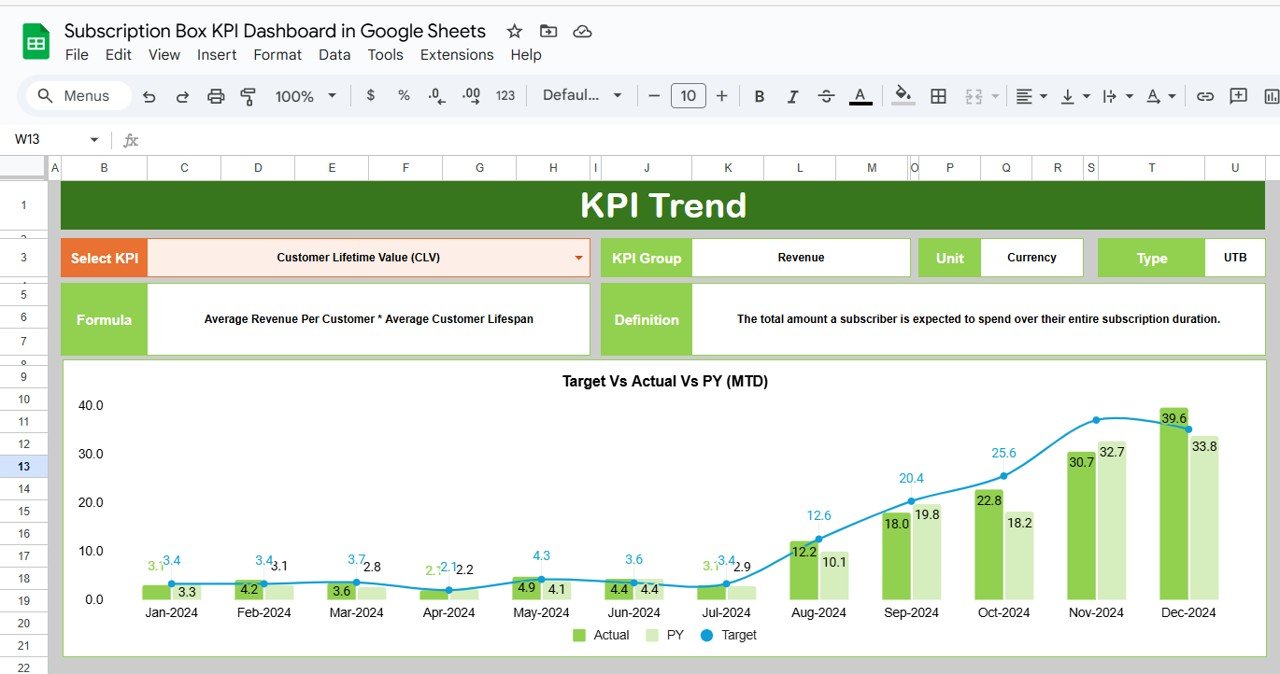
📈 KPI Trend Tab (Detailed Analysis)
Dropdown (C3) to select any KPI.
Displays KPI Group, Unit, Formula, Type (UTB/LTB), and Definition.
Track long-term trends and spot improvement opportunities.
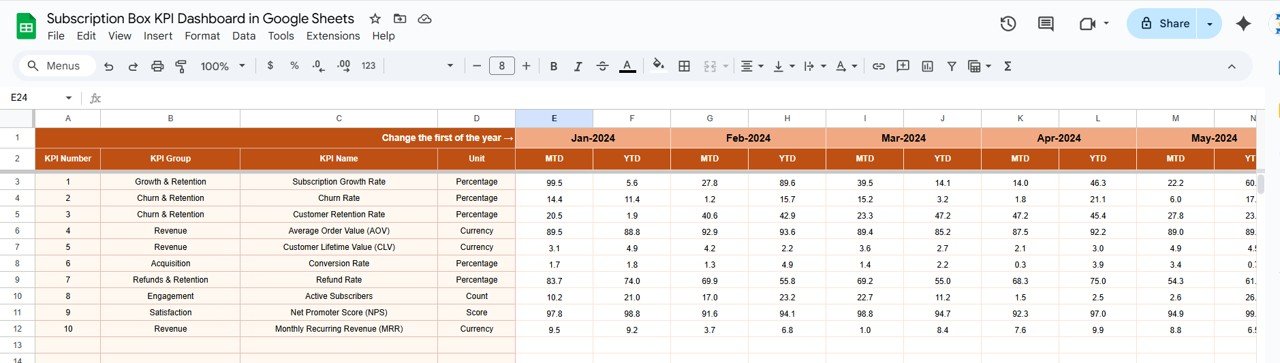
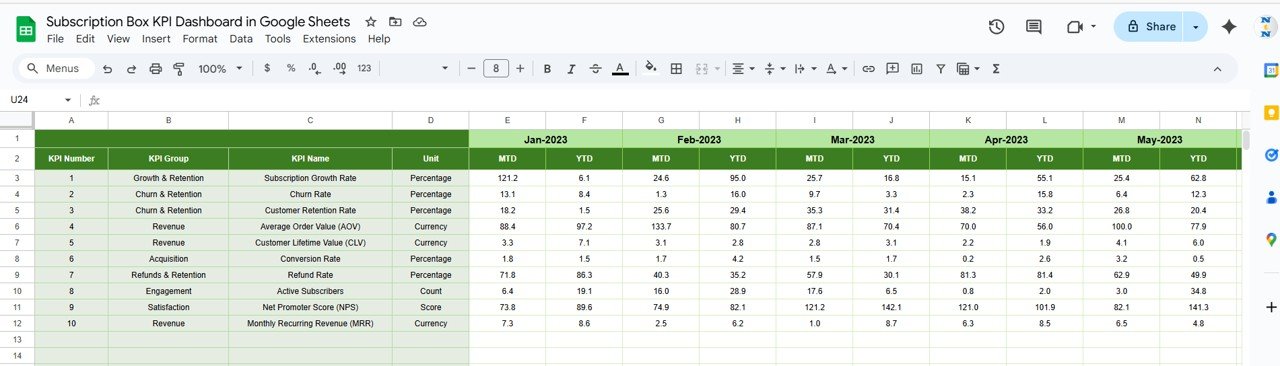
🧾 Actual Numbers Tab (Data Entry)
Input monthly and YTD actuals.
Month selector (E1) aligns reporting periods.
Automatically feeds data into dashboard visuals.
🎯 Target Tab (Goal Setting)
Input MTD and YTD targets per KPI.
Track variances and achievement rates.
Adapt quickly when targets change.
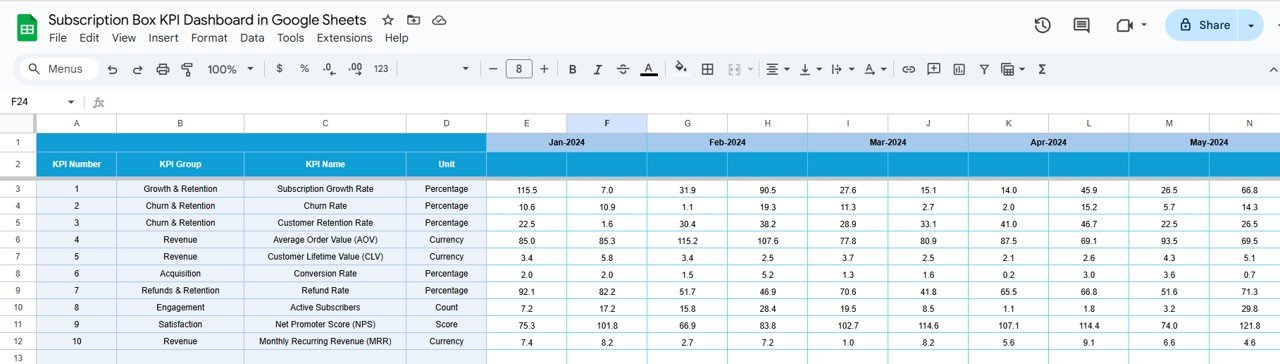
📉 Previous Year Numbers Tab (Benchmarking)
Record historical data for comparison.
Enables YOY (year-over-year) performance analysis.
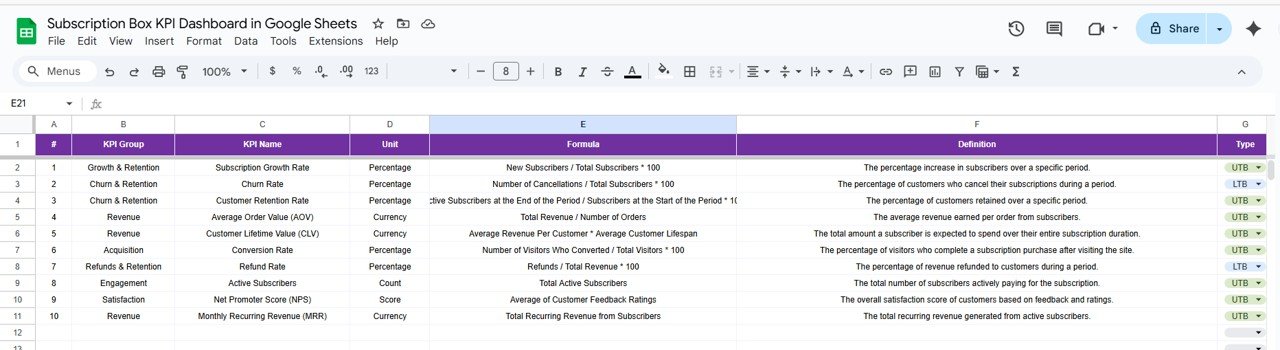
📚 KPI Definition Tab (Reference Guide)
Store KPI names, groups, units, formulas, and definitions.
Specify UTB (Upper the Better) or LTB (Lower the Better).
Keeps your team aligned on metric definitions.
📊 Example KPIs You Can Track
📦 New Subscribers (UTB) – Track acquisition growth.
🔄 Churn Rate (LTB) – Monitor retention performance.
💰 Monthly Recurring Revenue (MRR) (UTB).
🛒 Average Order Value (AOV) (UTB).
🚚 Fulfillment & Delivery Time (LTB).
🌟 Customer Satisfaction Score (UTB).
📦 What’s Inside the Template?
✅ 6 Structured Worksheets (Dashboard, KPI Trend, Actual, Target, Previous Year, KPI Definition)
✅ MTD & YTD comparisons with conditional formatting
✅ Sample data included for easy setup
✅ Cloud-based & collaboration ready
✅ Customizable KPIs and charts for your business needs
👥 Who Can Benefit from This Dashboard?
📦 Subscription Box Owners – Gain visibility into performance.
💻 E-commerce Teams – Track recurring revenue and retention.
📊 Analysts – Spot trends and provide actionable insights.
🎯 Marketing Teams – Measure acquisition vs churn.
🚀 Startups & Scaling Businesses – Ensure sustainable growth.
🧾 How to Use the Dashboard
📥 Download & Copy to Google Drive.
📝 Input actual numbers in the Actual Tab monthly.
🎯 Set targets in the Target Tab for each KPI.
📊 Review Dashboard Tab for performance insights.
📈 Use KPI Trend Tab to analyze long-term metrics.
🔁 Compare with Previous Year for YOY improvements.
🎨 Customize KPIs to suit your business goals.
Plug-and-play design means you can start monitoring right away. 🚀
🔗 Click here to read the Detailed blog post
Watch the step-by-step video Demo:
🔗 Visit our YouTube channel to learn step-by-step video tutorials
Compatibility and Requirements
- Works in Google Sheets. You need a free Google account and a web browser.
- You pick the month from a dropdown on the Dashboard sheet and choose a KPI from a dropdown on the KPI Trend sheet. Google explains dropdowns in Create an in-cell dropdown list.
Frequently Asked Questions
Which sheets are included?
Six sheets: Dashboard, KPI Trend, Actual Numbers, Target, Previous Year Numbers and KPI Definition. Sample data is included so you can see how it works before adding your own figures.
How do I update the dashboard each month?
Enter your monthly and YTD actuals in the Actual Numbers sheet and your goals in the Target sheet. Then select the month on the Dashboard sheet and the MTD and YTD views update.
Can I compare this year with last year?
Yes. Record last year’s figures in the Previous Year Numbers sheet. The Dashboard then shows Actual, Target and Previous Year side by side, with up and down arrows from conditional formatting.
How do I see the trend for one KPI?
Open the KPI Trend sheet and pick a KPI from the dropdown. It shows the KPI group, unit, formula, type (UTB or LTB) and definition.
What does UTB or LTB mean?
UTB means Upper the Better, so a higher number is good (for example Monthly Recurring Revenue). LTB means Lower the Better, so a lower number is good (for example Churn Rate). You set the type for each KPI in the KPI Definition sheet.
Is there an Excel or Power BI version?
Yes. See the Subscription Box KPI Dashboard in Excel and the Subscription Box KPI Dashboard in Power BI.
Related Subscription Templates
- Subscription Box KPI Dashboard in Excel: the same KPI dashboard in Excel
- Subscription Box KPI Dashboard in Power BI: the Power BI edition
- Subscription Box Dashboard in Google Sheets: another Google Sheets dashboard for subscription boxes
- Subscription Retention KPI Dashboard in Google Sheets: a retention-focused KPI view
- Google Sheets Business Pack (Pro): 14 business templates in one download
Browse all Google Sheets KPI dashboards.













Reviews
There are no reviews yet.