

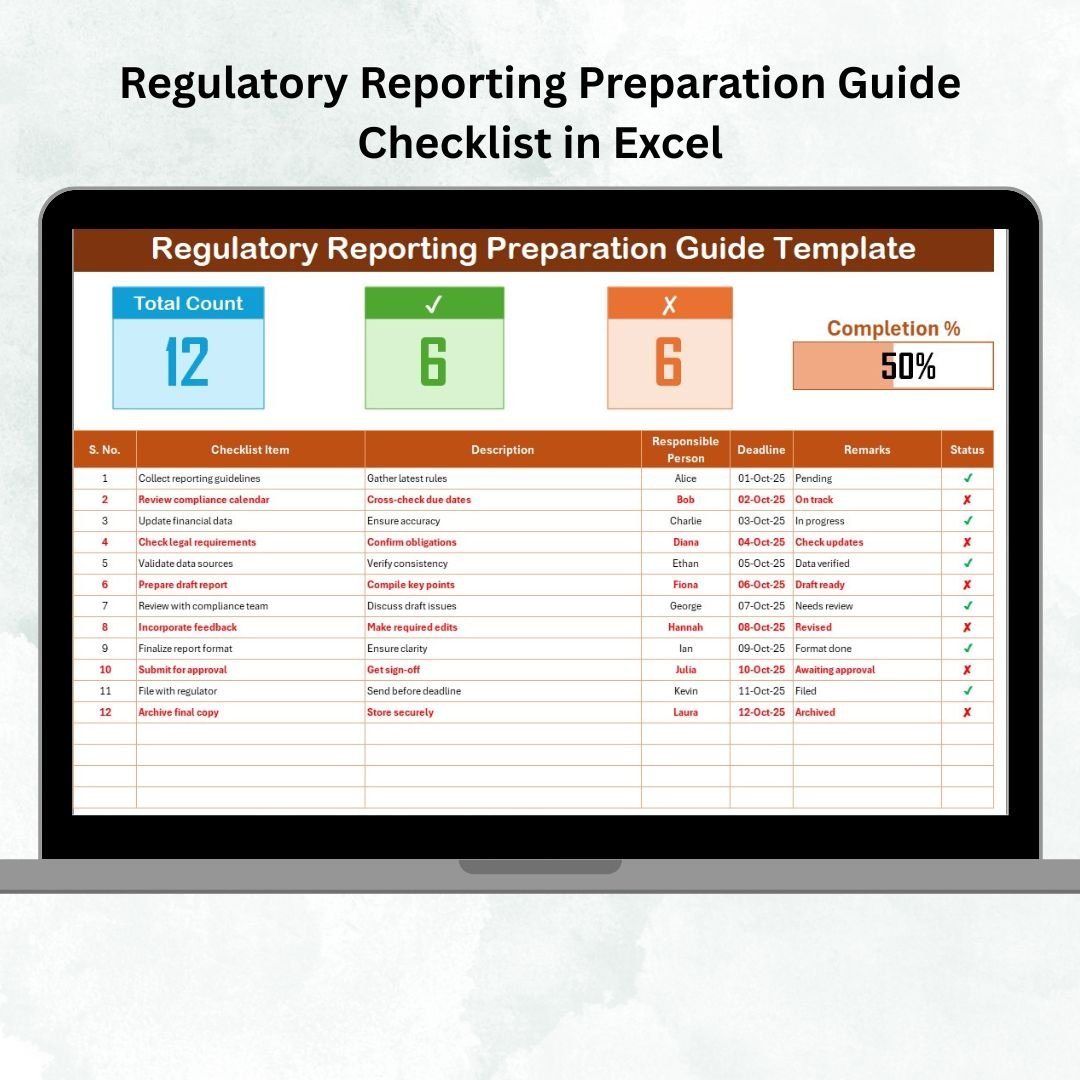

Key Features of Regulatory Reporting Preparation Guide Checklist in Excel ✨
Regulatory reporting is a high-stakes process where accuracy, timeliness, and accountability matter most. Missing a deadline or submitting inaccurate data can result in penalties, reputational damage, or even legal consequences. To simplify this process, we present the Regulatory Reporting Preparation Guide Checklist in Excel—a ready-to-use tool designed to streamline compliance tasks.
This Excel-based checklist offers a structured, user-friendly, and highly customizable solution for businesses in banking, insurance, healthcare, energy, manufacturing, and beyond. By using it, organizations can stay ahead of deadlines, improve accountability, and ensure reporting is completed flawlessly.
Key highlights include:
📊 Progress Tracking – Visual progress bar for task completion.
✅ Task Assignment – Assign responsibilities using dropdowns.
🕒 Deadline Monitoring – Highlight overdue tasks automatically.
🔒 Data Accuracy – Reduce human error with structured fields.
🚀 Scalability – Suitable for small teams or large enterprises.
💡 Customizable – Adjust for any industry’s reporting needs.
What’s Inside the Regulatory Reporting Checklist 📂
This Excel template is built with two core worksheets, making compliance management seamless:
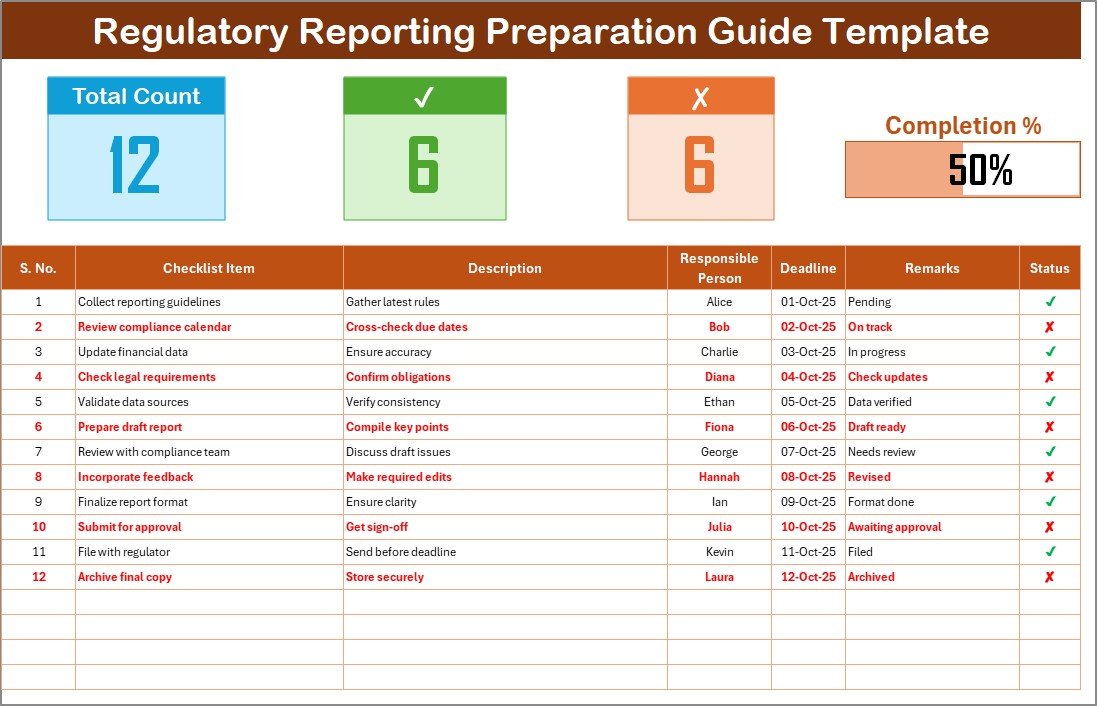
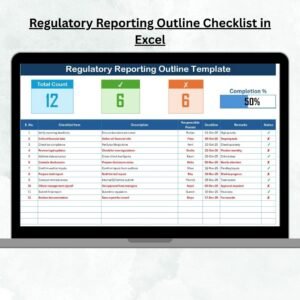
Checklist Sheet Tab
Primary working area for managing reporting tasks.
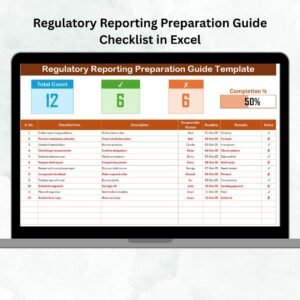
Top Section Metrics:
Total Count of tasks
Completed vs. Pending tasks
Progress Bar showing % completion
Checklist Columns:
Serial No.
Checklist Item
Description
Responsible Person (dropdown)
Deadline
Remarks
Status (✔ = completed, ✘ = pending)
This ensures every reporting step is captured and tracked.
List Sheet Tab
Stores a list of responsible persons.
Connected to dropdown menus in the checklist.
Prevents typing errors and ensures consistency.
Together, these worksheets act as a comprehensive reporting guide for compliance teams.
How to Use the Regulatory Reporting Checklist 🛠️
Download and open the Excel template.
Add names of responsible team members in the List sheet.
Fill in the Checklist sheet with reporting tasks.
Assign tasks using dropdowns.
Set deadlines for each task.
Update the Status column with ✔ (done) or ✘ (pending).
Monitor the progress bar and task counters.
Filter for ✘ to review pending items before submission.
This process ensures no reporting task is missed.
Who Can Benefit from This Checklist 👥
🏦 Banks – For Basel III, liquidity, and risk reports.
🛡️ Insurance Firms – For solvency margins and claim filings.
🏥 Healthcare Organizations – For HIPAA, quality, and compliance audits.
⚡ Energy Companies – For environmental, safety, and usage reporting.
🏭 Manufacturers – For labor law, quality, and safety compliance.
Whether you’re a small compliance team or a large enterprise, this tool adapts to your workflow.
Advantages of the Regulatory Reporting Preparation Guide Checklist 🌟
✅ Accuracy – Minimizes reporting errors.
📌 Accountability – Clear task ownership.
⏳ Efficiency – Dropdowns save time.
🔎 Transparency – Visibility across all tasks.
💡 Customization – Flexible for any industry.
📈 Compliance – Stay ahead of deadlines.
🚀 Scalable – Fits startups and enterprises alike.
Opportunities for Improvement 💡
🔔 Add Outlook/Teams reminders for deadlines.
🌐 Move to Google Sheets or SharePoint for collaboration.
🔒 Strengthen data security with password protection.
📊 Connect to Power BI for advanced compliance dashboards.
Best Practices for Using the Checklist 📘
Use clear task descriptions for consistency.
Set realistic deadlines for team efficiency.
Review and update tasks weekly.
Use conditional formatting for overdue items.
Back up files regularly to avoid data loss.
Protect sheets with passwords to ensure data integrity.
Keep an audit trail of who updated tasks and when.
Conclusion 🎯
The Regulatory Reporting Preparation Guide Checklist in Excel is more than a template—it’s a compliance companion. With built-in progress tracking, clear accountability, and easy customization, it helps organizations ensure timely, accurate, and stress-free reporting.
Avoid penalties, meet deadlines, and boost efficiency with this structured and scalable solution.
✅ Click here to read the Detailed blog post
📺 Visit our YouTube channel to learn step-by-step video tutorials
Watch the step-by-step video tutorial:
Compatibility and Requirements
- Works in Microsoft Excel desktop (Excel 2016 or later, or Microsoft 365).
- The responsible person dropdown is a standard Excel feature. Microsoft explains it in Create a drop-down list.
Frequently Asked Questions
Which sheets are in the file?
It has two sheets. The Checklist sheet holds the reporting tasks and the List sheet holds the names of responsible persons.
What does the top section show?
It shows the total count of tasks, completed and pending tasks, and a progress bar with the percentage complete.
How do I assign a task?
Add your team members on the List sheet, then pick a name from the Responsible Person dropdown on the Checklist sheet.
How do I find pending items before a submission?
Filter the Status column for the cross mark to see every task that is still pending.
Which industries can use it?
The template names banks, insurance firms, healthcare organizations, energy companies and manufacturers, and the tasks can be changed for any industry.
Related Regulatory Reporting Templates
- Regulatory Reporting Checklist in Excel: a general reporting checklist
- Regulatory Reporting Action Plan Checklist in Excel: plan actions for each report
- Regulatory Reporting Audit Checklist in Excel: check reports before an audit
- Regulatory Reporting KPI Dashboard in Excel: report on reporting KPIs
- Checklist & SOP Pack: 12 premium Excel and Google Sheets checklists
Browse all Excel checklists.



























Reviews
There are no reviews yet.