


TV Channels Dashboard one of the most influential media channels for advertising, branding, and audience engagement. Broadcasters and media planners manage multiple TV channels, platforms, regions, and content genres every day. At the same time, they must track TRP ratings, ad revenue, impressions, viewers, and ad duration accurately. However, when this data stays scattered across spreadsheets and static reports, insights remain hidden and decisions slow down.
That is exactly why the TV Channels Dashboard in Excel becomes a powerful and practical analytical solution 🚀.
This ready-to-use Excel dashboard transforms raw television data into clear, interactive, and actionable insights. Instead of juggling multiple Excel files, you get a single, structured dashboard that consolidates all critical TV performance metrics. Because it is built entirely in Excel, teams can analyze performance quickly without relying on expensive BI tools or complex setups.
Whether your goal is improving ad revenue, understanding audience behavior, optimizing content strategy, or comparing platform performance, this dashboard helps media teams move from reactive reporting to proactive decision-making.
🔑 Key Features of TV Channels Dashboard in Excel
📊 Centralized TV Performance Analytics – Track TRP, ad revenue, impressions, viewers, and ad duration in one dashboard
🎯 Interactive Slicers – Filter data by channel, genre, region, platform, and month
🧭 Page Navigator – Seamlessly switch between dashboard pages from the left-side navigation
💰 Ad Revenue Insights – Analyze revenue by platform, ad type, genre, and region
📈 Audience & Engagement Tracking – Monitor TRP ratings, viewers, and impressions
🌍 Multi-Dimensional Analysis – Compare performance across regions, genres, and platforms
⚡ Auto-Updating Excel Visuals – Update the data sheet and refresh the entire dashboard instantly
🧩 Fully Customizable – Modify KPIs, charts, and slicers without technical complexity
📂 What’s Inside the TV Channels Dashboard in Excel
This digital product includes five structured analytical pages, each designed to answer a specific media performance question:
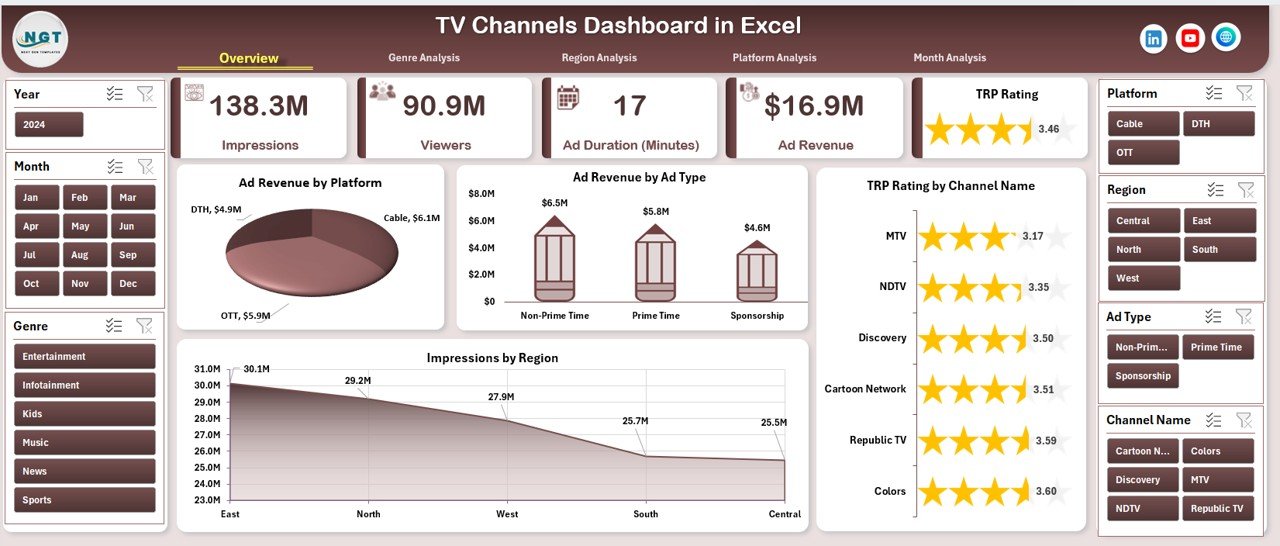
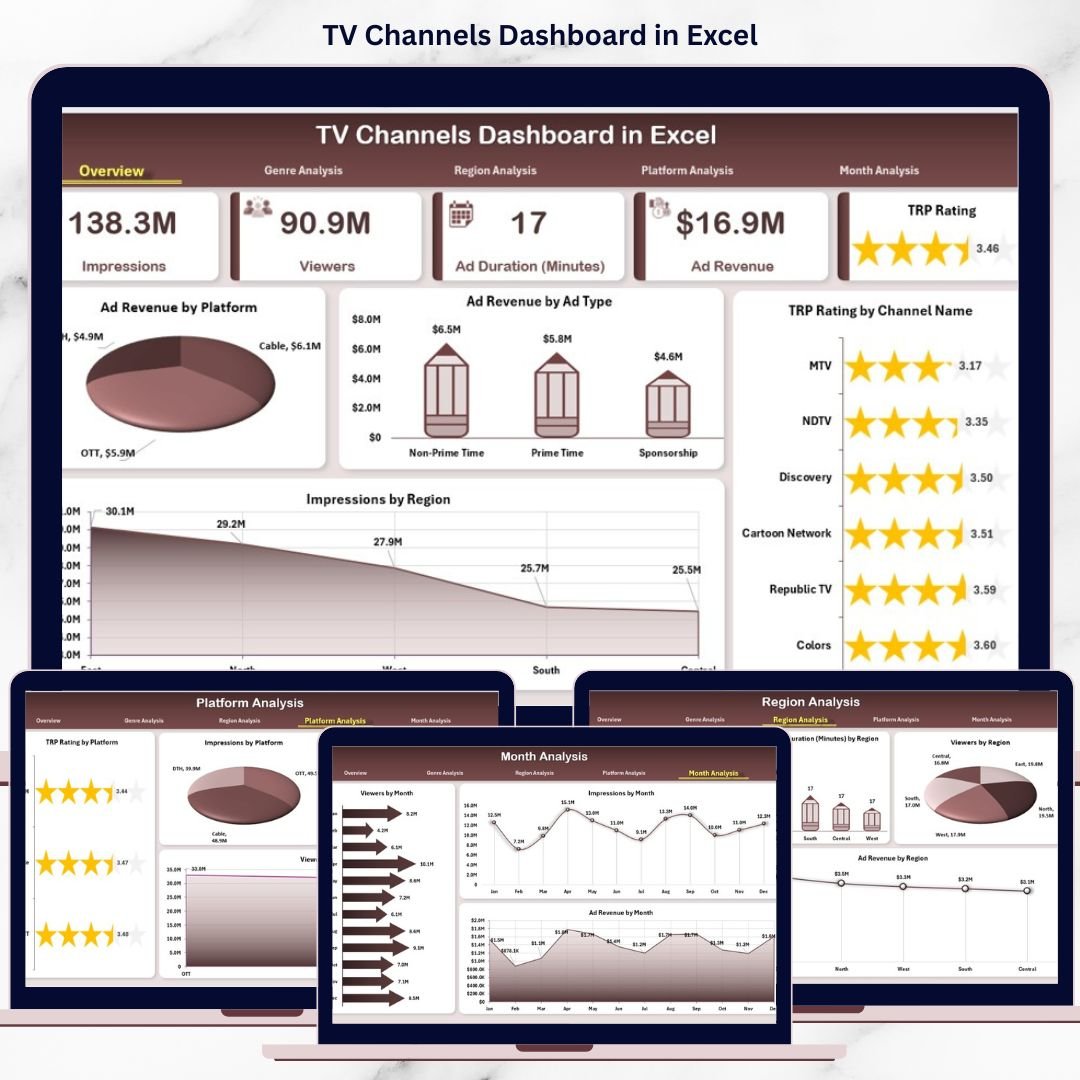
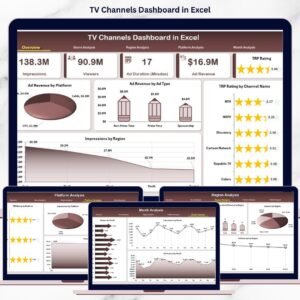
📌 Overview Page – High-level snapshot with KPI cards and charts showing ad revenue by platform, ad revenue by ad type, TRP rating by channel name, and impressions by region
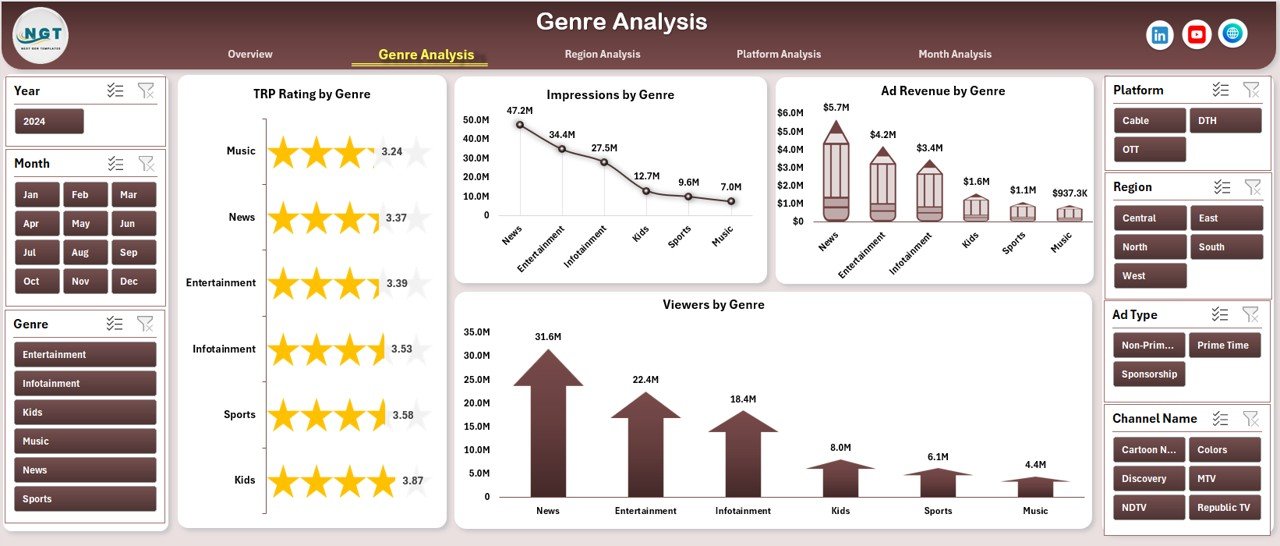
📌 Genre Analysis Page – Analyze TRP ratings, impressions, ad revenue, and viewers by genre
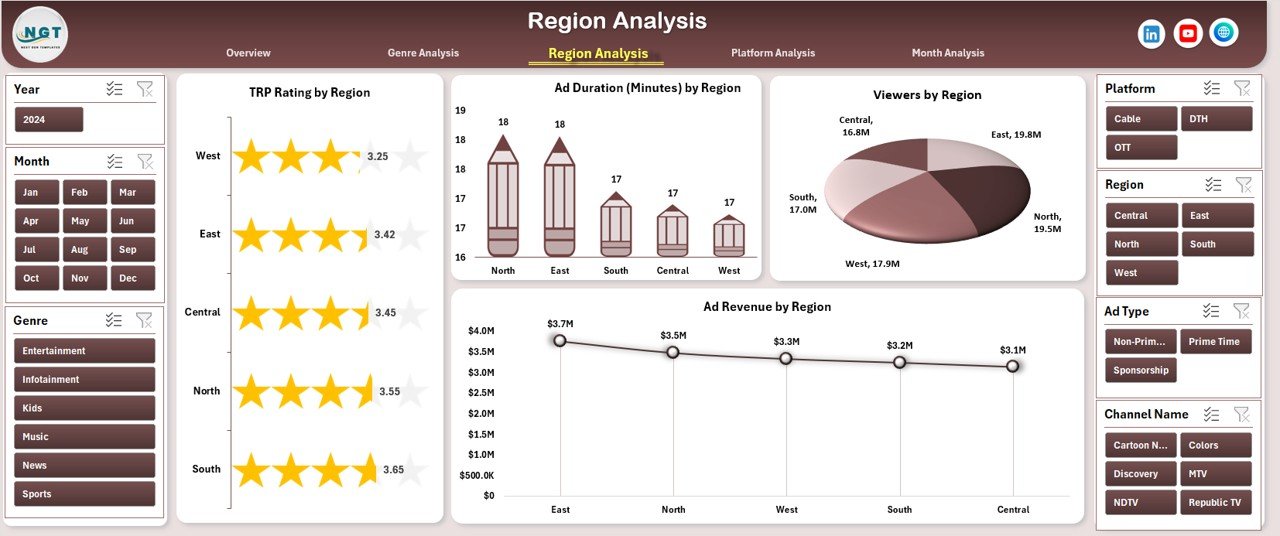
📌 Region Analysis Page – Compare TRP ratings, ad duration, viewers, and ad revenue across regions
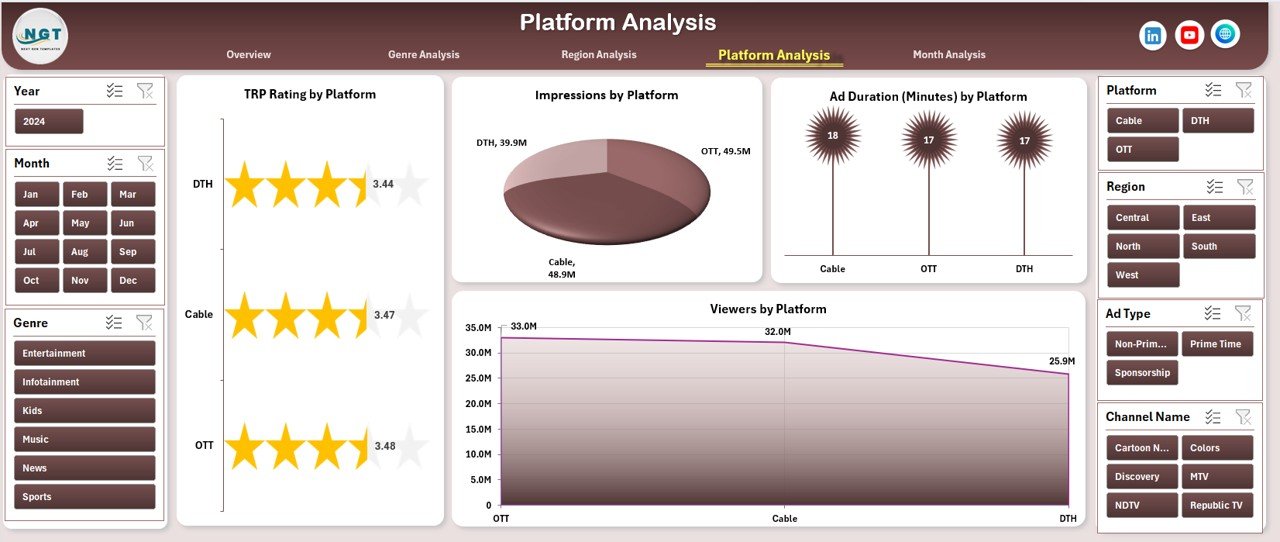
📌 Platform Analysis Page – Evaluate TRP ratings, ad duration, viewers, and impressions by platform
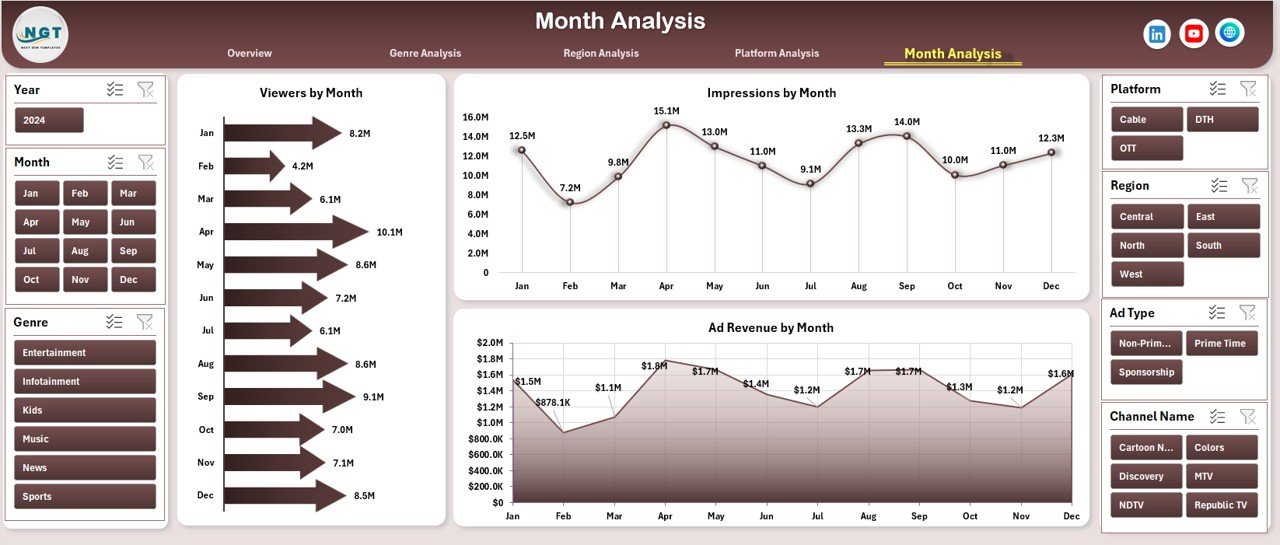
📌 Month Analysis Page – Track viewers, impressions, and ad revenue trends over time
In addition, the dashboard uses a Data Sheet as the single source of truth and a Support Sheet for helper calculations, ensuring accuracy and easy maintenance.
🛠️ How to Use the TV Channels Dashboard in Excel
Using this dashboard is simple and intuitive:
1️⃣ Enter or update TV channel data in the Data Sheet
2️⃣ Use the Page Navigator to move between analysis pages
3️⃣ Apply slicers to filter by channel, genre, region, platform, or month
4️⃣ Start with the Overview Page for instant performance clarity
5️⃣ Drill into genre, region, or platform insights
6️⃣ Review monthly trends for forecasting and planning
7️⃣ Share insights with stakeholders using one professional Excel dashboard
No macros. No advanced Excel skills. Just fast, reliable insights.
👥 Who Can Benefit from This TV Channels Dashboard in Excel
This dashboard is ideal for:
📺 TV Broadcasters & Channel Managers – Monitor performance across channels
📢 Advertising Agencies – Optimize ad placement and revenue strategies
📊 Media Planners & Analysts – Compare platforms, genres, and regions
🏢 Media Networks & Production Houses – Improve content and scheduling decisions
📈 Marketing & Brand Teams – Understand audience reach and engagement
🚀 Non-Technical Users – Gain insights quickly using Excel
Because Excel is widely used, adoption is fast and seamless.
📘 Click here to read the detailed blog post
▶️ Visit our YouTube channel to learn step-by-step video tutorials
Watch the step-by-step video tutorial:
Compatibility and Requirements
- Works in Microsoft Excel desktop (Excel 2016 or later, or Microsoft 365).
- The dashboard uses slicers to filter by channel, genre, region, platform and month. Microsoft explains them in Use slicers to filter data.
Frequently Asked Questions
Which pages are included?
Five analysis pages: Overview, Genre Analysis, Region Analysis, Platform Analysis and Month Analysis. A Data Sheet holds your data and a Support Sheet holds helper calculations.
Which metrics does it track?
TRP rating, ad revenue, impressions, viewers and ad duration.
How do I update the dashboard?
Enter or update your TV channel data in the Data Sheet, then refresh. The visuals update from that sheet.
Can I filter by channel, region or platform?
Yes. Slicers filter the data by channel, genre, region, platform and month, and the Page Navigator on the left switches between pages.
Does it need macros?
No. The page states it works without macros and without advanced Excel skills.
Is there a Power BI version?
Yes. See the TV Channels Dashboard in Power BI.
Related TV and Channel Templates
- TV Channels Dashboard in Power BI: the same TV analysis in Power BI
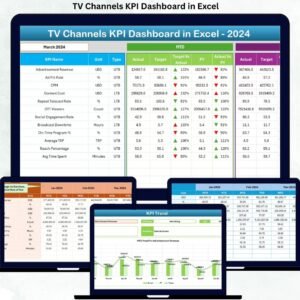
- TV Channels KPI Dashboard in Excel: a KPI-focused view of TV channels
- TV Channels KPI Dashboard in Power BI: TV channel KPIs in Power BI
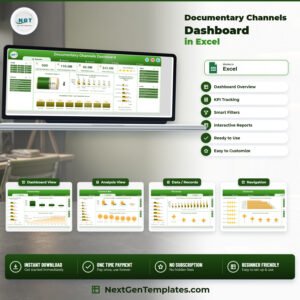
- Documentary Channels Dashboard in Excel: a similar channel dashboard for documentary content
- YouTube Channel Analytics Dashboard in Excel: channel analytics for online video
Browse all Excel dashboards.









Reviews
There are no reviews yet.