


In today’s fast-moving corporate world, regulatory reporting is no longer optional—it’s a business necessity. Companies across industries must comply with strict laws, standards, and frameworks to maintain transparency, safeguard accountability, and avoid financial or legal penalties. Regulatory Reporting Action Plan Checklist in Excel but managing dozens of compliance requirements, deadlines, and team responsibilities can feel overwhelming without a clear system in place.
That’s why we’ve designed the Regulatory Reporting Action Plan Checklist in Excel—a ready-to-use compliance management tool that transforms the way organizations handle reporting. By centralizing all regulatory tasks into one structured Excel template, this checklist helps you simplify compliance, save time, and maintain accuracy across departments.
✨ Key Features of the Regulatory Reporting Action Plan Checklist in Excel
-
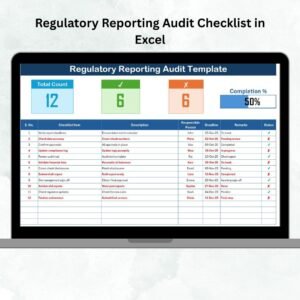
📝 Structured Task List – Organize every reporting task with a unique serial number, checklist item, description, and responsible person.
-
🎯 Deadline Tracking – Never miss a submission date with built-in deadline fields and reminders.
-
👥 Dynamic Responsibility Dropdowns – Assign accountability easily with a dropdown sourced from the List Sheet.
-
✅ Status Indicators – Use ✔ for completed tasks and ✘ for pending ones—instantly clear visibility.
-
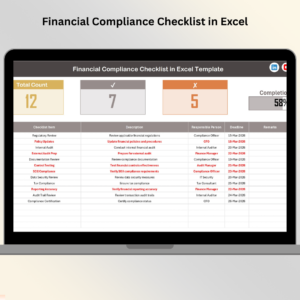
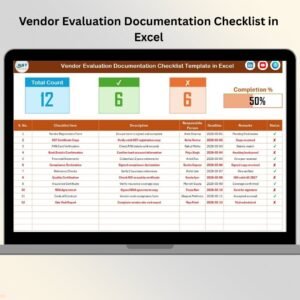
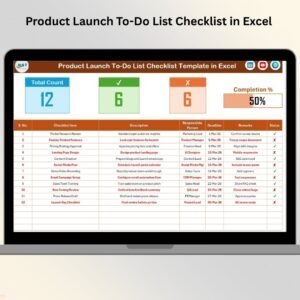
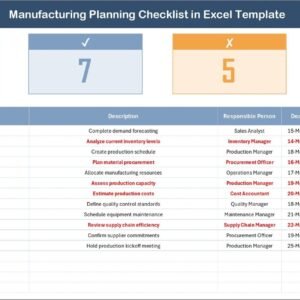
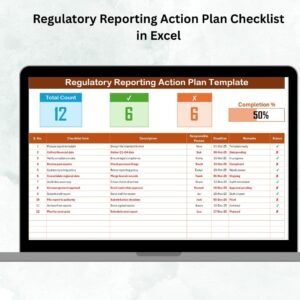
📊 Progress Bar & Summary – See total, completed, and pending tasks, along with a completion percentage bar.
-
🔄 Real-Time Updates – Task status automatically refreshes progress metrics.
-
📂 Two Organized Sheets – Main Checklist sheet for tracking and List Sheet for responsible persons.
-
💻 Excel-Based & User-Friendly – No expensive software or complex training required.
📂 What’s Inside the Checklist
When you download the Regulatory Reporting Action Plan Checklist in Excel, you’ll get:

-
Checklist Sheet Tab – Displays all reporting tasks in a clean, table format with deadlines, responsibilities, remarks, and status indicators.
-
List Sheet Tab – Maintains a centralized list of responsible persons, ensuring consistency across dropdown selections.
This simple but powerful setup makes compliance management easier for organizations of any size.
🛠️ How to Use the Regulatory Reporting Action Plan Checklist in Excel
-
Set Up the List Sheet – Enter the names of responsible persons (no duplicates).
-
Add Reporting Tasks – Include each requirement with short descriptions, deadlines, and responsibilities.
-
Track Task Status – Mark ✔ for completed or ✘ for pending tasks.
-
Monitor Progress – Review the task counts and visual progress bar.
-
Add Remarks – Capture quick notes, clarifications, or next steps for clarity.
-
Review & Update Frequently – Keep the checklist current to avoid missed deadlines.
With this system, compliance managers can track progress in real time and act before issues escalate.
👥 Who Can Benefit from This Checklist
-
Compliance Teams – Stay on top of legal and regulatory requirements.
-
Finance Departments – Track quarterly and annual filings with ease.
-
Healthcare Organizations – Monitor safety and compliance reports.
-
Energy & Utilities – Ensure environmental and safety reporting is timely.
-
Educational Institutions – Manage accreditation and compliance submissions.
-
Manufacturing Units – Track certifications and safety audits.
This checklist is designed for businesses of all sizes—from startups needing cost-effective compliance management to large corporations looking for structured reporting.
🔗 Click here to read the Detailed Blog Post
📺 Visit our YouTube channel to learn step-by-step video tutorials: Youtube.com/@PKAnExcelExpert
Watch the step-by-step video tutorial:




















Reviews
There are no reviews yet.