

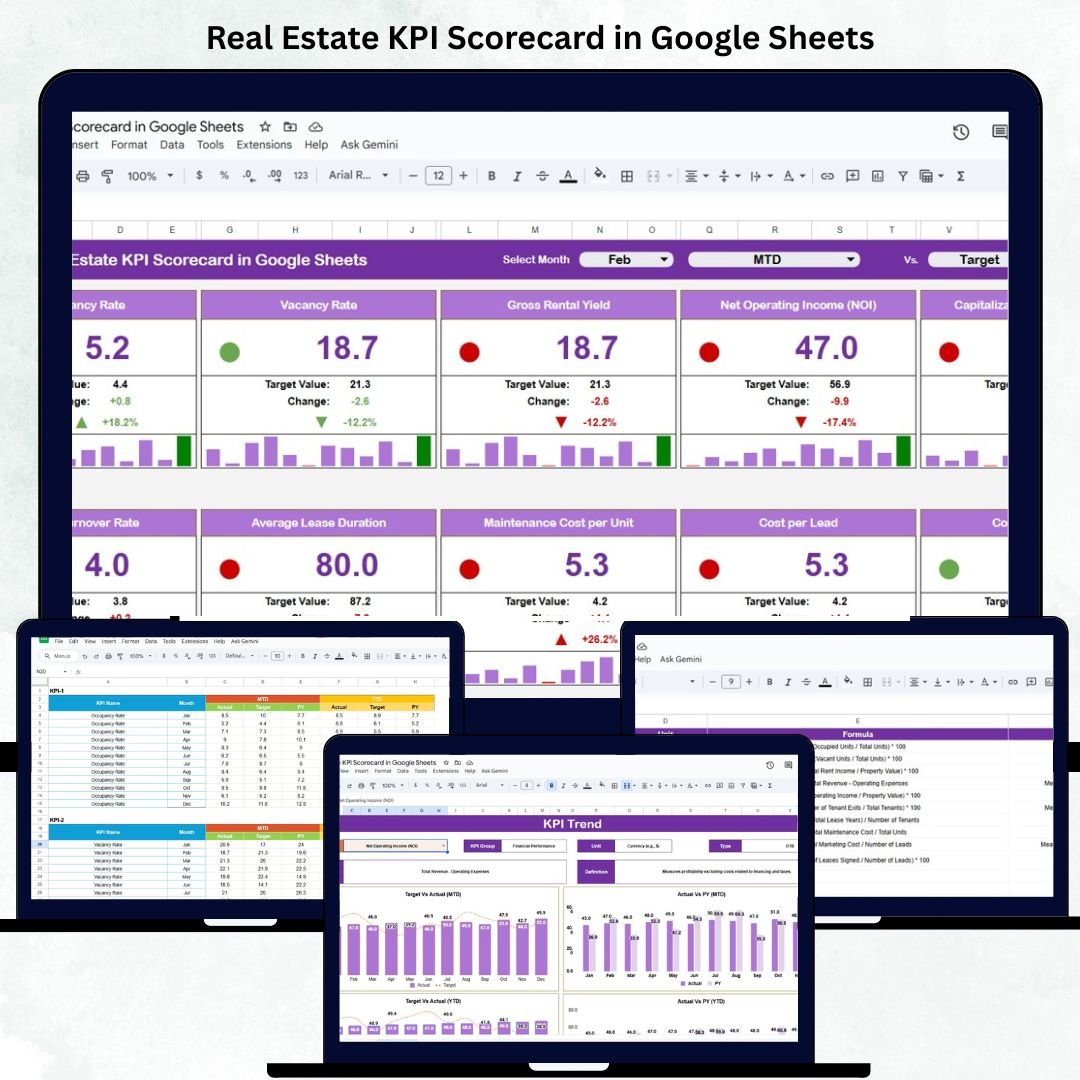
Success in real estate depends on how well you track performance — from property sales and rental income to occupancy rates and marketing ROI. The Real Estate KPI Scorecard in Google Sheets is a ready-to-use, automated, and data-driven template that empowers real estate professionals to measure, analyze, and optimize performance across all key business areas. 🏠📈
Built entirely in Google Sheets, this scorecard consolidates essential real estate metrics into a visual and interactive dashboard, enabling you to make faster, smarter, and data-backed decisions.
Whether you manage residential portfolios, commercial properties, or real estate agencies, this scorecard helps you stay on top of sales, revenue, occupancy, and customer satisfaction — all in one place.
🔑 Key Features of the Real Estate KPI Scorecard in Google Sheets
📋 Dashboard Sheet Tab (Main Performance View)
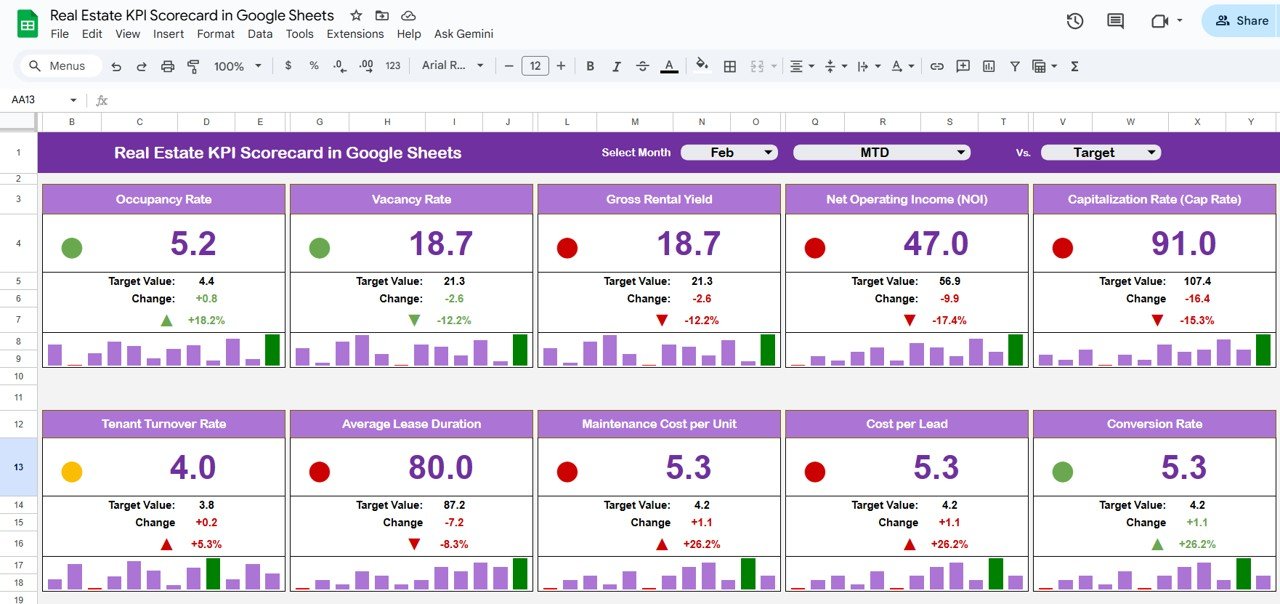
The central interface that displays key real estate performance indicators with dynamic visuals.
View Month-to-Date (MTD) and Year-to-Date (YTD) metrics at a glance.
Instantly compare Actual vs Target vs Previous Year results.
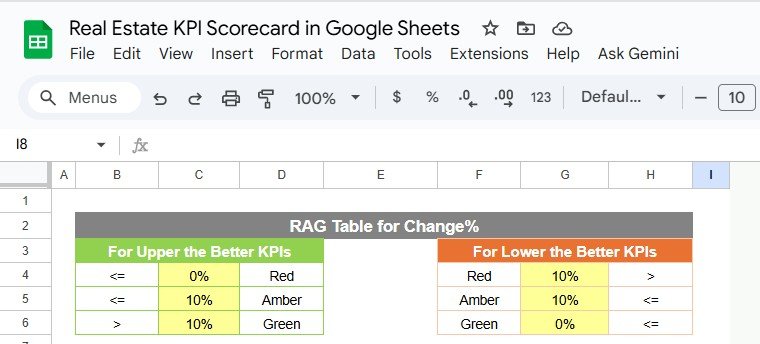
Color-coded traffic lights and arrows indicate performance trends:
🟢 Green = Improvement
🔴 Red = Decline
🟡 Yellow = Stable
This automated view helps property managers and brokers identify strong and weak performance areas instantly.
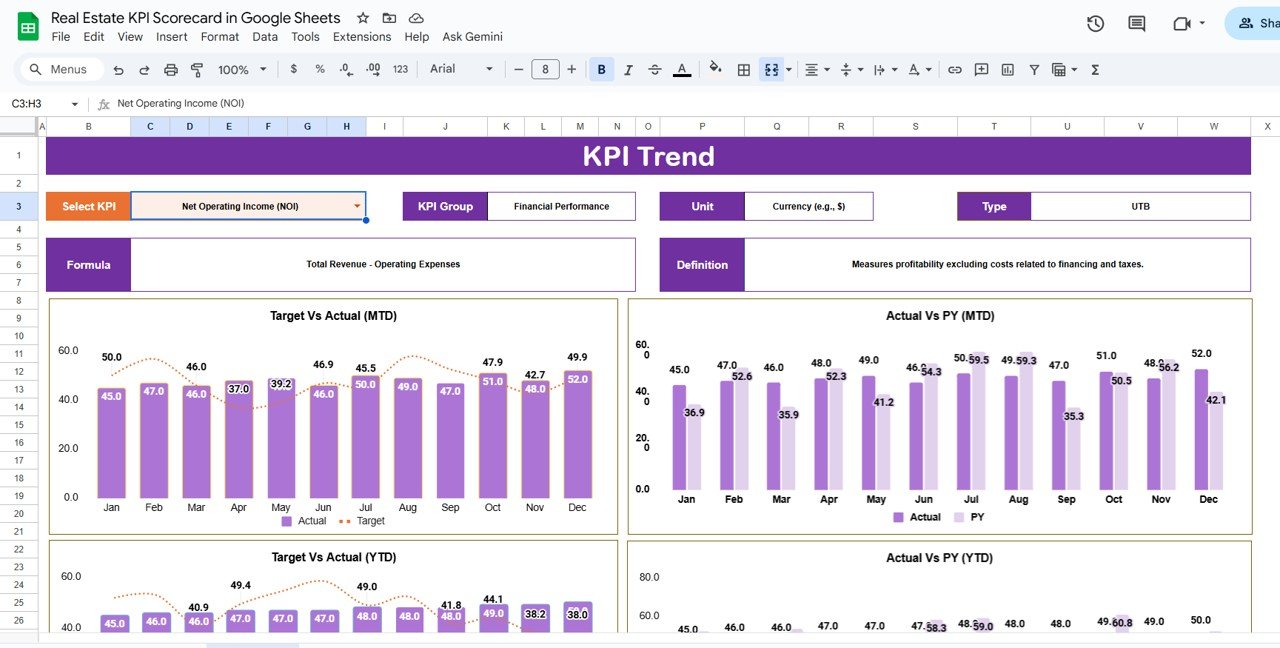
📈 KPI Trend Sheet Tab
Track performance over time with historical trend charts.
Select any KPI (dropdown in cell C3) to analyze its growth and variation month-by-month.
Displays complete KPI details:
KPI Group
Unit of Measurement
Type (UTB – Upper the Better / LTB – Lower the Better)
Formula
Definition
Provides deeper insights into long-term business performance.
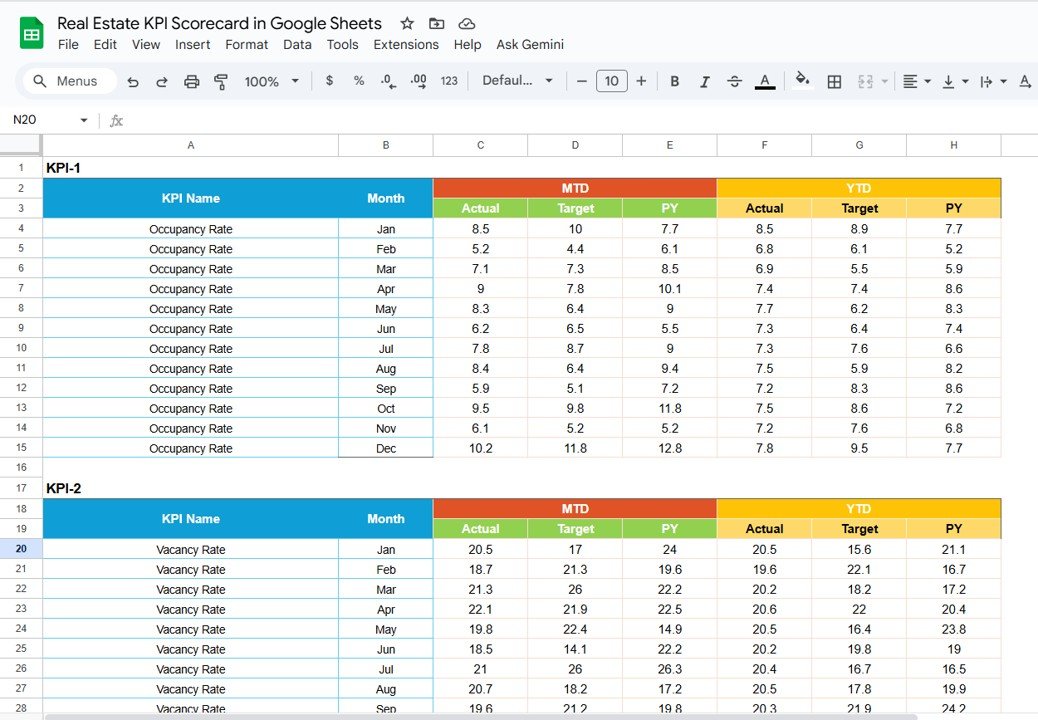
🧾 Input Data Sheet Tab
This is where you record raw performance data such as sales, expenses, occupancy, and customer satisfaction.
Enter monthly figures for each KPI.
Automatically updates dashboard metrics and visuals.
Perfect for collaborative data entry among team members.
📊 Actual Numbers Sheet Tab
Enter actual KPI values monthly and YTD.
Enables accurate comparison between targets, actual results, and historical data.
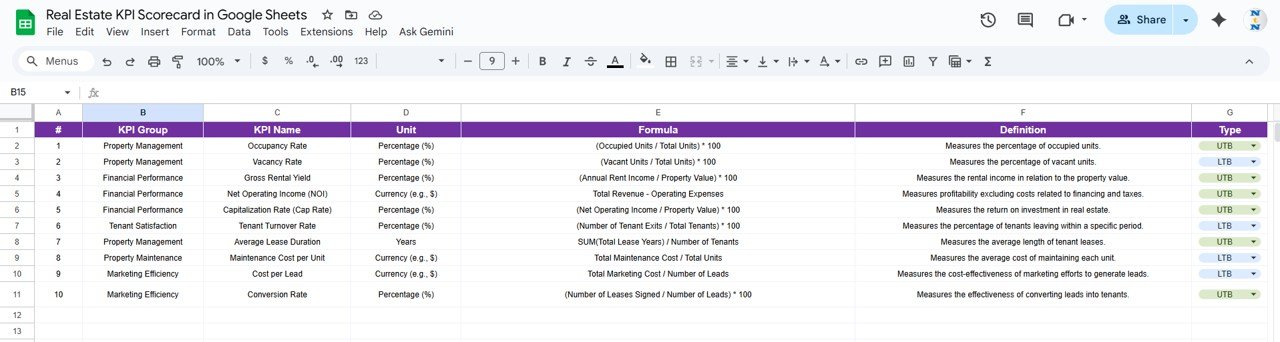
📘 KPI Definition Sheet Tab
Clearly defines all KPIs used in the scorecard — including KPI Group, Unit, Formula, Definition, and Type (UTB/LTB).
This ensures clarity, consistency, and accuracy in performance reporting.
📦 What’s Inside the Real Estate KPI Scorecard
✅ Fully functional Google Sheets file – plug-and-play ready
✅ Dynamic Dashboard – MTD/YTD performance at a glance
✅ Trend Charts – Track KPI growth over time
✅ Target vs Actual Comparison – Identify performance gaps
✅ Visual Indicators – Traffic lights & arrows for instant insights
✅ Editable KPI Library – Add or modify KPIs anytime
✅ Cloud Collaboration – Real-time multi-user access
✅ PDF Export – Share professional reports with clients or management
Everything is automated and preformatted — simply input data and the dashboard updates instantly. ⚙️
🧑💼 Who Can Benefit from This Scorecard
🏢 Real Estate Agencies – Measure agent performance, sales, and revenue.
🏘️ Property Managers – Track occupancy rates, maintenance costs, and ROI.
💼 Developers & Investors – Analyze project performance and profitability.
📊 Marketing Teams – Monitor campaign ROI and lead conversions.
Designed for both small teams and large enterprises, this scorecard ensures data-driven decision-making and improved business transparency.
🧪 How to Use the Real Estate KPI Scorecard
1️⃣ Enter Data: Input monthly KPIs in the Input Data Sheet.
2️⃣ Define Targets: Record targets in the KPI Definition Sheet.
3️⃣ Analyze Dashboard: Review automated charts and KPIs.
4️⃣ Track Trends: Use the KPI Trend Tab to see month-over-month performance.
5️⃣ Share Insights: Export as a PDF or collaborate live with your team.
💡 Pro Tip: Integrate Google Forms for automated data collection or add scripts for automated reporting!
🌟 Why Choose This Scorecard
Real-time performance monitoring
Comprehensive KPI coverage for all real estate operations
Fully customizable to your portfolio or business structure
100% cloud-based — access anytime, anywhere
No complex setup — ready in minutes
Perfect for managers, analysts, and executives
The Real Estate KPI Scorecard in Google Sheets turns complex property data into clear, actionable insights — helping you improve performance, profitability, and growth. 🌟
🔗 Click here to read the Detailed blog post
Watch the step-by-step video Demo:











Reviews
There are no reviews yet.