


Running a martial arts studio takes more than skill and passion — it requires data-driven strategy, discipline, and visibility. The Martial Arts Studio KPI Dashboard in Google Sheets helps dojo owners and instructors turn data into decisions, enabling growth, retention, and profitability — all inside one powerful, easy-to-use spreadsheet tool.
This professional, ready-to-use Google Sheets template is designed to help you track, visualize, and improve your school’s performance. Whether you manage one dojo or multiple branches, this dashboard keeps you informed about every key area — from student enrollment to financial health.
⚙️ Key Features of Martial Arts Studio KPI Dashboard in Google Sheets
🥇 Comprehensive Dashboard View
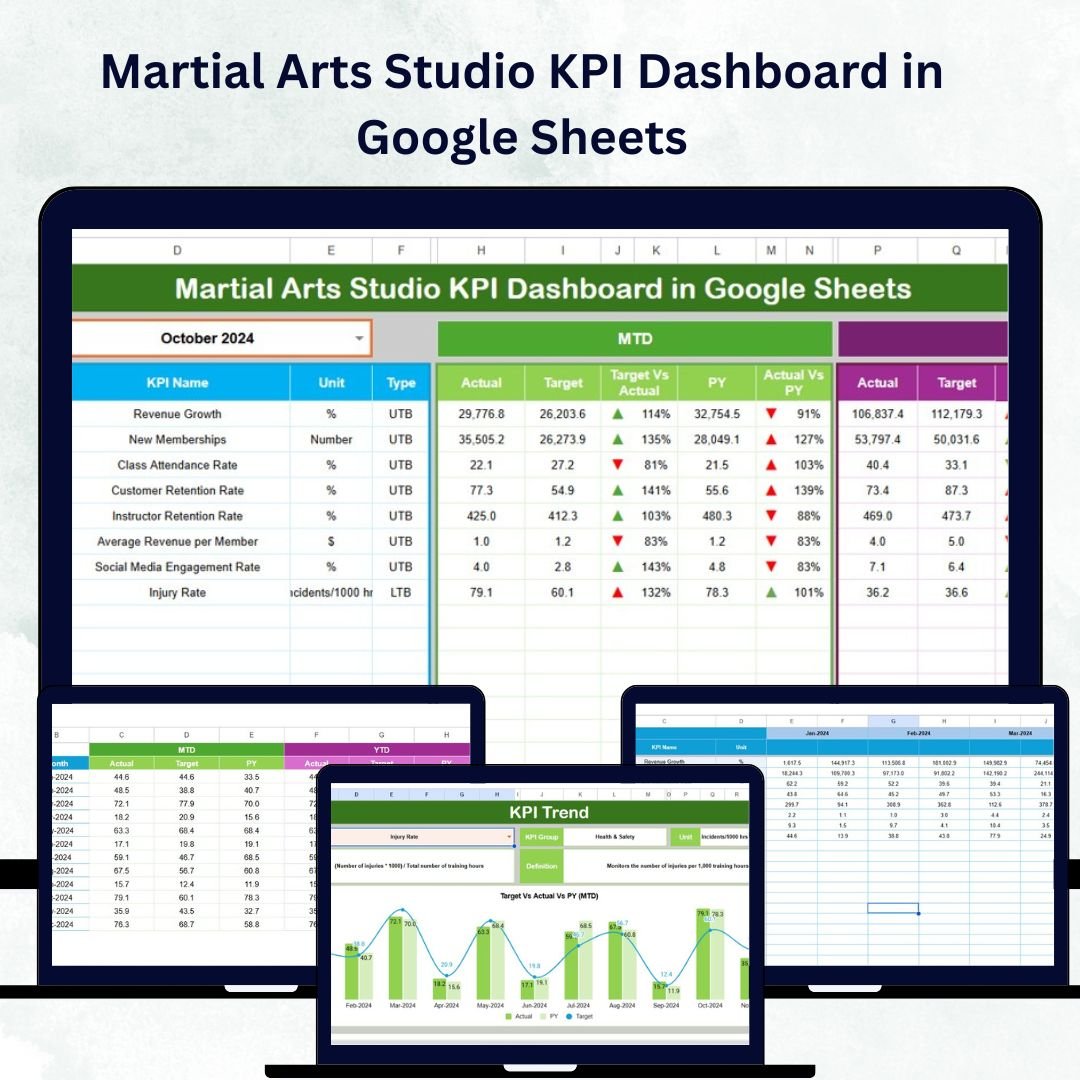
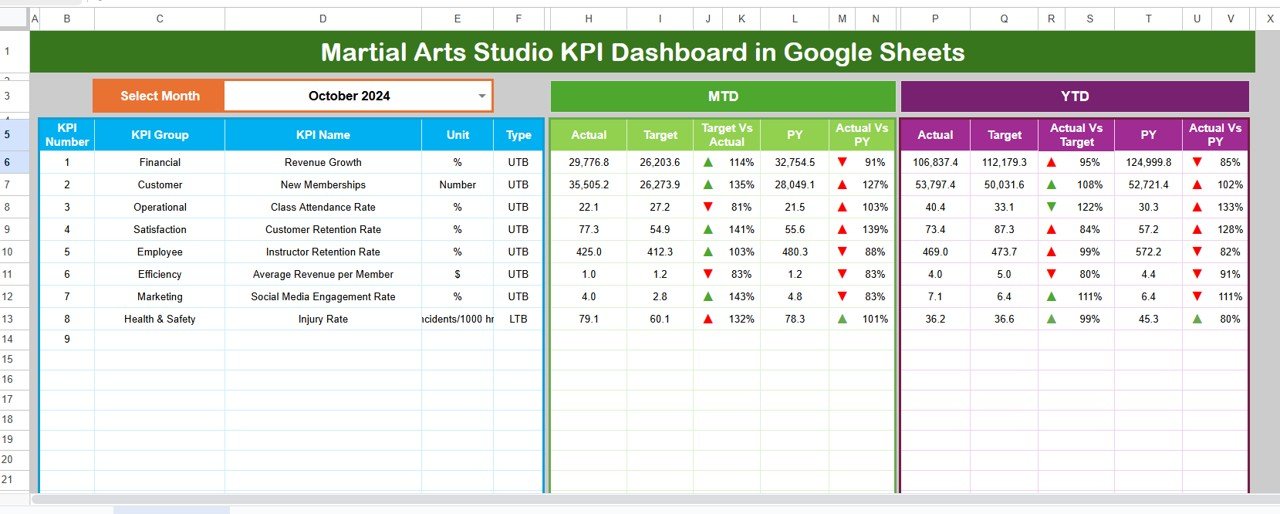
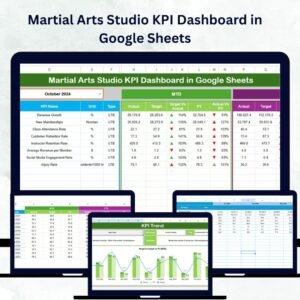
All essential KPIs are displayed in one central view. Track MTD (Month-to-Date) and YTD (Year-to-Date) Actual, Target, and Previous Year values — all auto-updated via dropdown selection.
📊 Dynamic KPI Comparison
Instantly compare Actual vs Target and Actual vs Previous Year with smart color coding and arrow indicators showing growth or decline.
📈 Visual Trend Analysis
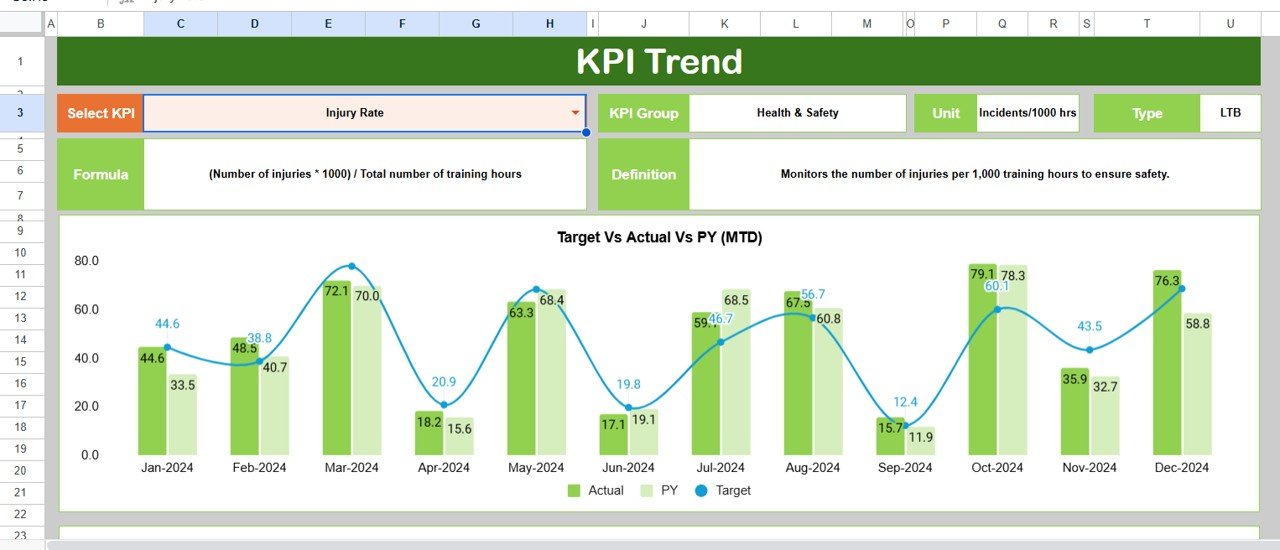
Spot trends and seasonality with KPI-specific charts that display Actual, Target, and PY values.
🧩 Fully Customizable Template
Easily add, remove, or edit KPIs according to your studio’s goals. No coding or complex formulas needed — everything is pre-linked and automated.
💡 Google Sheets-Based Simplicity
Enjoy cloud accessibility, real-time collaboration, and zero software installation. Update, share, and monitor your data from anywhere.
💰 Financial & Operational Clarity
Track revenue, expenses, instructor efficiency, and student engagement — all in one sheet.
📘 What’s Inside the Martial Arts Studio KPI Dashboard
1️⃣ Dashboard Sheet Tab – The heart of the tool. Choose a month from the dropdown to view performance summaries, charts, and variance indicators.
2️⃣ KPI Trend Sheet Tab – Select a KPI (like attendance, new enrollments, or revenue) to view detailed month-to-month trend graphs for quick pattern analysis.
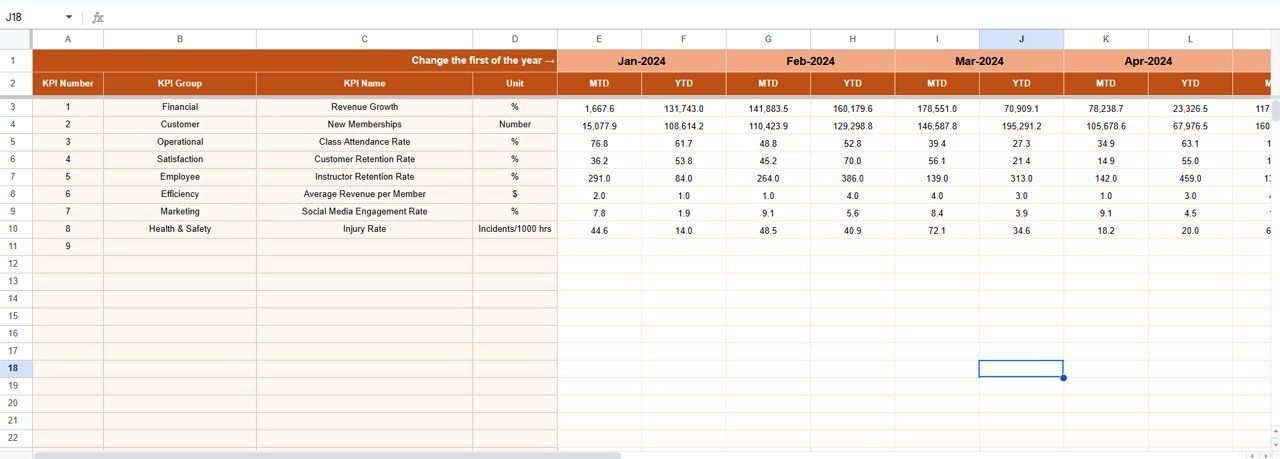
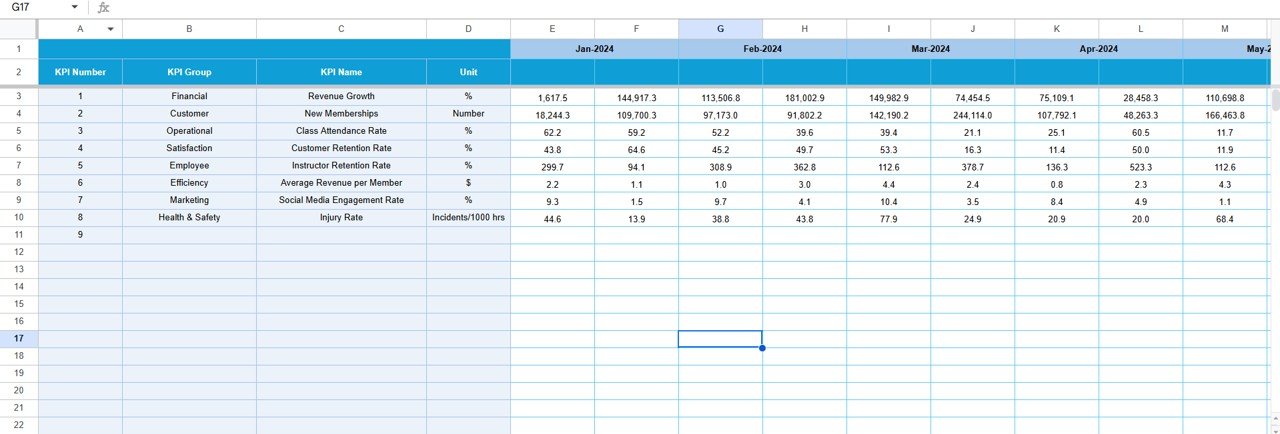
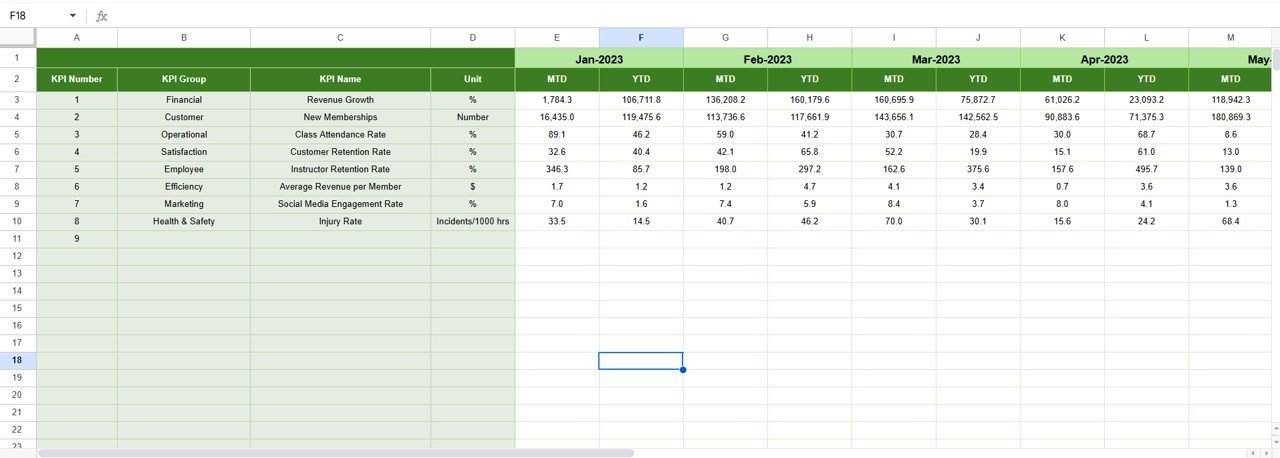
3️⃣ Actual Numbers Input Sheet – Enter operational data such as active students, attendance rate, instructor hours, and monthly revenue.
4️⃣ Target Sheet Tab – Set clear monthly and yearly goals for each KPI to benchmark performance and motivate your team.
5️⃣ Previous Year Numbers Sheet Tab – Compare current progress with last year’s results to measure real growth.
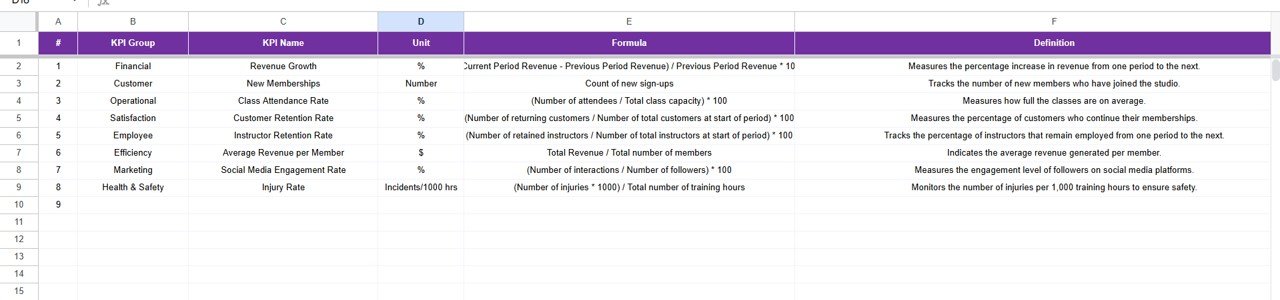
6️⃣ KPI Definition Sheet Tab – Store KPI details like name, unit, formula, and definition to ensure clarity and consistency across users.
🧭 How to Use the Martial Arts Studio KPI Dashboard
1️⃣ Input your actual performance data each month in the Actual Numbers sheet.
2️⃣ Define your targets and previous year benchmarks.
3️⃣ Select a month in the Dashboard sheet — all charts and metrics auto-update.
4️⃣ Use the Trend Sheet to analyze performance visually and detect strengths or issues early.
5️⃣ Review the KPI Definition tab whenever you add or modify metrics.
Within minutes, you’ll have a complete overview of your martial arts studio’s performance, saving hours of manual reporting.
👥 Who Can Benefit from This Dashboard
🥋 Dojo Owners – Monitor enrollment, retention, and revenue to plan strategic growth.
👨🏫 Instructors – Track attendance, class completion, and student engagement levels.
📋 Administrators – Simplify reporting and identify areas that need operational focus.
💼 Franchise Managers – Compare performance across multiple locations using standardized metrics.
📈 Business Consultants – Use data to recommend actionable strategies for improvement.
Click here to read the detailed blog post
Watch the step-by-step video tutorial:
Visit our YouTube channel to learn step-by-step video tutorials
YouTube.com/@NeotechNavigators
Compatibility and Requirements
- Works in Google Sheets. You need a free Google account and a web browser.
- You pick the month from a dropdown on the Dashboard sheet, and the KPI Trend sheet has a KPI dropdown. Google explains dropdowns in Create an in-cell dropdown list.
Frequently Asked Questions
Which sheets are included?
Six sheet tabs: Dashboard, KPI Trend, Actual Numbers, Target, Previous Year Numbers and KPI Definition.
How do I update the dashboard each month?
Enter your actual figures in the Actual Numbers sheet, set your goals in the Target sheet and add last year’s results in the Previous Year Numbers sheet. Then select the month on the Dashboard sheet and the charts and metrics update.
Can I compare results with targets and with last year?
Yes. The Dashboard shows MTD and YTD Actual, Target and Previous Year values, with color coding and arrow indicators for growth or decline.
Can I add or change KPIs?
Yes. You can add, remove or edit KPIs to match your studio’s goals. The KPI Definition sheet stores each KPI’s name, unit, formula and definition.
Is there an Excel or Power BI version?
Yes. See the Martial Arts Studio KPI Dashboard in Excel and the Martial Arts Studio KPI Dashboard in Power BI.
Related Studio KPI Templates
- Martial Arts Studio KPI Dashboard in Excel: the same dashboard in Excel
- Martial Arts Studio KPI Dashboard in Power BI: the Power BI edition
- Fitness Studio KPI Dashboard in Google Sheets: a similar KPI dashboard for fitness studios
- Yoga Studio KPI Dashboard in Google Sheets: a similar KPI dashboard for yoga studios
- Google Sheets Business Pack (Pro): 14 business templates in one download
Browse all Google Sheets KPI dashboards.






























Reviews
There are no reviews yet.