



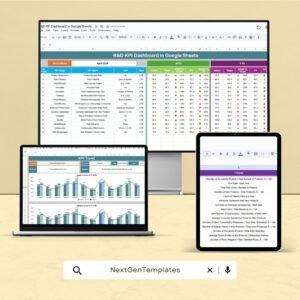
The R&D KPI Dashboard in Google Sheets is a powerful tool designed to help research and development teams effectively monitor and analyze their key performance indicators (KPIs). This dashboard consolidates important project data, providing real-time insights to ensure strategic decision-making and efficient management. It is tailored for organizations that wish to streamline their R&D operations, track project progress, manage resources, and ensure financial health across their innovation efforts.
This dashboard offers an easy-to-use interface, real-time updates, and customizable features, making it an indispensable asset for teams looking to optimize their research and development processes.

Key Features of the R&D KPI Dashboard in Google Sheets
📊 Comprehensive Performance Tracking
Project Progress Monitoring: Track ongoing R&D projects, milestones achieved, and upcoming deadlines to keep the team aligned with goals.
Resource Allocation Analysis: Monitor how resources are distributed across projects and adjust as necessary to ensure optimal utilization.
Budget Compliance: Ensure all R&D projects stay within allocated budgets by tracking expenses and comparing them against project forecasts.
📈 Interactive Data Visualization
Dynamic Charts and Graphs: Use customizable charts like Gantt charts, progress bars, and line graphs to represent project data and progress visually.
Real-Time Updates: Get updated insights in real-time as data is entered, ensuring you always have the most current view of project performance.
🖥 User-Friendly Interface
Customizable Layouts: Adjust the dashboard’s layout to highlight specific KPIs that align with your unique R&D objectives and business goals.
Collaborative Features: Share the dashboard with team members and stakeholders, ensuring transparency and collaborative decision-making.
🔒 Data Integrity and Security
Cloud-Based Accessibility: With Google Sheets, you can access the dashboard from anywhere, ensuring that project updates are available when needed.
Permission Settings: Manage access levels to sensitive project data, ensuring confidentiality and security.
Benefits of Using the R&D KPI Dashboard in Google Sheets
✅ Enhanced Decision-Making
Real-time data and visualizations allow R&D teams to identify potential issues quickly and make informed decisions, improving project outcomes.
✅ Improved Operational Efficiency
Automated tracking and data entry reduce manual efforts, enabling teams to focus on innovation and strategic planning rather than administrative tasks.
✅ Financial Optimization
Continuous monitoring of financial metrics, including budgets and expenditures, helps R&D teams manage costs effectively and optimize the use of resources.
✅ Strategic Planning
Access to comprehensive data empowers R&D teams to develop more effective strategies, allocate resources efficiently, and drive successful innovation.
Conclusion
The R&D KPI Dashboard in Google Sheets is an invaluable tool for R&D teams looking to streamline their operations, enhance financial performance, and improve strategic decision-making. With its real-time data updates, customizable features, and user-friendly design, this dashboard helps organizations optimize their R&D processes and ensure the success of innovation projects.
Click here to read the Detailed blog post
R&D KPI Dashboard in Google Sheets
Visit our YouTube channel to learn step-by-step video tutorials
YouTube.com/@PKAnExcelExpert
Watch the step-by-step video Demo:
Compatibility and Requirements
- Works in Google Sheets. You need a free Google account and a web browser.
- Charts update from your data. Google explains charts in Add & edit a chart or graph.
Frequently Asked Questions
Which R&D KPIs does the dashboard track?
It tracks project progress, milestones, upcoming deadlines, resource allocation and budget compliance.
Can I compare spending with the budget?
Yes. It tracks expenses and compares them against project forecasts.
Which charts are included?
Gantt charts, progress bars and line graphs show project data and progress.
Can I share it with my team?
Yes. You can share it with team members and stakeholders and set access levels for sensitive project data.
Is there an Excel version?
Yes. The R&D KPI Dashboard in Excel covers R&D KPIs in Excel.
Related R&D Templates
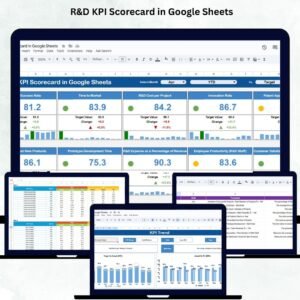
- R&D KPI Scorecard in Google Sheets: a scorecard view of R&D KPIs
- Research and Development Dashboard in Google Sheets: a full R&D dashboard
- R&D Activity Calendar in Google Sheets: schedule R&D activities by date
- R&D KPI Dashboard in Excel: R&D KPIs in Excel
- R&D KPI Dashboard in Power BI: R&D KPIs in Power BI
Browse all Google Sheets KPI dashboards or the Google Sheets dashboards.






















Reviews
There are no reviews yet.